perplexity-cli
🧠 A simple command-line client for the Perplexity API. Ask questions and receive answers directly from the terminal! 🚀🚀🚀
Python★ 176
🧙 Automates the installation and updating of the Cursor .AppImage for Linux users, resolving common issues during setu…
 jorcelinojunior
git clone https://github.com/jorcelinojunior/cursor-setup-wizard.gitjorcelinojunior/cursor-setup-wizard
A streamlined script to set up Cursor on Ubuntu-based systems with ease 🚀
Cursor Setup Wizard is a Bash script designed to simplify the installation, configuration, and even updates to the latest versions of Cursor — sometimes beyond what's available on the official site (see feedback).
Built specifically for Ubuntu-based systems, it addresses long-standing issues not resolved by Cursor itself, automates complex setup steps, and ensures a seamless experience for Linux users.
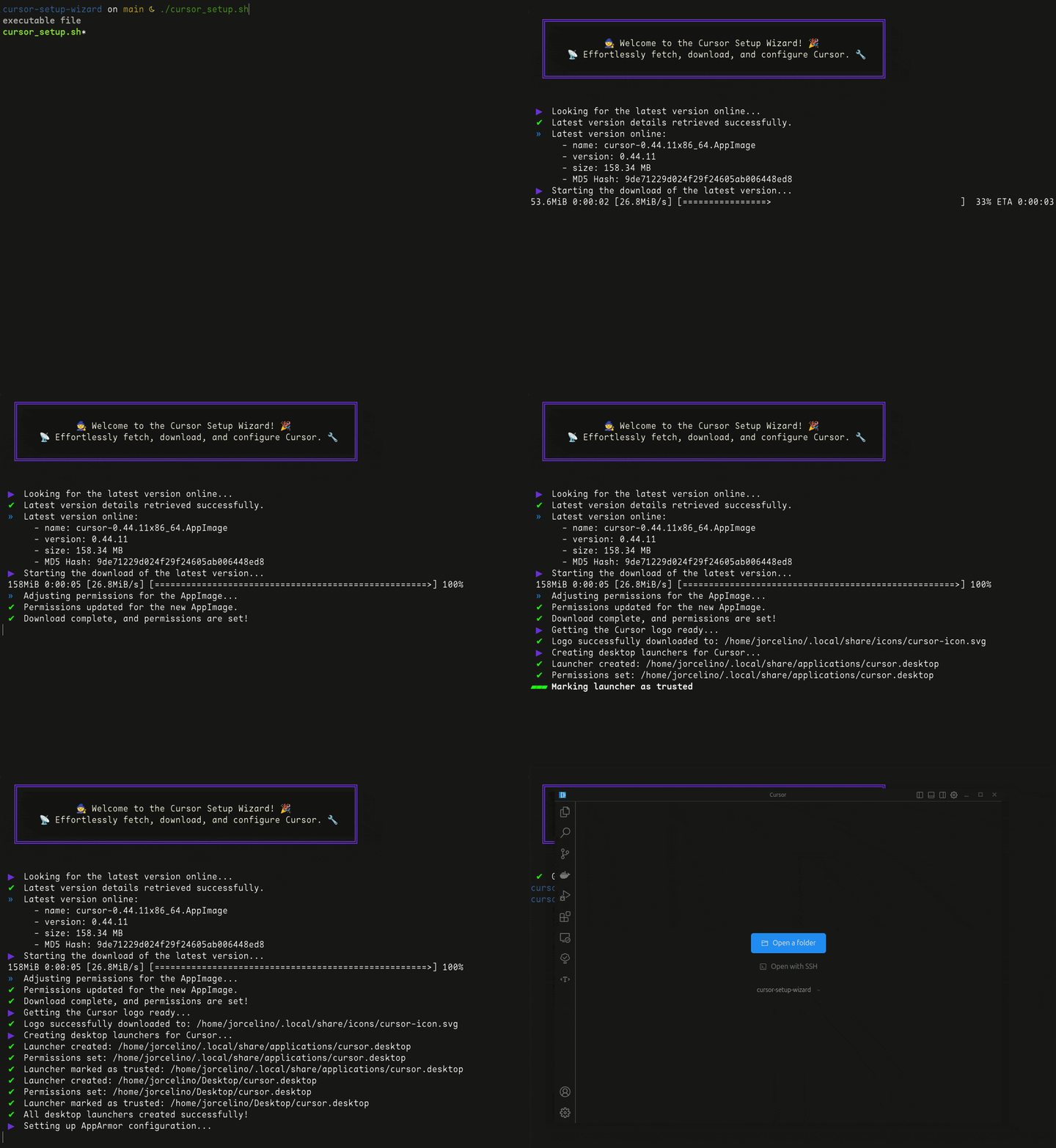
This script was born from the frustration many Linux users faced, including myself, with the tedious and error-prone process of setting up Cursor. These issues, highlighted in issue #1465 from the official Cursor repository, made it clear that an automated solution was needed.
I initially shared a workaround in a gist, and the thoughtful feedback and suggestions in the comments inspired me to refine it into the tool you see here. The collaborative input from the community, including suggestions, feature requests, and shared solutions, was instrumental in shaping this project.
Cursor Setup Wizard ensures you can focus on what truly matters: coding, without the hassle of manual steps.
🌟 I hope this repository proves helpful to others as well. It's an evolution of one of my first contributions, and I look forward to creating even more tools to assist the community. Feedback and improvements are always welcome! 💜
sudo privileges for dependency installation and system configuration.To get started immediately, run:
bash <(curl -s https://raw.githubusercontent.com/jorcelinojunior/cursor-setup-wizard/main/install.sh)
This command downloads the main script (cursor_setup.sh), places it in ${HOME:-~}/cursor-setup-wizard/, makes it executable, and runs it. It's the fastest way to set up Cursor without hassle.
cursor command for launching Cursor from the terminal.gum.When you run the script, you’ll see an interactive menu like this:
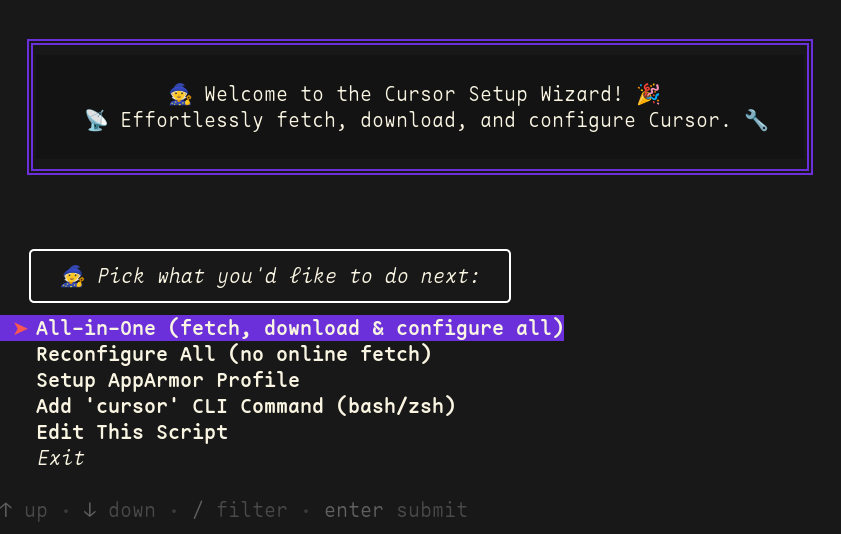
cursor terminal command.At each step, the script provides clear prompts, spinners, and detailed logs to keep you informed.
Contributions are always welcome, and I’d love to hear your suggestions or improvements! Even though it’s a simple script, every contribution will be thoughtfully considered.
If you're interested in contributing, here are some areas where your help would be especially valuable:
To get started:
git clone https://github.com/<your-username>/cursor-setup-wizard.git
cd cursor-setup-wizard
git checkout -b feature/my-new-feature
git commit -am 'Add some feature'
git push origin feature/my-new-feature
Feel free to reach out if you have any questions. Your contributions make this project better! 😊
If you're interested in debugging or enhancing the script, here are some resources and tips to help you get started!
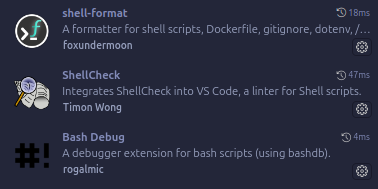
To make your development experience smoother, consider using these tools:
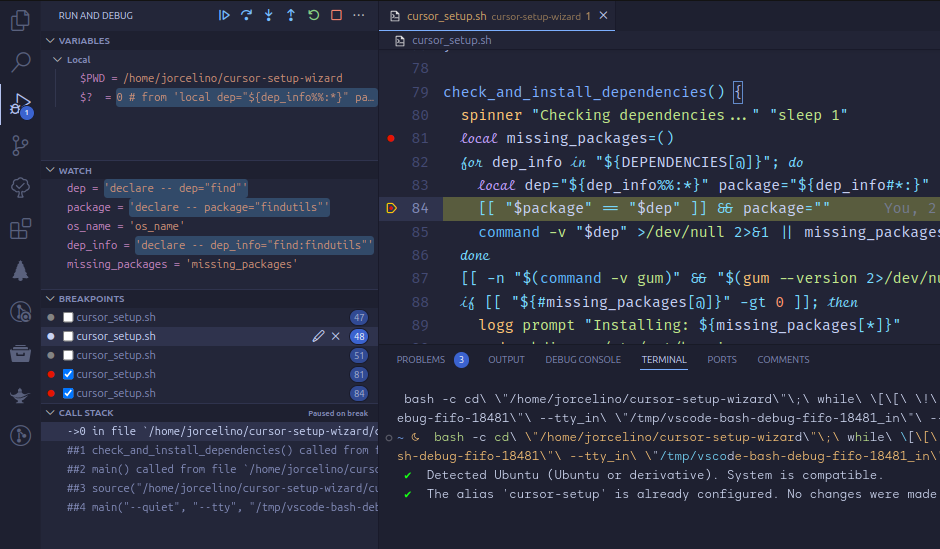
This script includes pre-configured settings for debugging in VS Code or other editors. Follow these steps to get started:
Debug cursor_setup.sh: Debug the main script.Bash-Debug Current File: Debug the currently open Bash file.Failed to fetch headers from the serverThis error occurs when the script cannot retrieve necessary headers from the server. Possible solutions include:
VERSION_CHECK_TIMEOUT value (default 5 sec) is sufficient for your connection speed. Increase it if necessary.DOWNLOAD_URL is correct. If you’ve modified it, ensure it points to a valid resource. The default is: https://downloader.cursor.sh/linux/appImage/x64.
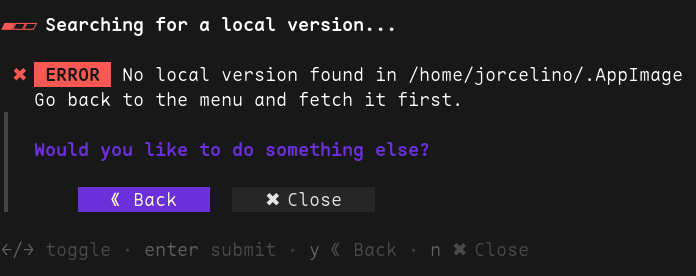
No local version foundIf you encounter this error, it means the AppImage could not be located. Use All-in-One to fetch it again.
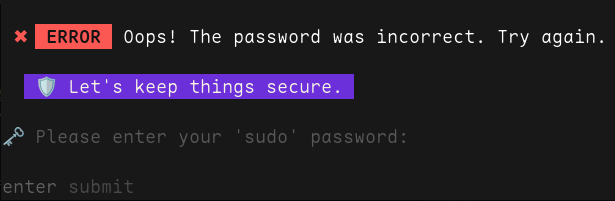
The password was incorrectIf you see this message, re-enter your password to proceed.
Cursor Fails to StartCheck if AppArmor is active. Reapply its profile via the menu if needed (option Setup AppArmor Profile).
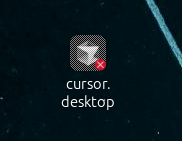
Launcher IssuesIf the .desktop file is marked as untrusted, ensure gio is installed and D-Bus is running.
Dependency ErrorsMost of the required dependencies are already included by default in Ubuntu-based systems. The script performs a quick check to ensure everything is ready and installs any missing packages automatically. An active internet connection is needed for this process.
Gum Version CompatibilityThe script requires gum version 0.14.5. Avoid running sudo apt update while the script is open, as it may upgrade gum to version 0.15.0, which can cause unexpected behavior. Restart the script if you update your system.
This script is licensed under the MIT License. Feel free to use, modify, and distribute it as needed.
If this script has been helpful, consider supporting my work and keeping the magic alive!
Your contributions help maintain and improve tools like this one. 🌟
Thank you for your kindness and support! 💜
Are you looking for someone who thrives on tackling challenges and building impactful solutions?
With over 8 years of experience in backend development, Linux automation, scalable systems, and AI-driven solutions,
I enjoy working independently on creative projects that deliver real value.
Passionate about exploring new ideas and technologies, I aim to transform innovative visions into extraordinary realities.
Let’s collaborate and create something exceptional together! ✨
📩 Feel free to send me a message—I’d love to hear from you: 💬



more like this
🧠 A simple command-line client for the Perplexity API. Ask questions and receive answers directly from the terminal! 🚀🚀🚀
Comprehensive analytics dashboard for AI coding agents — Cursor, Windsurf, Claude Code, VS Code Copilot, Zed, Antigravi…
A to-do list that runs your Claude Code agents — capture anywhere, dispatch in parallel, review from your phone.
search projects, people, and tags