perplexity-cli
🧠 A simple command-line client for the Perplexity API. Ask questions and receive answers directly from the terminal! 🚀🚀🚀
Python★ 176
⏳Track commands progress in a compact one-line format
 kattouf
git clone https://github.com/kattouf/ProgressLine.gitkattouf/ProgressLine

Track commands progress in a compact one-line format.
⏳ progressline output |
|---|
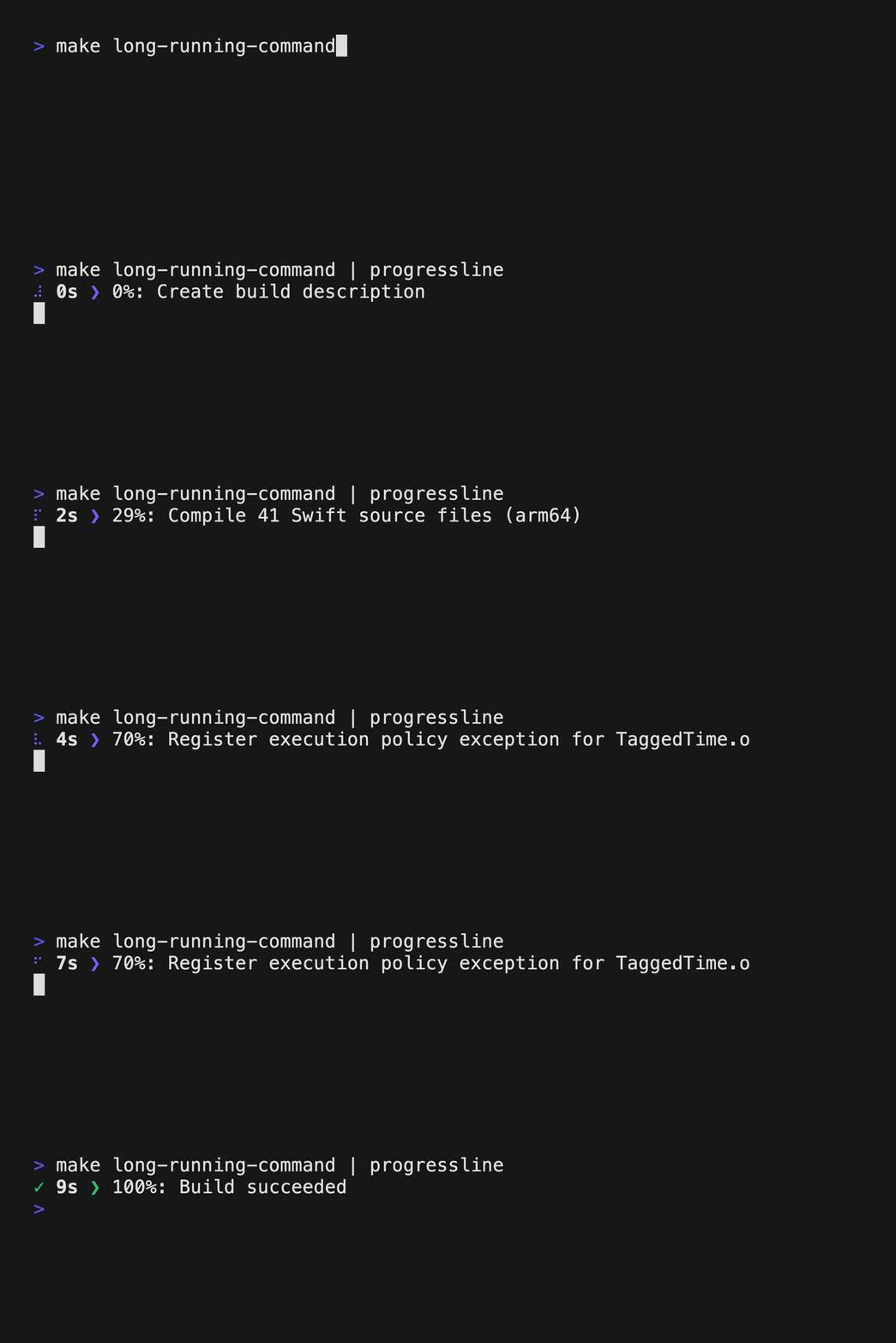 |
| 📝 standard output |
|---|
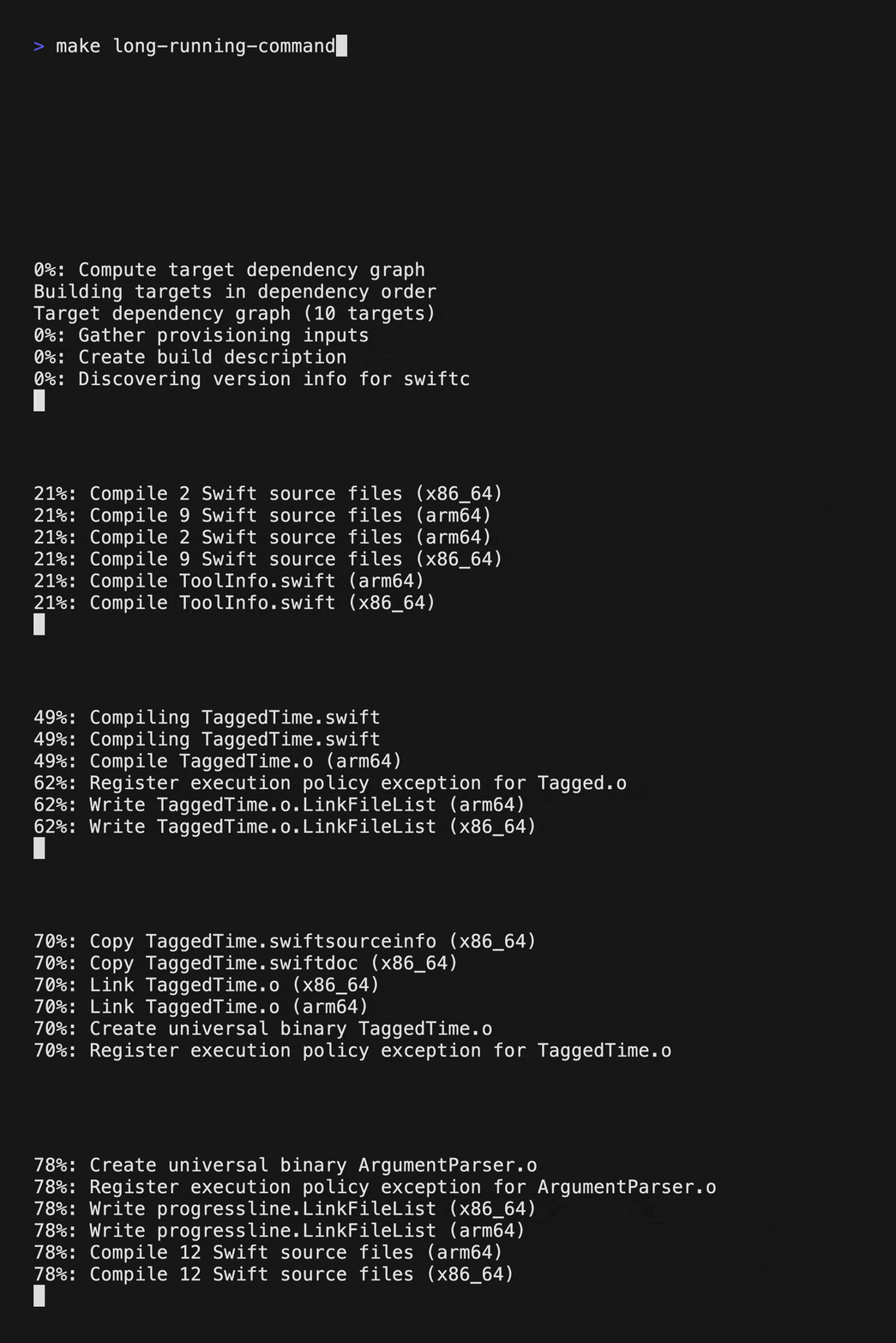 |
Usage • Features • Installation
Simply pipe your command output into progressline to start tracking:
long-running-command | progressline
If the command you are executing also writes data to stderr, then you should probably use "redirection" and send stderr messages to stdout so that they also go through the progressline:
long-running-command 2>&1 | progressline
ProgressLine offers different styles to represent activity, they can be changed using -s, --activity-style option:
long-running-command | progressline --activity-style snake
Available styles:
| dots (Default) | snake | kitt | spinner |
|---|---|---|---|
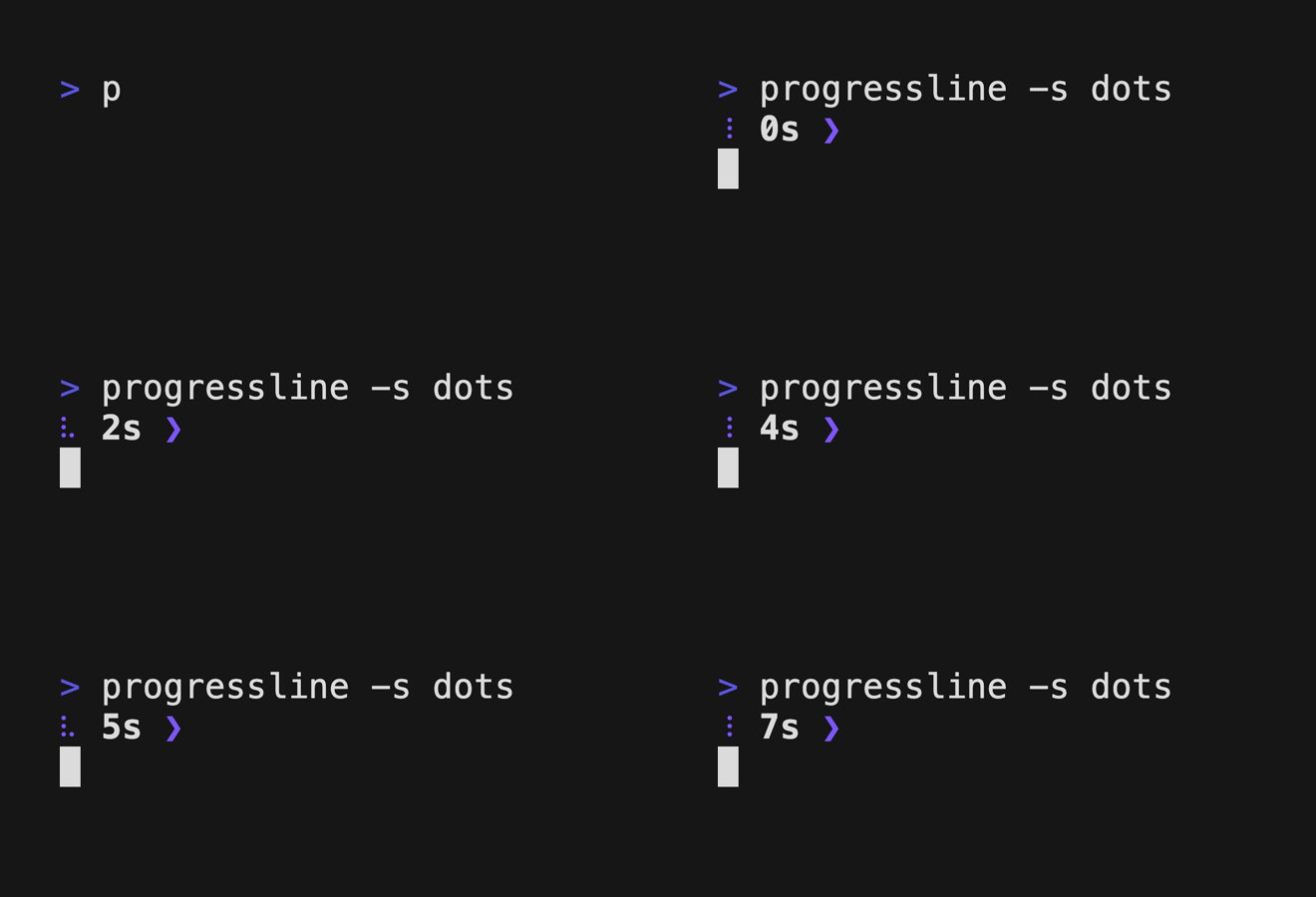 |
 |
 |
 |
If you don't need to see the log output during execution, even in a single line, you can replace it with your own text using the -t, --static-text option.
long-running-command | progressline --static-text "Updating sources..."
Log specific stdin lines above the progress line using the -m, --log-matches option:
long-running-command | progressline --log-matches "regex-1" --log-matches "regex-2"
Log all stdin data above the progress line using the -a, --log-all option:
long-running-command | progressline --log-all
You have two options for saving the full original log:
long-running-command | tee original-log.txt | progressline
-l, --original-log-path option:long-running-command | progressline --original-log-path original-log.txt
brew install progressline
mint install kattouf/ProgressLine
mise use -g spm:kattouf/ProgressLine
Download the binary for your platform from the releases page, and place it in your executable path.
Feel free to open a pull request or a discussion.
more like this
🧠 A simple command-line client for the Perplexity API. Ask questions and receive answers directly from the terminal! 🚀🚀🚀
meine 🌒 - A CLI file manager and system utility built with Textual. It combines intuitive command parsing with rich t…
search projects, people, and tags