moxon-frame-generator
simple generator for 3D-printed frames for a moxon rectangle antenna
OpenSCAD★ 50
Support repository for the 'Digital Radio Receiver' / 'FT8 Decoder' / 'FT8 Radio' app.
 kholia
git clone https://github.com/kholia/DigitalRadioReceiverSupport.gitkholia/DigitalRadioReceiverSupportNOTE: Please use the BETA version from the Google Play Store - it works much
better! A full manual uninstall-reinstall of the app may be required - thank you!
For the FT8 Radio app support, please vist this URL.
Here is the link to the FT8 Radio app.
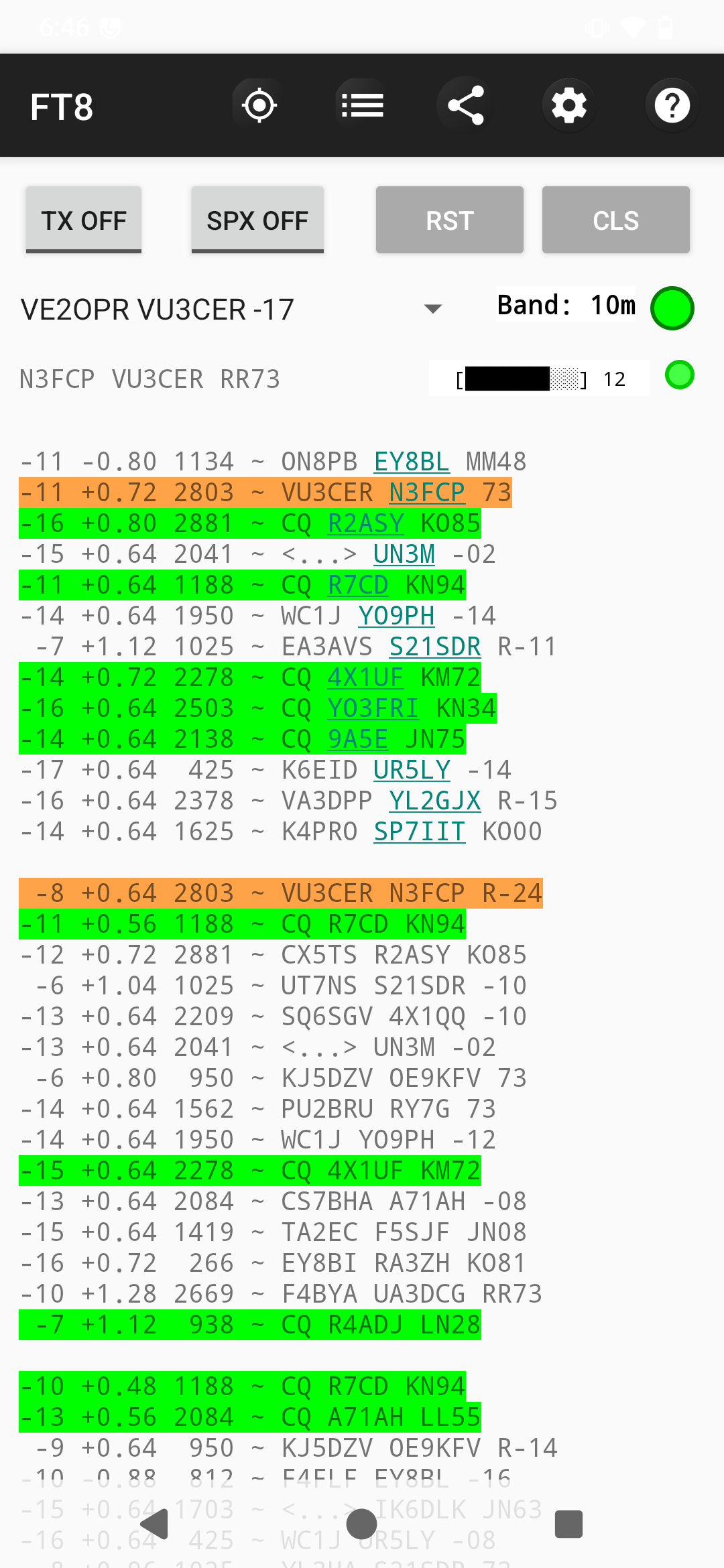
Here is the link to the FT8 Decoder app.
If you are new to FT8, the following resources could be helpful:
We recommend using the WSJT-X software on a PC (or a Raspberry Pi) first to get familiar with FT8.
This app currently decodes FT8 traffic by listening to externally provided audio - typically from a SSB or SDR receiver.
Use the ClockSync app (version 1.2.6 by Sergey Baranov) to verify the time on your Android phone. Getting the time correct on your phone is CRITICAL! Without correct time on your phone, the app will NOT be able to decode FT8 traffic.
To correct the time on your phone WITHOUT root access, copy the Local offset value from the ClockSync app into the Time Delta field in the app
settings (keeping the negative sign as it is, if present).
This new Time Delta (Internal Clock) feature smartly avoids various
time-syncing-issues on Android.
Example:
The ClockSync app shows -0.501 as the Local offset.
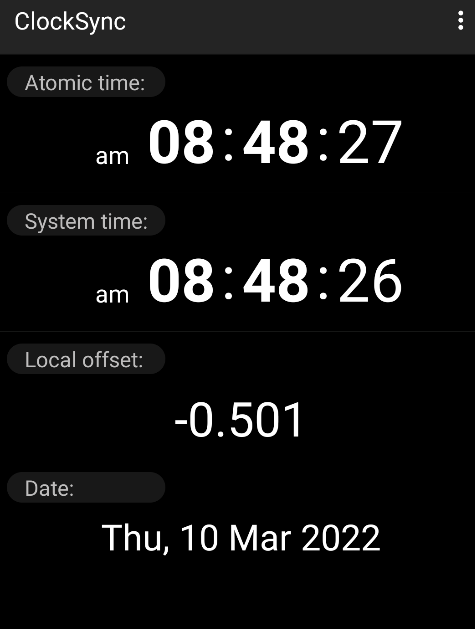
So enter the same exact -0.501 value in the Time Delta field in the app
settings.
Support is available over email and at https://github.com/kholia/DigitalRadioReceiverSupport.
Change the Callsign and the Grid values in app settings. Enable
spotting in app settings for added fun. The spotting feature is currently
in the works.
It does NOT compute (WSJT-X) SNR presently, and it reports back candidate scores instead.
Attention: The apps needs to keep the display ON to allow the microphone to work on modern Android versions. Reduce screen brightness to maximize battery life.
The incrementing number you see is the current 'seconds' value - it
allows debugging the timing setup, and the app.
Keep the phone next to an audio source (such as HF Rig / Radio / PC).
Tune your HF Rig / SDR to the correct FT8 frequency.
See https://www.sigidwiki.com/wiki/FT8#Frequencies for a list of FT8 frequencies.
ATTENTION: Please ensure that you can hear the FT8 "tunes" by ear.
The primary focus of this app is on decodes per watt in the field (portable
operations).
Keep the radio / rig volume at a comfortable level. The app is known to work even when the phone is kept across the room from the radio / rig!
The app launcher icon is missing on Android 6.x (at least).
The app will auto-restart when needed - this is not ideal but better than the alternate options.
The app is NOT CrashFree (yet). We are working on improving this.
[LP] Highlight a chosen callsign (alerting for a particular callsign)
[LP] Dark theme
[LP] Waterfall display (spectrum)
[LP] Volume meter
Thanks to Perrin Trease for many of these ideas - 73!
Listening to FT8 tunes all day might not be fun for everyone. Use the following cable to connect the sound-output of your radio to an Android phone.
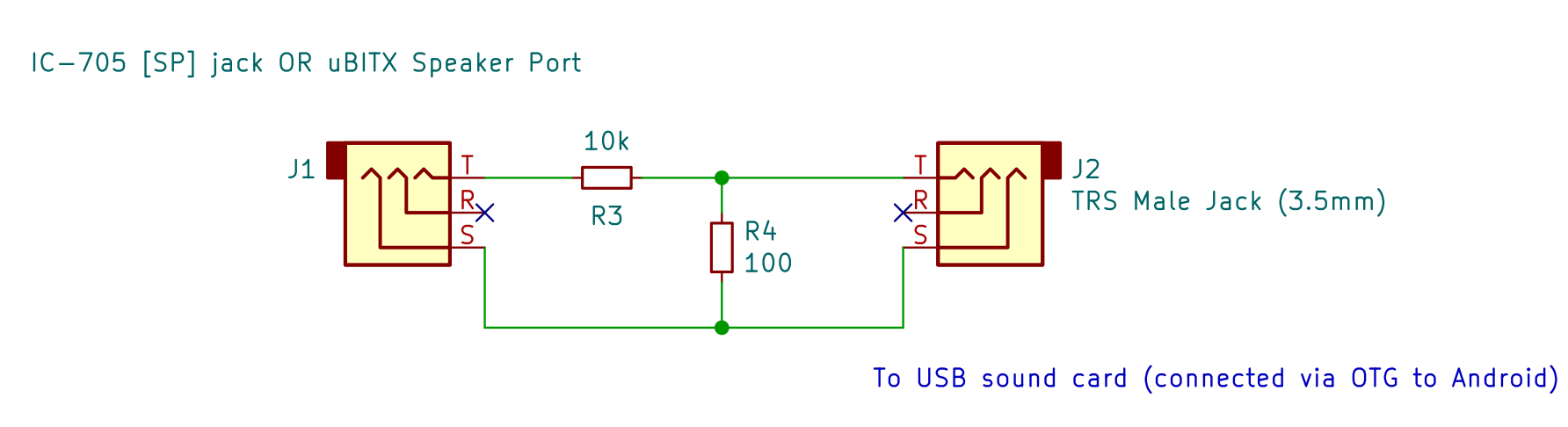
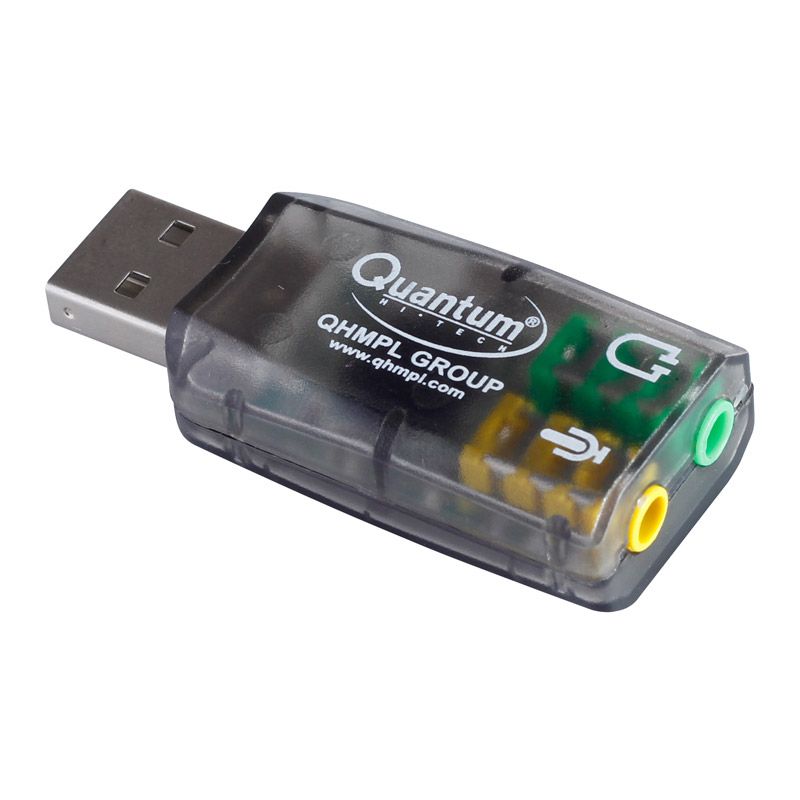
This sound card is connected to the following USB OTG Hub (Type-C).
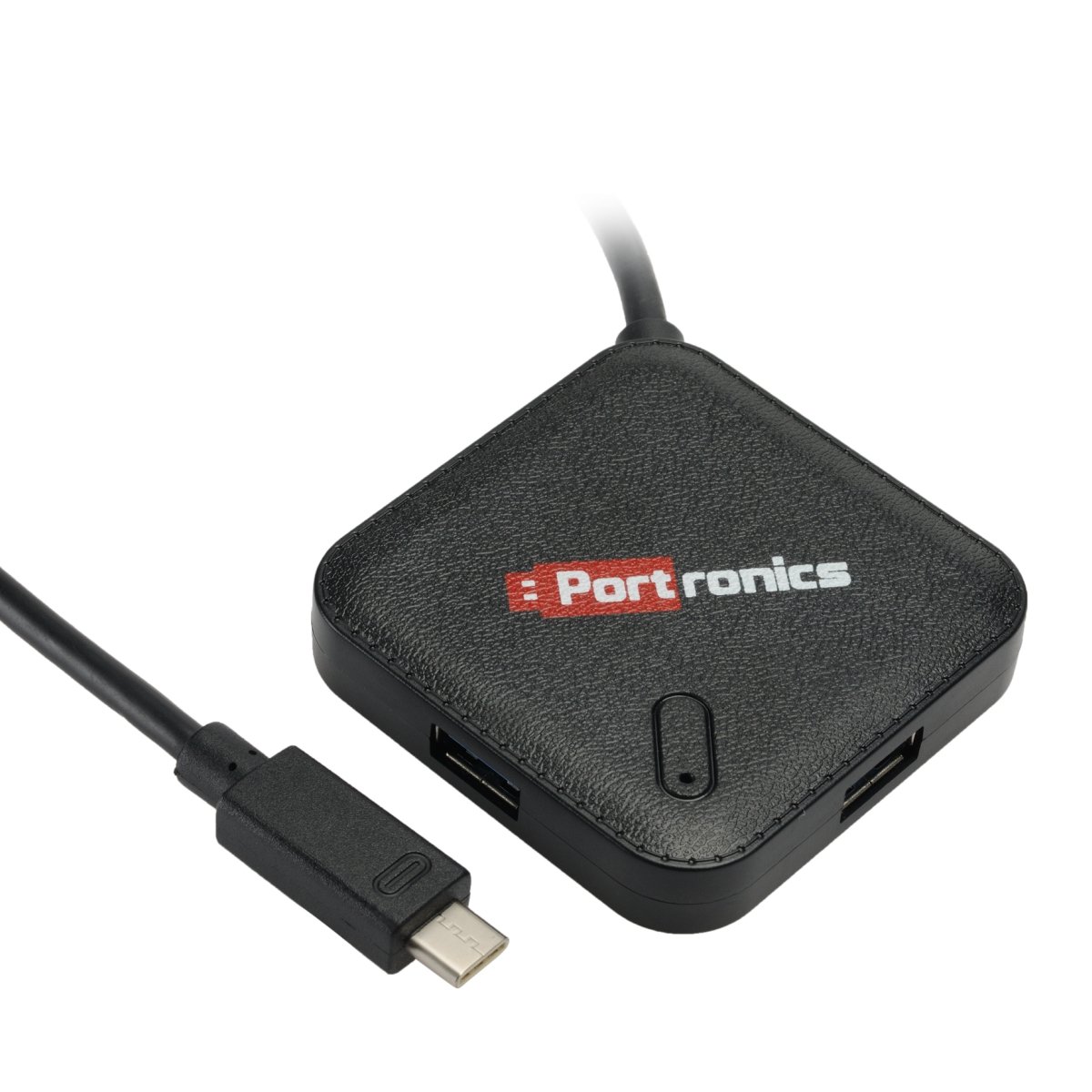
Note: You may also use a single port OTG adapter or OTG cable instead of
this USB OTG Hub (Type-C).
This cable was built, and tested on 15th-December-2021.
Tip: Use the Audio Amplitude tool from the Phyphox app to measure the
microphone sound levels.
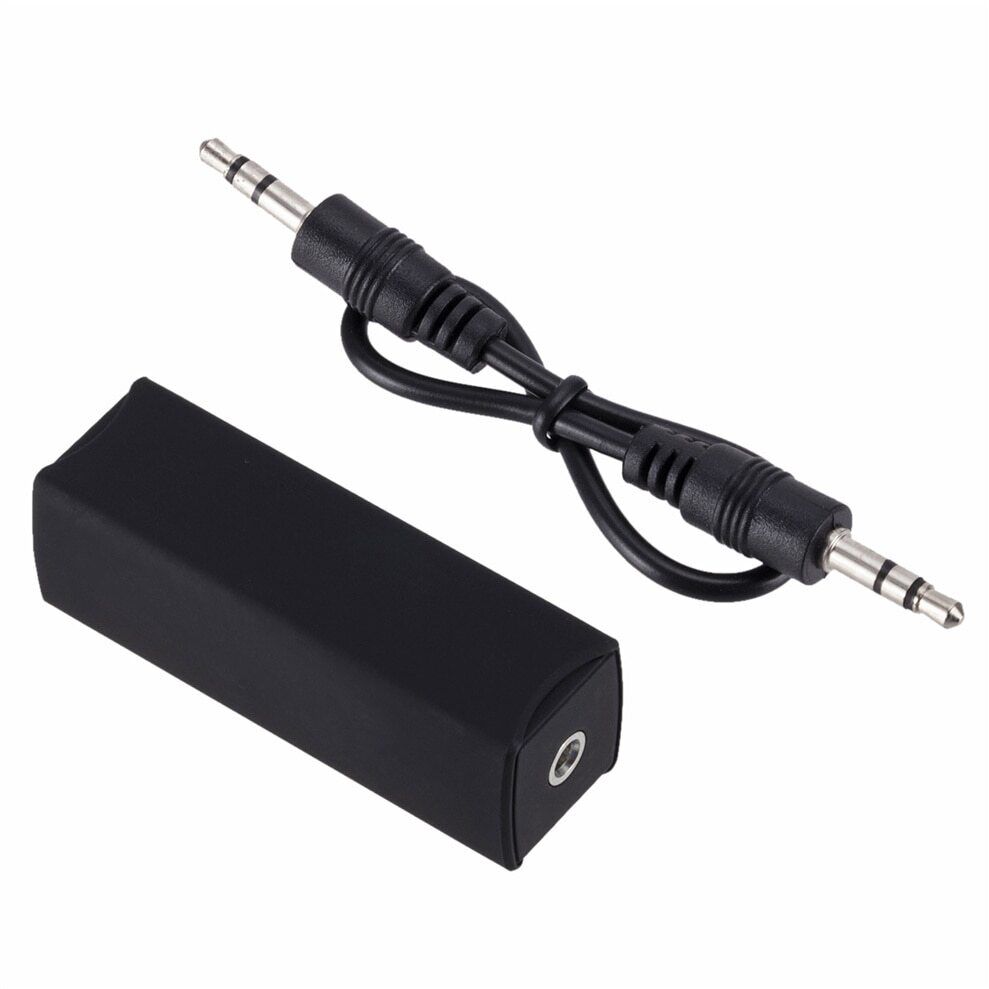
You may also find ground loop isolators useful.
The app is regularly tested on the following phones:
Redmi Note 8 Pro running Android 11
Redmi Note 7 Pro running Android 12
Redmi Note 7 running Android 10
Nexus 5 (hammerhead) running LineageOS 7.1.2
XHDATA D-808 radio (in-built telescopic antenna, TECSUN AN-05 Antenna, DIY Spool Wire Antenna)
ICOM IC-7300 (20m dipole)
Audio-over-the-air mode is supported as usual
IC-7300 can also be directly connected to phone's OTG port using a USB cable
I can recommend the Tripp Lite USB 2.0 Hi-Speed A/B Cable with Ferrite Chokes (M/M) 3-ft. (U023-003) cable for IC-7300.
ICOM IC-705 (20m dipole, https://github.com/kholia/HF-Balcony-Antenna-System)
Audio-over-the-air mode is supported as usual
IC-705 can also be directly connected to phone's OTG port using a Micro USB cable
uBITX (20m dipole, Quick-RX-Antenna -> random wire folded in a small loop)
ATTENTION: Use https://github.com/kholia/Light-Intuitive-Digital-Interface for uBITX instead of the (simpler) audio-connection-cable from this repository.
uSDX V1.02
Audio-over-the-air mode is supported as usual
A standard 3.5mm AUX cable can be used to connect uSDX to a USB sound card connected to an Android phone.
Yaesu FT-991A (via a customer report)
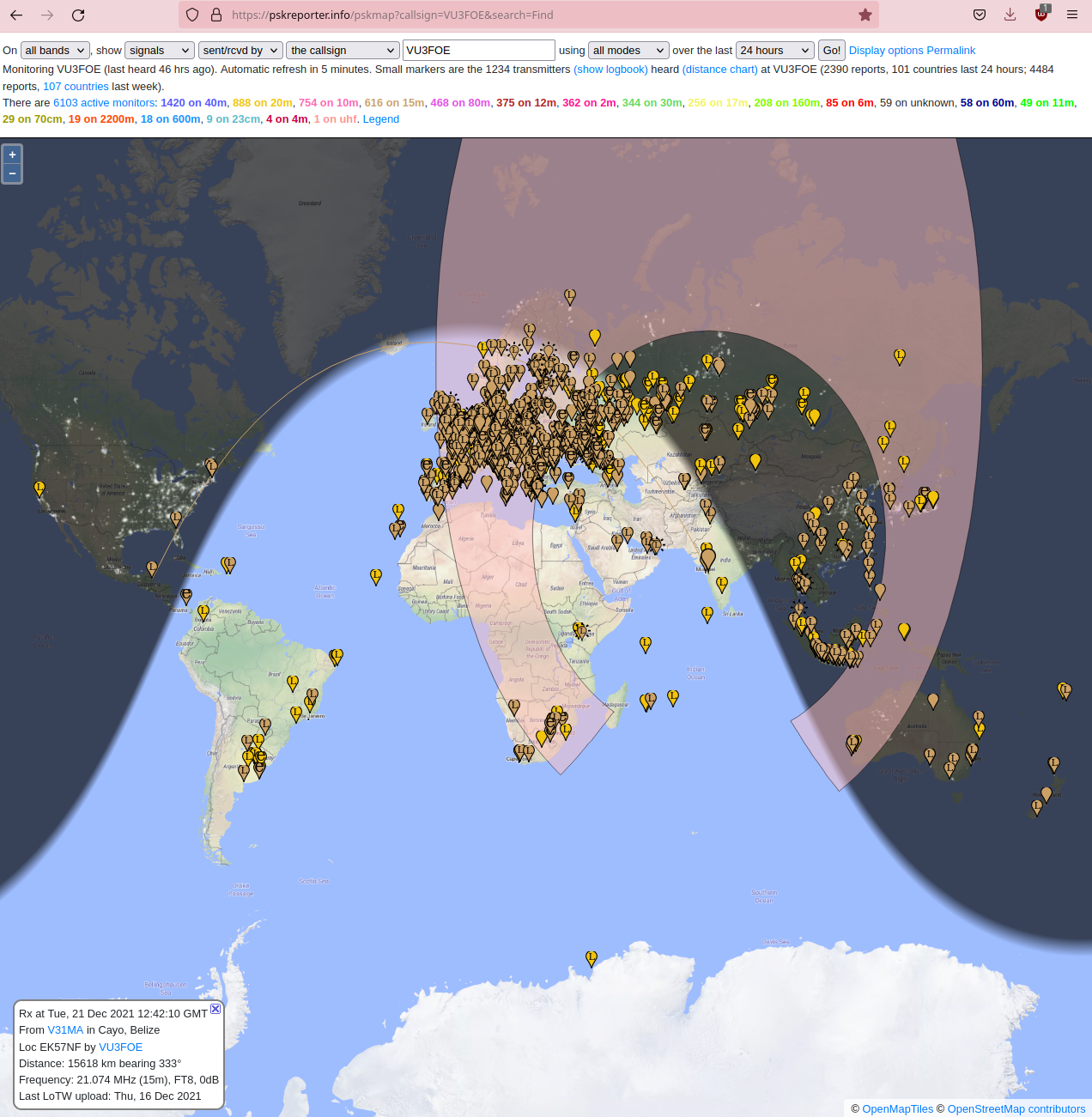
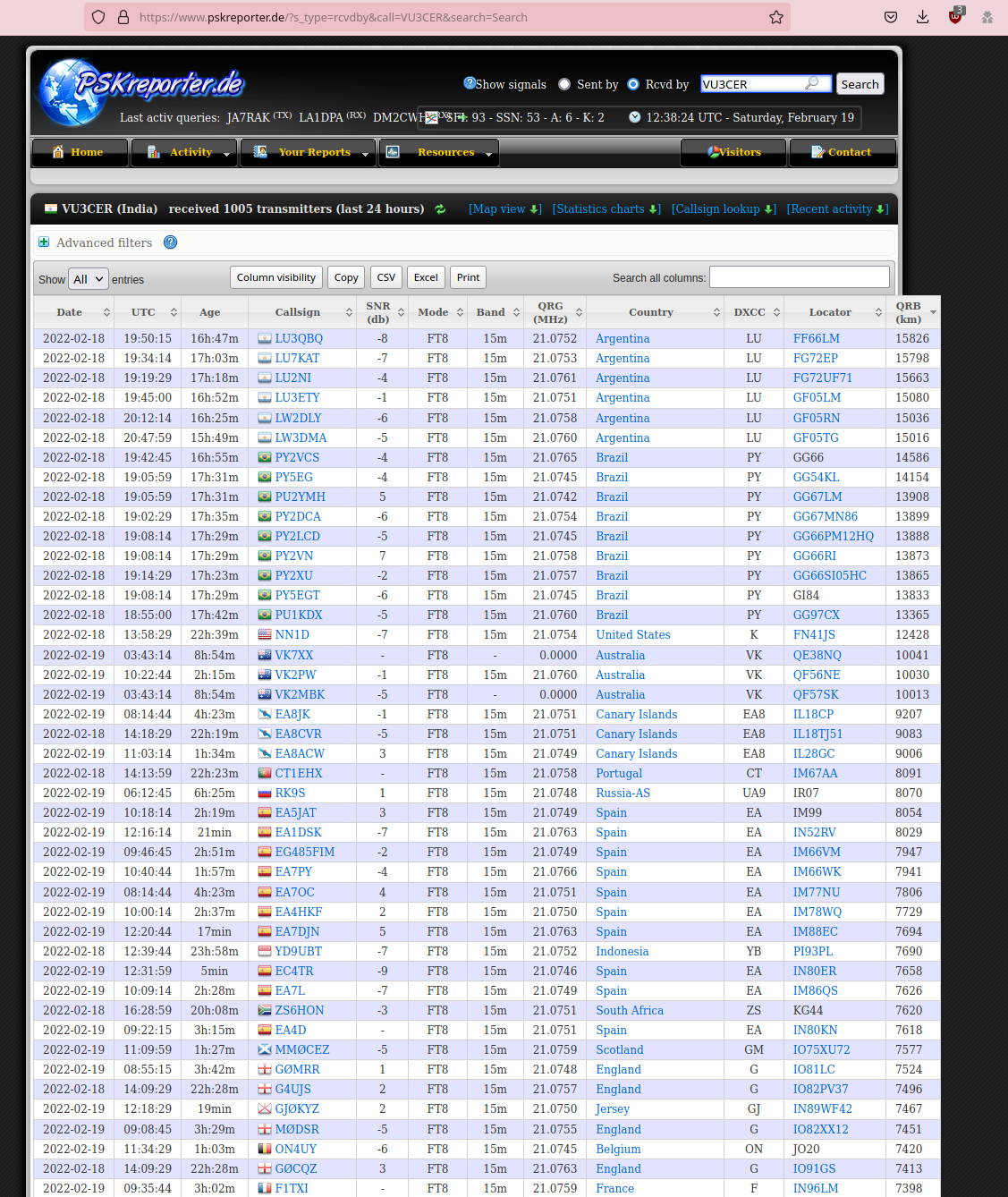
SDR TouchThe app is able to decode FT8 signals from 100+ countries in a single day with a modest 'untuned' 20m terrace dipole antenna installed at ~70 feet AGL.
This application is related to amateur radio communication.
You may choose to enable the optional spotting feature, which will upload
your FT8 spots to the third-party https://pskreporter.info/ site.
https://pskreporter.info/ is a well-known and widely accepted site among the
amateur radio community for spotting purposes.
The 'spots transfer protocol' is described at this URL.
In short, the FT8 spots are sent over UDP to port 4739 to report.pskreporter.info site.
https://github.com/kgoba/ft8_lib (MIT License)
License URL: https://github.com/kgoba/ft8_lib/blob/master/LICENSE
I am an upstream contributor to this repository.
https://github.com/drowe67/freedv-gui/blob/master/src/pskreporter.cpp
License URL: https://github.com/drowe67/freedv-gui/blob/master/COPYING (GNU Lesser General Public License v2.1)
https://www.joda.org/joda-time/ - https://www.joda.org/joda-time/licenses.html
Would you like to test a new and different TX capable FT8 app?
Here is the link to the new FT8 Radio app.
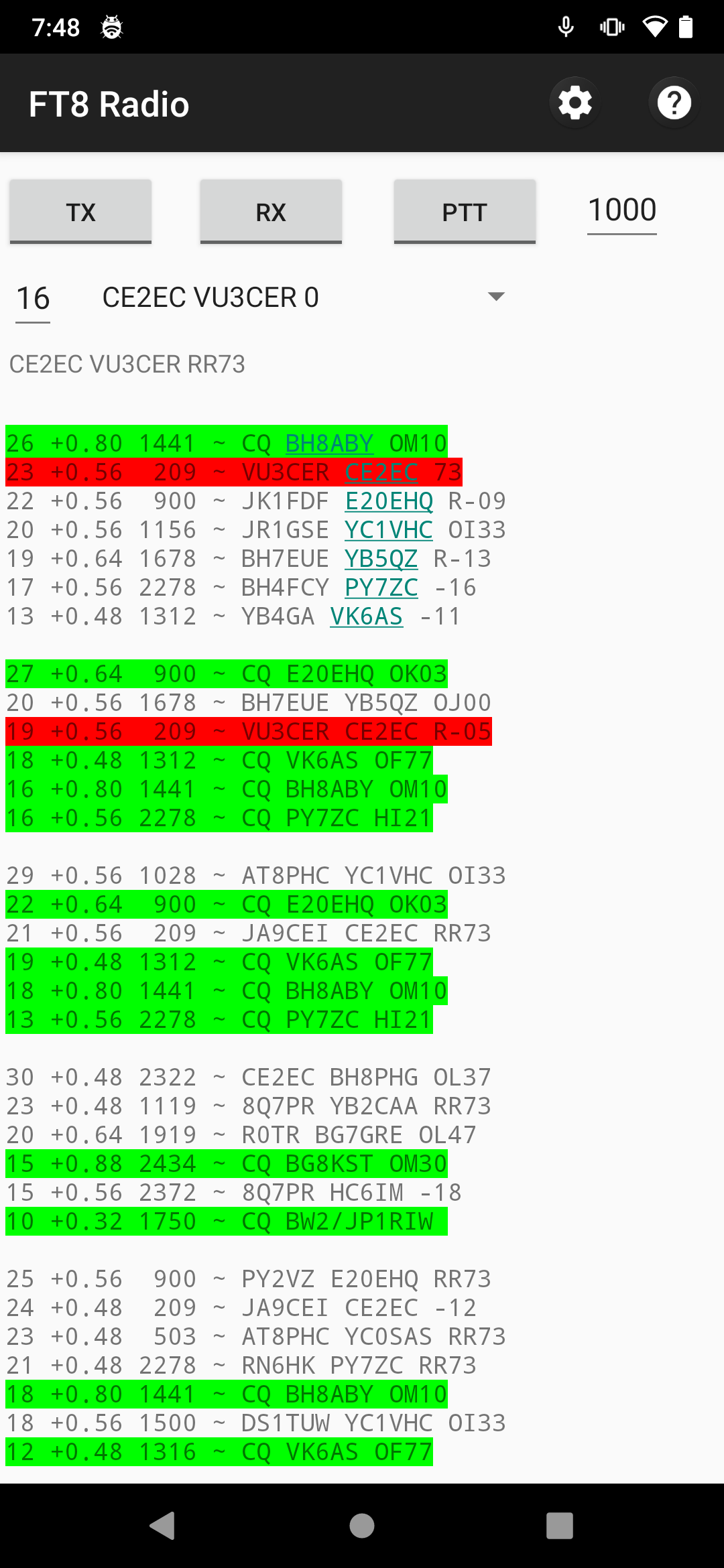
This is me making a 16000 kilometers DX QSO from my Android phone connected directly to IC-7300.
NOTE: See this help file for this new FT8 Radio app.
Are you interested in joining a like-minded community of home brewers? Here is the Telegram group join link for 'HAMBREWERS'.
more like this
simple generator for 3D-printed frames for a moxon rectangle antenna
Pre-configured CHIRP settings for PMR446 channels /subchannels on Baofeng radios
Vibe-coded, but not slop. A mobile-first SDR receiver for iOS, Android & Apple Watch — the live waterfall on your wrist…
The DAPNET Core is the core application of DAPNET, responsible for handling transmitter clients, clustering, and provid…
search projects, people, and tags