meine
meine 🌒 - A CLI file manager and system utility built with Textual. It combines intuitive command parsing with rich t…
Python★ 50
totally practical command-line image editor
 knosmos
git clone https://github.com/knosmos/cmdpxl.gitknosmos/cmdpxl
cmdpxl has many exciting functionalities, including
Install the package with:
pip install cmdpxl
Run with cmdpxl.
You can also specify the file path and resolution: for example, to create a new image that is 20px wide and 10px tall you can use
cmdpxl -f new_image.png -res 20,10
To get the full list of options:
$ cmdpxl --help
Usage: main.py [OPTIONS]

Options:
  -f, --filepath PATH      Path for the file you want to open
  -res, --resolution TEXT  Image height and width separated by a comma, e.g.
                           20,10 for a 20x10 image. Note that no spaces can be
                           used.
  --help                   Show this message and exit.
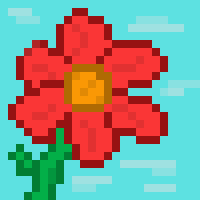
Here are some images that have been created with cmdpxl. If you have any images you'd like to share, please open a pull request or create an issue.


Good question.
more like this
meine 🌒 - A CLI file manager and system utility built with Textual. It combines intuitive command parsing with rich t…
Create and add progress bars, Office365 Files and Dropbox Paper papers by labels and link them to your Todoist tasks.
search projects, people, and tags