agentlytics
Comprehensive analytics dashboard for AI coding agents — Cursor, Windsurf, Claude Code, VS Code Copilot, Zed, Antigravi…
JavaScript★ 555
A visual drag-and-drop editor for ESPHome displays (E-Ink, OLED, LCD, Touch), running as a Home Assistant integration o…
 koosoli
git clone https://github.com/koosoli/ESPHomeDesigner.gitkoosoli/ESPHomeDesignerA visual drag-and-drop editor for smart displays, supporting ESPHome, OpenEpaperLink (OEPL), and OpenDisplay - running as a Home Assistant integration or a standalone web app.
| Platform | Output Format | Use Case |
|---|---|---|
| ESPHome | C++ Lambda / LVGL YAML | ESP32 devices with direct display control |
| OpenEpaperLink | Home Assistant Service Call (JSON) | Wireless e-paper price tags (AP-based) |
| OpenDisplay | JSON Actions | HTTP-driven e-paper displays |
No more hand-coding ESPHome display lambdas.
Build premium, touch-interactive dashboards for ESP32-based devices, wireless e-paper price tags, and HTTP-driven displays - all without writing a single line of display code.
Use case: Display a weather page when you wake up, switch to a sensor dashboard during the day, show a specific alert page when the doorbell rings - all automated through Home Assistant.
You can use the designer without installing anything!
cors_allowed_origins (see below)https://github.com/koosoli/ESPHomeDesigner to HACS as a custom repositorycustom_components/esphome_designer folder from this repoconfig/custom_components/ directoryWhen you run ESPHome Designer inside Home Assistant, your saved layouts are stored in Home Assistant's storage folder:
/config/.storage/esphome_designer/config/.storage/esphome_designer file as separate layout entries/config/.storage/esphome_designer as part of the layout state, not as a standalone ESPHome device YAML file/config/.storage/reterminal_dashboard; the integration can read that and migrate it on a later save/config/esphomedesigner_custom_profiles/*.yamlIf you are browsing the Home Assistant filesystem from the host OS, replace /config with your actual Home Assistant configuration directory.
/config/esphomedesigner_custom_profiles/*.yaml.lambda: or script: code may not preview or reconstruct perfectly in the visual editor, even though the raw YAML can still be preserved.Run the editor locally without Home Assistant:
Option A: Full Repository Clone (with npm/bun)
If you cloned the full repository, run from the project root:
npm install
npm run dev
Open http://localhost:5174 in your browser.
Option B: Frontend-Only (Python HTTP Server)
If you only have the custom_components folder (e.g., HACS install), serve the frontend directly:
cd custom_components/esphome_designer/frontend
python3 -m http.server 8000
Open http://localhost:8000 in your browser.
Connect to Home Assistant by entering your HA URL and a Long-Lived Access Token in Editor Settings.
For local feature work, the canonical verification path is:
npm test
npm run python:test
npm run quality
npm test runs the frontend suite and checks the schema hash without rewriting the committed baseline. If you intentionally changed a schema or snapshot contract, inspect it with npm run schema:check and then update the baseline with npm run schema:update.
To run the full Python panel/auth test flow locally, install the optional Python dependencies into your virtualenv once:
npm run python:deps
The Python helper scripts automatically prefer the repository .venv when it exists, then fall back to your active Python environment.
CI runs npm run quality on every pull request, and the protected-branch guidance in docs/branch_protection.md should require those test (...) checks before merge.
For manual GitHub uploads, especially version bumps or frontend changes, run:
npm run release:prepare:skip-hassfest
This rebuilds the shipped frontend bundle, checks the release/version surfaces, runs the local CI-style checks, and writes tmp/release-upload-manifest.txt so you do not forget the full custom_components/esphome_designer/frontend/dist directory. If Docker is available and you want Hassfest too, use npm run release:prepare.
The shipped dist bundle now includes custom_components/esphome_designer/frontend/dist/build-meta.json. CI uses that file to verify that the current frontend sources and the active Vite asset-map-backed dist files stay in sync without false-failing on Windows-vs-Linux text normalization, checkout-only workspace drift, or leftover unreferenced hashed assets from manual browser uploads.
Important: Copy the Material Design Icons font file first!
From this repo: font_ttf/font_ttf/materialdesignicons-webfont.ttf
To your ESPHome: /config/esphome/fonts/materialdesignicons-webfont.ttf
(Create the fonts folder if it doesn't exist)
Then create a new ESPHome device:
/esphome-designer in Home Assistant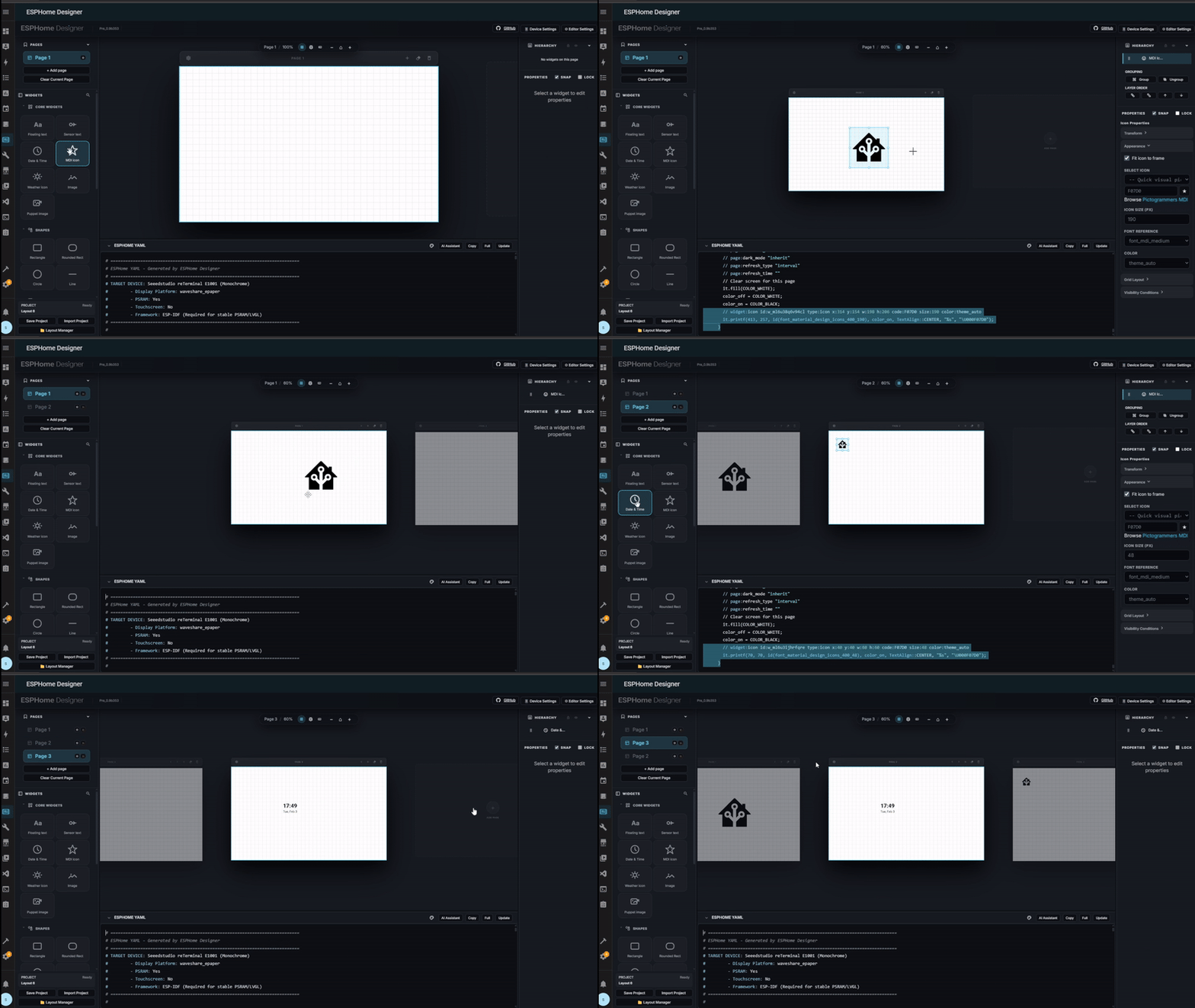
Save Layout stores your editor state in Home Assistant so you can come back later. Flashing still uses the YAML in your actual ESPHome device configuration.
Done! Your custom dashboard is now running on your device.
Once flashed, your device will come online.
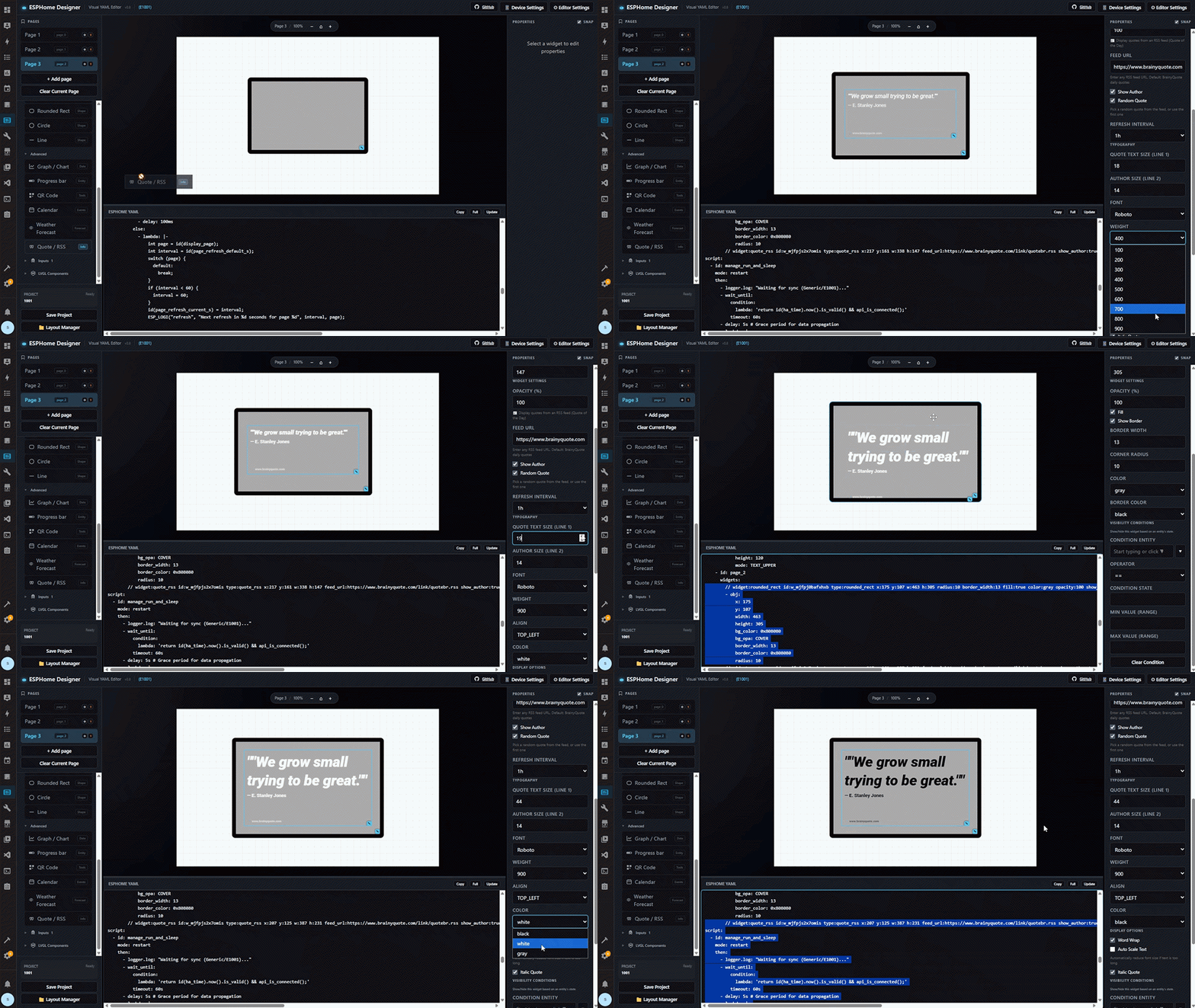
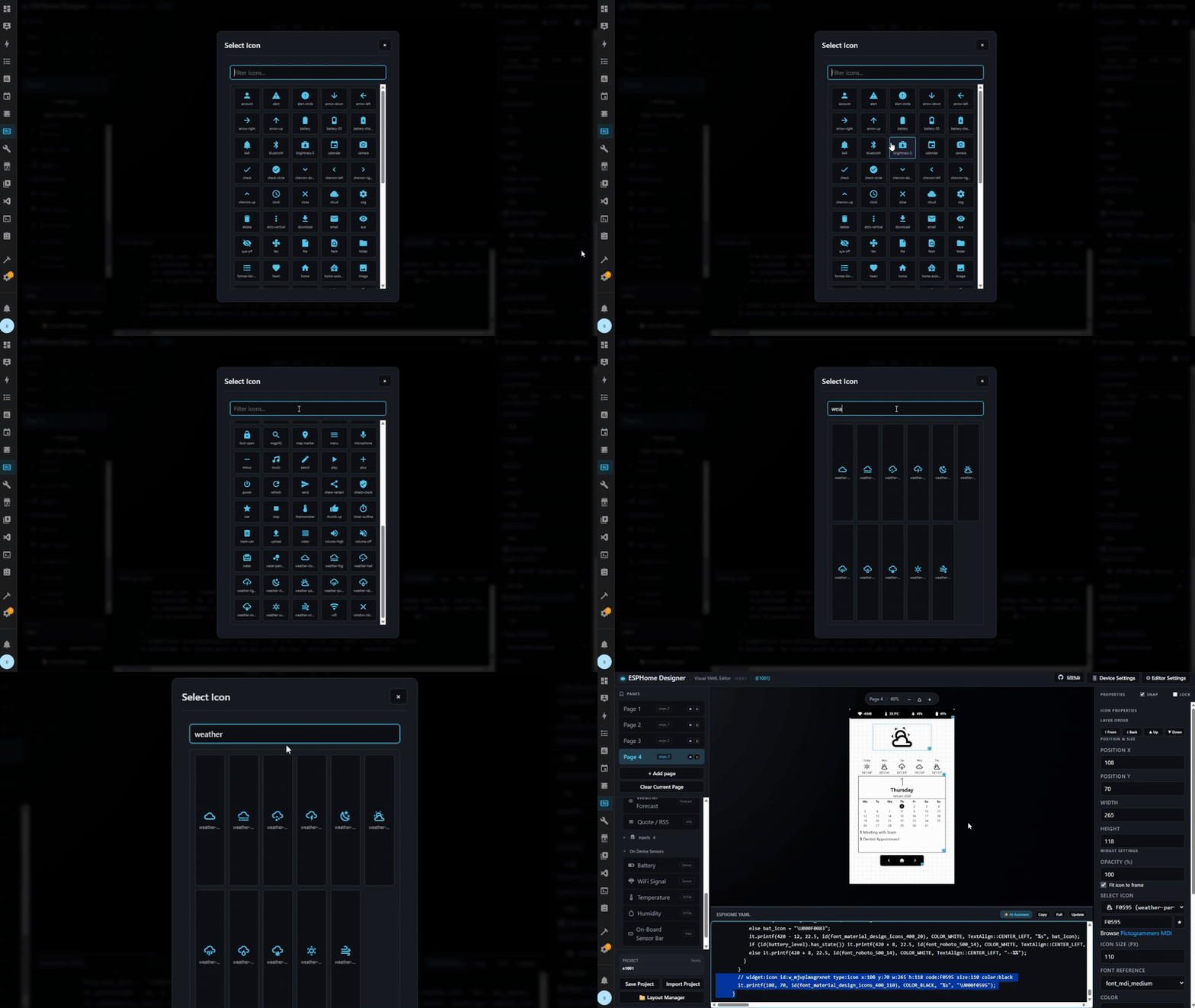
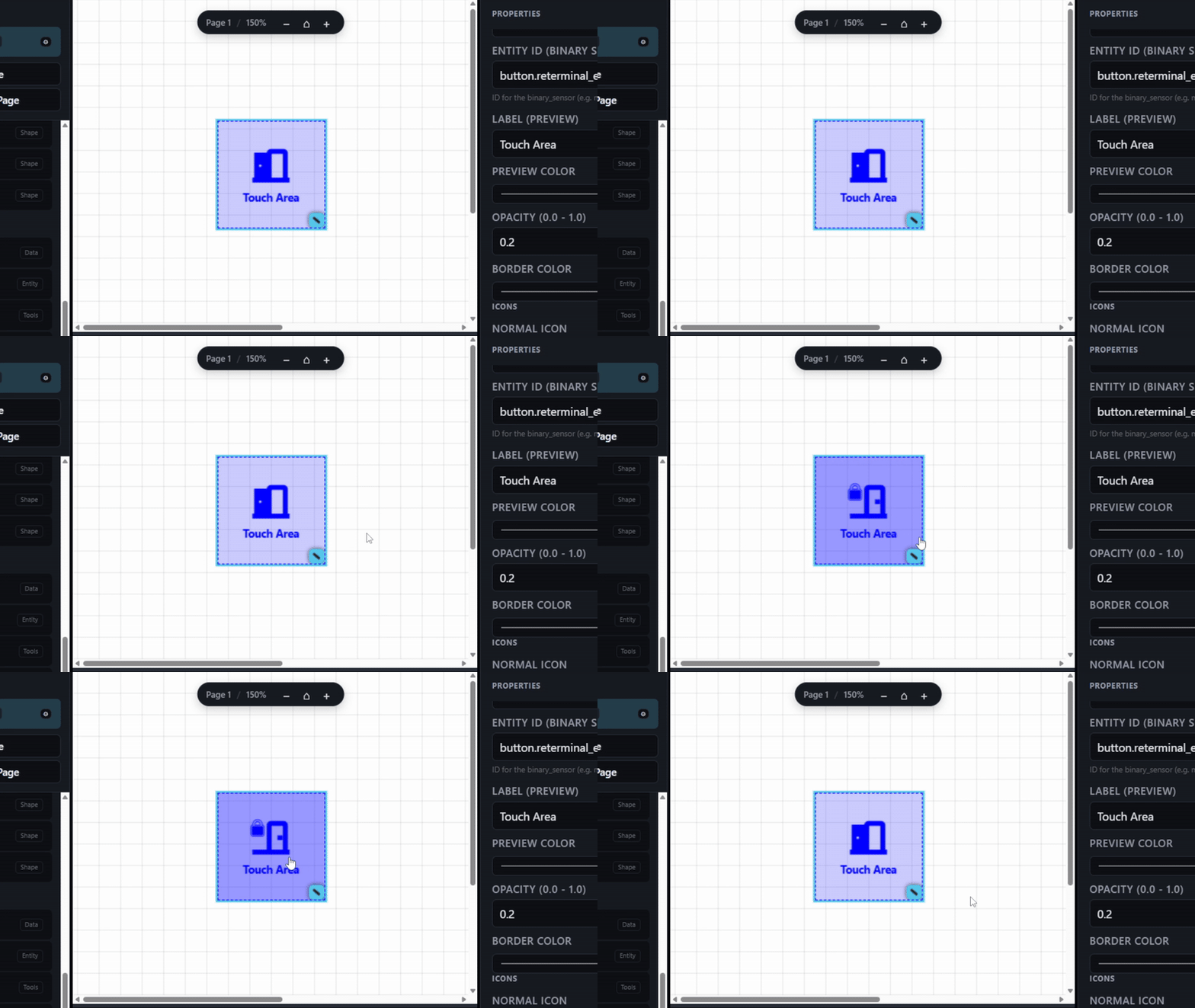
Warning: Highly Experimental - Expect Bugs!
This tool includes experimental support for LVGL (Light and Versatile Graphics Library) widgets on LCD+Touch devices. LVGL enables interactive widgets like buttons, switches, sliders, and checkboxes that can control Home Assistant entities directly from the touchscreen.
cover.open_cover, button.press, etc. instead of default toggleFor stable results, stick to Native Mode (standard widgets without LVGL prefix).
Design once, export to wireless e-paper displays:
Most widgets (text, shapes, images, icons, QR codes) work on all platforms. Graphs, touch areas, and LVGL are ESPHome-only.
Editor
Output
Design Tools
Hardware
The generator produces a complete display/application snippet for your project. In the normal ESPHome workflow, you paste that snippet into your existing device YAML below ESPHome's auto-generated base sections.
What it generates (everything you need):
psram, i2c, spi, external_components, and device-specific sections (m5paper, axp2101)http_request, time (Home Assistant), globals (page tracking), and deep_sleepfont (MDI icons), image (deduplicated), online_image, graph, and qr_codesensor, text_sensor, binary_sensor, button, and switch entitiesscript (smart refresh), display (lambda code), and lvgl (if enabled)What ESPHome provides (auto-generated when you create a device):
wifi:, api:, ota:, logger:The workflow is safe and deterministic - same layout always produces the same YAML.
Currently Supported:
Important
All devices not explicitly listed above are untested and may require troubleshooting.
Hardware Features Exposed:
All exposed as Home Assistant entities for use in automations.
custom_components/esphome_designer/ - Home Assistant integration
api/ - Modular Python backend handlers for HAyaml_parser/ - Modular engine for importing ESPHome codefrontend/ - Visual drag-and-drop editor (Vite-based)renderer.py - Core engine for generating ESPHome lambdasmodels.py - Shared data models for widgets and layoutsstorage.py - Persistence layer for layouts and settingsrelease_notes.md - Full changelog and version historyfont_ttf/ - Icon font for widgets (Material Design Icons)hardware_recipes_guide.md - Guide for creating custom hardware profilesscreenshots/ - Editor screenshotsFont compilation error?
materialdesignicons-webfont.ttf to /config/esphome/fonts/Display not updating?
update_interval: never in display configcomponent.update: epaper_displayDuplicate section errors?
psram, i2c, etc.Compilation Fails ("Killed signal" / Out of Memory)?
If your Raspberry Pi crashes with Killed signal terminated program, it lacks the RAM for these fonts.
Try this first:
Add compile_process_limit: 1 to your esphome: section in the YAML. This reduces memory usage but slows down compilation.
If that fails, compile on your PC:
pip install esphome in your terminal.C:\esphome_build (Important: No spaces in the folder path!).reterminal.yaml and the fonts/ folder into that folder.python -m esphome compile C:\esphome_build\reterminal.yaml
Upload: Take the generated .bin file and upload it via the Home Assistant ESPHome dashboard (Install -> Manual Download).
CORS errors with GitHub-hosted version?
Add this to your Home Assistant configuration.yaml and restart:
http:
  cors_allowed_origins:
    - https://koosoli.github.io
Made with love - free and Open Source under the GPL 3.0 license. Share the love.
If you find this project useful, consider supporting its development.
more like this
Comprehensive analytics dashboard for AI coding agents — Cursor, Windsurf, Claude Code, VS Code Copilot, Zed, Antigravi…
search projects, people, and tags