agentlytics
Comprehensive analytics dashboard for AI coding agents — Cursor, Windsurf, Claude Code, VS Code Copilot, Zed, Antigravi…
JavaScript★ 555
Bash Script for download and set Bing Daily Wallpaper on all monitors for macOS
 lpikora
git clone https://github.com/lpikora/bing-wallpaper-daily-mac-multimonitor.gitlpikora/bing-wallpaper-daily-mac-multimonitor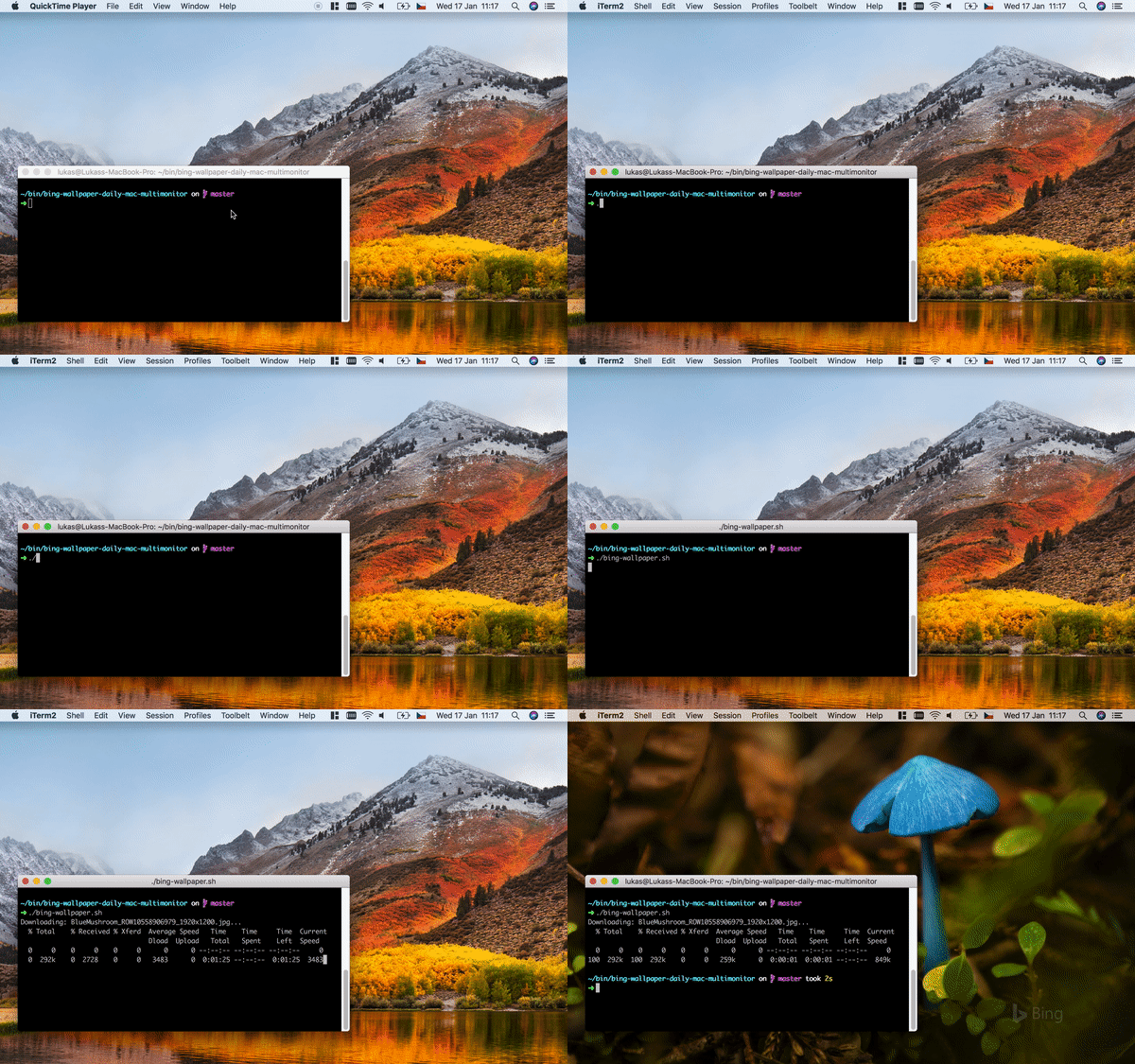
Script downloads current Bing Daily Wallpaper to ~/Pictures/bing-wallpapers/ and sets it as wallpaper on all your monitors every day.
npxnpx --yes bing-wallpaper-daily-mac-multimonitor@latest enable-auto-updatebing-wallpaper.shbing-wallpaper.sh to your computer eg. your to ~/Desktop foldercd ~/Desktopchmod +x bing-wallpaper.sh./bing-wallpaper.sh enable-auto-updateNote: do not remove bing-wallpaper.sh file from your computer. It is needed to download and set wallpaper every day
Tips:
-d <number> to set wallpaper from different day eg. 1 for yesterday-c <country-code> to get country specific Bing picture of the day. Use code like en-US, cs-CZ.-m <monitor number> to set wallpaper only on certain monitor--auto-update-name <name> to have multiple auto update scripts runningSee all parameters providing parameter --help
  enable-auto-update             Enable automatic update of wallpapers every day
                                 the picture if the filename already exists.
  disable-auto-update            Disable automatic update of wallpapers every day
                                 the picture if the filename already exists.
  info                           Show description of current wallpaper.
  --auto-update-name <name>      Name of your auto update when enabling/disabling
                                 Using custom name enables setting multiple automatic update configurations.
                                 Eg. Set on monitor 1 todays wallpaper and on monitor 2 wallpaper from yesterday
  -f --force                     Force download of picture. This will overwrite
                                 the picture if the filename already exists.
  -s --ssl                       Communicate with bing.com over SSL.
  -q --quiet                     Do not display log messages.
  -c --country <coutry-code>     Specify market country/region eg. en-US, cs-CZ
                                 Pictures may be different for markets on some days.
                                 See full list of countries on https://learn.microsoft.com/en-us/previous-versions/bing/search/dd251064(v=msdn.10)
  -d --day <number>              Day for which you want to get the picture.
                                 0 is current day, 1 is yesterday etc.
                                 Default is 0.
  -n --filename <file name>      The name of the downloaded picture. Defaults to
                                 the upstream name.
  -p --picturedir <picture dir>  The full path to the picture download dir.
                                 Will be created if it does not exist.
                                 [default: $HOME/Pictures/bing-wallpapers/]
  -r --resolution <resolution>   The resolution of the image to retrieve.
                                 Supported resolutions: ${RESOLUTIONS[*]}
  --resolutions <resolutions>    The resolutions of the image try to retrieve.
                                 eg.: --resolutions "1920x1200 1920x1080 UHD"
  -m --monitor <num>             Set wallpaper only on certain monitor (1,2,3...)
  --all-desktops-experimental    Set wallpaper on all desktops
                                 Fixing osascript bug when wallpaper is not set for Desktop 2.
                                 Known issue: Minimized apps are removed from Dock.
                                 If something goes wrong delete Library/Application Support/Dock/desktoppicture.db
                                 and restart your Mac.
  -h --help                      Show this screen.
  --version                      Show version.
Command ./bing-wallpaper.sh enable-auto-update creates a launch agent (plist file in ~/Library/LaunchAgents/). Agent will run script bing-wallpaper.sh every day and automatically update your wallpapers to latest Bing picture of the day.
For More info about launchd see https://www.launchd.info/ Configuration section.
(How install use script without npm see Usage (without npm) below)
First install Node.js https://nodejs.org/en/
For getting current Bing Daily Wallpaper to your desktop run in terminal:
npx bing-wallpaper-daily-mac-multimonitor
OR
npm -g install bing-wallpaper-daily-mac-multimonitor
then run in terminal
bing-wallpaper-daily-mac-multimonitor
Run ./bing-wallpaper.sh terminal for a single download of current Bing image.
more like this
Comprehensive analytics dashboard for AI coding agents — Cursor, Windsurf, Claude Code, VS Code Copilot, Zed, Antigravi…
Free open-source Cloudflare R2 desktop client and S3 GUI for macOS, Windows, and Linux. Manage Cloudflare R2, AWS S3, M…
search projects, people, and tags