handpose-facemesh-demos
🎥🤟 8 minimalistic templates for tfjs mediapipe handpose and facemesh
JavaScript★ 192
Segment Anything 2, 100% in the browser (with WebGPU!)
 lucasgelfond
git clone https://github.com/lucasgelfond/webgpu-sam2.gitlucasgelfond/webgpu-sam2This repo includes a WebGPU implementation of Facebook Research's model, Segment Anything 2, using WebGPU. It runs completely client-side, no data is sent to the server! You can also read my writeup or try a demo at http://webgpu-sam2.lucasgelfond.online/
(Thanks to Diego Rodriguez for inspiring this project!)
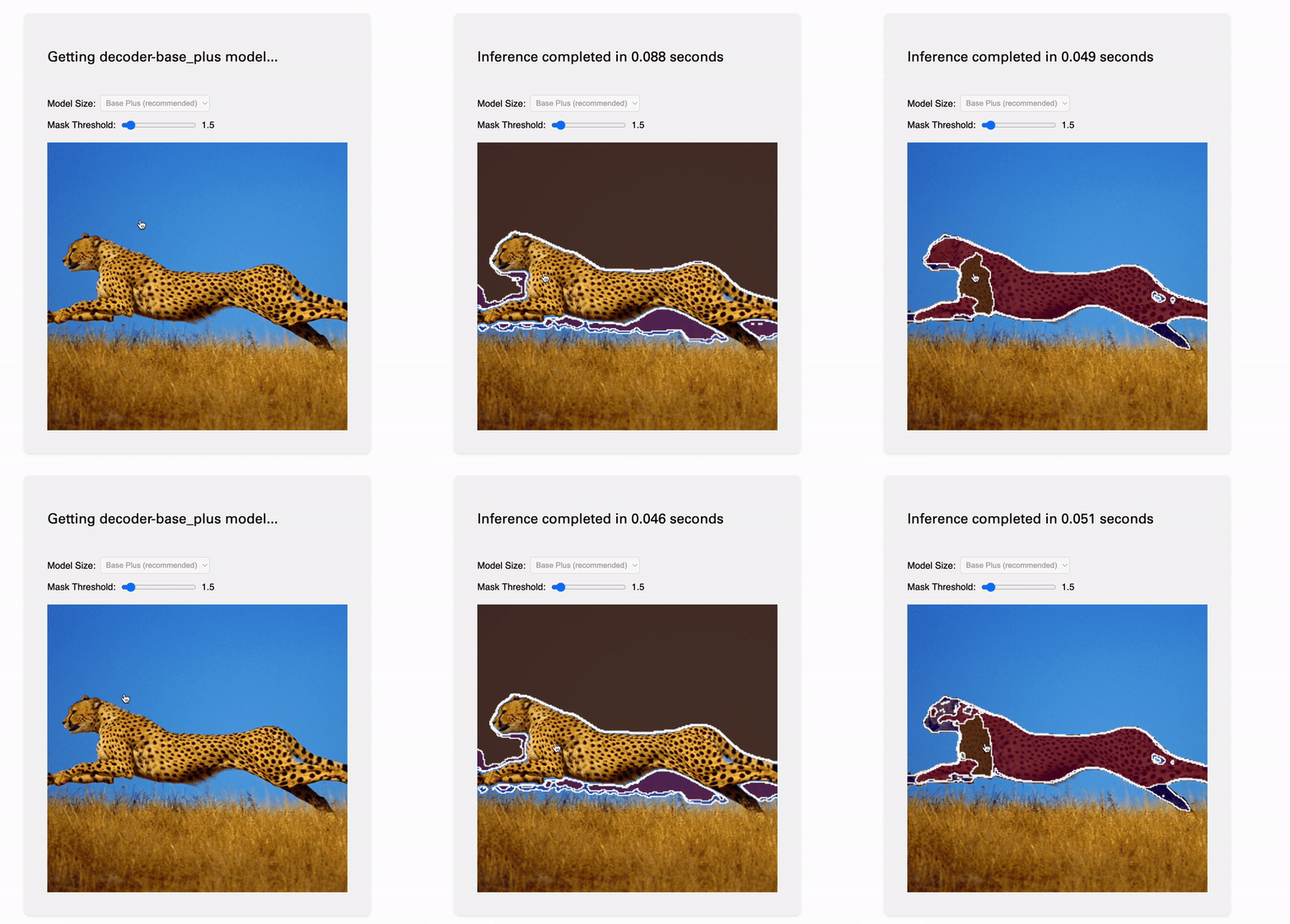
To run the webapp, first install dependencies with npm i and then run npm run start. I built this using Node ~20, so you may want to adjust your approach.
I made heavy use of prior art here. Some of the most help came from this recent ONNX Runtime issue about WebGPU support and from ibaiGorodo's repo that implements SAM 2 inference in Python. Many of my steps for handling the model were translation of this into JS. For dealing with the browser, I owe a great deal to web-sam and SAM-in-Browser.
In order to get the models to work on the web, I also used SamExporter. A special thank you, of course, to Cursor and Claude 3.5 Sonnet.
This is a pretty standard Svelte app, built to be simple, readable, and performant. I make a lot of use of a convention where new files are in their own folders, and we have an index within them, for easy navigation. It's fairly verbose, but I think it keeps the structure quite clean and easy to navigate, plus stops these files from being thousands of lines long.
The best genral structure I saw came from web-sam, which I took lots of inspiration from. My structure is divided between decoder and encoder. The encoding process essentially generates a set of features and image embeddings which are needed for creating the masks. The encoder also handles standard web stuff, like the file drag-and-drop and selecting the model size.
Every time a user clicks a point, we pass the point of their mouse and the results of encoding to our decoder. It will generate masks, which we display on the canvas. All of the HTML graphics things — adding the image, displaying the masks and contour (mask outline) are handled by special utilities in decoder/.
A note that dimensions are baked into the model. SAM 2 can only take 1024x1024 images as inputs and generate 256x256 masks. There's various utilities that make these conversions invisible to the user. For example, scale-and-process-masks makes all masks the size of the canvas, and the process-image helper in the encoder crops it to this size.
A few quirks: you'll need to install the dev build of onnxruntime, because WebGPU support is quite experimental. There's also a few warnings that aren't suppressed about the execution provider. There's some discussion about this and my general conclusion was to not suppress the console, but that these should work. The way the WebGPU bundle is structured is also why I switched off of Vite; you'll note this project builds with Webpack, which is certainly a bit finicky.
I initially planned to simply put the models into the build, but both Vercel and GitHub have 100 MB limits, typically okay for the decoders (~20 MB) but all of the encoders I could process topped 100 MB. These loads also took a long time to do each time we wanted to run inference.
As such, I store the models in the user's browser after first download. I'm using origin private file system which can save and access reasonably large files. My understanding, for example, Chrome will store up to 2 GB or 20% of free disk space (whatever is smaller) per website. In essence, given a model, we check to see if it is in the cache, and if not, we fetch it.
If the models are updated, or you decide to fine-tune them, the process for actually getting them into the browser is fairly straightforward but non-obvious. Here's the method I settled on:
pip install -e .) and use their download_ckpts.sh script. (Or, skip the script and copy/paste the URLs into your browser, LOL)samexporter scripts to split the models into encoder/decoder and save the results. This worked for me up to the large model, where my 2023 Macbook Pro ran out of memory. YMMV! Anyways, there's a handy convert_all_meta_sam2.sh script, or you can do it manually.python -m samexporter.export_sam2 --checkpoint original_models/sam2_hiera_base_plus.pt \ --output_encoder output_models/sam2_hiera_base_plus.encoder.onnx \ --output_decoder output_models/sam2_hiera_base_plus.decoder.onnx \ --model_type sam2_hiera_base_plus
pip install onnxruntime should do the trick if you don't already.python -m onnxruntime.tools.convert_onnx_models_to_ort sam2_hiera_base_plus.encoder.onnx
sam2_hiera_base_plus.encoder.with_runtime_opt.ort. You can ignore the other files.more like this
🎥🤟 8 minimalistic templates for tfjs mediapipe handpose and facemesh
search projects, people, and tags