perplexity-cli
🧠 A simple command-line client for the Perplexity API. Ask questions and receive answers directly from the terminal! 🚀🚀🚀
Python★ 176
TUI tmux session manager with live preview — built for AI coding workflows
 lunemis
git clone https://github.com/lunemis/mux.gitlunemis/muxSwitch between AI CLI sessions without breaking your flow.
Running Claude in one session, Codex in another, and a dev server in a third? Switching between them means detaching, listing sessions, remembering which is which, and reattaching. mux eliminates that friction — see every session's live output at a glance, spot which AI tools are active, and switch in a keystroke.
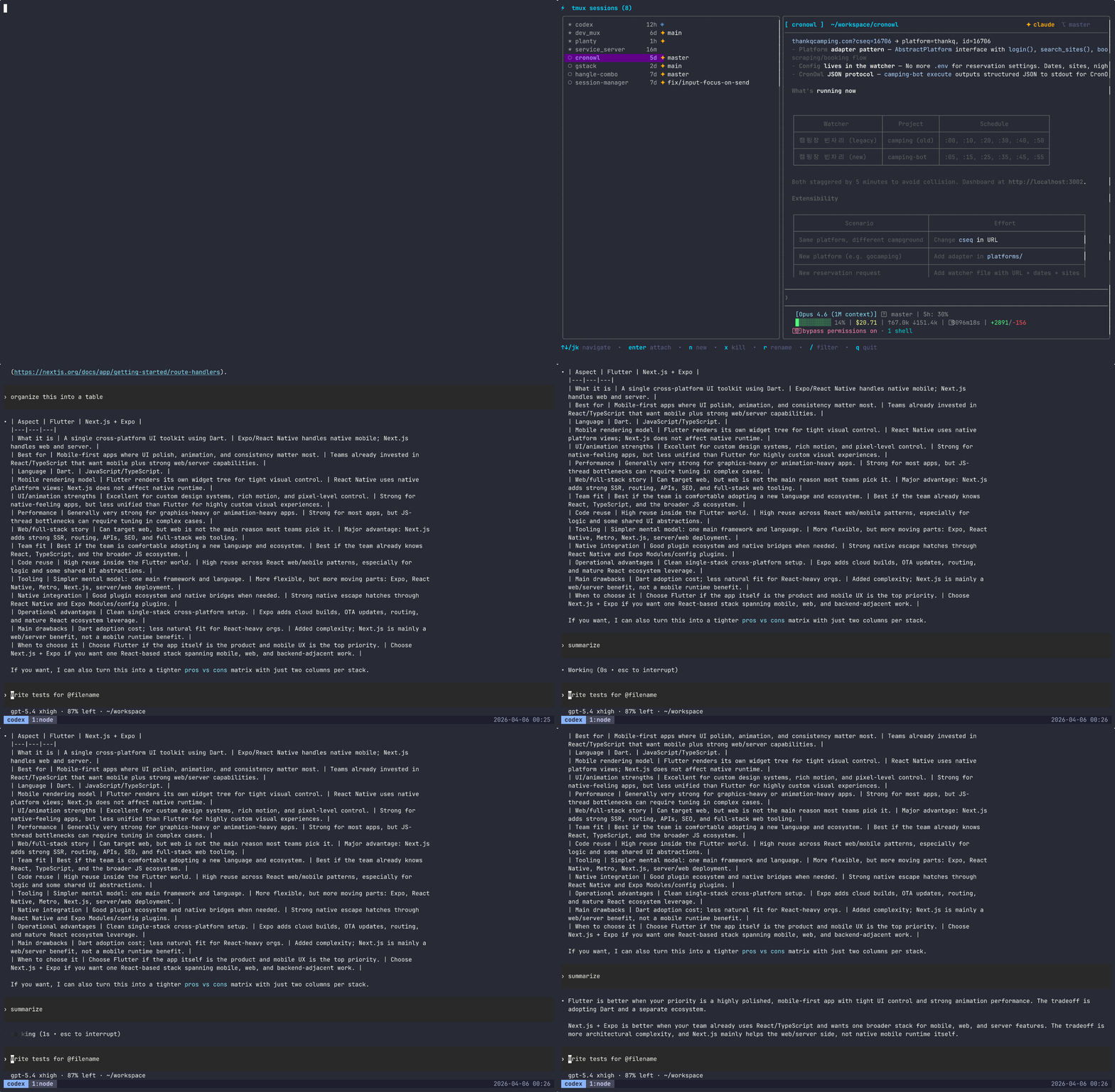
In the age of AI-powered development, a typical workflow looks like:
tmux's built-in choose-session shows you a list of names — but which session has Claude waiting for your input? Which one is still running? You end up cycling through sessions blindly.
See the actual terminal output of any session before you switch. Press Tab to expand a session into its windows, expand again to peek into individual panes — preview each one without attaching.
claude, codex, aider, gemini are automatically detected and highlighted with badges — instantly find the right session.
Each session shows its current git branch. Linked worktrees are visually distinguished so you can tell at a glance which sessions are working on isolated branches.
For Claude Code sessions, mux reads session logs to display real-time token usage and estimated cost — no configuration needed.
Press one key to summon mux on top of whatever you're doing — even mid-conversation with an AI CLI. Pick a session and you're there.
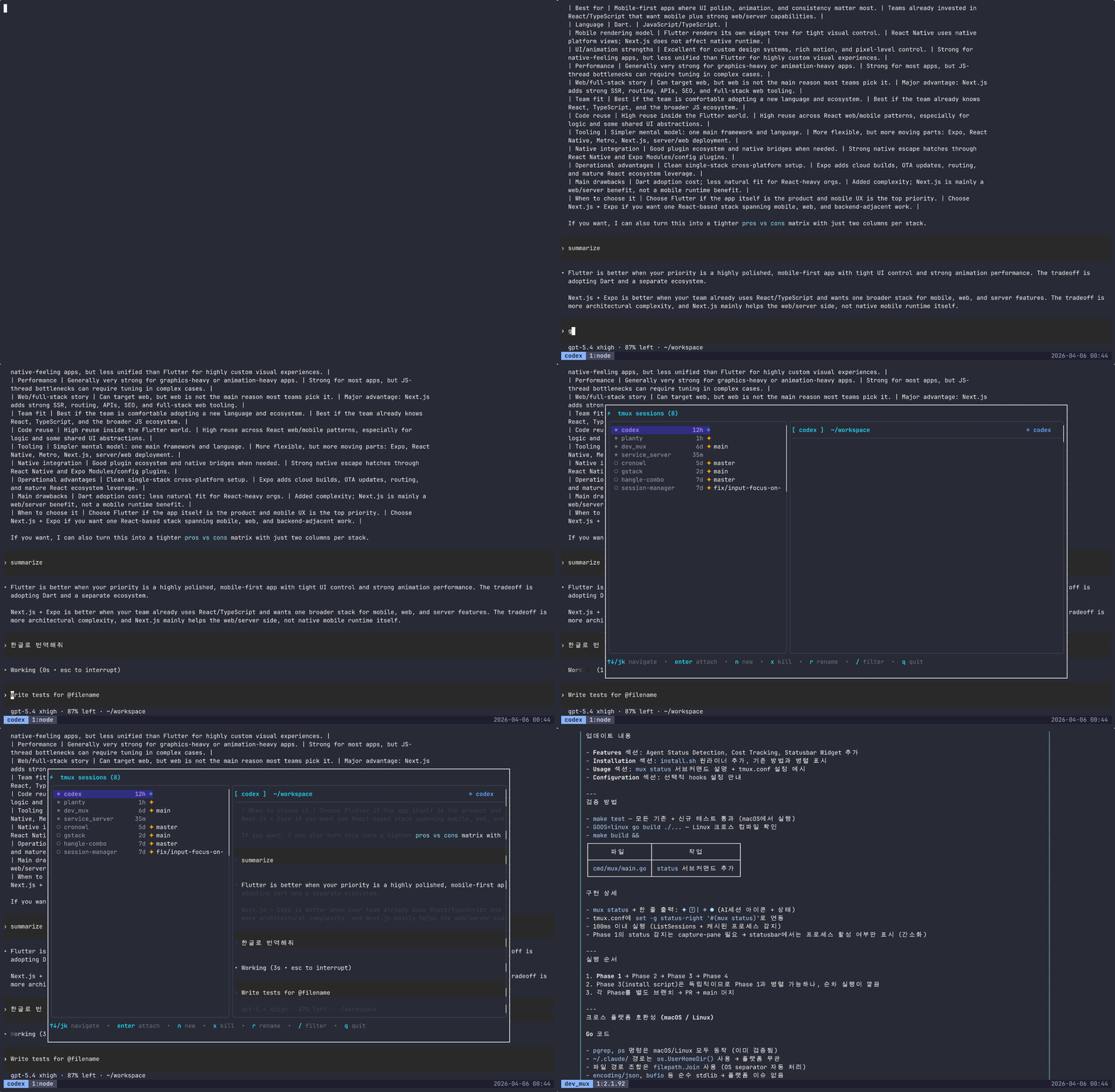
j/k to browse, / to filter, Enter to attach. No mouse needed.
# One-line interactive installer (recommended)
curl -sSL https://raw.githubusercontent.com/lunemis/mux/main/install.sh | bash

# Or install manually
brew install lunemis/tap/mux   # or: go install github.com/lunemis/mux/cmd/mux@latest
mux                             # launch the session manager
For the best experience, set up popup mode (opens mux as a floating overlay):
mux setup-keybind               # binds prefix + m
tmux source-file ~/.tmux.conf   # reload config
Now press Ctrl+b then m anywhere in tmux to open mux.
The installer guides you through binary installation and keybinding setup:
curl -sSL https://raw.githubusercontent.com/lunemis/mux/main/install.sh | bash
brew install lunemis/tap/mux
git clone https://github.com/lunemis/mux.git
cd mux
make install   # builds and installs to /usr/local/bin
go install github.com/lunemis/mux/cmd/mux@latest
Run mux to open the session manager. Use j/k to navigate, Enter to attach, q to quit.
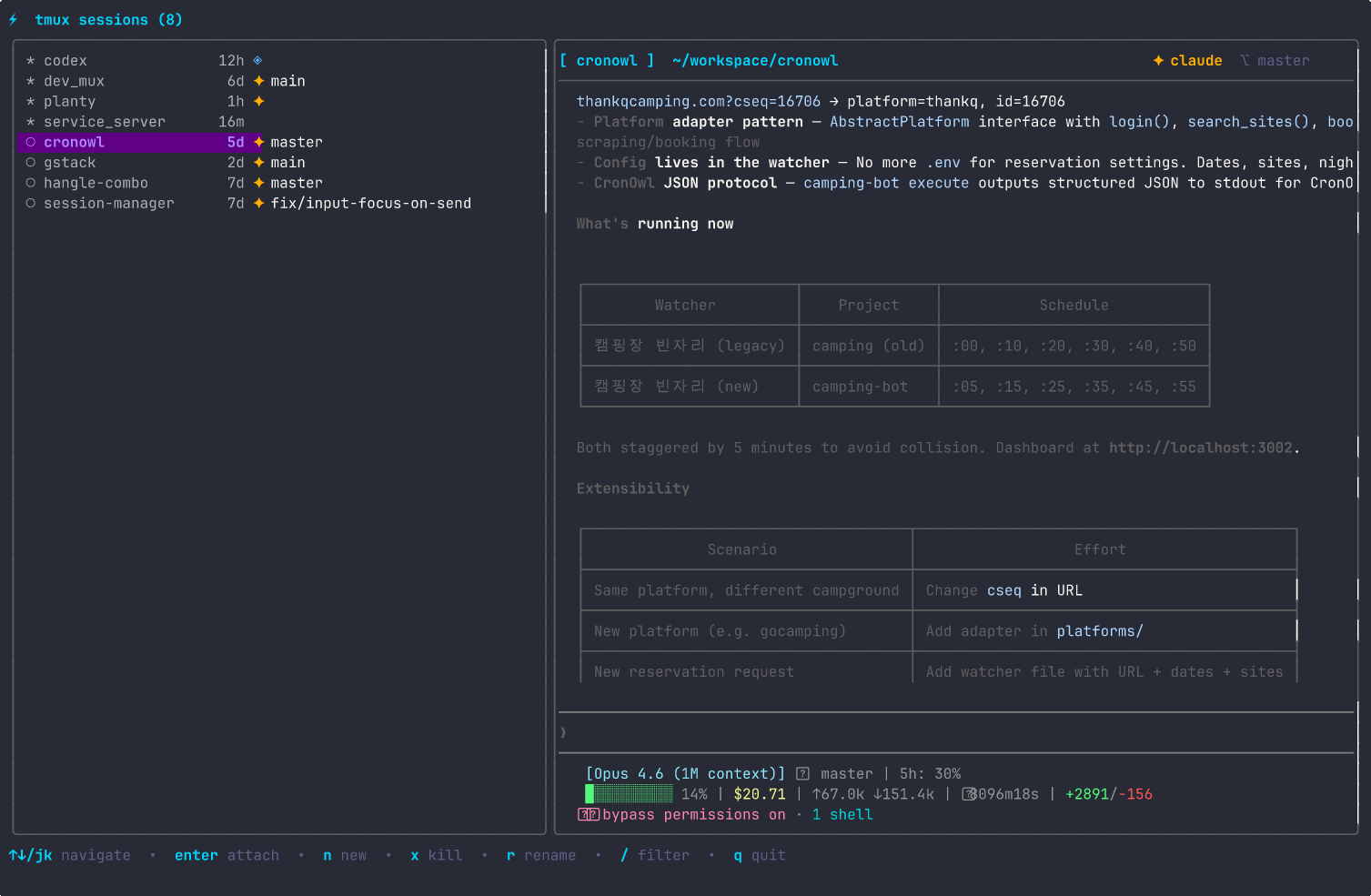
The left panel shows your sessions with AI badges and git branches. The right panel shows a live preview of the selected session's terminal output, updated every 500ms.
Open mux as a floating overlay inside tmux — works even while AI CLIs are running in the foreground.
# Set up the keybinding (one-time)
mux setup-keybind          # prefix + m (default)
mux setup-keybind Space    # or use a different key

# Reload tmux config
tmux source-file ~/.tmux.conf
You can also open the popup manually with mux popup.
Note: Popup mode requires tmux 3.2+
Show AI session icons in your tmux status bar without opening the TUI:
# Add to ~/.tmux.conf
set -g status-right '#(mux status)'
This runs mux status which outputs a compact summary like ✦ ◈ when AI sessions are active.
Pair with skimd to review AI-generated markdown docs without leaving tmux.
prefix+m → mux — switch sessionsprefix+v → skimd — skim documents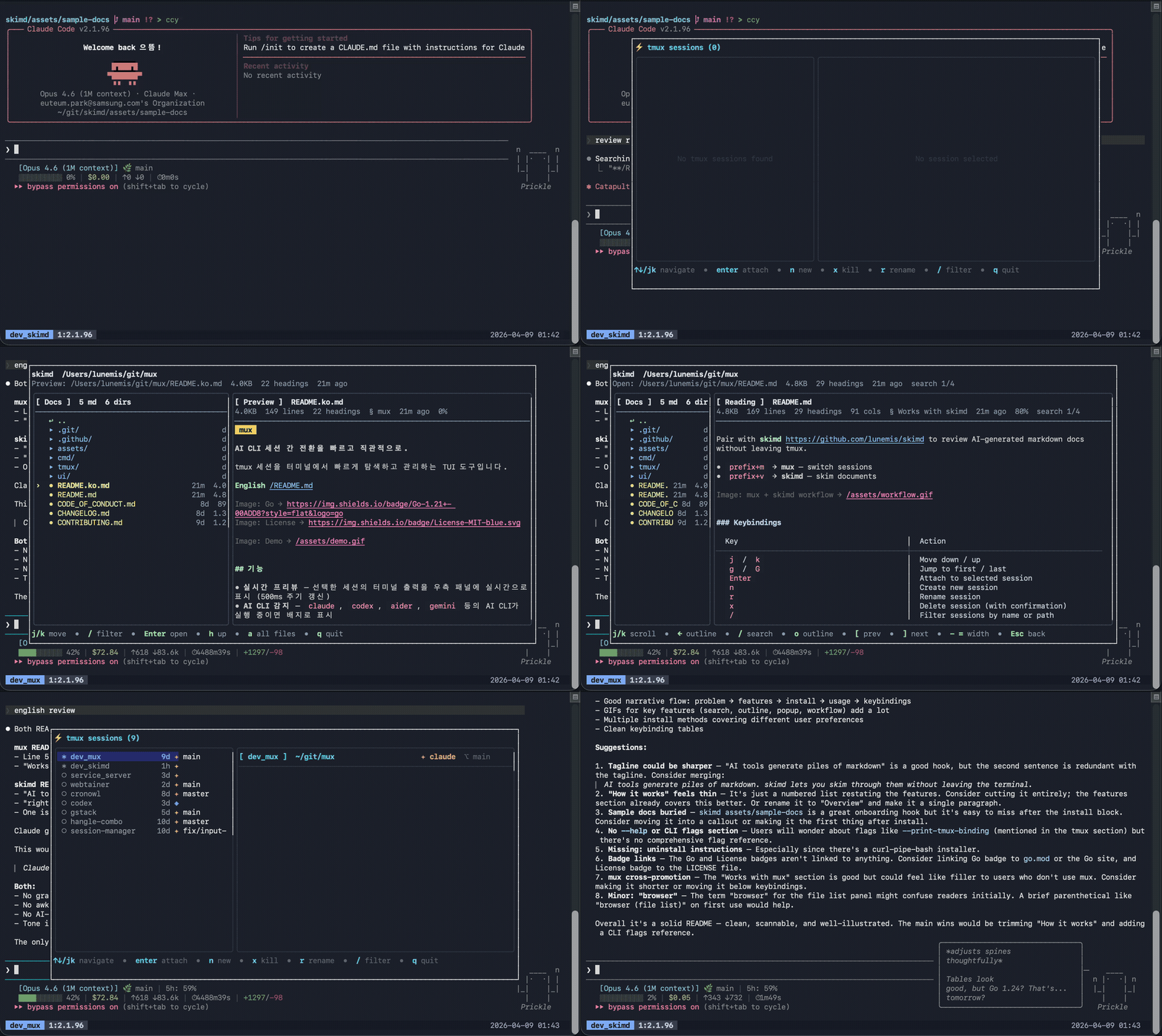
| Key | Action |
|---|---|
j / k |
Move down / up |
g / G |
Jump to first / last |
Tab / → / l |
Expand session → windows → panes |
Shift+Tab / ← / h |
Collapse one level |
Enter |
Attach (focuses the selected window/pane) |
n |
Create new session |
r |
Rename session |
x |
Delete session (with confirmation) |
/ |
Filter sessions by name or path |
Esc |
Clear filter / cancel |
q |
Quit |
See CONTRIBUTING.md for guidelines.
more like this
🧠 A simple command-line client for the Perplexity API. Ask questions and receive answers directly from the terminal! 🚀🚀🚀
meine 🌒 - A CLI file manager and system utility built with Textual. It combines intuitive command parsing with rich t…
search projects, people, and tags