meine
meine 🌒 - A CLI file manager and system utility built with Textual. It combines intuitive command parsing with rich t…
Python★ 50
A simple Fingers Detection (or Gesture Recognition) using OpenCV and Python with background substraction 简单手势识别
 lzane
lzanegit clone https://github.com/lzane/Fingers-Detection-using-OpenCV-and-Python.gitlzane/Fingers-Detection-using-OpenCV-and-Pythonfor people using python2 and opencv2, please check out the
lzane:py2_opencv2branch.
for people using opencv4, please change line 96 in the
new.pytocontours, hierarchy = cv2.findContours(thresh1, cv2.RETR_TREE, cv2.CHAIN_APPROX_SIMPLE)according to the opencv api change.
'b' to capture the background model (Remember to move your hand out of the blue rectangle)'r' to reset the backgroud model'ESC' to exitCapture video from camera and pick up a frame.
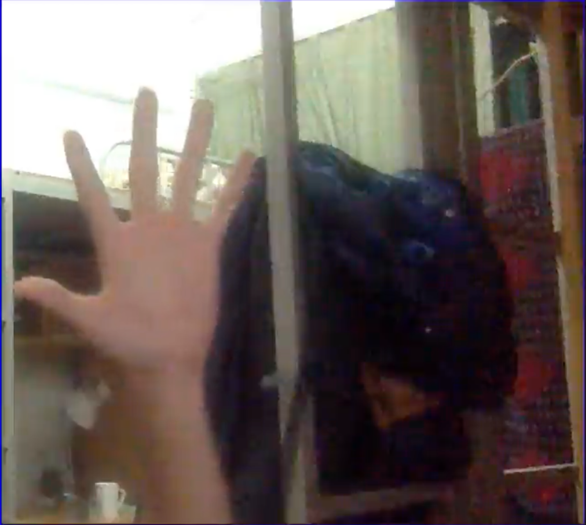
Use background subtraction method called Gaussian Mixture-based Background/Foreground Segmentation Algorithm to subtract background.
For more information about the method, check Zivkovic2004
Here I use the OpenCV's built-in function BackgroundSubtractorMOG2 to subtract background.
bgModel = cv2.BackgroundSubtractorMOG2(0, bgSubThreshold)
Build a background subtractor model
fgmask = bgModel.apply(frame)
Apply the model to a frame
res = cv2.bitwise_and(frame, frame, mask=fgmask)
Get the foreground(hand) image
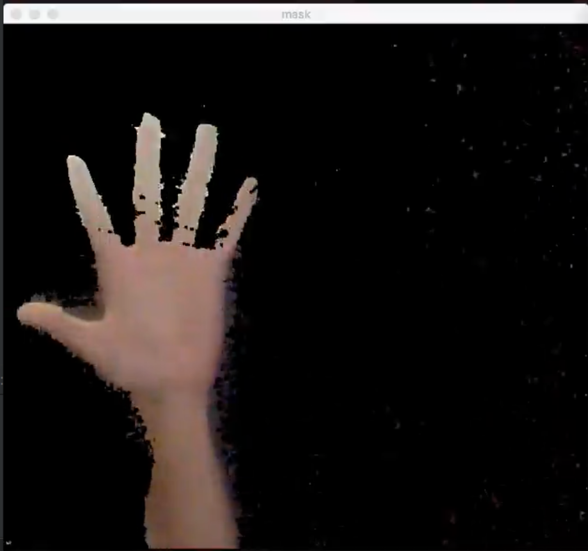
gray = cv2.cvtColor(img, cv2.COLOR_BGR2GRAY)
First convert the image to gray scale.
blur = cv2.GaussianBlur(gray, (blurValue, blurValue), 0)
By Gaussian blurring, we create smooth transition from one color to another and reduce the edge content.
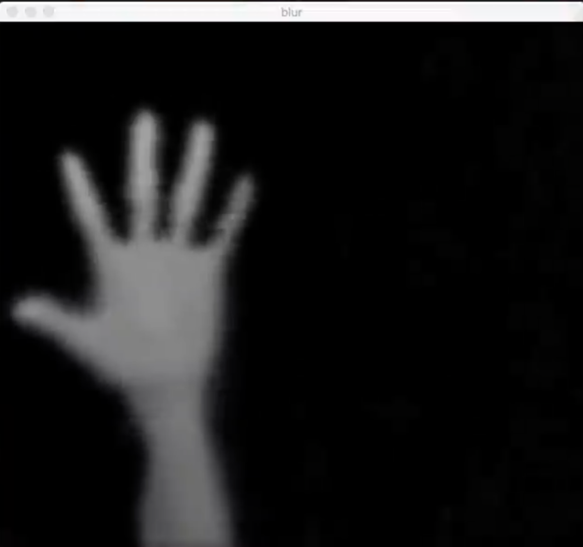
ret, thresh = cv2.threshold(blur, threshold, 255, cv2.THRESH_BINARY)
We use thresholding to create binary images from grayscale images.
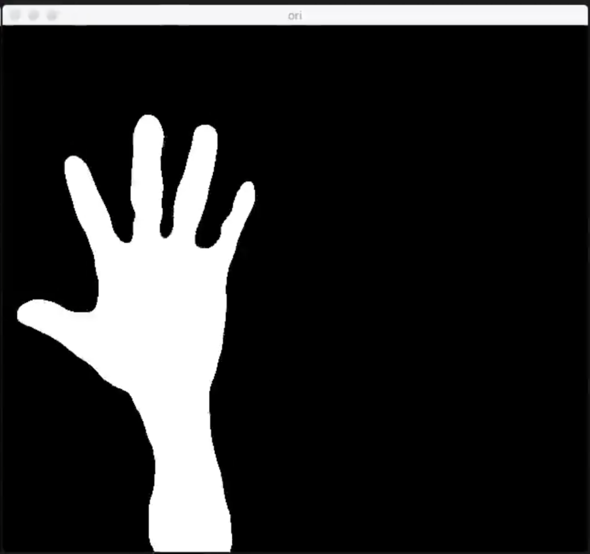
We now need to find out the hand contour from the binary image we created before and detect fingers (or in other words, recognize gestures)
contours, hierarchy = cv2.findContours(thresh1, cv2.RETR_TREE, cv2.CHAIN_APPROX_SIMPLE)
This function will find all the contours from the binary image. We need to get the biggest contours (our hand) based on their area since we can assume that our hand will be the biggest contour in this situation. (it's obvious)
After picking up our hand, we can create its hull and detect the defects by calling :
hull = cv2.convexHull(res)
defects = cv2.convexityDefects(res, hull)
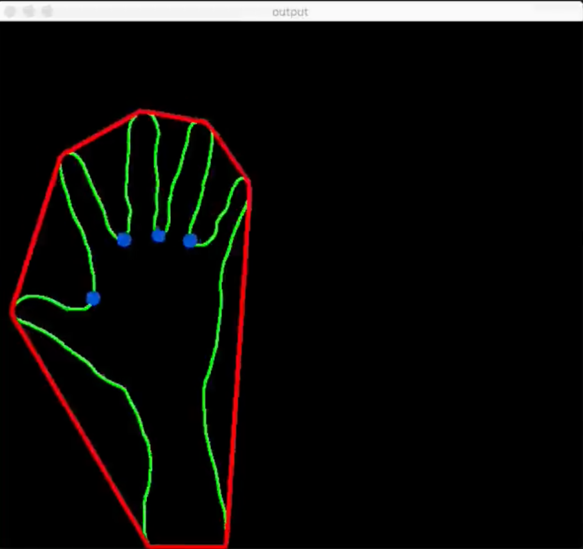
Now we have the number of fingers. How to use this information? It's based on your imagination...
I add in a keyboard simulation package named appscript as interface to control Chrome's dinosaur game.
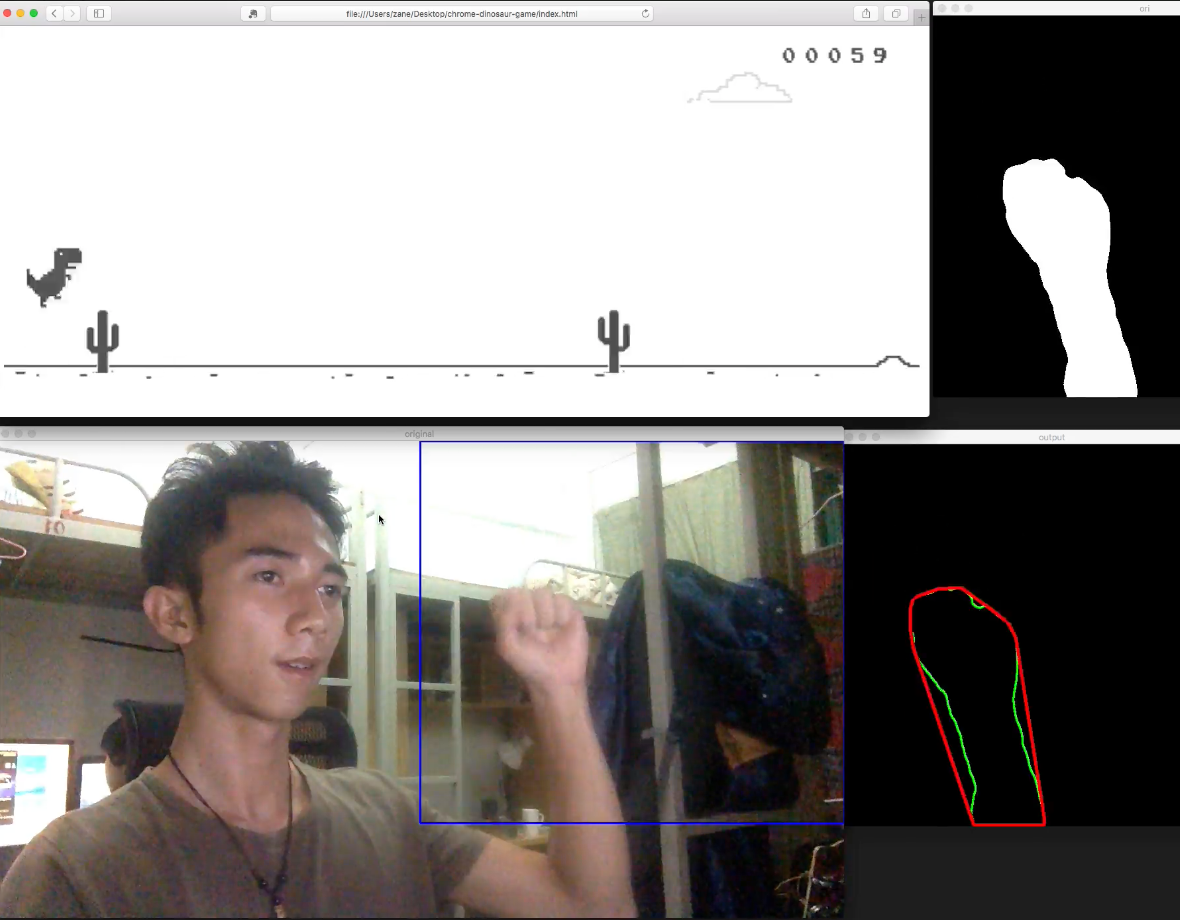
more like this
meine 🌒 - A CLI file manager and system utility built with Textual. It combines intuitive command parsing with rich t…
Create and add progress bars, Office365 Files and Dropbox Paper papers by labels and link them to your Todoist tasks.
search projects, people, and tags