ScreenTimeTracker
An intuitive, lightweight, and privacy-first desktop app to track screen time and application usage habits.
 majianchuan
git clone https://github.com/majianchuan/ScreenTimeTracker.gitmajianchuan/ScreenTimeTrackerScreen Time Tracker
English | 简体中文
Overview
An intuitive and lightweight desktop screen time tracking tool designed to help you understand your computer usage habits, boost productivity, and maintain a healthy work-life balance.
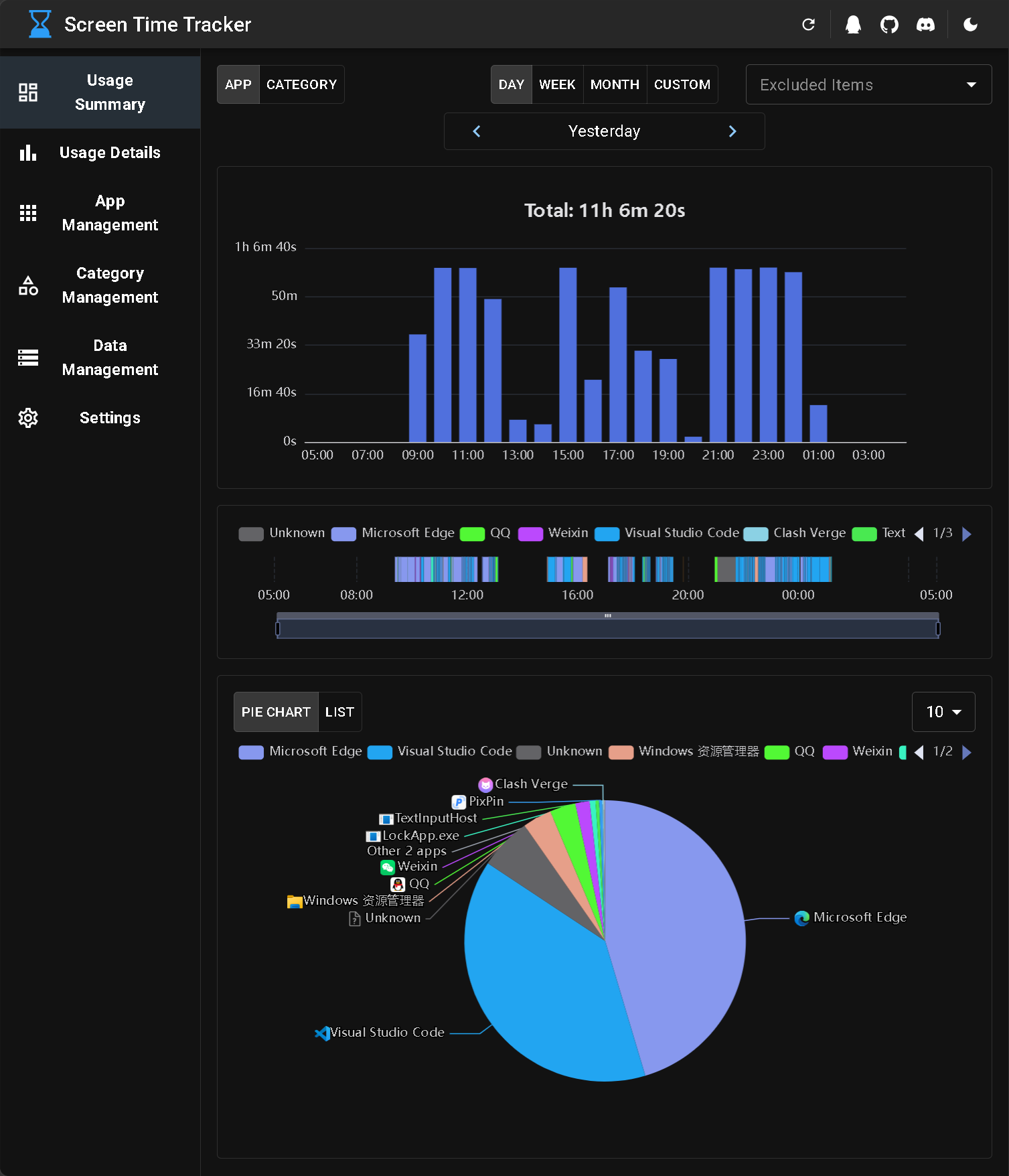
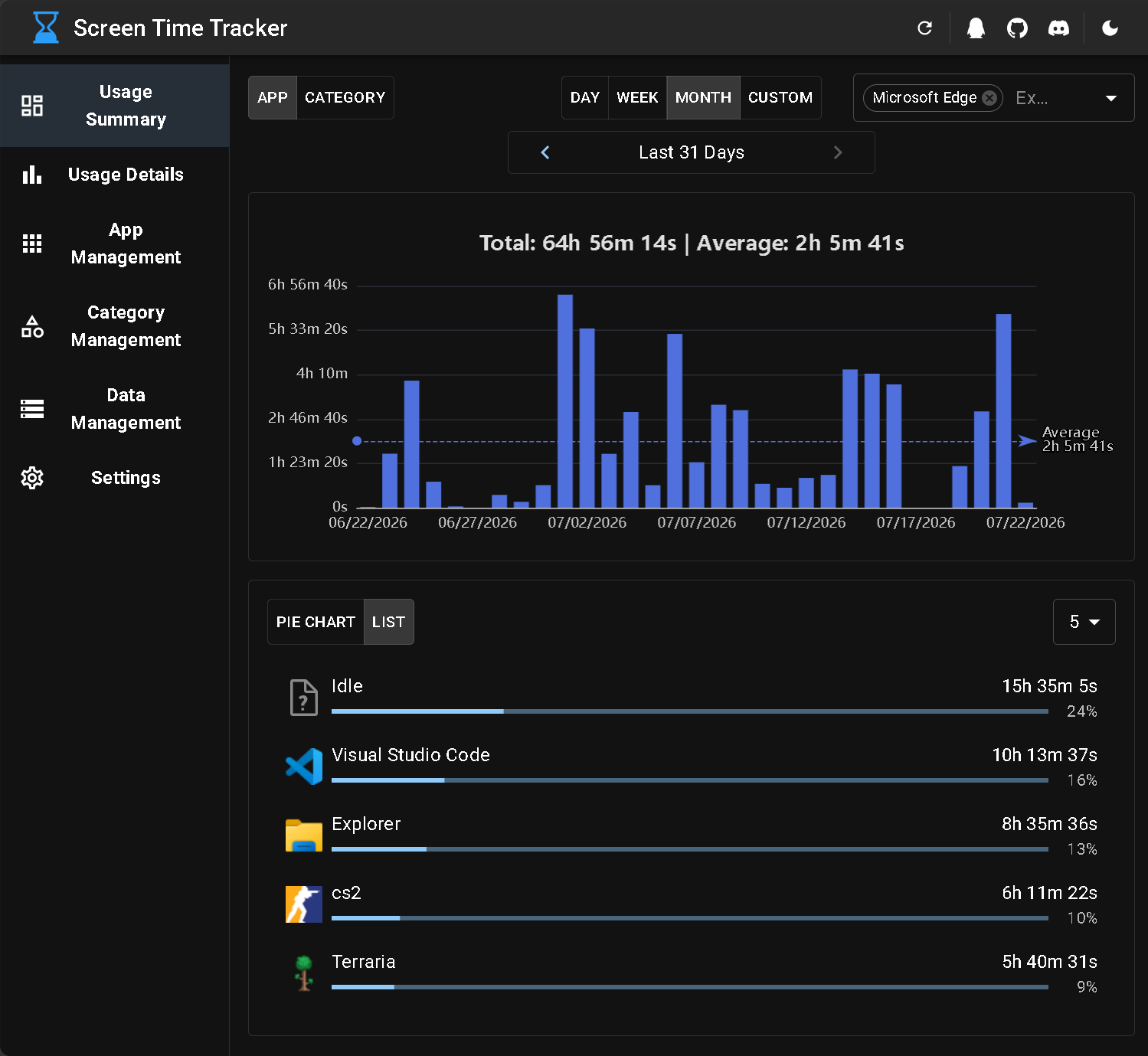
Key Features
- Time Tracking: Runs silently in the background, accurately recording the duration spent on each application.
- Visual Analytics: Provides a rich variety of intuitive charts and statistics, allowing you to clearly understand your time distribution.
- Privacy First: All data is stored locally and never uploaded to the cloud, guaranteeing your personal privacy.
- Lightweight & Efficient: Ultra-low CPU and RAM usage, ensuring it won't impact your daily experience.
- Highly Configurable: Offers detailed configuration options to cater to different user requirements.
- Multilingual Support: Native support for both English and Simplified Chinese interfaces.
Download
You can download the application from Releases or build it yourself.
Tech Stack
Backend
- .NET 10.0 (C#)
- ASP.NET Core Web API
- FastEndpoints
- Entity Framework Core
- SQLite
- Mediator
Frontend
- React
- TypeScript
- Vite
- Material UI (MUI)
- TanStack Query
- TanStack Router
- i18next
- Zod
- ECharts
Desktop
- Photino.NET
- H.NotifyIcon
Architecture Overview
The backend follows a Modular Monolith architecture, with individual modules organized using Vertical Slice Architecture.
The frontend follows Feature-Sliced Design (FSD).
When the application starts, it launches a local backend API service. The frontend is loaded into the WebView provided by the Photino.NET desktop shell and communicates with the backend through the local API.
Development
- Prerequisites
- .NET SDK 10.0+
- Node.js 22.12.0+
- Clone Repository:
git clone https://github.com/majianchuan/ScreenTimeTracker.git
- Build Frontend:
cd src/frontend
pnpm install
pnpm build
- Run Application:
cd ../Hosts/Desktop
dotnet run
Community & Feedback
If you encounter any issues or have feedback and suggestions, feel free to join our community:
- Discord Community: Join Discord
- QQ Group: Join QQ Group
more like this
Scythe
SCYTHE is a lightweight, C#-based game engine focused on modifiability and rapid iteration using Raylib.
RaylibWasm
.Net 10 (.Net 8+) webassembly starter project using raylib-cs nuget 7.0.2 and raylib 5.5
JamSoft.AvaloniaUI.Dialogs
Provides the ability to show various dialogs and child windows in a DI injectable application dialog service ready to p…