agentlytics
Comprehensive analytics dashboard for AI coding agents — Cursor, Windsurf, Claude Code, VS Code Copilot, Zed, Antigravi…
JavaScript★ 555
A WYSIWYG Markdown editor with native AI. Fully open source. Free to use. Your data stays local.
 markrahq

A WYSIWYG Markdown editor with native AI.
Fully open source. Free to use. Your data stays local.
English | 简体中文 | Web Editor | Download | Demo | Docs | Comparison | Key Features | Contributing | Contributors | License
Markra is a local-first, open-source Markdown editor that brings AI into the writing flow. Edit in WYSIWYG or source mode, keep everything as plain .md files on disk, and let AI polish, rewrite, or expand your content — with full preview before any change lands.
No account required. Files stay on disk by default; optional WebDAV sync, remote image storage, and AI requests only contact the services you configure.
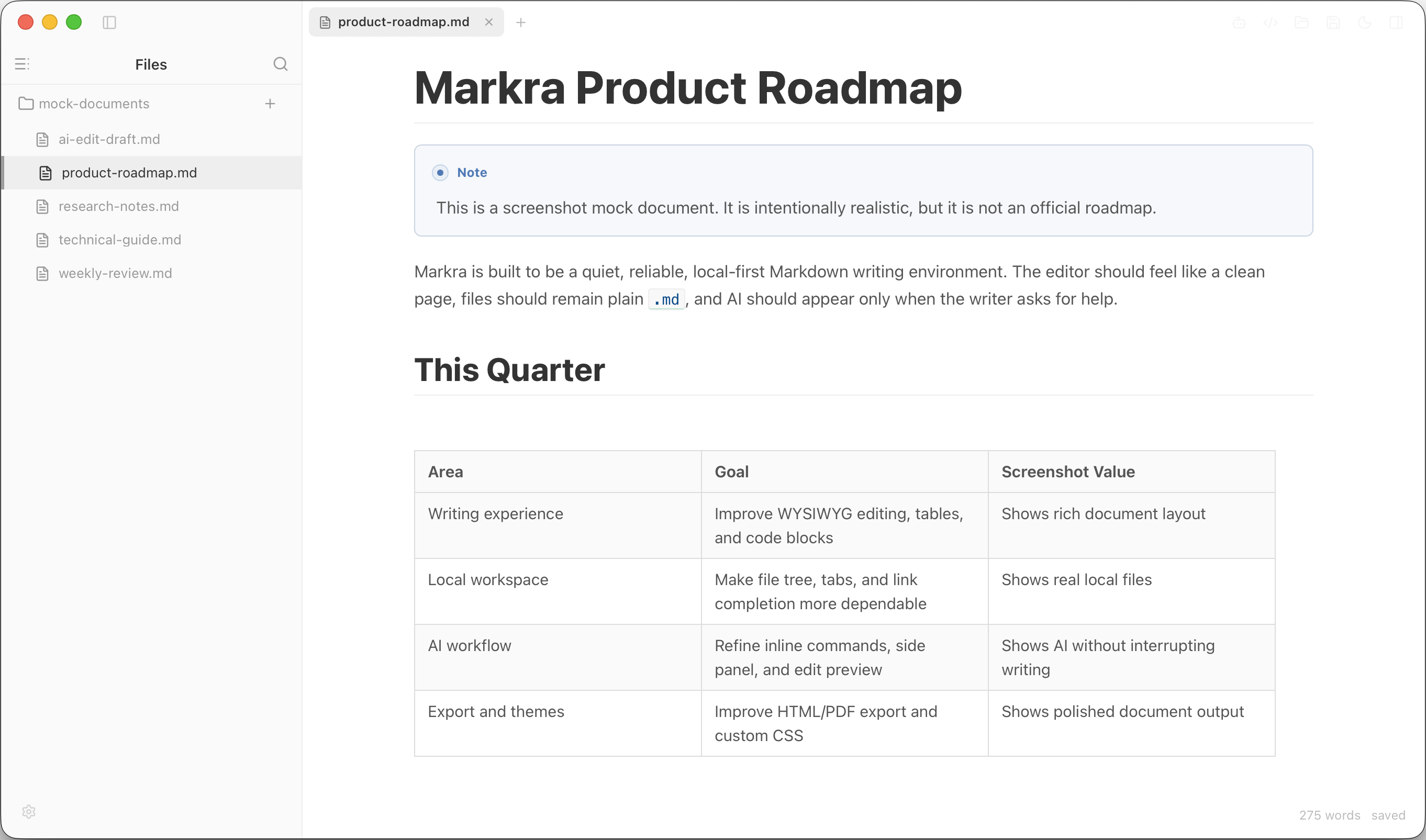
WYSIWYG Markdown editing with local files and the document in one workspace.
| Native AI commands | Review AI edits |
|---|---|
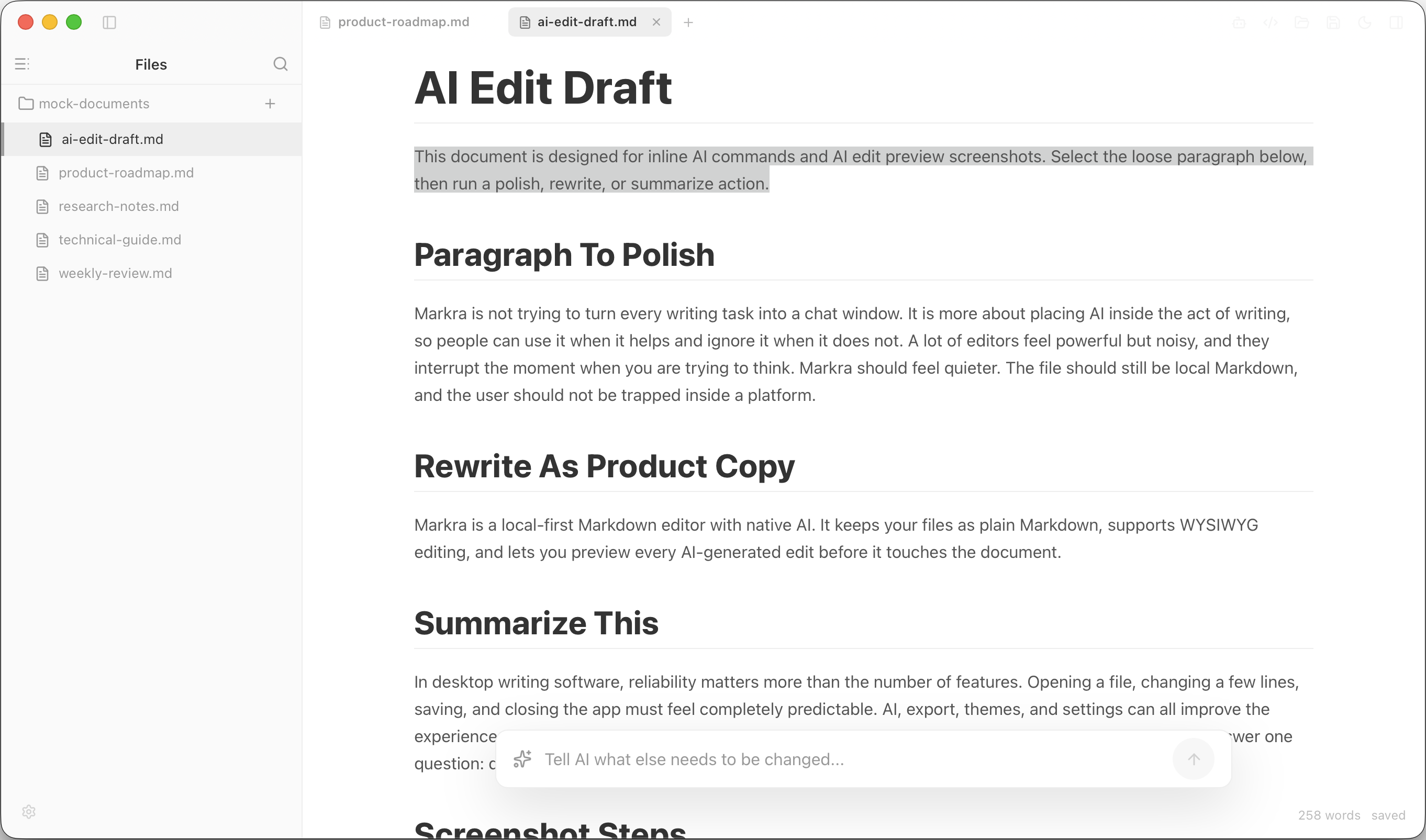 |
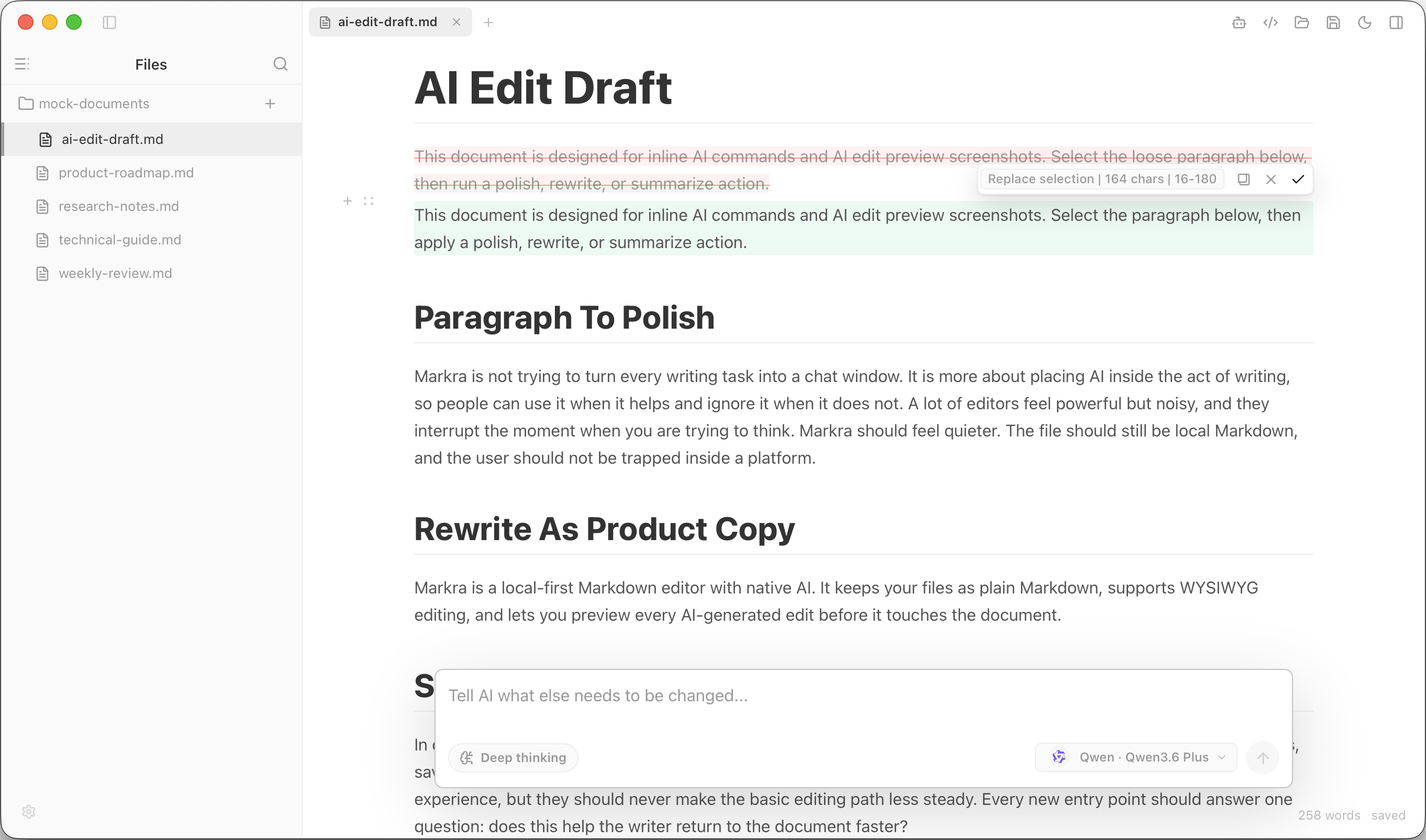 |
| Markra AI side panel | Multi-provider AI settings |
|---|---|
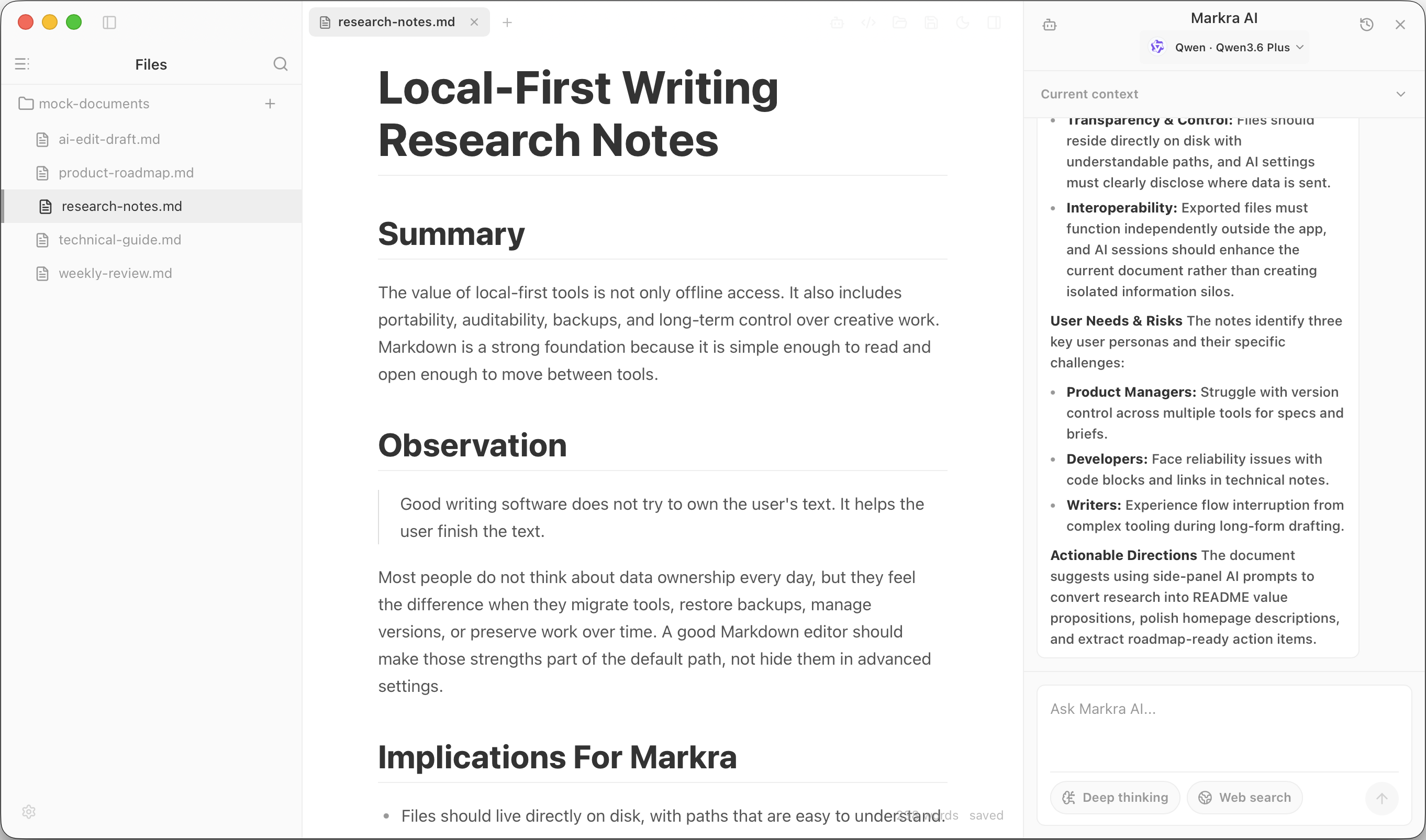 |
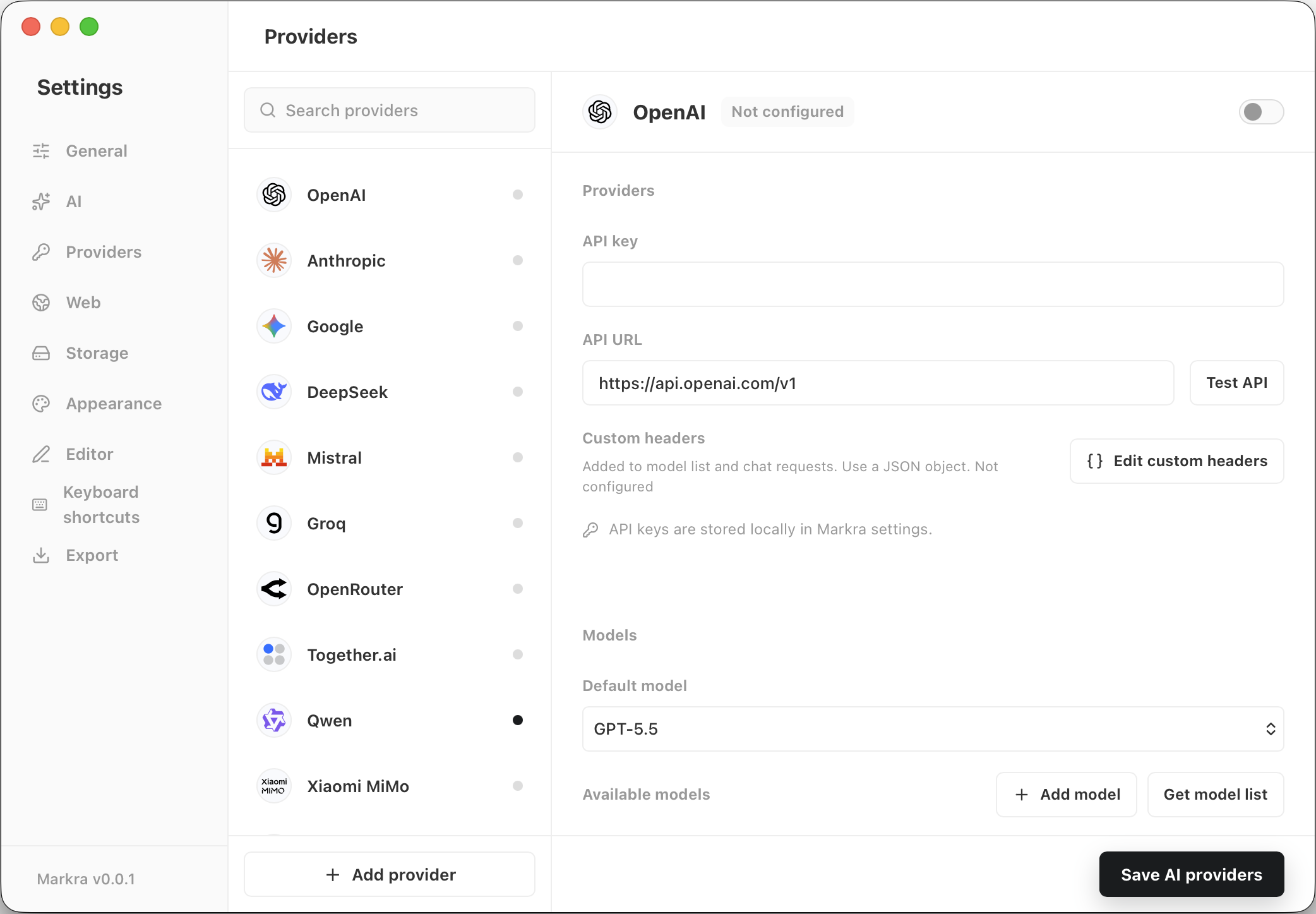 |
Use the web editor at editor.markra.app.
On macOS, install with Homebrew:
brew install --cask markrahq/tap/markra
Download the latest desktop builds from GitHub Releases: macOS Apple Silicon/Intel, Windows installer/portable, and Linux AppImage.
| Capability | Desktop app | Web editor |
|---|---|---|
| WYSIWYG and source editing | Full editor experience | Full editor experience |
| Open local files and folders | Native dialogs, file paths, and watchers | Browser file picker, folder picker, and file handles |
| File tree operations | Create, rename, move, delete, sort, reveal, and multi-select | Create, rename, move, and delete where browser permissions allow |
| Auto-save and restore | Existing files, tabs, drafts, workspace windows | Browser file handles and IndexedDB state where available |
| AI providers | Native runtime requests with app proxy settings | Browser requests subject to provider CORS support |
| Spellcheck | Markra-managed local spellcheck with on-demand language packs and a personal dictionary | Not available yet |
| Image storage | Local folders, WebDAV, PicGo/PicList, and S3-compatible storage | Local/browser handles and WebDAV where CORS permits |
| Backup and sync | Local backups, WebDAV note sync, and settings backup to local files, WebDAV, or S3-compatible storage | Settings backup to local files or WebDAV where CORS permits; note backup and sync are unavailable |
| Export | HTML, PDF, and Pandoc formats when configured | HTML download and browser print/PDF |
Markra is not trying to replace every Markdown tool. It is closest to a calm document editor with native AI and local files.
| Focus | Markra | Typora | Obsidian |
|---|---|---|---|
| Primary fit | Local-first Markdown writing with built-in AI editing | Minimal live-preview Markdown writing | Personal knowledge base and linked notes |
| Editing model | WYSIWYG document surface plus source mode | Seamless live preview with Markdown syntax hidden while writing | Markdown notes with reading/live-preview editing modes |
| AI workflow | Native inline actions, side panel, and ACP local agents, with preview before applying edits | Not a core product workflow | Not a core product workflow; plugins may vary |
| Spellcheck | Markra-managed local dictionaries, on-demand downloads, correction suggestions, and a personal dictionary | System spellcheck on supported platforms, with Hunspell dictionaries where needed | Electron/Chromium-style editor spellcheck with configurable languages |
| File model | Plain .md files, single-file or folder workspaces |
Plain Markdown files and folder/file tree workflows | Local vaults using open file formats |
| Knowledge features | Tabs, outline, workspace search, and double-bracket link completion | Outline, file tree, internal links, and export-oriented writing tools | Backlinks, graph view, Canvas, and large plugin ecosystem |
| Sync and storage | Optional WebDAV sync, local backups, and configurable image storage | Uses local files; external sync services can be used | Optional paid Obsidian Sync and Publish services |
| Openness and cost | Free and AGPL-3.0 open source | Paid app after trial | Free app with optional paid services and licenses |
Ctrl/Cmd+. shortcut, and keeps custom terms in a personal dictionary; the suggestion shortcut can be changed in keyboard shortcut settings.Supports cloud models, local models, and any OpenAI-compatible endpoint. Separate model selection for inline editing and the side panel.
Built-in providers: OpenAI · Anthropic · Google Gemini · DeepSeek · Mistral · Groq · OpenRouter · Together.ai · Qwen · Xiaomi MiMo · Volcengine Ark · xAI · Azure OpenAI · Ollama
Web search: Provider-native search, Bing, and SearXNG — with configurable result and content limits.
Product docs · Blog posts · Research notes · Technical writing with tables, code, and math · AI-assisted drafting and polishing · Personal knowledge bases
Contributions are welcome — whether it's product experience, Markdown editing, AI workflows, cross-platform fixes, or docs. See issues for open tasks or start a discussion.
Thanks to everyone who has helped shape Markra through code, docs, design, testing, and feedback.

Markra is licensed under AGPL-3.0.
more like this
Comprehensive analytics dashboard for AI coding agents — Cursor, Windsurf, Claude Code, VS Code Copilot, Zed, Antigravi…
Free open-source Cloudflare R2 desktop client and S3 GUI for macOS, Windows, and Linux. Manage Cloudflare R2, AWS S3, M…
search projects, people, and tags