unity-aseprite-importer
An aseprite-file importer for unity written in C#, built upon the experimental AssetImporter API
 martinhodler
git clone https://github.com/martinhodler/unity-aseprite-importer.gitmartinhodler/unity-aseprite-importerAseprite-Importer for Unity

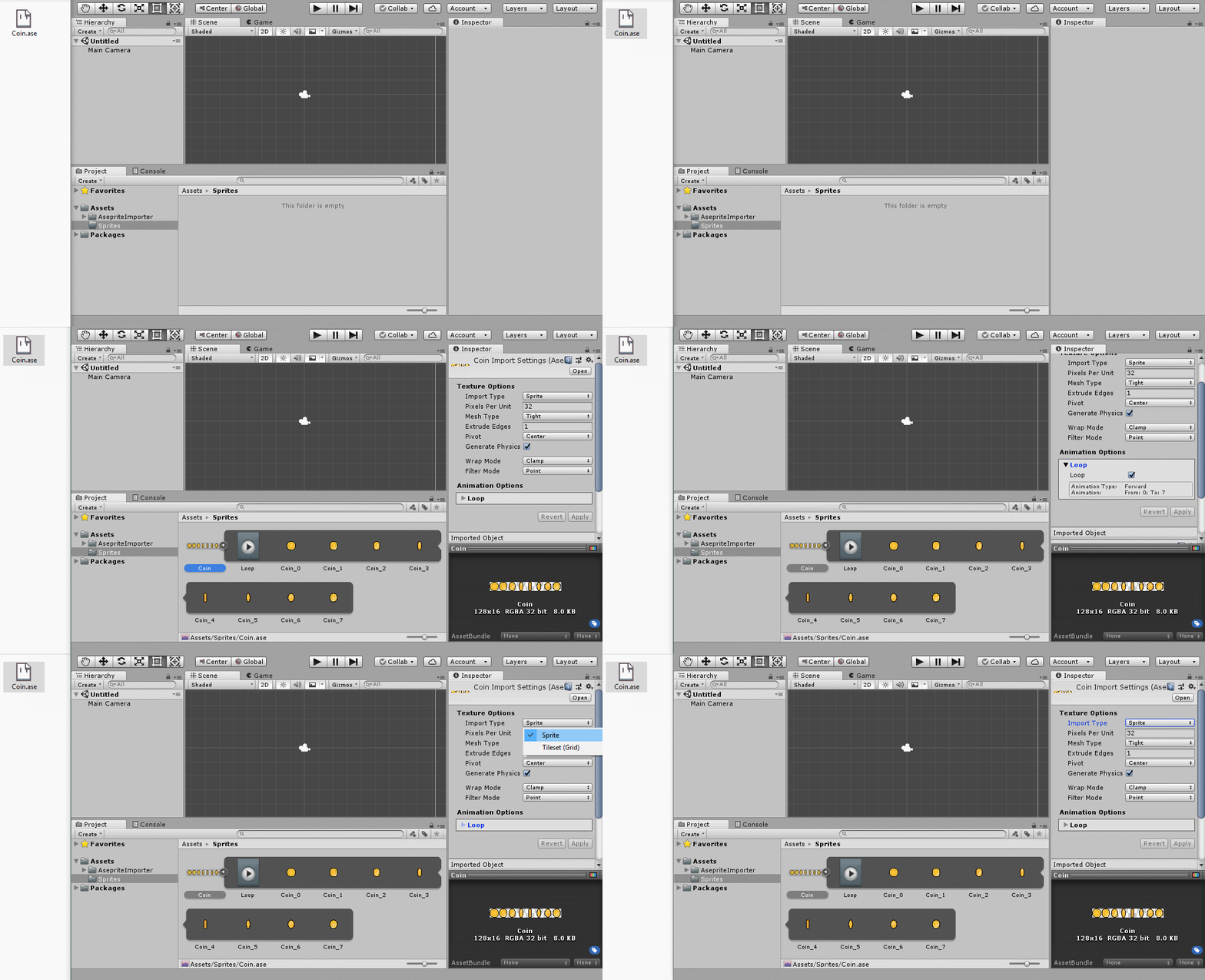
This package helps you importing .ase files from aseprite. The reader is fully written in C# which reads the compressed binary file and creates spritesheets, sprites and animations out of it.
Features
- Creates a sprite sheet file (not dynamic)
- Editable meta data like custom physics shapes with the 'Sprite Editor'
- Generates tilemap with extended-padding (solves lines tearing issue between tiles)
- Makes animation files (not dynamic)
- Creates an animation controller
- New tilemap name rule support (row-col)


Install
OpenUPM
Unity Package
OpenUPM lets you install packages more easily by providing a downloadable unity package which will setup the package automatically. You can find the download on the following link:
https://openupm.com/packages/io.tinu.asepriteimporter/
CLI
Prerequisites
See: https://openupm.com/docs/getting-started.html#installing-openupm-cli
OpenUPM CLI Install
# Go to your Unity project directory
cd YOUR_UNITY_PROJECT_DIR

# Install package: io.tinu.asepriteimporter
openupm add io.tinu.asepriteimporter
Unity
- In Unity open the Package Manager (
Window > Package Manager). - In the Package Manager click on the Plus-Icon in the top-left and select
Add package from git URL... - Enter the URL of this Repository (
https://github.com/martinhodler/unity-aseprite-importer.git) and press Enter
License
See LICENSE file.
Note: As of Unity doesn't include any editor scripts in the game, you don't have to license your game under GPL.
more like this
TachiSnap
TachiSnap — Pixel Snapper for animation pixel artists. Rust + WebAssembly client-side tool for cleaning up AI-generated…
2D-Astar-Pathfinding-in-Unity
A 2D implementation of the Astar Pathfinding algorithm using Tilemaps in Unity