ForwardWidgets
Widgets for Douban and Trakt watchlists plus personalized recommendations, live TV streaming including PlutoTV, Yatu ra…
JavaScript★ 247
📅 A lightweight, customizable iOS calendar view control in Objective-C — locale & calendar identifiers (Persian, Hebre…
 maximbilan
git clone https://github.com/maximbilan/Calendar-iOS.gitmaximbilan/Calendar-iOS
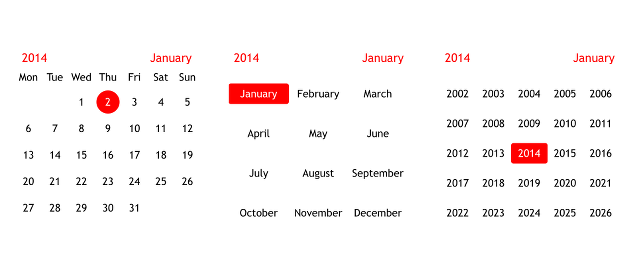
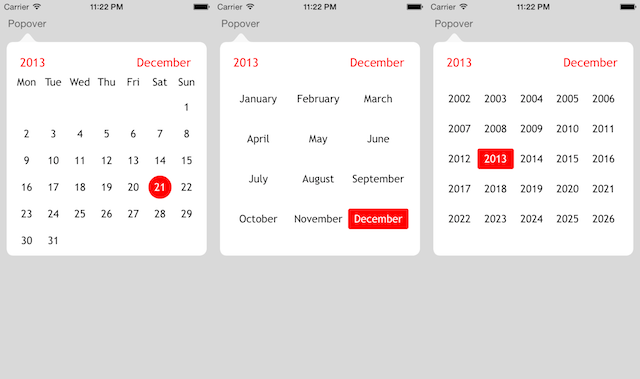
A lightweight and simple calendar control with support for Locale and CalendarIdentifier. There are samples for iPhone and iPad, and also for using a popover.
Using a popover:
CocoaPods:
pod 'Calendar-iOS'
Manual:
Add the following source files to your project:
CalendarView.h
CalendarView.m
NSDate+CalendarView.h
NSDate+CalendarView.m
NSString+CalendarView.h
NSString+CalendarView.m
You can add the view in Interface Builder and set its class to CalendarView, or create it in code:
CalendarView *calendarView = [[CalendarView alloc] initWithPosition:10.0 y:10.0];
[self.view addSubview:calendarView];
That's it, you should see the calendar view.
This component was created for iPhone/iPod resolution. It works on iPad, but it looks really small; if necessary, you can play with the static constants in CalendarView.m. Scaling may be added in the future.
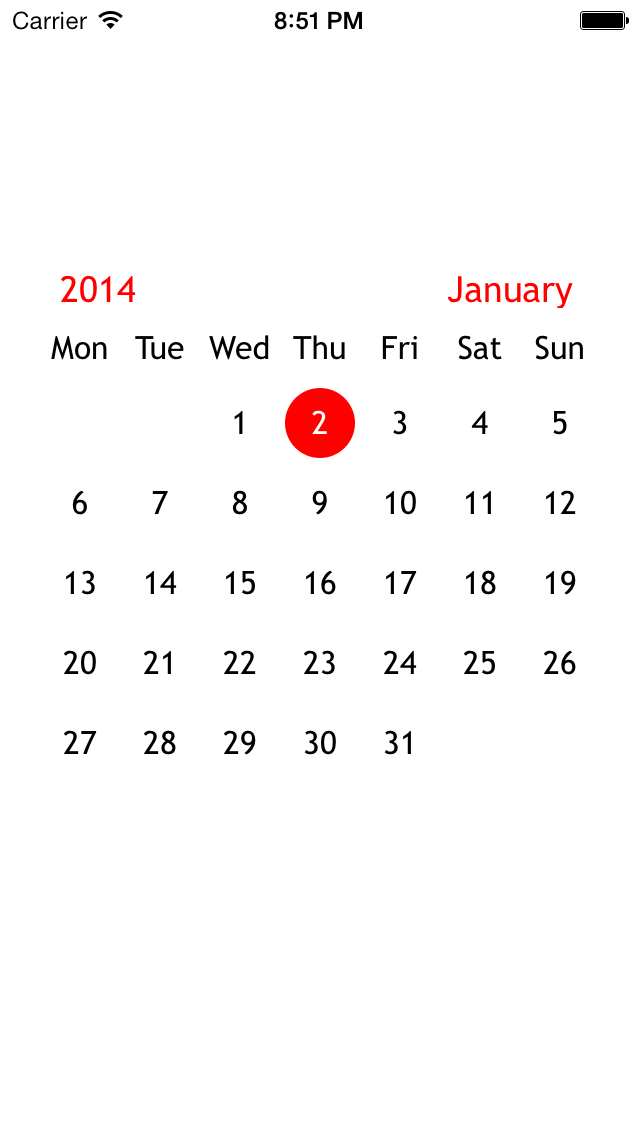
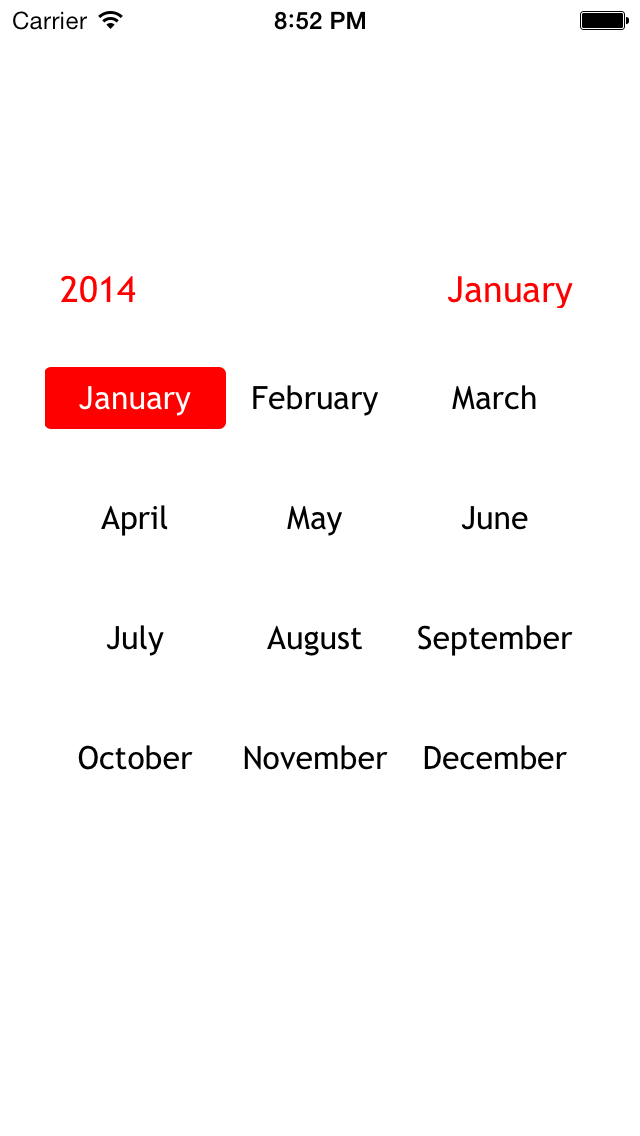
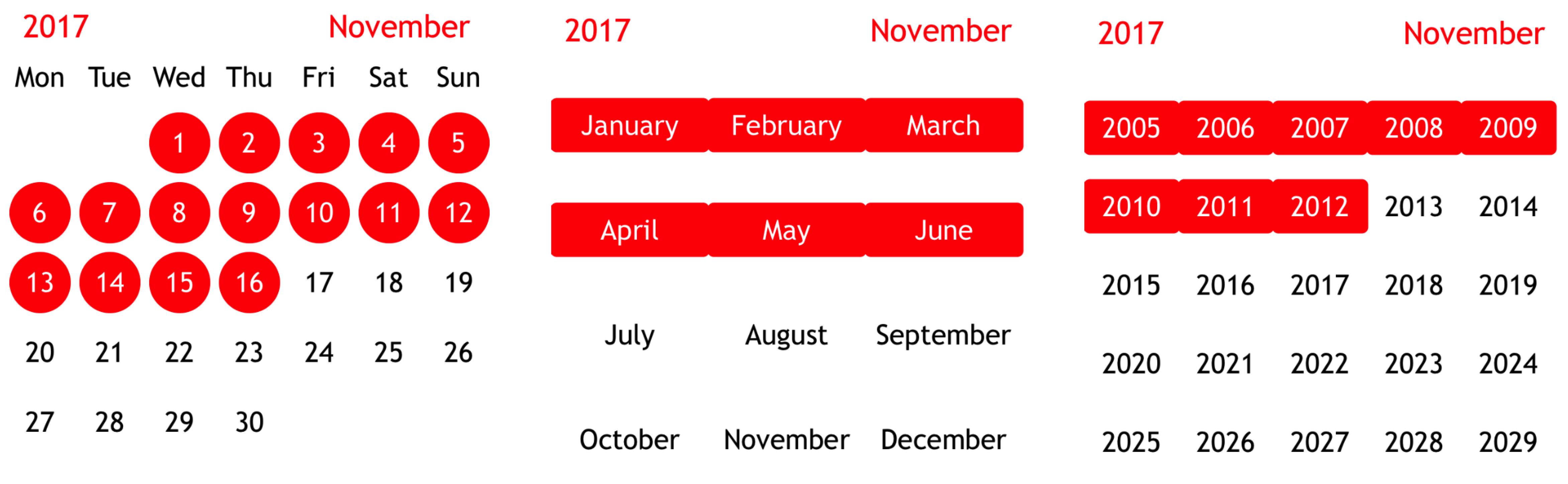
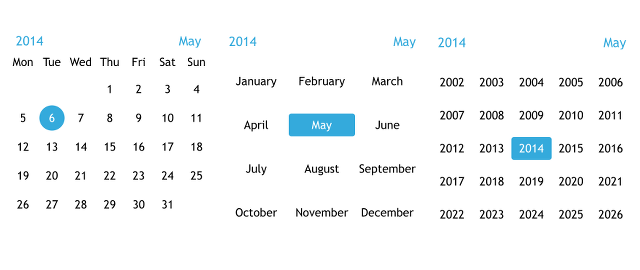
The calendar has several modes:
typedef NS_ENUM(NSInteger, CalendarMode)
{
    CalendarModeDefault,
    CalendarModeMonthsAndYears,
    CalendarModeYears
};
 |
 |
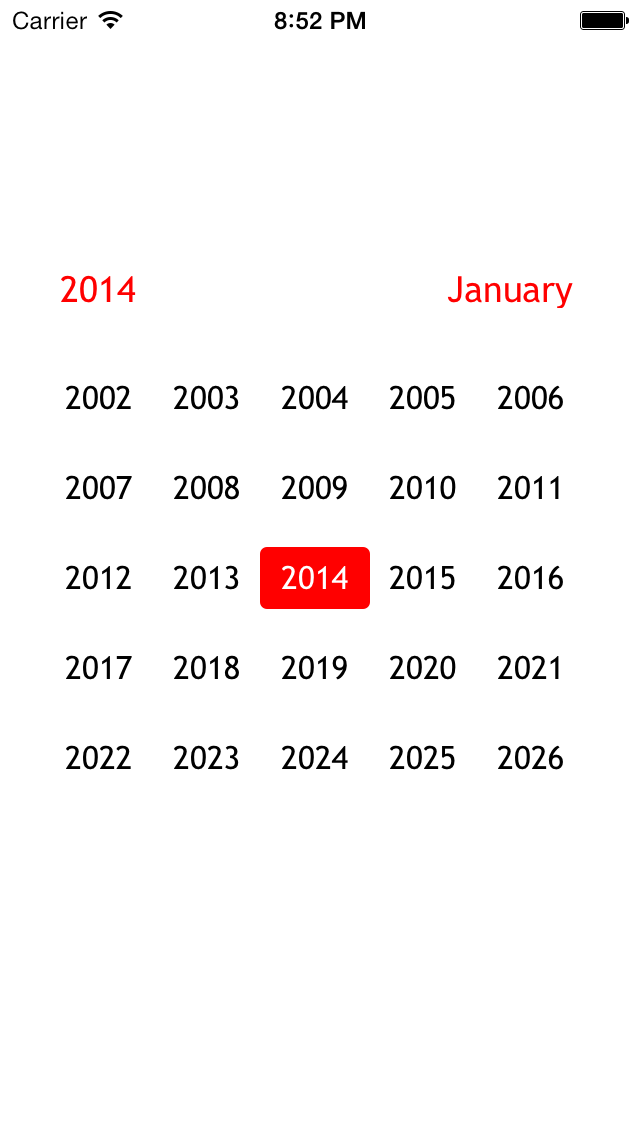 |
| Default | MonthsAndYears | Years |
There are external methods to mimic the swiping behavior in case a different UI is desired. However, these events will be logged with a different event type than swiping.
There are also some options for display:
// Whether the currently selected date should be marked
@property (nonatomic, assign) BOOL shouldMarkSelectedDate;
// Whether today's date should be marked
@property (nonatomic, assign) BOOL shouldMarkToday;
// Whether the month and year headers should be shown
@property (nonatomic, assign) BOOL shouldShowHeaders;
// Preferred weekday start
- (void)setPreferredWeekStartIndex:(NSInteger)index;
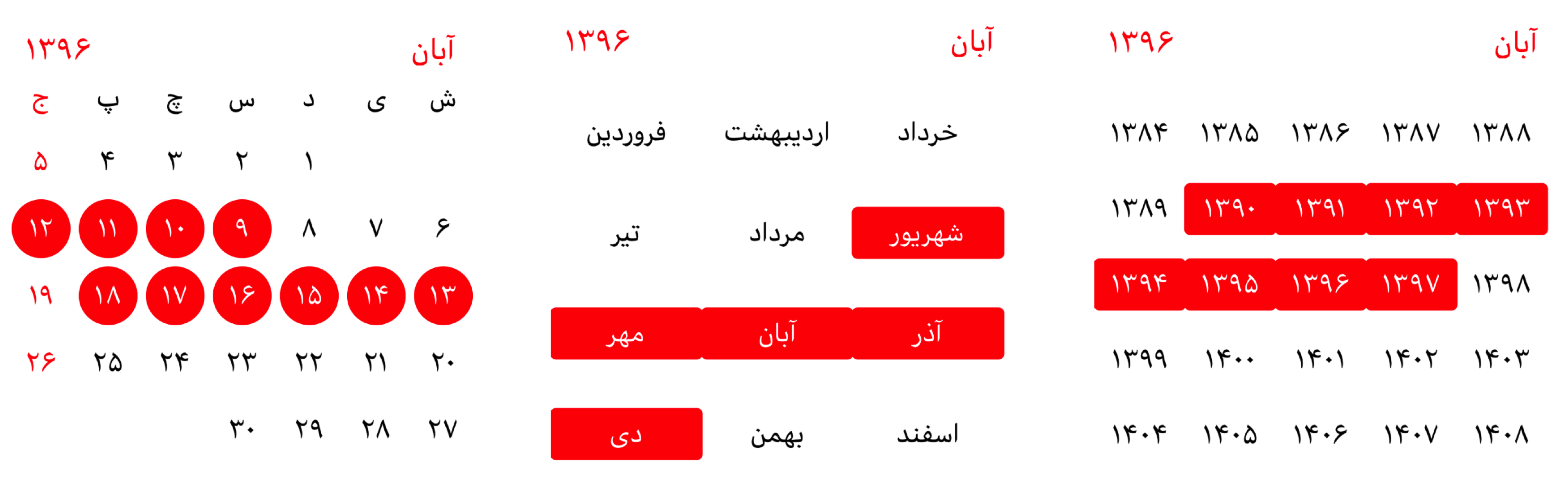
setNeedsDisplay call).It's very simple and useful to create a calendar based on your locale and, of course, your country.
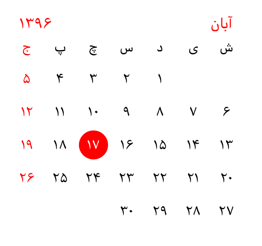
NSLocale *persianLocale = [[NSLocale alloc] initWithLocaleIdentifier:@"fa-IR"];
[self.calendarView setLocale:persianLocale];
And to use a CalendarIdentifier, use this property:
[self.calendarView setCalendarIdentifier:NSCalendarIdentifierPersian];
If you set the useVeryShortWeekdaySymbols property to YES, the days of the week will use very short names:
self.calendarView.useVeryShortWeekdaySymbols = YES;
 |
 |
Long-press an item to select a date, and long-press the end date to select the end of the range. To get the selected range, use the didSelectRangeForStartDate:andEndDate: delegate method like this:
- (void)didSelectRangeForStartDate:(NSDate *)startDate andEndDate:(NSDate *)endDate {
    NSLog(@"%s: start date :%@ \n end date : %@", __PRETTY_FUNCTION__, startDate, endDate);
}
For this you should use the CalendarViewDelegate protocol:
@interface ViewController : UIViewController <CalendarViewDelegate>

@end
And set up the delegate:
self.calendarView.calendarDelegate = self;
After that you should implement the required didChangeCalendarDate method:
- (void)didChangeCalendarDate:(NSDate *)date
{
    NSLog(@"didChangeCalendarDate:%@", date);
}
For more details there are optional methods for other things:
@optional
- (void)didChangeCalendarDate:(NSDate *)date withType:(NSInteger)type withEvent:(NSInteger)event;
- (void)didDoubleTapCalendar:(NSDate *)date withType:(NSInteger)type;
For customization of colors you can use the following properties:
// Main color of numbers
@property (nonatomic, strong) UIColor *fontColor;
// Color of the headers (year and month)
@property (nonatomic, strong) UIColor *fontHeaderColor;
// Color of selected numbers
@property (nonatomic, strong) UIColor *fontSelectedColor;
// Color of selection
@property (nonatomic, strong) UIColor *selectionColor;
// Color of today
@property (nonatomic, strong) UIColor *todayColor;
For example:
self.calendarView.selectionColor = [UIColor colorWithRed:0.203 green:0.666 blue:0.862 alpha:1.000];
self.calendarView.fontHeaderColor = [UIColor colorWithRed:0.203 green:0.666 blue:0.862 alpha:1.000];
And you can see the result:
It's free to use, feel free. And I hope it will be helpful.
iOS Calendar is available under the MIT license. See the LICENSE file for more info.
more like this
Widgets for Douban and Trakt watchlists plus personalized recommendations, live TV streaming including PlutoTV, Yatu ra…
Vibe-coded, but not slop. A mobile-first SDR receiver for iOS, Android & Apple Watch — the live waterfall on your wrist…
A lightweight, simplified, RedNotebook-inspired journal/diary app. Built with Electron. Makes dated text files.
search projects, people, and tags