mux-pod
A mobile-first tmux client over SSH. Control your terminal sessions from your phone.
 moezakura
git clone https://github.com/moezakura/mux-pod.gitmoezakura/mux-pod

MuxPod
Your tmux sessions, in your pocket.
A mobile-first tmux client for Android — SSH in, navigate sessions, and stay productive on the go.
demo.mp4
Why MuxPod?
Ever needed to check on a long-running process, restart a service, or peek at logs while away from your desk?
MuxPod turns your Android phone into a tmux remote control.
- 🚀 Zero server setup — Works with any server running
sshd. No agents, no daemons, nothing to install. - 📱 Built for mobile — Not a terminal crammed into a phone. A thoughtful UI designed for touch.
- 🔐 Secure by default — SSH keys stored in Android Keystore. Your credentials never leave the device.
App Structure
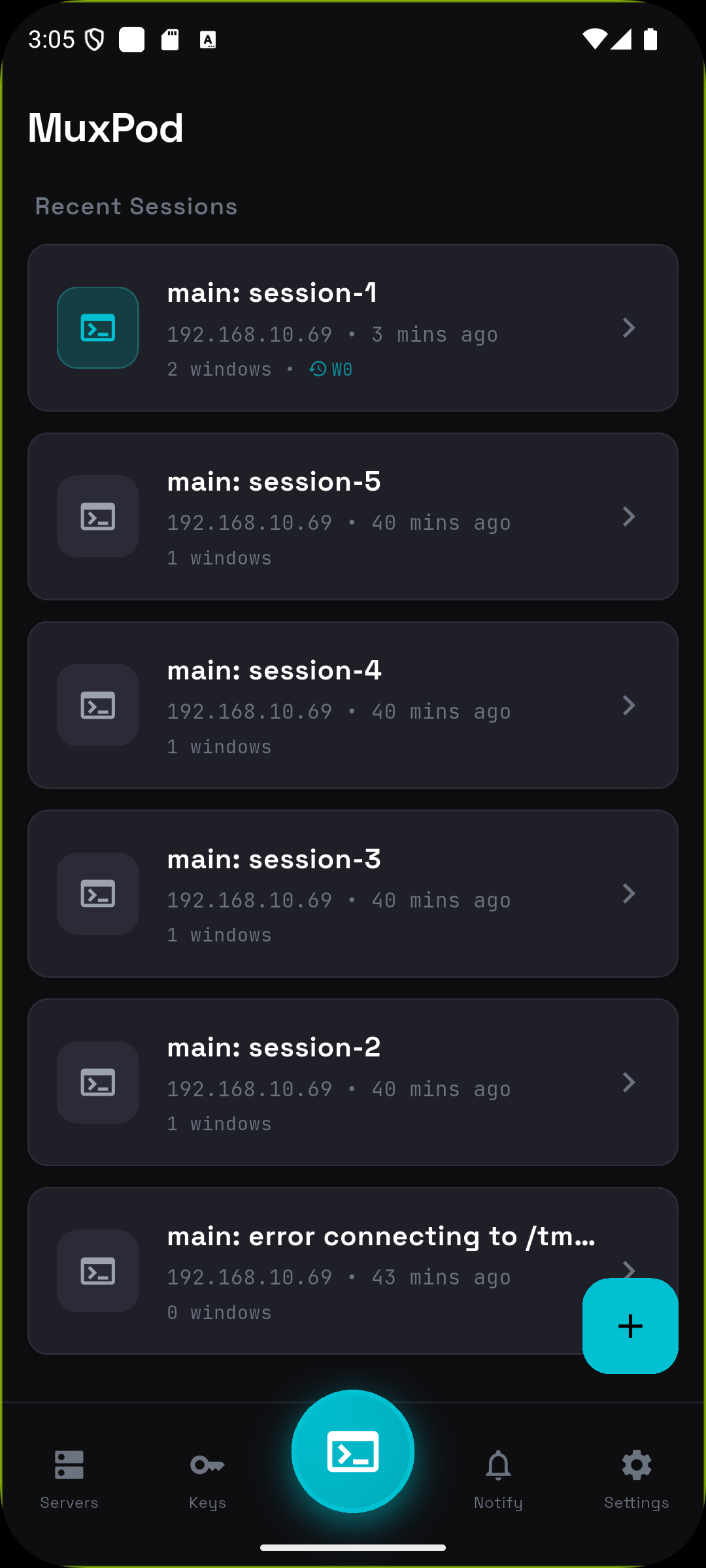
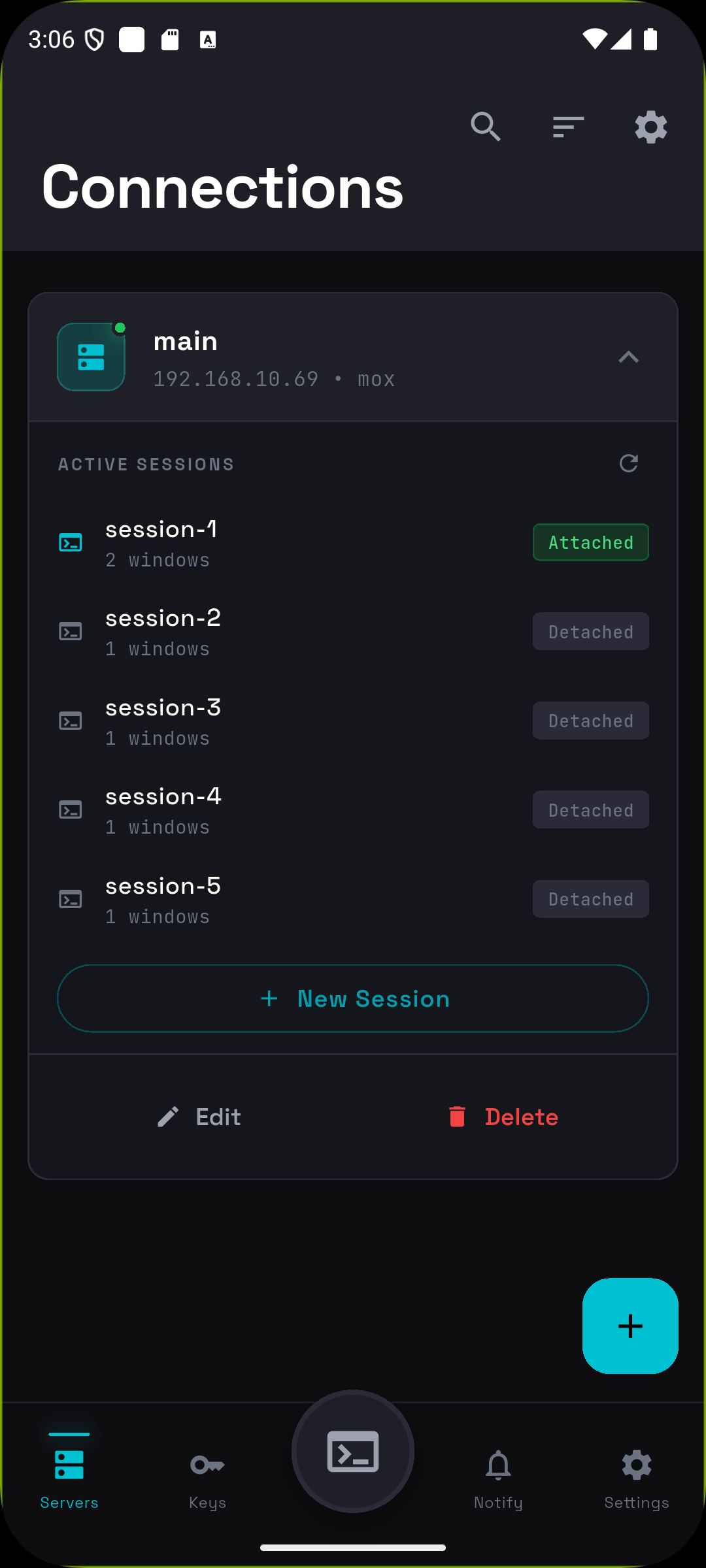
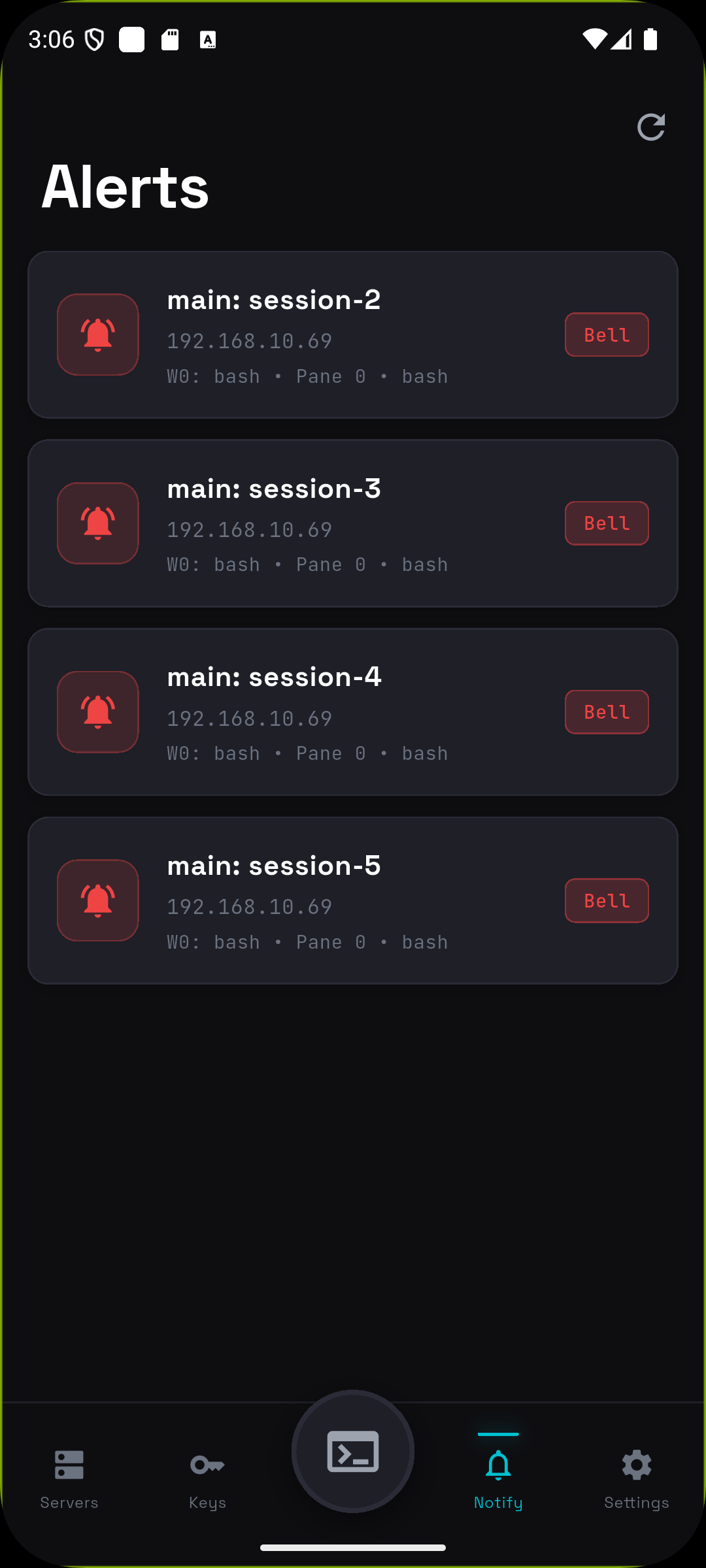
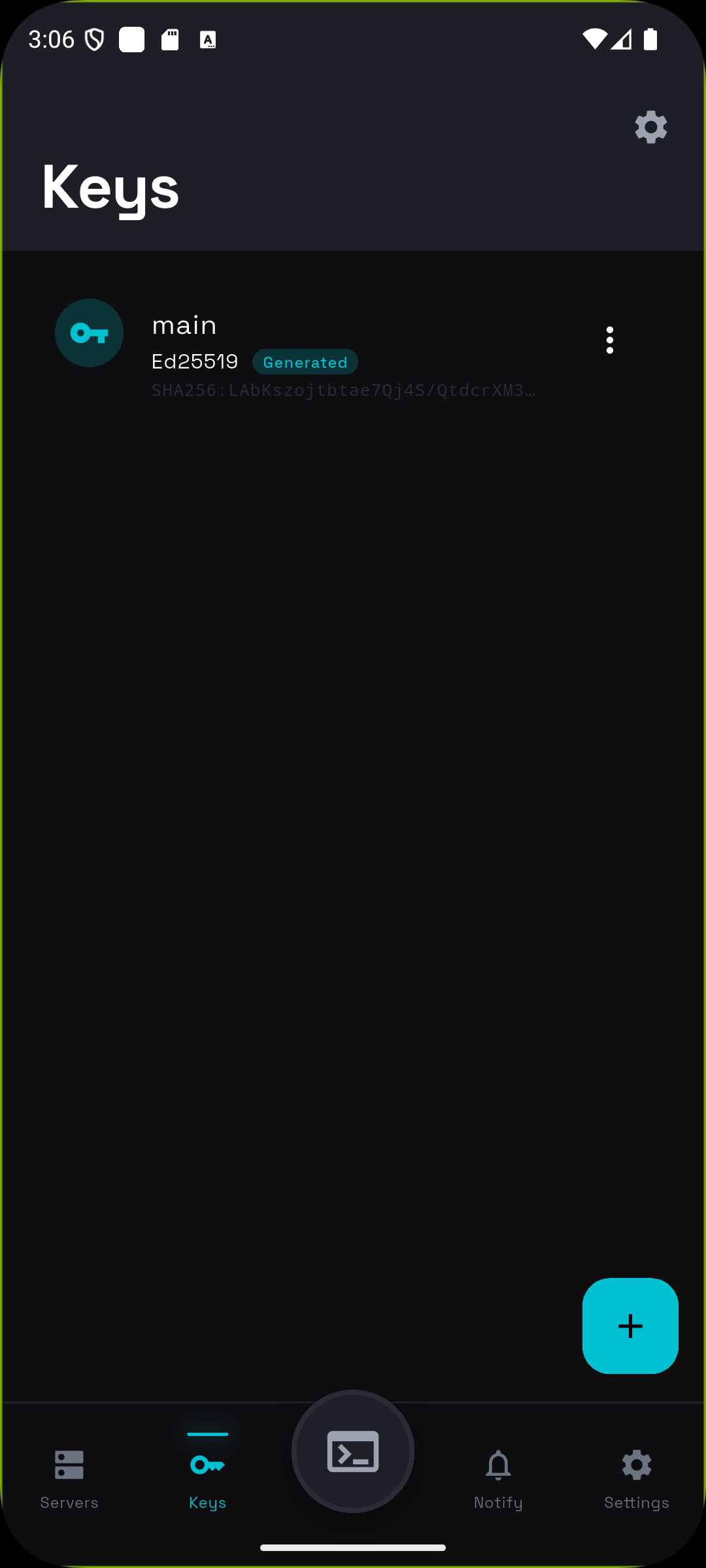
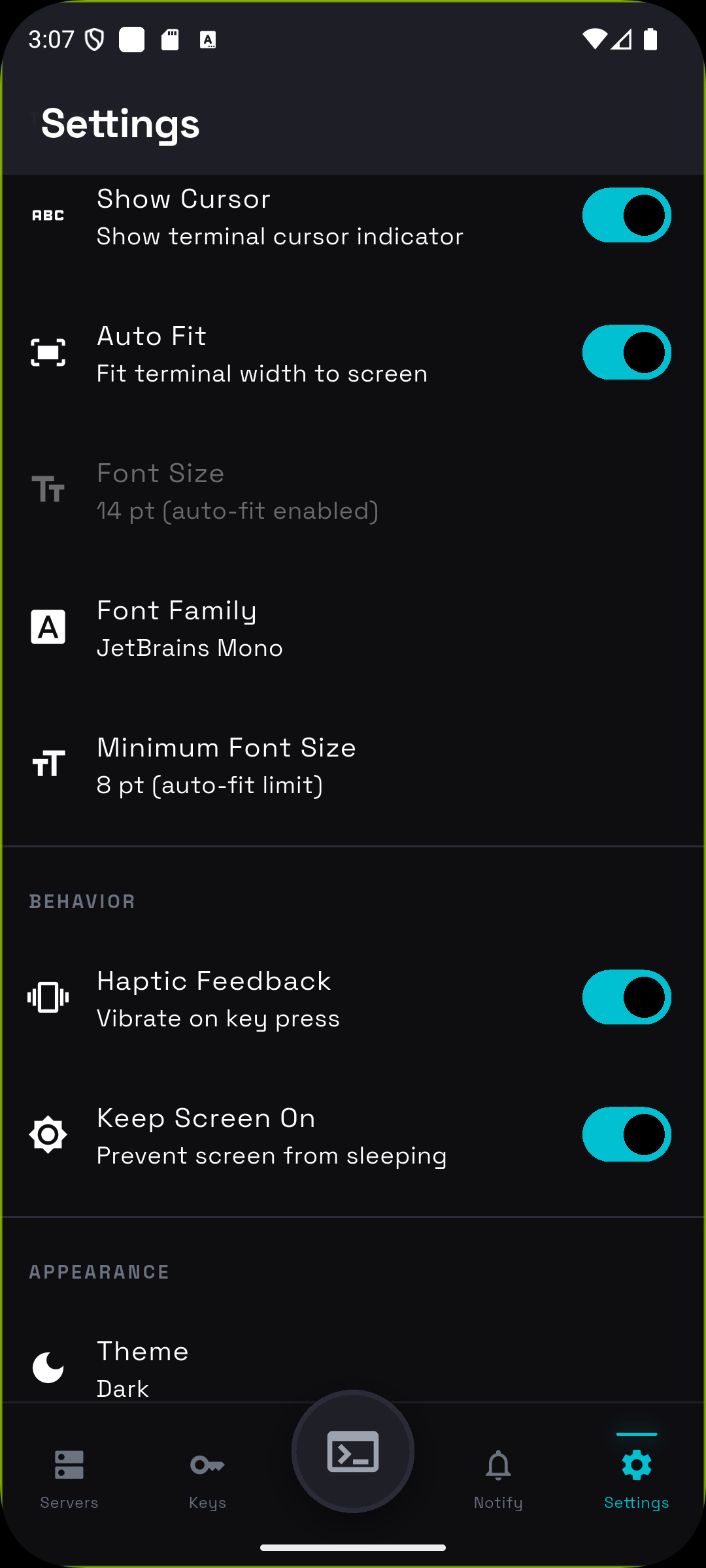
MuxPod uses a 5-tab navigation with Dashboard at the center for quick session access.
| Dashboard | Servers | Alerts | Keys | Settings |
|---|---|---|---|---|
 |
 |
 |
 |
 |
🏠 Dashboard
Your home screen. Recent sessions sorted by last access time with relative timestamps ("Just now", "5 min ago"). One tap to reconnect — instantly returns to your last window and pane.
📡 Servers
Manage SSH connections. Tap to expand a server card and see active tmux sessions with attach/detach status. Create new sessions or jump into existing ones.
🔔 Alerts
Monitor tmux window flags across all connections in real-time.
| Flag | Color | Meaning |
|---|---|---|
| Bell | 🔴 Red | Window triggered a bell |
| Activity | 🟠 Orange | Content changed in window |
| Silence | ⚫ Gray | No activity for a while |
Tap any alert to jump directly to that window and pane. The alert is automatically cleared.
🔑 Keys
Generate Ed25519 (recommended) or RSA (2048/3072/4096-bit) keys on-device. Import existing keys. All stored securely with optional passphrase protection. One-tap copy public key to clipboard.
⚙️ Settings
Customize terminal appearance (fonts, colors), behavior (haptic feedback, keep screen on), and connection settings.
Terminal Experience
The terminal screen is where MuxPod shines — purpose-built for mobile tmux interaction.
🗂️ Breadcrumb Navigation
Tap Session → Window → Pane in the header to switch contexts instantly. The pane selector shows a visual layout of your split panes with accurate proportions.
| Terminal | Pane Selector |
|---|---|
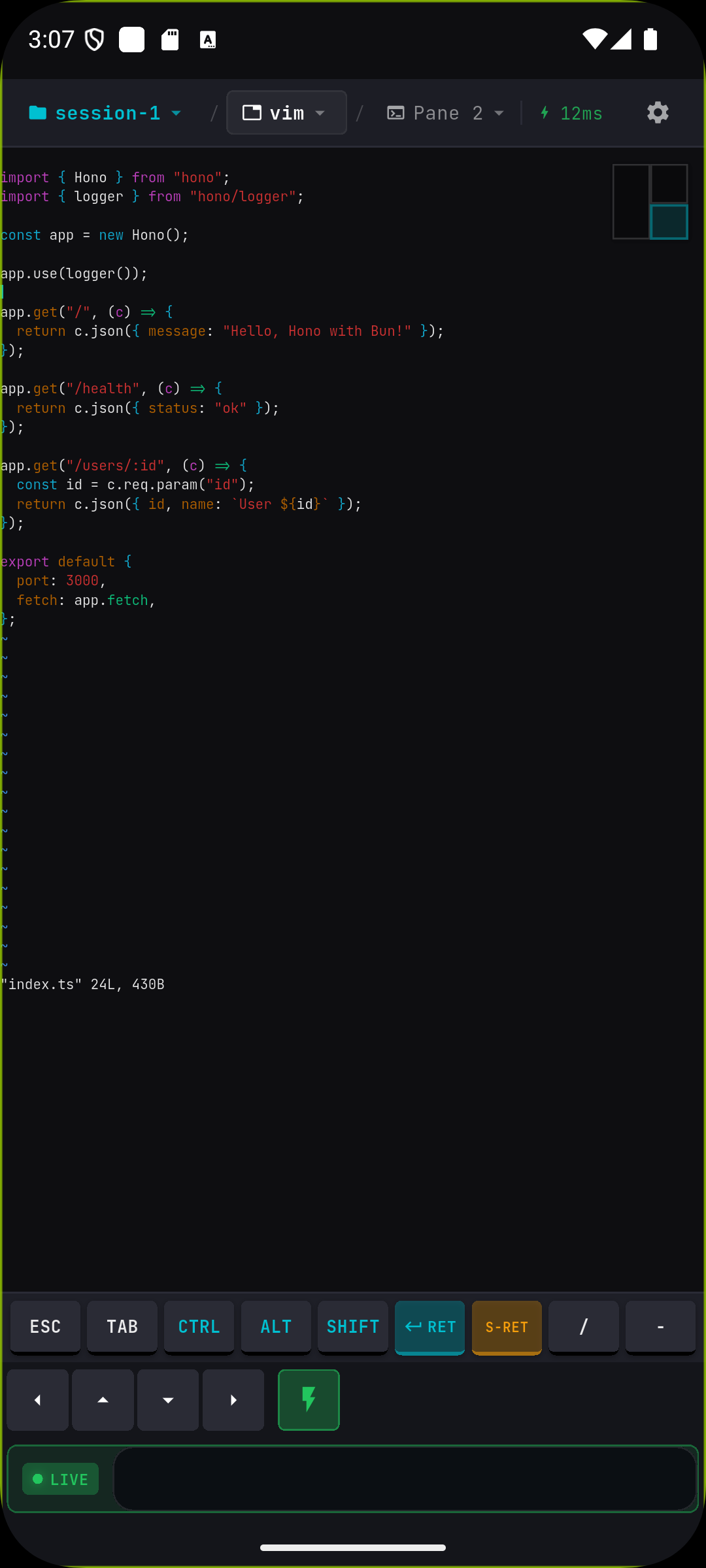 |
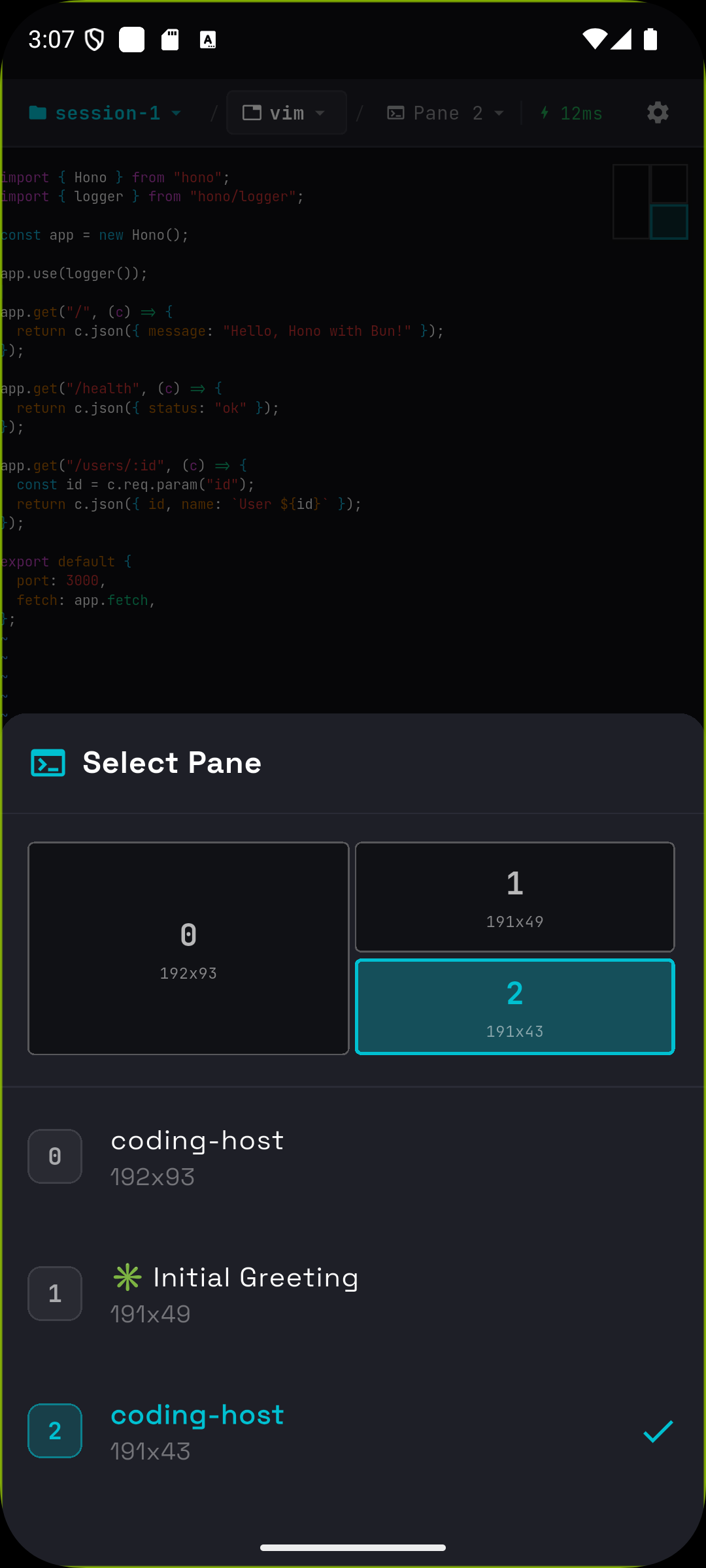 |
👆 Touch Gestures
| Gesture | Action |
|---|---|
| Hold + Swipe | Send arrow keys (↑↓←→) — perfect for editors like vim/nano |
| Pinch | Zoom in/out (50%–500%) |
| Tap pane indicator | Quick pane switcher with visual layout |
⌨️ Special Keys Bar
Dedicated buttons for terminal essentials:
[ESC] [TAB] [CTRL] [ALT] [SHIFT] [ENTER] [S-RET] [/] [-]
[←] [↑] [↓] [→]  [⚡ DirectInput]  [Input...]
- Modifier keys toggle — Tap CTRL, then type 'c' for Ctrl-C
- S-RET — Shift+Enter for Claude Code confirmation
- DirectInput mode — Real-time keystroke streaming with live indicator
📋 Copy/Paste Mode
Toggle Scroll & Select Mode to enable text selection. Terminal updates are buffered while you select, so content won't jump. Selected text copies to system clipboard.
⚡ Connection Resilience
- Auto-reconnect — Up to 5 retries with exponential backoff
- Input queuing — Type while disconnected; commands send automatically on reconnect
- Latency indicator — Real-time ping display (green < 100ms, red > 500ms)
- Adaptive polling — 50ms–500ms based on activity for battery optimization
Deep Linking
Open MuxPod directly to a specific server, session, window, or pane from external apps using the muxpod:// URL scheme.
URL format:
muxpod://connect?server=<id>&session=<name>&window=<name>&pane=<index>
| Parameter | Required | Description |
|---|---|---|
server |
Yes | Matches the connection's Deep Link ID first, then falls back to connection name (case-insensitive) |
session |
No | tmux session name to attach to. If omitted, uses the first available session |
window |
No | tmux window name to switch to |
pane |
No | Pane index within the window (0-based) |
Setup:
- Open a connection in Servers > Edit
- Set a Deep Link ID (e.g.,
macbook-pro) — this is a stable identifier you use in URLs - Use the same ID in your external scripts/notifications
Example — Claude Code finish notification with deep link:
muxpod://connect?server=macbook-pro&session=dev&window=claude&pane=0
This will: find the server by ID macbook-pro → SSH connect → attach to session dev → switch to window claude → focus pane 0.
Works on both Android (intent filter) and iOS (URL type). Supports cold start (app not running) and hot links (app in background).
Use with claude-telegram-notify to get Telegram notifications when Claude Code finishes or needs input, with tappable deep links that open MuxPod directly to the right terminal.
Quick Start
Install
Download the latest APK from Releases.
Or build from source
git clone https://github.com/moezakura/mux-pod.git
cd mux-pod
flutter pub get
flutter build apk --release
Connect
- Add a server — Tap + on Servers tab, enter host/port/username
- Authenticate — Choose password or SSH key (generate in Keys tab)
- Navigate — Expand server → select session → tap window → choose pane
- Interact — Use touch gestures, special keys bar, or DirectInput mode
Requirements
| Component | Requirement |
|---|---|
| Device | Android 8.0+ (API 26) |
| Server | Any SSH server (OpenSSH, Dropbear, etc.) |
| tmux | Any version (tested with 2.9+) |
Tech Stack
| Framework | Flutter 3.24+ / Dart 3.x |
| SSH | dartssh2 |
| Terminal | xterm |
| State | flutter_riverpod |
| Security | flutter_secure_storage |
Full dependency list
cryptography,pointycastle— Key generationflutter_local_notifications— Alert systemflutter_foreground_task— Background connectionwakelock_plus— Keep screen onshared_preferences— Settings storage
Development
# Run in debug mode
flutter run

# Static analysis
flutter analyze

# Run tests
flutter test
See docs/ for architecture details and coding conventions.
Contributing
Contributions welcome! Feel free to:
- 🐛 Report bugs
- 💡 Suggest features
- 🔧 Submit PRs
License
Apache License 2.0 © 2025 mox
Built with ☕ and Flutter
more like this
DroidKlipp
Install and monitor KlipperScreen on Android via DroidKlipp APK, USB ADB forwarding, and WiFi fallback