Aritim-Light
A Light theme for both KDE and GTK based distros, pleasant to the eyes and perfect for your daily workload.
CSS★ 51
Minimal and responsive Hugo theme inspired by the system console, crafted for optimal performance with an average page…
 mrmierzejewski
git clone https://github.com/mrmierzejewski/hugo-theme-console.gitmrmierzejewski/hugo-theme-consoleA minimal and responsive Hugo theme inspired by the system console, crafted for optimal performance with an average page load time of under one second.
The theme is based on a modern and minimal Terminal CSS framework.
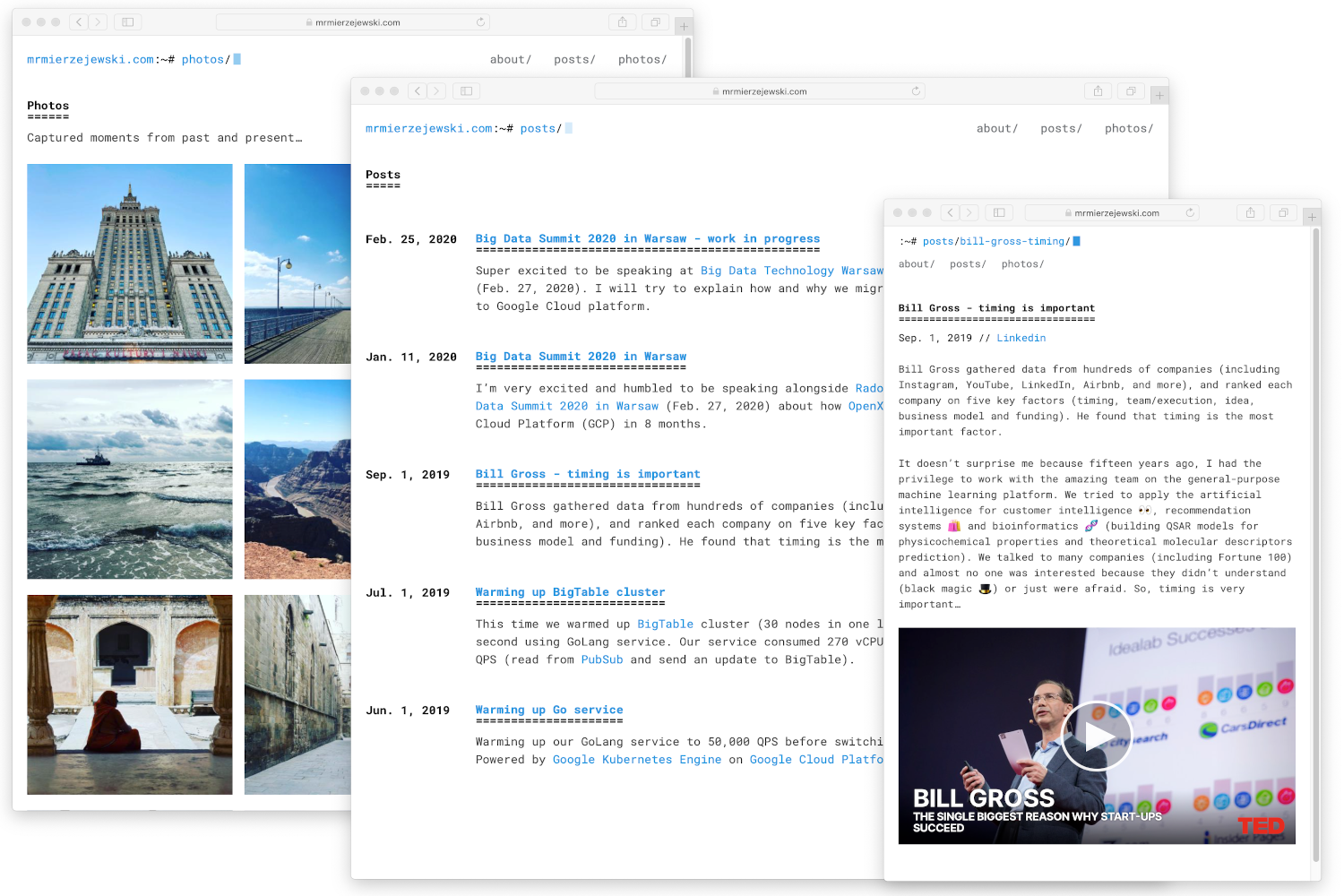
From the root of your Hugo site, clone the theme into themes/hugo-theme-console by running:
$ git submodule add https://github.com/mrmierzejewski/hugo-theme-console.git themes/hugo-theme-console
See the Hugo documentation for more information.
From the root of your Hugo site, turn your site into a Hugo module by running:
$ hugo mod init github.com/my-username/my-new-site
Next, declare the Console theme module as a dependency for your site.
$ hugo mod get github.com/mrmierzejewski/hugo-theme-console
Finally, add this section to your config file hugo.toml:
[[module.imports]]
  path = "github.com/mrmierzejewski/hugo-theme-console"
Set theme parameter in your config file:
theme = "hugo-theme-console"
Add these parameters to your hugo.toml file for basic customization:
[params]
  description = "Your site description"
  animateStyle = "animate-fade-up" # Animation style for content

[[params.navlinks]]
  name = "About"
  url = "/about/"

[[params.navlinks]]
  name = "Posts"
  url = "/posts/"

[[params.navlinks]]
  name = "Photos"
  url = "/photos/"
On your main directory add assets/css/custom.css. Now you can overwrite default styles, i.e:
:root {
    --global-font-size: 16px;
    --global-font-color: #444;
    --mono-font-stack: Roboto Mono, Menlo, Monaco, Lucida Console,
        Liberation Mono, DejaVu Sans Mono, Bitstream Vera Sans Mono,
        Courier New, monospace, serif;
    --font-stack: Roboto Mono, Menlo, Monaco, Lucida Console, Liberation Mono,
        DejaVu Sans Mono, Bitstream Vera Sans Mono, Courier New, monospace,
        serif;
    --global-line-height: 1.6em;
    --page-width: 70em;
    --display-h1-decoration: 1;
}

@media (prefers-color-scheme: dark) {
    :root {
	--background-color: #222225;
	--page-width: 60em;
	--font-color: #e8e9ed;
	--invert-font-color: #222225;
	--secondary-color: #a3abba;
	--tertiary-color: #a3abba;
	--primary-color: #62c4ff;
	--error-color: #ff3c74;
	--progress-bar-background: #3f3f44;
	--progress-bar-fill: #62c4ff;
	--code-bg-color: #3f3f44;
    }
}

@media (prefers-color-scheme: light) {
    :root {
	--background-color:#fff;
	--font-color:#151515;
	--invert-font-color:#fff;
	--primary-color:#1a95e0;
	--secondary-color:#727578;
	--error-color:#d20962;
	--progress-bar-background:#727578;
	--progress-bar-fill:#151515;
	--code-bg-color:#e8eff2;
    }
}

@media only screen and (max-width: 850px) {
    :root {
        --global-font-size: 14px;
        --global-font-color: #444;
        --global-line-height: 1.6em;
        --page-width: 70em;
    }
}
After installation, take a look in the exampleSite folder. This directory contains an example config file and the content for the demo.
exampleSite
├── hugo.toml
├── content
│   ├── about
│   │   └── index.md
│   ├── photos
│   │   └── arizona-us
│   │       ├── arizona-us.jpg
│   │       └── index.md
│   └── posts
│       └── introduction
│           └── index.md
├── layouts
└── static
Copy at least the hugo.toml in the root directory of your website. Overwrite the existing config file if necessary.
Hugo includes a development server, so you can view your changes as you go—very handy. Spin it up with the following command:
hugo serve
Now you can go to http://localhost:1313, and the theme should be visible.
To build your site for production:
hugo --minify
This will create a public/ directory with your optimized site ready for deployment.
To run the example site, please type the following command.
make hugo-server
This theme has been updated to be compatible with Hugo v0.146.0 and the new template system. For detailed information about the changes made, please see TEMPLATE_UPGRADE.md.
Copyright © 2026 Marcin Mierzejewski. This theme is released under the MIT License.
more like this
A Light theme for both KDE and GTK based distros, pleasant to the eyes and perfect for your daily workload.
It is the graphical user interface File Manager, regardless of the backend, lets you work with PHP, Python, nodejs or a…
search projects, people, and tags