agentlytics
Comprehensive analytics dashboard for AI coding agents — Cursor, Windsurf, Claude Code, VS Code Copilot, Zed, Antigravi…
JavaScript★ 555
Access your terminal and your AI agent from any device — phone, tablet, desktop.
 my-claude-utils
Your Mac, in your pocket.
Real terminal access from your phone. Not SSH. Not a simulation. A real PTY on your machine, streamed to your pocket.
Live Demo · Getting Started · How It Works · Contributing

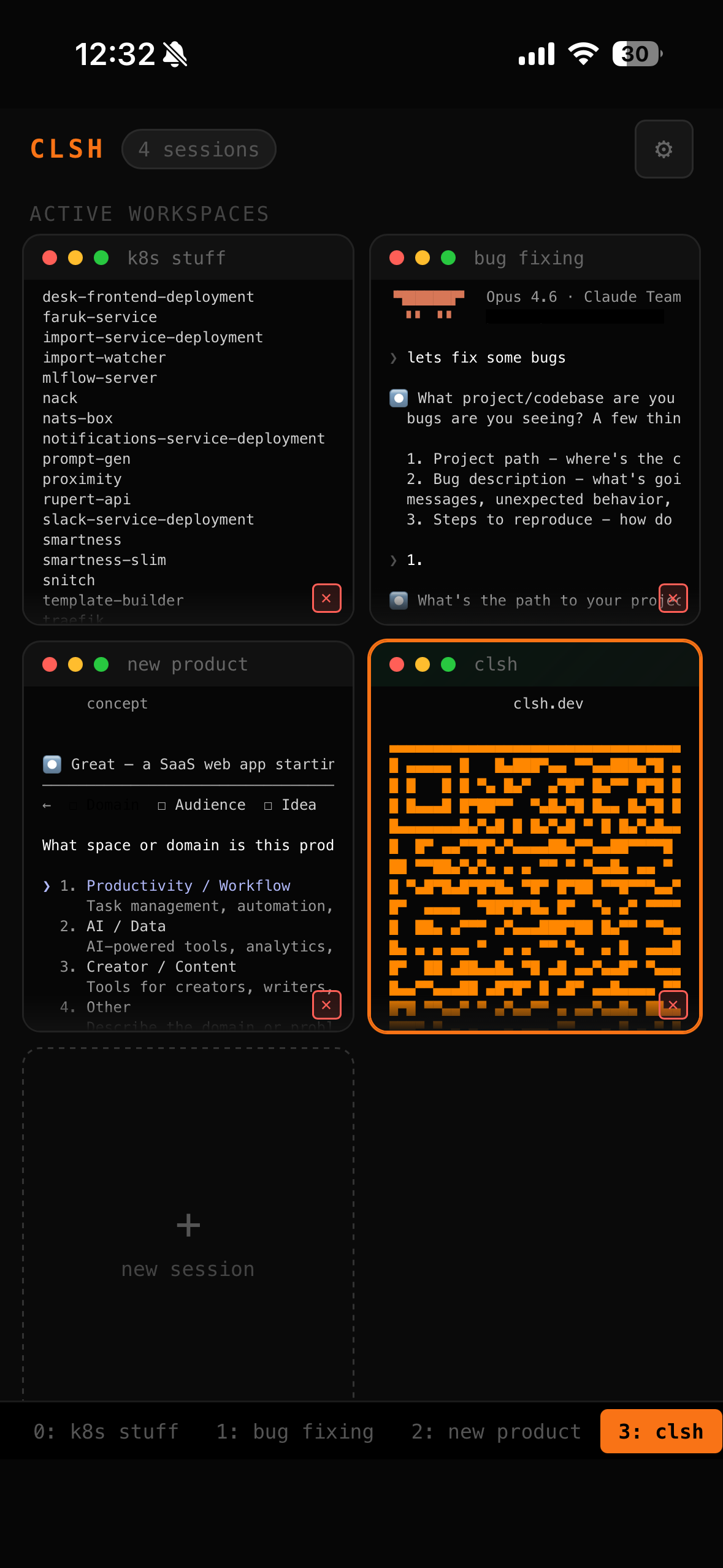 Session Grid |
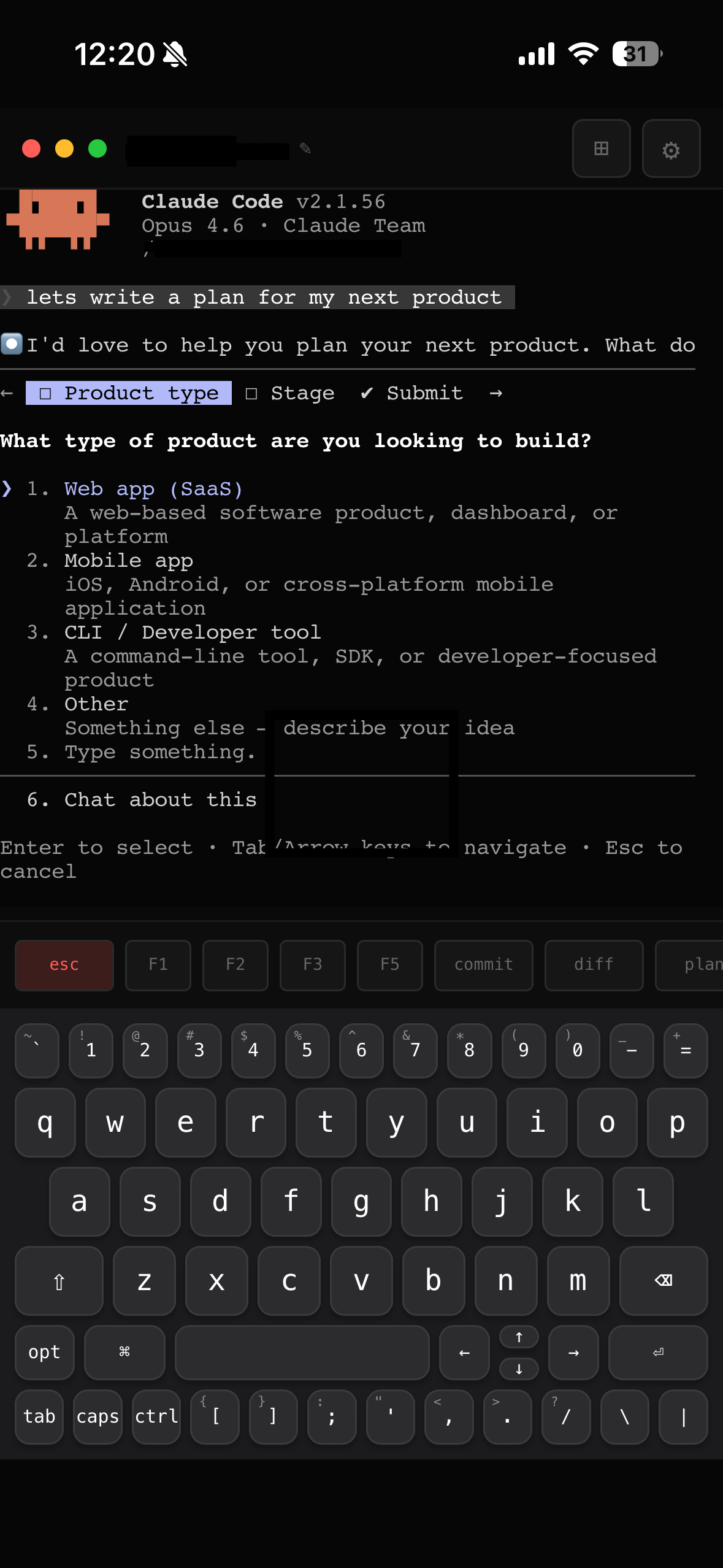 Claude Code on Phone |
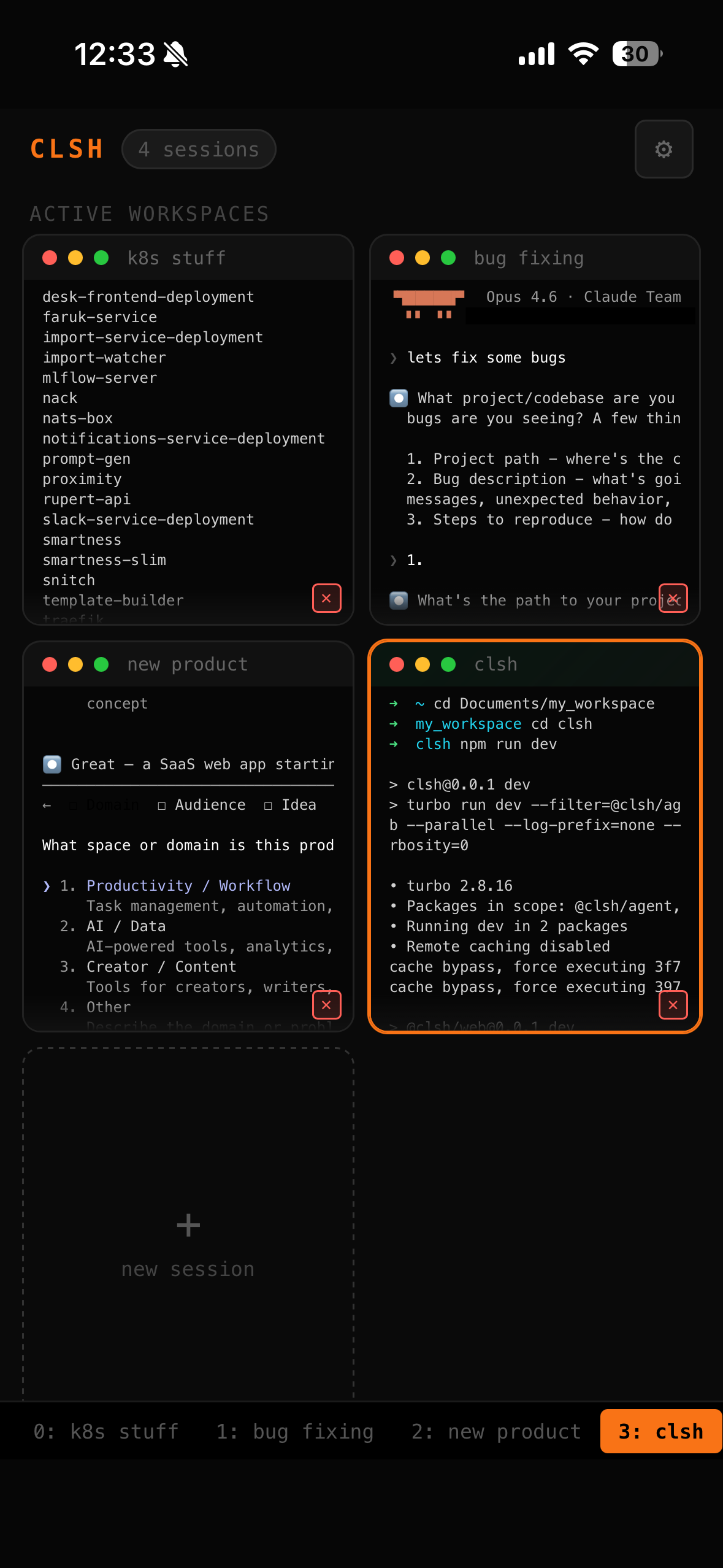 Terminal + Live Preview |
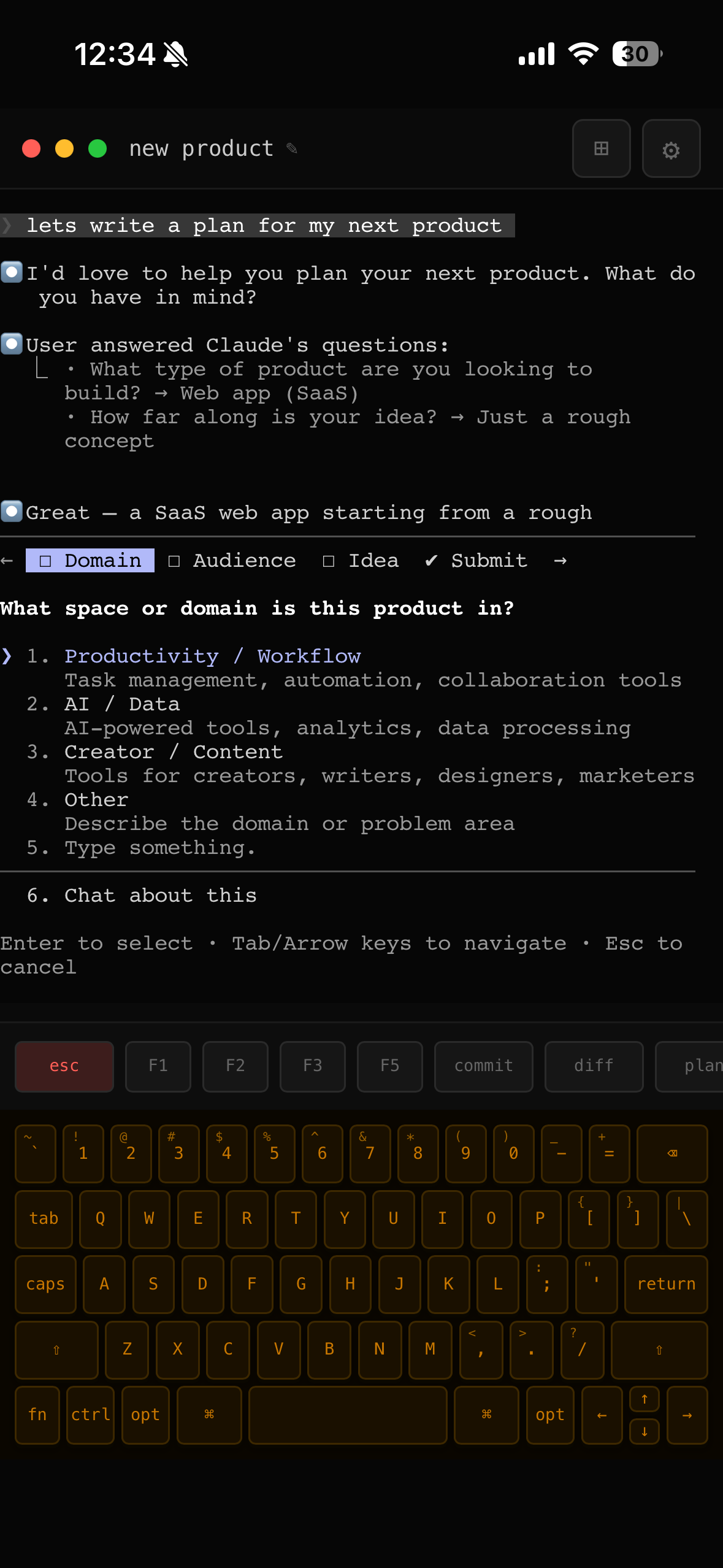 MacBook Keyboard Skin |
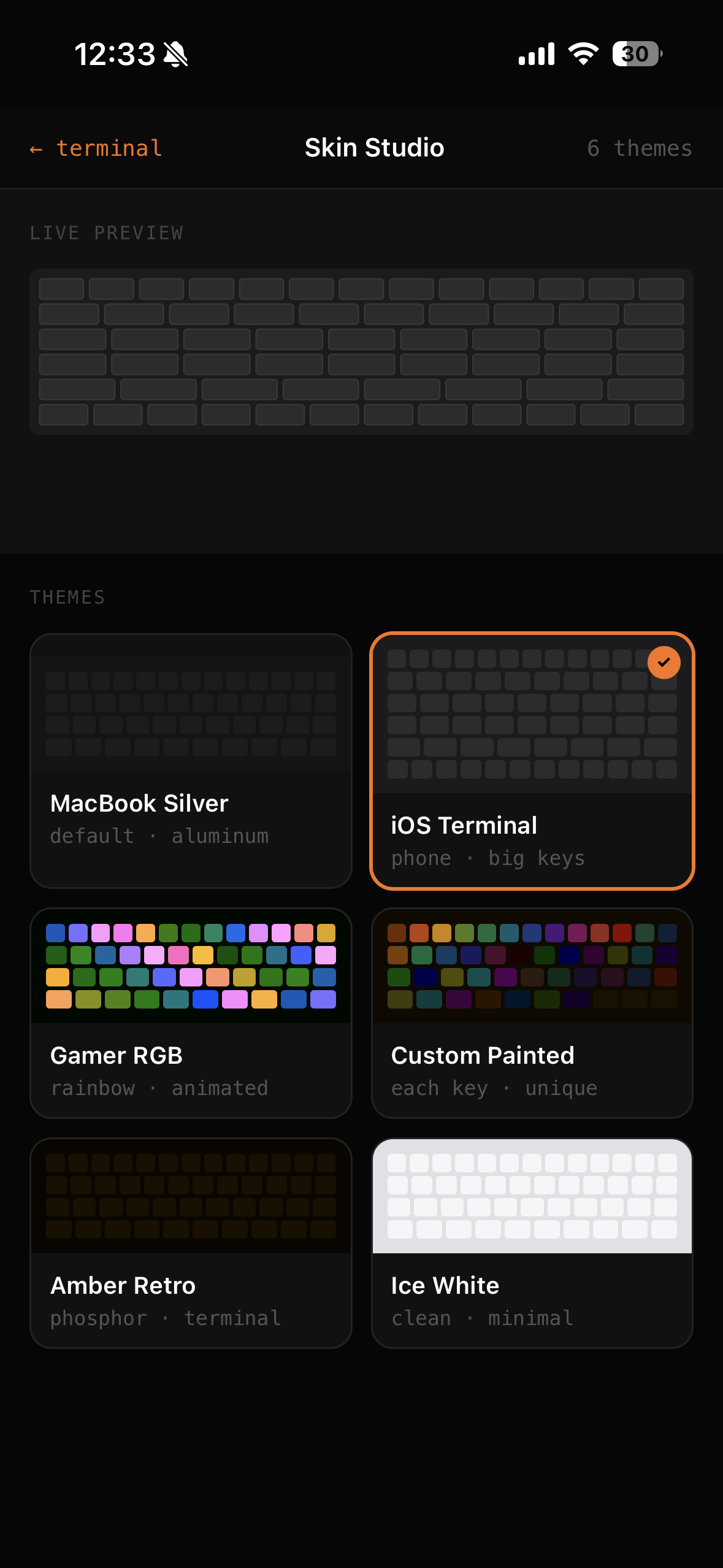 Skin Studio — 6 Themes |
clsh gives you real terminal access to your Mac from your phone. One command, scan the QR code, and you're in. Multiple live terminal sessions, a custom keyboard built for terminal use, 6 keyboard skins, and session management. Open source, zero config.
Key highlights:
Requires Node.js 20+ and macOS or Linux.
npx clsh-dev
A QR code prints to the console. Scan it on your phone. That's it.
For a static URL that survives restarts (perfect for PWA home screen):
npx clsh-dev setup
See the ngrok setup guide for details.
  Phone / Tablet / Browser
        │
        │ HTTPS (WebSocket)
        ▼
  ┌──────────────┐
  │  Tunnel       │  ngrok (static URL) / SSH (localhost.run) / Wi-Fi
  └──────┬───────┘
         ▼
  ┌──────────────────────┐
  │  clsh agent           │  ← runs on your machine
  │  ├── PTY 0: zsh       │
  │  ├── PTY 1: claude    │
  │  ├── PTY 2: ...       │
  │  └── up to 8 sessions │
  └──────────────────────┘
npx clsh-dev starts the backend agent + React frontendnode-ptySecurity is our top priority. clsh gives remote terminal access to your machine, so any vulnerability could mean full machine compromise. We take this extremely seriously.
| Layer | Protection |
|---|---|
| Authentication | One-time bootstrap tokens (single-use, 5-min TTL), scrypt password hashing (N=16384, 64-byte key, random salt), WebAuthn/Face ID biometric auth |
| Token security | JWT issued via HS256, bootstrap token passed in URL hash fragment (never sent to servers), WebSocket auth via first message (not query string) |
| Transport | HTTPS enforced via ngrok/SSH tunnels, CORS restricted to known origins, security headers (X-Frame-Options, X-Content-Type-Options, CSP) |
| Rate limiting | Auth endpoints: 5-10 requests per 15 minutes, prevents brute force |
| WebSocket | Origin validation on upgrade, 64KB max payload, resize dimension bounds checking |
| Password storage | Server-side scrypt with crypto.timingSafeEqual (constant-time comparison prevents timing attacks) |
| PWA support | Lock screen with Face ID + password, biometric credentials synced server-side for cross-context restoration |
Found a vulnerability? Please report it. See SECURITY.md for our disclosure policy, or email security@clsh.dev directly. We respond within 48 hours.
We believe in transparency. If you find something, open a security advisory or email us. We will credit all responsible disclosures.
npx clsh-dev
Connects through localhost.run — a free SSH tunnel. No signup, no tokens. A QR code prints to the console with the HTTPS URL.
For a static domain that survives restarts — perfect for a home screen PWA:
brew install ngrok
ngrok config add-authtoken YOUR_TOKEN    # free at ngrok.com
Create a free static domain at dashboard.ngrok.com/domains, then:
# .env (project root)
NGROK_AUTHTOKEN=your_token
NGROK_STATIC_DOMAIN=your-subdomain.ngrok-free.dev
If no tunnel works, clsh falls back to your local IP. Same LAN only.
TUNNEL=ssh npx clsh-dev     # force SSH tunnel
TUNNEL=local npx clsh-dev   # force local Wi-Fi only
When tmux is installed, clsh automatically wraps sessions in tmux using control mode (-CC). This means your terminal sessions survive server restarts — stop clsh, start it again, and your sessions are still there with full scrollback history.
# Install tmux (if not already installed)
brew install tmux          # macOS
sudo apt install tmux      # Ubuntu/Debian
No configuration needed. clsh auto-detects tmux and enables persistence. If tmux isn't installed, sessions work normally but are ephemeral (lost on restart).
To disable persistence even with tmux installed:
CLSH_NO_TMUX=1 npx clsh-dev
How it works under the hood: clsh uses tmux control mode (-CC) instead of normal tmux attachment. Control mode sends raw terminal output as structured notifications (%output) instead of screen redraws, which means xterm.js gets the original byte stream and scrollback works perfectly. User input is forwarded via send-keys -H (hex-encoded). On server restart, capture-pane recovers the existing scrollback and control mode resumes live streaming.
By default, macOS powers down Wi-Fi about 30 seconds after you close the lid, even if the CPU is still running. This kills the tunnel and your phone loses connection.
If you want clsh to stay reachable with the lid closed (while plugged in), run this once:
sudo pmset -c tcpkeepalive 1
This tells macOS to keep network connections alive during display sleep on AC power. It persists across reboots. clsh will print a reminder on startup if this isn't configured.
What it does: Keeps Wi-Fi and TCP connections alive when the lid is closed and the Mac is charging. Your phone stays connected to clsh without interruption.
What it doesn't do: This has no effect on battery. When unplugged with the lid closed, macOS forces full sleep regardless. There's no software workaround for that.
To undo:
sudo pmset -c tcpkeepalive 0
Note: Even without this setting, clsh auto-recovers when you open the lid. The tunnel recreates itself and your phone reconnects automatically.
With a permanent ngrok URL, add clsh as a PWA:
It runs fullscreen — no URL bar, no browser chrome. Looks like a native app.
| Skin | Vibe |
|---|---|
| iOS Terminal | Default — big letter keys, iOS-style, optimized for phone |
| MacBook Silver | Traditional MacBook aluminum — compact 5-row layout |
| Gamer RGB | Animated rainbow per-key lighting |
| Custom Painted | Every key a different color — warm spectrum |
| Amber Retro | Phosphor terminal aesthetic — amber on black |
| Ice White | Clean and minimal — dark text on white keys |
Switch skins from the Skin Studio (tap the grid icon → settings).
clsh works great out of the box. Optional features level it up:
| Setup | Remote | Stable URL | Vibe |
|---|---|---|---|
| ngrok (static domain) | yes | yes | Your Mac lives in your pocket. Same URL, PWA on home screen. |
| ngrok (rotating) | yes | — | Instant remote access. QR code, scan, go. |
| SSH tunnel | yes | — | Zero signup, works anywhere. Auto-fallback via localhost.run. |
| Local Wi-Fi | LAN | — | Zero dependencies. npx clsh-dev and you're in. |
| Layer | Technology |
|---|---|
| Frontend | React 18, TypeScript, Vite 6, Tailwind CSS v4, xterm.js (WebGL) |
| Backend | Node.js 20+, Express, ws, node-pty, tmux (control mode), better-sqlite3 |
| Tunnel | @ngrok/ngrok SDK, localhost.run (SSH fallback) |
| Auth | jose (JWT), scrypt passwords, WebAuthn (Face ID/Touch ID), one-time bootstrap tokens |
| Monorepo | Turborepo, npm workspaces |
clsh/
├── packages/
│   ├── agent/     # Backend: Express + WebSocket + node-pty + auth + tunnel
│   ├── web/       # Frontend: React + xterm.js + Tailwind + keyboard system
│   └── cli/       # CLI entry point (npx clsh-dev)
├── apps/
│   └── landing/   # Static landing page (clsh.dev)
└── docs/
    └── images/    # Screenshots for README
The easiest way to configure clsh is npx clsh-dev setup, which saves settings to ~/.clsh/config.json.
You can also use environment variables:
NGROK_AUTHTOKEN=your_token                        # For permanent URL
NGROK_STATIC_DOMAIN=your-subdomain.ngrok-free.dev # Static ngrok domain
CLSH_PORT=4030                                    # Agent port (default: 4030)
CLSH_SHELL=zsh                                   # Default shell (auto-detected if unset)
CLSH_NO_TMUX=1                                    # Disable tmux session persistence
CLSH_NO_OPEN=1                                    # Skip auto-opening browser
TUNNEL=ssh                                        # Force tunnel method: ssh | local
For development, create a .env file in the project root. See .env.example for all options.
We welcome contributions! See CONTRIBUTING.md for:
Found a vulnerability? Please report it responsibly. See SECURITY.md for our disclosure policy.
MIT — see LICENSE for details.
clsh.dev · Star this repo if clsh is useful to you
more like this
Comprehensive analytics dashboard for AI coding agents — Cursor, Windsurf, Claude Code, VS Code Copilot, Zed, Antigravi…
meine 🌒 - A CLI file manager and system utility built with Textual. It combines intuitive command parsing with rich t…
Skill Claude Code de veille tech francophone. Agrège les flux RSS (Journal du Hacker, Human Coders News…) et produit un…
search projects, people, and tags