esphome-intercom
VoIP Stack for ESPHome and Home Assistant - local SIP phones, HA softphone/router, phonebook, softphone accounts and op…
 n-IA-hane
git clone https://github.com/n-IA-hane/esphome-intercom.gitn-IA-hane/esphome-intercomVoIP Stack for ESPHome and Home Assistant
Turn ESPHome audio devices and Home Assistant into a real local VoIP system.
This is no longer just an intercom. ESP devices are SIP phones, Home Assistant is a SIP endpoint, call router, bridge, local registrar and optional trunk endpoint. You can build a door intercom, room phones, HA-routed calls, local SIP endpoint accounts and external SIP trunk calls without running Asterisk next to Home Assistant.
Flash a YAML, add the ESP to Home Assistant, install the card, and you already have a working full-duplex VoIP endpoint. Add the phonebook, local SIP endpoint accounts or a trunk when you want the system to grow.
Under the hood: full-duplex I2S support, ESP-SR echo cancellation, optional dual-mic Speech Enhancement, Espressif rate conversion, audio mixing with ducking, native Home Assistant integration and a Lovelace card.
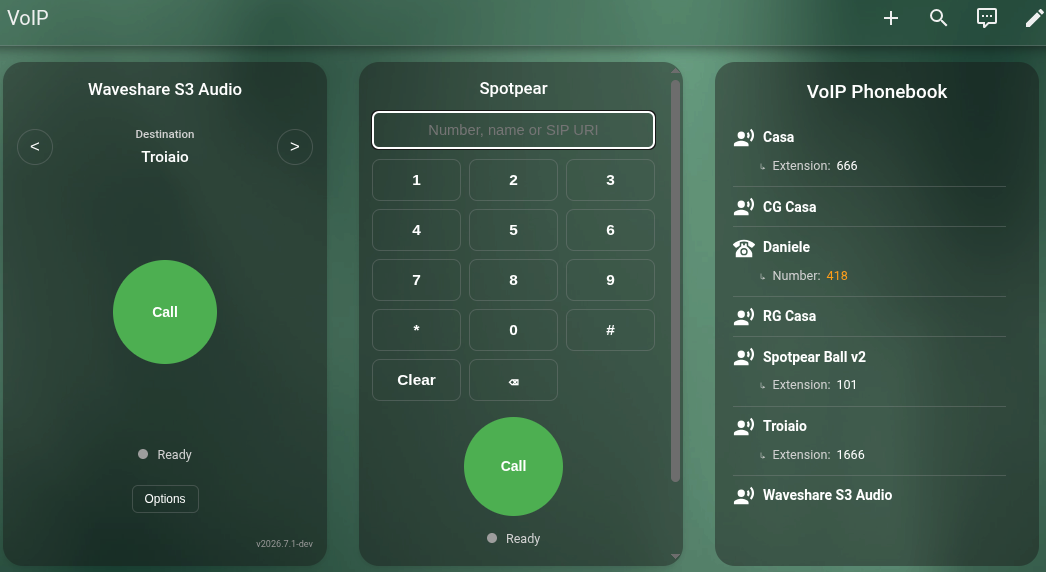
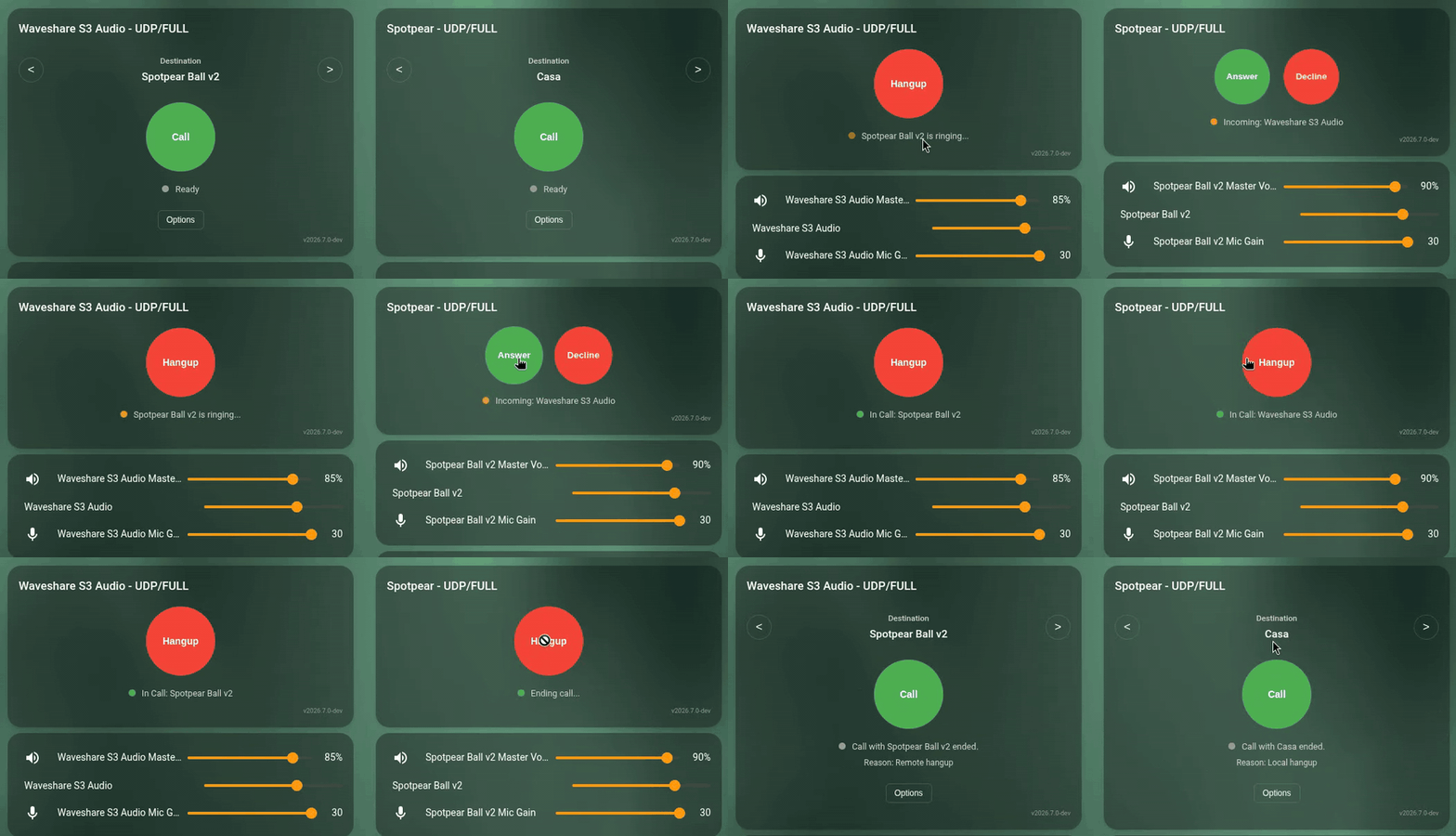
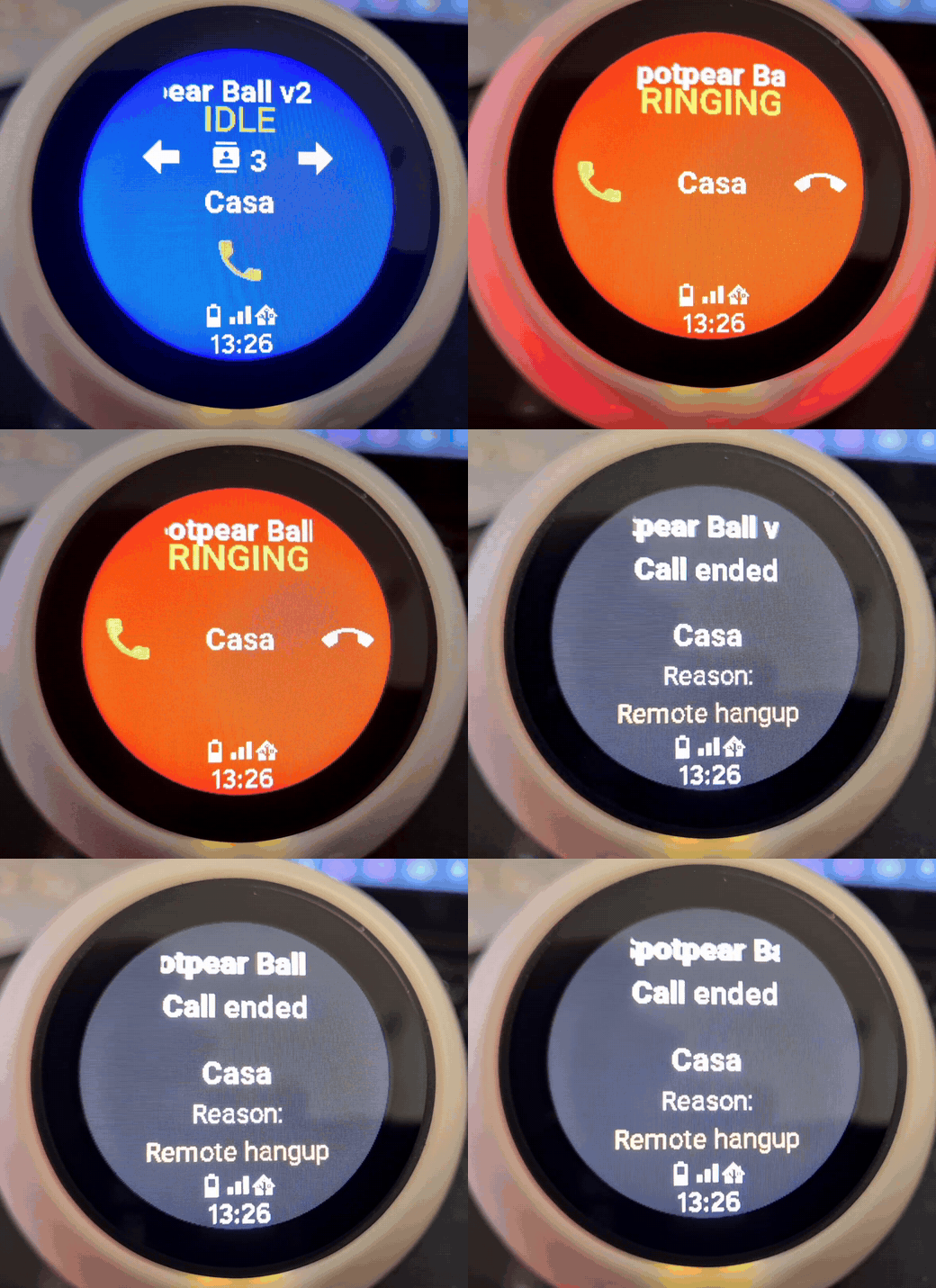
Runtime demo: browser softphone, ESP call state and audio controls moving together.
 VoIP Call |
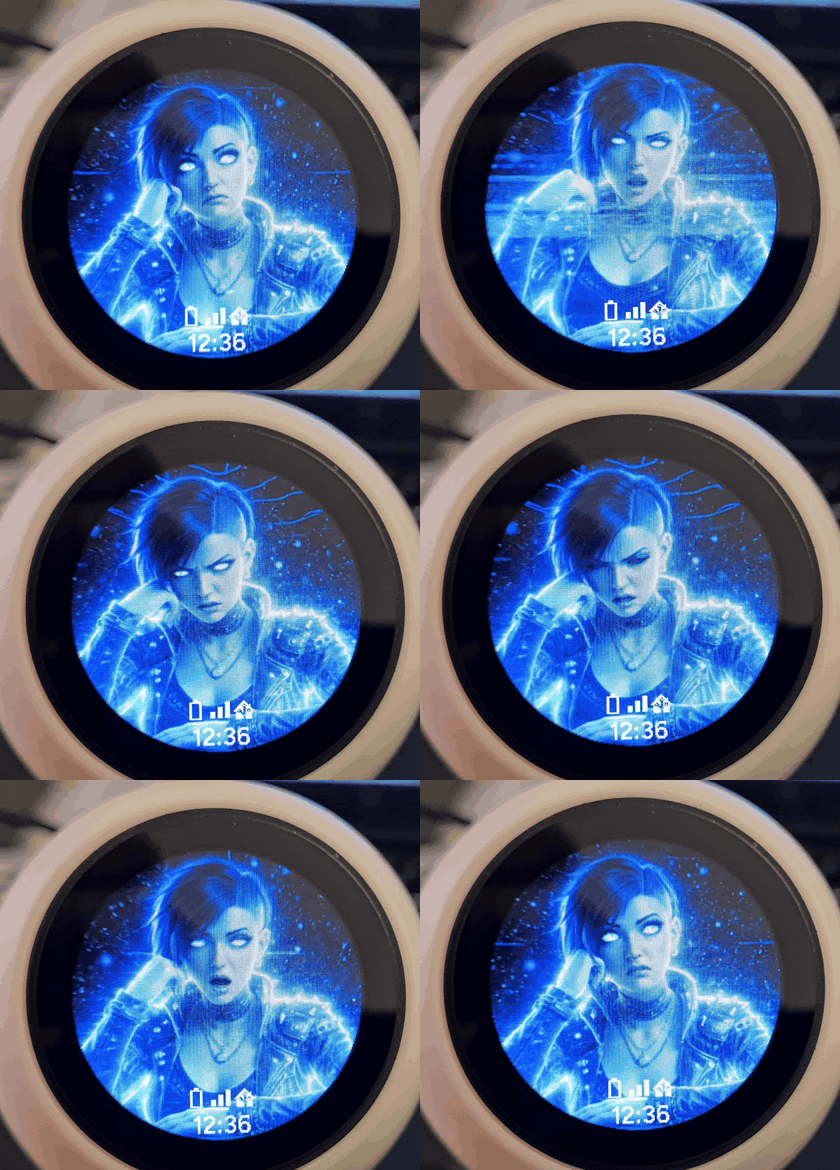 Voice UI |
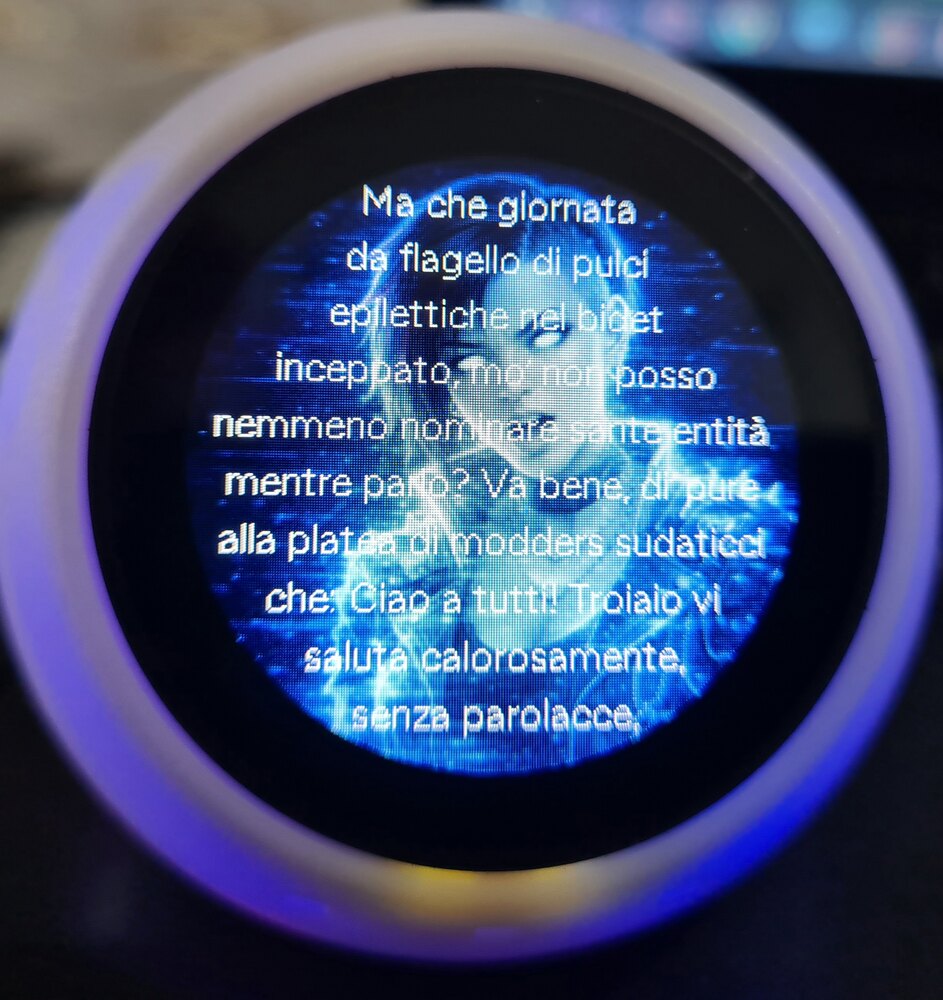 TTS Response |
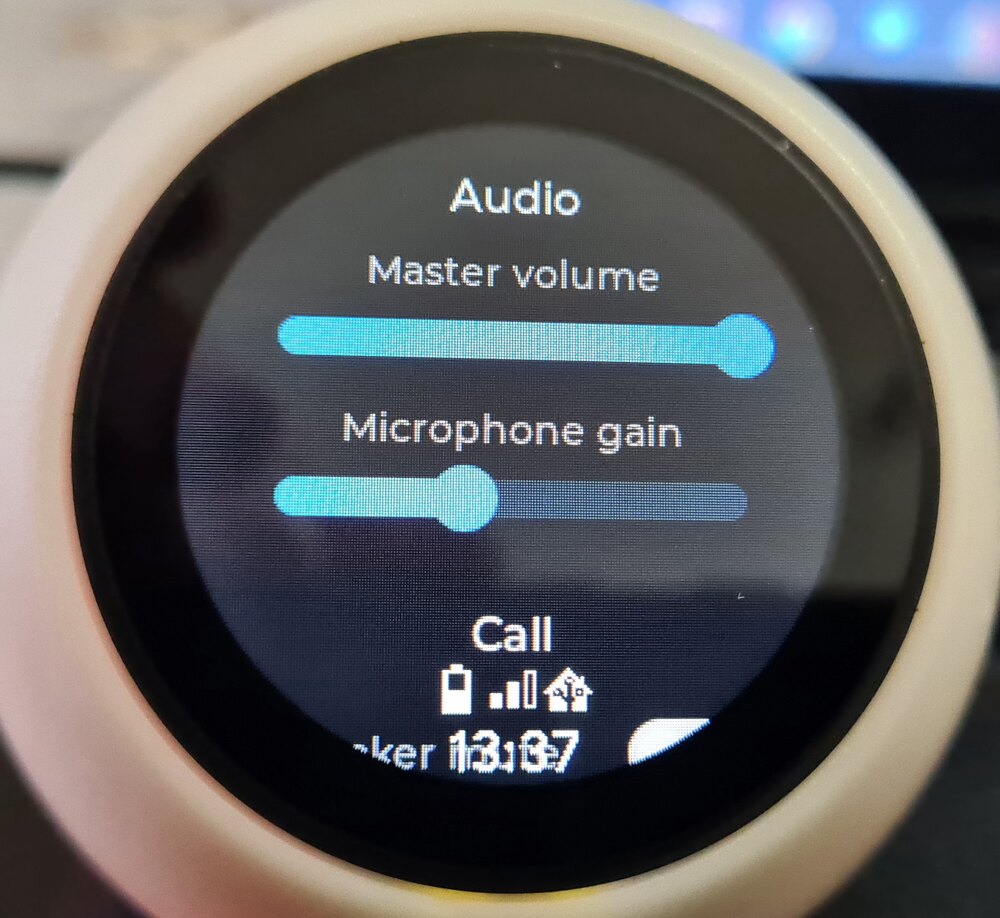 Audio Controls |
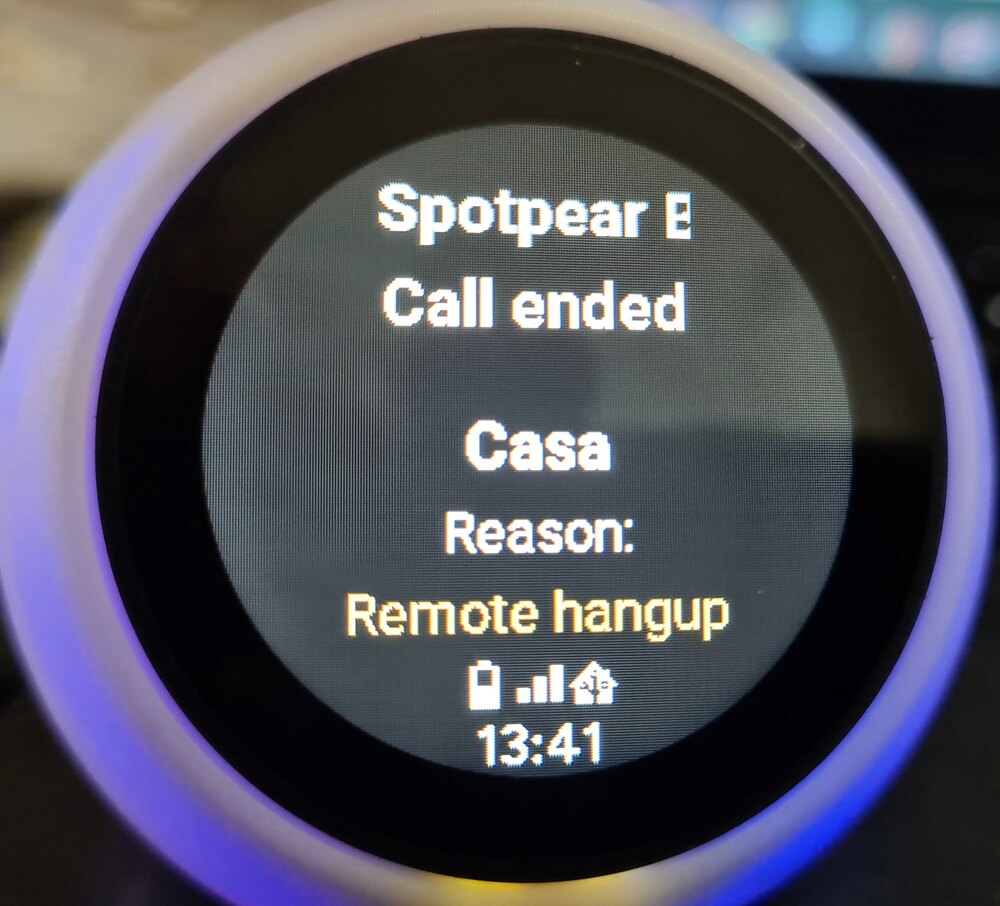 Call Reason |
|
Support this project If this work is useful to you, please consider a donation. It helps cover development tools, services and test hardware, which means better compatibility and fewer regressions for everyone. |
What Can You Build With It?
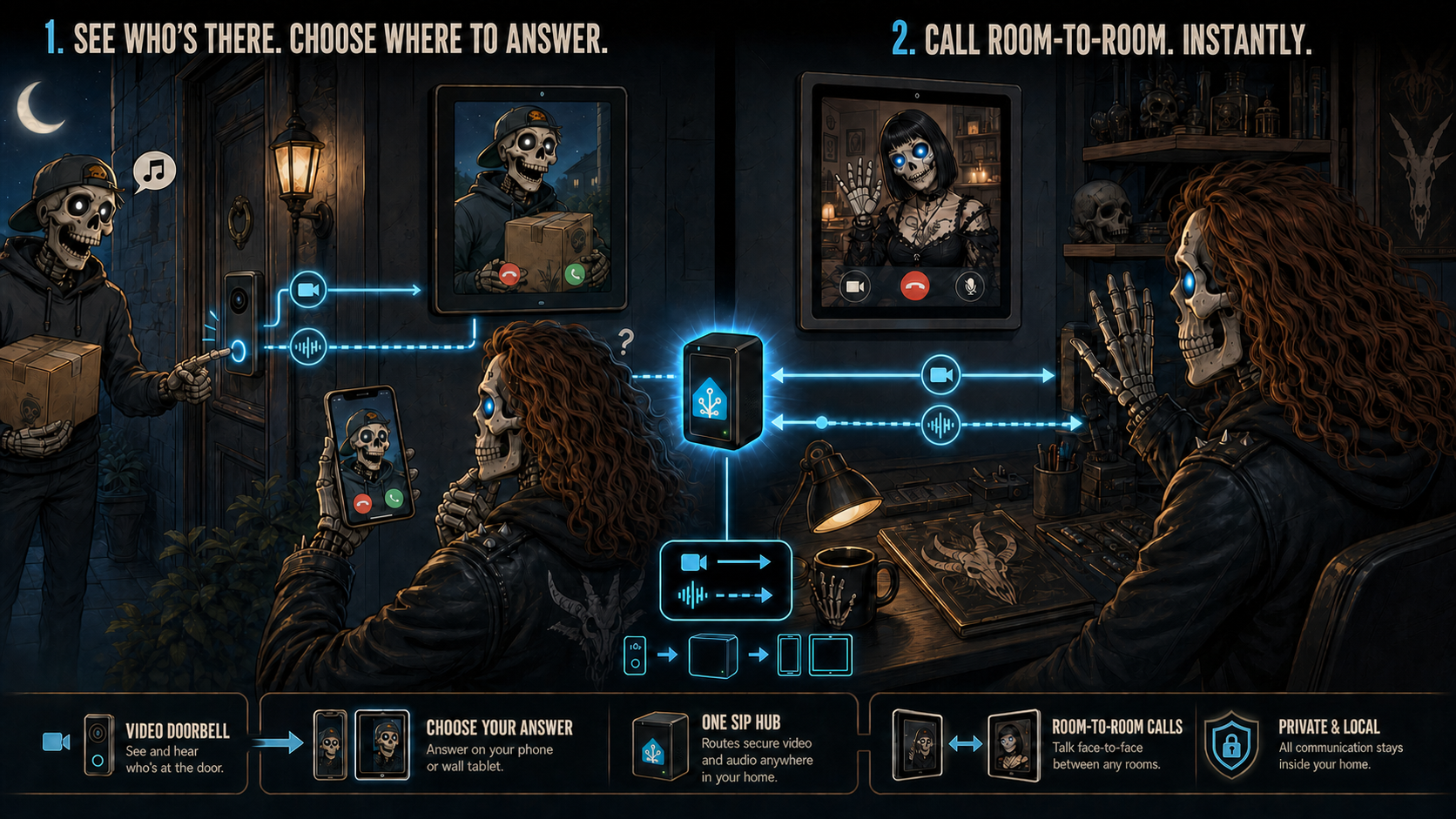
Answer a video doorbell from the app or a wall tablet, then use the same local system for private room-to-room audio and video calls.
| You want... | What you do | Result |
|---|---|---|
| A full-duplex door intercom | Flash a ready VoIP YAML, add the ESP to Home Assistant and add the card. | Press the ESP button and Home Assistant rings. Answer from browser, wall tablet or Companion app. |
| Room-to-room ESP phones | Flash one VoIP YAML per room device. | ESP devices call each other by phonebook name, such as Kitchen, Bedroom or Garage. |
| Home Assistant as a softphone | Use the Lovelace card in ha_softphone mode. |
HA can ring, answer, decline, hang up and originate calls. |
| Standard SIP endpoints | Enable the local registrar and create an account with voip_stack.create_account. |
VoIP phones, ATAs, Zoiper, Linphone, baresip or pjsua can register to HA and become phonebook contacts. |
| External outbound calls | Configure an optional SIP trunk and add contacts with numbers, or use the card dial pad. | HA or ESP devices can call external numbers through the trunk. |
| Incoming external calls | Register a provider/PBX trunk. | External calls can ring HA, follow DTMF routing, or be forwarded to ESPs/local contacts. |
| Call a Home Assistant voice assistant | Enable Include voice assistant, choose an Assist pipeline and assign an extension. | ESPs, registered SIP phones and external trunk callers can hold a multi-turn voice conversation with that pipeline. |
| Voice Assistant calling | Enable the optional VoIP Stack Assist intents. | Satellites can call contacts, answer, decline or hang up by voice. |
Derived Endpoint Media Roles
These are not user-selectable operating modes. The ESP component derives and advertises the supported role from the audio components actually configured: microphone and speaker, microphone only, or speaker only. This lets one dial plan describe the real media path without pretending every endpoint is full-duplex.
| Derived role | Media path | Use case |
|---|---|---|
full_duplex |
Microphone TX + speaker RX | Room phones, door intercoms, wall panels and normal two-way calls. |
mic_only |
Microphone TX only | Monitor microphones, outdoor call stations, capture-only endpoints. |
speaker_only |
Speaker RX only | Paging speakers, announcement targets, remote audio outputs. |
Table of Contents
- What Can You Build With It?
- Derived Endpoint Media Roles
- Fastest Start
- What's New
- Breaking Changes
- How It Works
- Phonebook And Routing
- Quick Start Examples
- Features
- Installation
- Architecture
- Technical Details
- Call Routing
- Reference: voip_stack, entities, HA services, automations (docs/reference.md)
- Call Flow Diagrams
- Hardware Support
- Audio Components: esp_audio_stack, esp_aec, esp_afe
- Voice Assistant + VoIP Experience
- Logging
- Troubleshooting (docs/troubleshooting.md)
- Deep Dives And Architecture
- License
Fastest Start
| Goal | Start here | Result |
|---|---|---|
| One ESP as a full-duplex intercom with Home Assistant | yamls/voip-only/ |
The ESP calls HA, HA can call the ESP, and the Lovelace card can answer from browser or mobile app. |
| Room-to-room ESP VoIP | One voip-only YAML per ESP | Devices call each other by phonebook name. HA publishes the standard roster and can bridge when needed. |
| SIP endpoint or trunk testing | voip_stack.create_account or the optional trunk setup |
Register a real SIP endpoint to HA, or let HA route calls through a provider/PBX trunk. |
| Full voice device | yamls/full-experience/ |
Media player, Piper TTS, Micro Wake Word, Voice Assistant, AFE/AEC and VoIP calls on the same ESP. |
| Full voice device with hardware/DSP echo cancellation or separated native audio paths | generic-s3-full-esphome-native.yaml |
Full experience on native ESPHome microphone/speaker components. Good starting point for XMOS-style front-ends that already remove echo in hardware, or for boards with independent mic/speaker I2S paths. |
| Standalone native ESPHome VoIP endpoint | yamls/voip-only/esphome-native/ |
Native mic-only, speaker-only and separated-path full-duplex examples using standard ESPHome audio components, without esp_audio_stack. |
| Audio driver for your own ESPHome Voice Assistant | esp_audio_stack |
Shared mic/speaker I2S path, speaker reference handling and a clean post-AEC microphone facade for MWW, Voice Assistant and VoIP while media/TTS keeps playing. |
| Runtime state arbitration for full profiles | runtime_controller |
A configurable reducer maps events and activities to LED/display/ducking/timer policies, reducing YAML callback races when media, TTS, VoIP and timers overlap. |
For the normal intercom use case, do not start by designing a phone system.
Pick the closest YAML, adapt the board pins and audio hardware, add the ESP
through the ESPHome integration, then install voip_stack. Home Assistant
publishes the phonebook, and the ESP can call or be called from a GPIO button,
LVGL button, automation, service call or Lovelace card.
What's New
2026.8.0
This section contains only the user-visible delta since stable 2026.7.1.
The complete illustrated note is in
docs/RELEASE_2026_8_0.md.
Warning
Advanced PBX routing through Home Assistant automations is an initial, disabled-by-default preview. Event fields, decision timing and service semantics may change in a future release while real installations shape the final public contract. The ordinary phonebook, extensions and configured fallback route remain the stable default.
Home Assistant can now host more than one logical phone. Keep the migrated
default phone, then use Settings > Devices & services > VoIP Stack > Add
phone to create phones such as Kitchen, Reception or Warehouse and bind one
ha_softphone card to each Device. Every phone has its own name, optional
extension, availability, DND, groups, video capability and call state. This is
the missing piece for kiosk tablets: a dashboard in one room can call another
room, a SIP account, an ESP or the default HA phone without pretending every
browser is the same handset.
These are native HA config subentries and Devices, not synthetic YAML objects
or a custom phone entity domain. Browser phones and local SIP accounts are
integration-owned service Devices with call-state, connectivity, DND and call
event entities. ESP phones remain the existing physical ESPHome Devices; VoIP
Stack links routing metadata to them without adopting or duplicating them.
There is still one standards-based SIP listener and one shared RTP allocation
pool. Logical phones do not consume a SIP/RTP port pair each. Calls involving
an external SIP endpoint use normal SIP/SDP/RTP; browser-to-browser calls stay
inside HA through a local signaling/media bridge, avoiding a fake SIP loopback
to itself. Each phone accepts one active call, so a second caller gets 486 Busy Here. Several cards may display the same phone, but the first card to
answer owns that call's media and late answers cannot steal it.
This release lets Home Assistant automations do something more interesting
than switch lights on and off. A doorbell or external call can ring HA first;
if nobody answers, the still-open call can move to Assist and your carefully
trained assistant can act as a domestic secretary. Not mine, obviously: mine
swears and insults saints. The phonebook remains the normal dial plan, while
automations are optional contextual overrides. Direct and DTMF inbound modes,
durable call state and one voip_stack.forward action cover the ordinary
no-answer case without Call-ID archaeology or Jinja acrobatics.
The less glamorous work matters too: outbound trunk identity is stricter and Hang Up now follows the real SIP cancellation lifecycle across the HA softphone, bridges, ring groups and conference invitations. It remains available while connecting, sends a proper CANCEL and cannot be undone by a late ringing response.
The latest consolidation separates SIP dialog identity from its TCP socket, so a PBX may replace a connection without destroying the established call. Call state is monotonic per Call-ID/generation, terminal callbacks are idempotent, and browser media ownership is scoped per phone and call. Debug snapshots now expose every call-scoped session, leg, owner, media task and RTP port, making “the card looks idle” an observation rather than a cleanup test.
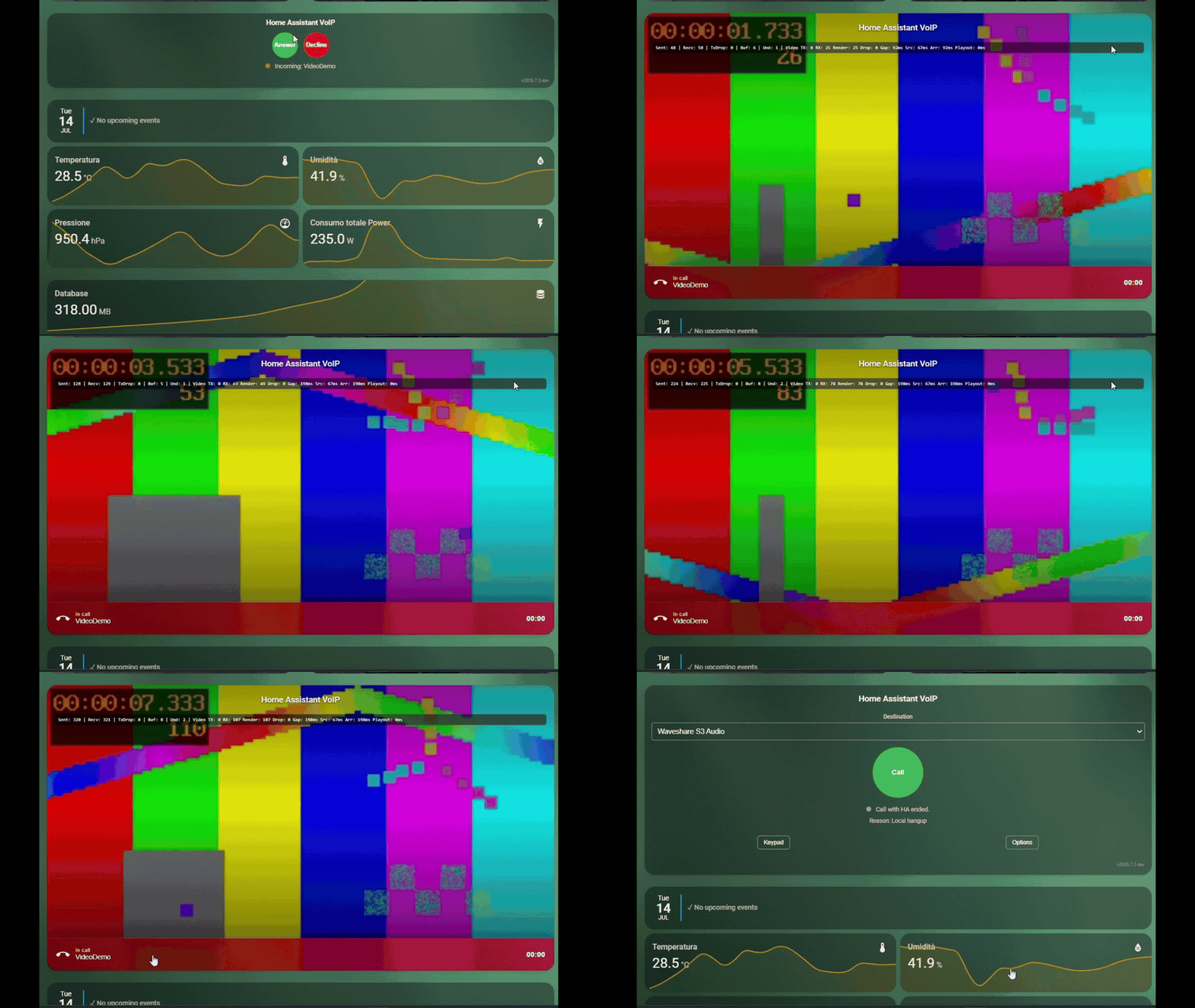
And yes, Home Assistant is now a real native SIP video phone. From the safety of your sealed fortress of misanthropy and despair, you can watch exactly how ugly the person ringing the doorbell is. The complete audio/video lifecycle is qualified with standard SIP peers, browser softphones, HA-to-HA calls and a real video-capable trunk. Broader phone and door-station interoperability now depends on compatible SIP/SDP/RTP profiles and feedback from hardware owners.
The opt-in path supports direct H.264, VP8 and JPEG; an independent FFmpeg option receives H.263, H.263-1998 or H.265 without saving an intermediate file. The same profile works on direct SIP routes and through a video-capable trunk or PBX; it is not restricted to a shared LAN or VPN. The responsive card keeps video as the main view, moves call information and hang-up into a bottom bar and can return the browser camera on compatible H.264 or VP8 calls. Audio remains independent, camera transmission has global and per-phone browser gates, and ESPHome endpoints remain audio-only. Video keeps the exact Lovelace slot dimensions and native aspect ratio instead of growing into adjacent columns; detailed media counters appear inside the compact bottom bar only when Extended information is enabled. Outbound call setup also caches unchanged phonebook/destination DOM and avoids starting an already authorised camera twice, keeping kiosk controls responsive through calling/ringing. See the SIP video profile for the less funny codec, compatibility and security details.
Build real phones, rooms and door stations
VoIP Stack uses one shared dial plan, but every physical place should have its own endpoint. A wall tablet in the kitchen, a kiosk at reception and the main Home Assistant dashboard are three different phones, even when they all open the same HA instance.
For every tablet or kiosk:
- Open Settings > Integrations > VoIP Stack > Add phone.
- Choose Home Assistant softphone, give it a unique name and, optionally,
a unique extension such as
201. - Create a dedicated Lovelace view for that room and add one
ha_softphonecard bound to the new Device in the visual editor. - Open that view on the tablet assigned to the room and grant microphone and, when wanted, camera permission.
Each active room requires a distinct browser, tablet or kiosk session. Two cards placed in the same browser tab do not represent two rooms: a browser tab owns one microphone, speaker and camera pipeline. Multiple cards may show phone state in one dashboard, but a point-to-point media test must use browser A on the first phone's view and browser B on the second phone's view.
Manual YAML for a room card is equivalent to selecting its Device in the card editor:
type: custom:voip-stack-card
mode: ha_softphone
device_id: <room_phone_device_id>
endpoint_id: <room_phone_endpoint_id>
name: Kitchen
show_extended_info: true
The editor writes the stable IDs, so copying a card and changing only its display name does not create another phone.
The same Device page exposes the browser phone's Extension, Ring groups,
Conference groups, Ring for conference calls and Do not disturb controls as
native Home Assistant entities. Those controls, the card and the
voip_stack.set_ha_softphone_settings action all update one persisted phone
configuration.
Tablet to tablet: room-to-room intercom
Create one browser phone and one Lovelace view per room. Open each view on its
own tablet. The first tablet can select the other room from the shared
phonebook or dial its extension. The destination changes from idle to
ringing; after answer both phones become in_call, and hangup returns both
to idle. Enable video on both phone Devices and allow both browser cameras
for bidirectional video. If either side answers without camera transmission,
the negotiated direction becomes receive-only or audio-only instead of
failing the call.
Tablet to ESP room phone
An ESPHome phone remains its original physical ESPHome Device; VoIP Stack does not create a duplicate Device under the integration. Its endpoint discovery data adds it automatically to the central phonebook. Select the ESP by name or extension from the tablet card. ESP audio endpoints stay audio-only: requesting video from the tablet must gracefully produce an audio call.
For the reverse direction, configure the ESP package's normal call action, GPIO/LVGL button or phonebook selector to dial the browser phone name or extension. No extra SIP listener or per-room RTP port is required.
ESP to ESP
Publish a unique name and extension from each ESPHome endpoint and let both devices receive the central roster. Dial by phonebook name or extension. When direct endpoint metadata is reachable, VoIP Stack can select the direct standards-based SIP/SDP/RTP route; otherwise HA routes the call. Endpoint audio capabilities still determine full-duplex, microphone-only, speaker-only or speaker-only behavior. Every ESP VoIP endpoint must expose at least one real audio direction; signaling-only endpoints are rejected.
Doorbell or door station
Treat a door station as an ordinary endpoint rather than hard-coding a camera brand. Give it a phonebook route or standard SIP account, then target one room, a ring group or the default HA phone. A typical setup is:
- the door button calls a
Front doorring group; - the kitchen tablet, reception tablet and selected ESP phones ring together;
- the first endpoint to answer owns the call and the other members stop ringing;
- an optional HA automation forwards an unanswered call or hands it to Assist using the copyable no-answer recipe.
A standard SIP video door station can negotiate video on a direct route to a compatible Home Assistant browser phone. In a ring group, every outbound SIP branch is negotiated independently: a compatible SIP video phone may receive video while audio-only ESP members receive audio, so an ESP member does not force every other branch to become audio-only. An HA browser phone that wins an inbound SIP ring group currently answers that group leg as audio-only; route directly to the browser phone when video there is required.
Build this setup:
- Create the ring group and assign its members.
- Configure the trunk's normal inbound fallback destination, or enable the experimental automation override and route selected trunk calls to the group.
- For a direct video route to an HA phone, enable SIP video and check the codec/browser requirements.
- Add the unanswered-call forward to Assist only after the normal ringing route works.
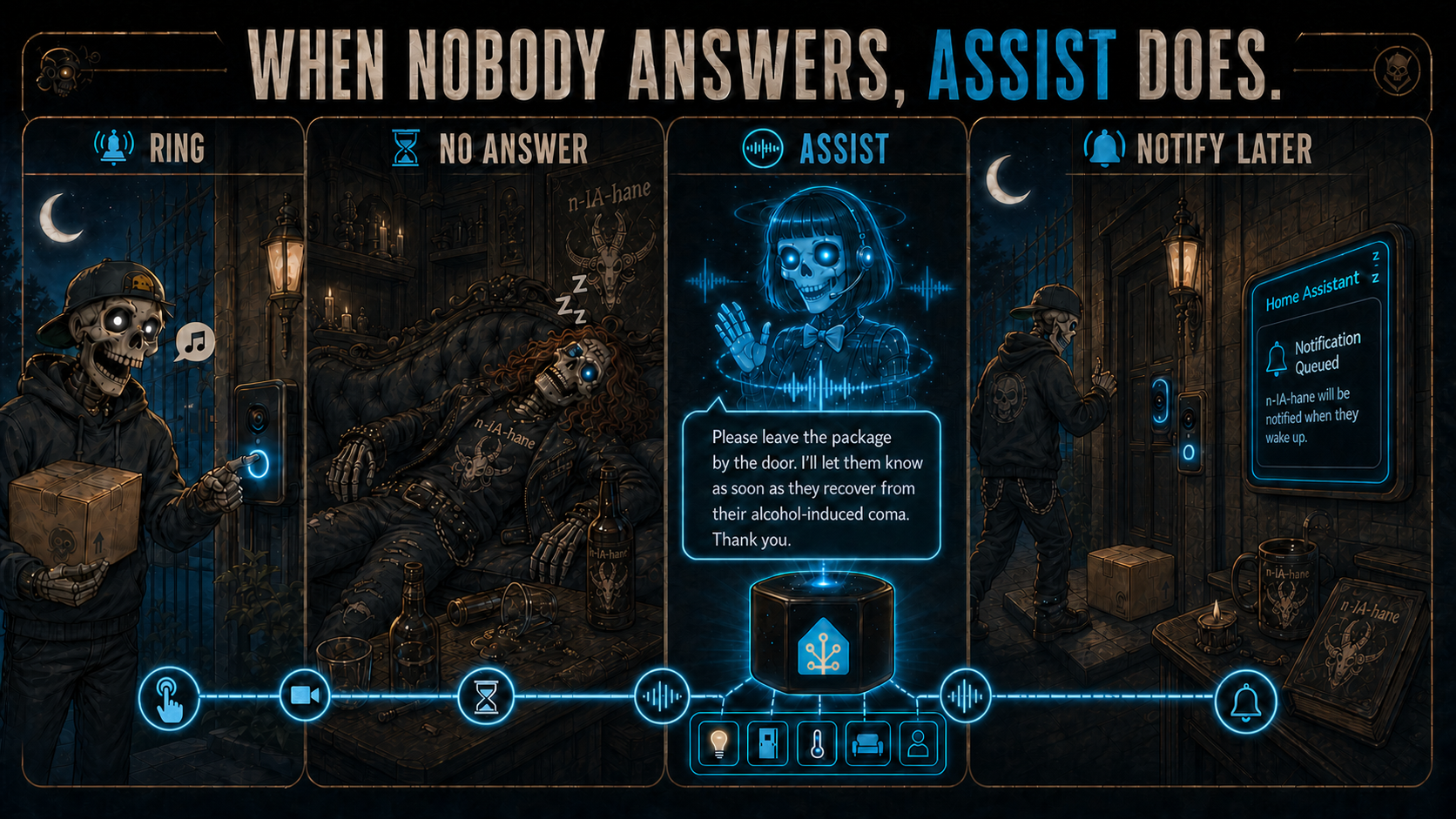
An unanswered door call can be handed to Assist, which talks to the visitor and leaves a notification for the household. The personality is entirely up to your Assist prompt.
Existing SIP phones and softphone applications
Use Add phone > Standard SIP account for an IP phone, ATA, Zoiper, Linphone, baresip or another standard SIP/RTP client. Configure the generated username and password on that client and point its registrar to HA's SIP host and port. Once registered, it appears in the shared phonebook and its HA Device reports connectivity, DND and call state. This path uses standard SIP/SDP/RTP; it does not require a vendor-specific client.
For every scenario, the endpoint call-state entity is the automation-safe
source of truth. Its normal progression is idle -> calling/ringing ->
in_call -> idle; an unregistered SIP account reports offline. Do not use
the card's visible label as an automation trigger.
The phone Device is the registry container, not a state by itself. Its
call-state Sensor Entity is the correct trigger while a call is active; its
call Event Entity is the correct trigger for missed, failed, ended and
other occurrences. The default Casa/HA phone retains
sensor.voip_stack_call_state for compatibility, while additional phones get
their own localized entity IDs. Select them from the intended Device in the
automation editor. Use aggregate event.voip_stack_call only for PBX-wide
inspection or the initial route_requested decision.
A browser phone is logical, not identical to one open card. In a ring group it
can therefore report ringing even when its connectivity entity is
Disconnected and no card can currently play the ringtone. This lets kiosk
and wall-tablet installations trigger missed-call, timeout and fallback
automations reliably. If a card reconnects during the ring window, it can
recover the current call and answer it. DND and disabled phones are still
excluded.
Live SIP video demo: the incoming stream becomes the card background while call identity, duration and hang-up remain accessible in the bottom bar.
Breaking Changes
The 2026.7.0 SIP migration remains the breaking baseline: ESP devices are SIP
phones, Home Assistant is a SIP softphone/router/bridge/trunk endpoint, and the
old project-specific call-control path is not a fallback.
The current boundaries matter when upgrading an earlier version:
- ESP structured contacts use
ipandtransport; the richeraddress/sip_urischema belongs to the HA phonebook. - The phonebook is an outbound dial plan, not an inbound caller allowlist.
- ESP endpoints reject a hold or media-changing in-dialog re-INVITE with
488while the established call remains active. HA-owned dialogs accept compatible peer-initiated re-INVITE or UPDATE offers, including direction, RTP endpoint and audio-format changes. A direct HA-browser dialog can also accept a compatible peer-initiated video add/remove; SIP-to-SIP bridges keep their established media topology and reject incompatible changes without dropping the call. HA does not originate media renegotiation. - Trunk digit routing accepts standard RTP
telephone-eventand compatible legacy SIP INFO DTMF; acoustic in-band tones are not decoded. - Experimental: established calls bridged by HA expose one
voip_stack.dtmfevent per key for automations such as door opening. This is HA-only and adds no DTMF work to ESP firmware. - Disabling the parent audio processor switch is an explicit raw-microphone bypass on the same microphone surface.
- Maintained generic software-AEC profiles now use the previous speaker frame as their reference. Custom profiles that deliberately select the ring-buffer reference retain that option, but should not rely on stale reference audio surviving across microphone-consumer sessions.
Read the full migration list before upgrading custom YAMLs or automations:
docs/BREAKING_CHANGES.md.
Minimum versions for this release:
- ESPHome:
2026.6.5or newer within the current stable2026.6.xline. The maintained YAMLs are validated on the latest published ESPHome package. - Home Assistant Core:
2026.7.xor newer for the bundledvoip_stackintegration and Lovelace card.
How It Works
VoIP Stack has four main pieces:
- ESP device: a lightweight local SIP phone. It owns its call state, microphone, speaker and local phonebook mirror.
- Home Assistant: one or more logical browser phones plus router, bridge, resampler, central phonebook publisher, local SIP registrar, optional trunk client and optional native Assist pipeline destination.
- Phonebook: the shared dial plan. It contains names, numbers, SIP endpoints, softphone registrations and trunk-routed contacts.
- Lovelace card: the UI for one selected HA phone or for mirroring/controlling an ESP phone.
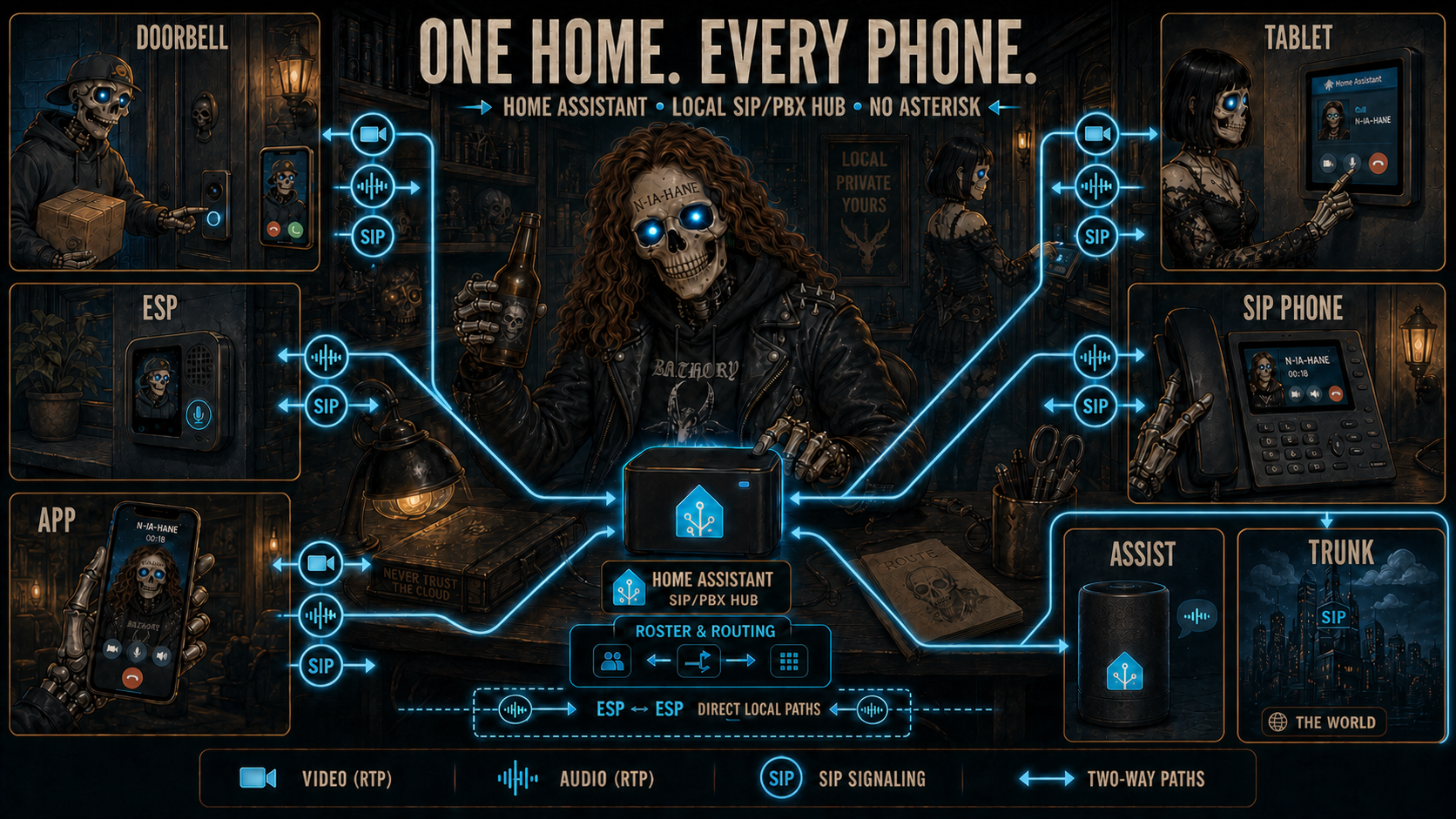
One local roster connects door stations, ESP devices, apps, tablets, standard SIP phones, Assist and an optional external trunk.
ESP devices do not register to an external PBX and do not need SIP authentication. Adding an ESP through the ESPHome integration is how Home Assistant learns its endpoint and publishes it into the central phonebook.
The simple use case stays simple: one ESP can still behave like a normal full-duplex intercom device. The difference is that the call foundation is now SIP/VoIP, so the same system can grow to ESP-to-ESP calls, HA calls, registered SIP endpoints and external trunk calls without requiring Asterisk.
Phonebook And Routing
Home Assistant owns the standard phonebook through sensor.voip_phonebook.
The phonebook merges:
- ESP endpoints published by online ESPHome devices;
- Home Assistant itself as a softphone target;
- manual contacts created with HA services;
- local SIP endpoint accounts registered to HA;
- the optional native Assist pipeline destination;
- trunk-routed phone targets and group entries when configured.
A contact has one required field: name. Everything else is optional and
describes how that contact can be reached: extension, number, address,
port, rtp_port and transport.
An extension is an internal alias, not a second contact. For example,
Spotpear can have extension: "101", and both Spotpear and 101 resolve
to that same local target. A number is an external/public number used through
the optional trunk.
Routing follows the data available for the selected contact:
- complete direct SIP endpoint: compatible ESPs can call it directly;
- name or extension without direct endpoint: the ESP sends the call to HA;
- registered SIP endpoint: HA routes to the active SIP registration;
- external number: HA uses the configured trunk;
- no valid route: HA rejects the call with a clear terminal reason.
Useful services:
voip_stack.add_contactvoip_stack.remove_contactvoip_stack.set_contactsvoip_stack.clear_contactsvoip_stack.push_phonebookvoip_stack.create_accountvoip_stack.list_accountsvoip_stack.callvoip_stack.select_inbound_destinationvoip_stack.forwardvoip_stack.route
The updated phonebook is pushed to online ESP devices automatically.
voip_stack.push_phonebook exists for diagnostics or manual recovery, but it
should not be required during normal use.
Detailed operational docs:
- Dial plan and resolver: how names, extensions, groups, registered SIP endpoints and trunk targets resolve.
- ESP entity surface: which ESPHome
voip_stackentities enable HA discovery, ESP mirror cards, groups and debug. - Call flows: expected SIP/SDP/RTP path for ESP, HA, registered endpoint, group and trunk calls.
- Services: every
voip_stack.*service and when to use it. - Ring groups and conference groups: PBX-style group semantics and membership declarations.
- Testing and debug: local tests, real SIP matrix, service matrix, log filters and audio captures.
Quick Start Examples
These examples show the normal user flows. Use the ready-to-flash YAMLs when your hardware is listed under Hardware Support; only copy the snippets below when you are building a custom target.
Normal Install
- Install the Home Assistant
voip_stackintegration. - Flash one ready YAML per device, for example:
- Add each ESP through the ESPHome integration in Home Assistant.
- Verify that HA exposes
sensor.voip_phonebook. That is the central phonebook used by the standard packages. - Use the ESP buttons, display, Home Assistant service, or Lovelace card to call a selected contact.
That is enough for the normal intercom workflow. The ESP is now known by HA, HA is known by the ESPs, and the central phonebook keeps the devices in sync.
Doorbell: one ESP calls Home Assistant
A doorbell is one ESP with one selected contact: the HA peer. The contact name
is your Home Assistant location name (hass.config.location_name), not a
hardcoded "Home Assistant" string.
binary_sensor:
  - platform: gpio
    name: Doorbell Button
    pin:
      number: GPIO4
      mode: INPUT_PULLUP
      inverted: true
    on_press:
      - voip_stack.call:
          id: phone
          target: "Home"  # replace with Settings -> System -> General -> Location name
When the ESP calls that HA contact, the Lovelace card rings and can answer from
the browser or mobile app. Home Assistant also emits voip_stack.incoming_call
for automations.
For mobile doorbells, the Companion app notification can expose two useful
actions: Answer and Decline. Answer deep-links to the Lovelace card with
?voip_answer=1, so the card can request microphone access and start the
full-duplex audio stream. Decline stays in the automation path and calls
voip_stack.decline, which sends the decline reason back to the ESP.
Room-to-room VoIP: fixed buttons
For an apartment-style panel, bind one GPIO button to each destination string.
voip_stack.call first resolves the ESP local phonebook cache for direct calls;
if the target is not local, the ESP sends it to HA so the central dialplan can
resolve a contact, group, extension, SIP URI or trunk number.
binary_sensor:
  - platform: gpio
    name: Call Kitchen
    pin:
      number: GPIO5
      mode: INPUT_PULLUP
      inverted: true
    on_press:
      - voip_stack.call:
          id: phone
          target: "Kitchen Phone"

  - platform: gpio
    name: Call Bedroom
    pin:
      number: GPIO6
      mode: INPUT_PULLUP
      inverted: true
    on_press:
      - voip_stack.call:
          id: phone
          target: "Bedroom Phone"
Contact names are exact and case-sensitive. Check sensor.<device>_destination
or the HA phonebook sensor if a call reports Contact not found.
Static Contacts And Manual Roster Changes
The recommended path is HA-managed sync through sensor.voip_phonebook.
Use ESP static contacts only for offline installs, diagnostics, direct SIP
peers that should exist before HA connects, or very small fixed systems.
voip_stack:
  id: phone
  transport: udp  # SIP signaling transport only; audio is always RTP/UDP.
  static_contacts:
    - name: "Home"
      ip: "192.168.1.10"
      port: 5060
      transport: tcp
    - name: "Kitchen Phone"
      ip: "192.168.1.21"
      port: 5060
      transport: udp
    - name: "Gate"
Contact fields:
name: required display and dial name.ip: optional host/IP for direct SIP endpoints.port: optional SIP signaling port, default5060.rtp_port: optional RTP media port, default40000.transport:tcporudpwhen direct SIP is allowed.
Runtime ESP automations can still mutate the local dial plan when needed:
on_press:
  - voip_stack.add_contact:
      id: phone
      name: "Temporary Desk"
      ip: "192.168.1.55"
      port: 5060
      transport: udp
Home Assistant is the central roster authority when it is present. Add or remove central contacts with HA services:
service: voip_stack.add_contact
data:
  name: My Cellphone
  number: "+15550123456"
service: voip_stack.remove_contact
data:
  name: My Cellphone
HA pushes the updated roster immediately to online ESPs via the ESPHome API; ESP static contacts remain local offline/custom additions. See Phonebook And Routing for the full service list.
Features
- Full-duplex audio - Talk and listen simultaneously.
- SIP/VoIP phone model with phonebook, contacts, destination, caller and terminal reason exposed.
- Deterministic routing: direct when a contact has reachable SIP endpoint data; unresolved names and numeric targets go to HA.
- SIP TCP + SIP UDP signaling with RTP media and HA bridge/resampling when needed.
- Negotiated PCM audio - peers advertise per-direction
tx_formats/rx_formatsup to 48 kHz where the actual microphone/speaker path supports them. - Dedicated browser audio socket - The Lovelace softphone uses authenticated binary WebSocket audio on
/api/voip_stack/ws; it no longer pushes base64 audio over HA's shared frontend WebSocket. - Echo Cancellation (AEC) - Built-in acoustic echo cancellation using ESP-SR. (ES8311 digital feedback mode provides perfect sample-accurate echo cancellation.)
- Full Audio Front-End (AFE) - Complete ESP-SR AFE pipeline via
esp_afe:- Single-mic (MR): AEC + Noise Suppression + VAD + AGC.
- Dual-mic (MMR): AEC + Speech Enhancement + Voice Activity Detector.
- Runtime switches and diagnostic sensors in Home Assistant.
- Automatic pipeline switching: Speech Enhancement replaces NS/AGC when spatial separation is active.
- Voice Assistant compatible - Full profiles expose one post-AEC microphone surface, so Micro Wake Word, Voice Assistant and VoIP receive cleaned user speech while music, TTS or ringtone audio is playing from the speaker.
- Ready-to-flash YAML configs - Optimized configurations for real, tested hardware combining Voice Assistant, Micro Wake Word and VoIP calls on the same device.
- Auto Answer - Configurable automatic call acceptance (ESP-side switch + browser card checkbox).
- HA Services -
voip_stack.call,answer,decline,hangup,forward,route,set_dnd, contact services, local SIP account services andpurge_devices. - Call Forwarding - Redirect an HA-owned ringing call with one automation action; Call-ID and revision guards remain optional advanced controls.
- Ringtone on incoming calls - Devices play a looping ringtone while ringing.
- Volume Control - Adjustable Master Volume and microphone gain.
- Phonebook - HA publishes
sensor.voip_phonebook; ESP packages subscribe to it and locally shape endpoint rows into direct SIP or HA-routed calls. YAML automations can still call the nativevoip_stackactions/services. - Do Not Disturb - Native
voip_stackswitch. When enabled, incoming calls are rejected withSIP reject("DND")so the caller receives a real reason. - HA peer name =
hass.config.location_nameeverywhere (NEVER hardcoded). - Status LED - Visual feedback for call states.
- Persistent Settings - Volume, gain, AEC state saved to flash.
- Remote Access - Works through any HA remote access method (Nabu Casa, reverse proxy, VPN). No WebRTC, no go2rtc, no port forwarding required.
Installation
1. Home Assistant Integration
Option A: Install via HACS (Recommended)
- In HACS, search for VoIP Stack.
- Open the VoIP Stack integration page and click Download.
- Restart Home Assistant.
- Go to Settings → Integrations → Add Integration → search VoIP Stack → click Submit.
- In the config flow, set the SIP and RTP ports only if the defaults do not fit
your network. Default ports are SIP
5060and RTP base40000. - The migrated Default Home Assistant phone works immediately. To create more room or kiosk phones, open the VoIP Stack integration entry, select Add phone, choose Home Assistant browser phone, and give it a unique name and optional extension. Use the same Add phone flow for a standard SIP account that should register to HA.
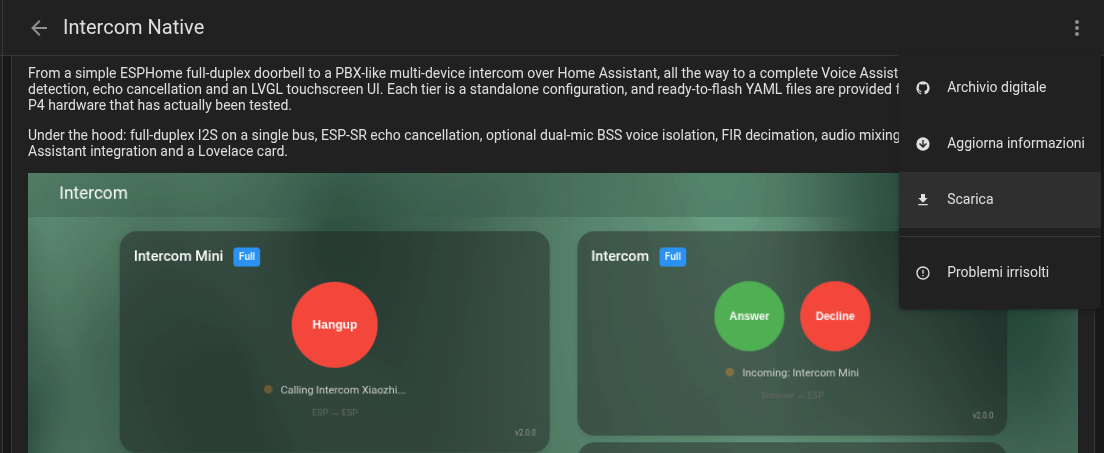
After HACS downloads VoIP Stack, restart Home Assistant, then add the VoIP Stack integration from Settings -> Integrations.
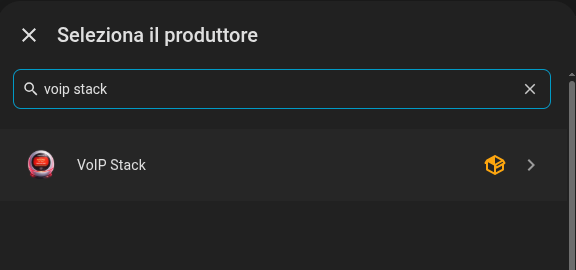
After restart, add the VoIP Stack integration from Home Assistant Settings.
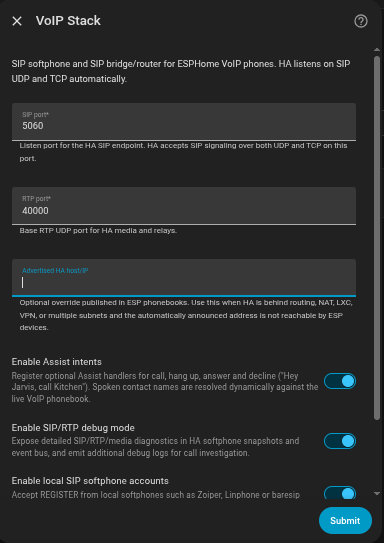
The config flow sets the HA SIP/RTP ports, local VoIP features and optional trunk routing.
Recommended first setup:
- SIP port: keep
5060unless another SIP service already uses it. HA listens on both SIP/UDP and SIP/TCP on this port. - RTP port: keep
40000unless that UDP range conflicts with another service. HA uses it as the base for softphone and bridge media. - Advertise host: leave empty on a normal LAN. Set it only when HA must publish a specific reachable IP/host, for example LXC, Docker, VPN, multihomed hosts or routed networks.
- Assist intents: enable if you want Home Assistant Assist phrases such as call, answer, decline and hang up.
- Include voice assistant: optionally publishes the selected Home Assistant
Assist pipeline as a phonebook destination. The next step lets you use HA's
preferred pipeline or choose a specific one, and asks for its extension; both
fields are empty until you enable the feature and no extension is reserved by
default. Calls may come from ESP endpoints, registered clients, trunks or
other compatible SIP callers. VoIP Stack sends one initial user message such
as
Incoming SIP call from "Daniele"., streams the configured STT/conversation/TTS pipeline over the same open call, and returns to listening after every reply. It does not add a persistent parallel system prompt. This does not create a second SIP listener or a separate Assist satellite. - Advanced Assist call context: disabled by default. When enabled, caller
ID, phonebook match, call source and called extension are appended once to
the initial user message. This can help a receptionist agent route a caller
or check whether somebody is available. The values are untrusted SIP call
metadata:
caller_in_phonebook: trueis useful context, not authentication. - Debug mode: keep disabled for normal use. Enable only while collecting
SIP/RTP diagnostics. To expose the integration's DEBUG messages in Home
Assistant logs, also configure
logger.logs.custom_components.voip_stack: debug; see Testing and debug for the complete YAML block. - Trunk enabled: leave disabled unless you want HA to register to a provider/PBX account for external inbound/outbound calls.
When trunk is enabled, the next step asks for provider/PBX credentials. The same step separates normal routing from optional automation overrides:
- Fallback destination is a phonebook name, HA, extension, group, registered SIP phone, Assist extension, SIP URI or routable number.
- Route immediately skips DTMF collection. An enabled automation gets one short decision point before the fallback is resolved.
- Collect extension with DTMF answers the trunk leg and collects negotiated
telephone-event or SIP INFO digits for 1 to 10 seconds. A valid extension
selects its phonebook entry; no digits offer automation before fallback; an unknown
explicit extension ends as
route_not_found. - Allow automations to select the inbound destination is independent and off by default. Explicit DTMF digits always keep priority.
Existing entries migrate transparently: previous DTMF-enabled configurations retain DTMF mode, other configurations become Direct, and automation routing remains disabled until explicitly enabled.
The integration automatically registers the Lovelace card, no manual frontend setup needed.
HACS already includes this repository, so normal installations do not need a Custom Repository entry. Install or upgrade the stable integration through HACS, then restart Home Assistant when prompted.
Upgrading VoIP Stack
Please keep in mind that VoIP Stack is still an enthusiast project maintained by one person. Version upgrades may contain breaking changes: maintaining old and new implementations in parallel is not currently sustainable, and adding features or improving an existing design sometimes requires changing service, event, entity or configuration semantics. Those changes may require updates to your automations, scripts, dashboards or ESPHome YAML.
Always read the Breaking Changes and the release notes for the version you are installing before upgrading. Each release aims to improve the previous one, but compatibility must not be assumed merely because the integration installs successfully.
Recommended upgrade procedure:
- Read the breaking changes and the version-specific release notes.
- Update VoIP Stack through HACS and restart Home Assistant.
- Open Settings → Devices & services → VoIP Stack → Configure and review every Reconfigure step. New options and migrations are exposed there, and after a feature release it is quite likely that you will need to confirm or adjust the integration configuration.
- Verify any automations that use VoIP services, call events, routing or phone entities.
- Hard refresh every dashboard containing a VoIP Stack card as described below.
After Every VoIP Stack Upgrade: Hard Refresh The Card Page
After upgrading voip_stack, hard refresh every Home Assistant dashboard
view that contains an voip-stack-card.
Several reported "broken card" or "VoIP call not working" issues were eventually traced back to the browser or mobile app still running an old cached copy of the card JavaScript after the integration had already been upgraded. The card URL is versioned from the installed VoIP Stack component, but some clients can still keep stale frontend state until their cache is cleared.
On desktop Chrome or Chromium:
- Open the dashboard page that contains the VoIP card.
- Press
F12to open Developer Tools. - Right-click the browser refresh button.
- Choose Empty cache and hard reload.
- Check the version shown at the bottom-right of the card. It must match the VoIP Stack version you just installed.
On the Home Assistant Companion app for Android:
- Open the Home Assistant app.
- Go to Settings -> Companion App -> Troubleshooting.
- Tap Reset frontend cache.
- Close and reopen the app.
- Check the version shown at the bottom-right of the card. It must match the VoIP Stack version you just installed.
If that option is not available on your Companion App build, or the stale card still remains after the frontend-cache reset, use Android's fallback app-cache cleanup:
- Close the Home Assistant app.
- Open Android Settings.
- Open Apps -> Home Assistant -> Storage and cache.
- Tap Clear cache. Do not clear app storage unless you intentionally want to log in again and reset the app.
- Reopen the app and check the card version shown at the bottom-right.
Home Assistant can update/reload Lovelace resources, and this integration already registers the card with a versioned URL. The remaining stale-cache case is client-side: the browser or companion app may keep an already loaded JavaScript module alive until the page/app is refreshed. Until the card gets its own version-mismatch warning, do this after every VoIP Stack upgrade, especially after major releases.
Legacy HA Domain Migration
HACS stays on this repository because this is the Home Assistant product repo:
it contains custom_components/voip_stack, the Lovelace card, ready YAMLs and
the end-to-end docs. The split ESP component repositories are consumed by
ESPHome external_components; they are not HACS integration repositories.
Development builds before the VoIP Stack rename used older Home Assistant
domains such as intercom_native and homeassistant_voip_stack. Home Assistant
stores config entries by domain, so those old entries cannot be silently
converted by the current voip_stack integration. If a test install still has
one of the old domains, remove that old integration entry and stale
custom_components/<old_domain> folder, restart Home Assistant, then add
VoIP Stack from Settings -> Integrations.
Option B: Manual install
From a source checkout:
# From the repository root
cp -r custom_components/voip_stack /config/custom_components/
The release asset voip_stack.zip is intentionally flat for HACS. To install
that archive manually, extract it into the integration directory:
mkdir -p /config/custom_components/voip_stack
unzip -o voip_stack.zip -d /config/custom_components/voip_stack
Verify that /config/custom_components/voip_stack/manifest.json exists before
restarting Home Assistant.
Then add via UI: Settings → Integrations → Add Integration → VoIP Stack, restart Home Assistant.
The integration will:
- Start the HA SIP endpoint on the configured SIP port.
- Register the WebSocket API commands for the card.
- Publish the SIP phonebook (
sensor.voip_phonebook) for ESP subscribers. - Optionally register a provider/PBX trunk.
- Optionally accept REGISTER from local SIP endpoints with generated accounts.
- Register SIP-first services (
answer,decline,hangup,call,forward,route, contact and SIP account services). - Auto-register the Lovelace card as a frontend resource.
Network requirements
- Minimum Home Assistant Core: 2026.7.x.
- Tested target: Home Assistant Core 2026.7.x.
- HA OS / Supervised: container is
--network=hostby default. Works. - HA Container (Docker): must be started with
--network=host(also recommended by official HA docs). Bridge mode would need manual port forwarding plus an mDNS reflector and anetwork: announced_addressesoverride (not recommended). - HA Core in venv: listens on host LAN, no extra config.
If network.async_get_announce_addresses(hass) returns empty, the integration logs a WARN and HA cannot publish itself in the SIP phonebook until you configure either network: announced_addresses: or an external_url. A port bind failure transitions the config entry to ConfigEntryError.
2. ESPHome Component
Add the external component to your ESPHome device configuration:
Minimum ESPHome version: 2026.6.5. Older ESPHome releases are not supported by the maintained full voice YAMLs.
# Lightweight (single-mic, echo cancellation only):
external_components:
  - source: github://n-IA-hane/esphome-voip-stack@main
    components: [voip_stack]
  - source: github://n-IA-hane/esphome-audio-stack@main
    components: [esp_audio_stack, esp_aec]

# Full AFE pipeline (single-mic NS/AGC/VAD or dual-mic Speech Enhancement/VAD):
external_components:
  - source: github://n-IA-hane/esphome-voip-stack@main
    components: [voip_stack]
  - source: github://n-IA-hane/esphome-audio-stack@main
    components: [esp_audio_stack, esp_afe]
Note: Use
esp_aecfor lightweight single-mic processing andesp_afefor the full pipeline (see Audio Components below).voip_stackno longer owns software AEC; standalone VoIP binds to native ESPHomemicrophone/speaker, while software AEC/AFE belongs behindesp_audio_stack. Maintained full voice YAMLs use the source-basedspeaker_sourcemedia path; the project-localspeakerfork remains documented for older custom YAMLs that still use ESPHome'splatform: speakermedia player.
After ESP Firmware Package Upgrades: Clear ESPHome Build Cache
When you upgrade this project and flash ESP firmware built from the new YAMLs, force ESPHome to rebuild from a clean cache at least once. This is especially important after major releases, package reshuffles, external component changes or ESPHome version upgrades.
If you compile from the ESPHome dashboard, use the build-cache cleanup action for the device or the global Clear all action if your dashboard exposes it, then compile/upload again.
If you compile from the ESPHome CLI, delete the .esphome build cache
directories from your ESPHome YAML compilation paths before compiling again. For
example, from the directory that contains your YAML files:
find . -type d -name .esphome -prune -exec rm -rf {} +
If your YAMLs live in multiple folders, repeat the cleanup for each folder or run it from the common parent that contains only your ESPHome build files.
Minimal Configuration
esp32:
  board: esp32-s3-devkitc-1
  framework:
    type: esp-idf

# Echo Cancellation
esp_aec:
  id: aec_processor
  sample_rate: 16000
  filter_length: 8
  mode: voip_high_perf   # VoIP-only no-codec default

# ESP audio stack: one owner for I2S, rate conversion, AEC reference and buffers
esp_audio_stack:
  id: audio_stack
  i2s_lrclk_pin: GPIO37
  i2s_bclk_pin: GPIO36
  i2s_din_pin: GPIO35
  i2s_dout_pin: GPIO7
  sample_rate: 48000
  output_sample_rate: 16000
  slot_bit_width: 32
  correct_dc_offset: true
  processor_id: aec_processor
  aec_reference: previous_frame
  buffers_in_psram: true

microphone:
  - platform: esp_audio_stack
    id: mic_component
    esp_audio_stack_id: audio_stack

speaker:
  - platform: esp_audio_stack
    id: hw_speaker
    esp_audio_stack_id: audio_stack
    sample_rate: 48000

  - platform: resampler
    id: spk_component
    output_speaker: hw_speaker
    bits_per_sample: 16

# VoIP Stack - SIP phone endpoint
voip_stack:
  id: phone
  microphone: mic_component
  speaker: spk_component
  buffers_in_psram: true
Complete Configuration (with HA-managed phonebook)
voip_stack:
  id: phone
  # transport chooses SIP signaling transport: tcp or udp. Audio is RTP/UDP.
  transport: udp
  microphone: mic_component
  speaker: spk_component
  buffers_in_psram: true
  ringing_timeout: 30s        # Auto-decline unanswered calls

  # FSM event callbacks
  on_ringing:
    - light.turn_on:
        id: status_led
        effect: "Ringing"

  on_outgoing_call:
    - light.turn_on:
        id: status_led
        effect: "Calling"

  on_streaming:
    - light.turn_on:
        id: status_led
        red: 0%
        green: 100%
        blue: 0%

  on_idle:
    - light.turn_off: status_led

# Switches (with restore from flash)
switch:
  - platform: voip_stack
    auto_answer:
      name: "Auto Answer"
      restore_mode: RESTORE_DEFAULT_OFF

  - platform: esp_audio_stack
    esp_audio_stack_id: audio_stack
    aec:
      name: "Echo Cancellation"
      restore_mode: RESTORE_DEFAULT_ON

# Volume controls
number:
  - platform: esp_audio_stack
    esp_audio_stack_id: audio_stack
    master_volume:
      name: "Master Volume"
      speaker_id: hw_speaker
    mic_gain:
      name: "Mic Gain"

# Buttons for manual control
button:
  - platform: template
    name: "Call"
    on_press:
      - voip_stack.call_toggle:

  - platform: template
    name: "Next Contact"
    on_press:
      - voip_stack.next_contact:

  - platform: template
    name: "Previous Contact"
    on_press:
      - voip_stack.prev_contact:

  - platform: template
    name: "Decline"
    on_press:
      - voip_stack.decline_call:

# Example: call a specific room from a YAML automation
button:
  - platform: template
    name: "Call Kitchen"
    on_press:
      - voip_stack.call:
          id: phone
          target: "Kitchen Phone"
Current public YAMLs use shared phonebook subscription packages. HA publishes:
sensor.voip_phonebook                       # short state: "N entries"
sensor.voip_phonebook.attributes.roster_json # canonical SIP roster
The ESP-side package subscribes to the roster JSON and calls
voip_stack.set_roster_json after a debounce. HA rows, ESP rows, manual SIP
contacts and registered local SIP endpoints share the same route vocabulary.
Canonical row formats live in
docs/PHONEBOOK_PROTOCOL.md. For manual/local automations you can still use the ESPHome API actions exposed
by the standard packages:
action: esphome.<slug>_set_ha_peer_name
data:
  name: "Beach House"

action: esphome.<slug>_start_call
data:
  dest: "Kitchen"

action: esphome.<slug>_decline_call
data:
  reason: "DND"
The standard packages also expose ESPHome native API actions such as
esphome.<slug>_add_contact, esphome.<slug>_remove_contact,
esphome.<slug>_set_contacts, esphome.<slug>_flush_contacts and
esphome.<slug>_update_contacts. Those mutate only that ESP's local phonebook
mirror and are meant for offline devices, diagnostics or custom YAML logic.
For normal installs, manage the central roster with HA voip_stack.*
phonebook services and let HA push the canonical JSON to every online ESP.
See docs/PHONEBOOK_PROTOCOL.md for the full contract.
Groups
VoIP Stack can publish HA-managed group contacts into the same central phonebook. ESP devices, registered SIP endpoints and the HA softphone still dial by normal contact name; HA owns the group routing and media. Groups are ordinary phonebook entries from the endpoint point of view, not special firmware modes.
ESP devices can declare default membership in their voip_stack component and
expose editable group entities through the HA integration package:
voip_stack:
  id: phone
  conference_groups: "CG Home, CG Upstairs"
  conference_ring: true
  ring_groups: "RG Home, RG Night"

packages:
  voip_ha_integration: !include packages/voip/ha_integration.yaml
voip_stack: alone is the SIP/RTP engine and can run standalone. The
ha_integration package exposes the voip_endpoint discovery sensor, ESP
mirror-state sensors and editable text.voip_ring_groups /
text.voip_conference_groups entities so HA can discover the ESP, update group
membership dynamically and push the central roster.
Manual contacts and registered SIP endpoints can join the same groups through
the voip_stack.add_contact and voip_stack.create_account service fields:
service: voip_stack.add_contact
data:
  name: Desk Phone
  sip_uri: sip:desk@192.168.1.60:5060
  ring_group: "RG Home, RG Desk"
  conference_group: "CG Home, CG Office"
  conference_ring: true
HA aggregates every declaration into one phonebook entry per group. Group names can be a single value or a comma-separated list; every listed group gets the endpoint/contact/account as a member. Group names must not collide with existing device/contact names; if the same name is declared as both a conference and a ring group, conference wins.
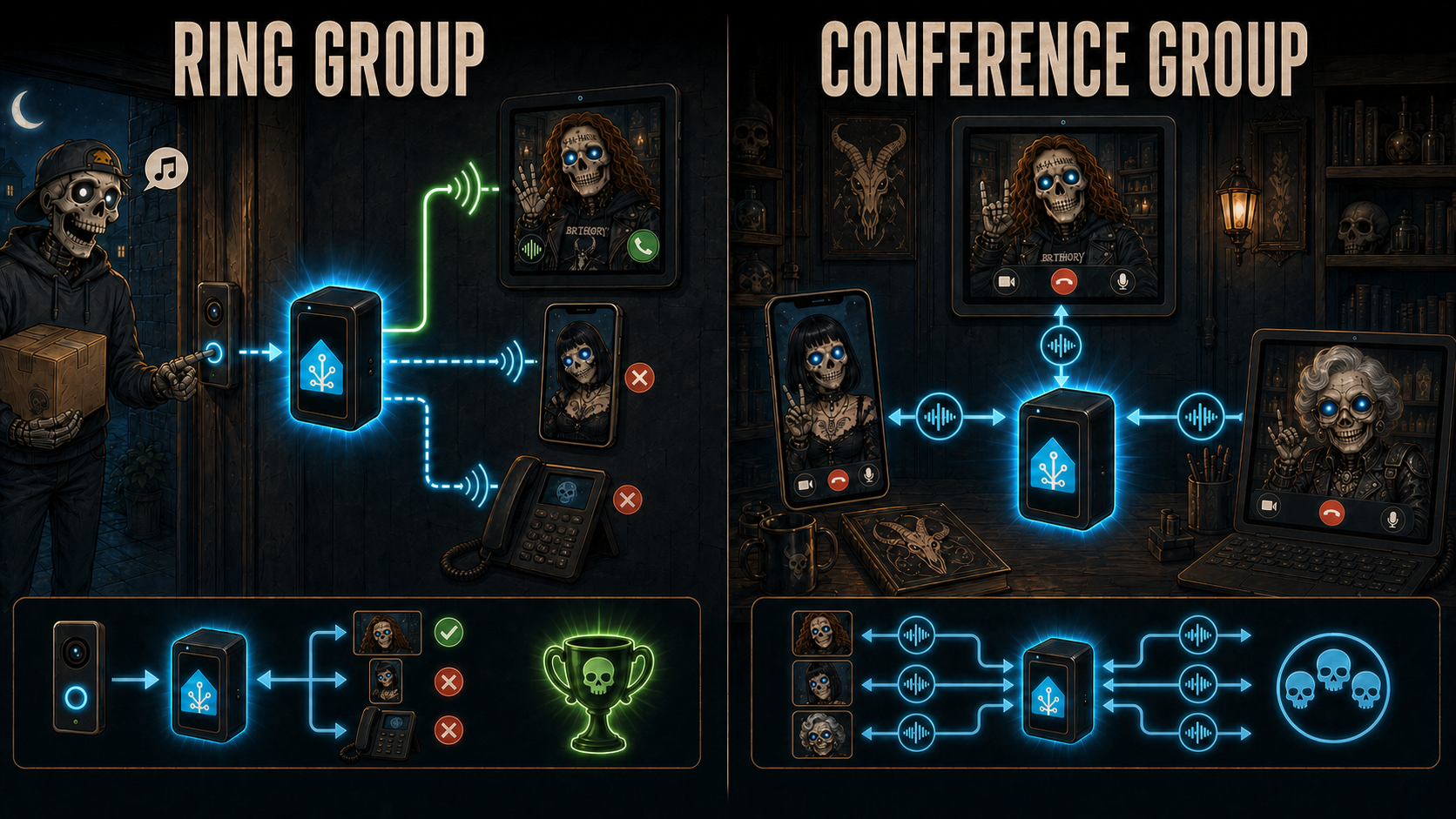
Ring groups behave like PBX/SIP forking. Calling RG Home rings every
callable member in parallel, excluding the caller when it is also a member. The
first member to answer wins, HA bridges audio to that leg, and every other
still-ringing leg receives CANCEL. If a losing leg was already confirmed, HA
tears it down with BYE. This is the right primitive for "call the house" or
"call the first available intercom".
Conference groups behave like a SIP conference focus. Calling CG Home
joins the caller into the HA-mixed room immediately. Other members can join at
any time by calling the same group contact. Members with conference_ring: true are invited when another participant starts the room; members without it
stay silent but can still join manually. Answered conference invitations join
the same room, not a winner-takes-all bridge. When the final participant leaves,
HA closes the room and releases the media resources.
The HA softphone can also subscribe to a ring group and/or conference group. The Lovelace card exposes those settings and the HA softphone extension dynamically from the central roster. Changing them updates the HA softphone endpoint sensor, which triggers the same phonebook rebuild and push path used by ESP endpoint/group entity changes. The card remains only the softphone UI and browser audio surface: the browser that starts or answers the call owns the WebSocket media stream, while other open cards mirror state without attaching their microphone/speaker.
Because the HA backend speaks SIP, Asterisk is optional rather than required. HA can register to a SIP trunk itself, can host local SIP endpoint accounts for VoIP phones, ATAs and softphones such as Zoiper, and can act as a small PBX for ESP devices, registered SIP endpoints, ring groups and conference groups. Advanced dial-plan overrides are intended to be handled through HA services/events and automations on top of the central roster contract.
Apartment VoIP panel
For multi-room setups, each GPIO button can call a specific room directly. Use
voip_stack.call with the exact phonebook name, extension, group, URI or trunk
number. The ESP dials local phonebook matches directly and routes unresolved
targets through HA. Handle terminal failures with on_call_failed when the UI
needs explicit feedback.
3. Lovelace Card
The Lovelace card is automatically registered when the integration loads, no manual file copying or resource registration needed.
Add the card to your dashboard
The card is available in the Lovelace card picker - search for "VoIP":
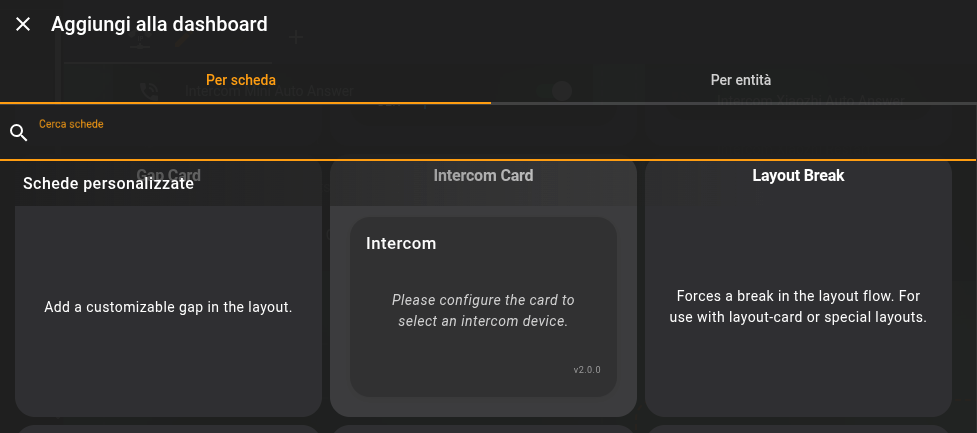
The integration registers the Lovelace card automatically; no manual resource URL is needed.
Then configure it with the visual editor:
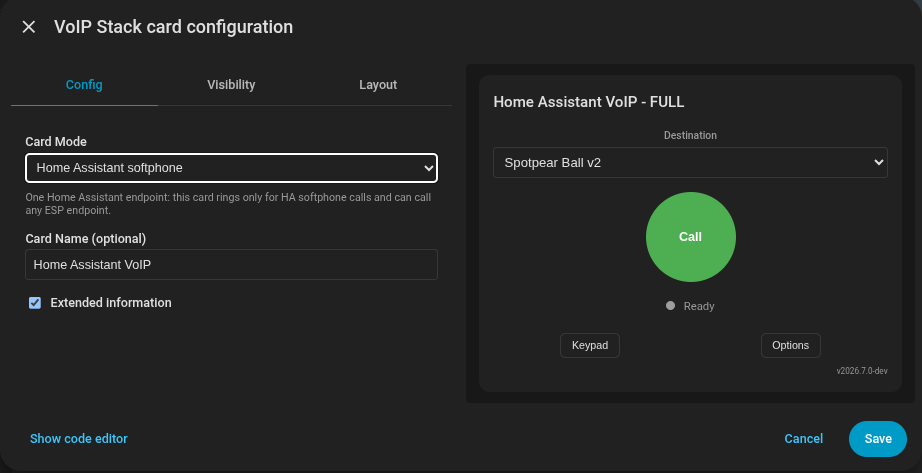
Visual editor path for picking the ESPHome VoIP device and display name.
Alternatively, you can add it manually via YAML:
type: custom:voip-stack-card
device_id: <your_esp_device_id_or_friendly_name>
name: Kitchen Phone
show_extended_info: true
The default card mode is esp_mirror: the card mirrors one ESP endpoint and
presses that ESP's own contact, call, answer, decline and hangup controls. To
use a Home Assistant logical phone, add a separate card. Omitting both
endpoint_id and device_id selects the default phone:
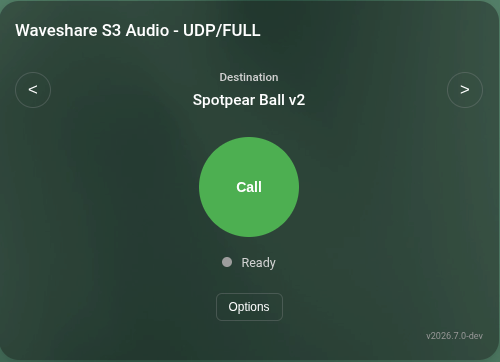
ESP mirror mode: the card controls the selected ESP phone and follows its local phonebook and call state.
type: custom:voip-stack-card
mode: ha_softphone
name: Home Assistant Softphone
show_extended_info: true
For another phone, select its Device in the visual editor. Manual YAML may bind
the same Device explicitly; the editor also stores its stable endpoint_id:
type: custom:voip-stack-card
mode: ha_softphone
device_id: <kitchen_phone_device_id>
endpoint_id: <kitchen_phone_endpoint_id>
name: Kitchen
In esp_mirror mode the card follows ESPHome entities. Its contact buttons use
the ESP's own phonebook cycler, while the keypad view sends a manual target to
that same ESP start_call action without overwriting the selected-contact
sensor. ESP mirror options manipulate the ESP-exposed DND/group entities when
they are present. Option rows use one consistent two-column layout, with labels
on the left and fields, selectors and checkboxes aligned on the right.
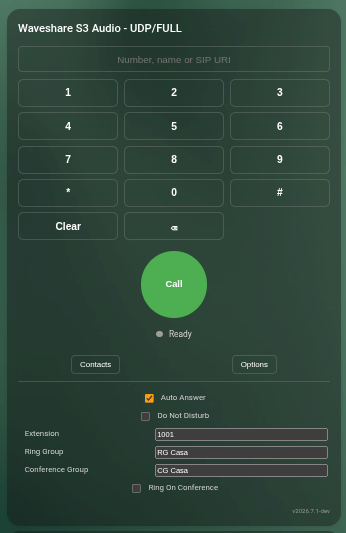
Expanded ESP mirror mode: the manual keypad and the selected ESP's Auto Answer, DND, extension, ring-group and conference-group controls are visible together. The values shown are example endpoint settings.
In ha_softphone mode the card has its own destination selector, Auto Answer
and Do Not Disturb controls. Auto Answer and Send Camera belong to the
logical Home Assistant phone: changing either one calls a VoIP Stack service,
updates the phone's native HA switch and persists the value in its config
subentry. Clearing browser cache therefore does not reset them, and every card
bound to that phone sees the same value. Browser microphone/camera permission
is still local to each browser. The ringtone remains intentionally local
because it controls whether that particular browser makes noise.
Home Assistant administrators also see the
persistent extension and group controls; ordinary users with control access to
that phone can operate calls and DND without being able to reconfigure its dial
plan. Enabling Auto Answer asks for microphone access while the user gesture is
still active; the option remains disabled and shows an error if the browser
does not grant it. The card rings only for calls addressed to its selected logical phone and
does not mirror an ESP card state. A device_id may therefore identify either
a logical HA phone in ha_softphone mode or a physical ESPHome phone in
esp_mirror mode.
More than one dashboard/card may bind the same logical phone. They all see the ring, but answer is an atomic race: the first browser owns microphone, speaker and optional camera media. Other cards remain observers and cannot replace the owner while either of its media sockets is live. If that browser reloads or disconnects, the replacement card may reclaim the same still-active call only after the old audio and video sockets have both released their leases; another live tab still cannot preempt it. For a real second handset, create a second phone Device and bind the other card to that Device.
The two modes intentionally display calls differently. An esp_mirror card shows
Answer/Decline when its mirrored ESP is ringing, including the case where that
ESP is being called by Home Assistant. A ha_softphone card shows Hangup while
HA is the caller and Answer/Decline only when HA is the callee. In both
directions the browser audio pipeline is configured from the negotiated call
formats returned by the server before microphone or playback worklets start.
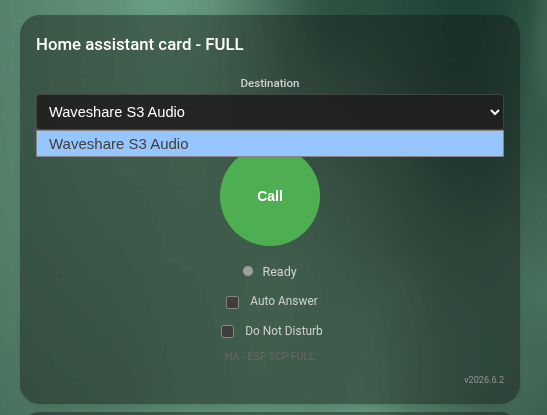
Independent Home Assistant softphone mode: one card represents HA itself and calls any ESP endpoint from the in-card selector.
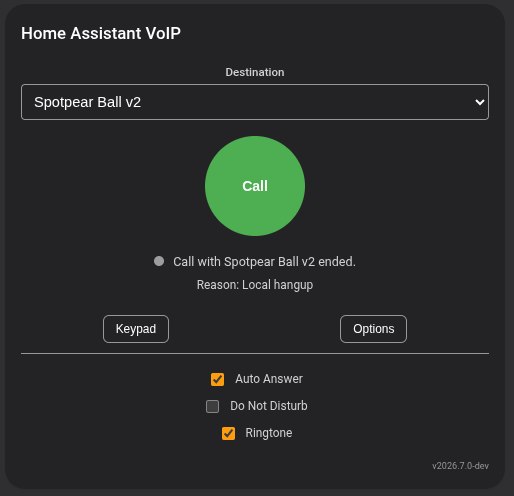
The HA softphone card owns HA-only controls such as Auto Answer, DND and browser ringtone.
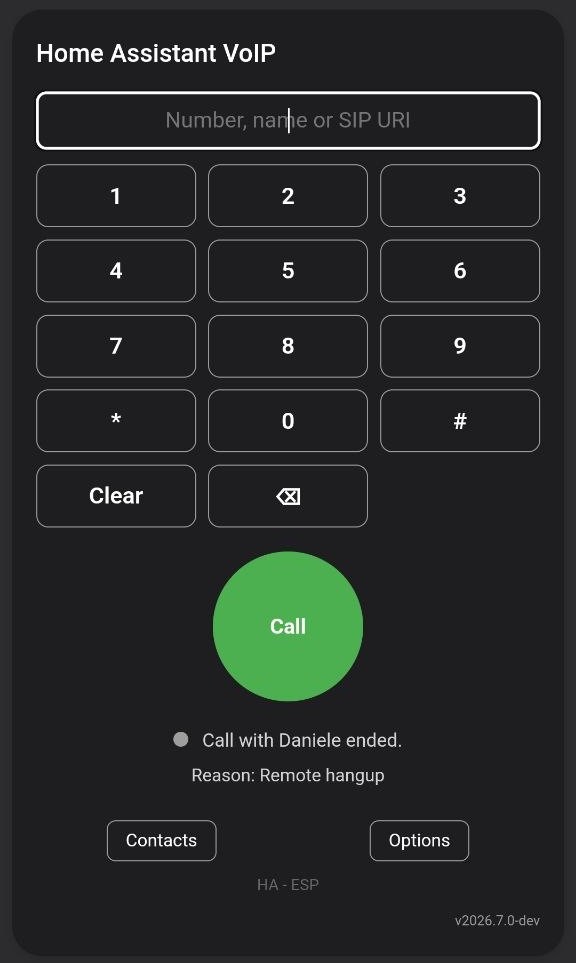
The keypad view lets the HA softphone call a phonebook name, extension, SIP URI or external number without editing the roster first.
Phonebook card
The same frontend module also provides a native, resizable phonebook card. It reads the canonical roster, sorts enabled contacts alphabetically and keeps the contact list scrollable inside the height assigned by a Sections view.
type: custom:voip-stack-card
mode: phonebook
entity: sensor.voip_phonebook
title: VoIP Phonebook
The visual editor selects phonebook mode and can set an optional title. Manual YAML can additionally select another roster sensor, change the empty-state text or include disabled contacts. In a Sections dashboard the card defaults to 12 columns by 7 rows, uses the native eight-row maximum and can be resized with the normal HA layout controls; Masonry dashboards use its declared card-size fallback.
The card automatically discovers ESPHome devices with the voip_stack entity
surface, starting from the voip_endpoint sensor. The visual editor stores the
HA device_id, while manual YAML can use the ESP friendly name, for example
device_id: Kitchen Panel. Header text is shown only when name: is configured;
without it the content moves up and no empty title row is reserved. With
show_extended_info: true, the header appends the local SIP signaling transport
and audio mode when a header is present.
customElements.define is idempotent so HMR / re-install never throws on second registration. Console chatter is gated behind localStorage.voip_debug = "1" (errors and warnings always emit). Peer names, destination and decline reasons render as text nodes - no XSS surface from phonebook data.
After every VoIP Stack upgrade, hard refresh this dashboard view and verify that the version printed at the bottom-right of the card matches the installed integration version. See After Every VoIP Stack Upgrade: Hard Refresh The Card Page.
The Lovelace card provides full-duplex bidirectional audio with the ESP device: you can talk and listen simultaneously through your browser or the Home Assistant Companion app. The card captures audio from your microphone via getUserMedia() and plays incoming audio from the ESP in real-time.
Important: HTTPS required. Browser microphone access (
getUserMedia) requires a secure context. You need HTTPS to use the card's audio features. Solutions: Nabu Casa, Let's Encrypt, reverse proxy with SSL, or self-signed certificate. Exception:localhostworks without HTTPS.
Note: Devices must be added to Home Assistant via the ESPHome integration before they appear in the card.
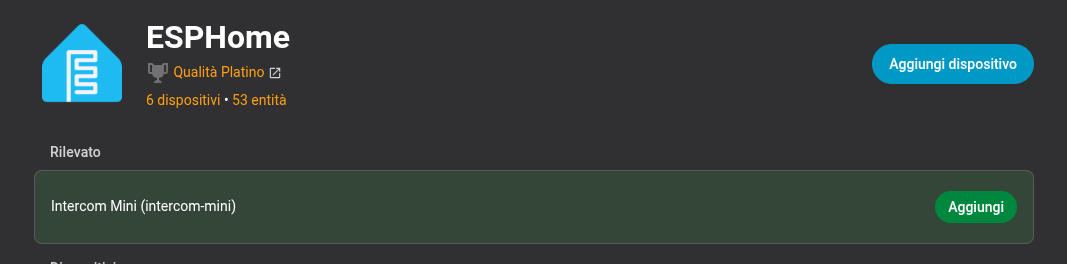
The card uses the ESPHome device registry, so the device must be added to HA before it appears.
Architecture
System Overview
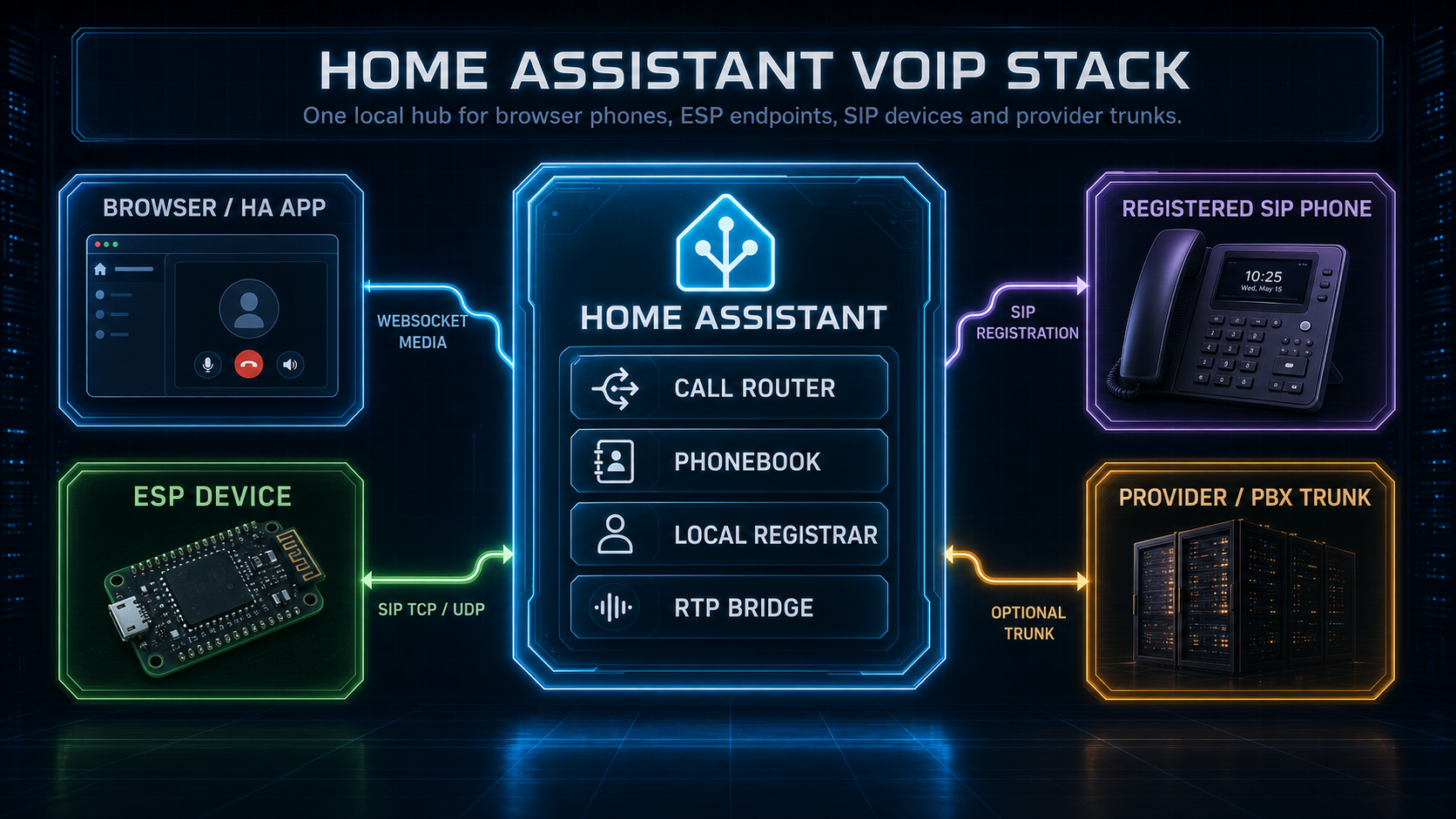
Browser phones, ESP endpoints, registered SIP devices and an optional provider trunk meet in one HA-owned call router, phonebook, registrar and RTP bridge.
This is the whole product in one picture: HA is the SIP routing and phonebook hub; each ESP owns its SIP phone state, audio path and local dial plan mirror.
Why Not Raw Duplex UDP?
A raw ESP-to-HA audio stream is enough for a single fixed intercom demo. It is not enough for a local phone system.
VoIP Stack uses SIP/SDP/RTP because Home Assistant needs to act as a real call hub: it can route across subnets, bridge ESPs, browser softphones, registered SIP clients and trunks, negotiate media formats per leg, publish one shared phonebook, expose deterministic call reasons, and keep softphone/trunk behavior out of the ESP firmware. ESP-to-ESP direct calls still work when both endpoints share a compatible transport and media format, but HA remains the place where roster, trunking, DTMF routing and format conversion belong.
Technical Details
Audio Format
The default SIP PCM format is 16000:s16le:1:32, but VoIP Stack negotiates
audio per direction. AFE/AEC-backed branches still publish 16 kHz/s16/mono
because Espressif esp-sr exposes that format; native ESPHome
microphone/speaker paths and the HA browser softphone can advertise their
actual PCM format up to 48 kHz and 32-bit containers.
An audio format token is:
sample_rate:pcm_format:channels:frame_ms
Supported PCM containers are s16le, s24le, s24le_in_s32 and s32le.
Supported rates are 8, 12, 16, 24, 32, 44.1 and 48 kHz, with 10/20/32 ms
frames when the frame contains an integer number of samples.
Home Assistant may bridge different formats by explicit PCM conversion. Direct ESP-to-ESP calls require a common format and fail clearly when none exists. UDP RTP carries one complete PCM frame per datagram, so high-rate UDP profiles use short packet times to stay below the safe datagram size.
VoIP calls intentionally transport negotiated PCM, not MP3/FLAC/Opus. ESPHome's codec decoders are useful for media-player and announcement pipelines, but ESP-side VoIP is a bidirectional low-latency path: compressed codecs would add realtime encode/decode, jitter behavior and extra CPU/PSRAM budget on every hop. Keep compressed media on ESPHome media-source pipelines; keep ESP VoIP on PCM unless a future measured Opus mode proves worth the cost.
SIP, SDP And RTP Contract
The functional wire contract is standard SIP/2.0 signaling, SDP offer/answer and RTP media. ESP devices are SIP user agents; Home Assistant is a SIP softphone plus SIP call router. There is no project-specific call-control compatibility path.
All logical HA phones share the integration's SIP/UDP+TCP listener and RTP allocator; adding a phone never opens another fixed port. A call that crosses the HA boundary still uses standard SIP/SDP/RTP. Two browser phones owned by the same HA instance use an in-memory local bridge for control and browser media instead of sending SIP/RTP back into HA's own listener. That local optimization is deliberately invisible to external SIP peers.
Supported SIP methods in the local profile are INVITE, ACK, CANCEL,
BYE, OPTIONS, INFO for DTMF interop where used, and REGISTER only for
optional local SIP accounts on Home Assistant. ESP firmware does not
register to a PBX and does not require SIP auth.
SDP negotiates PCM RTP media. ESP firmware accepts compatible L16/L24 PCM only; Home Assistant may accept common softphone/trunk codecs and convert them at the route boundary before sending PCM to ESPs. Generic direct SIP calls select one common RTP format per dialog. HA-routed calls may use different formats on each leg because HA owns both dialogs and the RTP relay/resampler.
SIP signaling can listen on TCP, UDP or both. RTP audio remains UDP even when SIP signaling is TCP, matching normal SIP phone behavior. UDP RTP payloads are kept under the safe payload budget for typical home LANs; high-rate ESP profiles use short packet times such as 10 ms so 48 kHz mono L16 fits without IP fragmentation.
RTP over TCP exists in SIP/SDP standards, but it is not part of the current ESP phone profile. Treat it as a future HA-side advanced media transport option that needs explicit SDP negotiation and interoperability testing with real softphones/providers before it is exposed.
Signaling Transport
SIP signaling can use TCP or UDP. RTP audio remains UDP even when SIP signaling is TCP, matching normal SIP phone behavior.
Transport choice is an installation choice, not a feature split. TCP is the recommended starting point for routed networks and HA/container deployments because connection state is easier to reason about. UDP is best suited to simple local LANs where low latency matters and the network is known to pass SIP/RTP cleanly.
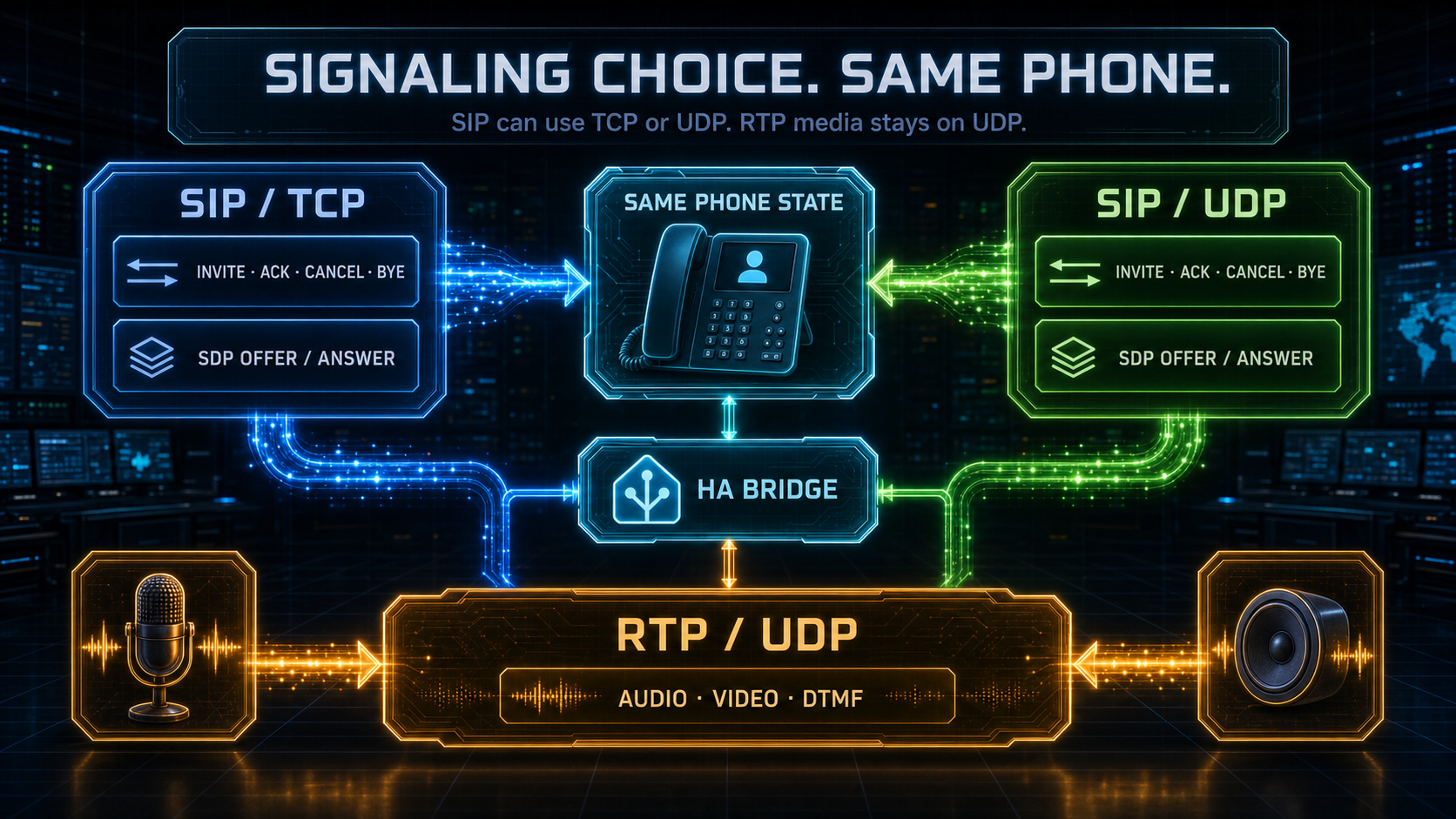
TCP and UDP change only the SIP signaling transport. Audio, video and DTMF media continue over RTP/UDP, with HA bridging different endpoint choices when required.
Phonebook Wire Format
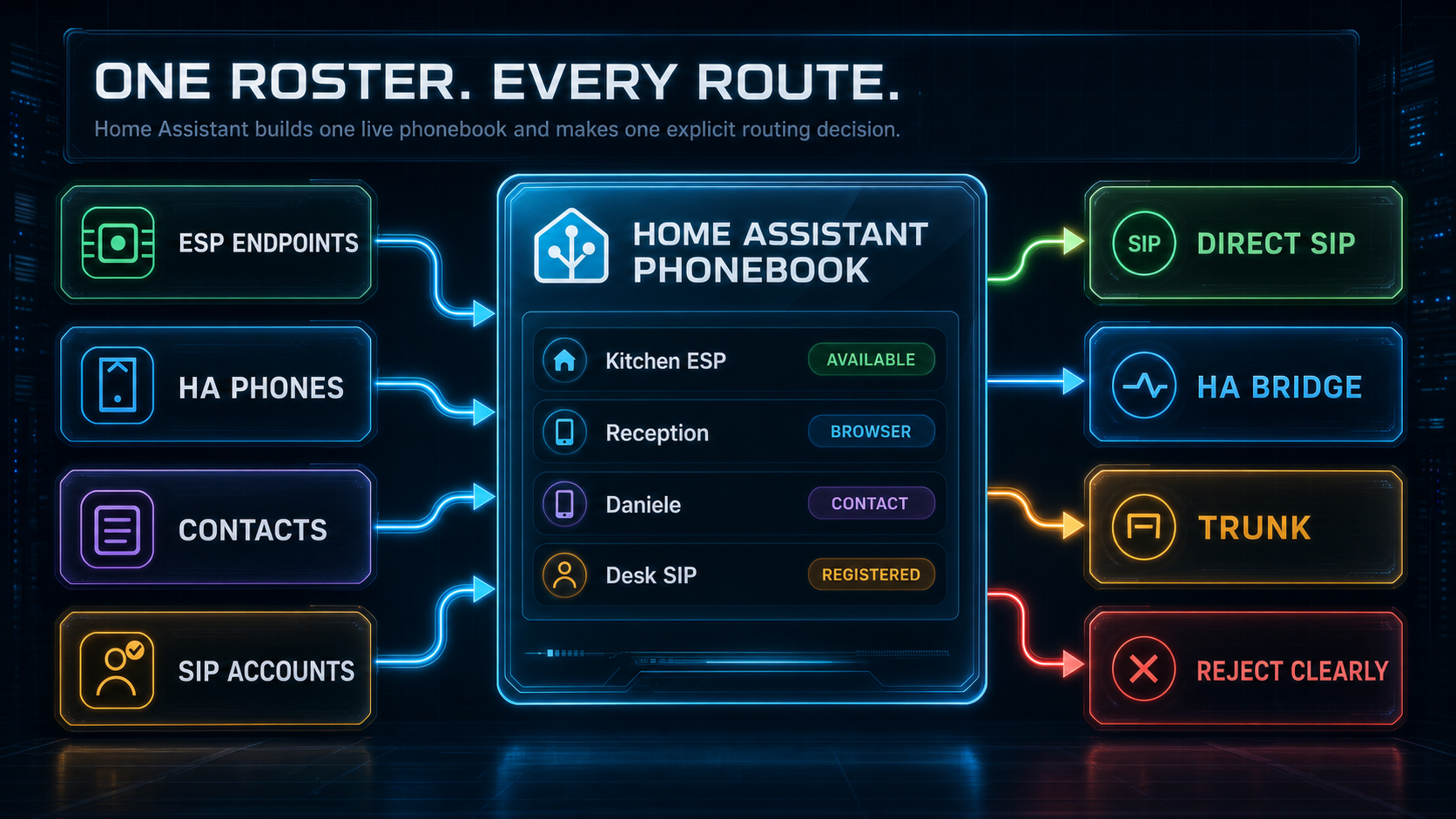
ESP endpoint publication, manual contacts and local SIP registrations become one HA-managed roster. Route decisions are direct SIP, HA route, trunk or explicit reject.
The high-level model is described in Phonebook And Routing.
The canonical roster JSON, SIP URI fields and audio capability fields are
documented in docs/PHONEBOOK_PROTOCOL.md.
Local SIP Endpoint Accounts
VoIP Stack can optionally act as a local SIP registrar for standard
SIP endpoints. Create an account from Developer Tools -> Services with
voip_stack.create_account:
service: voip_stack.create_account
data:
  username: "MobileOffice"
  display_name: "Mobile Office"
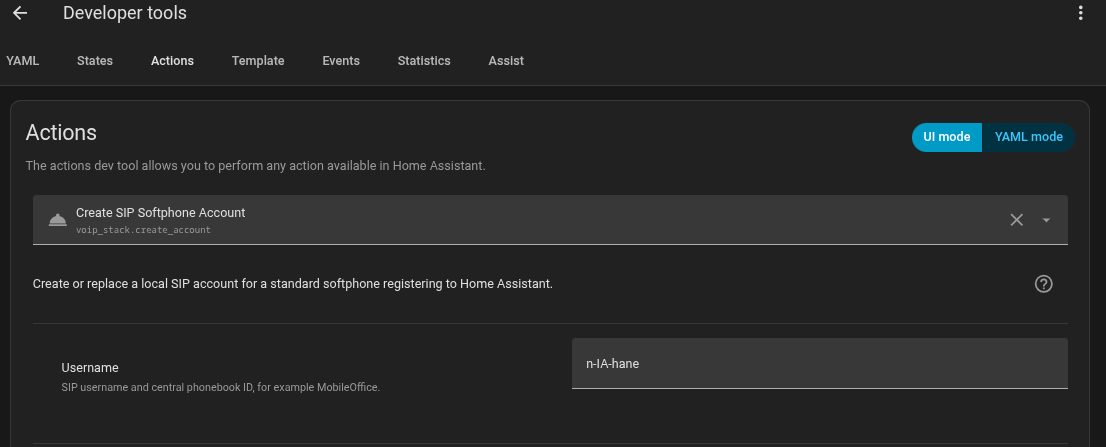
Create a local SIP endpoint account from Developer Tools -> Actions.
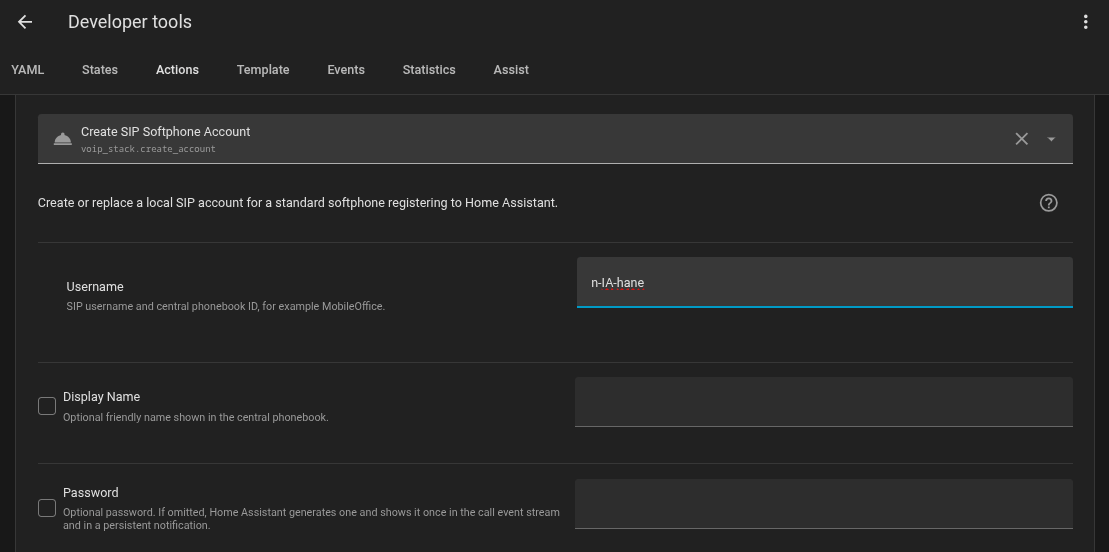
You can provide a password or let Home Assistant generate one.
If password is omitted, HA generates one and returns it once in the action
response. Copy it immediately from Developer Tools, or capture it with
response_variable in an automation. A password supplied by the caller is
stored exactly but is not echoed in logs, events or the action response.
Then configure Zoiper, Linphone, baresip or pjsua with:
server: <Home Assistant advertised IP or host>
username: MobileOffice
password: <password generated by HA>
transport: SIP TCP or SIP UDP
Pick whichever SIP transport is easiest to operate from the softphone/network
path. The username is also the central phonebook ID. When MobileOffice
registers, HA adds a dynamic SIP contact with that name to the roster and
pushes it to ESP devices. Deregistering, disabling the account or letting the
REGISTER expire removes the dynamic contact. Passwords are not logged;
generated passwords are only shown at creation/rotation time.
Trunk Routing
Home Assistant can optionally register a provider/PBX trunk. ESP devices do not register to that trunk: they call names or numbers through HA, and HA owns the external SIP leg, codec negotiation, RTP bridge and terminal reason propagation.
Standard inbound dial plan
The phonebook is always the canonical default dial plan. In Direct mode an incoming trunk call immediately follows the configured fallback destination. In DTMF mode explicit digits select a phonebook extension; no digits fall back to the configured target. An unknown explicit extension terminates the leg with a route error instead of silently ringing somewhere else.
The default target may be the HA softphone, an ESP, a registered SIP phone, a ring or conference group, an Assist extension, a SIP URI or another routable phonebook destination. No automation is required for this path.
Automation Dial Plan (Experimental)
When explicitly enabled, automations can override only the bounded decision points exposed by the backend. Direct mode offers the decision before its fallback destination; DTMF mode offers it only when the caller entered no digits. If no automation acts within 1.5 seconds, the normal phonebook route continues.
Use voip_stack.select_inbound_destination for this initial decision. Reserve
voip_stack.forward for a call that has already been delivered and is ringing
or connected.
After HA starts ringing, a separate state-trigger automation can forward the same unanswered call to Assist or another phonebook destination. The backend keeps the source call alive, releases the old owner and handles SIP CANCEL for any replaced ringing leg. The card remains a pure view of that backend state.
Example:
alias: VoIP - HA unanswered to Assist
mode: parallel
max: 10
triggers:
  - trigger: state
    entity_id: sensor.voip_stack_call_state
    to: ringing
    for: "00:00:30"
conditions:
  - condition: state
    entity_id: sensor.voip_stack_call_state
    attribute: ingress
    state: trunk
actions:
  - action: voip_stack.forward
    data:
      destination: "1666"
      on_failure: resume
Replace 1666 with the extension assigned to Include voice assistant.
on_failure: resume returns the still-live call to the original HA phone if
Assist cannot take ownership. With multiple logical HA phones, select that
phone Device's call-state sensor instead of the default compatibility entity.
The ringing state already implies an incoming call for that phone. Keep the
ingress: trunk condition to limit this fallback to provider/PBX calls, or
remove the condition when local-extension calls should use it too.
See Automation Dial Plan for complete native
event.received and state for: examples with no Call-ID or Jinja in ordinary
single-call use.
Call Routing
These diagrams show the common call paths after the phonebook has resolved a destination.
Browser softphone path: the card talks only to HA; HA opens the SIP leg toward the ESP.
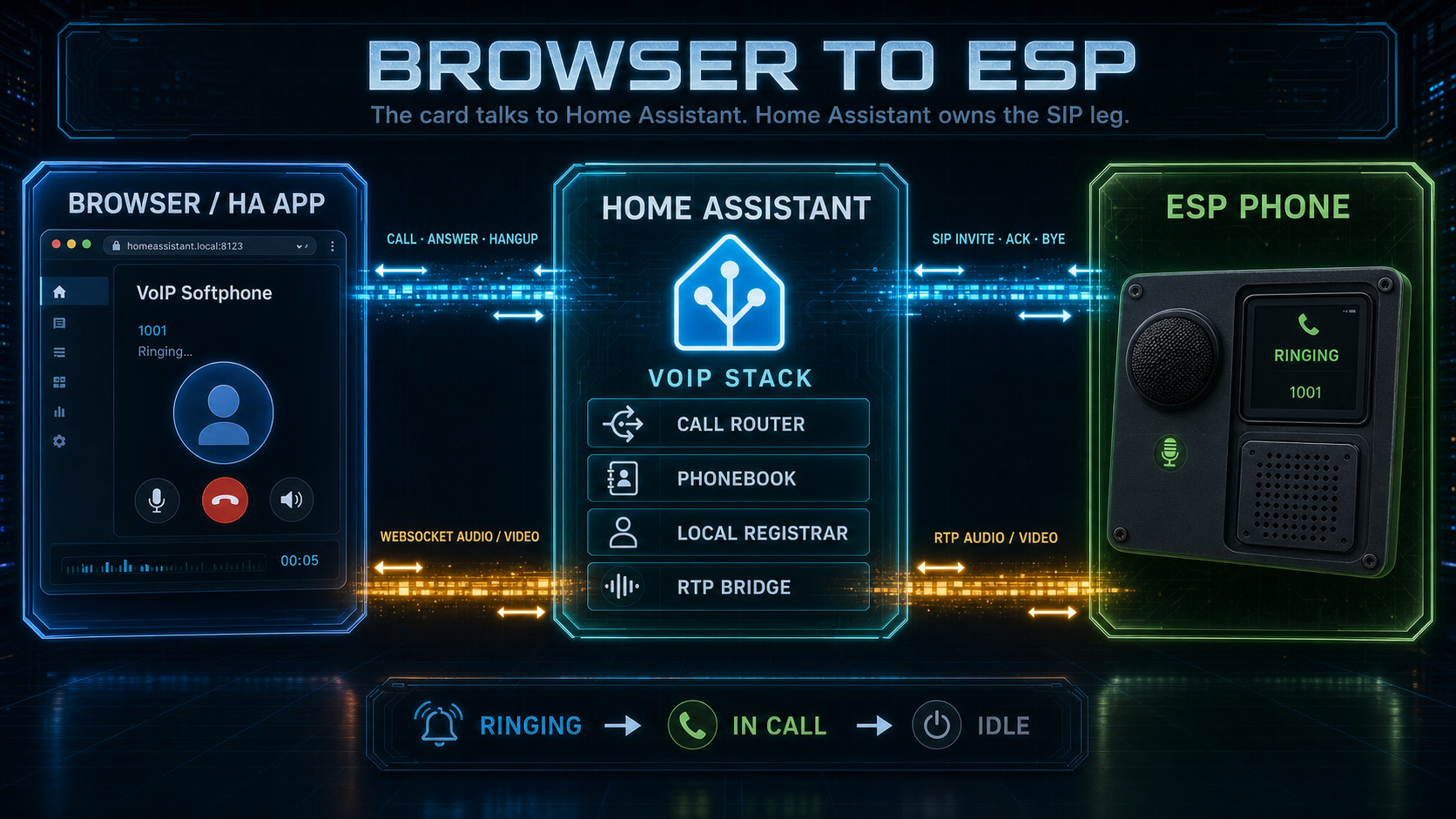
Browser/App → ESP:
- User clicks "Call" in the card
- HA opens the SIP leg to the selected ESP
- HA sends INVITE with caller=
hass.config.location_name - ESP rings or auto-answers
- Bidirectional audio streaming begins
ESP → HA peer:
- User selects the HA location name in the ESP phonebook
- ESP sends INVITE to HA
- HA notifies connected browser cards
- User answers from the card, or the card auto-answers
- Bidirectional audio streaming begins
ESP ↔ ESP
ESP peers call each other directly only when the phonebook entry contains a complete direct SIP endpoint and compatible media. Numeric targets, unresolved names, trunk calls and bridge-required routes go to HA.
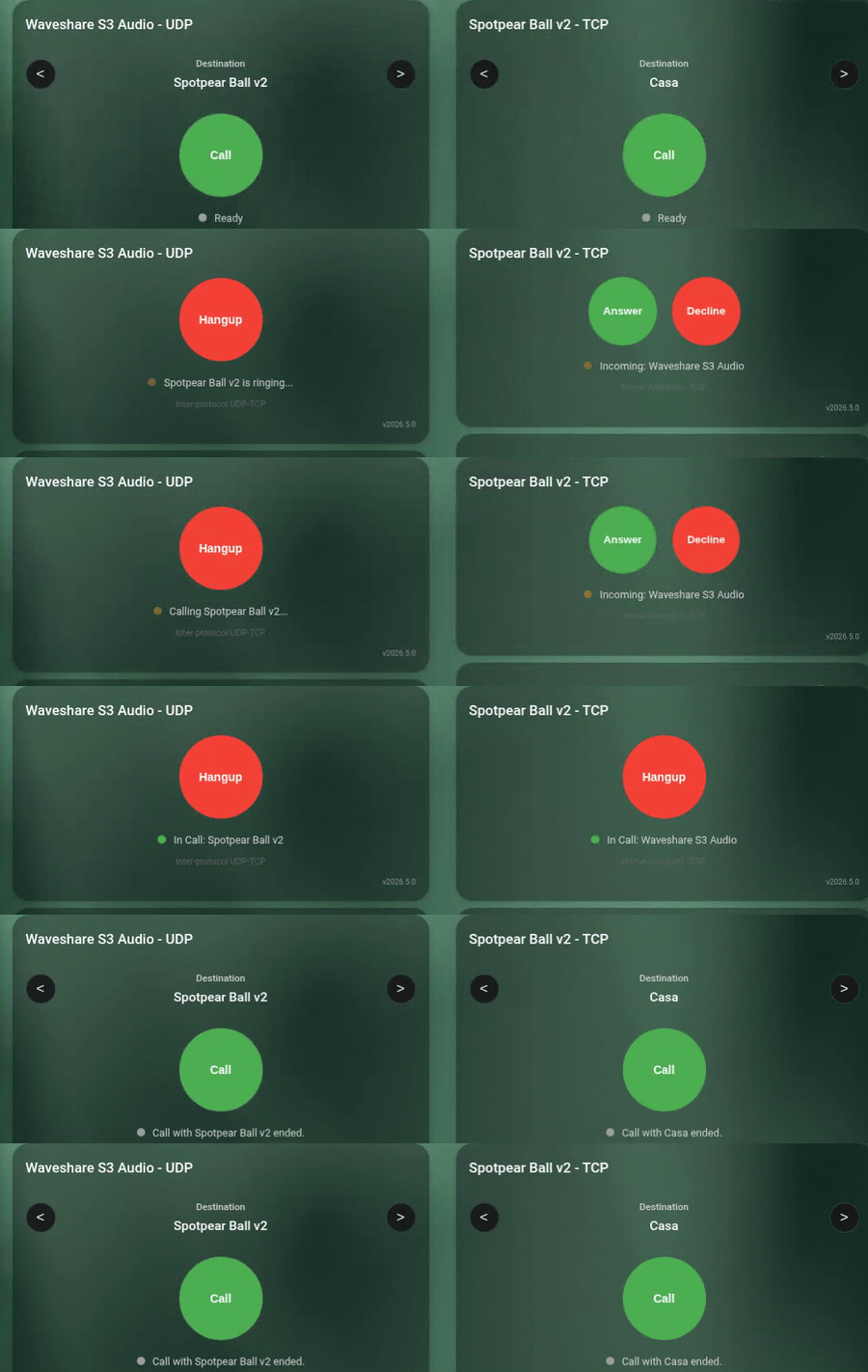
ESP-to-ESP routing depends on the selected destination and transport compatibility. In this demo a UDP device calls a TCP device through HA.
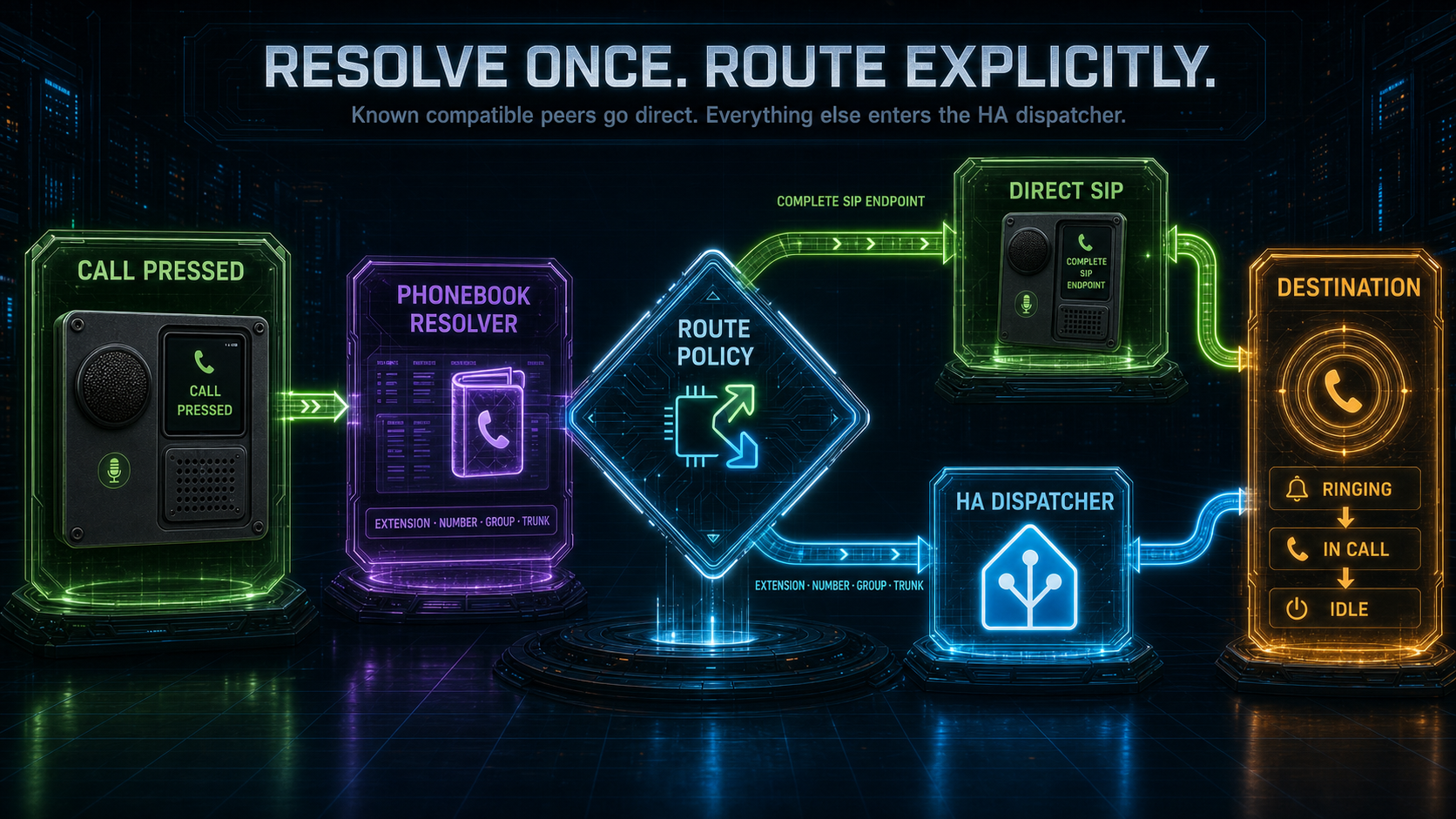
Call Flow (ESP #1 calls ESP #2):
- User selects "Bedroom" on ESP #1 via display, button, or service.
- ESP #1 resolves the phonebook entry.
- Complete direct SIP endpoint: ESP #1 sends INVITE directly to ESP #2.
- Bridge-required route: ESP #1 sends INVITE to HA, preserving
dest_name="Bedroom", and HA opens the second leg. - Either side can hang up; the terminal reason is propagated to the other leg.
HA routing features:
- Contact roster publication from HA
- Next/Previous contact navigation
- Caller ID display
- Ringing timeout with auto-decline
- Bidirectional hangup propagation
ESP calling Home Assistant (Doorbell)
Home Assistant is published to the ESP phonebook automatically. When an ESP
initiates a call to that HA contact from a GPIO button, LVGL button or template
button, Home Assistant emits voip_stack.incoming_call for notifications and
the Lovelace card goes into ringing state with Answer/Decline buttons:
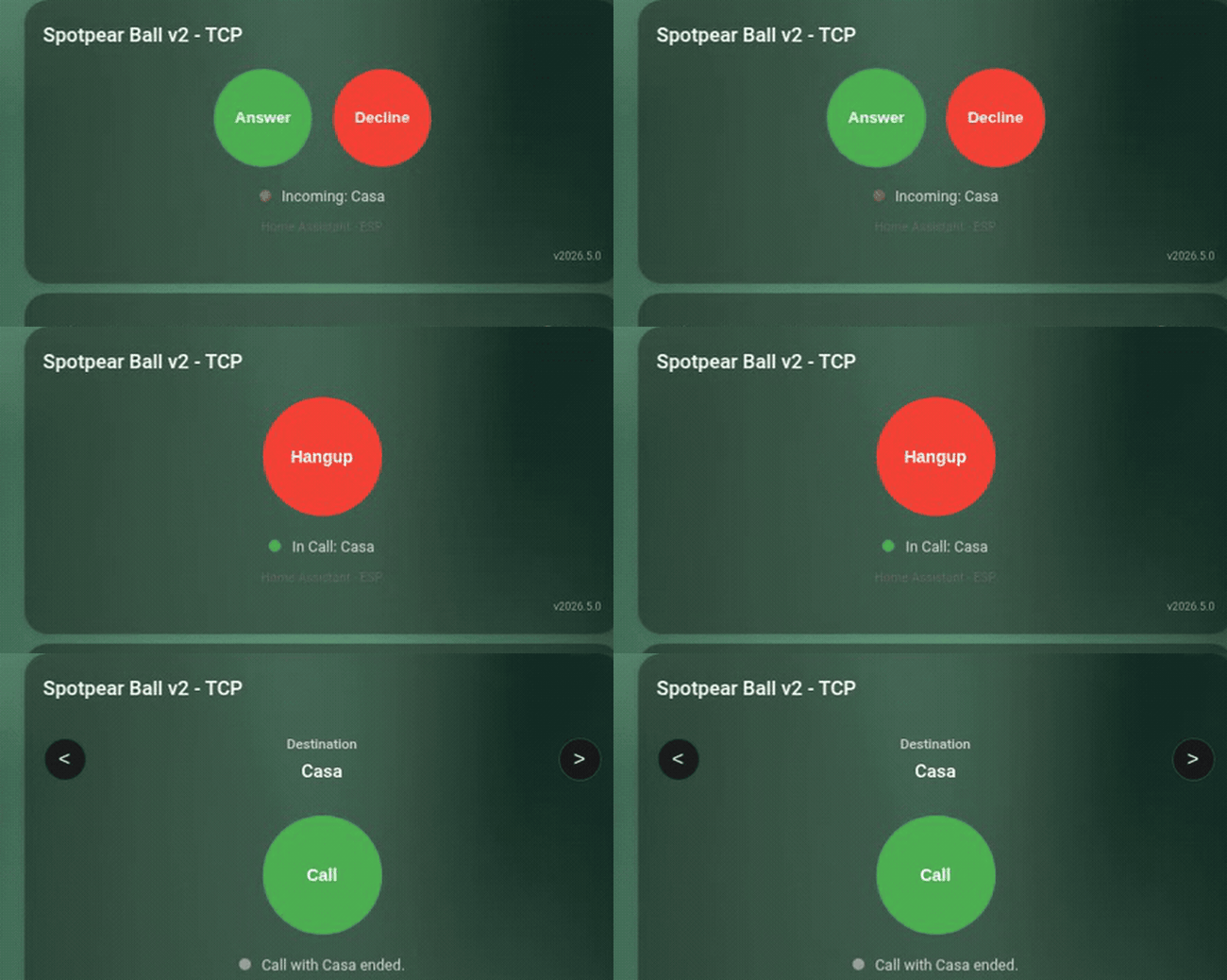
Doorbell path: the ESP calls the HA peer name, and the browser card rings with Answer/Decline.
Reference
Full options, actions, conditions, entities, services and automation examples are documented in docs/reference.md.
Quick links:
voip_stackcomponent options- ESP triggers
- ESP actions and conditions
esp_audio_stack,esp_aecandesp_afecomponent docs- Home Assistant services
- Home Assistant SIP events
Call Flow Diagrams
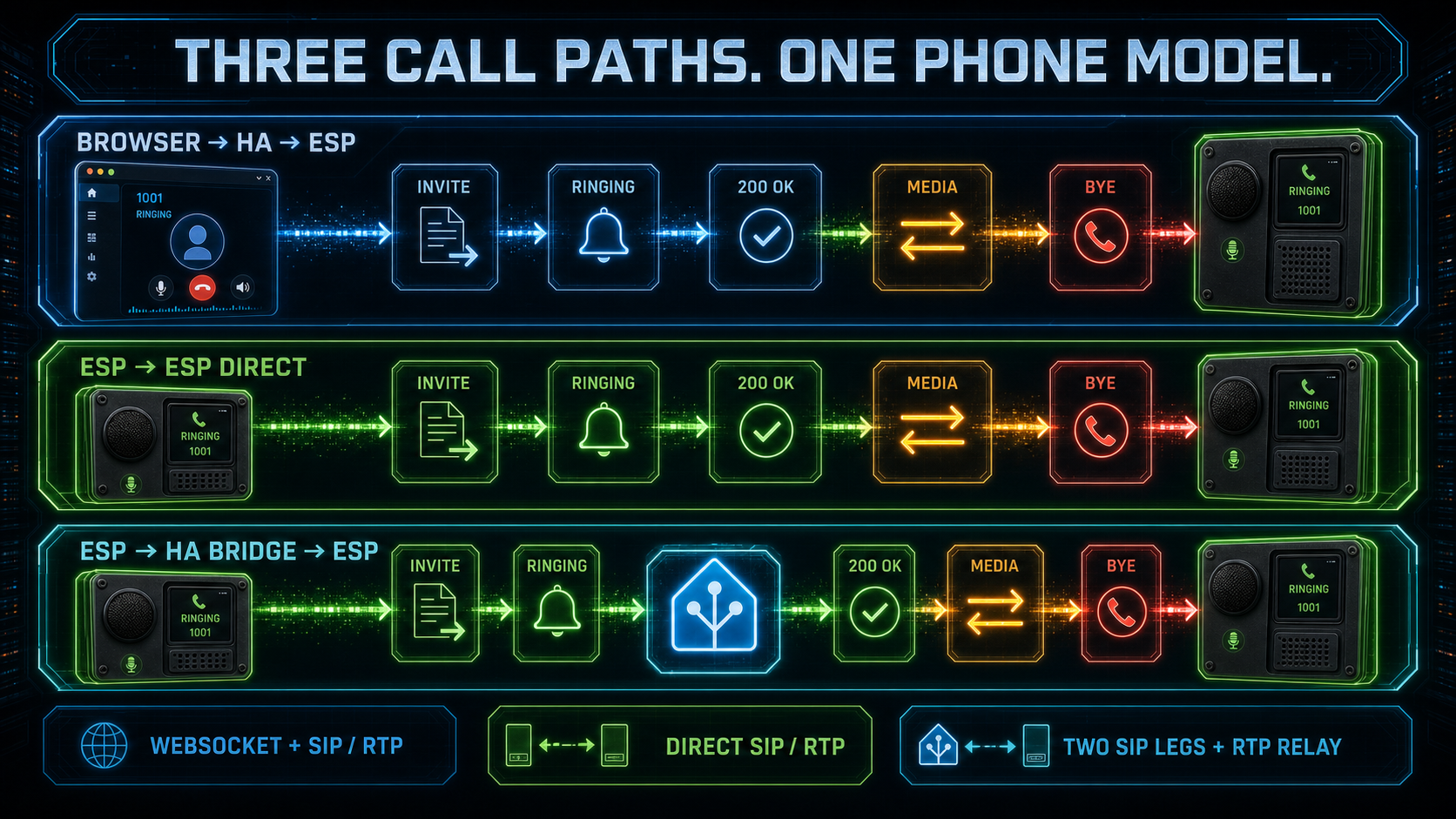
The three canonical paths share the same phone lifecycle:
- Browser → HA → ESP: the browser uses WebSocket media while HA owns the ESP-facing SIP dialog and RTP stream.
- ESP → ESP direct: compatible endpoints exchange SIP and RTP without an HA media hop.
- ESP → HA bridge → ESP: HA owns two independent SIP legs and relays media when routing, transport or format policy requires it.
Hardware Support
Choose from the canonical hardware/YAML matrix below. If you are not sure which audio architecture fits your board and use case, follow the Deployment Guide decision tree instead of copying a nearby configuration blindly.
Tested Configurations
| Device | Status | YAML | Microphone | Speaker | I2S Mode | Audio pipeline | Features |
|---|---|---|---|---|---|---|---|
| Spotpear Ball v2 (AFE) | Tested | spotpear-ball-v2-full-afe.yaml |
ES8311 | ES8311 | Single bus | esp_afe (AEC + NS + AGC + VAD) |
VA + MWW + VoIP + LVGL |
| Spotpear Ball v2 (VoIP) | Tested | spotpear-ball-v2-voip.yaml |
ES8311 | ES8311 | Single bus | esp_aec (SR stereo loopback) |
VoIP only |
| Waveshare S3-Audio (AFE) | Tested | waveshare-s3-full-afe.yaml |
ES7210 4-ch | ES8311 | Single bus TDM | esp_afe (AEC + Speech Enhancement + VAD) |
VA + MWW + VoIP + LED + AFE switches/sensors |
| Waveshare P4-Touch portrait (AFE) | Hardware-test target | waveshare-p4-touch-full-afe-portrait.yaml |
ES7210 4-ch | ES8311 | Single bus TDM | esp_afe (AEC + Speech Enhancement + VAD) |
VA + MWW + VoIP + LVGL touch |
| Waveshare P4-Touch landscape (AFE) | Field-tested target | waveshare-p4-touch-full-afe-landscape.yaml |
ES7210 4-ch | ES8311 | Single bus TDM | esp_afe (AEC + Speech Enhancement + VAD) |
Landscape LVGL dashboard, VA + MWW + VoIP |
| Generic S3 (full AEC light) | Reference YAML | generic-s3-full-aec.yaml |
Any I2S MEMS | Any I2S amp | Single bus (duplex) | esp_aec SR + previous_frame ref |
VA + MWW + VoIP, lighter 4 MB-oriented preset |
| Generic S3 (full AEC light, dual bus) | Reference YAML | generic-s3-full-aec.yaml |
Any I2S MEMS | Any I2S amp | Dual bus | esp_aec SR + previous_frame ref |
VA + MWW + VoIP on separated I2S buses |
| Generic S3 (full AFE, untested) | Expected-working | generic-s3-full-afe.yaml |
Any I2S MEMS | Any I2S amp | Single bus (duplex) | esp_afe (AEC + NS + AGC + VAD) + TYPE2 ring ref |
VA + MWW + VoIP, requires >4 MB app slot |
| Generic S3 (full native) | Reference YAML | generic-s3-full-esphome-native.yaml |
Native ESPHome mic or processed front-end | Native ESPHome speaker | Native ESPHome audio | Native ESPHome microphone/speaker, no software AEC |
Full experience for XMOS/hardware-AEC front-ends, separated I2S mic/speaker paths, or native audio testing |
| Generic S3 (native VoIP full-duplex) | Reference YAML | generic-s3-voip-esphome-native-full-duplex.yaml |
Native ESPHome mic or processed front-end | Native ESPHome speaker | Separated native ESPHome audio paths | None in firmware; use hardware/DSP AEC if needed | VoIP-only native ESPHome audio for two independent I2S paths, not a shared single-bus AEC backend |
| Generic S3 (native VoIP mic-only) | Reference YAML | generic-s3-voip-esphome-native-mic-only.yaml |
Native ESPHome mic or processed front-end | None | Native ESPHome audio | None in firmware; use hardware/DSP AEC if needed | One-way microphone endpoint |
| Generic S3 (native VoIP speaker-only) | Reference YAML | generic-s3-voip-esphome-native-speaker-only.yaml |
None | Native ESPHome speaker | Native ESPHome audio | Not applicable | One-way speaker endpoint |
| Generic S3 single bus (VoIP) | Reference YAML | generic-s3-voip.yaml |
Any I2S MEMS | Any I2S amp | Single bus (duplex) | esp_aec + previous_frame ref |
VoIP only |
| Generic S3 dual bus (VoIP) | Reference YAML | generic-s3-voip.yaml |
Any I2S MEMS | Any I2S amp | Dual bus | esp_aec + previous_frame ref |
VoIP only |
Want to help expand this list? Send me a device to test or consider a donation, every bit helps!
Requirements
- ESP32-S3 or ESP32-P4 with PSRAM (required for AEC)
- I2S microphone (INMP441, SPH0645, ES8311, etc.)
- I2S speaker amplifier (MAX98357A, ES8311, etc.)
- ESP-IDF framework (not Arduino)
- sdkconfig tuning for PSRAM devices: S3 profiles use cache/PSRAM instruction/rodata options to recover internal heap; P4 profiles keep a smaller validated baseline with L2 cache plus PSRAM XIP and avoid aggressive Wi-Fi/LWIP IRAM overrides. See the board packages and esp_afe README for details.
Generic full-experience S3 now has two maintained presets. Use
generic-s3-full-aec-* for the lighter 4 MB-oriented build: it keeps VA, MWW,
media, mixer and VoIP but omits the timer alarm sound asset and uses
standalone esp_aec with the lightweight previous_frame reference. Use
generic-s3-full-afe-* when you want the full Espressif AFE pipeline with
NS/AGC/VAD, the canonical TYPE2-style software reference and the full timer
alarm behavior; that profile needs an app slot larger than the default 4 MB OTA
slot, so 8 MB or 16 MB flash is recommended. The example GPIOs are placeholders:
on ESP32-S3R8/S3R8V, GPIO33/35/36/37 are PSRAM pins, so move
BCLK/LRCLK/DIN/LED to board-safe pins before flashing.
The P4 YAMLs are hardware-specific targets. The landscape profile has been field-tested with ESPHome 2026.6.5, ESP-Hosted 2.12.9, phonebook sync, Sendspin, Assist/TTS and concurrent VoIP calls. The generic ESP32-S3 profiles remain the portable reference for custom hardware.
Waveshare P4 Touch C6 firmware requirement
The Waveshare ESP32-P4-WIFI6-Touch-LCD boards use an ESP32-C6 co-processor for
Wi-Fi over ESP-Hosted SDIO. If a P4 build boots but then resets, hangs, or loses
Wi-Fi under media/TTS streaming, update the C6 network_adapter firmware before
debugging the audio pipeline. Factory/older C6 firmware can expose broken hosted
OTA behavior (Req_OTABegin timeout), SDIO mode mismatch failures, or transport
resets under stream load.
The validated recovery path used on the 10.1" Waveshare P4 Touch was:
- Build a P4 recovery flasher from Espressif
esp-serial-flasher/examples/esp32_sdio_example. - Embed the ESP32-C6 ESP-Hosted
network_adapter.binplus its C6 bootloader, partition table andota_data_initial.bin. - Configure the SDIO flasher for the Waveshare P4 pins:
D0-D3=GPIO14..GPIO17,CLK=GPIO18,CMD=GPIO19, C6 resetGPIO54, 4-bit SDIO. - Put the C6, not the P4, into ROM download mode by shorting the exposed
C6_IO9pad toGNDwhile the P4 recovery flasher boots. The small C6 flash pad group is labelledTXD,RXD,IO9,GND; for the SDIO ROM flasher onlyIO9 -> GNDis needed. - Keep
IO9grounded until the P4 flasher logs that it connected to the C6 target and finishesFlash verifiedfor bootloader, partition table, OTA data and app. Then releaseIO9. - Reflash the normal ESPHome P4 firmware.
After recovery, the tested board booted cleanly and the P4 stopped crashing
under hosted Wi-Fi. Keep the C6 firmware aligned with the host esp_hosted
library through the update entity below; current ESPHome builds use
ESP-Hosted 2.12.9.
The normal ESPHome P4 YAMLs enable hosted Wi-Fi with:
esp32_hosted:
  variant: ESP32C6
  use_psram: true
  reset_pin: GPIO54
  cmd_pin: GPIO19
  clk_pin: GPIO18
  d0_pin: GPIO14
  d1_pin: GPIO15
  d2_pin: GPIO16
  d3_pin: GPIO17
  active_high: true
use_psram: true lets ESPHome place ESP-Hosted transport mempool buffers in
DMA-capable PSRAM when supported. That is the official fix for memory-tight
P4/LVGL/audio builds that otherwise fail during SDIO startup with
sdio_mempool_create.
The shared package packages/board/esp32p4_c6_sdio.yaml
keeps the remaining board-level transport settings: SDIO streaming mode to
match the C6 slave, hosted task stacks in PSRAM, and conservative SDIO queue
sizes:
CONFIG_ESP_HOSTED_SDIO_OPTIMIZATION_RX_STREAMING_MODE: "y"
CONFIG_ESP_HOSTED_DFLT_TASK_FROM_SPIRAM: "y"
CONFIG_ESP_HOSTED_SDIO_TX_Q_SIZE: "10"
CONFIG_ESP_HOSTED_SDIO_RX_Q_SIZE: "10"
It exposes ESPHome's native coprocessor update entity:
http_request:

update:
  - platform: esp32_hosted
    name: ESP32-C6 Coprocessor Firmware
    type: http
    source: https://esphome.github.io/esp-hosted-firmware/manifest/esp32c6.json
Do not force-install an older advertised version. ESPHome only offers firmware
versions compatible with the compiled host esp_hosted library; if the update
entity reports no compatible newer C6 image, leave the C6 alone until the host
library is updated.
Audio Components
Three ESPHome components sit between your codec and the VoIP / voice assistant pipelines. Each has its own README with the full option list and tuning notes; the highlights below exist just to help you pick.
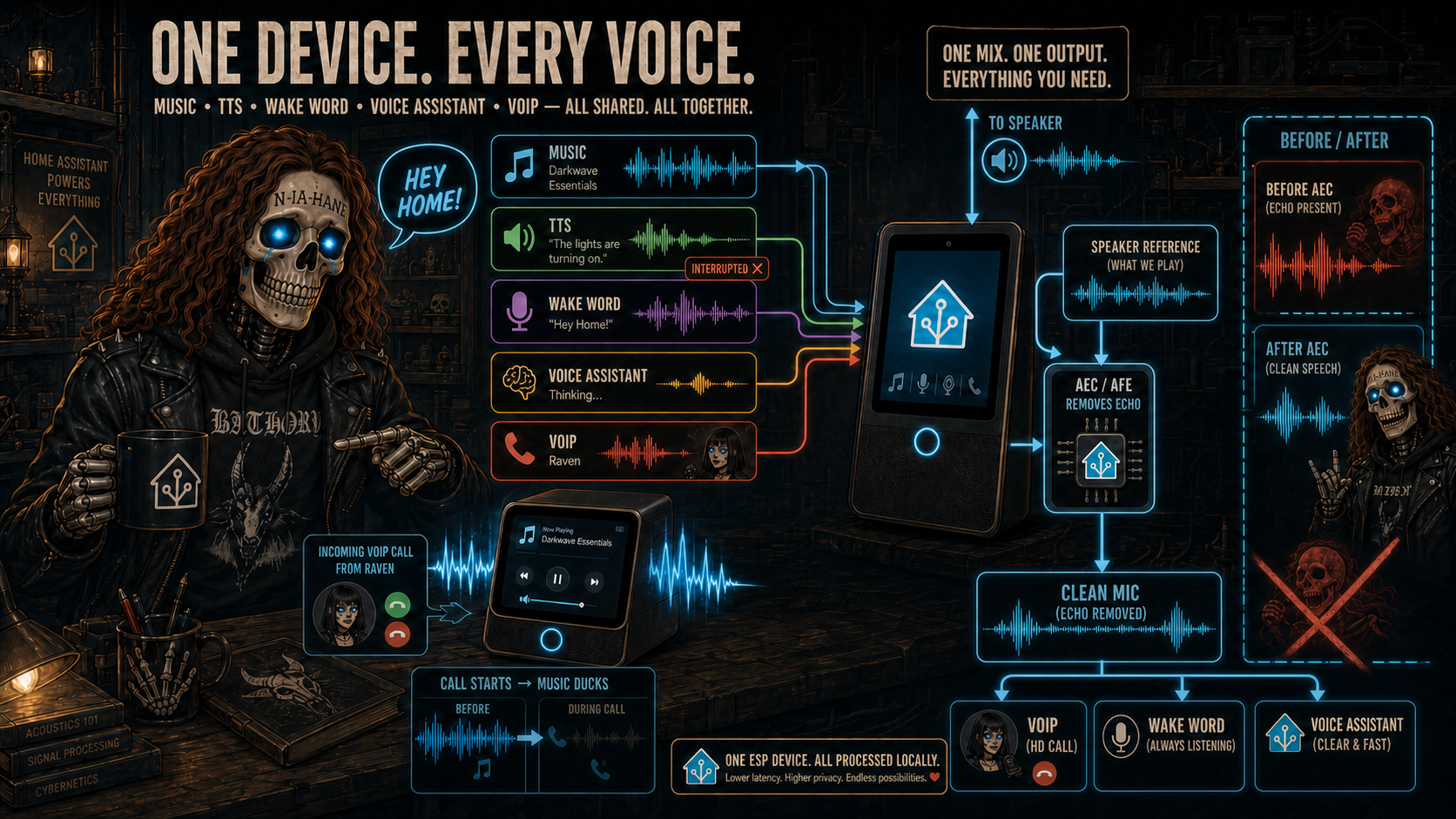
Playback sources share one controlled output, while the processed post-AEC microphone feeds VoIP, Micro Wake Word and Voice Assistant with clean speech.
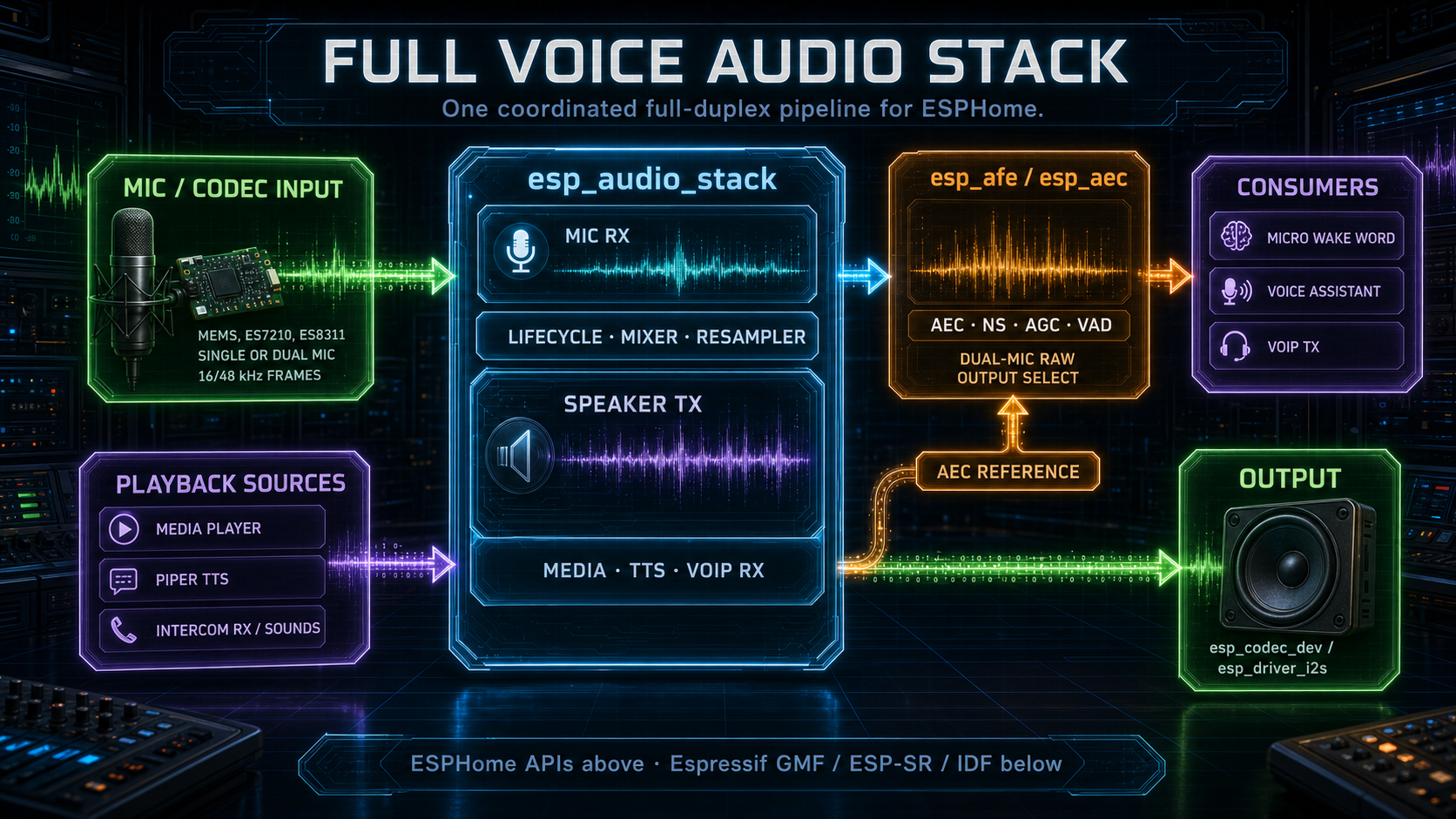
The same audio stack can serve VoIP, Voice Assistant, TTS and media workloads on full voice devices.
Plain VoIP does not always require esp_audio_stack: voip_stack
can run on ESPHome's normal microphone and/or speaker components. This is
the right fit for hardware/DSP-processed audio such as XMOS front-ends, for
mic-only or speaker-only endpoints, and for full-duplex tests where microphone
and speaker are exposed as independent native ESPHome paths.
Native ESPHome audio is not the shared single-bus software-AEC backend. If
your board is a plain MEMS mic plus I2S amplifier sharing timing or needing a
software reference, use an esp_audio_stack AEC/AFE profile. esp_audio_stack
is intentionally heavier because it owns the coordinated mic/speaker lifecycle,
reference capture and mixer arbitration needed by full audio devices.
The full native examples under yamls/full-experience/esphome-native/ extend
that idea to VA, MWW, media player and VoIP on native ESPHome audio
components. The voip-only native examples under
yamls/voip-only/esphome-native/ provide dedicated separated-path
full-duplex, mic-only and speaker-only starting points without carrying
unrelated full-experience blocks.
Native ESPHome audio does not add software echo cancellation by itself. If your
microphone path is already processed by hardware or firmware, for example an
XMOS front-end that outputs echo-cancelled PCM, the native full profiles are a
good starting point and avoid unnecessary esp_audio_stack complexity. If your
hardware is a plain INMP441 plus MAX98357A, or any other normal mic/amp pair
without its own AEC, use an esp_audio_stack AEC/AFE profile instead.
Use esp_audio_stack when a board has one shared I2S bus, when you need a
phase-coherent speaker reference for software AEC, or when the same ESP also
runs media player, Piper TTS, Micro Wake Word and Voice Assistant on raw
mic/speaker hardware without hardware echo cancellation. It can also be useful
outside VoIP projects: an ESPHome Voice Assistant device can use it as the
shared mic/speaker transport and AEC reference path.
On AEC/AFE profiles the public ESPHome microphone exposed by esp_audio_stack
is the processed surface. Music, TTS, timers, Sendspin and VoIP playback
feed the speaker path and the AEC/AFE reference, while Micro Wake Word, Voice
Assistant and VoIP TX receive the cleaned microphone stream. That is why a
full device can keep playing media and still wake reliably on the user's voice
instead of on its own speaker output.
Full voice profiles that expose media playback use speaker_source: HA media,
announcements, local files and optional Sendspin streams are sources of one
media player, and the mixer remains the single arbitration point before the
hardware speaker. Older custom YAMLs that still use ESPHome's
platform: speaker media player can keep using the local
speaker fork for its pause-release
compatibility mode.
Full-experience profiles also use runtime_controller
as the control-plane reducer. It does not touch PCM audio. YAML callbacks send
events such as media_playing, wake_word, timer_finished or
ha_disconnected; the reducer keeps composable activities and resolves named
policies such as led_status, display_status, audio_policy, ringtone
and timer_alarm. This is what keeps a slow TTS response blue while media is
playing underneath, lets VoIP override the LED without forgetting media,
and prevents timer/ringtone/mute callbacks from racing display and ducking.
The maintained reducer package is deliberately readable YAML:
runtime_controller:
  id: runtime_controller
  activities:
    media:
      priority: 100
      policies: { led_status: media, audio_policy: normal }
    va_responding:
      priority: 800
      policies: { led_status: responding, audio_policy: duck }
  events:
    media_playing: { activate: media }
    media_idle: { deactivate: [media, va_responding] }
    wake_word:
      activate: va_starting
      cases:
        - any: [va_responding, announcement]
          deactivate: announcement
          action: voice_restart_response
For a composite device, put the microphone and speaker on the same I2S bus and
use esp_audio_stack. The
audio stack driver hands a phase-coherent speaker reference to the AEC each frame;
standalone voip_stack deliberately does not provide software AEC. If your
hardware does not already process echo, use an esp_audio_stack profile.
esp_audio_stack
more like this
PowerDisplayESPHome
A small display for ESPHome and Home Assistant to retrieve the current house consumption and energy price via a sensor…