 nickkossolapov
Fame Boy

A Game Boy (DMG) emulator written in F#. Try it out in the browser here!
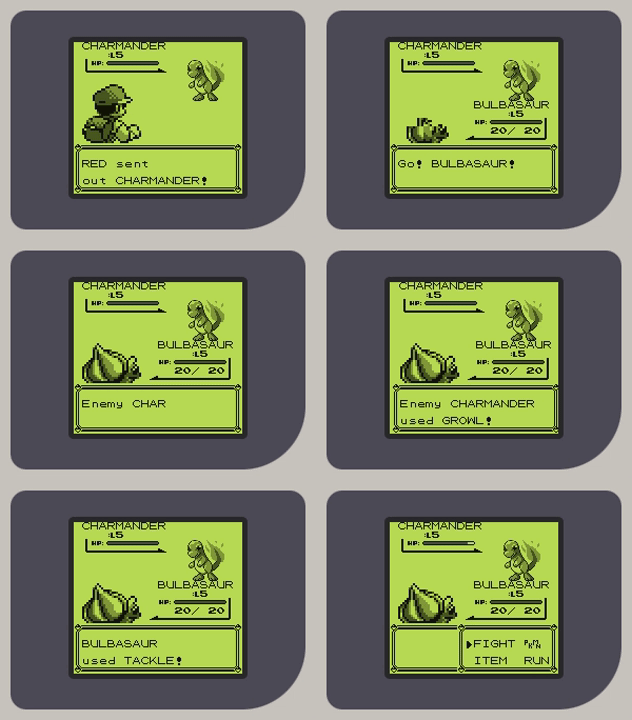
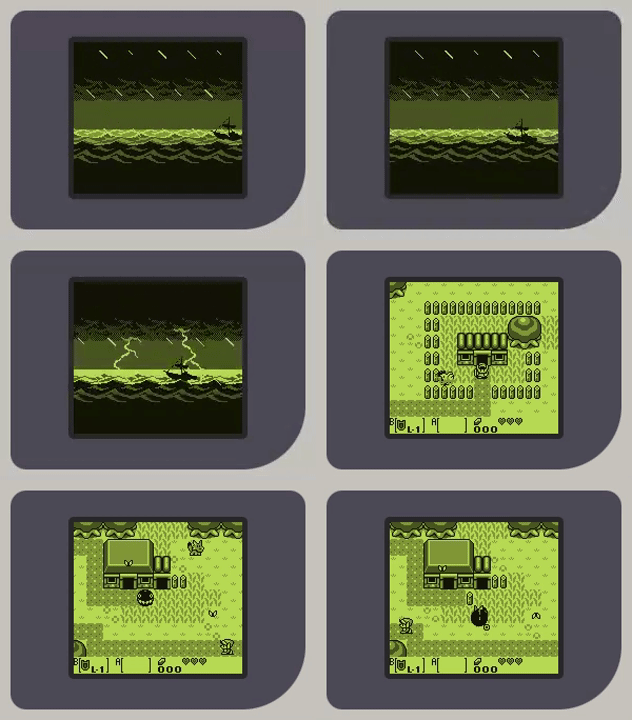
Features
- Supports most of the popular Game Boy games with sound (incl. Tetris, Pokémon, Mario, Zelda, and more!).
- Runs in the browser with a touch-friendly fully responsive design built with Fable.
- Cross-platform too, it runs natively on Windows, macOS, and Linux (and others) with Raylib.
- Zero-dependency F# core with robust typing and built with functional programming in mind.
About
I wrote about the architecture and my general experience in a blog post: I built a Game Boy emulator in F#
This project was a way for me to learn more about computer hardware. The original Game Boy felt like the perfect target: well-defined in scope while still complex enough to learn about a real system, and chock-full of nostalgia.
Along the way, I mostly optimised for readability, idiomatic F#, and having fun in the process, rather than chasing perfect hardware accuracy or maximum performance.
Limitations
There are still a few gaps with the real hardware that I may or may not get to (but would like to).
- No Game Boy Color support.
- Limited emulator configuration (no fast-forward, key remapping, or custom palettes).
- Missing battery saves (SRAM) and save states.
- Hardware inaccuracies (e.g. CPU instruction-level rather than M-cycle-level timing, scanline-based rendering rather than pixel FIFOs, and missing a few hardware features/bugs).
Repo structure
FameBoy- Core emulator library (CPU, PPU, memory, cartridges, IO)FameBoy.Raylib- Native desktop frontend using RaylibFameBoy.Web- Browser frontend using Fable and ViteFameBoy.Test- Unit and integration testsFameBoy.Benchmark,FameBoy.Benchmark.Web- Performance benchmarking projects
Getting Started
Prerequisites
- .NET 10 SDK
- Node.js (for the web projects only)
Running it locally
Desktop
dotnet run --project src/FameBoy.Raylib -- <rom-file-path> [scale]
scale is an optional positive integer that controls the window size multiplier (default: 4).
Web
cd src/FameBoy.Web
npm install
npm run dev
This starts both Fable and Vite in watch mode.
Testing
The unit tests cover most of the core emulator, and the integration tests run the emulator with the dmg-acid2 and Blargg cpu_instrs test ROMs, then compare the PPU's framebuffer with a known correct framebuffer.
To run the tests:
dotnet test
Benchmarks
More details on the benchmarks and results in my blog post.
Desktop
The benchmark includes a few ROMs to run the emulator with in headless mode with BenchmarkDotNet.
./benchmark.ps1
Or directly:
cd src/FameBoy.Benchmark
dotnet run -c release
Web
There is also a basic Node.js benchmarking project using the same test ROMs and structure as the native benchmarking to better estimate browser performance.
./benchmark-web.ps1
Or directly:
cd src/FameBoy.Benchmark.Web
npm run bench
Controls
| Game Boy | Key |
|---|---|
| D-pad | W / A / S / D |
| A | K |
| B | J |
| Start | N |
| Select | B |
The web version also supports mouse/touch.
License
The Fame Boy source code is licensed under the MIT License.
This project redistributes an unmodified copy of Tobu Tobu Girl DX by Simon Larsen, included under its original MIT/CC-BY licensing terms and is not covered by the above license.
more like this