agentlytics
Comprehensive analytics dashboard for AI coding agents — Cursor, Windsurf, Claude Code, VS Code Copilot, Zed, Antigravi…
JavaScript★ 555
A native macOS menu bar app for controlling your smart home devices.
 nickustinov


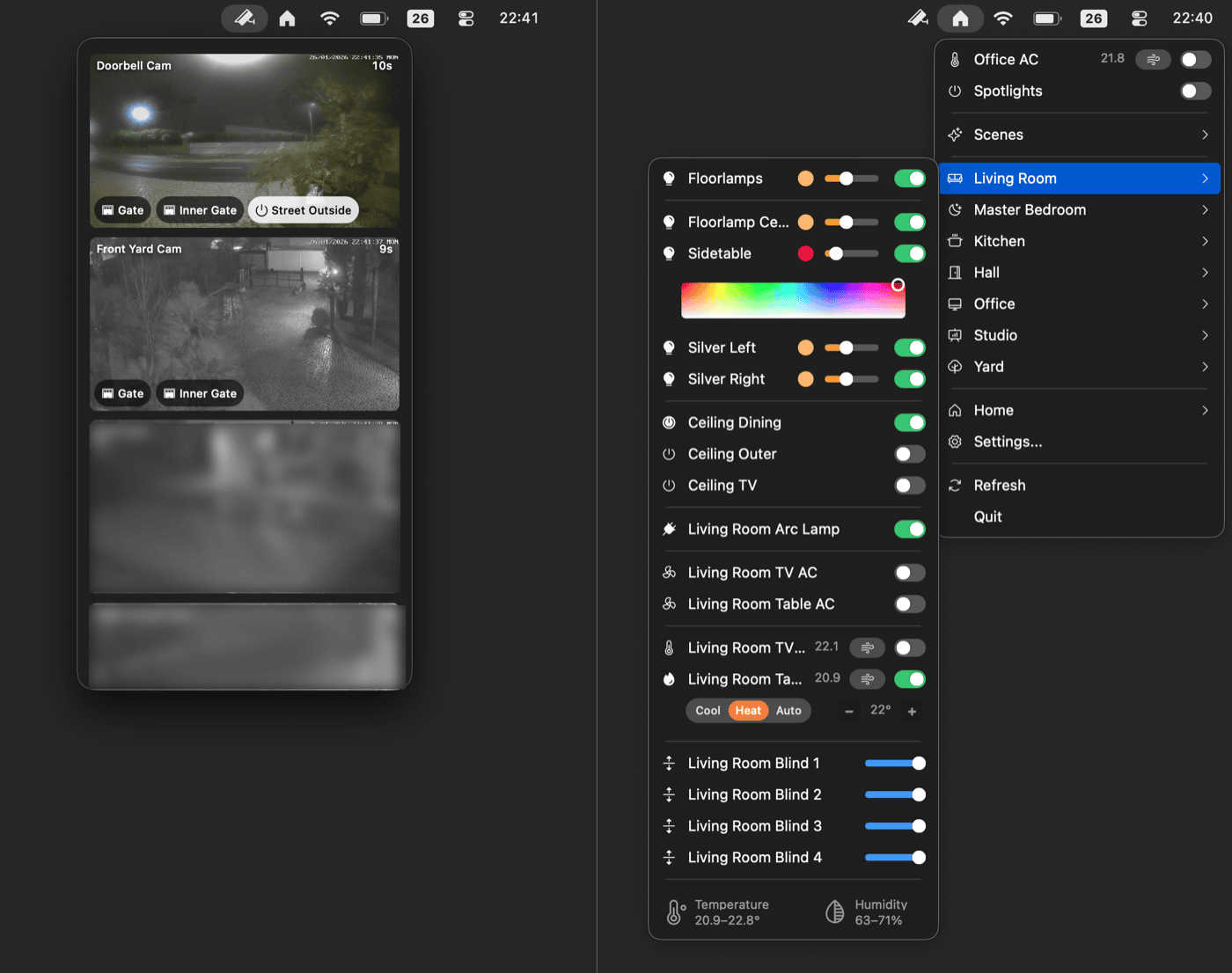
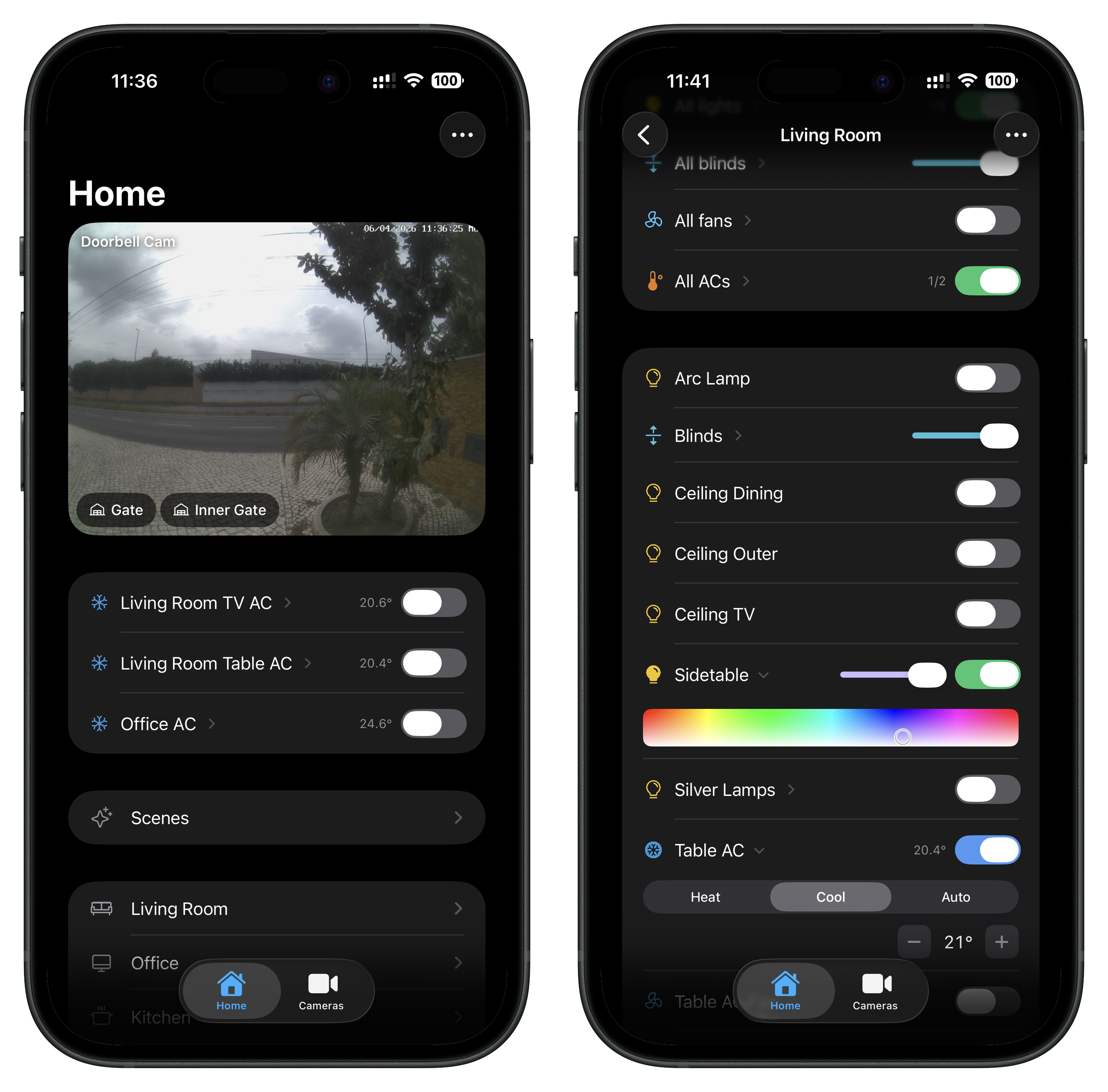
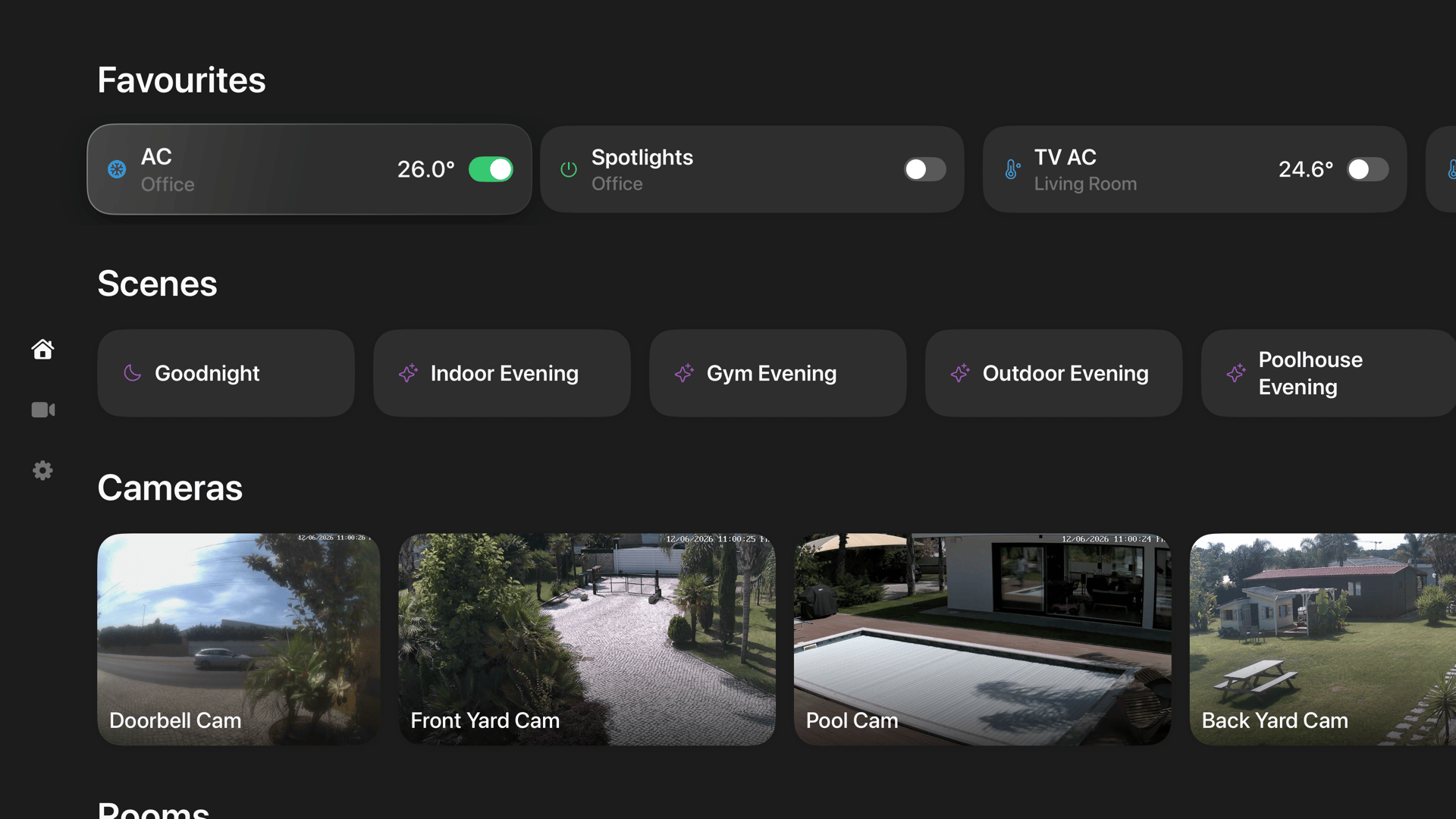
A native macOS menu bar app for controlling your HomeKit and Home Assistant smart home.
| iOS | tvOS |
|---|---|
 |
  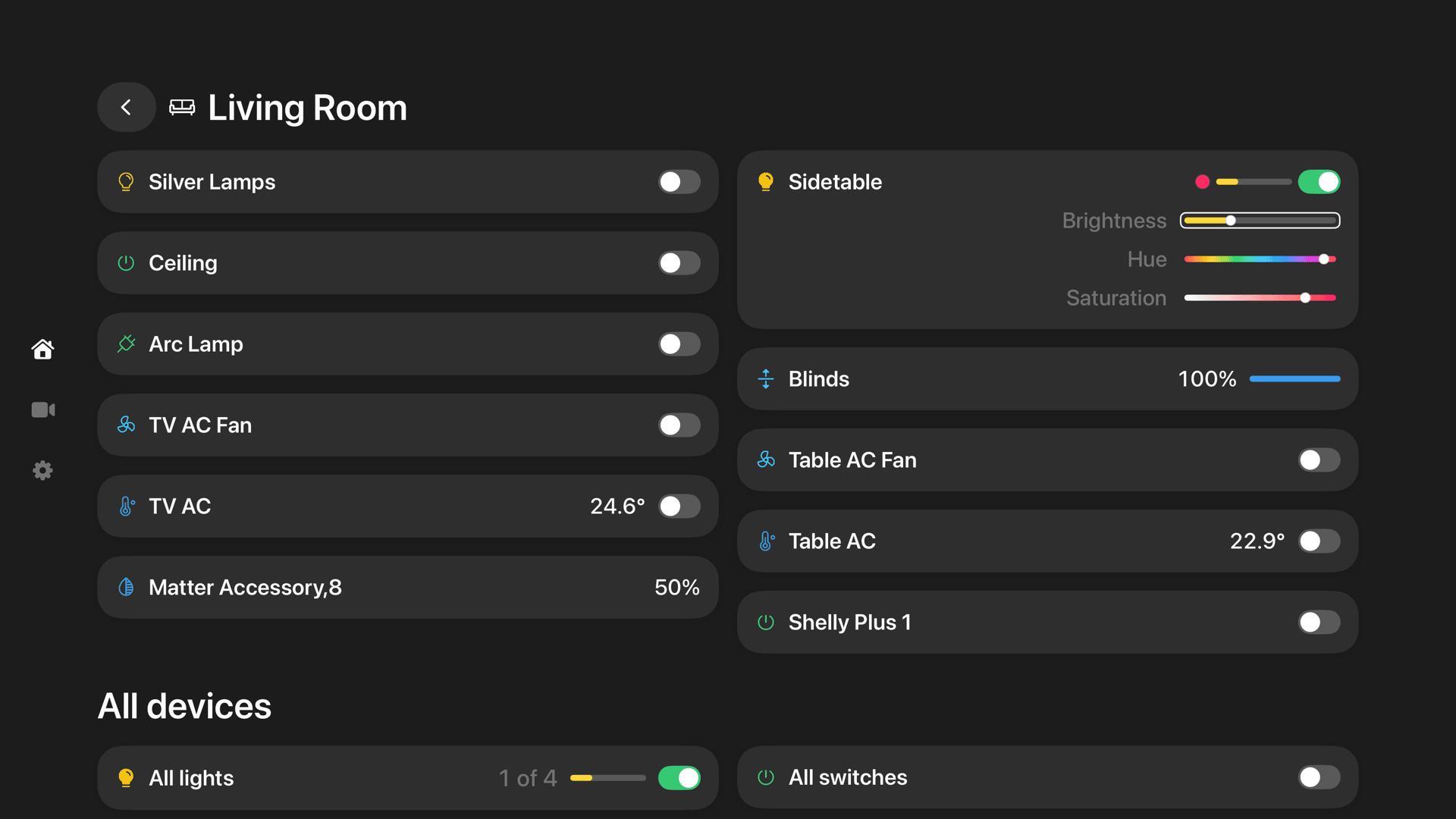 |
| Device type | Features |
|---|---|
| Lights | On/off, brightness slider, RGB color picker, color temperature picker |
| Switches & Outlets | On/off toggle, in-use indicator for outlets |
| Fans | On/off, speed slider, auto mode, rotation direction, swing mode |
| Thermostats | Off/Heat/Cool/Auto modes, target temperature stepper, heating/cooling thresholds for Auto mode |
| AC / Heater-Cooler | Auto/Heat/Cool modes, temperature control, swing mode toggle |
| Blinds / Window coverings | Position slider, horizontal/vertical tilt control |
| Locks | Lock/unlock toggle with status |
| Garage doors | Open/close toggle, status display (opening/closing/stopped), obstruction detection |
| Humidifiers & Dehumidifiers | Auto/Humidify/Dehumidify modes, humidity display, water level indicator, swing mode |
| Air purifiers | Manual/Auto modes, speed slider, swing mode |
| Valves | Open/close toggle, in-use indicator (irrigation, shower, faucet types) |
| Security systems | Off/Stay/Away/Night modes, triggered state indicator |
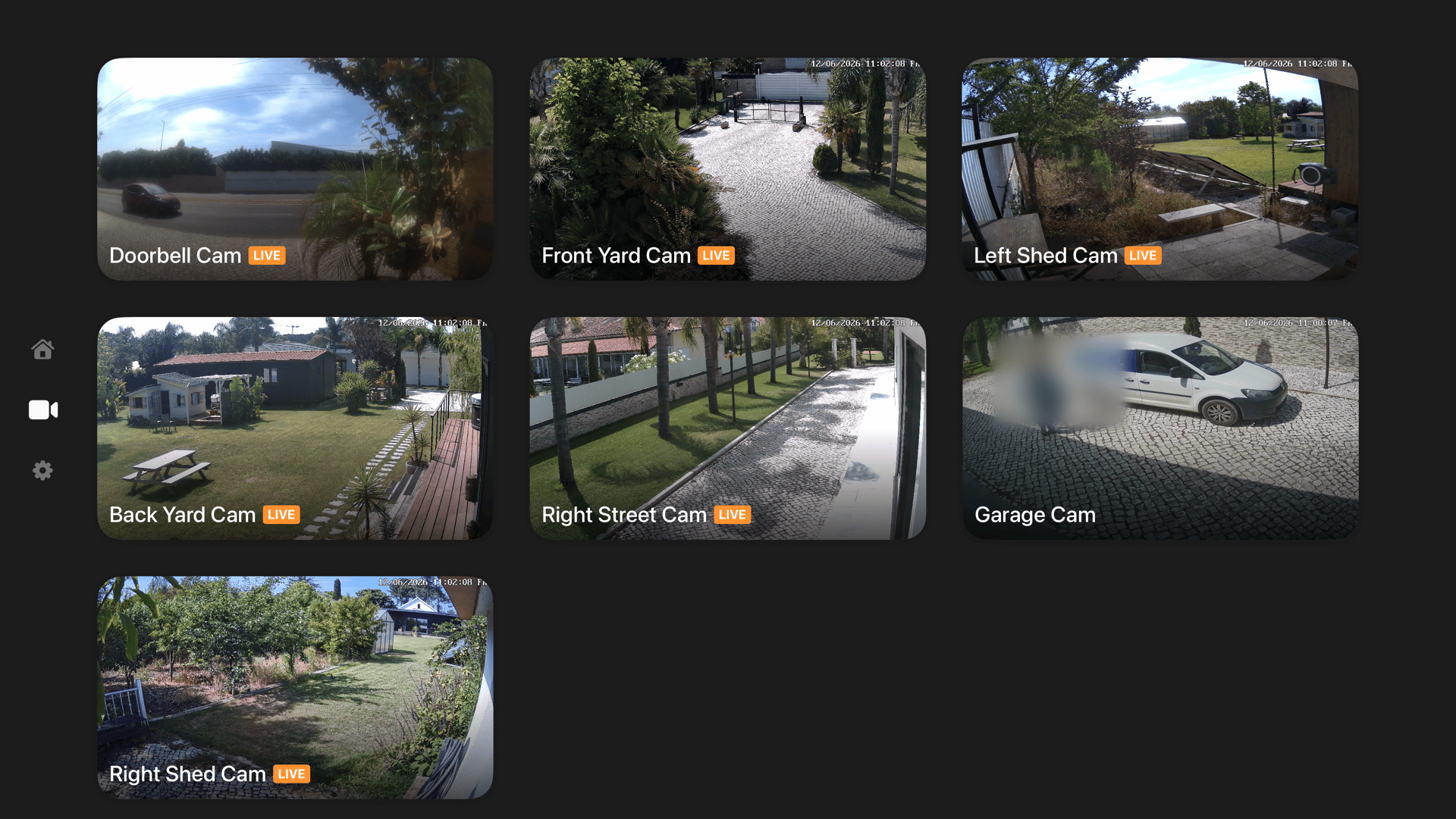
| Cameras | Live multi-stream grid with custom layouts, plus overlay action buttons to control nearby accessories (Pro) |
| Doorbells | Automatic camera view on ring with live stream and configurable chime sound (Pro) |
| Temperature & Humidity sensors | Summary display per room with ranges, or individual sensor rows |
| Binary sensors | Contact, motion, occupancy, leak, smoke, CO and CO2 state rows with state-aware icons |
| Battery-powered accessories | Inline battery level indicator next to the device name |
Connects via WebSocket API for real-time updates. On first launch, choose your platform. Switch anytime in Settings → General.
Setup: Profile → Security → Long-Lived Access Tokens → Create token → Enter server URL and token in Itsyhome settings.
| Entity | Features |
|---|---|
light |
On/off, brightness slider, RGB color picker, color temperature picker |
switch, input_boolean |
On/off toggle |
fan |
On/off, speed slider, direction, oscillation |
climate |
Off/Heat/Cool/Auto/Fan modes, target temperature, presets |
cover (blinds) |
Position slider, tilt control |
cover (garage/gate) |
Open/close toggle, status display (opening/closing/stopped) |
lock |
Lock/unlock toggle with status |
humidifier |
On/off, modes, target humidity |
valve |
Open/close toggle |
alarm_control_panel |
Off/Stay/Away/Night modes, triggered state indicator |
camera |
Live snapshots and WebRTC streaming (Pro) |
scene |
Activation with state tracking via scene config |
binary_sensor |
Contact, motion, occupancy, moisture, smoke and CO classes map to dedicated rows; any other class shows On/Off |
sensor |
Any numeric sensor (CO2, power, pressure, illuminance, ...) shows its value and unit with a device-class icon |
Notes:
stream integration for live videoView all your cameras at once in a live grid, right in the menu bar. Every HomeKit camera streams simultaneously; arrange them in 1-3 columns, mark cameras as full-width tiles, and resize the panel by dragging a corner - it stays anchored under the menu bar icon and remembers your size. Clicking a tile opens the camera full-panel with zoom, audio and push-to-talk, claiming the already-running stream so there is no renegotiation delay. Home Assistant cameras show snapshot tiles with tap-to-stream over WebRTC or HLS. Overlay action buttons let you control nearby accessories without leaving the camera view - toggle lights and outlets, open garage doors and gates, or lock and unlock doors.
When a doorbell rings, the camera panel automatically opens in the top-right corner of the screen with a pinned live stream of the doorbell camera. Supports HomeKit doorbells and Home Assistant doorbell events. A configurable chime sound plays on ring. Both the automatic camera display and the sound can be independently toggled in Settings → Cameras.
Itsyhome can publish its own bridge to Apple Home over HAP, carrying read-only virtual sensors (contact, motion, occupancy, leak, smoke, CO, CO2). Manage them in Settings → HomeKit bridge and pair by scanning a QR code (or typing the setup code); pairings and the bridge identity persist across restarts, with the identity key stored in the Keychain. Sensor state is set by name through the regular webhook verbs, or by built-in automations: "WHEN a HomeKit accessory holds a state FOR a duration THEN set a virtual sensor", with optional re-pulsing - so Apple Home can automate on conditions HomeKit can't compute itself, like "door open for 15 minutes". HomeKit mode only.
Opt-in 30-day history for every sensor, shown as a chart in the sensor's submenu: a line for temperature and humidity (thermostat and AC current temperature included), an on/off timeline for binary sensors, with hover readout and a 24h/7d/30d range toggle. Captured off the existing update path - no extra polling - and stored locally per home. Periods when nothing was recording (app closed, Mac asleep) show as gaps in the chart. Enable it in Settings → Advanced.
Sync your favourites, hidden items, device groups, shortcuts, and pinned items across all your Macs.
Control your smart home devices from external apps using URL schemes. Perfect for Shortcuts, Alfred, Raycast, Stream Deck, and other automation tools. Works with both HomeKit and Home Assistant.
URL format:
itsyhome://<action>/<target>
Actions:
| Action | URL format | Example |
|---|---|---|
| Toggle | itsyhome://toggle/<Room>/<Device> |
itsyhome://toggle/Office/Spotlights |
| Turn on | itsyhome://on/<Room>/<Device> |
itsyhome://on/Kitchen/Light |
| Turn off | itsyhome://off/<Room>/<Device> |
itsyhome://off/Bedroom/Lamp |
| Brightness | itsyhome://brightness/<0-100>/<Room>/<Device> |
itsyhome://brightness/50/Office/Lamp |
| Position | itsyhome://position/<0-100>/<Room>/<Device> |
itsyhome://position/75/Living%20Room/Blinds |
| Speed | itsyhome://speed/<0-100>/<Room>/<Device> |
itsyhome://speed/50/Bedroom/Ceiling%20Fan |
| Temperature | itsyhome://temp/<degrees>/<Room>/<Device> |
itsyhome://temp/22/Hallway/Thermostat |
| Color | itsyhome://color/<hue>/<saturation>/<Room>/<Device> |
itsyhome://color/120/100/Bedroom/Light |
| Scene | itsyhome://scene/<Scene%20Name> |
itsyhome://scene/Goodnight |
| Lock | itsyhome://lock/<Room>/<Device> |
itsyhome://lock/Front%20Door |
| Unlock | itsyhome://unlock/<Room>/<Device> |
itsyhome://unlock/Front%20Door |
| Open | itsyhome://open/<Room>/<Device> |
itsyhome://open/Garage/Door |
| Close | itsyhome://close/<Room>/<Device> |
itsyhome://close/Bedroom/Blinds |
| Arm stay | itsyhome://arm/stay/<Room>/<Device> |
itsyhome://arm/stay/Hall/Alarm |
| Arm away | itsyhome://arm/away/<Room>/<Device> |
itsyhome://arm/away/Hall/Alarm |
| Arm night | itsyhome://arm/night/<Room>/<Device> |
itsyhome://arm/night/Hall/Alarm |
| Disarm | itsyhome://disarm/<Room>/<Device> |
itsyhome://disarm/Hall/Alarm |
Target formats:
Room/Device - Device in specific room (e.g., Office/Spotlights)Room/group.Name - Group scoped to a room (e.g., Office/group.All%20Lights)group.Name - Global group (e.g., group.Office%20Lights)Testing from terminal:
open "itsyhome://toggle/Office/Spotlights"
open "itsyhome://toggle/Office/group.All%20Lights"
open "itsyhome://toggle/group.Office%20Lights"
open "itsyhome://scene/Goodnight"
open "itsyhome://brightness/50/Bedroom/Lamp"
Note: Spaces in room or device names must be URL-encoded as %20.
A built-in HTTP server that lets you control and query your smart home devices from any tool on your network — terminal, scripts, other apps, or the dedicated itsyhome CLI. Works with both HomeKit and Home Assistant.
Enable the server in Settings → Webhooks/CLI. Default port: 8423. The server can optionally be bound to a single interface address (e.g. a Tailscale mesh IP) so it's reachable over a private network only.
Control endpoints:
curl http://localhost:8423/toggle/Office/Spotlights
curl http://localhost:8423/on/Kitchen/Light
curl http://localhost:8423/off/Bedroom/Lamp
curl http://localhost:8423/brightness/50/Office/Lamp
curl http://localhost:8423/position/75/Living%20Room/Blinds
curl http://localhost:8423/speed/50/Bedroom/Ceiling%20Fan
curl http://localhost:8423/temp/22/Hallway/Thermostat
curl http://localhost:8423/heat/19/Hallway/Thermostat        # heating threshold (auto-mode)
curl http://localhost:8423/cool/23/Hallway/Thermostat        # cooling threshold (auto-mode)
curl http://localhost:8423/mode/auto/Hallway/Thermostat      # off | heat | cool | auto | heat_cool | dry | fan_only
curl http://localhost:8423/color/120/100/Bedroom/Light
curl http://localhost:8423/scene/Goodnight                   # activate scene
curl http://localhost:8423/off/scene/Goodnight               # deactivate scene (Apple Home semantics)
curl http://localhost:8423/lock/Front%20Door
curl http://localhost:8423/unlock/Front%20Door
curl http://localhost:8423/open/Garage/Door
curl http://localhost:8423/close/Bedroom/Blinds
curl http://localhost:8423/arm/stay/Hall/Alarm
curl http://localhost:8423/arm/away/Hall/Alarm
curl http://localhost:8423/arm/night/Hall/Alarm
curl http://localhost:8423/disarm/Hall/Alarm
curl http://localhost:8423/refresh
Query endpoints:
| Endpoint | Description |
|---|---|
/status |
Home summary (rooms, devices, reachable/unreachable counts) |
/list/rooms |
List all rooms, with the Phosphor icon used in the menubar |
/list/devices |
List all devices with type and reachability |
/list/devices/<room> |
List devices in a specific room |
/list/scenes |
List all scenes. Items include state: { on } when the scene's "active" state can be computed (HomeKit scenes with a granular action list); omitted otherwise so clients fall back to fire-only |
/list/groups |
List all device groups (includes room info for room-scoped groups) |
/list/groups/<room> |
List groups available in a specific room (room-scoped + global) |
/list/favourites |
List items pinned as favourites (services, device groups, scenes, rooms). Alias: /list/favorites |
/info/<target> |
Detailed device/room info with current state. Battery-powered accessories include battery (0-100) and batteryLow. For scenes, includes state: { on } matching /list/scenes |
/icon/<name> |
PNG of a Phosphor icon. Query params: ?fill=1 for filled variant, ?size=64 for size in pixels |
/events |
SSE event stream for real-time characteristic changes |
List responses respect the user's drag ordering from Settings → Accessories, and hidden items are filtered out (a specific /info/<name> lookup still works for hidden items).
Event stream (SSE):
Stream real-time device state changes using Server-Sent Events. Connect with curl -N or any SSE client (including EventSource in browsers). Only actual value changes are emitted — read refreshes are filtered out.
curl -N http://localhost:8423/events
Each event is a JSON object on a data: line:
data: {"characteristic":"brightness","characteristicId":"ABC-123","device":"Desk Lamp","entityId":"light.desk_lamp","room":"Office","serviceId":"DEF-456","timestamp":"2026-02-09T14:30:00Z","type":"light","value":75}
| Field | Description |
|---|---|
device |
Human-readable device name |
room |
Room the device belongs to |
type |
Device type (light, switch, thermostat, blinds, etc.) |
characteristic |
Characteristic that changed (power, brightness, current-temperature, etc.) |
value |
New value (type varies: boolean, integer, double) |
characteristicId |
UUID of the characteristic |
serviceId |
UUID of the service |
entityId |
Home Assistant entity ID (only present for HA devices) |
timestamp |
ISO 8601 timestamp |
Multiple clients can connect simultaneously. A : heartbeat comment is sent every 15 seconds to keep connections alive.
Response format:
{"status": "success"}
{"status": "error", "message": "device not found"}
CLI tool:
Install the dedicated CLI for a better terminal experience:
brew install nickustinov/tap/itsyhome
See itsyhome-cli for full documentation.
Control your smart home devices directly from an Elgato Stream Deck using the Itsyhome Stream Deck plugin. Works with both HomeKit and Home Assistant. Requires the webhook server to be enabled.

Actions:
| Action | Description |
|---|---|
| Switch/Outlet | Toggle a switch or outlet on/off |
| Execute scene | Trigger a HomeKit scene |
| Light | Toggle a light on/off with optional target brightness |
| Fan | Toggle a fan on/off with speed display |
| Humidifier | Toggle a humidifier/dehumidifier on/off with humidity display |
| Lock | Lock/unlock with optimistic feedback |
| AC | Toggle thermostat/AC with mode-aware icons (heat/cool/auto) |
| Status | Display temperature or humidity readings |
| Blinds | Open/close blinds with position display |
| Garage door | Open/close garage door with state feedback |
| Security system | Arm/disarm a security system with mode selection (HomeKit only) |
| Group | Turn on/off a device group with partial count display |
Features include color-coded icons per device type, dynamic state display, live state polling, optimistic updates for slow devices (locks, garage doors), custom on/off colors, and optional labels for multi-button setups.
Source code: itsyhome-streamdeck
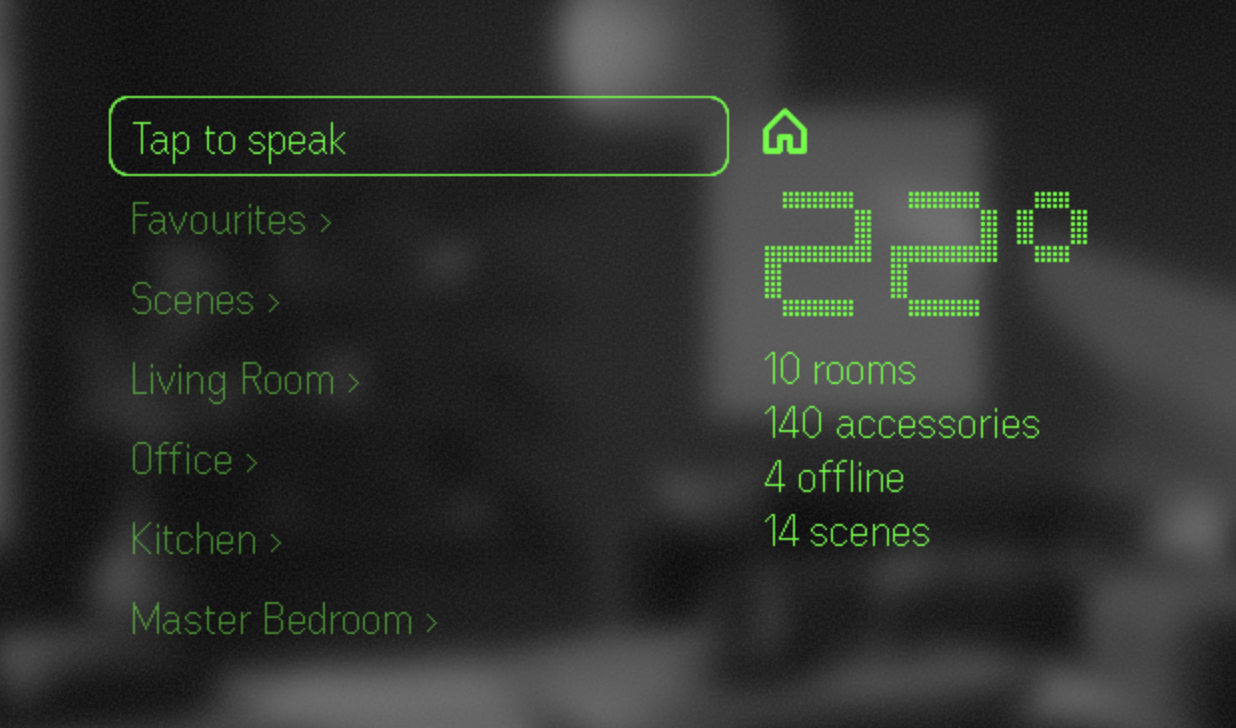
Itsyhome is available on Even Realities G2 smartglasses. Control your home hands-free, using the R1 smart ring or your voice: browse rooms with a swipe, toggle lights with a tap, adjust the thermostat – every accessory and group in your house, right from the temple touchpad.
Control your smart home with natural language via OpenClaw. The itsyhome-control skill connects your AI agent to the webhook server, enabling commands like "turn off the living room lights" or "set bedroom brightness to 40%". Requires the webhook server to be enabled.
clawhub install itsyhome-control
|
|
Itsytv is a free, open-source macOS menu bar app for controlling Apple TV — the missing remote app for your Mac.
Built with Swift and SwiftUI. Free forever, MIT licensed. |
HomeKit mode:
NSMenuItem views with controlsHome Assistant mode:
MenuData formatStartup diagnostics logging can be enabled by setting StartupLogger.enabled = true in macOSBridge/Utilities/StartupLogger.swift. Logs are emitted via os_log with subsystem com.nickustinov.itsyhome and category Startup, viewable in Console.app or via:
log stream --predicate 'subsystem == "com.nickustinov.itsyhome"' --level info
Home Assistant debugging:
For local testing without real hardware, run the Home Assistant demo:
docker run -d --name homeassistant -p 8123:8123 ghcr.io/home-assistant/home-assistant:stable
Then navigate to http://localhost:8123, create an account, and generate a long-lived access token.
When the webhook server is running, these debug endpoints are available:
| Endpoint | Description |
|---|---|
GET /debug/<name> |
Returns characteristics, service type, limits, room, and reachability for a specific device or service matched by name |
GET /debug/all |
Dumps all accessories with their services, rooms count, and scenes count |
GET /debug/raw |
Returns the complete raw HomeKit data dump from the iOS bridge including service groups, zones, action sets, and triggers |
GET /debug/cameras |
Probes all camera entities – snapshot, HLS, and WebRTC connectivity tests with timing. Tokens are redacted. |
GET /debug/cameras/<entity_id> |
Same as above for a single camera (e.g. camera.front_door) |
Example using curl:
curl http://localhost:<port>/debug/all
curl http://localhost:<port>/debug/Living%20Room%20Light
curl http://localhost:<port>/debug/raw
curl http://localhost:<port>/debug/cameras
curl http://localhost:<port>/debug/cameras/camera.front_door
MIT License © 2026 Nick Ustinov - see LICENSE for details.
Nick Ustinov
Contributions are welcome! Please feel free to submit issues and pull requests.
more like this
Comprehensive analytics dashboard for AI coding agents — Cursor, Windsurf, Claude Code, VS Code Copilot, Zed, Antigravi…
Free open-source Cloudflare R2 desktop client and S3 GUI for macOS, Windows, and Linux. Manage Cloudflare R2, AWS S3, M…
search projects, people, and tags