vfiler.vim
:file_folder: File explorer plugin for Neovim/Vim
 obaland
git clone https://github.com/obaland/vfiler.vim.gitobaland/vfiler.vim

File explorer plugin for Neovim/Vim


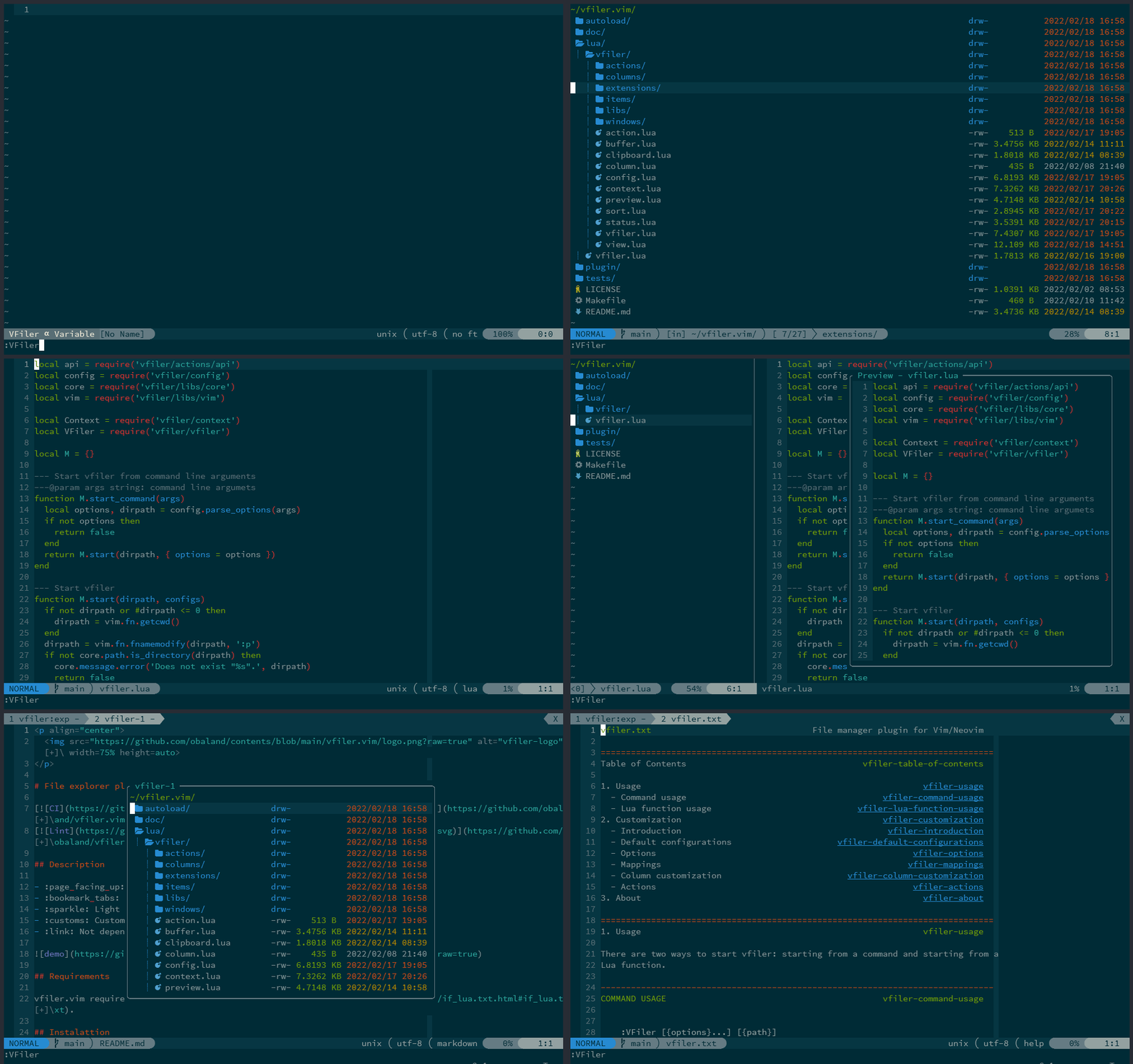
Description
- 📄 Performing basic file operations.
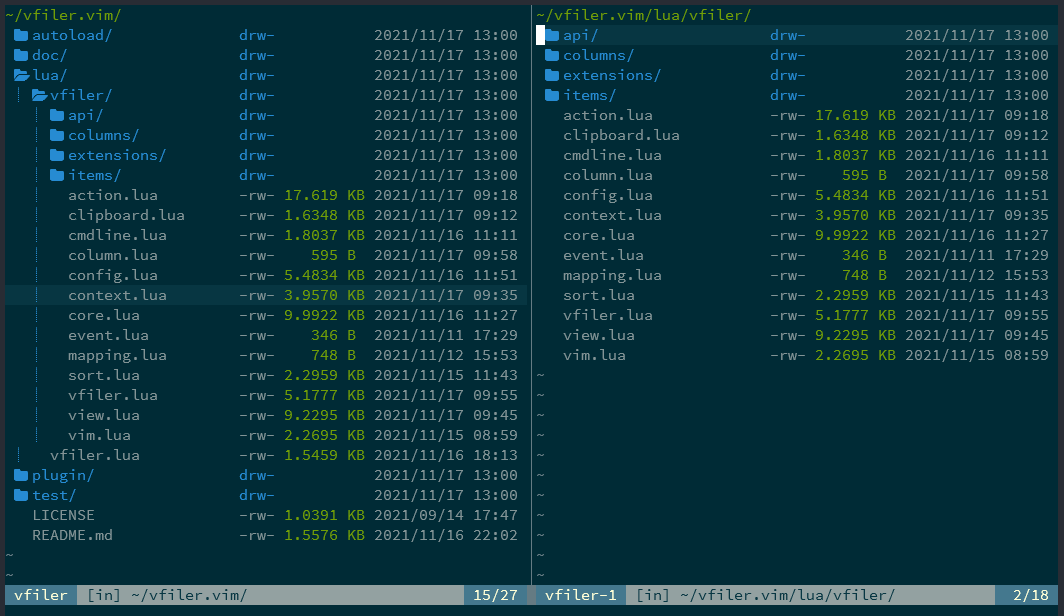
- 📑 Supports easy-to-use 2-window filer.
- ❇️ Light operability.
- 🛃 Customizable to your liking.
- 🔗 Not depends on other plugins or external.
Requirements
vfiler.vim requires Neovim(0.8.0+) or Vim8.2+ with if_lua.
Installation
Using vim-plug
Plug 'obaland/vfiler.vim'
Using dein.vim
call dein#add('obaland/vfiler.vim')
Using packer.nvim
use {
  'obaland/vfiler.vim',
}
Usage
Quick Start
Basically, after installing in any way, start with the VFiler command. The vfiler.vim will start in the current directory.
:VFiler
You can do various things with options.
See command usage for details.
Start by Lua function
vfiler.vim can also be started by calling a require'vfiler'.start().
require('vfiler').start({path})
You can do various things with configs.
See Lua function usage for details.
More details
- Please see more details: Usage
Customization
vfiler.vim can be customized to your liking.
The following is an example.
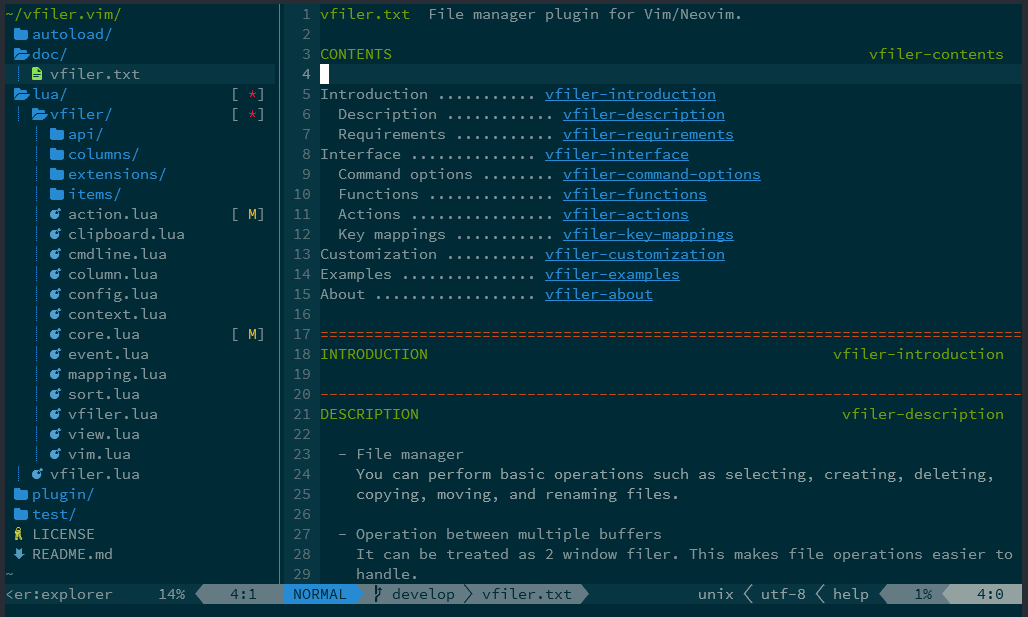
Explorer style
Start by command:
:VFiler -auto-cd -auto-resize -keep -layout=left -name=explorer -width=30 -columns=indent,icon,name
Start by Lua script:
require('vfiler/config').setup {
  options = {
    auto_cd = true,
    auto_resize = true,
    keep = true,
    layout = 'left',
    name = 'explorer',
    width = 30,
    columns = 'indent,icon,name',
  },
}

require('vfiler').start()
Start by vim script:
let cfg = ":lua require('vfiler/config').setup {\n" .
            \   "options = {\n" .
            \     "auto_cd = true,\n" .
            \     "auto_resize = true,\n" .
            \     "keep = true,\n" .
            \     "layout = 'left',\n" .
            \     "name = 'explorer',\n" .
            \     "width = 30,\n" .
            \     "columns = 'indent,icon,name',\n" .
            \   "},\n" .
            \ "}\n"
call execute(cfg)

:VFiler
or
lua << EOF
require('vfiler/config').setup {
  options = {
    auto_cd = true,
    auto_resize = true,
    keep = true,
    layout = 'left',
    name = 'explorer',
    width = 30,
    columns = 'indent,icon,name',
  },
}
EOF

:VFiler
Note: For Vim users, if you are using vim-plug, the setup scrpt should be put after "plug#end()"
call plug#begin()
Plug 'obaland/vfiler.vim'
call plug#end()
"setup begin here
lua << EOF
require('vfiler/config').setup {
-- ...
}
EOF
More details
vfiler.vim has various other customization mechanisms.
- Please see more details: Customization
Extension plugins
There are also some extension plugins for vfiler.vim.
Please use it as you like.
Screenshots
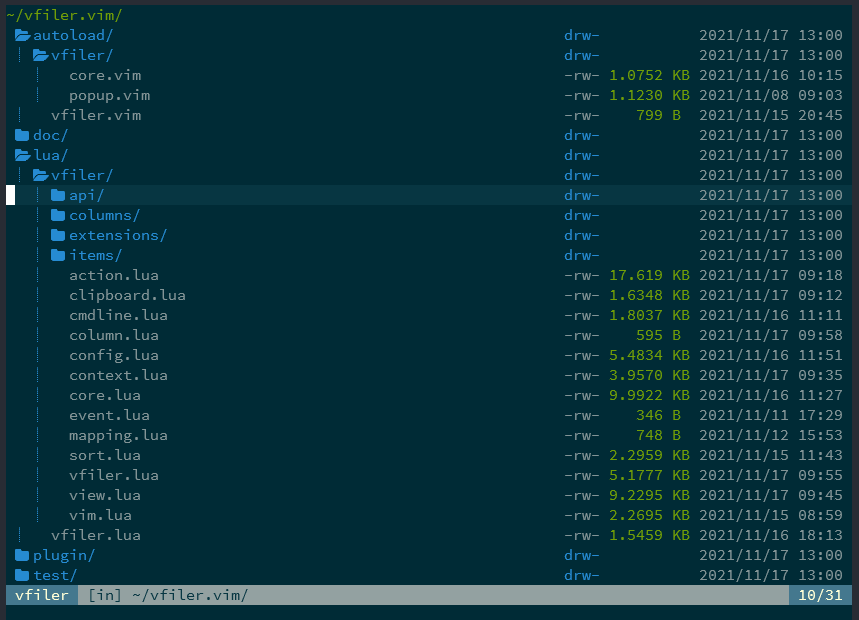
Basic (with devicons)
Operation with two buffers
Explorer style (with devicons)
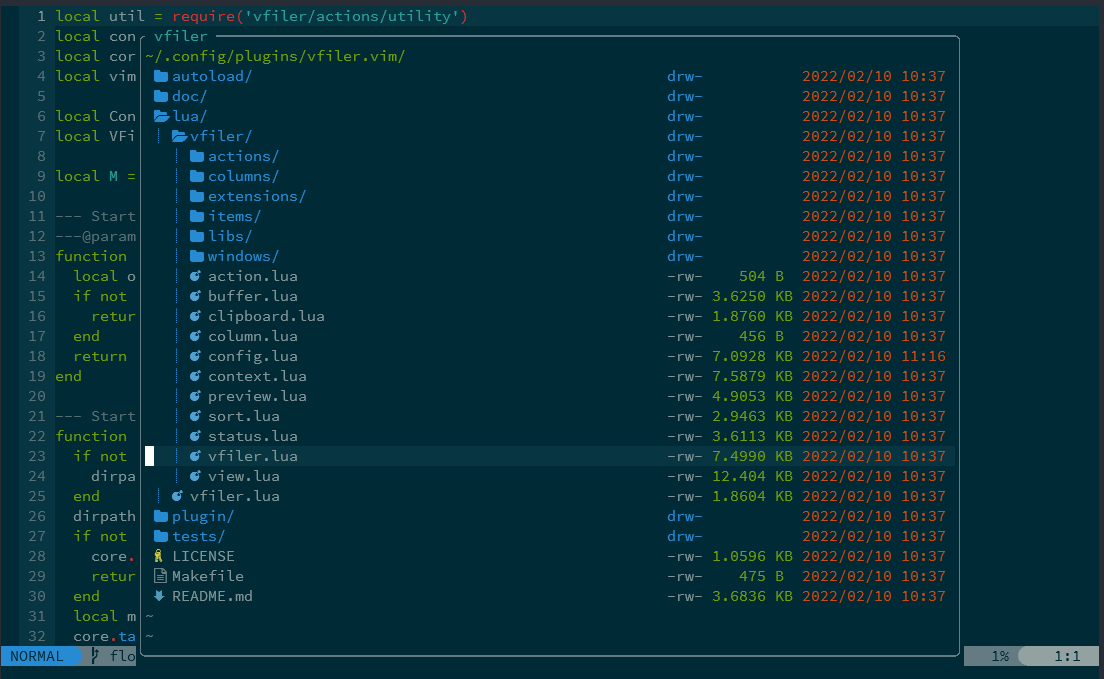
Floating window style (only Neovim)
Feedback
I am hoping to continually improve it as far as time permits.
Welcome your requests and suggestions, so please create an issue.
License
vfiler.vim is licensed under the MIT license.
Copyright © 2018, obaland
more like this
r2
Free open-source Cloudflare R2 desktop client and S3 GUI for macOS, Windows, and Linux. Manage Cloudflare R2, AWS S3, M…
Scythe
SCYTHE is a lightweight, C#-based game engine focused on modifiability and rapid iteration using Raylib.
meine
meine 🌒 - A CLI file manager and system utility built with Textual. It combines intuitive command parsing with rich t…