Overleaf-Workshop
Open Overleaf/ShareLaTex projects in vscode, with full collaboration support.
 overleaf-workshop
git clone https://github.com/overleaf-workshop/Overleaf-Workshop.gitoverleaf-workshop/Overleaf-WorkshopOverleaf Workshop
Open Overleaf (ShareLatex) projects in VSCode, with full collaboration support.
User Guide
The full user guide is available at GitHub Wiki.
Features
Note
For SSO login or captcha enabled servers like https://www.overleaf.com, please use "Login with Cookies" method.
For more details, please refer to How to Login with Cookies.
-
Login Server, Open Projects and Edit Files
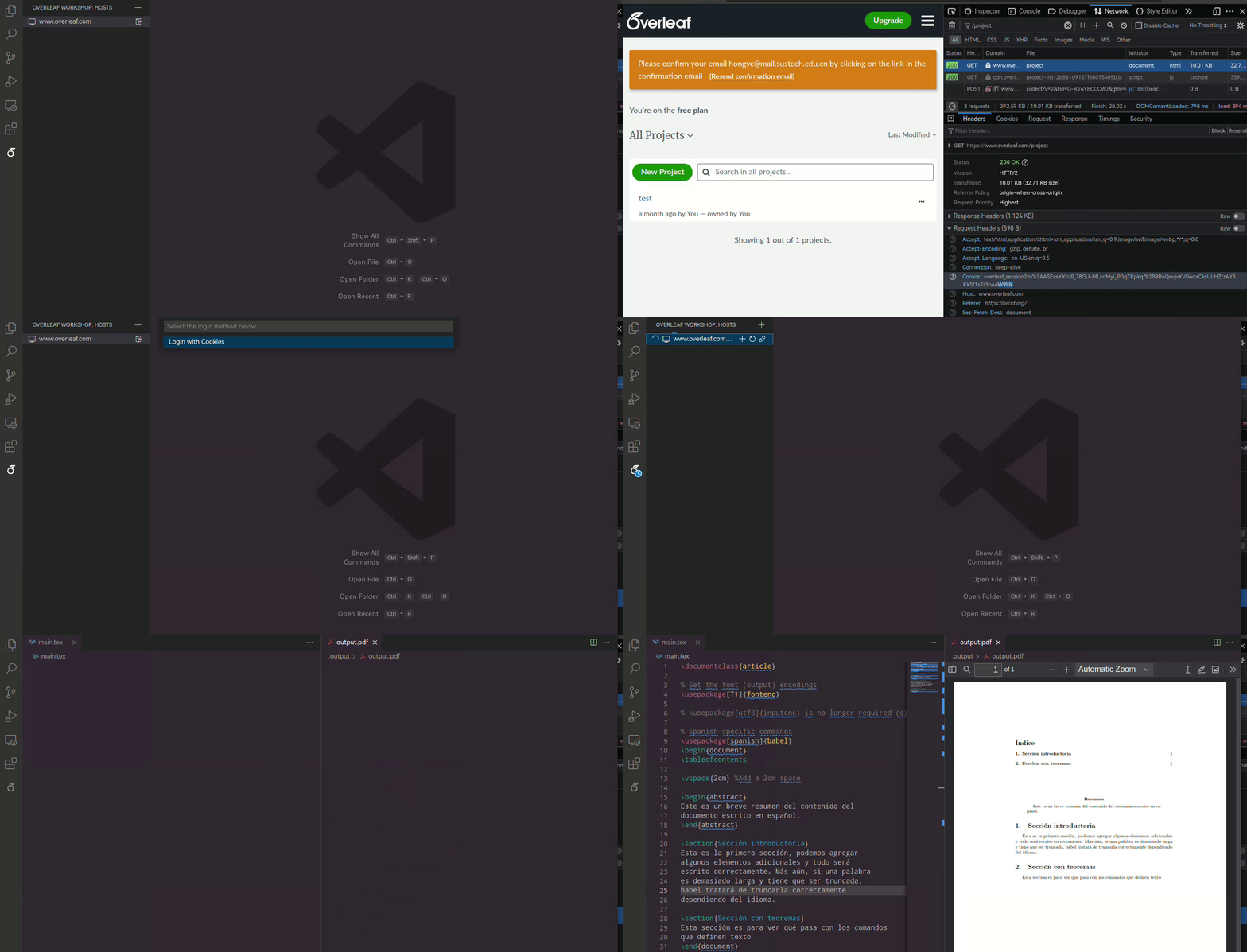
-
On-the-fly Compiling and Previewing
Ctrl+Alt+B to compile, Ctrl+Alt+V preview.
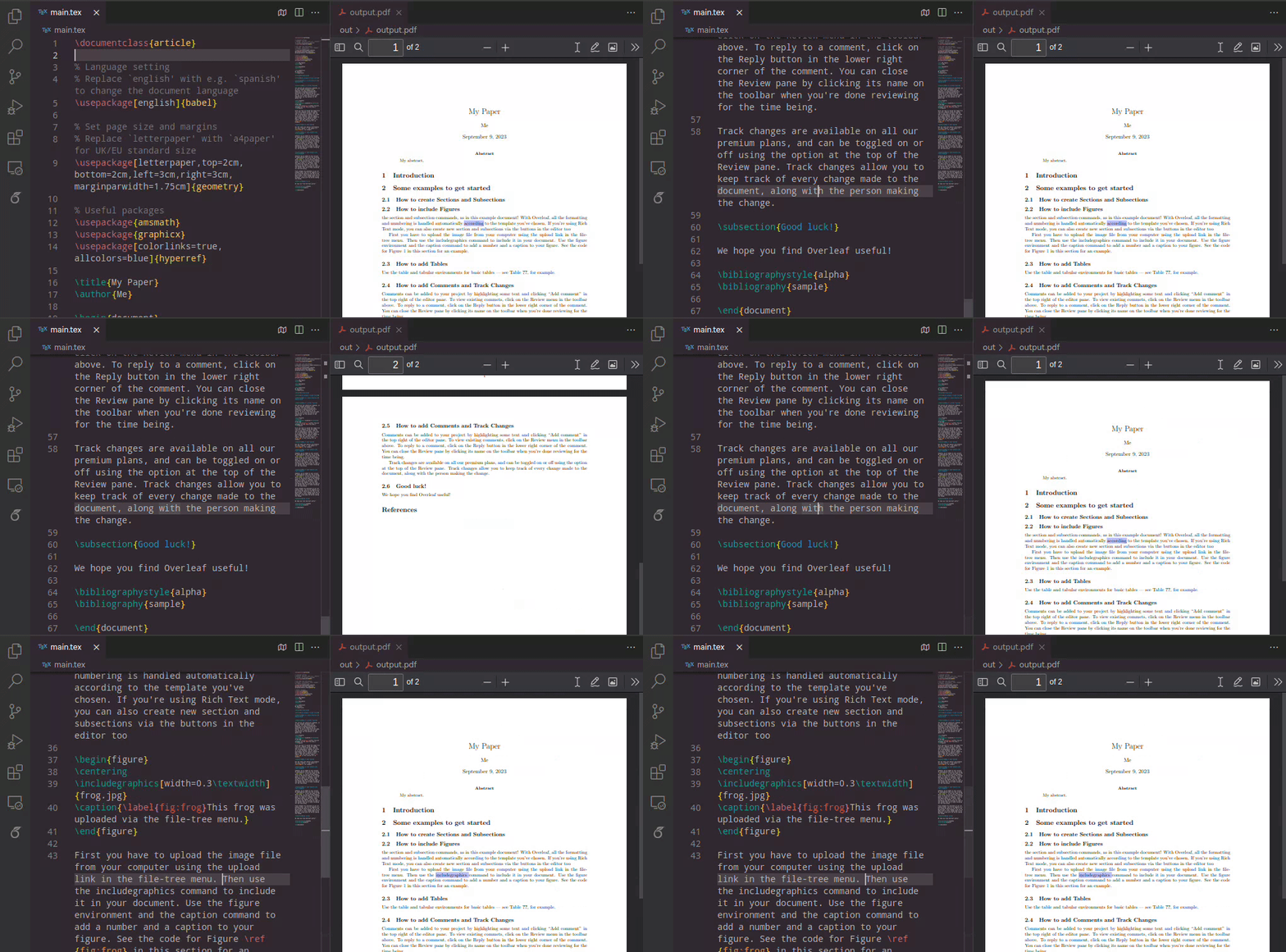
-
SyncTeX and Reverse SyncTeX
Ctrl+Alt+J to jump to PDF. Double click on PDF to jump to source code
-
Chat with Collaborators
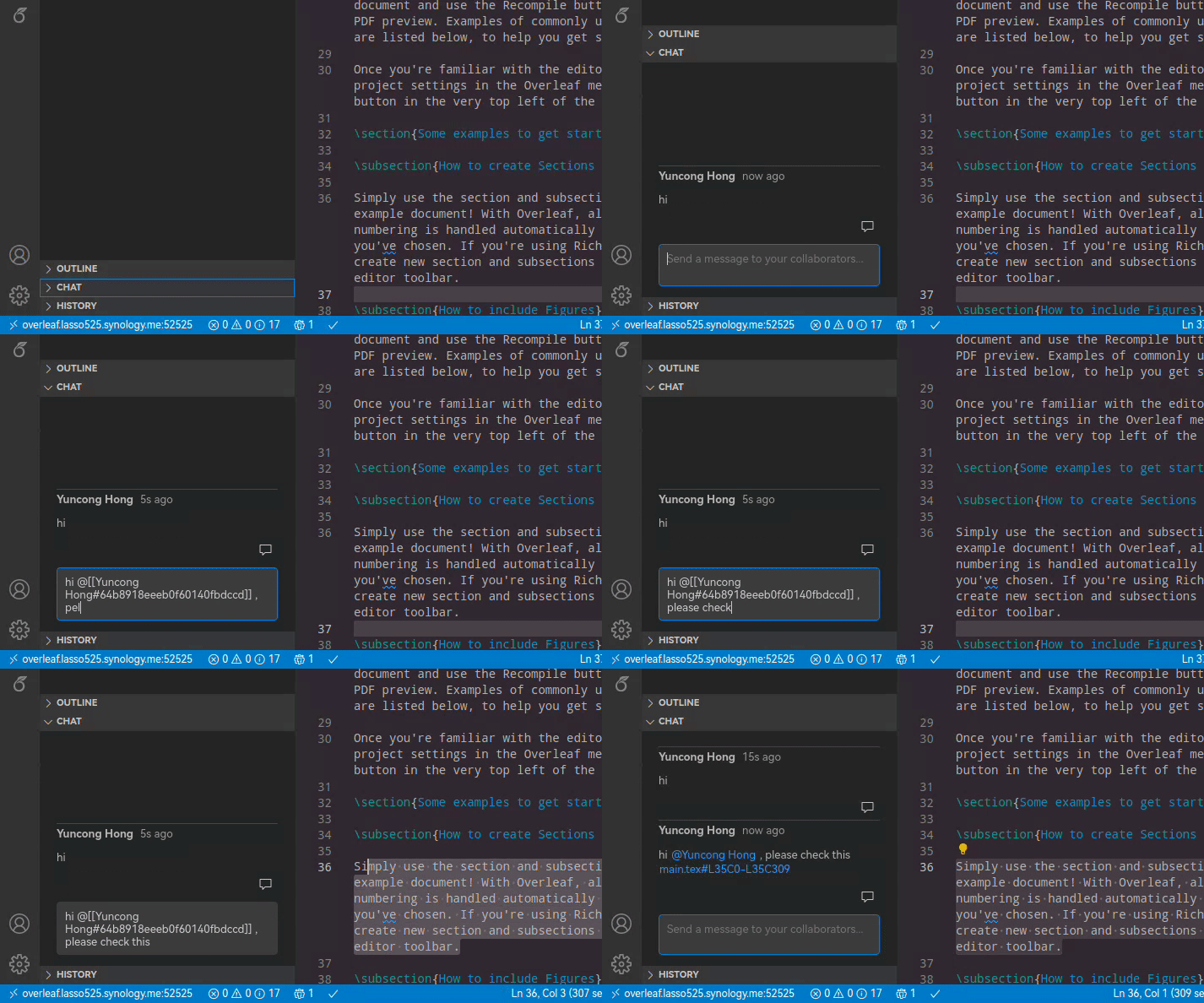
-
Open Project Locally, Compile/Preview with LaTeX-Workshop
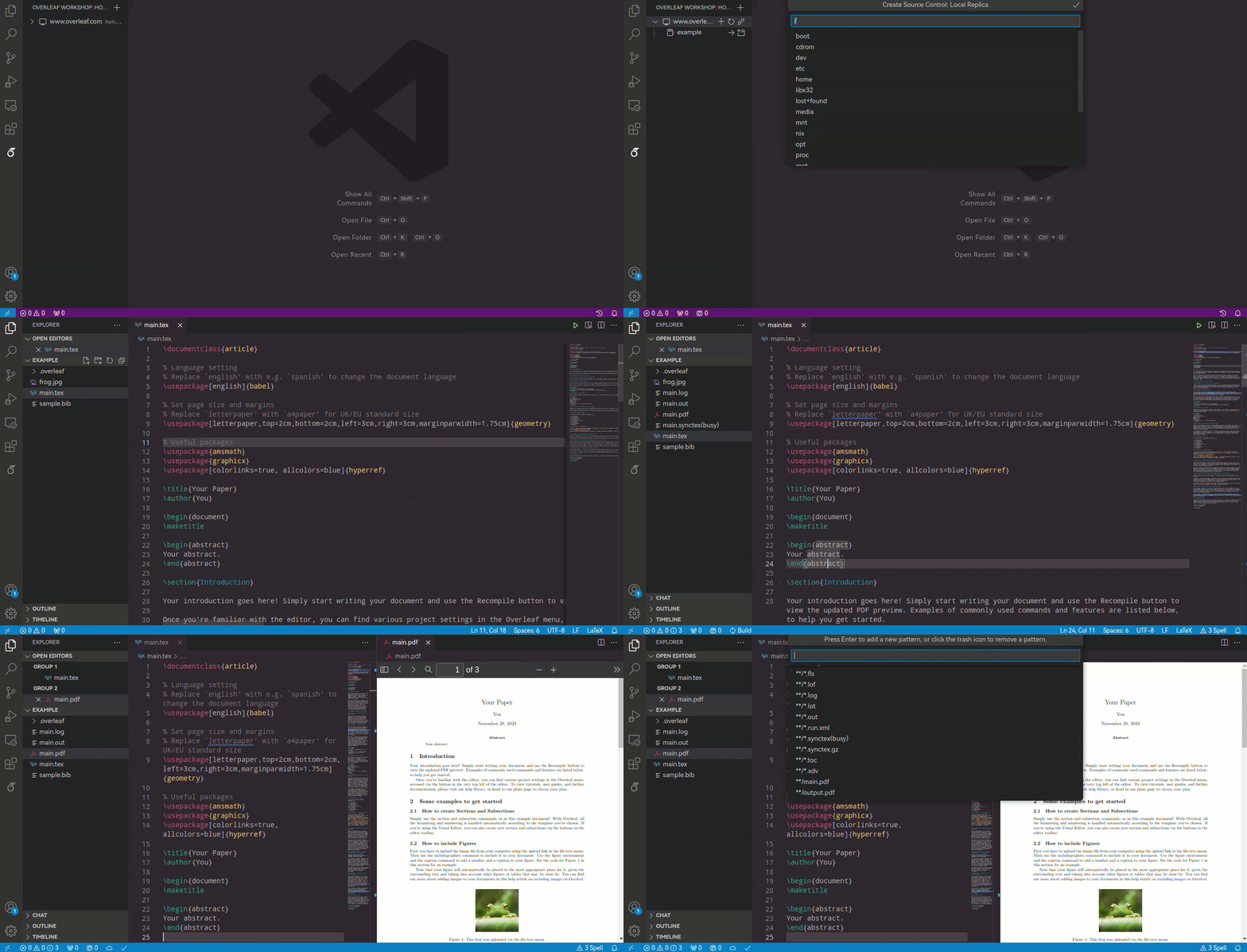
How to Login with Cookies
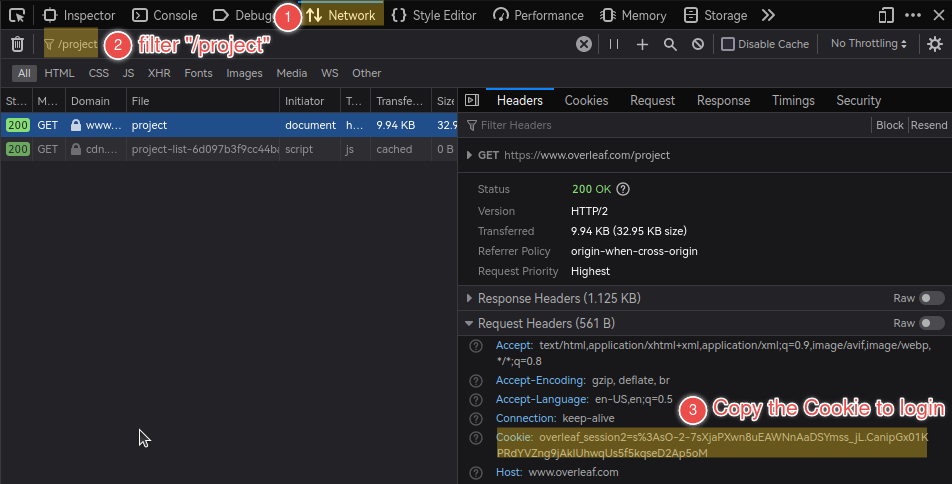
In an already logged-in browser (Firefox for example):
-
Open "Developer Tools" (usually by pressing F12) and switch to the "Network" tab;
Then, navigate to the Overleaf main page (e.g.,
https://www.overleaf.com) in the address bar. -
Filter the listed items with
/projectand select the exact match. -
Check the "Cookie" under "Request Headers" of the selected item and copy its value to login.
The format of the Cookie value would be like:
overleaf_session2=...orsharelatex.sid=...
Compatibility
The following Overleaf (ShareLatex) Community Edition docker images provided on Docker Hub have been tested and verified to be compatible with this extension.
-
sharelatex/sharelatex:5.0.4 (verified by @Mingbo-Lee)
-
sharelatex/sharelatex:4.1 (verified by @iamhyc)
-
sharelatex/sharelatex:3.5 (verified by @iamhyc)
Development
Please refer to the development guidance in CONTRIBUTING.md
References
more like this
vTheme
A meticulously designed dark and light VS Code theme, crafted with color theory expertise to deliver a visually stunnin…