moxon-frame-generator
simple generator for 3D-printed frames for a moxon rectangle antenna
OpenSCAD★ 50
Web app spectrum analyzers for tinySA, RTL-SDR and SDRplay
 patrykorwat
Web-based spectrum analyzer and GPS signal analysis platform.
Visit patrykorwat.github.io/web-spectrum to access the app.
See more: caniuse.com/web-serial, caniuse.com/webusb
# Clone repository
git clone https://github.com/meshuga/web-spectrum.git
cd web-spectrum

# Install Node.js dependencies
npm install
GNSS-SDR is required for professional GPS signal processing with both SDRPlay and RTL-SDR devices.
macOS Installation:
cd gnss-sdr
./install_gnss_sdr.sh
The installation script will:
/usr/local/bin/gnss-sdrVerify Installation:
gnss-sdr --version
# Should output: gnss-sdr version 0.0.19
macOS:
# Download from SDRplay website
# https://www.sdrplay.com/downloads/
# Install SDRplay API v3.15 or later

# Verify installation
ls /Library/SDRplayAPI/
# Should show: 3.15.1 (or similar)
Install all required Python packages using the comprehensive requirements file:
# Option 1: Standard installation (recommended)
pip3 install -r requirements.txt

# Option 2: macOS with Homebrew Python
pip3 install --break-system-packages -r requirements.txt

# Option 3: Using virtual environment (cleanest)
python3 -m venv venv
source venv/bin/activate  # On Windows: venv\Scripts\activate
pip install -r requirements.txt
What's included:
numpy - Signal processing, FFT, correlationwebsockets - WebSocket server for real-time data streamingrequests - HTTP client for Gypsum GPS decoderpython-dateutil - Date parsing for GPS timestampsSee requirements.txt for the complete list with version constraints.
npm start
# Opens browser at http://localhost:3005
The recording backend now supports both RTL-SDR and SDRPlay automatically:
# Easy way: Use the startup script (from root directory)
./start_backend.sh
# This starts both HTTP API (port 5001) and WebSocket (port 8766)

# OR manually (from sdrplay-gps directory):
# Terminal 1: Start unified recording API server
cd sdrplay-gps
python3 recording_api_simple.py
# Listens on http://localhost:3001

# Terminal 2: Start GNSS-SDR bridge (for live position tracking)
python3 gnss_sdr_bridge.py
# Listens on ws://localhost:8766
Backend Features:
Available GPS Decoders:
GNSS-SDR (Default) - Professional C++ implementation
Gypsum - Python-based GPS receiver
Select decoder in the web UI under "GPS Decoder" dropdown.
Recording Durations:
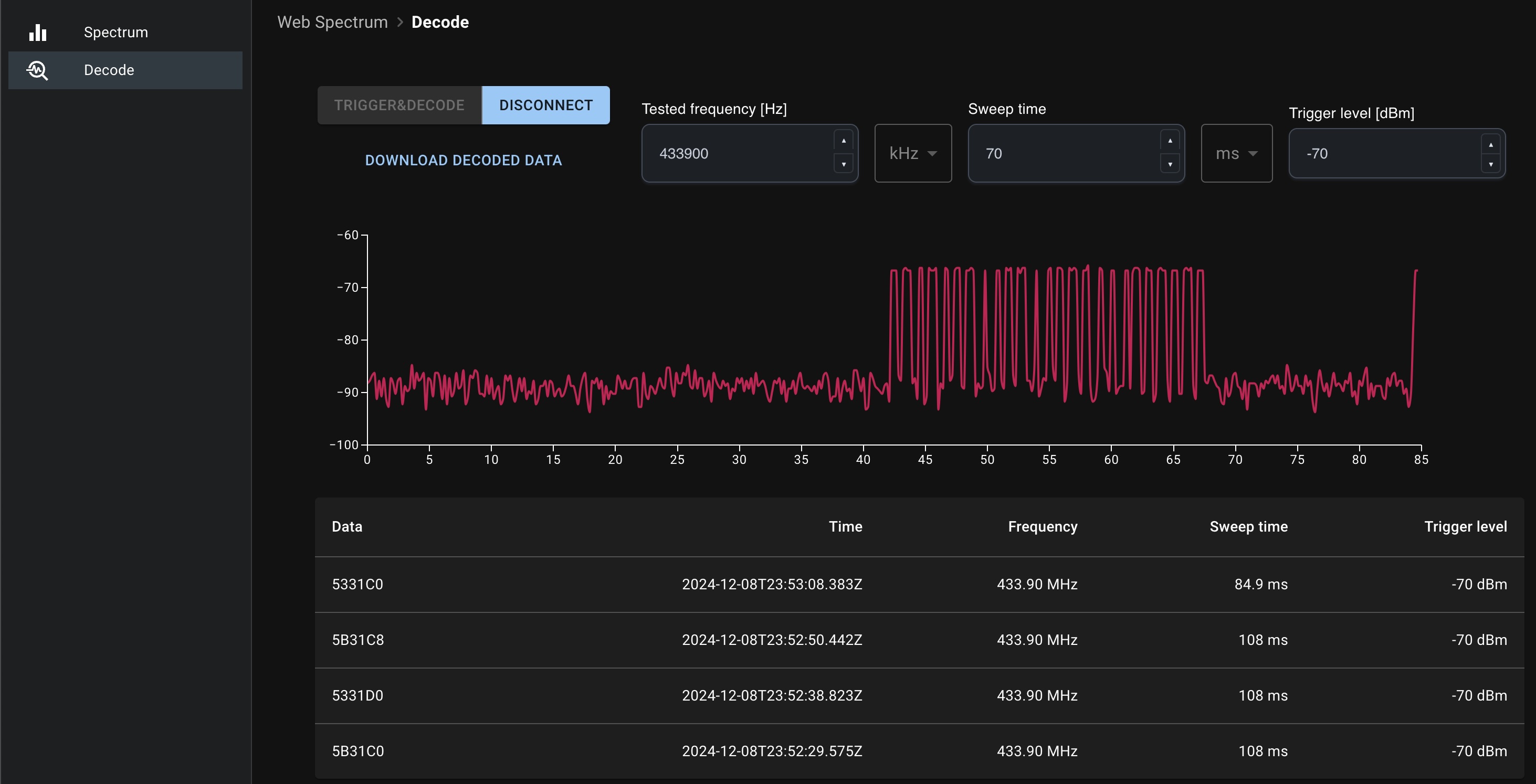
Spectrum Analyzer Mode:
Decode Mode:
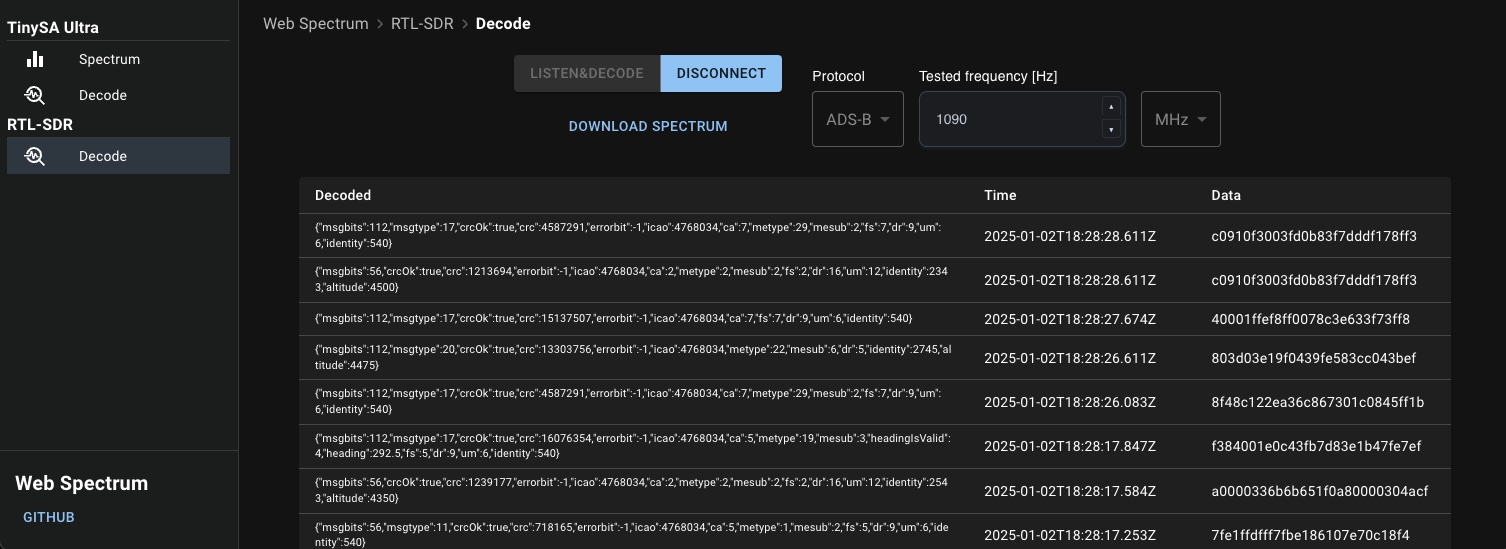
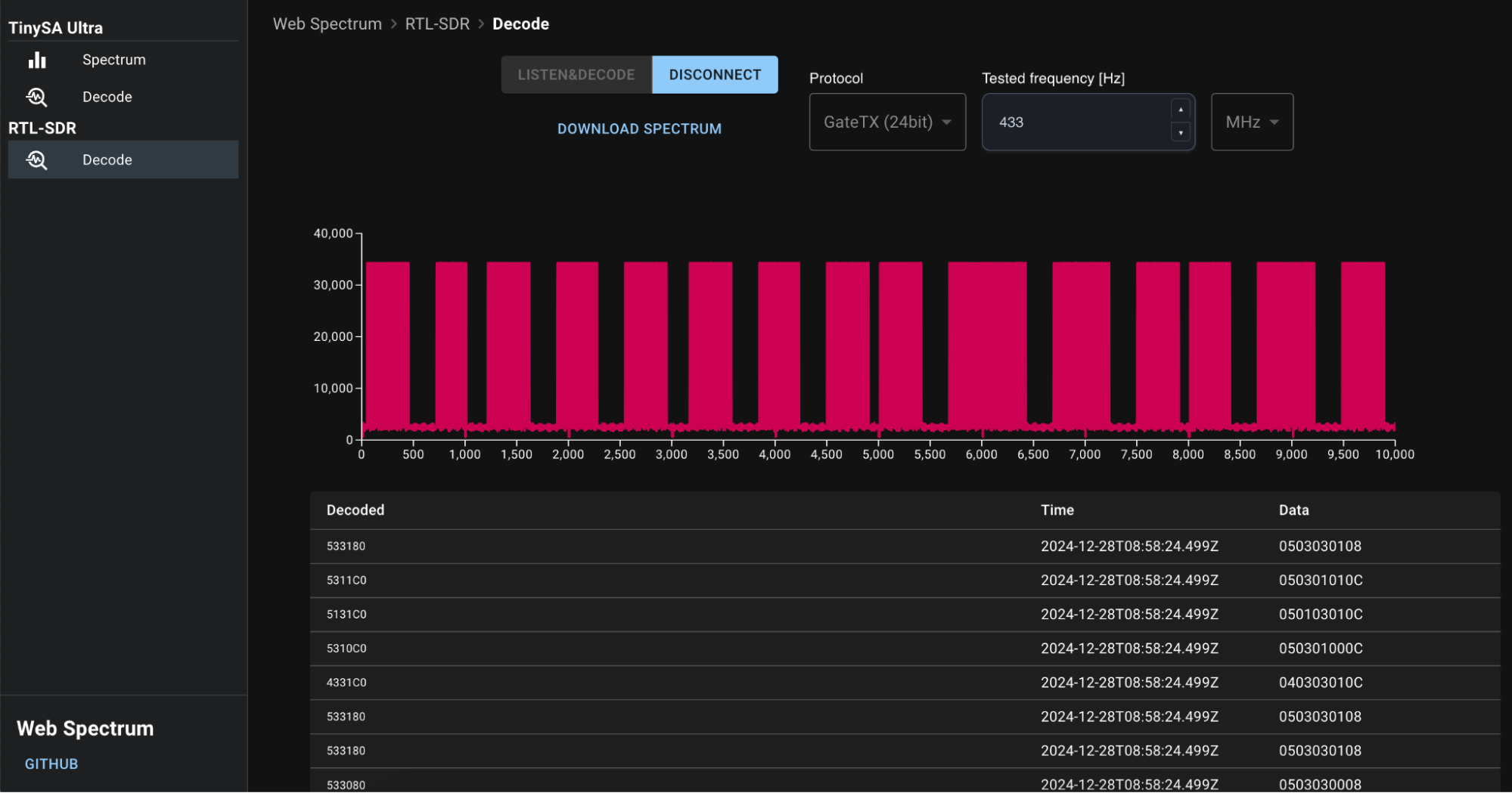
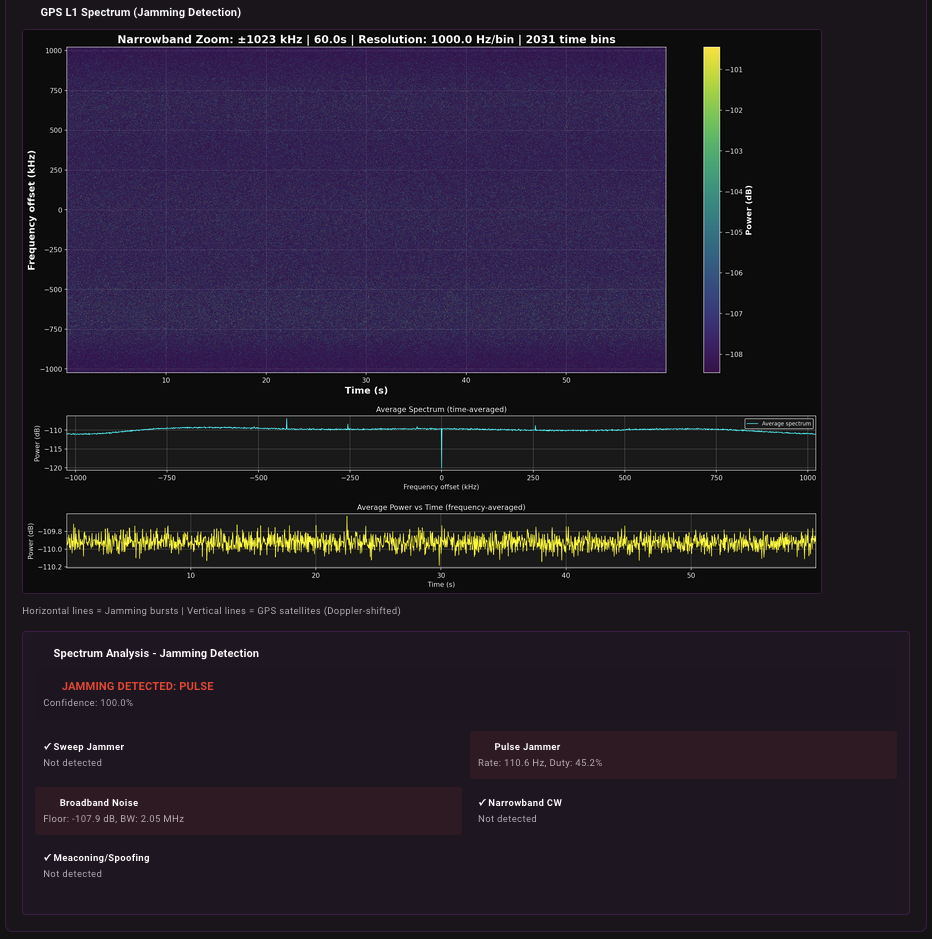
Browser Processing Mode: Direct in-browser signal decoding:
Professional Mode (GNSS-SDR):
RTL-SDR dongles now work with GNSS-SDR for professional GPS signal analysis:
Features:
Recording Configuration:
Workflow:
.dat fileOutput Files:
gps_recording_YYYYMMDD_HHMMSS.dat - Raw IQ samples (complex64)gps_recording_YYYYMMDD_HHMMSS_spectrum.png - Spectrum waterfallgps_recording_YYYYMMDD_HHMMSS_spectrum_analysis.json - Jamming metricsgps_recording_YYYYMMDD_HHMMSS.nmea - Position fixes (if satellites tracked)gps_recording_YYYYMMDD_HHMMSS.kml - Google Earth track (if satellites tracked)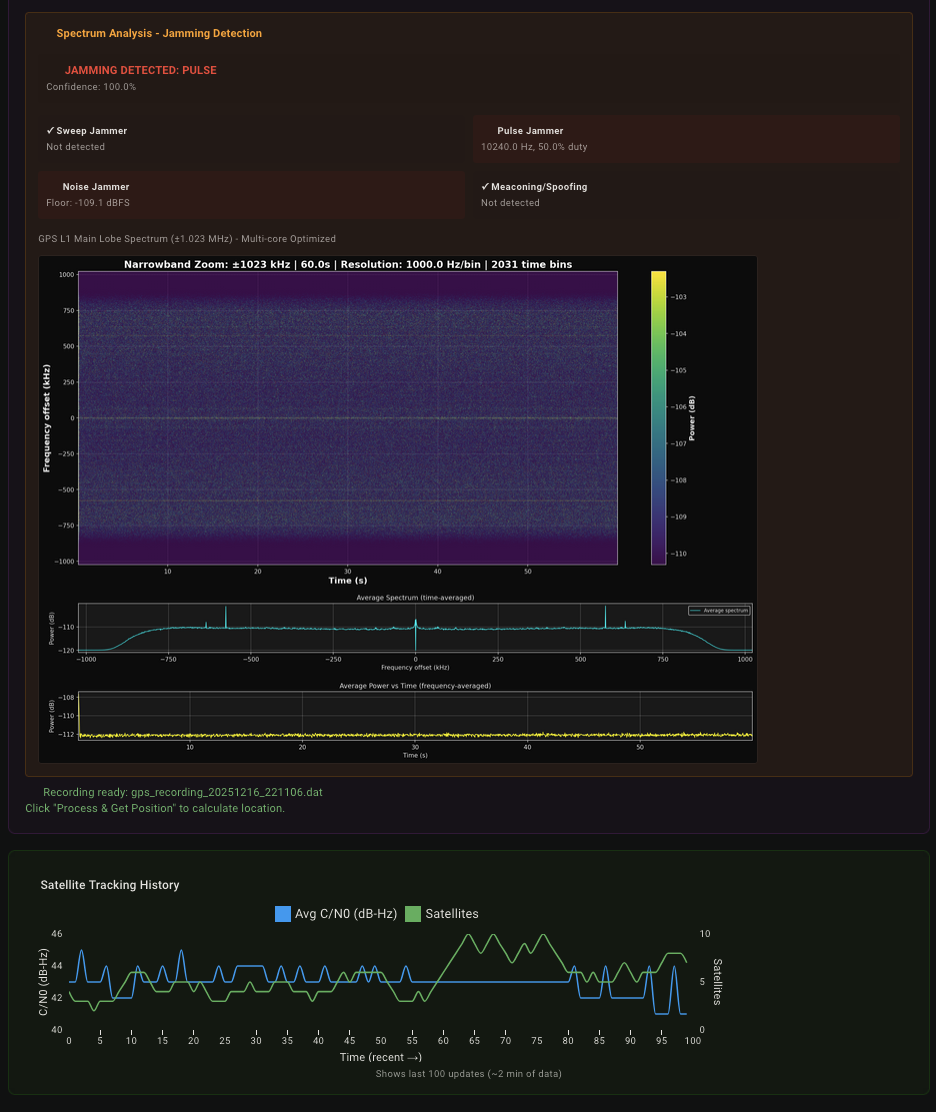
Professional GPS Recording & Analysis:
SDRPlay devices work with GNSS-SDR for professional-grade GPS signal analysis:
Features:
Recording Configuration:
Workflow:
.dat fileOutput Files:
gps_recording_YYYYMMDD_HHMMSS.dat - Raw IQ samples (complex64)gps_recording_YYYYMMDD_HHMMSS_spectrum.png - Spectrum waterfallgps_recording_YYYYMMDD_HHMMSS_spectrum_analysis.json - Jamming metricsgps_recording_YYYYMMDD_HHMMSS.nmea - Position fixes (if satellites tracked)gps_recording_YYYYMMDD_HHMMSS.kml - Google Earth track (if satellites tracked)Supported Constellations:
YT videos with explanations and tests:
In the project directory, you can run:
npm startRuns the app in the development mode.
Open http://localhost:3005 to view it in your browser.
The page will reload when you make changes.
You may also see any lint errors in the console.
npm testLaunches the test runner in the interactive watch mode.
See the section about running tests for more information.
npm run buildBuilds the app for production to the build folder.
It correctly bundles React in production mode and optimizes the build for the best performance.
The build is minified and the filenames include the hashes.
Your app is ready to be deployed!
See the section about deployment for more information.
more like this
simple generator for 3D-printed frames for a moxon rectangle antenna
search projects, people, and tags