Scythe
SCYTHE is a lightweight, C#-based game engine focused on modifiability and rapid iteration using Raylib.
C#★ 50
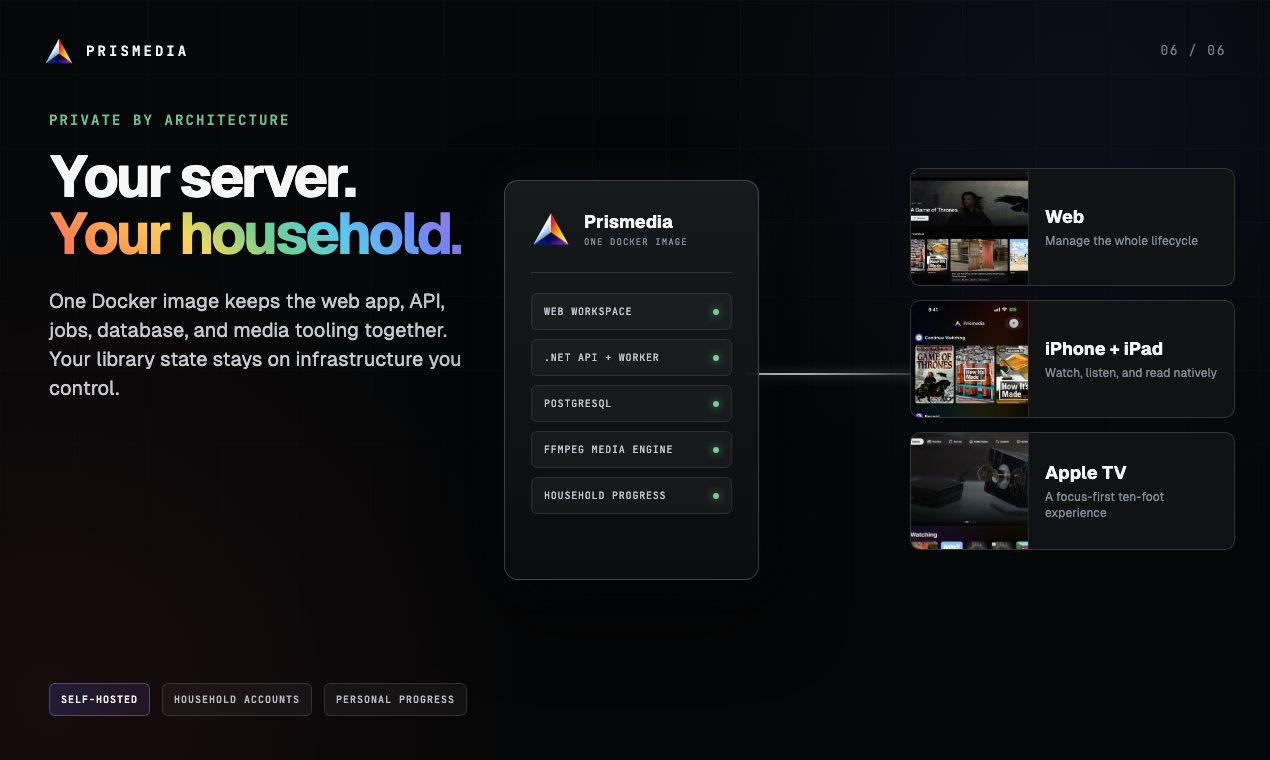
Your whole media life in one private, self-hosted library—watch, read, listen, request, and manage across web, iPhone,…
 pauljoda
Your whole media life. One private home.
A private, self-hosted media library for watching, reading, listening, requesting, and managing across web, iPhone, iPad, and Apple TV.


Website · Docs · Quick Start · TestFlight · Product Hunt · Subreddit
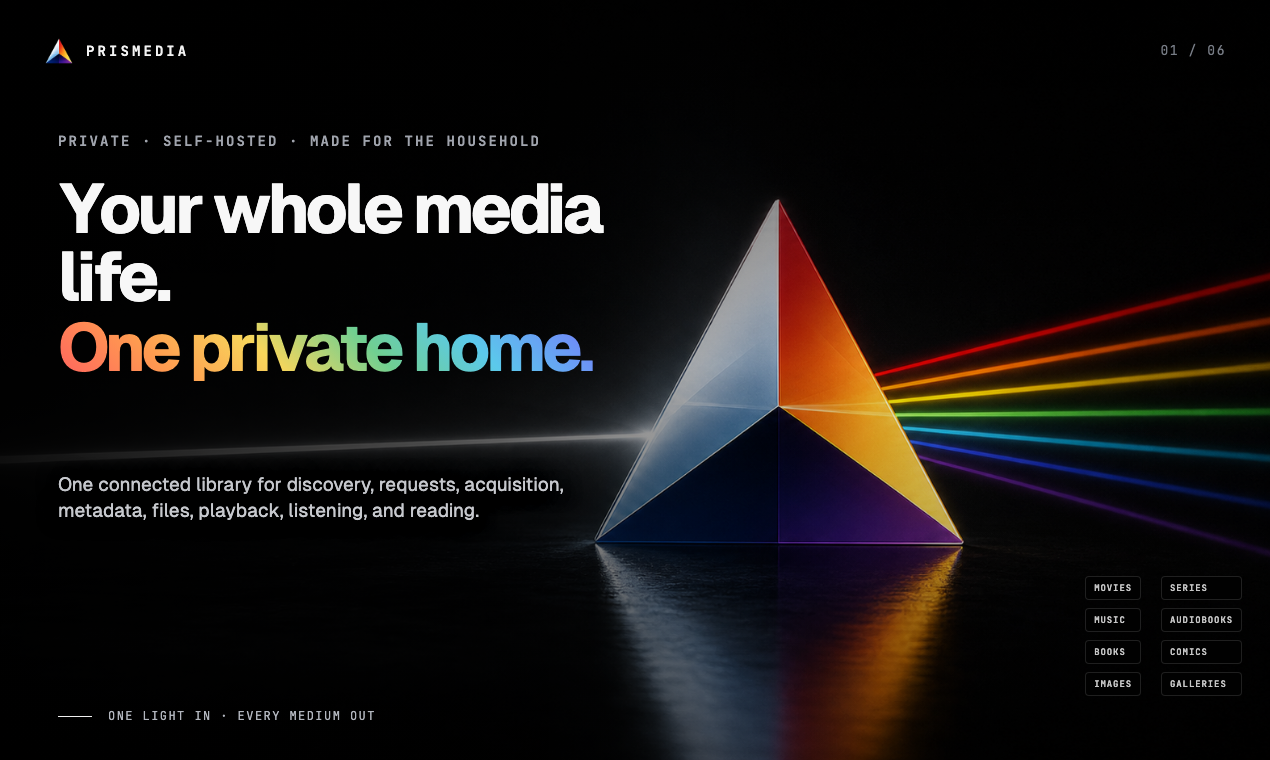
Movies, music, books, audiobooks, comics, images, and galleries share the same underlying needs: identity, artwork, files, metadata, relationships, progress, and history. Self-hosted media usually spreads those needs across one app for playback, another for requests, and a suite of services for acquisition and maintenance.
Prismedia keeps that shared foundation in one private system, then gives every medium an interface shaped around how it is actually used. The logo makes the idea literal: one light enters; every medium leaves in its own color.
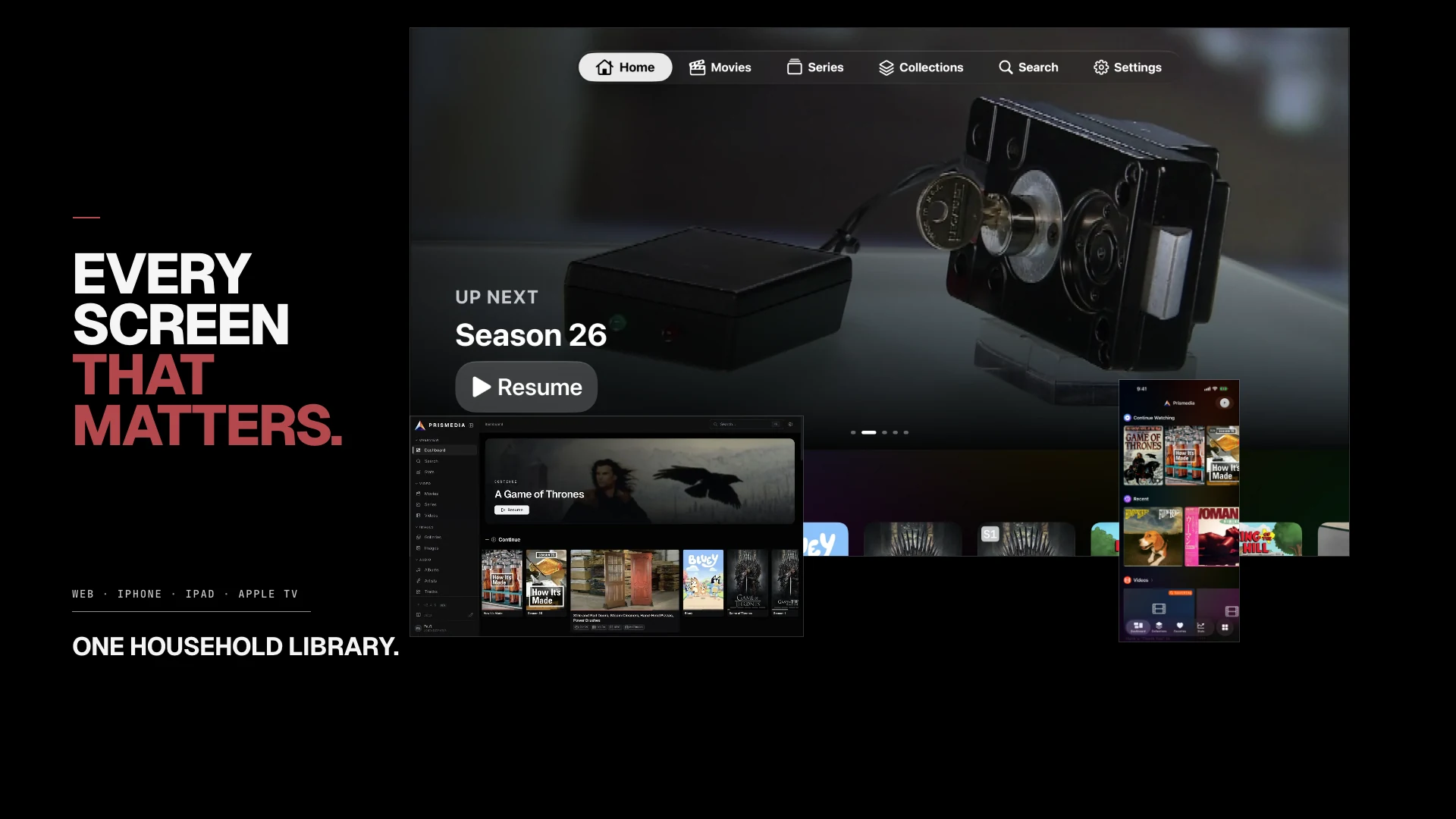
The complete web workspace, native iPhone and iPad experience, and focus-first Apple TV app share one household library. An item remains the same item while it moves from discovery and request through acquisition, identification, organization, playback or reading, and long-term maintenance.
The native Apple apps are open to a limited testing group through TestFlight.
▶ Watch the 72-second silent product film
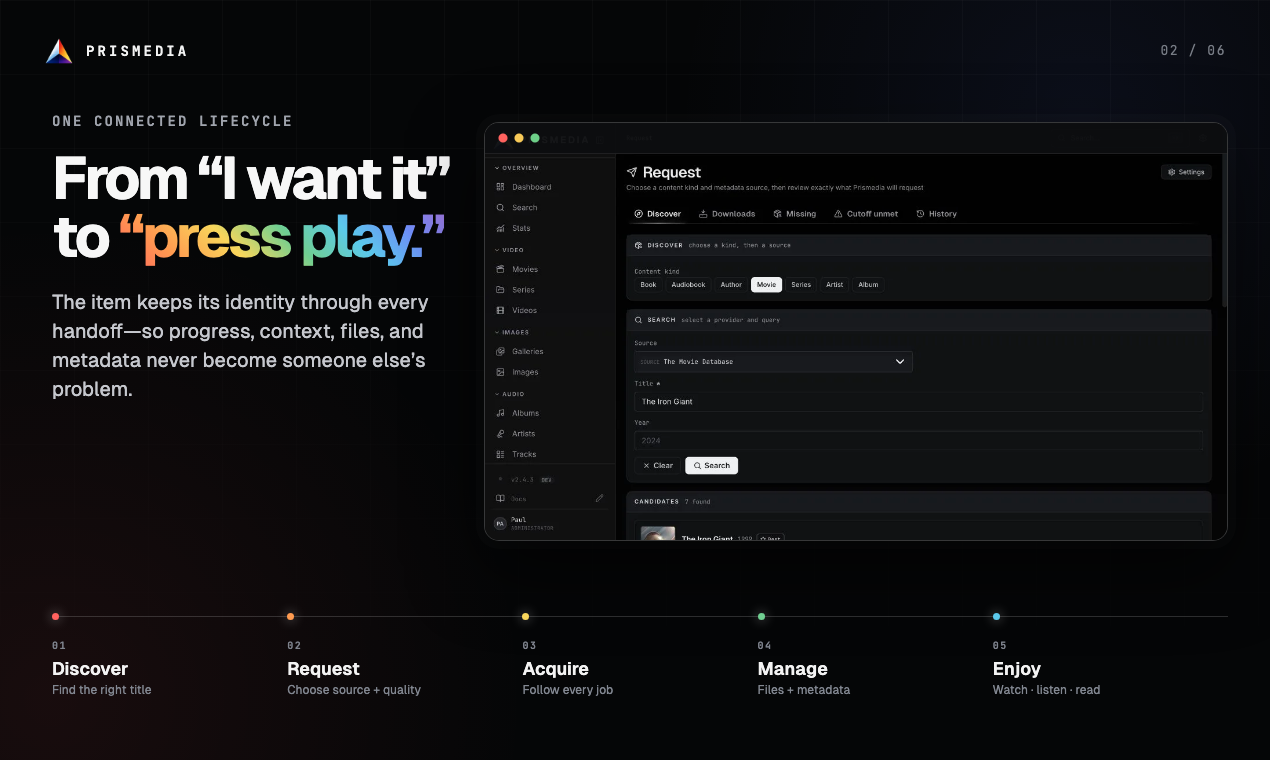
Discovery, requests, acquisition, metadata, files, playback, reading, and listening are one connected lifecycle. Provider identity, download state, artwork, history, and personal progress stay attached to the same library item instead of disappearing at every handoff.
Important
Prismedia is in early development. Not every image tag is guaranteed to be published yet. The dev tag is always built (every push to main), and alpha is generally available. beta, release, and latest are promoted manually and may not be available yet — if latest can't be pulled, use dev (or alpha) for now. Expect rough edges and breaking changes while things stabilize.
docker run -d \
  --name prismedia \
  -p 8008:8008 \
  -v prismedia-data:/data \
  -v /path/to/your/media:/media \
  ghcr.io/pauljoda/prismedia:latest
Open http://localhost:8008, add /media or one of its subfolders as a watched library, then run a scan from Jobs or Settings.
services:
  prismedia:
    image: ghcr.io/pauljoda/prismedia:latest
    ports:
      - "8008:8008"
    volumes:
      - prismedia-data:/data
      - /path/to/your/media:/media
    restart: unless-stopped

volumes:
  prismedia-data:
docker compose up -d
| Mount | Purpose |
|---|---|
/data |
PostgreSQL data, generated cache, thumbnails, waveforms, trickplay, HLS output, plugin state, encryption secret |
/media |
Your mounted media folders |
Mount /media read-only if Prismedia should only scan and play files. Mount it read-write if you want browser uploads, renames, moves, deletes, and file-manager organization.
Prismedia has real user accounts: a first-run wizard creates your administrator, and every household member gets their own username and password. The same credentials sign in to the web app, Jellyfin clients, and OPDS readers, and all /api/* routes require a signed-in user — so no reverse-proxy auth middleware is needed. Admins control per-user library access and NSFW visibility. See Authentication & User Accounts.
| Tag | Use |
|---|---|
latest |
Current promoted release. Recommended for normal installs. |
release / release-X.Y.Z |
Release channel and version-pinned release images. |
beta / beta-X.Y.Z |
Manual beta channel for release candidates. |
alpha / alpha-X.Y.Z |
Manual alpha channel for early testing. |
dev |
Latest main build. Useful for testing fixes before release. |
sha-<short-sha> / X.Y.Z-<short-sha> |
Exact dev build for rollback or bisection. |
Read CHANGELOG.md before upgrading a library you care about.
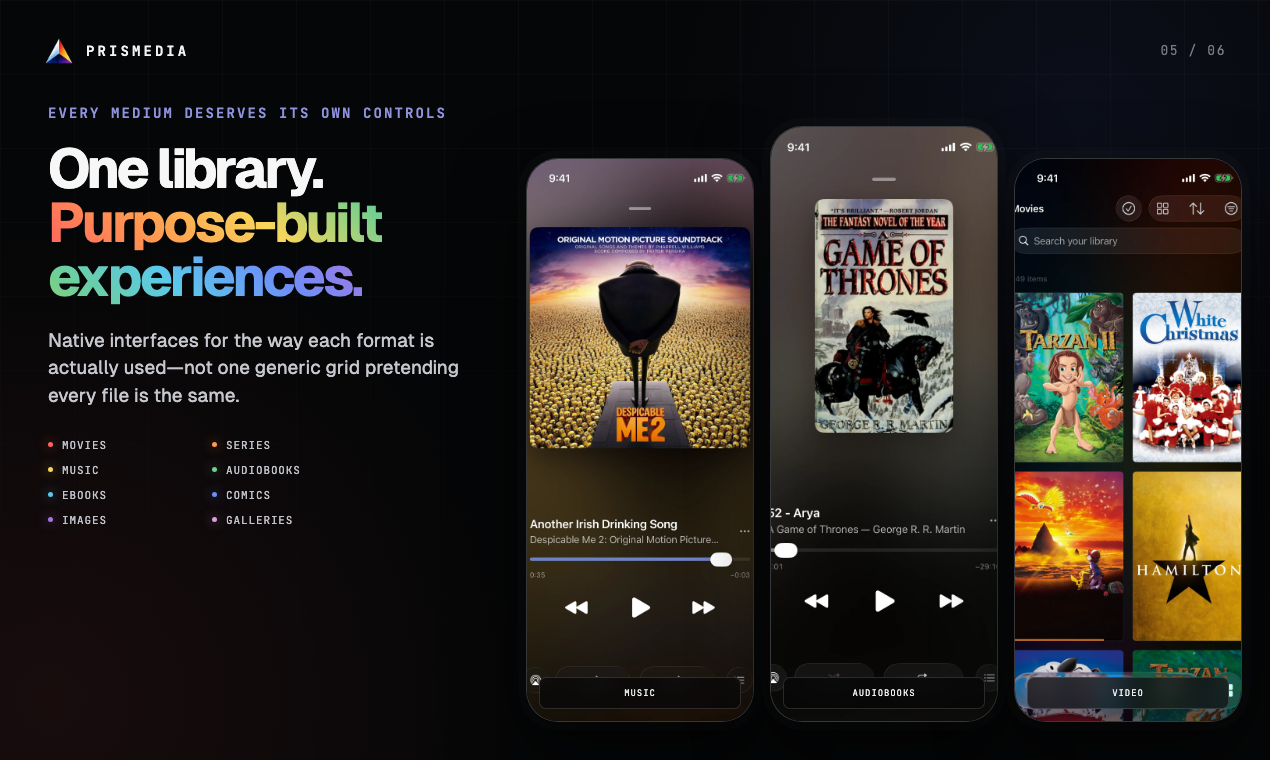
Video is the foundation, but music, audiobooks, eBooks, comics, images, and galleries are first-class media—not generic files forced into the same grid.
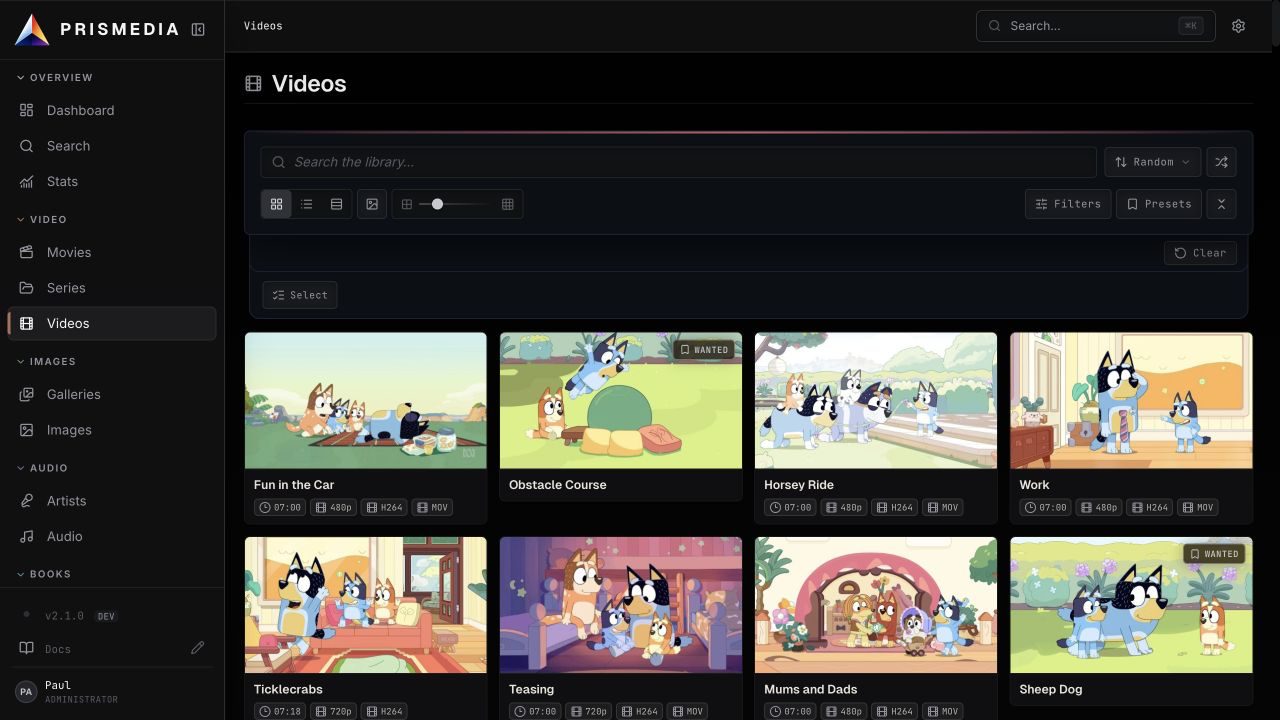
Prismedia has dedicated browse surfaces for movies, series, videos, images, galleries, comics, eBooks, audio, artists, people, studios, tags, and collections. The dashboard leads with Continue Watching and Recently Watched; the search page and command palette jump across every entity type.
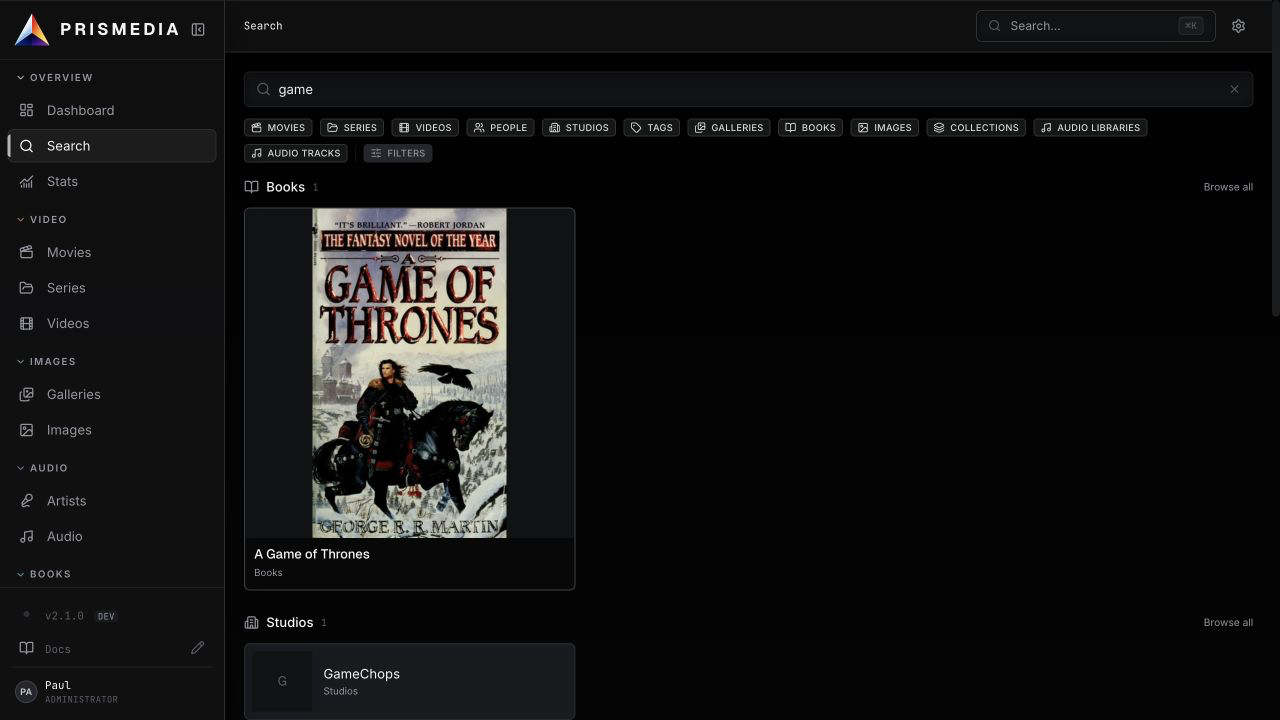
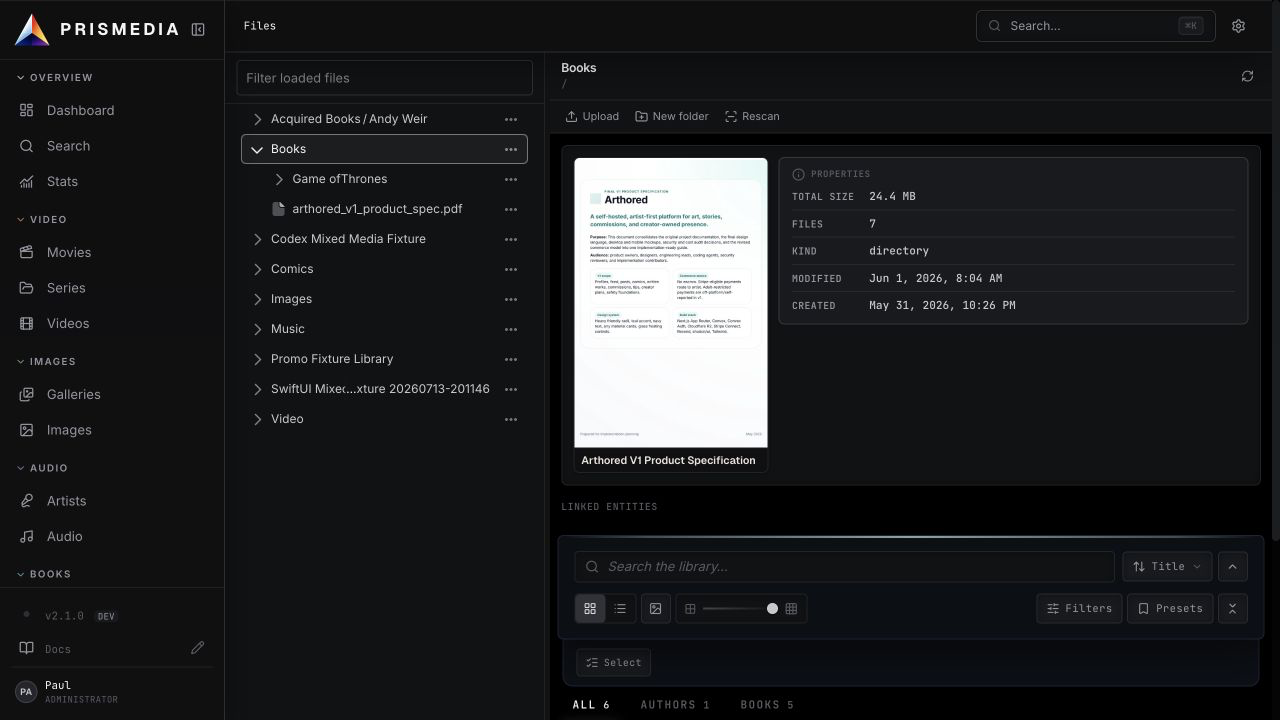
The Files workspace mirrors watched library roots and gives you practical file operations without leaving the app: open linked entities, create folders, upload, rename, move, rescan, exclude paths from scans, remove exclusions, and delete when the media mount is writable.
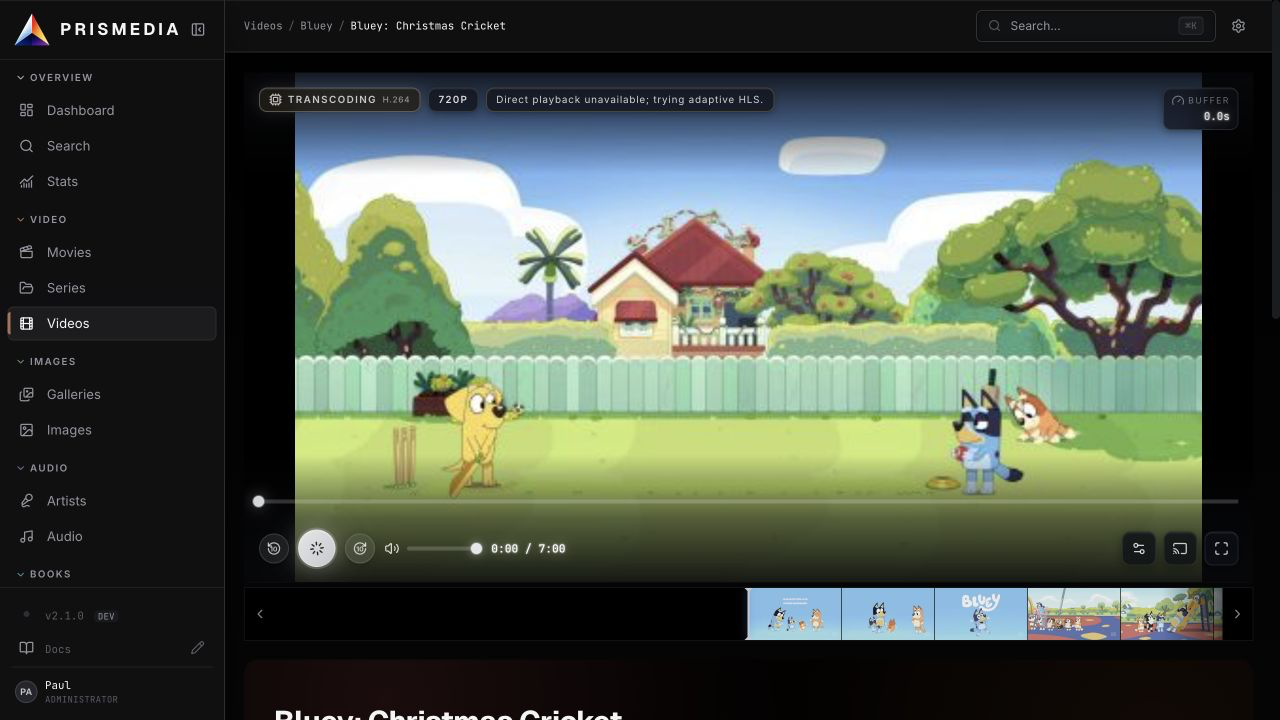
Videos direct-play when the client can decode them, stream-copy (remux) where possible, and fall back to on-demand HLS only when a transcode is truly needed. Detail pages include subtitles, transcript management, trickplay previews, resume, metadata editing, and artwork controls.
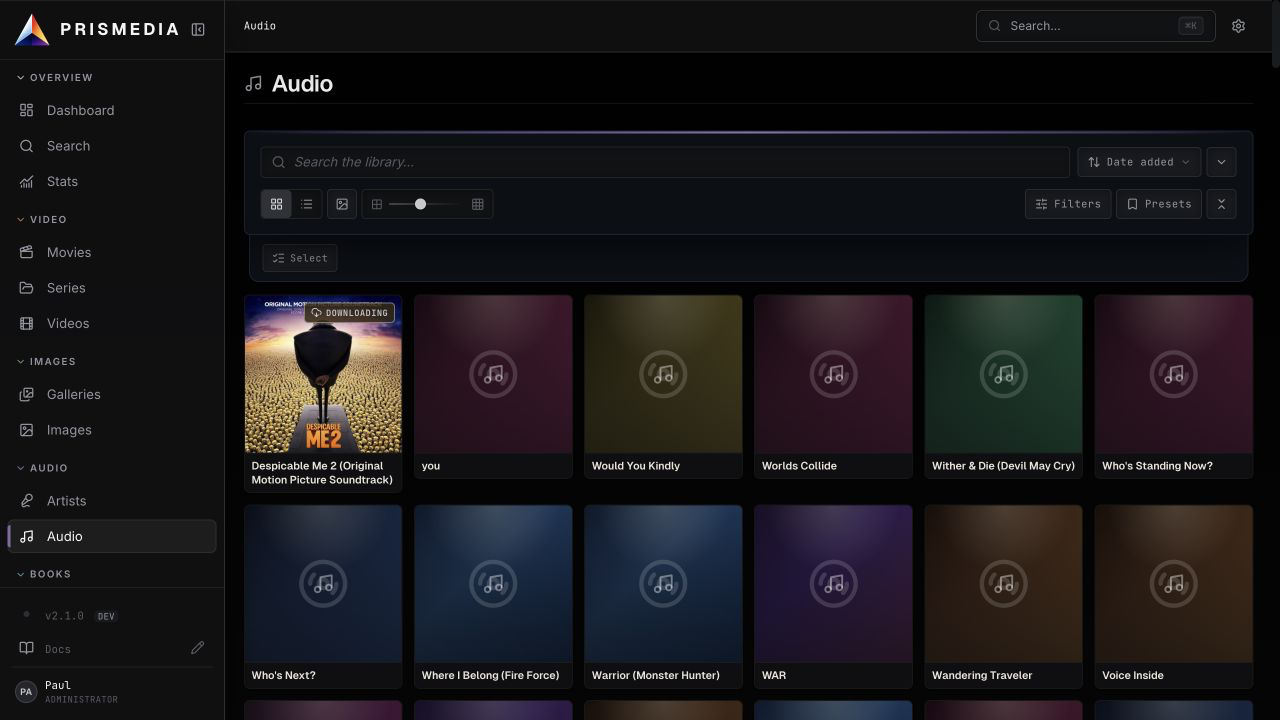
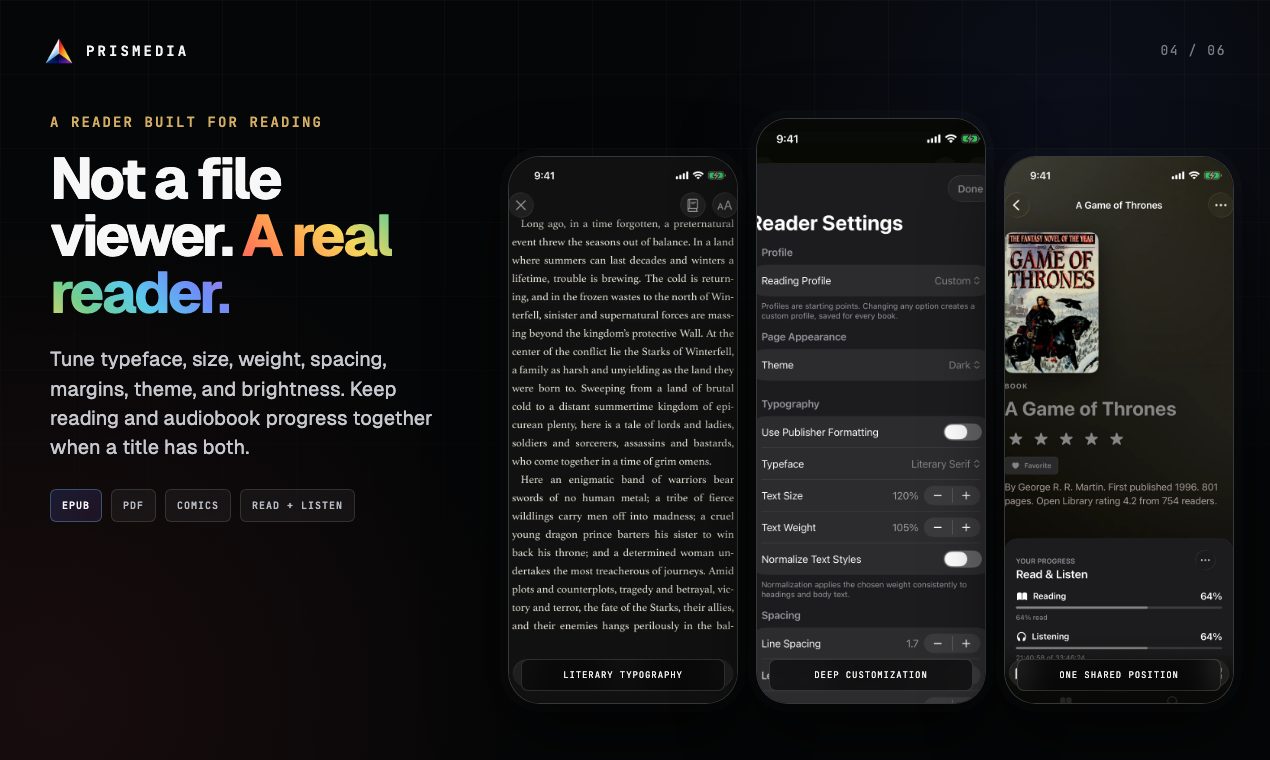
Comics (.cbz/.zip), EPUBs, and PDFs open in a built-in reader — paged and webtoon comics, reflowable EPUBs, and a full PDF reader with selectable text, zoom, search, outline, and resume. Images and galleries use a lightbox with metadata and linked entities. Audio plays through a persistent bar with a queue, shuffle, waveforms, and OS media-control integration.
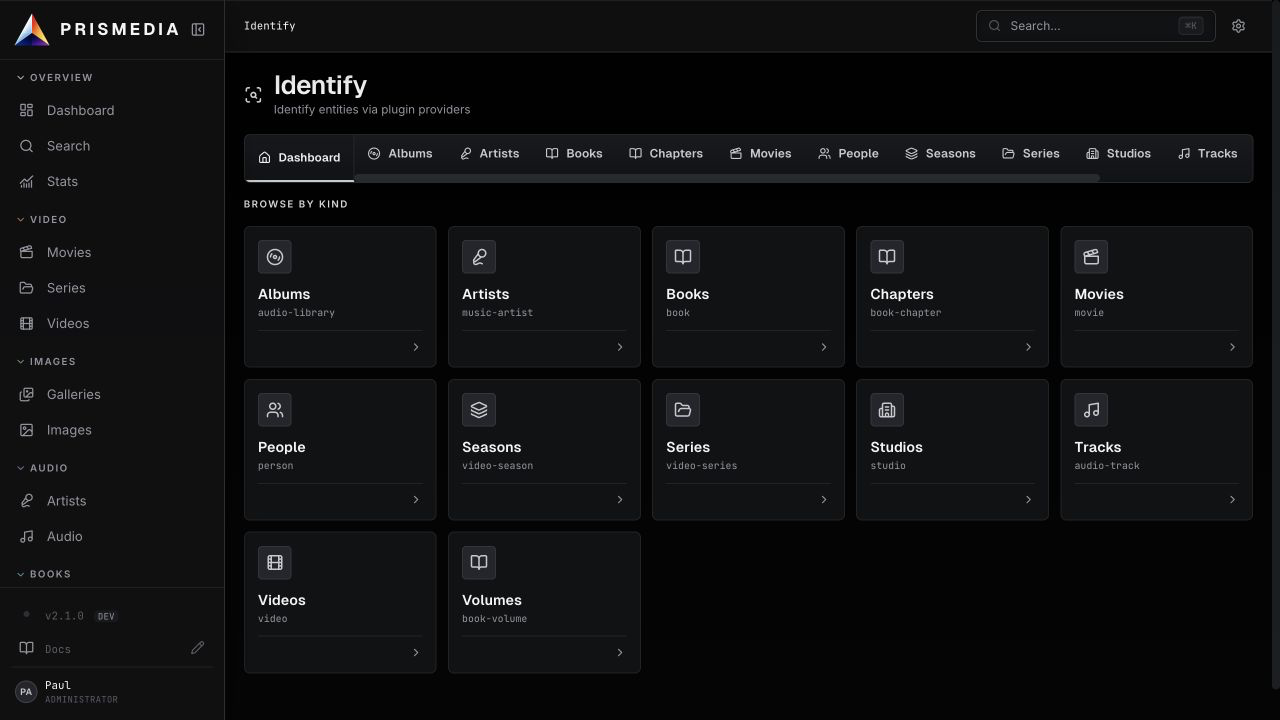
The Identify workspace keeps a durable review queue. Add movies, series, videos, books, galleries, images, people, studios, or audio, run providers, review field-by-field proposals, choose artwork, walk into streaming child proposals (seasons/episodes, volumes/chapters, albums/tracks), and accept when the result is right. Auto Identify can apply confident matches automatically during scans.
Plugins can be native TypeScript or Python, and Stash community scrapers can be wrapped as providers.
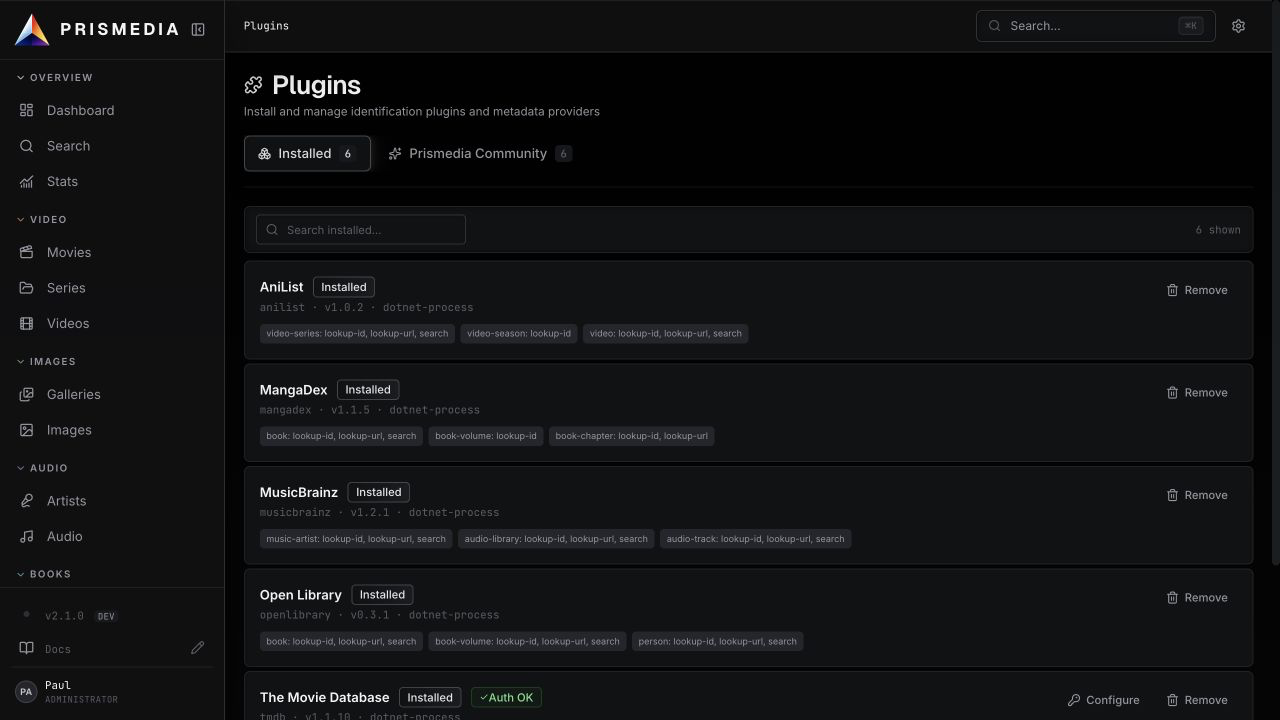
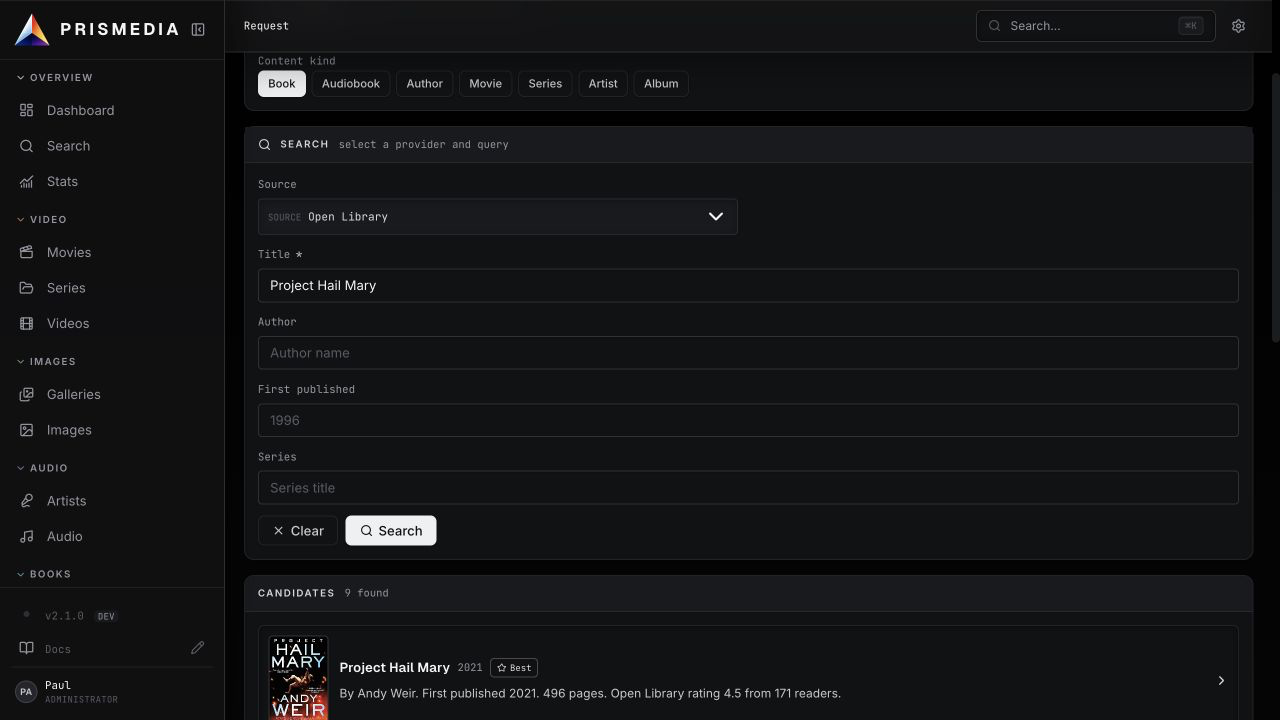
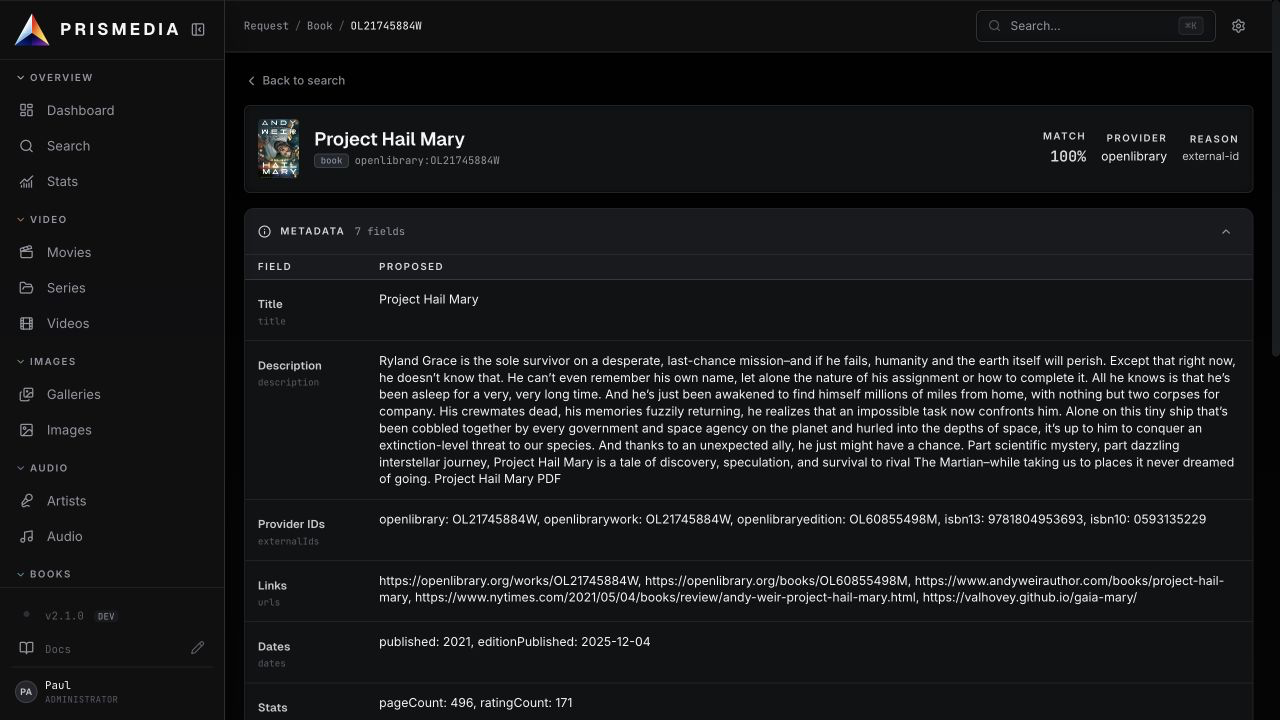
Request is Prismedia's first-party acquisition workspace. Search for books, authors, movies, series, artists, and albums, then let Prismedia create Wanted library entities, search Prowlarr or direct Torznab/Newznab indexers, route releases to qBittorrent, Transmission, or SABnzbd, monitor the download, import the result into the right library, and keep durable History for every grab, import, failure, blocklist, and removal. Wanted and acquired items live on the same library pages with release picking, live progress, monitoring, Missing/Cutoff Unmet lists, and detail metadata from providers such as OpenLibrary, TMDB, and MusicBrainz.
A Jellyfin-compatible API lets client apps discover Prismedia, sign in, and stream — tested with Infuse (video + audio) and music clients like Manet, Finamp, and Symfonium. Clients sign in with your Prismedia user accounts, and each user carries their own library access and NSFW visibility, so you can run separate SFW and NSFW "servers" in your client. Resume position and play counts sync both ways, per user. See Jellyfin Compatibility.
The responsive web app is the complete library workspace: browse every medium, request and identify items, manage files, tune settings, and inspect background work from one interface.
The native iPhone and iPad app adds adaptive Apple-platform navigation, video and audio playback, dedicated music and audiobook players, and customizable EPUB, PDF, comic, and webtoon reading. Tune typeface, size, weight, line spacing, margins, theme, and brightness. When a title has both text and audio editions, reading and listening progress stay together with separate actions for continuing each experience.
The Apple TV app uses a cinematic, focus-first interface and a custom native player built on the device's codec and playback stack. Supported sources direct-play at original quality—including lossless audio—while the paused chrome keeps title, stream state, resolution, codecs, timeline, audio, subtitles, and playback controls readable from the couch.
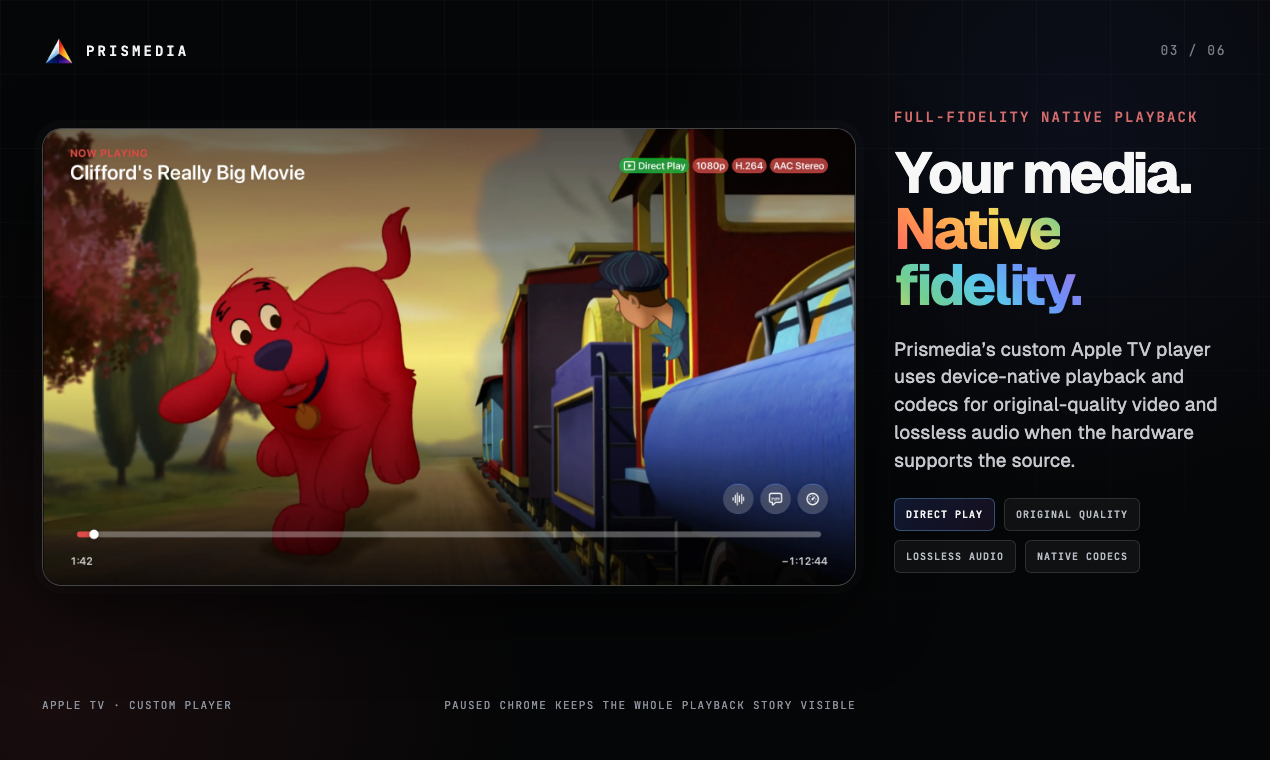
The iPhone, iPad, and Apple TV apps are currently distributed through the limited Prismedia TestFlight.
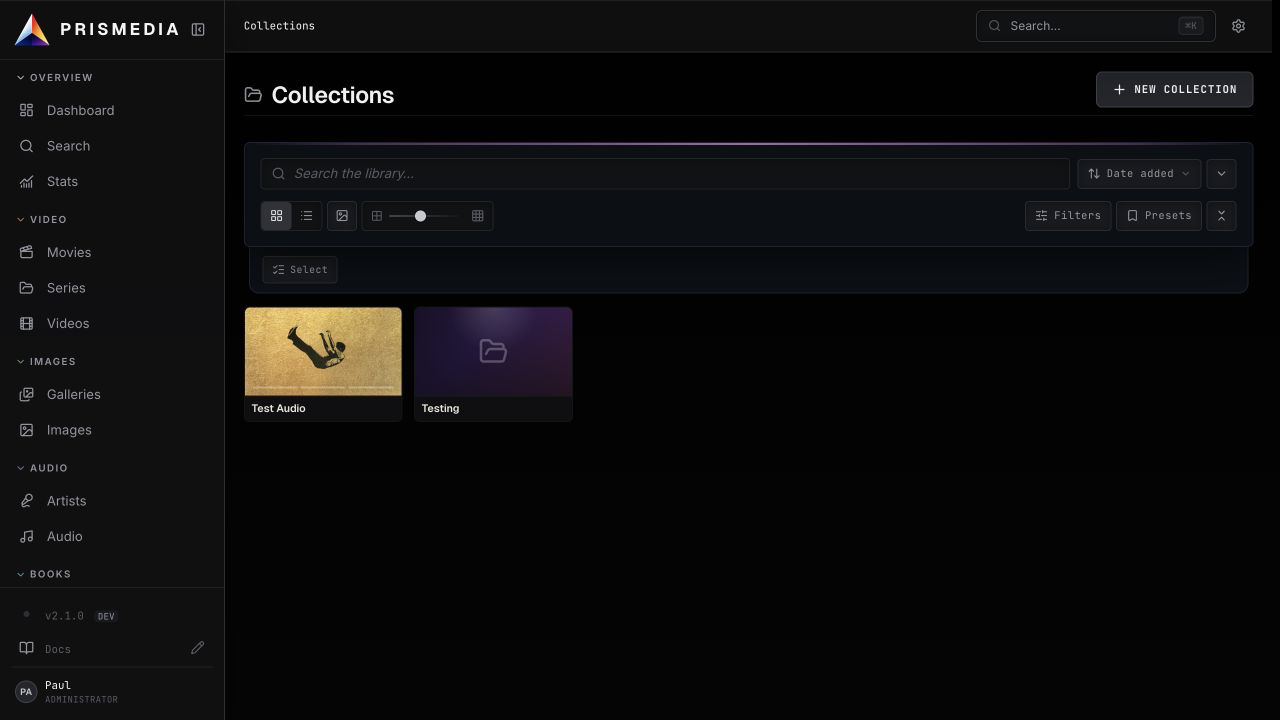
Collections are simple groupings for browsing and curation. They can be manual, rule-driven, or hybrid, and they can contain movies, series, galleries, images, books, and audio tracks. They are not a global playback queue; they are an organizational view over your library.
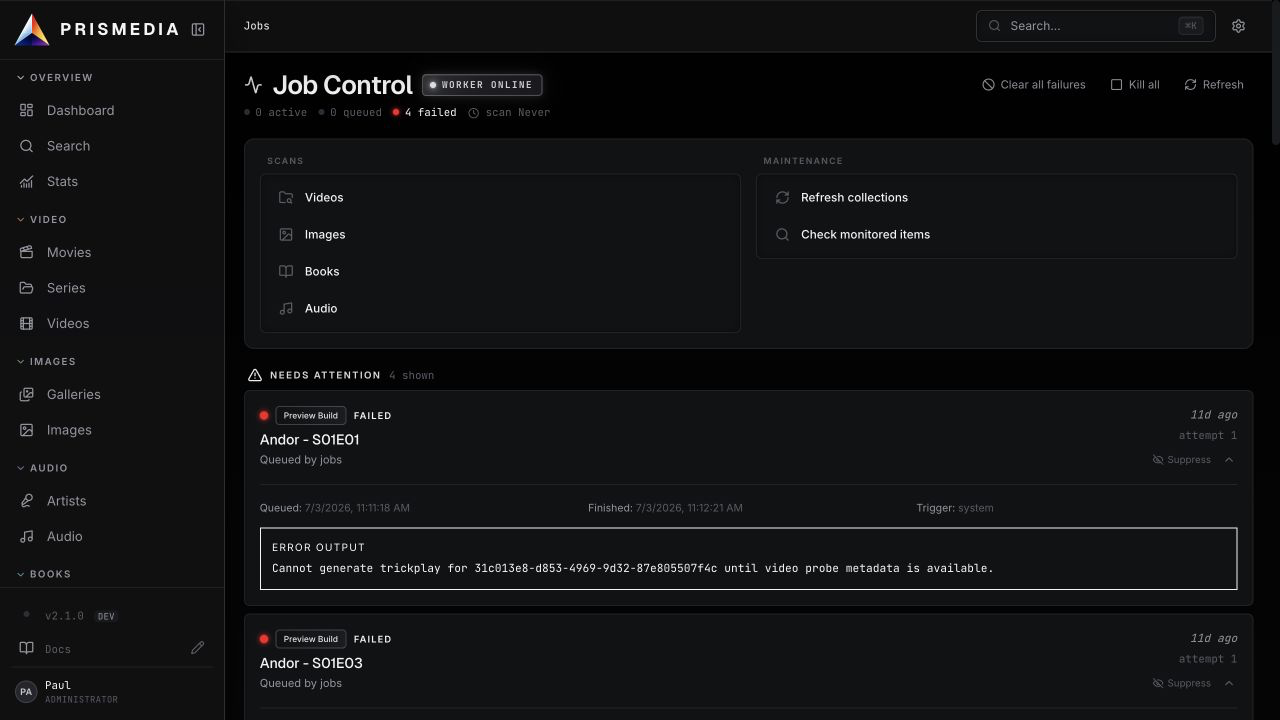
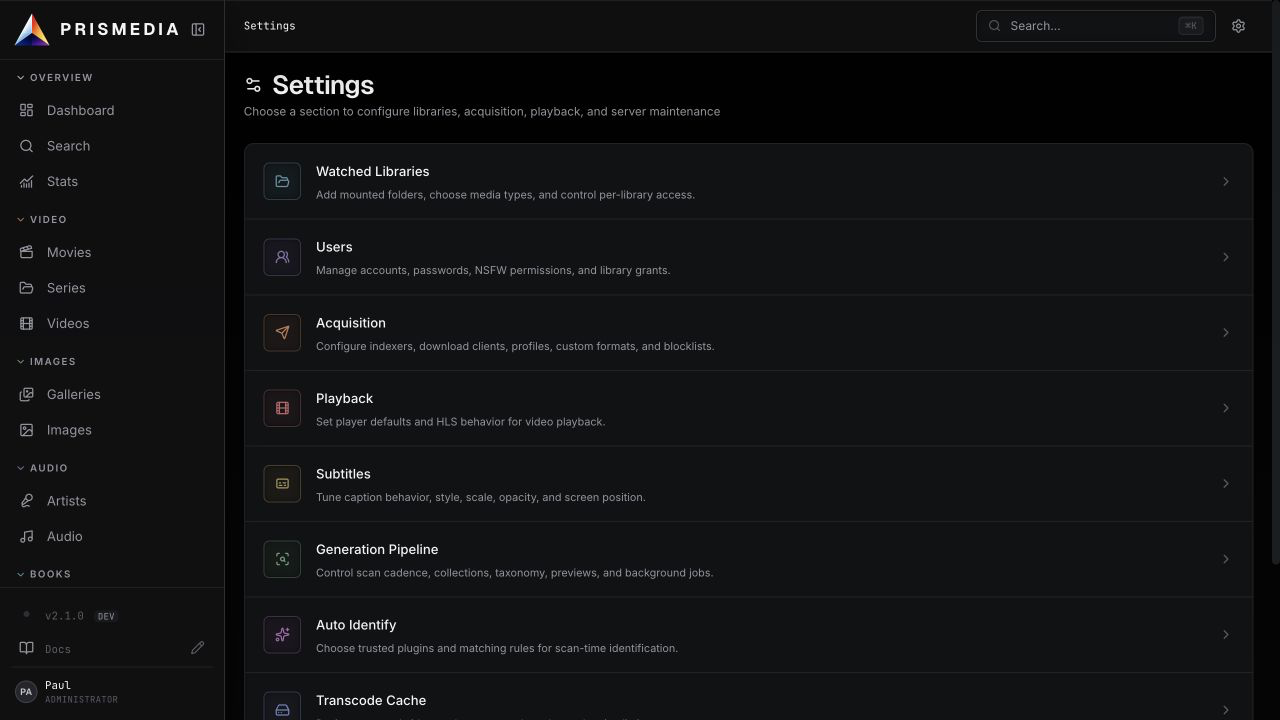
Long-running work runs in the .NET worker and is visible in Jobs: scans, probes, previews, thumbnails, sprites, waveforms, HLS, subtitles, identify, imports, collection refreshes, and maintenance. Settings control watched libraries, user accounts, playback, subtitles, generated storage, worker concurrency, and diagnostics.
Prismedia's visual system makes the name literal: neutral white-light chrome holds the whole collection together, then each media family takes a muted color from the prism spectrum. True black and opaque material surfaces keep artwork dominant; a page gets one restrained accent moment, while frosted glass is reserved for navigation, toolbars, menus, dialogs, and other layers that actually float.
The design language lives in docs/design-language.md and is mirrored in the documentation site.
pnpm install
docker compose -f infra/docker/docker-compose.yml up -d postgres
pnpm --filter @prismedia/web-svelte dev
dotnet run --project apps/backend/src/Prismedia.Api/Prismedia.Api.csproj
dotnet run --project apps/backend/src/Prismedia.Worker/Prismedia.Worker.csproj
Open the running application through the .NET host at http://localhost:8008. Vite provides frontend hot reload behind the development stack, but port 8008 is the canonical app surface and same-origin API entry point.
pnpm check          # frontend lint/typecheck through turbo
pnpm test:unit      # TypeScript unit tests
pnpm test:web-svelte
pnpm test:backend   # .NET tests
pnpm docs:check     # Docusaurus typecheck + build
pnpm release:check  # changelog + workspace version validation
docker build -f infra/docker/unified.Dockerfile -t prismedia:local .
Prismedia starts at 1.0.0 and uses plain SemVer versions. The root package.json is the build version and all workspace package versions must match it. Channel publishing never edits package versions or changelog headings; it only publishes the already-decided build.
See CHANGELOG.md for user-facing release notes.
See LICENSE.
more like this
SCYTHE is a lightweight, C#-based game engine focused on modifiability and rapid iteration using Raylib.
.Net 10 (.Net 8+) webassembly starter project using raylib-cs nuget 7.0.2 and raylib 5.5
Provides the ability to show various dialogs and child windows in a DI injectable application dialog service ready to p…
search projects, people, and tags