r2
Free open-source Cloudflare R2 desktop client and S3 GUI for macOS, Windows, and Linux. Manage Cloudflare R2, AWS S3, M…
TypeScript★ 50
A multi-platform, Qt-based frontend for systemd's journalctl command. Accepting local as well as remote (SSH) data sour…
 pentix
git clone https://github.com/pentix/qjournalctl.gitpentix/qjournalctlsystemd provides journalctl to display and analyze its journal. Think of
the journal as a giant log file for the whole system. Different programs
(like e.g. different software/services on your system, but also the kernel) write their log entries into systemd's
journal. journalctl supports a few flags/parameters to specify what should
be displayed. QJournalctl is just a graphical user interface which displays
the journal and lets the user simply change the parameters to check the log
quickly for specific reports or errors.
Maybe you want to checkout the Changelog.
QJournalctl is available in the community repository of Archlinux and Manjaro:
sudo pacman -S qjournalctl
For other distributions, it is at the moment required to build it from sources.
g++ ≥ 4.8.1, clang ≥ 3.3)qtbase5-dev for Debian/Ubuntu; on macOS these come with the qt Homebrew tap)libssh ≥ 0.8.7Your distribution's supplied version of libssh might be too old for a successful build. You need
to build and install libssh yourself (< 2 minutes!)
sudo apt-get install qtbase5-dev cmake libssl-dev pkg-config
wget https://www.libssh.org/files/0.9/libssh-0.9.5.tar.xz
tar xf libssh-0.9.5.tar.xz ; cd libssh-0.9.5
mkdir build ; cd build
cmake .. && sudo make install
cd ../..
git clone https://github.com/pentix/qjournalctl.git)./autogen.shmake -j$(nproc) to compile qjournalctlsudo make installTo handle dependencies of macOS, we're going to use homebrew.
brew install qt libssh
As indicated in the caveats:
qt is keg-only, which means it was not symlinked into /usr/local,
because Qt 5 has CMake issues when linked.

If you need to have qt first in your PATH run:
  echo 'export PATH="/usr/local/opt/qt/bin:$PATH"' >> /Users/user_name/.bash_profile
before building QJournalctl you'll indeed need to run:
export PATH="/usr/local/opt/qt/bin:$PATH"
(no need to make it persistent by using .bash_profile)
git clone https://github.com/pentix/qjournalctl.git)./autogen.shmake -j$(nproc) to compile qjournalctlsudo make installTo build QJournalctl for Windows, it is needed
v141). They are part of the Microsoft Visual Studio Community 2017 and can be also installed in the version 2019 (https://docs.microsoft.com/en-us/cpp/build/vscpp-step-0-installation?view=vs-2019)5.13.22020.01 (https://github.com/microsoft/vcpkg)vcpkgqjournalctl repository (<qjournalctlfoldr>/vcpkg/) from https://github.com/microsoft/vcpkgcmd and go to <qjournalctlfoldr>/vcpkg/./bootstrap-vcpkg.bat. With this, you will get vcpkg ready to be usedQJournalctl is based on libssh. It is possible to obtain it using vcpkg:
vcpkg folder (<qjournalctlfoldr>/vcpkg/)libssh dependencies for the target needed:vcpkg install libssh:x64-windows
Now, the libssh binaries as well as its dependencies can be found at <repository_root>/vcpkg/packages/
It is possible to build QJournalctl using two different manners
autogen_and_build.bat script.autogen_and_build.batConsidering that the Install the QJournalctl Dependencies steps are already performed, first adjust autogen_and_build.bat with your own paths
ARCH to either x86 to compile for a x86 32 bit target or to x86_64 for a x86 64 bit targetVCPKG_INSTALL_FOLDER defined in the autogen_and_build.bat with the path where you have vcpkg, (i.e. set VCPKG_INSTALL_FOLDER= <yourqjournalctlrepopath>\vcpkg)QTDIR may be for instance C:\Qt\Qt5.14.1\5.14.1\msvc2017_64)autogen_and_build.bat. The application can be found at release/ folder.First, it is needed to configure QtCreator by enabling the MSVC toolchain. Configure it for 32 and 64 bit, release and debug by navigating to Projects > Manage Kits > add ...
Once it is set up
Build > Build project "qjournalctl"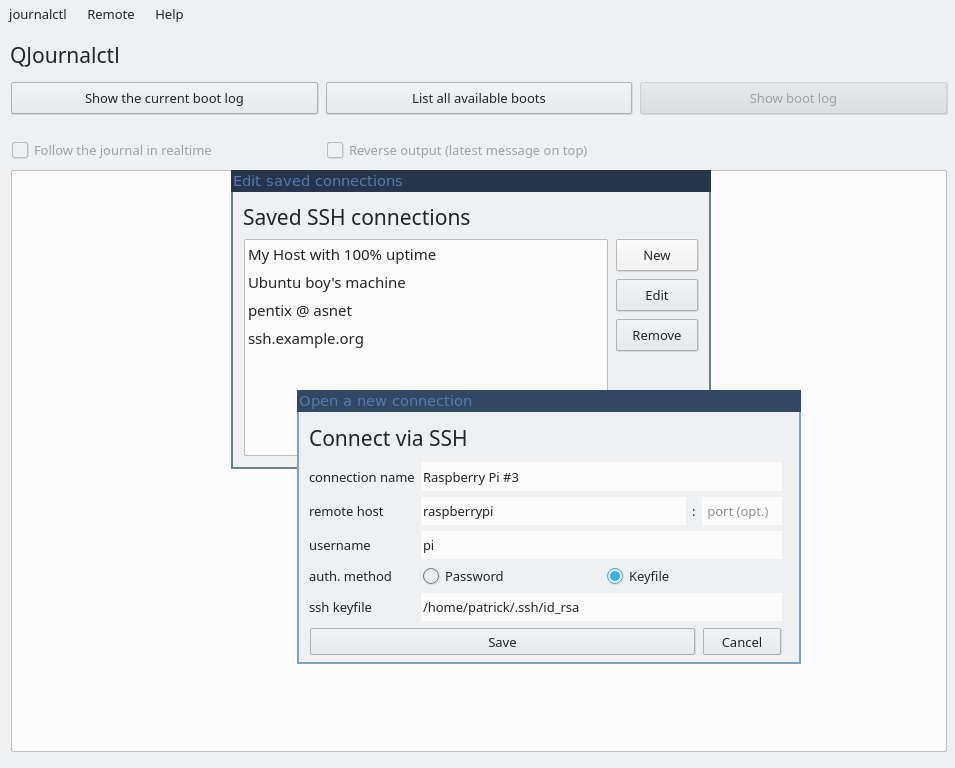


more like this
Free open-source Cloudflare R2 desktop client and S3 GUI for macOS, Windows, and Linux. Manage Cloudflare R2, AWS S3, M…
search projects, people, and tags