 renzora
Renzora Engine
A 3D game engine and visual editor built on Bevy 0.19. It's fully compatible with the Bevy plugin ecosystem and is itself modular — every system is a plugin you can add, remove, or replace. Use it as a standalone engine to build games out of the box, or treat it as a customizable foundation you can modify into your own bespoke engine.
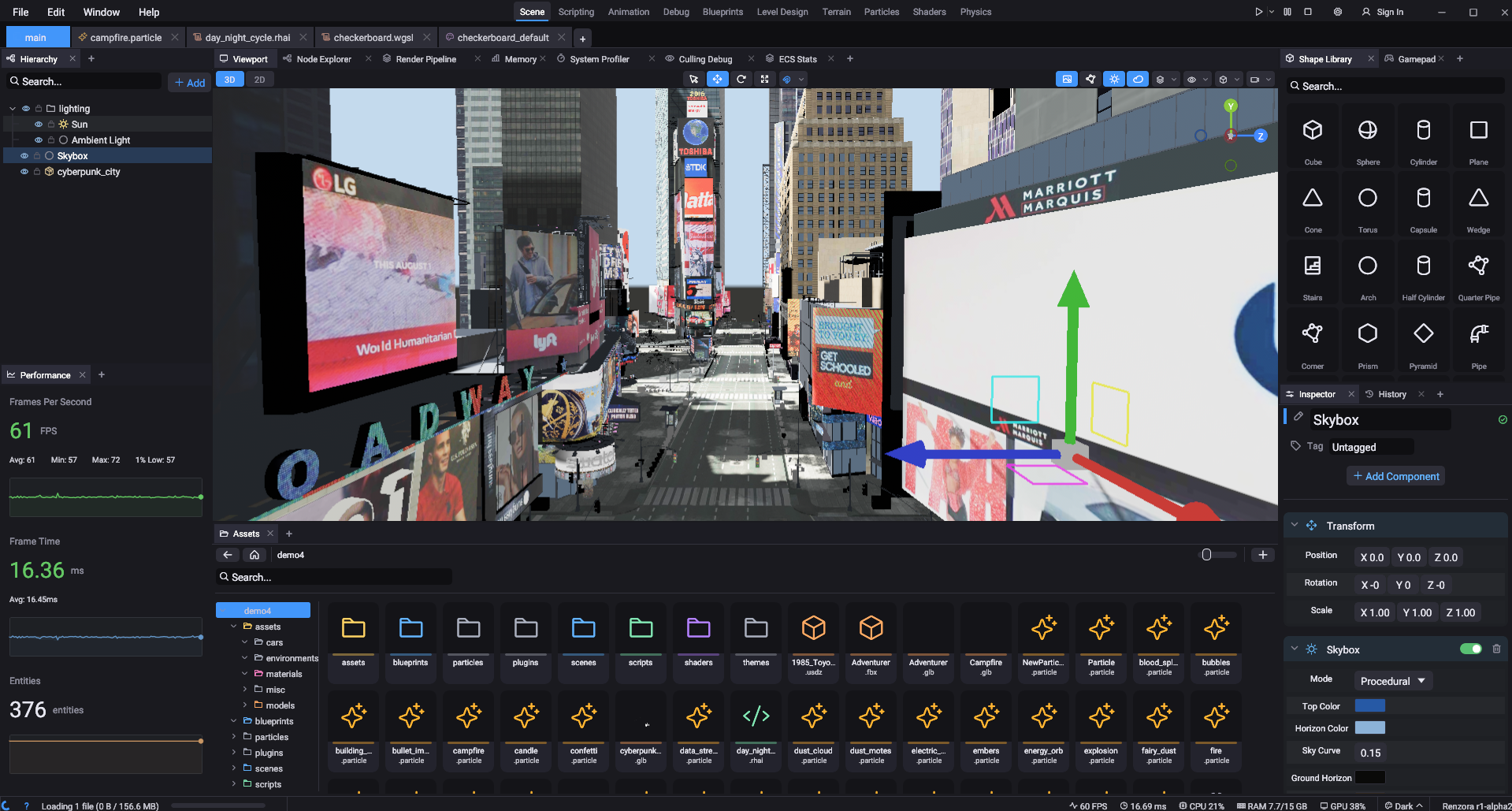
Warning: Early alpha. Expect bugs, incomplete features, and breaking changes between versions.
AI-Assisted Development: This project uses AI code generation tools (Claude by Anthropic) throughout development. If that's a concern, check out Bevy, Godot, or Fyrox.
Getting Started
Prerequisites: Docker, and Rust just to install the CLI.
cargo install renzora     # installs the `renzora` command
renzora new engine        # scaffold a new project
cd engine
renzora run               # build the editor and launch it (first run is slow)
Everything builds inside a container, so Docker handles the rest — no toolchain or system libraries to set up, and the build is identical on every machine. The editor runs on your computer, not in the container.
Building from source without Docker
Working on the engine itself, or prefer no Docker? Clone the repo and build natively for your own platform with cargo renzora:
git clone https://github.com/renzora/engine.git
cd engine
cargo renzora             # build, stage dist/, and launch the editor
The build lands in dist/<platform>/. Use cargo renzora dist to build without launching. Builds are host-only; for other platforms use renzora build (Docker).
On Linux you also need the usual graphics/audio dev headers:
sudo apt install pkg-config libx11-dev libxcursor-dev libxrandr-dev libxi-dev \
  libwayland-dev libxkbcommon-dev libasound2-dev libudev-dev
Renzora CLI Commands
| Command | What it does |
|---|---|
renzora new <name> |
Scaffold a new project. |
renzora run [editor|runtime] |
Build for your machine and launch it (editor by default). |
renzora build [platforms] |
Cross-build for one or more platforms (no args = all). |
renzora test |
Run the test suite. |
renzora add <name> [--editor|--dylib] |
Add a plugin crate. |
renzora remove <name> |
Delete a plugin crate. |
renzora shell |
Open a shell in the build container. |
Run renzora --help for the rest (init, check, upx, clean, destroy).
Platforms: windows, linux, macos, wasm, android, ios. Builds land in dist/<platform>/ — the runtime build doubles as a dedicated server (run it with --server).
The toolchain image is multi-arch (amd64 + arm64), so Apple Silicon Macs run it natively. Two arch caveats: linux builds the container's native arch (linux-x64 or linux-arm64), and android needs the amd64 image (Google publishes no arm64-Linux NDK) — on arm64 that lane is skipped with a warning.
Documentation
Full documentation — getting started, scripting, UI, plugins, exporting, and more — lives on the website:
Supported Platforms
| Platform | Devices |
|---|---|
| Windows x64 | Desktop, PCVR (SteamVR, Oculus Link) |
| Linux x64 | Desktop, Steam Deck |
| macOS | Intel + Apple Silicon |
| Web (WASM) | Chrome 113+, Edge 113+, Firefox Nightly |
| Android ARM64 | Phones, tablets, Meta Quest, Pico, HTC Vive Focus |
| iOS | iPhone, iPad |
| Apple TV | Apple TV 4K, Apple TV HD |
Supported File Formats
| Format | Type |
|---|---|
.glb / .gltf / .fbx / .obj / .stl / .ply |
3D models |
.ron |
Scene files |
.rhai / .lua |
Scripts |
.blueprint |
Visual script graphs |
.material |
Material graphs |
.particle |
Particle effects |
.png / .jpg / .hdr / .exr |
Textures |
.ogg / .mp3 / .wav / .flac |
Audio (native only) |
.rpak |
Compressed asset archives |
License
Dual-licensed under MIT or Apache 2.0.
more like this
Scythe
SCYTHE is a lightweight, C#-based game engine focused on modifiability and rapid iteration using Raylib.