lottery
🎉🌟✨🎈年会抽奖程序,基于 Express + Three.js的 3D 球体抽奖程序,奖品🧧🎁,文字,图片,抽奖规则均可配置,😜抽奖人员信息Excel一键导入😍,抽奖结果Excel导出😎,给你的抽奖活动带来全新酷炫体验🚀🚀🚀
JavaScript★ 4.6k
Next generation toolkit for web3D and photorealistic graphics
 repalash
git clone https://github.com/repalash/threepipe.gitrepalash/threepipe Threepipe
Next generation toolkit for web3D and photorealistic graphics.
Website — Github — Examples — API Reference — Realistic Rendering
Threepipe is a modern 3D framework built on top of three.js, written in TypeScript, designed to make creating high-quality, modular, and extensible 3D experiences on the web simple and enjoyable.
Checkout the documentation and guides on the threepipe website for more details.
Code samples and demos covering various usecases and test are present in the examples folder.
Try them: https://threepipe.org/examples/
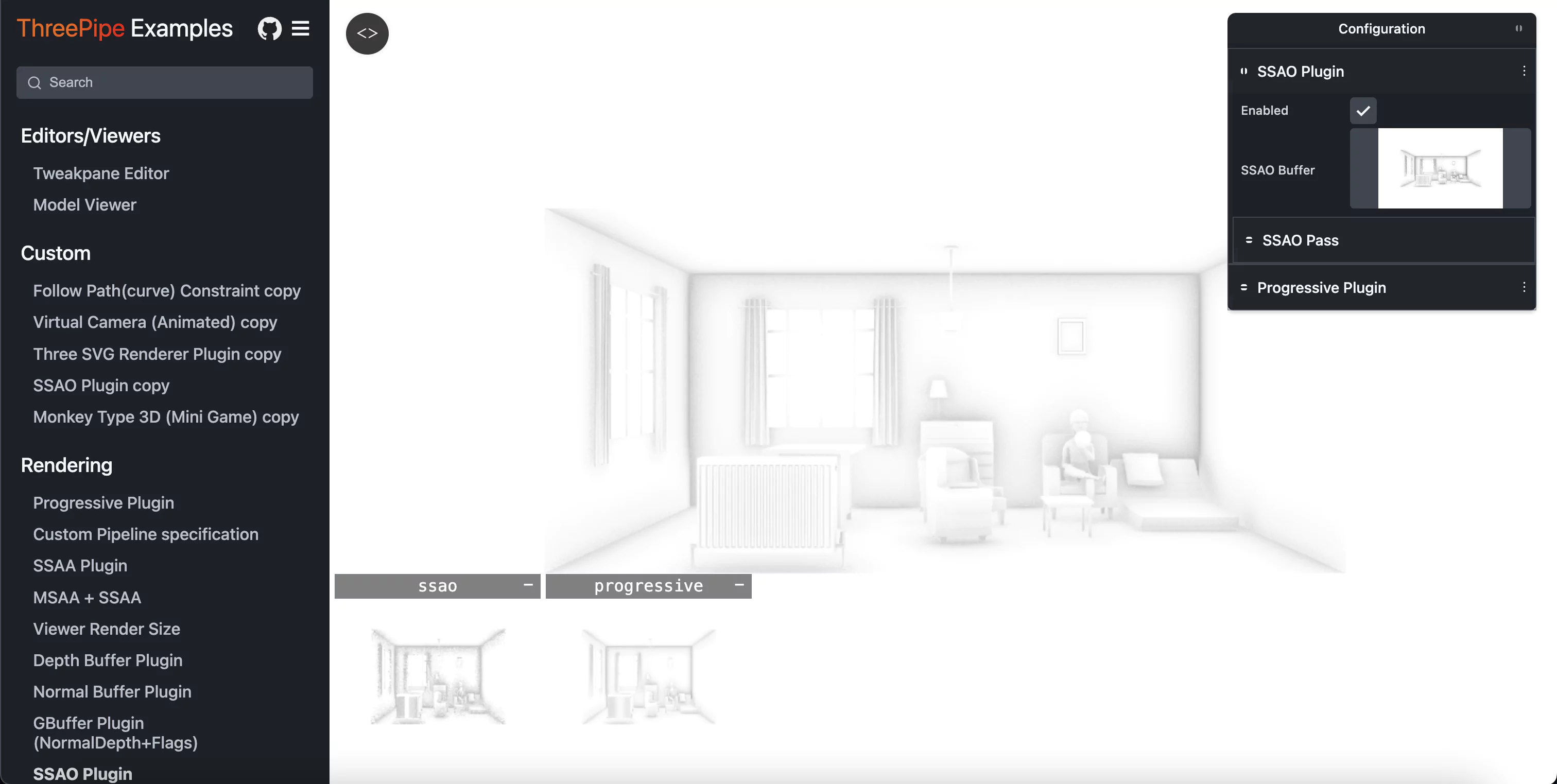
View and edit the source code by pressing the code button on the top left of the example page.
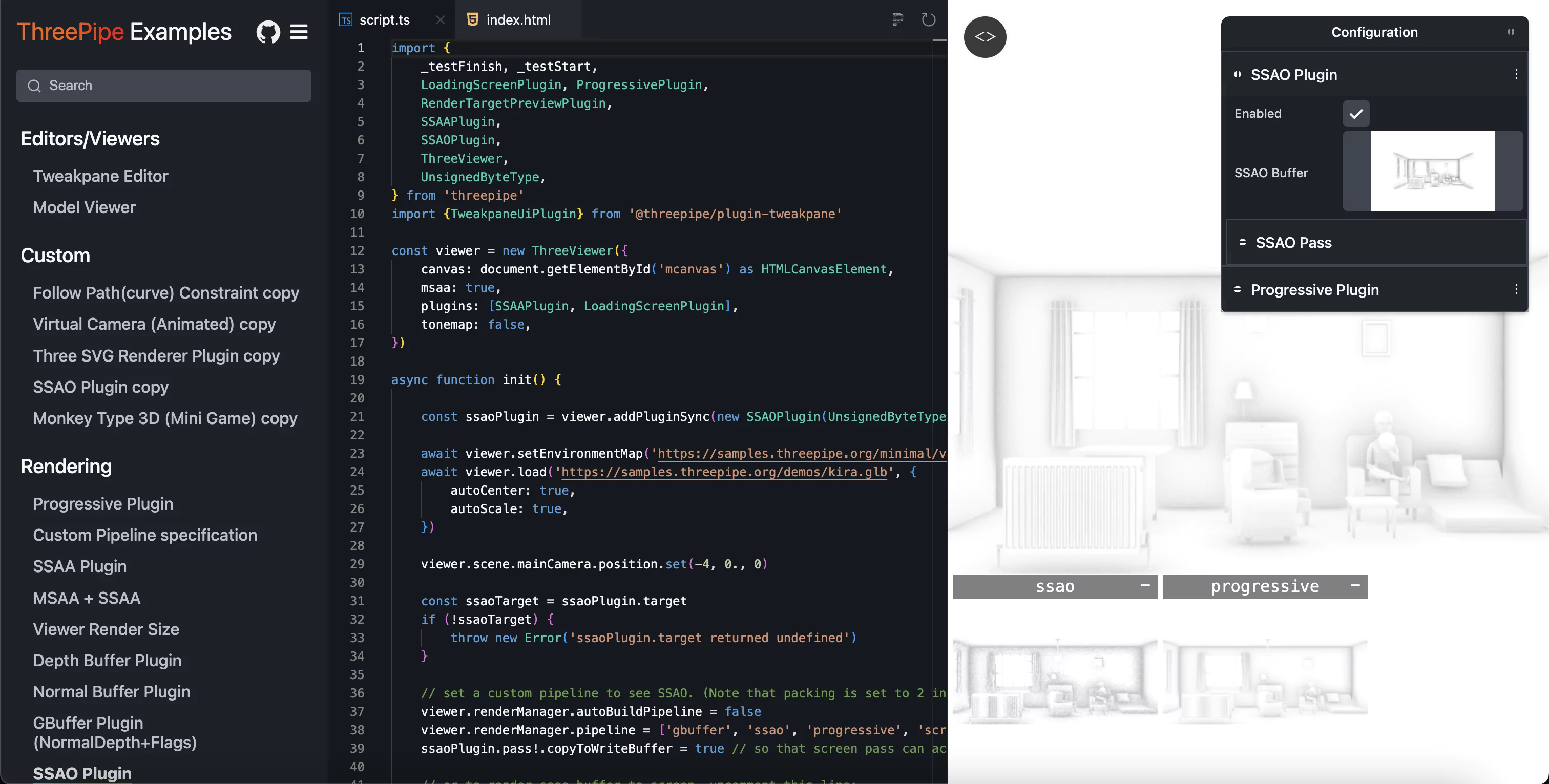
A web-based editor to create, edit, configure and export 3D scenes and models for use with Threepipe.
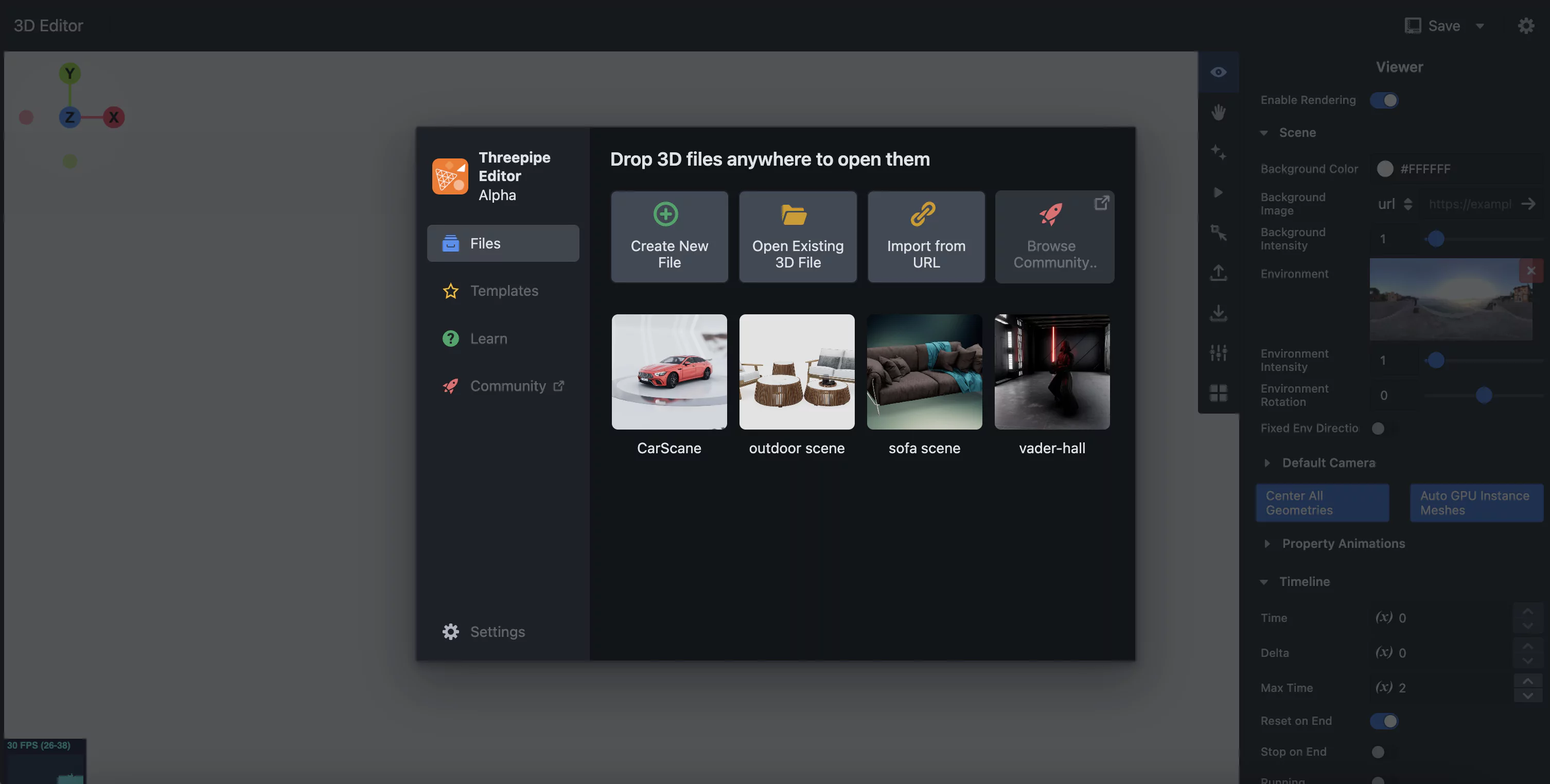
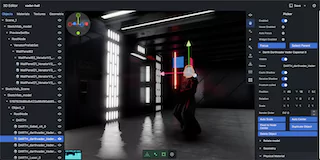
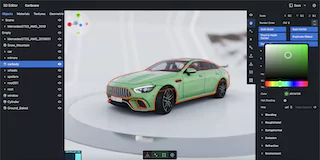
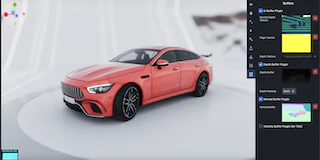
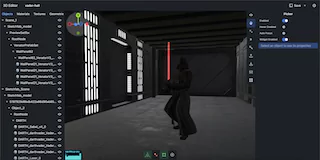
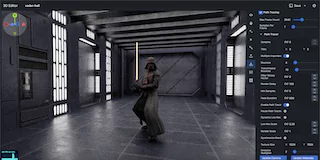
Checkout the full Getting Started Guide on threepipe.org
To create a new project locally
npm create threepipe@latest
And follow the instructions to select a template and create a new project.
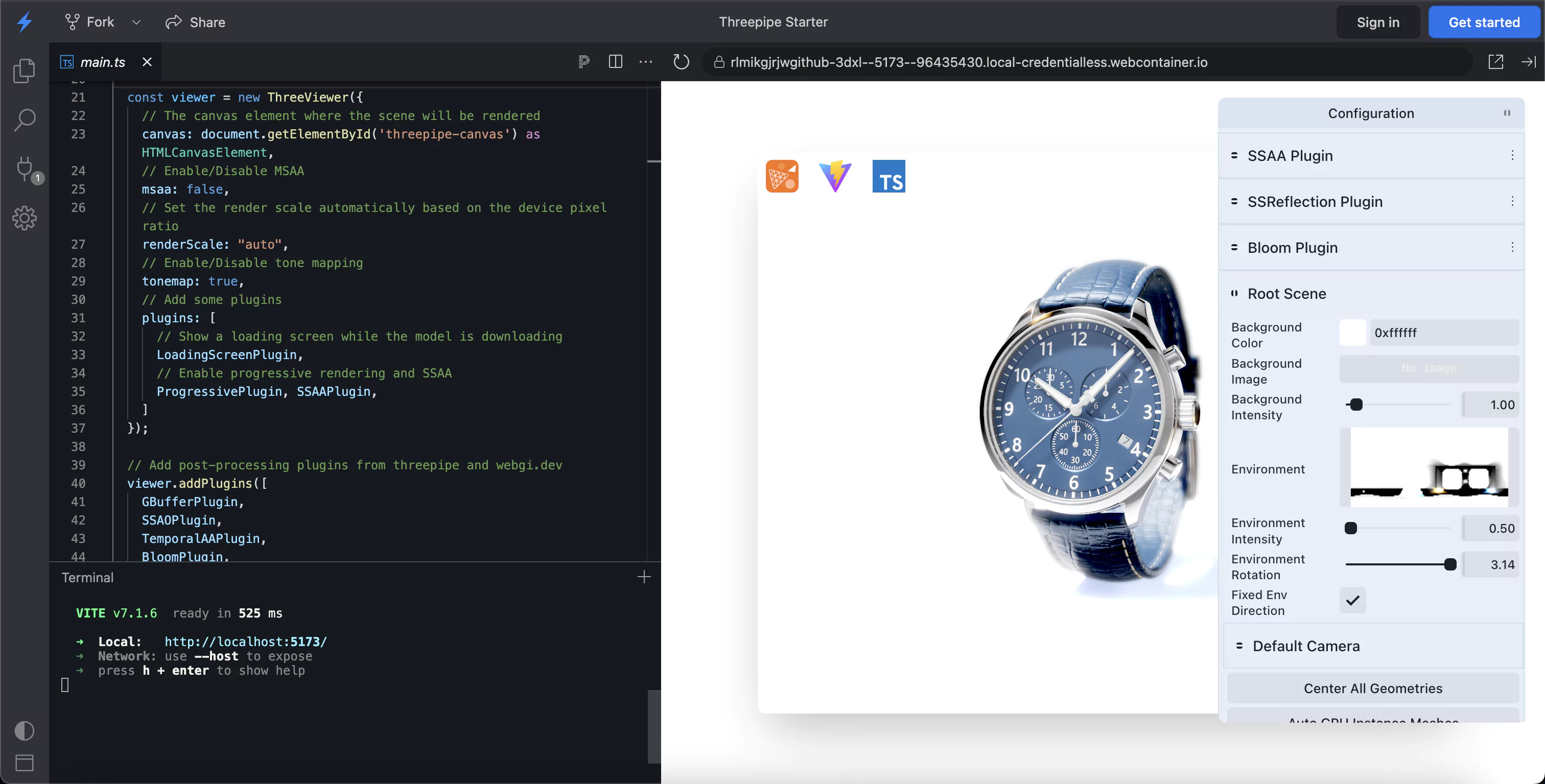
Pre-ready templates with model viewer and plugins can be directly run and edited on stackblitz.
Basic javascript | typescript
Rendering javascript | typescript
R3F javascript | typescript
NextJS typescript
<canvas id="three-canvas" style="width: 800px; height: 600px;"></canvas>
<script type="module">
  import {ThreeViewer, DepthBufferPlugin} from 'https://unpkg.com/threepipe@latest/dist/index.mjs'

  const viewer = new ThreeViewer({canvas: document.getElementById('three-canvas')})

  // Add some plugins
  viewer.addPluginSync(new DepthBufferPlugin())

  // Load an environment map
  const envPromise = viewer.setEnvironmentMap('https://samples.threepipe.org/minimal/venice_sunset_1k.hdr')
  const modelPromise = viewer.load('https://threejs.org/examples/models/gltf/DamagedHelmet/glTF/DamagedHelmet.gltf', {
    autoCenter: true,
    autoScale: true,
  })

  Promise.all([envPromise, modelPromise]).then(([env, model]) => {
    console.log('Loaded', model, env, viewer)
  })
</script>
Check it in action: https://threepipe.org/examples/#html-js-sample/
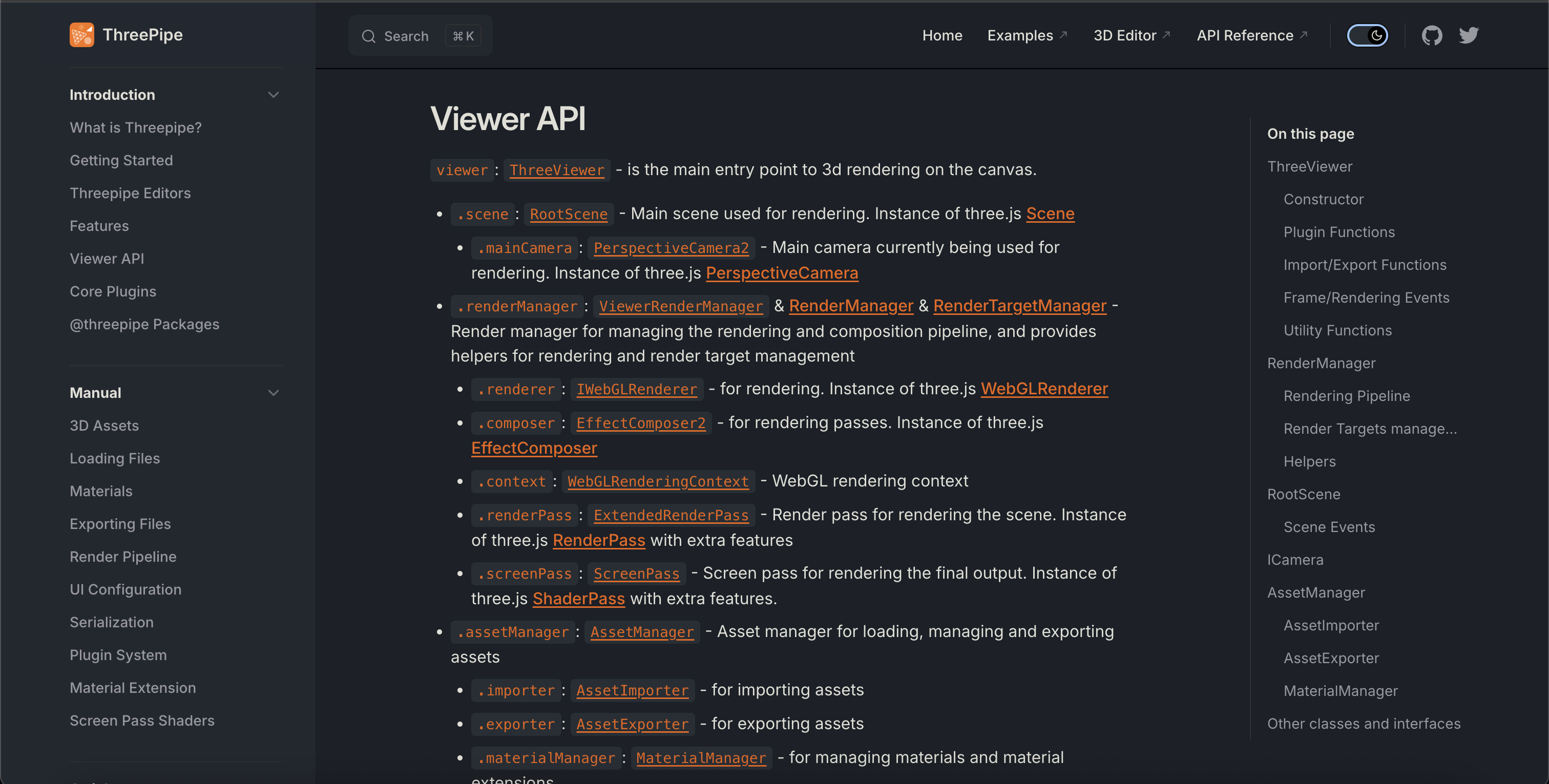
Check out the details about the ThreeViewer API and more plugins.
npm install threepipe
First, create a canvas element in your HTML page:
<canvas id="three-canvas" style="width: 800px; height: 600px;"></canvas>
Then, import the viewer and create a new instance:
import {ThreeViewer, IObject3D} from 'threepipe'

// Create a viewer
const viewer = new ThreeViewer({canvas: document.getElementById('three-canvas') as HTMLCanvasElement})

// Load an environment map
await viewer.setEnvironmentMap('https://samples.threepipe.org/minimal/venice_sunset_1k.hdr')

// Load a model
const result = await viewer.load<IObject3D>('https://threejs.org/examples/models/gltf/DamagedHelmet/glTF/DamagedHelmet.gltf', {
    autoCenter: true,
    autoScale: true,
})
That's it! You should now see a 3D model on your page.
The 3D model can be opened in the editor to view and edit the scene settings, objects, materials, lights, cameras, post-processing, etc. and exported as a GLB file. All settings are automatically serialized and saved in the GLB file, which can be loaded into the viewer. Any plugins used in the editor can be added to the viewer to add the same functionality. The plugin data is automatically loaded(if the plugin is added) when the model is added to the scene.
The viewer initializes with a Scene, Camera, Camera controls(Orbit Controls), several importers, exporters and a default rendering pipeline. Additional functionality can be added with plugins.
Check out the glTF Load example to see it in action or to check the JS equivalent code: https://threepipe.org/examples/#gltf-load/
Check out the Plugins section to learn how to add additional functionality to the viewer.
Threepipe includes a built-in rendering and post-processing pipeline that is highly optimized and feature packed. Several realistic rendering plugins are included in the threepipe core like SSAOPlugin for quick ambient occlusion, SSAAPlugin for anti-aliasing, TonemapPlugin for tonemapping, etc.
Threepipe provides the @threepipe/webgi-plugins package (now free) with even more advanced realistic rendering plugins like Screen Space Reflections, HDR Bloom, Depth Of Field etc that work in realtime on all devices.
Follow the quickstart guide on various realistic rendering plugins and how they effect the lighting in the scene at webgi.dev
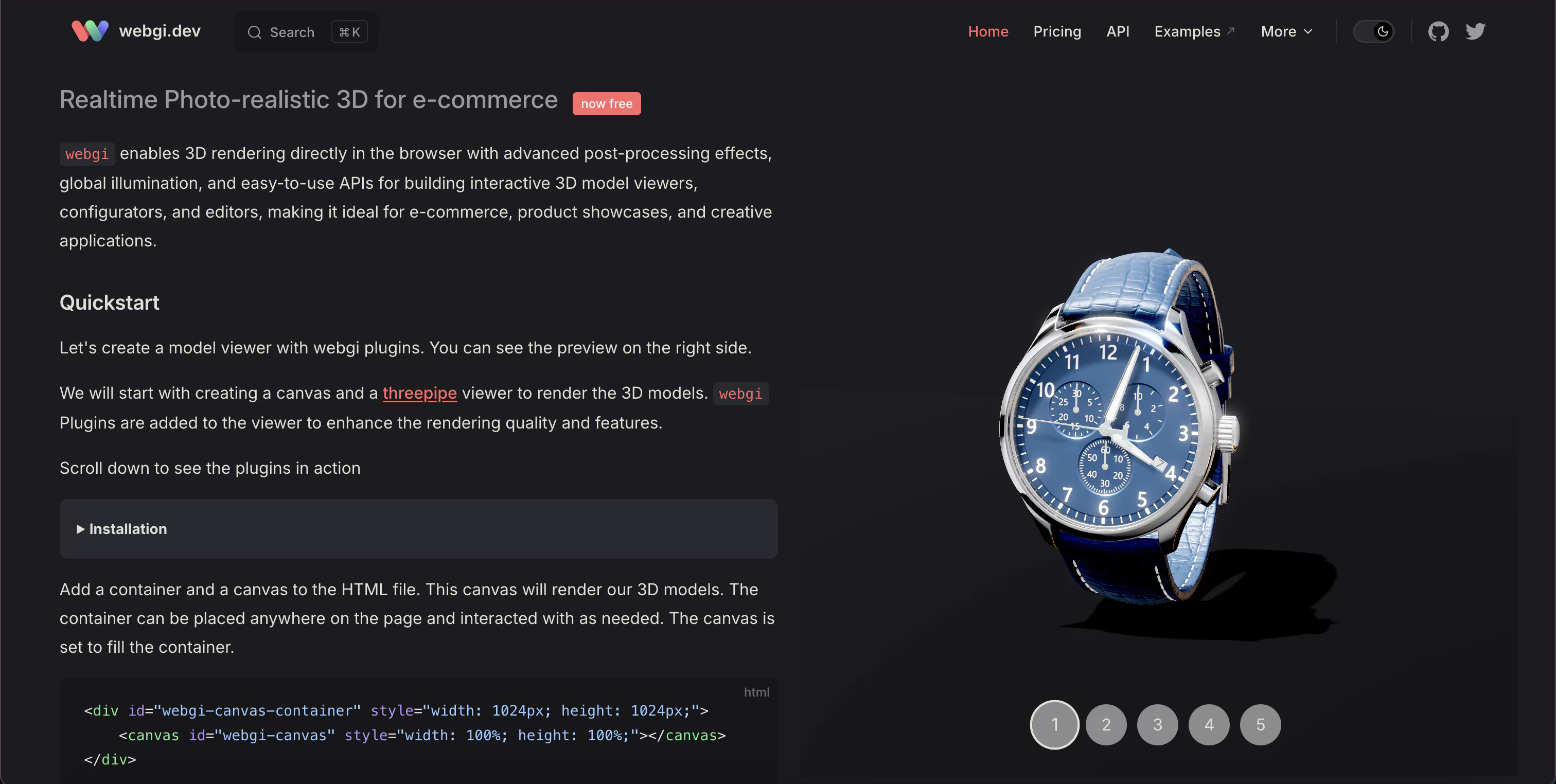
Threepipe also provides other plugins like Path Tracing for photorealistic rendering and baking, and more third party plugins for various effects and custom materials.
Threepipe can be used in your favourite framework or library like React, Vue.js, Svelte, etc.
Below we provide minimal sample components for different UI frameworks, these can serve as a starting point to make your own viewer component with additional functionality and plugins.
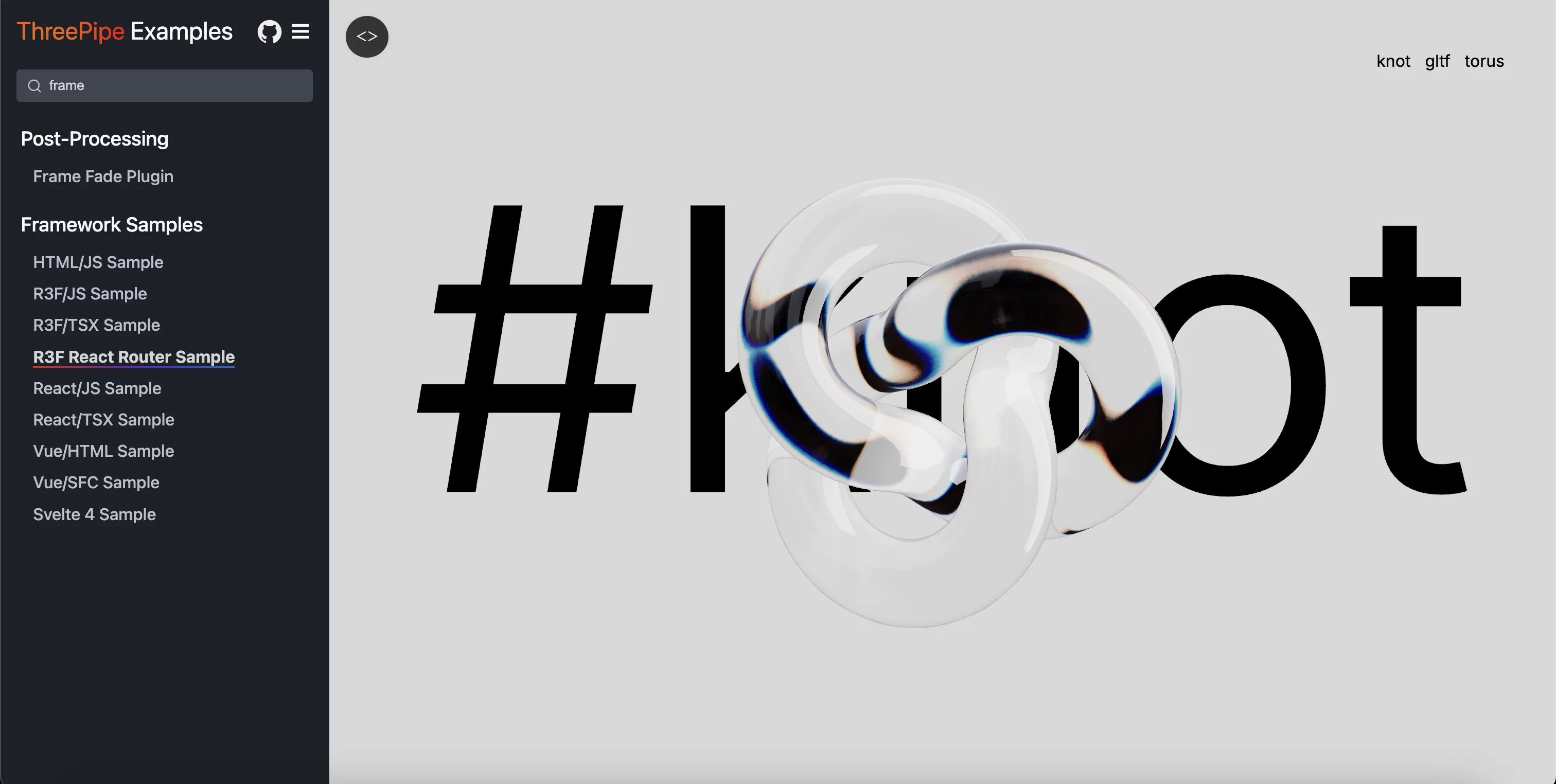
Checkout the Framework Samples section in the Threepipe Examples for sample usage and downloadable source code.
The best way to use the viewer in react is to wrap it in a custom component.
Here is a sample react component in tsx to render a model with an environment map.
import React from 'react'
function ThreeViewerComponent({src, env}: {src: string, env: string}) {
  const canvasRef = React.useRef(null)
  React.useEffect(() => {
    const viewer = new ThreeViewer({canvas: canvasRef.current})

    const envPromise = viewer.setEnvironmentMap(env)
    const modelPromise = viewer.load(src)
    Promise.all([envPromise, modelPromise]).then(([env, model]) => {
      console.log('Loaded', model, env, viewer)
    })

    return () => {
      viewer.dispose()
    }
  }, [])
  return (
     <canvas id="three-canvas" style={{width: 800, height: 600}} ref={canvasRef} />
  )
}
Check it in action: https://threepipe.org/examples/#react-tsx-sample/
Other examples in js: https://threepipe.org/examples/#react-js-sample/ and jsx: https://threepipe.org/examples/#react-jsx-sample/
For a more declarative approach using JSX syntax, you can use the @threepipe/plugin-r3f package which provides React Three Fiber integration.
npm install @threepipe/plugin-r3f
Here is a sample React Three Fiber component to render a model with an environment map using declarative JSX syntax.
import React from 'react'
import { createRoot } from 'react-dom/client'
import { ViewerCanvas, Asset, Model } from '@threepipe/plugin-r3f'
import { LoadingScreenPlugin } from 'threepipe'

function App() {
  return (
    <ViewerCanvas
      id="three-canvas"
      style={{width: 800, height: 600}}
      plugins={[LoadingScreenPlugin]}
      onMount={async (viewer) => {
        console.log('Viewer mounted:', viewer)
      }}
    >
      <React.Suspense fallback={<mesh>
        <boxGeometry args={[1, 1, 1]} />
        <meshStandardMaterial color="orange" />
      </mesh>}>
        <Asset
          url="https://samples.threepipe.org/minimal/venice_sunset_1k.hdr"
          autoSetBackground={true}
        />
        <Asset
          url="https://threejs.org/examples/models/gltf/DamagedHelmet/glTF/DamagedHelmet.gltf"
          autoCenter={true}
          autoScale={true}
        />
      </React.Suspense>
    </ViewerCanvas>
  )
}

createRoot(document.getElementById('root')).render(<App />)
ViewerCanvas is the wrapper around the r3f Canvas component that initializes the ThreePipe viewer and provides the viewer context to all child components.
Any children added to this component are added to the scene model root.
Check it in action: https://threepipe.org/examples/#r3f-tsx-sample/
The best way to use the viewer in nextjs is to wrap it in a custom component which can then be used in any page.
Here is a sample client side react component with nextjs in tsx to render a model with an environment map.
The 'use client' directive is required to make it a client component.
In the client component, threepipe and any plugins can be imported at the top level normally, and imported using next/dynamic at any server side or client side pages in next.js.
'use client'
import React from 'react'
import {ThreeViewer} from 'threepipe';

export default function ThreeViewerComponent({src, env}: {src: string, env: string}) {
  const canvasRef = React.useRef<HTMLCanvasElement | null>(null)

  React.useEffect(() => {
    if (!canvasRef.current) return
    const viewer = new ThreeViewer({ canvas: canvasRef.current!, tonemap: false, rgbm: false, msaa: true })
    viewer.scene.backgroundColor = null

    const envPromise = viewer.setEnvironmentMap(env)
    const modelPromise = viewer.load(src, {autoScale: true, autoCenter: true})

    Promise.all([envPromise, modelPromise]).then(([envMap, model]) => {
      console.log('Loaded', model, envMap, viewer)
    })
    return () => {if (viewer) viewer.dispose()}
  }, [src, env])

  return <div><canvas id="three-canvas" style={{
    width: 800, height: 600,
    position: 'absolute', transform: 'translate(-50%, -50%)', top: '50%', left: '50%',
  }} ref={canvasRef}/></div>
}
Then import and use the component on any page
const ThreeViewer = dynamic(async () => import('./ThreeViewerComponent'), { ssr: false });
export default function HomePage() {
  return <ThreeViewer
    src={"https://sample.threepipe.org/minimal/DamagedHelmet/glTF/DamagedHelmet.gltf"}
    env={"https://samples.threepipe.org/minimal/venice_sunset_1k.hdr"}
  />
}
Checkout the nextjs starter on stackblitz for a complete working using threepipe and several plugins in a nextjs application.
threepipe and its plugins can be imported dynamically using js import() syntax to reduce the initial bundle size.
Here is a sample client side react component with nextjs in tsx to render a model with an environment map using dynamic import.
'use client'
import React from 'react'
import type {ThreeViewer} from 'threepipe';

export default function ThreeViewerComponent({src, env}: {src: string, env: string}) {
  const canvasRef = React.useRef<HTMLCanvasElement | null>(null)

  React.useEffect(() => {
    if (!canvasRef.current) return
    let viewer: ThreeViewer;
    (async () => {
      const { ThreeViewer } = await import('threepipe')
      viewer = new ThreeViewer({ canvas: canvasRef.current!, tonemap: false, rgbm: false, msaa: true })
      viewer.scene.backgroundColor = null

      const envPromise = viewer.setEnvironmentMap(env)
      const modelPromise = viewer.load(src, {autoScale: true, autoCenter: true})

      Promise.all([envPromise, modelPromise]).then(([envMap, model]) => {
        console.log('Loaded', model, envMap, viewer)
      })
    })()
    return () => {if (viewer) viewer.dispose()}
  }, [src, env])

  return <div><canvas id="three-canvas" style={{
    width: 800, height: 600,
    position: 'absolute', transform: 'translate(-50%, -50%)', top: '50%', left: '50%',
  }} ref={canvasRef}/></div>
}
The component can simply be used on any page without next/dynamic or ssr: false since it is already a client component.
<ThreeViewerComponent
  src={"https://sample.threepipe.org/minimal/DamagedHelmet/glTF/DamagedHelmet.gltf"}
  env={"https://samples.threepipe.org/minimal/venice_sunset_1k.hdr"}
/>
A sample vue.js component in js to render a model with an environment map.
const ThreeViewerComponent = {
  setup() {
    const canvasRef = ref(null);

    onMounted(() => {
      const viewer = new ThreeViewer({ canvas: canvasRef.value });

      const envPromise = viewer.setEnvironmentMap('https://samples.threepipe.org/minimal/venice_sunset_1k.hdr');
      const modelPromise = viewer.load('https://threejs.org/examples/models/gltf/DamagedHelmet/glTF/DamagedHelmet.gltf');

      Promise.all([envPromise, modelPromise]).then(([env, model]) => {
        console.log('Loaded', model, env, viewer)
      })

      onBeforeUnmount(() => {
        viewer.dispose();
      });
    });

    return { canvasRef };
  },
};
Check it in action: https://threepipe.org/examples/#vue-html-sample/
Another example with Vue SFC(Single file component): https://threepipe.org/examples/#vue-sfc-sample/
A sample svelte component in js to render a model with an environment map.
<script>
    import {onDestroy, onMount} from 'svelte';
    import {ThreeViewer} from 'threepipe';

    let canvasRef;
    let viewer;
    onMount(() => {
        viewer = new ThreeViewer({canvas: canvasRef});

        const envPromise = viewer.setEnvironmentMap('https://samples.threepipe.org/minimal/venice_sunset_1k.hdr');
        const modelPromise = viewer.load('https://threejs.org/examples/models/gltf/DamagedHelmet/glTF/DamagedHelmet.gltf');

        Promise.all([envPromise, modelPromise]).then(([env, model]) => {
          console.log('Loaded', model, env, viewer)
        })
    });
    onDestroy(() => viewer.dispose())
</script>

<canvas bind:this={canvasRef} id="three-canvas" style="width: 800px; height: 600px"></canvas>
Check it in action: https://threepipe.org/examples/#svelte-sample/
For Svelte 5, simply initialize canvasRef to $state() -
let canvasRef = $state();
The core framework(src, dist, examples folders) and any plugins without a separate license are under the Free Apache 2.0 license
Some plugins(in the plugins folder) might have different licenses. Check the individual plugin documentation and the source folder/files for more details.
The project is in beta stage and under active development.
Many features will be added but the core API will not change significantly in future releases.
ViewHelper/AxisHelper that syncs with the main camera.controlsMode to the mainCamera for device orientation controls(gyroscope rotation control).controlsMode to the mainCamera for pointer lock controls.controlsMode to the mainCamera for first person controls from threejs.MaterialConfiguratorPlugin and SwitchNodePlugin to allow users to select variationsCheck the list of all functions, classes and types in the API Reference Docs.
Contributions to ThreePipe are welcome and encouraged! Feel free to open issues and pull requests on the GitHub repository.
Read the contributing guidelines for more details on how to setup and work on the project.
more like this
🎉🌟✨🎈年会抽奖程序,基于 Express + Three.js的 3D 球体抽奖程序,奖品🧧🎁,文字,图片,抽奖规则均可配置,😜抽奖人员信息Excel一键导入😍,抽奖结果Excel导出😎,给你的抽奖活动带来全新酷炫体验🚀🚀🚀
🎥🤟 8 minimalistic templates for tfjs mediapipe handpose and facemesh
Firefox and Chrome extensions to prevent Google from making links ugly.
A repository about starting from scratch for monorepo, fastify, Phaser, colyseus, and threejs.
search projects, people, and tags