agentlytics
Comprehensive analytics dashboard for AI coding agents — Cursor, Windsurf, Claude Code, VS Code Copilot, Zed, Antigravi…
JavaScript★ 555
The privacy-first menu bar manager for macOS. Now 100% free and open source (MIT) — every feature unlocked. Native, lig…
 sane-apps
🎉 SaneBar is now 100% free and open source
Every Pro feature is unlocked for everyone — no license key, no trial, no strings. MIT licensed: use it, fork it, ship your own version. Read the full announcement for why (spoiler: macOS 27 breaks every menu bar manager) and what it means for you.
SaneBar is community-maintained now. Found a bug and fixed it? Pull requests are reviewed and merged — see Become a Contributor below, even if you don't code.
Hide the apps. Keep the access.
Hide menu bar apps you do not need right now, keep the important ones visible, and quickly open hidden apps when you need them. Free and open source — Touch ID lock, smart triggers, profiles, and everything else included.
| ⚡ Power | Your data stays on your Mac. No cloud account, no user-content upload. |
| ❤️ Love | Built to serve you. No dark patterns or manipulation. |
| 🧠 Sound Mind | Calm, focused design. No clutter or anxiety. |
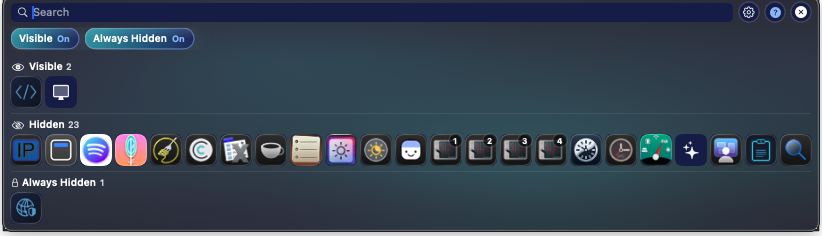
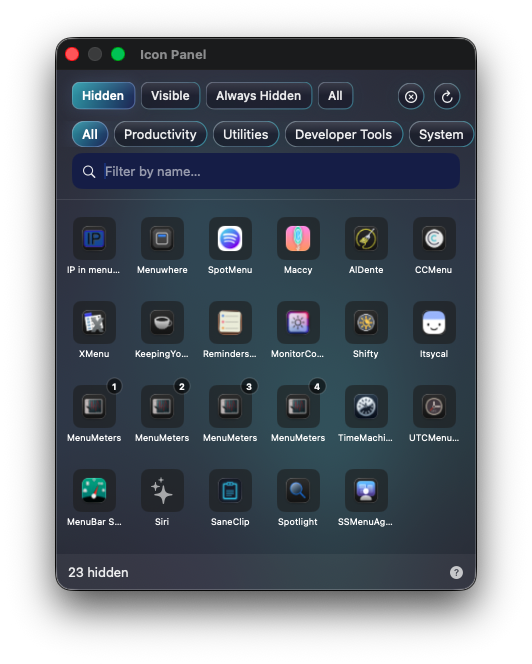
| Icon Panel | Pick the view you like |
|---|---|
 |
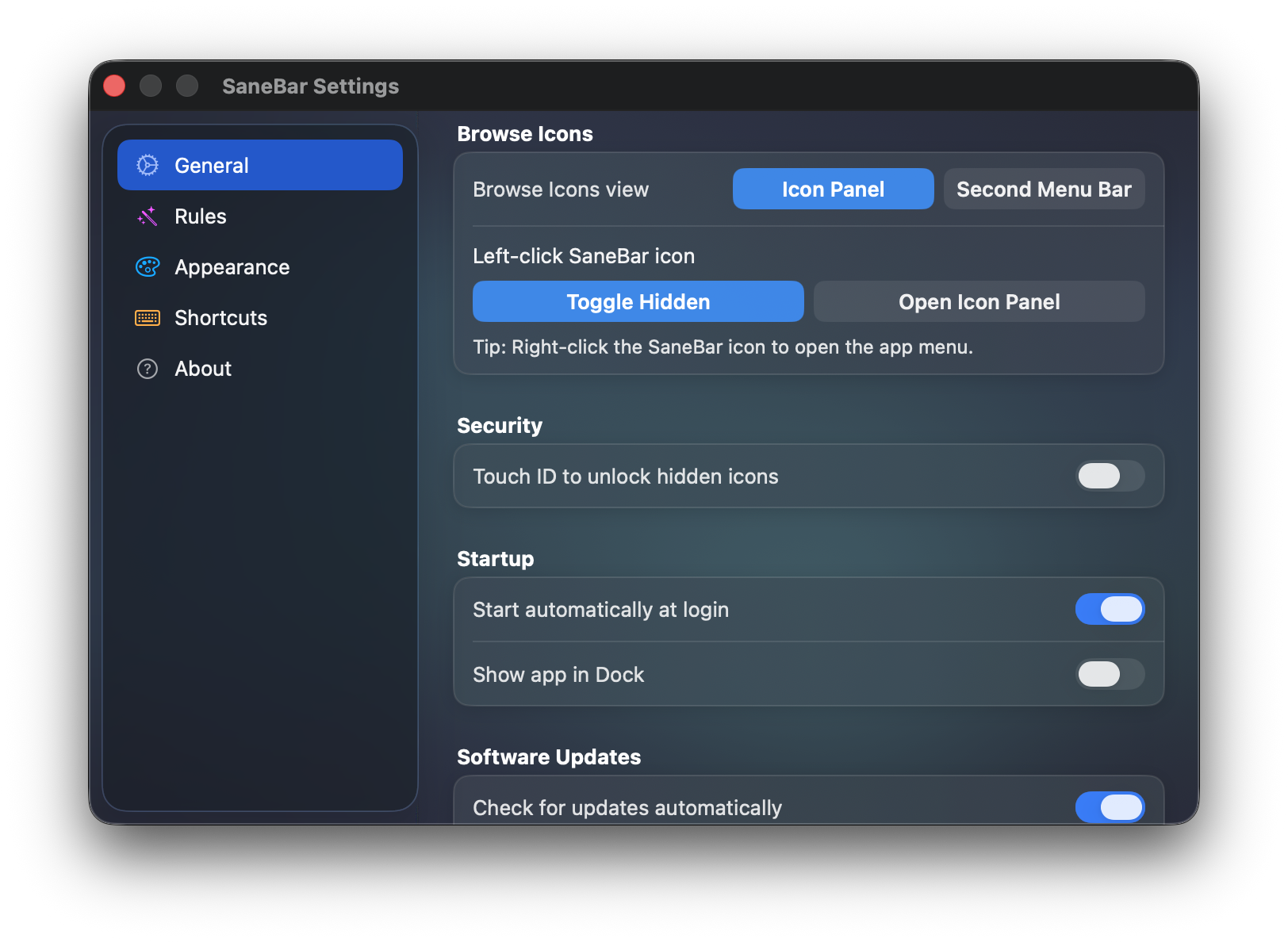 |
| Search by name, filter by section, and double-click to open hidden apps fast. | Use the Icon Panel or the Second Menu Bar. Switch anytime in Settings. |
▶️ Watch the demo (30 seconds)
SaneBar is free. Everything is included — hide and show icons, Touch ID lock, smart triggers, profiles, custom styling, all of it. No license key, no trial, no subscription.
Current direct release: 2.1.89.
Feel like paying anyway? GitHub Sponsors is the tip jar — donations are what keep indie Mac software like this coming (more ways to give).
# Homebrew (recommended)
brew install --cask sane-apps/tap/sanebar

# Already have SaneBar installed? Let Homebrew manage it:
brew install --cask --adopt sane-apps/tap/sanebar
Or download directly · or build from source
Requirements: macOS 14.0+ (Sonoma or later), Apple Silicon (arm64) only
SaneBar updates itself automatically via Sparkle. brew upgrade works too if you prefer.
Choose the style that suits you — set it during onboarding or change anytime in Settings:
Both modes let you browse hidden apps and open them, with drag reordering, drag moves between Visible, Hidden, and Always Hidden, plus right-click quick move actions.
All included, free:
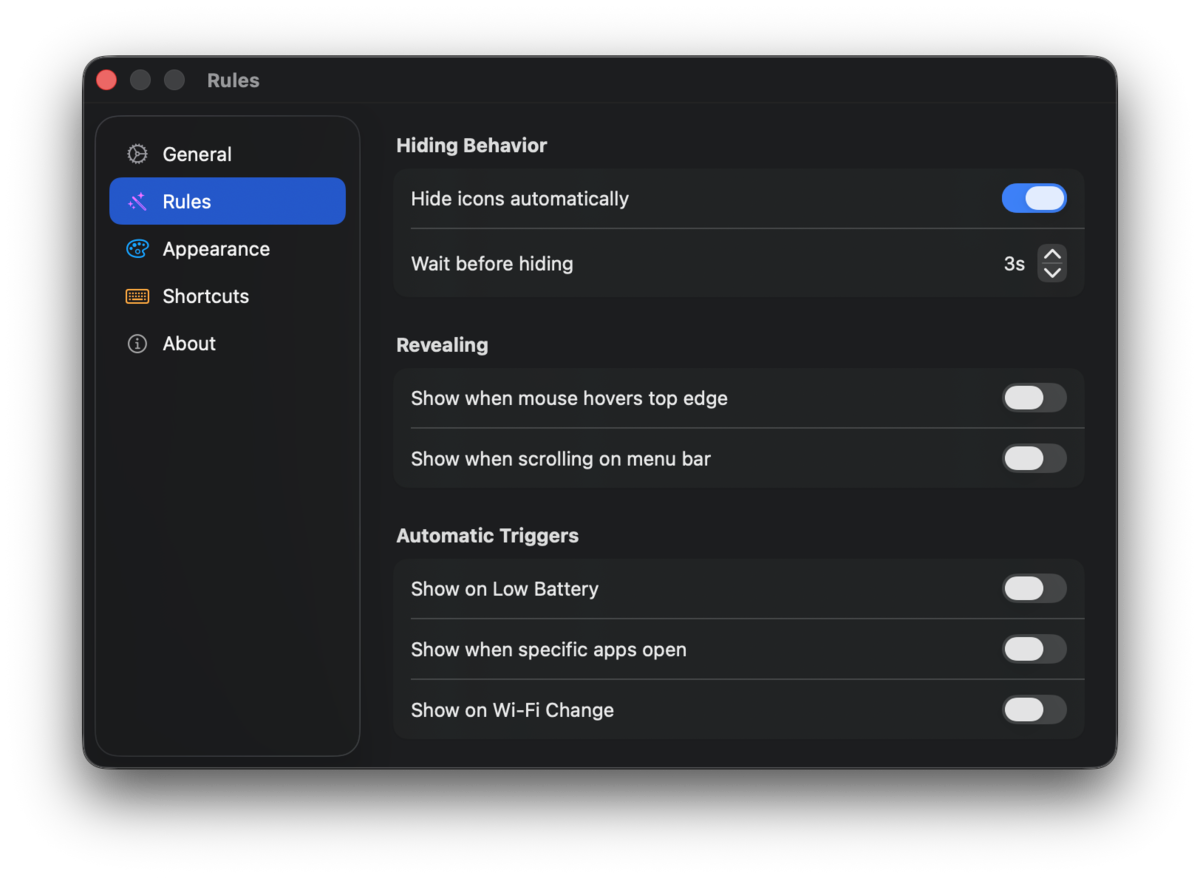
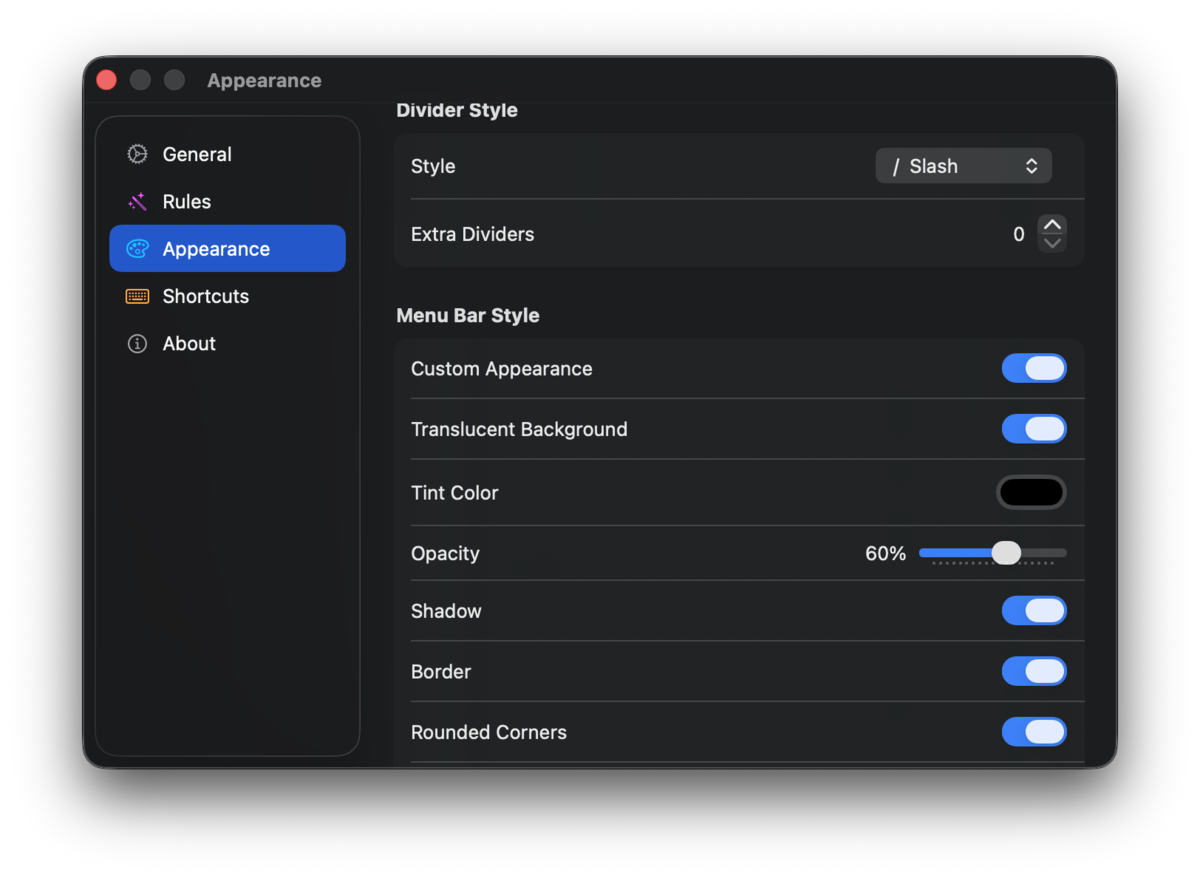
All of it is free for everyone. No trial, no license key — former paid customers don't need theirs anymore.
A first-run walkthrough gets you set up in under a minute:
Designed for Macs with a notch and crowded menu bars. Private by default — no account, no user-content upload, and only limited network requests for updates and a few simple anonymous app counts.
Search for any menu bar app by name and activate it — even if it's behind the notch.
If your menu bar is completely full, inline reveal can temporarily hide the front app's File/Edit/View menus to make room for hidden icons.
Assign a global hotkey to any menu bar app — press it and SaneBar instantly opens that app's menu.
Icons pinned here never show automatically — only accessible via Find Icon or Second Menu Bar.
Auto-show or auto-hide based on context:
Organize your menu bar apps in the Find Icon window.
Worried about losing icons behind the notch?
If you have 50+ apps, macOS might hide some of them behind the camera housing (the "Notch") or off-screen. SaneBar handles this gracefully:
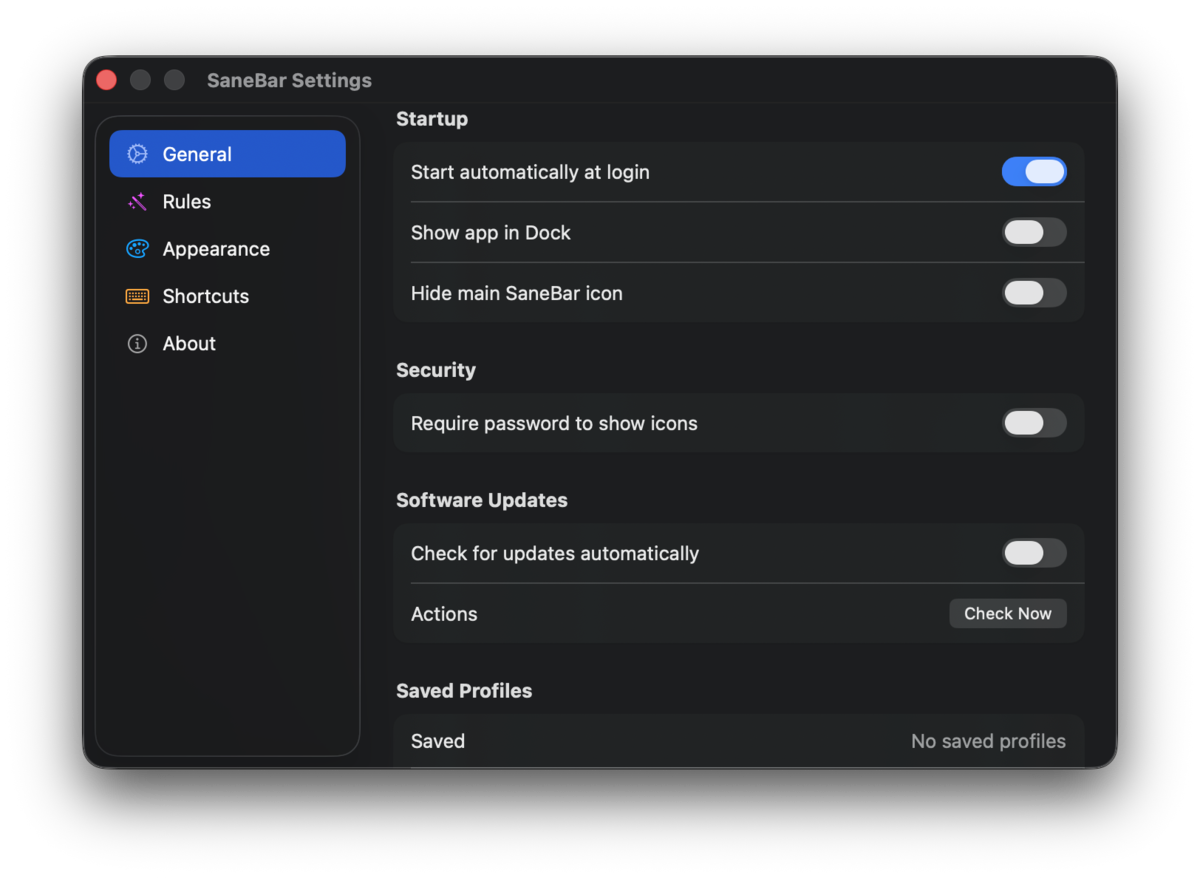
All settings are in the Settings window (click SaneBar icon → Settings, or press ⌘,).
| Tab | What's there |
|---|---|
| Control | Launch at login, show in Dock, security (Touch ID/password lock), hiding options (second menu bar), software updates, saved profiles, import from Bartender/Ice, settings export/import, reset to defaults |
| Rules | Auto-hide behavior, revealing gestures (hover, scroll), automatic triggers (battery, apps, Wi-Fi, app change, external monitor) |
| Appearance | Custom menu bar icon, divider style, extra dividers, menu bar styling (tint, opacity per light/dark mode, shadow, border, corners), space analyzer, icon spacing |
| Shortcuts | Global keyboard shortcuts, AppleScript commands |
| Health | Menu bar health status, repair actions, layout rescue, diagnostics, stability/live mode |
| License | Confirms every feature is unlocked (SaneBar is free for everyone) |
| About | Version info, privacy badge, licenses, support, report issue |
Reduce the spacing between all menu bar icons system-wide to fit more icons before they get hidden by the notch.
Your data stays on your Mac. SaneBar does not upload your files, menu bar contents, or personal content. Network use is limited to updates and a few simple anonymous app counts such as app version, build, OS version, channel, and update availability.
SaneBar used to cost $14.99. Now it's 100% free and MIT licensed — no paywall, no catch. If it saves your menu bar (and your sanity), a donation is the new price tag, and you set it:
❤️ Sponsor on GitHub — the single best way to support this app and keep future SaneApps coming.
⭐ Star the repo if SaneBar helps you. Stars are free and help others discover quality indie software.
If SaneBar helps you, star the repo. Stars are free and help others discover quality indie software.
Prefer crypto? These work too:
| Address | |
|---|---|
| BTC | 3Go9nJu3dj2qaa4EAYXrTsTf5AnhcrPQke |
| SOL | FBvU83GUmwEYk3HMwZh3GBorGvrVVWSPb8VLCKeLiWZZ |
| ZEC | t1PaQ7LSoRDVvXLaQTWmy5tKUAiKxuE9hBN |
If SaneBar earned a spot on your Mac, these solve other everyday annoyances the same way — on-device by default, pay once, no subscription:
| App | What it does |
|---|---|
| SaneClip | Clipboard history that stays private — Touch ID lock, instant search, OCR, and quick text tools. The natural companion to a tidy menu bar. |
| SaneClick | Useful right-click actions in Finder — convert files, run scripts, merge PDFs — all on-device, no Automator. |
| SaneHosts | Block ads and trackers system-wide with a simple local hosts manager. |
See everything at saneapps.com.
git clone https://github.com/sane-apps/SaneBar.git
cd SaneBar
./Scripts/SaneMaster.rb verify    # builds + runs tests
./Scripts/SaneMaster.rb launch    # build and run
External contributors: SaneMaster.rb works standalone — no monorepo required. If the shared infrastructure isn't found, it falls back to Scripts/SaneMaster_standalone.rb, which wraps plain xcodebuild. You can also build manually:
xcodebuild -scheme SaneBar -configuration Debug build
SaneBar/
├── Core/                   # Business logic
│   ├── Services/           # AccessibilityService, HoverService, etc.
│   ├── Controllers/        # StatusBarController, SettingsController
│   └── Models/             # Data models
├── UI/                     # SwiftUI views
│   ├── Settings/           # Modular settings tabs
│   ├── SearchWindow/       # Find Icon, Second Menu Bar
│   └── Onboarding/         # Welcome wizard
├── Tests/                  # Swift Testing unit tests
├── Scripts/                # Build automation and QA helpers (SaneMaster.rb)
└── project.yml             # XcodeGen configuration
# Toggle hidden items
osascript -e 'tell app "SaneBar" to toggle'

# Show hidden items
osascript -e 'tell app "SaneBar" to show hidden'

# Hide items
osascript -e 'tell app "SaneBar" to hide items'

# List all menu bar icons
osascript -e 'tell app "SaneBar" to list icons'

# Pin an icon to the Always Hidden zone
osascript -e 'tell app "SaneBar" to hide icon "com.example.app"'

# Unpin from the Always Hidden zone
osascript -e 'tell app "SaneBar" to show icon "com.example.app"'
Built pair programming with Claude. Wanted a menu bar manager that wasn't $15, didn't spy on me, and actually worked. Now the whole thing is free and open source for everyone.
| Document | Purpose |
|---|---|
| README.md | Product overview and doc map |
| ARCHITECTURE.md | System design, runtime model, and key decisions |
| PRIVACY.md | Privacy practices and limited network behavior |
| CONTRIBUTING.md | How to contribute |
| SECURITY.md | Security policy and reporting |
| CHANGELOG.md | Version history |
| GitHub Issues | Bug reports and tracking |
| DEVELOPMENT.md | Development rules and SOP |
| docs/NOTCH_MOVE_LIMITATION.md | Why notch-stuck icons can't be moved on macOS 26 (proven platform limit + the privacy trade-off we declined) |
| Feature | SaneBar | Bartender | Ice | Hidden Bar |
|---|---|---|---|---|
| Touch ID / Password Lock | Yes | No | No | No |
| Smart Triggers | Yes | No | No | No |
| Guided Onboarding | Yes | No | No | No |
| Import from Bartender/Ice | Bartender layout + Ice settings | No | No | No |
| Always Hidden | Yes | No | Yes | No |
| Gesture Controls | Yes | Yes | Yes | No |
| Second Menu Bar | Yes | Yes | Yes | No |
| Find Icon Search | Yes | Yes | Yes | No |
| AppleScript | Yes | Yes | No | No |
| 100% Transparent Code | MIT | No | Yes | Yes |
| On-Device by Default | Yes | No (telemetry) | Yes | Yes |
| Pricing | Free (open source, MIT) | $16 | Free | Free |
| Active Development | Community-maintained (PRs welcome) | Yes | Yes | Abandoned |
MIT License — see LICENSE
Copyright (c) 2025-2026 SaneApps. As of June 2026, SaneBar is free and fully open source under the MIT License: use it, fork it, modify it, redistribute it, even commercially. No restrictions.
Can I fork SaneBar for any use? Yes.
Can I study the code, audit it, or submit pull requests? Yes.
Can I build on or redistribute this code, even commercially? Yes. SaneBar is now MIT licensed, which is fully permissive. The only requirement is that you keep the copyright and license notice.
Third-party open-source attributions are documented in THIRD_PARTY_NOTICES.md.
Are you tired of waiting on the dev to get around to fixing your problem?
Do you have a great idea that could help everyone in the community, but think you can't do anything about it because you're not a coder?
Good news: you actually can.
Copy and paste this into Claude or Codex, then describe your bug or idea:
I want to contribute to this repo, but I'm not a coder.

Repository:
https://github.com/sane-apps/SaneBar

Bug or idea:
[Describe your bug or idea here in plain English]

Please do this for me:
1) Understand and reproduce the issue (or understand the feature request).
2) Make the smallest safe fix.
3) Open a pull request to https://github.com/sane-apps/SaneBar with a short
   summary of what changed and why in the PR description.
4) Give me the pull request link.

Important:
- Keep it focused on this one issue/idea.
- Do not make unrelated changes.
- Do not open a GitHub issue — new issues are auto-closed; the pull request
  itself is the report.
Pull requests are reviewed and tested before merge.
If your PR is merged, you get public credit, and the satisfaction of knowing you helped ship a fix for everyone.
more like this
Comprehensive analytics dashboard for AI coding agents — Cursor, Windsurf, Claude Code, VS Code Copilot, Zed, Antigravi…
Free open-source Cloudflare R2 desktop client and S3 GUI for macOS, Windows, and Linux. Manage Cloudflare R2, AWS S3, M…
search projects, people, and tags