moxon-frame-generator
simple generator for 3D-printed frames for a moxon rectangle antenna
OpenSCAD★ 50
Browser-based ground station suite for satellite tracking, SDR reception, hardware control, and telemetry decoding
 sgoudelis
git clone https://github.com/sgoudelis/ground-station.gitsgoudelis/ground-station

Ground Station is an open-source, browser-based application for tracking satellites and celestial targets, controlling station hardware, and receiving, decoding, and recording SDR signals. Built for amateur radio operators, satellite enthusiasts, and researchers, it brings orbit visualization, multi-target tracking consoles, SDR waterfall analysis, packet and telemetry decoding, scheduled observations, and hardware management into a single web interface.
0_450 mode with a high-lane lock, introduced custom waterfall colormap selection with better progress tracking, and refined EarthView selector behavior for very large groups.TargetNumberIcon in fleet and popover views, and improved target popover tracking/navigation behavior to streamline jumps to tracker pages.
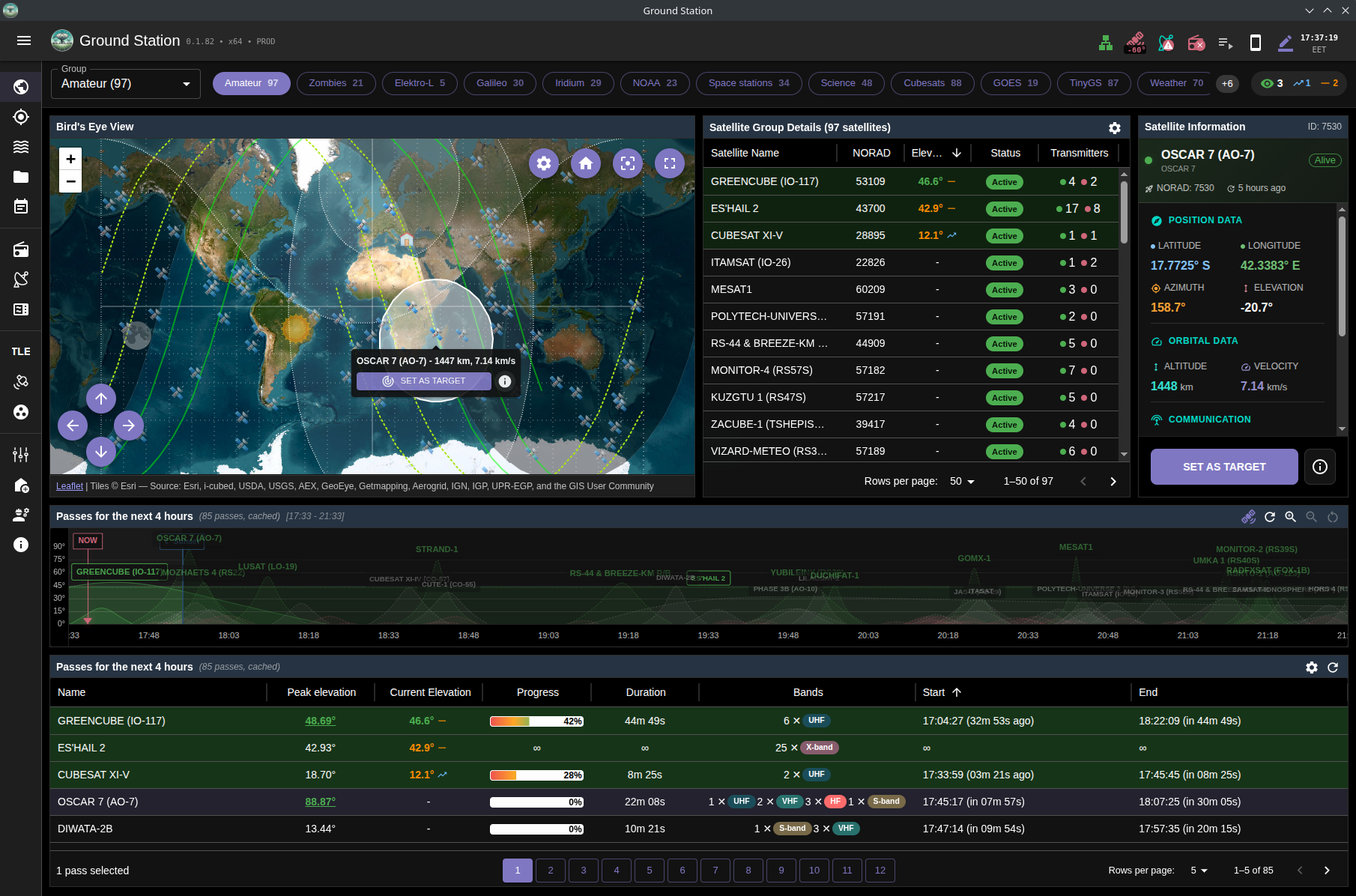
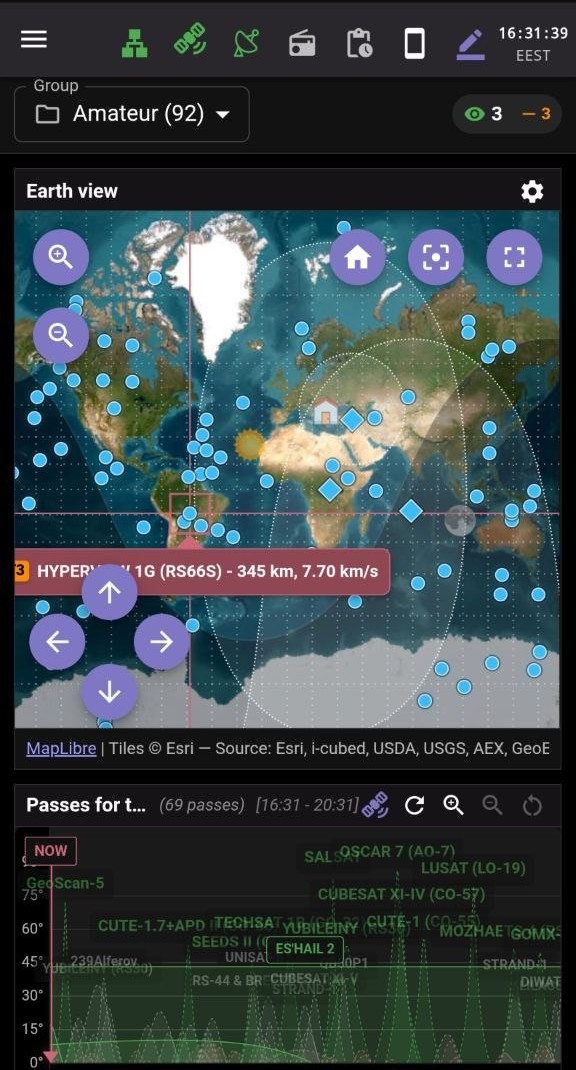
Overview page with quick group selection and real-time satellite status indicators
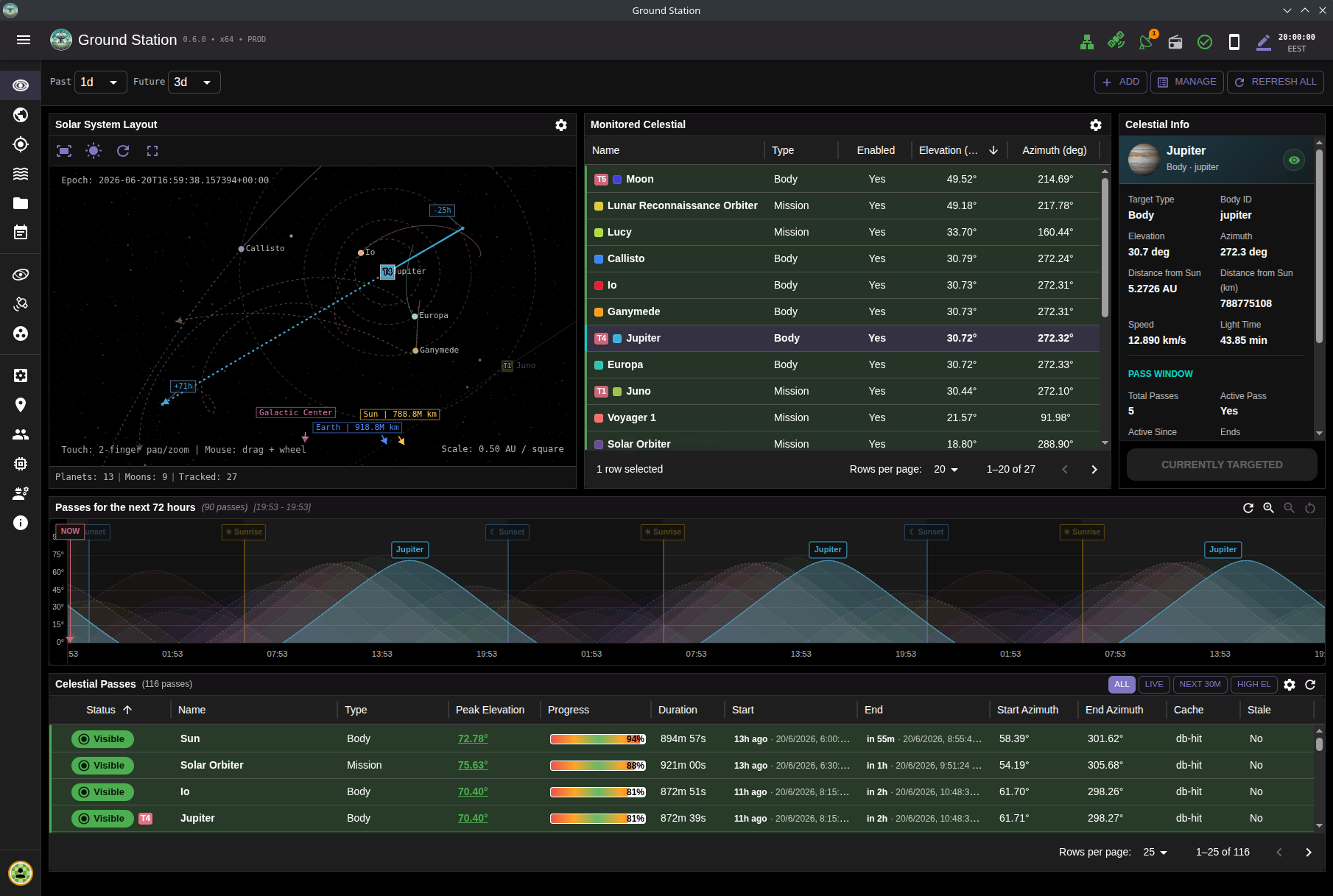
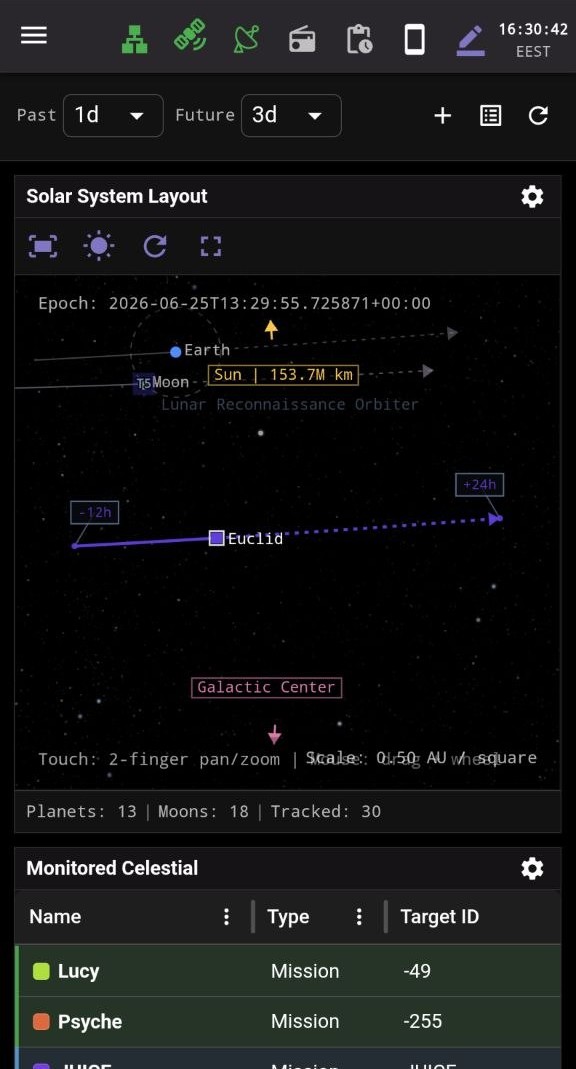
Solar System page for celestial-body tracking with live orbital context and interactive visualization
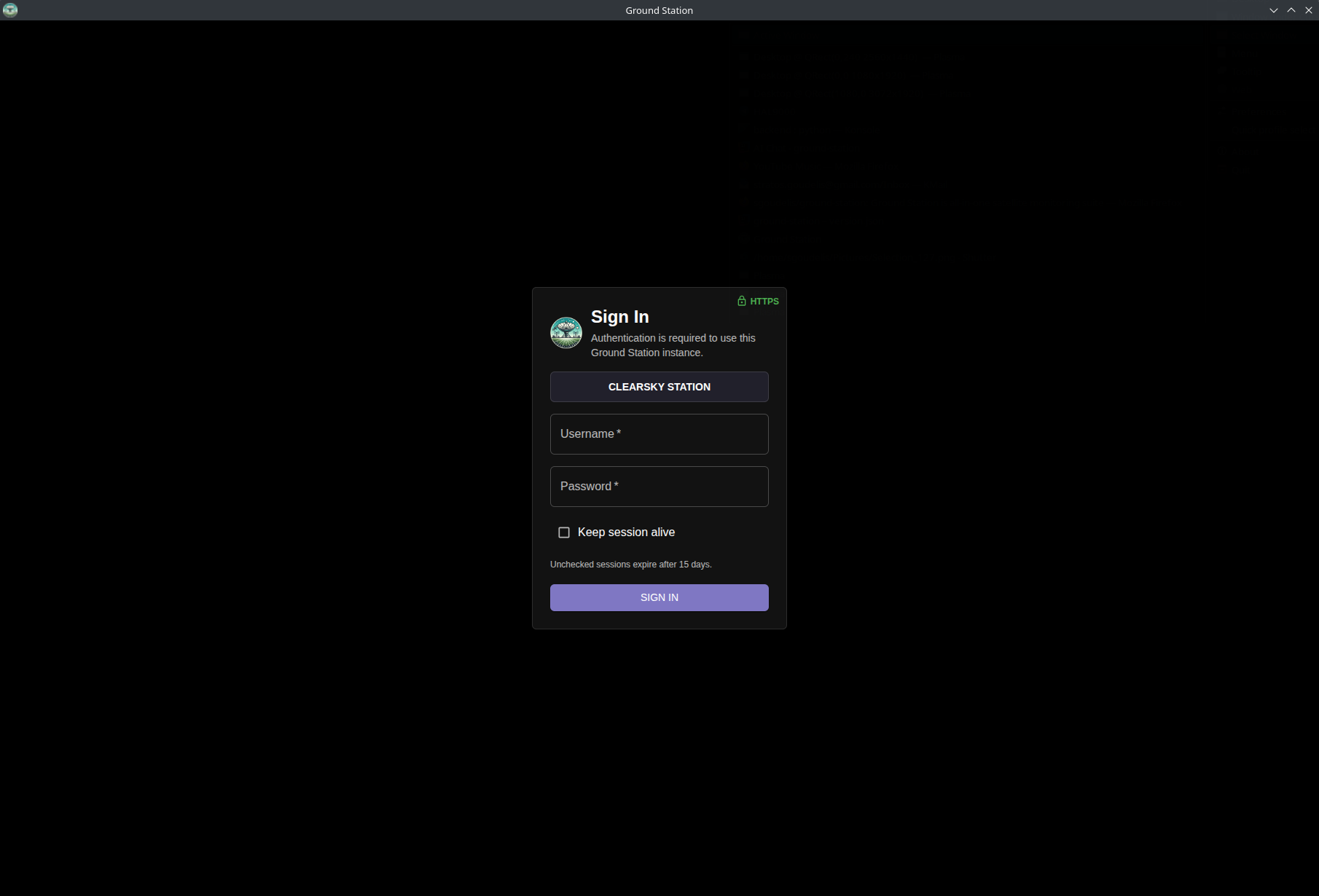
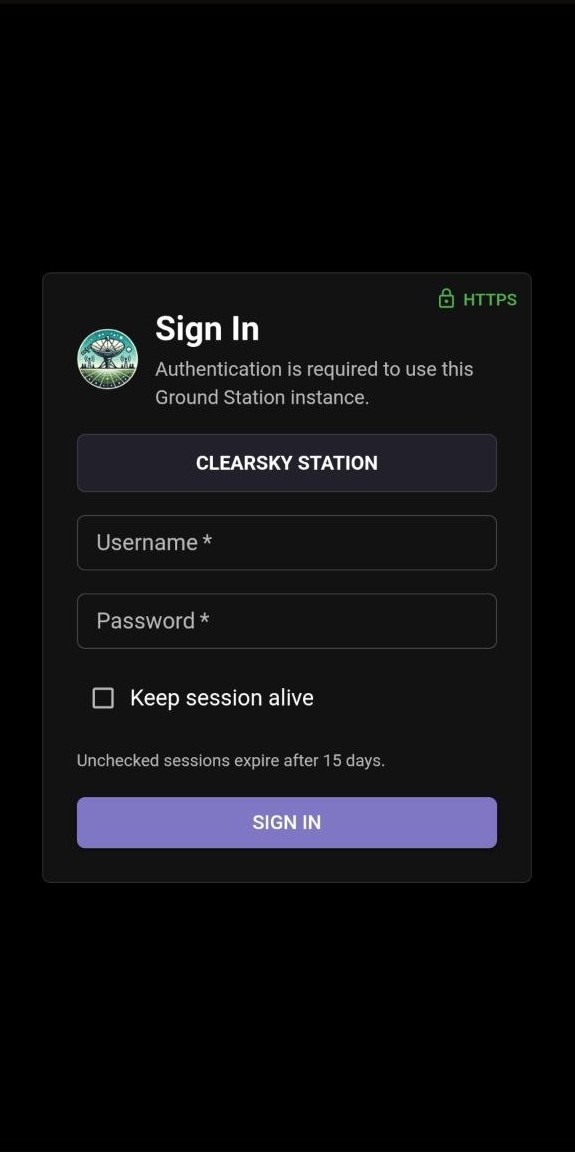
Login screen for user authentication before accessing the Ground Station interface
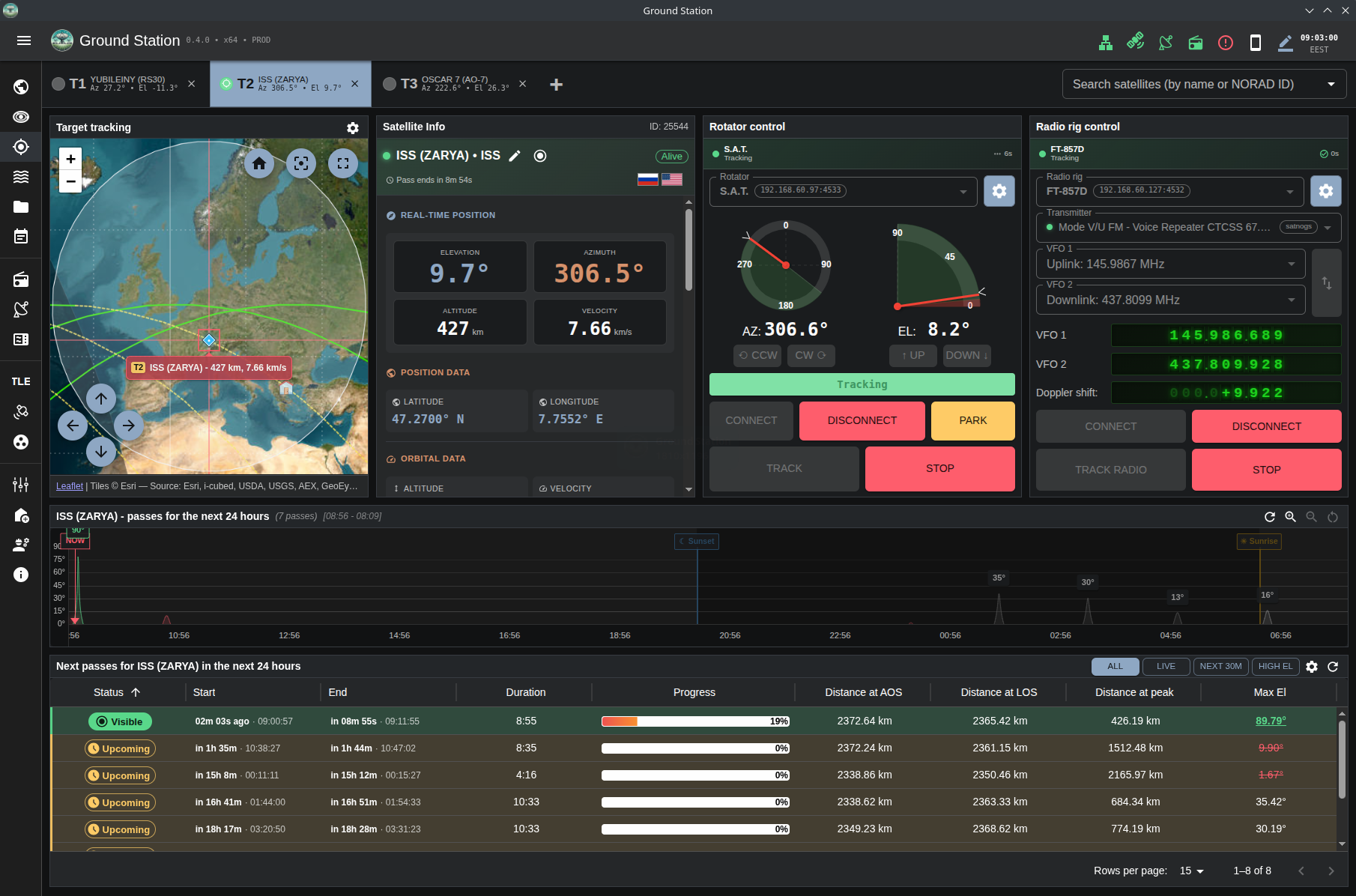
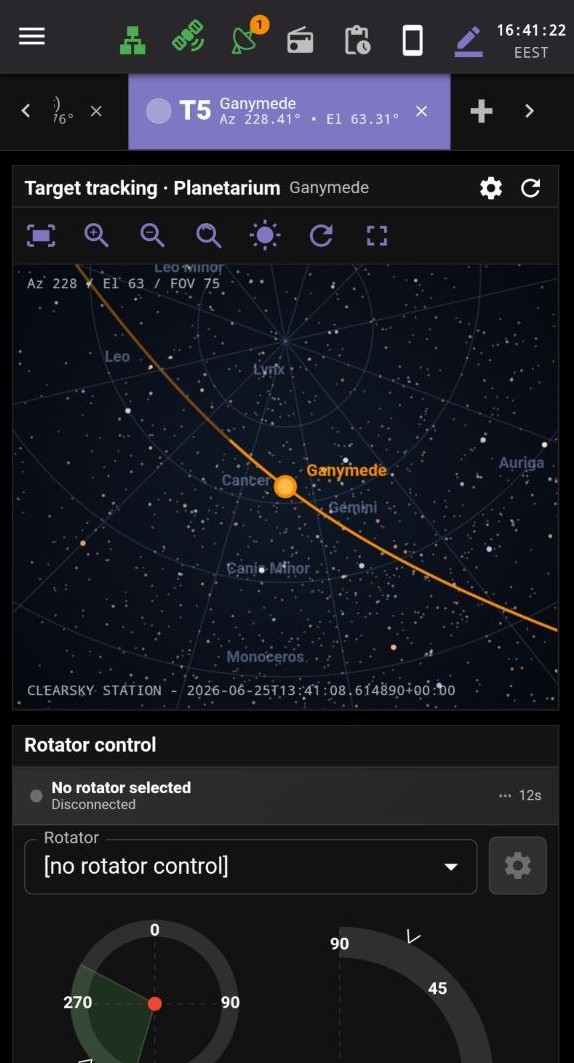
Multi-target tracking console view showing an active ISS target with per-target control and live tracking telemetry
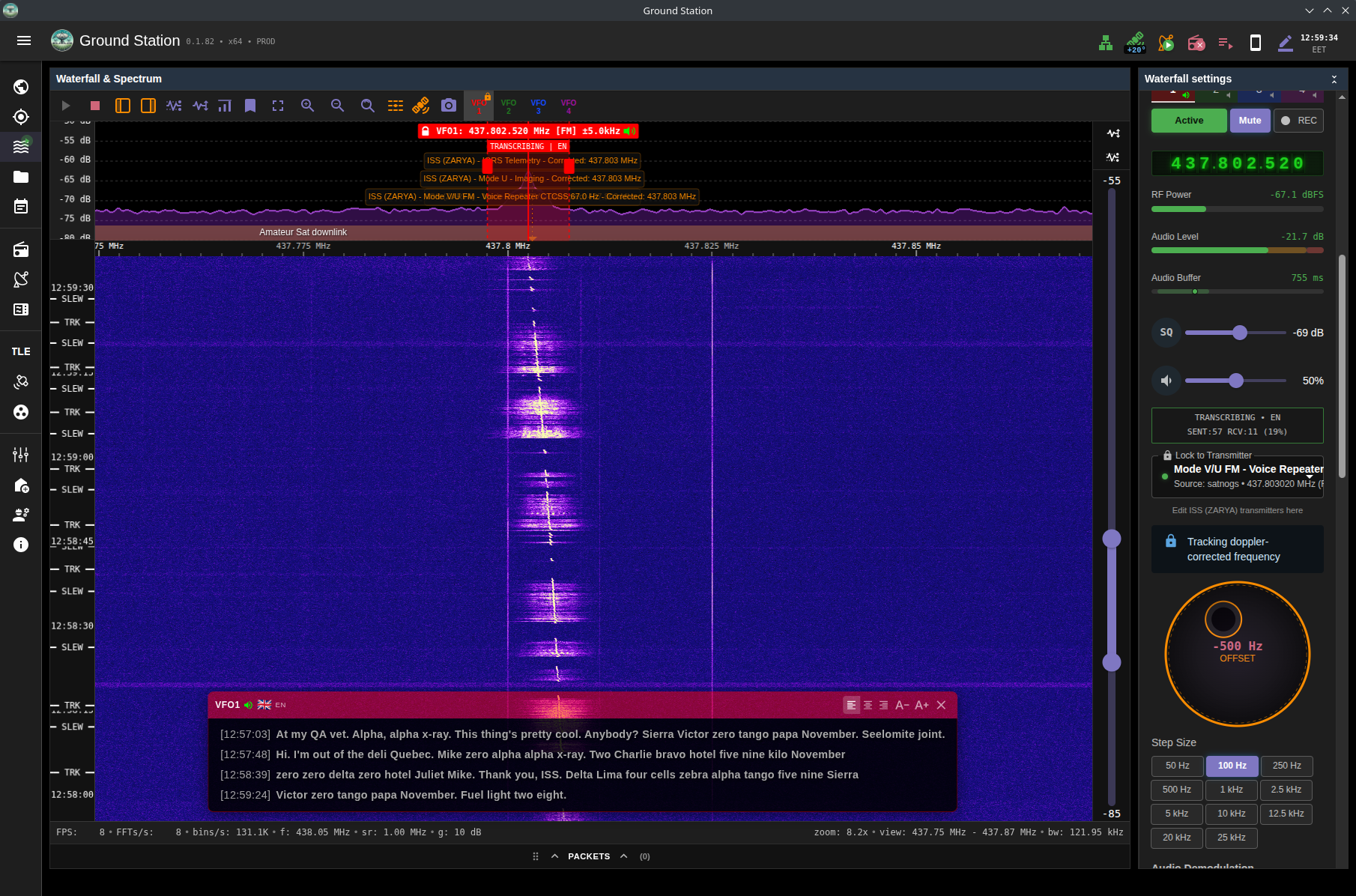
Waterfall view with live transcription overlay during active satellite communication
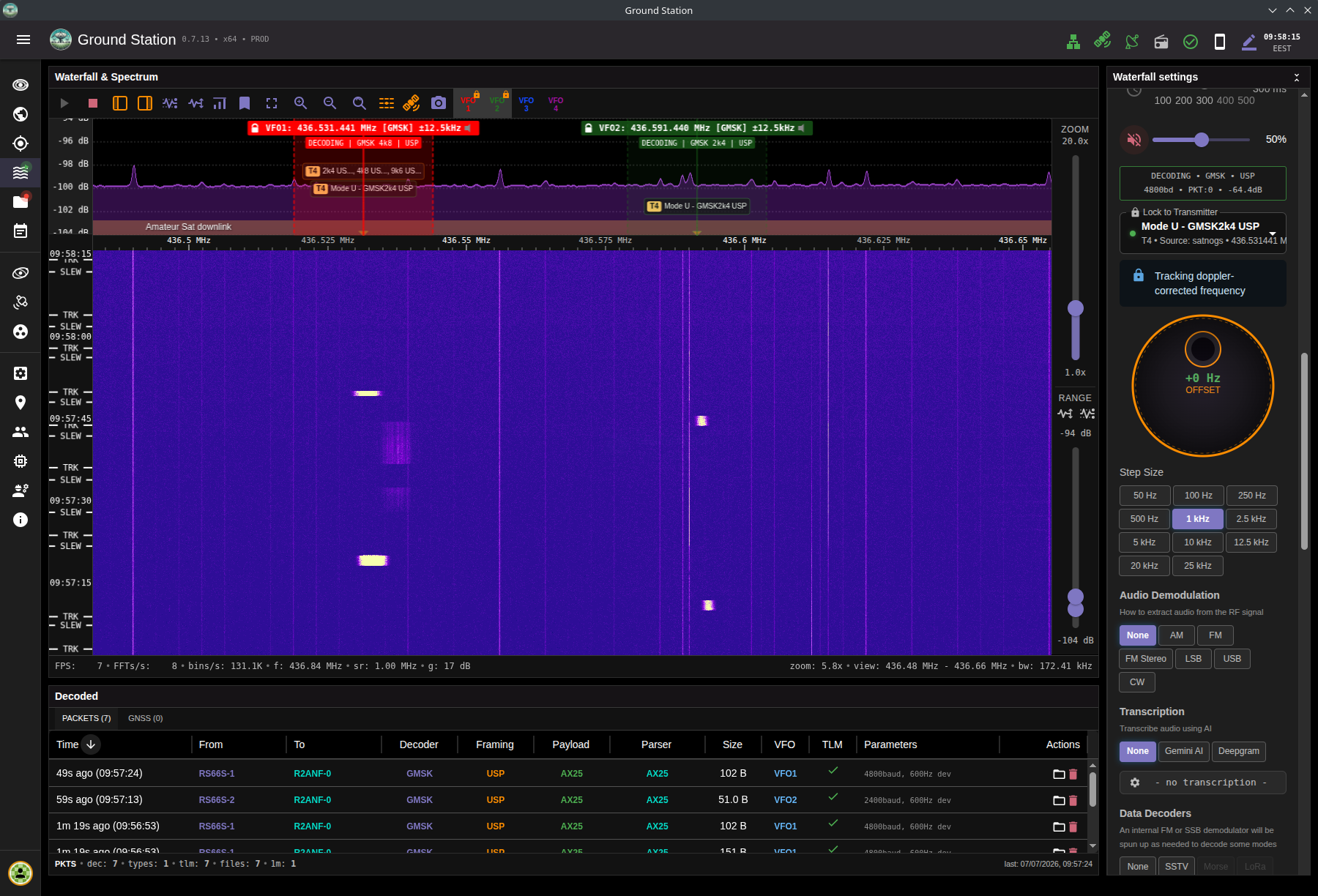
Waterfall view receiving GMSK and decoding with two VFOs
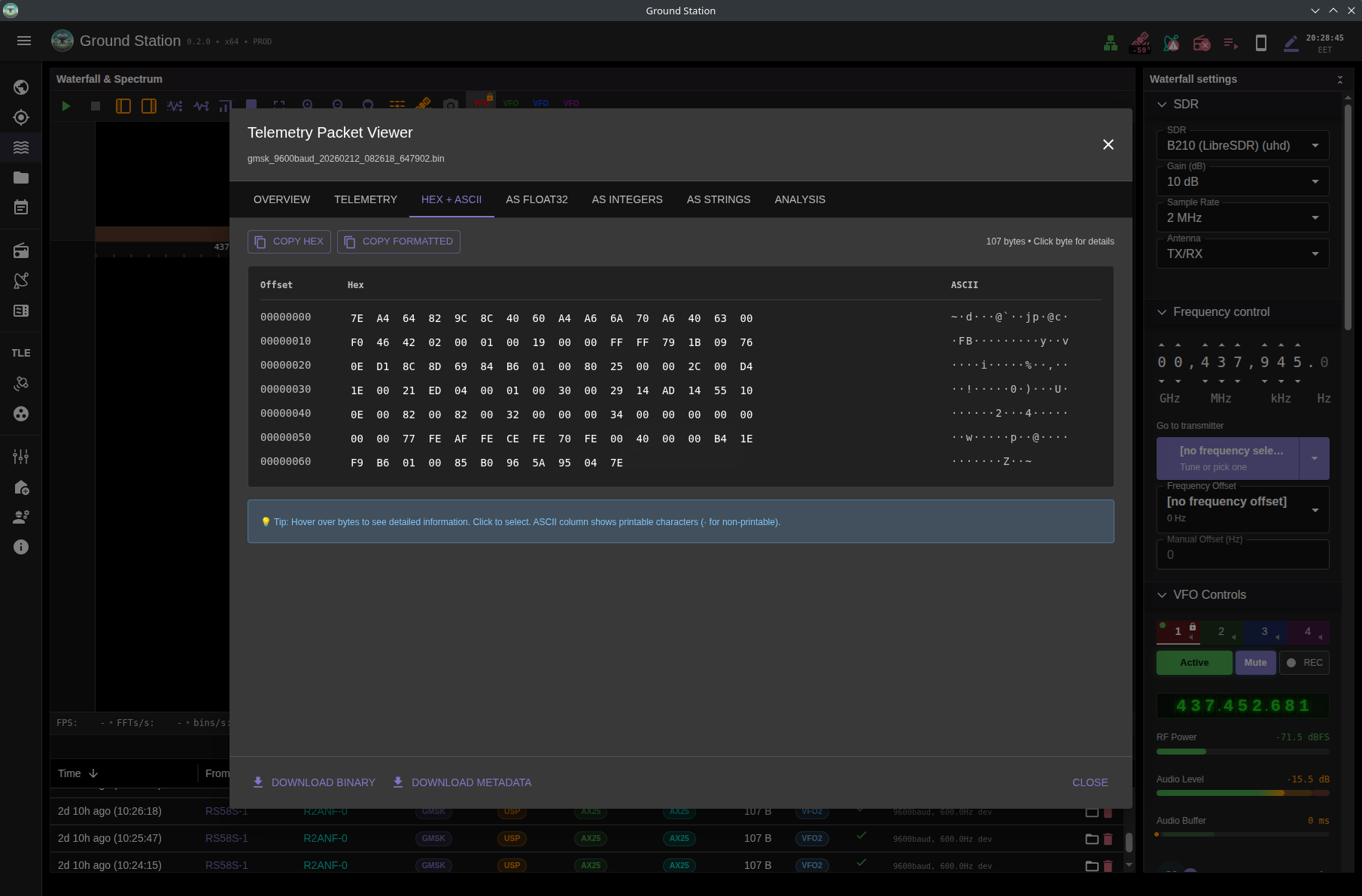
Packet viewer showing telemetry payload bytes in hex with ASCII side-by-side
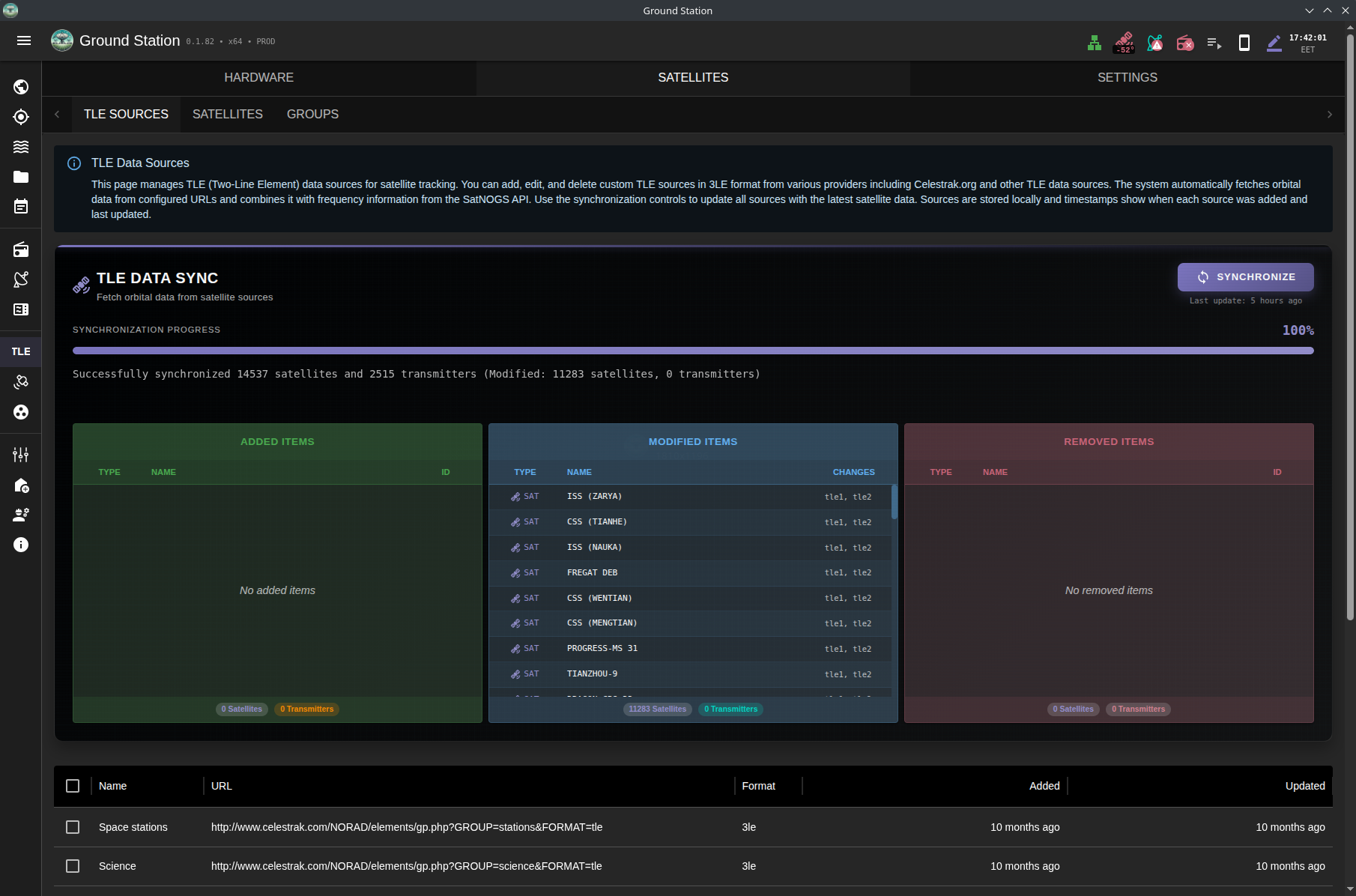
TLE synchronization page showing real-time progress and satellite database updates
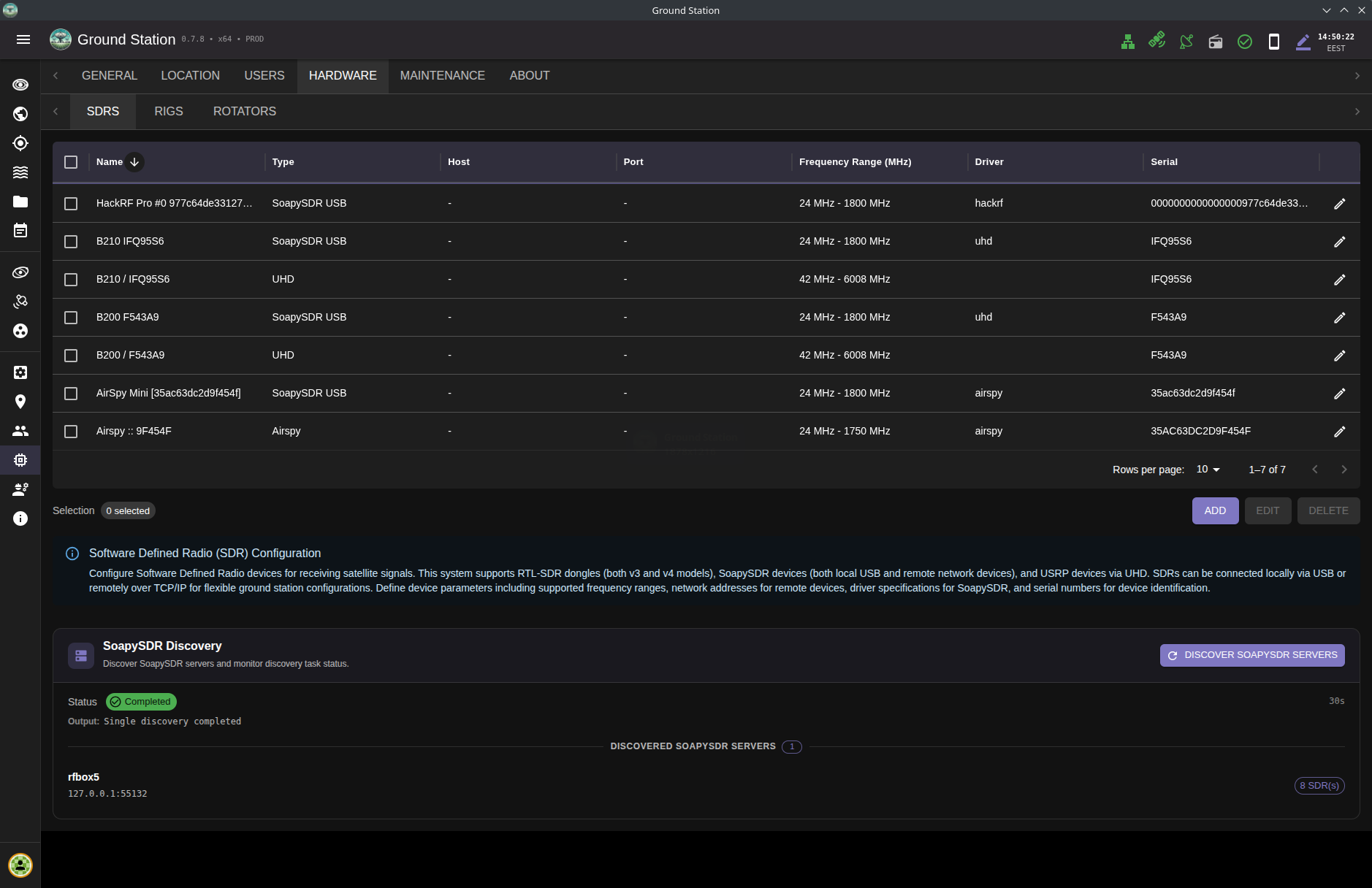
Comprehensive SDR device management interface supporting RTL-SDR, SoapySDR, and UHD/USRP radios with remote capability
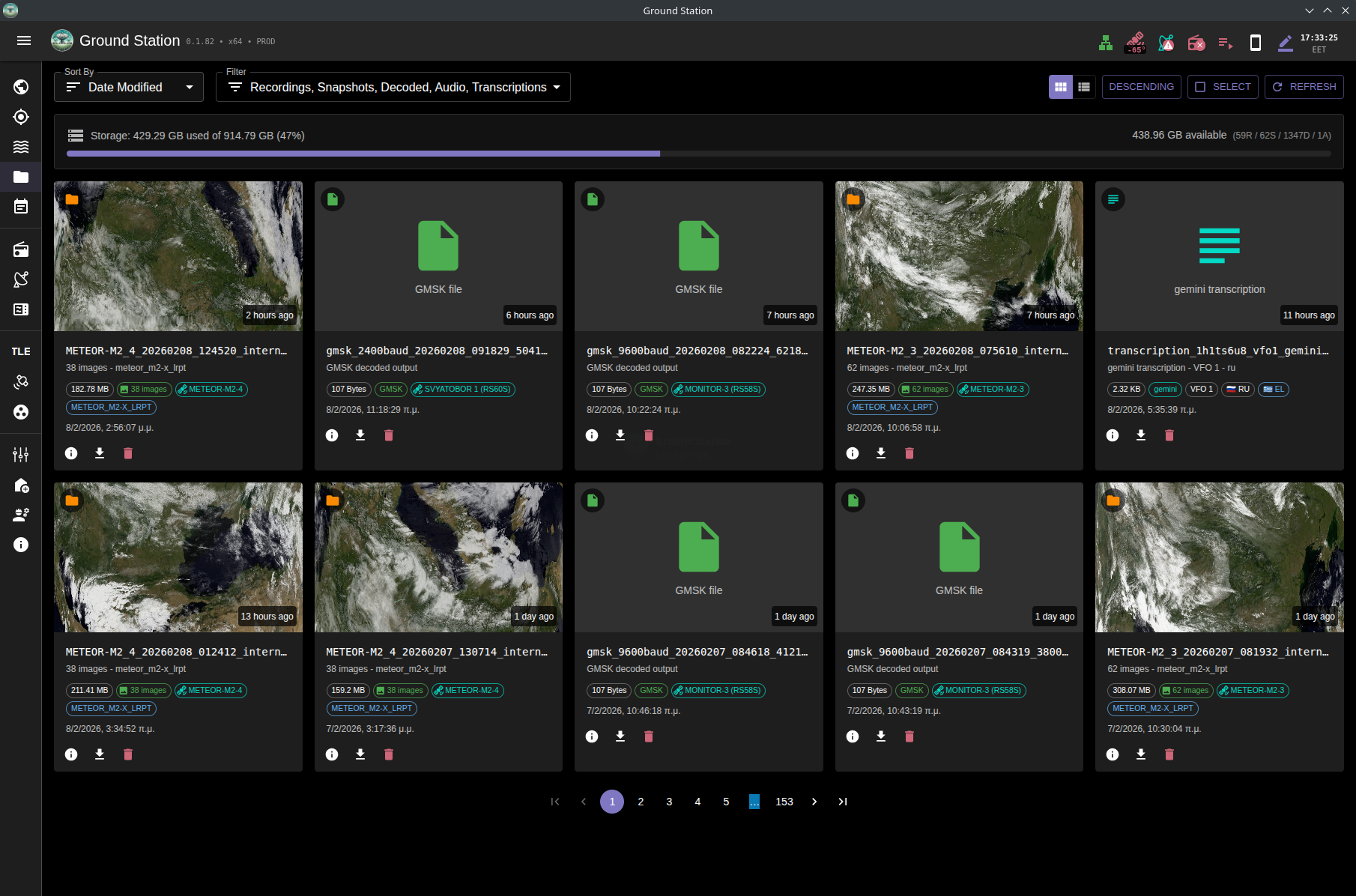
File browser view showing decoded weather images, packet outputs, and saved transcriptions
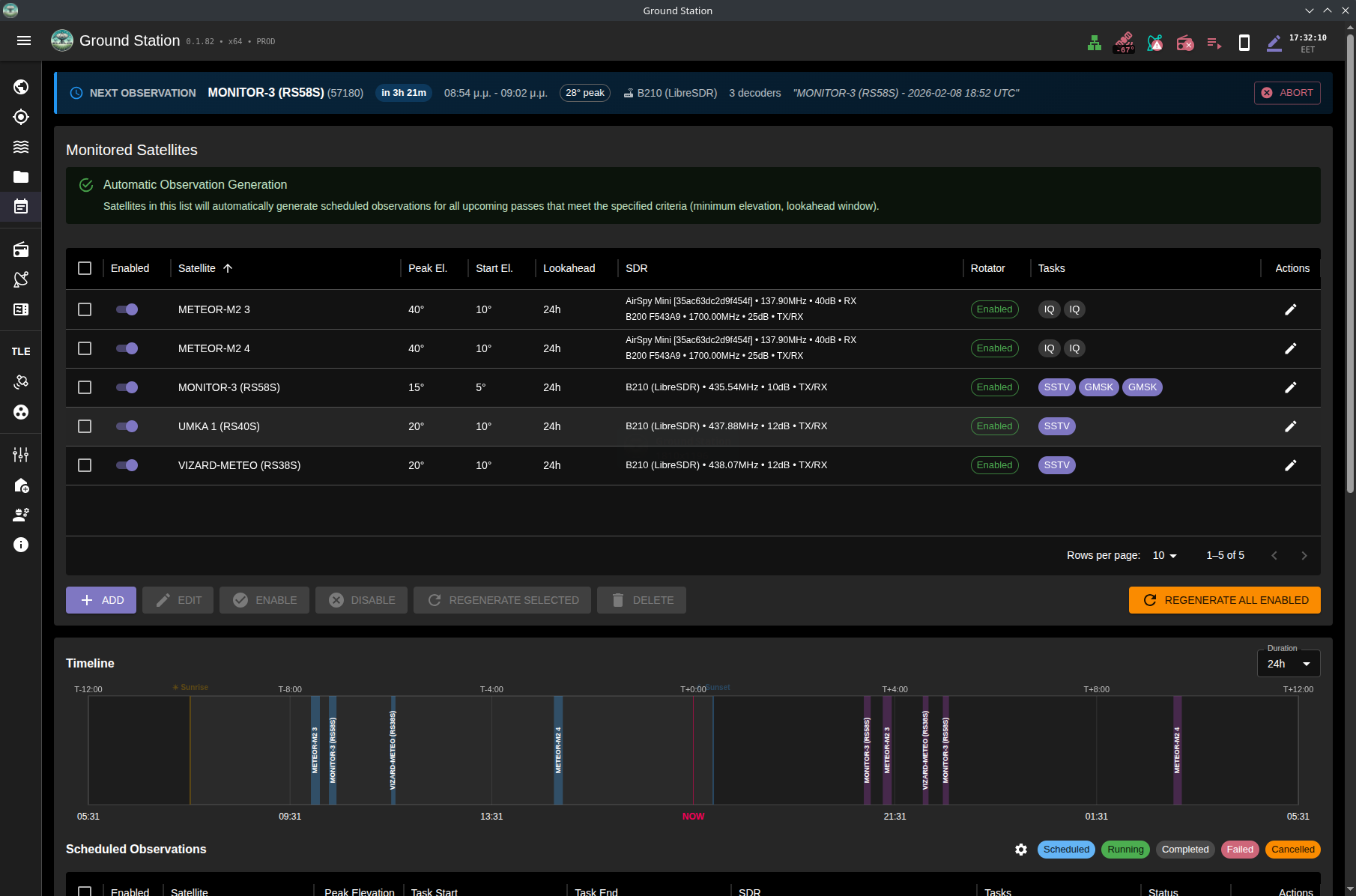
Automated observations dashboard with upcoming passes and task status
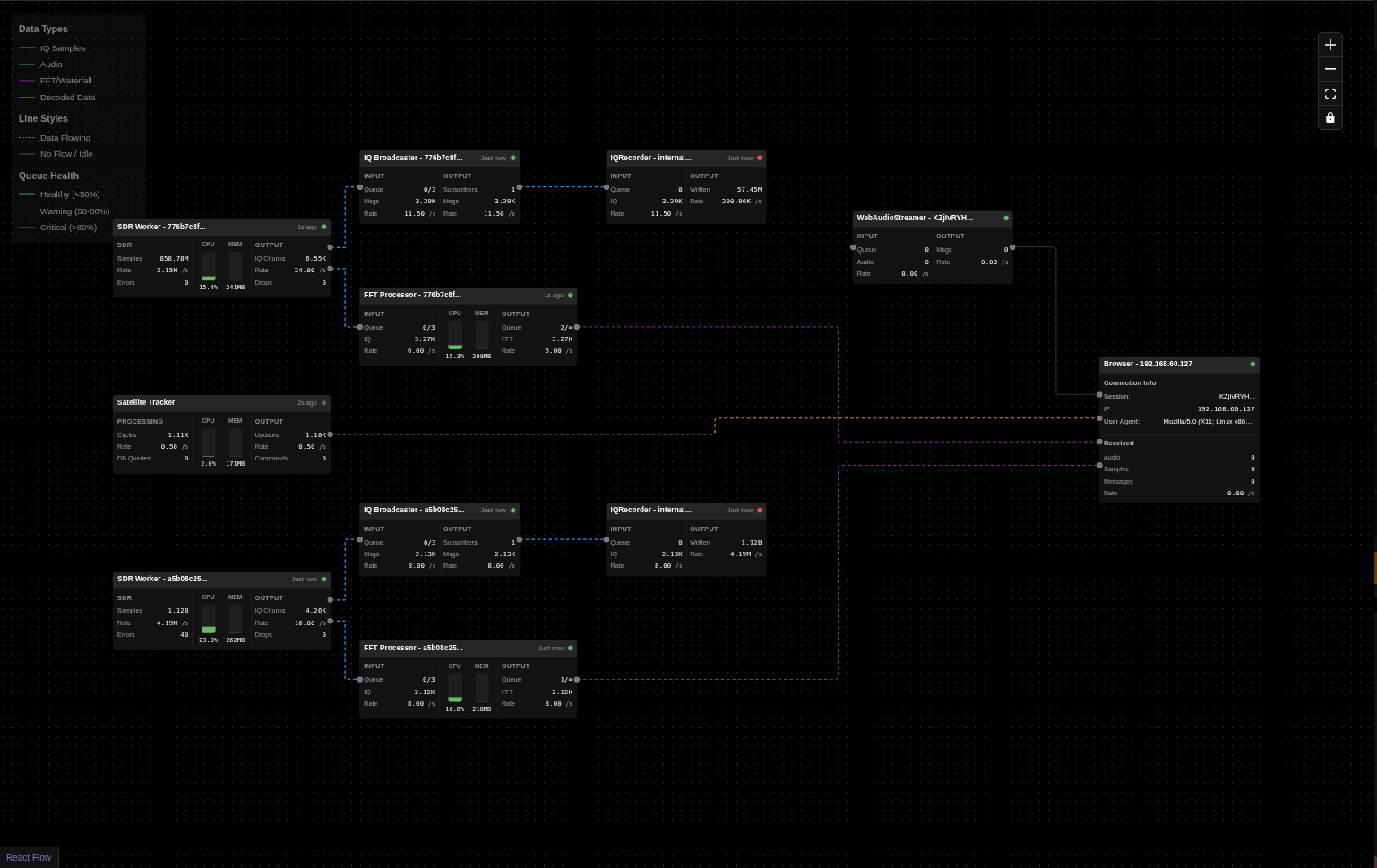
Chain of threads and processes IQ samples pass through, showing performance and data flow across the DSP pipeline
target-N slots), each with independent runtime state..sigmf-data + .sigmf-meta with center frequency, sample rate, session stats, and target satellite metadata.backend/data/transcriptions/.Ground Station includes a comprehensive automated observation system that can schedule and execute satellite passes without user intervention:
The Ground Station application is composed of a frontend, a backend, and a set of worker processes.
flowchart TB
    %% Cache buster: v5-20251115-updated
    %% Frontend Layer
    A[Frontend: React + Redux + MUI<br/>- Real-time UI updates<br/>- State management<br/>- Interactive satellite maps<br/>- Spectrum & waterfall display<br/>- Audio playback & recording<br/>- IQ recording & playback controls<br/>- Decoder monitoring & output display]

    %% Backend Layer
    B[Backend: FastAPI + Socket.IO<br/>- WebSocket connections<br/>- Worker process management<br/>- Database operations<br/>- TLE data fetching<br/>- Recording & file management<br/>- Decoder lifecycle management]

    %% Worker Layer
    subgraph Workers["Worker Processes"]
        direction TB
        W1[Tracker Supervisor + Tracker Instances<br/>- One tracker instance per rotator<br/>- Antenna rotator control<br/>- Rig/radio control<br/>- Real-time tracking calculations<br/>- Hardware state management]
        W2[SDR IQ Acquisition<br/>- Raw IQ sample streaming<br/>- IQ Broadcaster pub/sub<br/>- Multi-consumer support]
        W2A[FFT Processor<br/>- Spectrum computation<br/>- Waterfall generation<br/>- Real-time FFT analysis]
        W2B[Demodulators<br/>- FM/SSB/AM modes<br/>- Normal & Internal modes<br/>- Frequency translation<br/>- Audio processing<br/>- Multi-VFO support]
        W2C[IQ Recorder<br/>- SigMF format recording<br/>- Metadata capture<br/>- Satellite info tagging<br/>- Waterfall snapshot saving]
        W2D[Decoders<br/>- SSTV image decoder ✓<br/>- AFSK packet decoder WIP<br/>- LoRa/GMSK decoders WIP<br/>- Audio Broadcaster for monitoring]
        W3[SDR Local Probe<br/>- Device discovery<br/>- Local SoapySDR enumeration<br/>- Hardware capability detection]
        W4[SDR Remote Probe<br/>- Remote SoapySDR discovery<br/>- Network device scanning<br/>- Remote capability detection]
    end

    %% Hardware Layer
    subgraph Hardware["Hardware Interfaces"]
        direction LR
        H1[Antenna Rotators<br/>- Hamlib compatible<br/>- Az/El control]
        H2[Radios/Rigs<br/>- CAT control<br/>- Frequency tuning]
        H3[Local SDR Devices<br/>- RTL-SDR<br/>- SoapySDR devices<br/>- UHD/USRP]
        H4[Remote SDR Devices<br/>- SoapyRemote<br/>- rtl_tcp servers<br/>- Network receivers]
        H5[SigMF Playback<br/>- Virtual SDR device<br/>- Recording playback<br/>- SigMF metadata reader]
    end

    %% Storage Layer
    subgraph Storage["Data Storage"]
        S1[SigMF Recordings<br/>- .sigmf-data files<br/>- .sigmf-meta files<br/>- Waterfall snapshots]
        S2[Decoded Outputs<br/>- SSTV images<br/>- Packet data]
    end

    %% External Services
    subgraph External["External Data Sources"]
        E1[TLE Data Sources<br/>- CelesTrak<br/>- SatNOGS DB]
        E2[Satellite Databases<br/>- Transmitter info<br/>- Orbital data]
    end

    %% Connections - Frontend to Backend
    A <---|Socket.IO<br/>Bidirectional| B

    %% Backend to Workers
    B ---|Message Queues<br/>Commands & Status| W1
    B ---|Message Queues<br/>Stream Control| W2
    B ---|Message Queues<br/>Discovery Requests| W3
    B ---|Message Queues<br/>Remote Scanning| W4

    %% SDR IQ Distribution via IQ Broadcaster
    W2 ---|IQ Broadcaster<br/>Subscribe| W2A
    W2 ---|IQ Broadcaster<br/>Subscribe| W2B
    W2 ---|IQ Broadcaster<br/>Subscribe| W2C
    W2 ---|IQ Broadcaster<br/>Subscribe Raw IQ| W2D

    %% Demodulator to Decoder Chain
    W2B ---|Internal Mode<br/>Audio Broadcaster| W2D

    %% Data back to Backend
    W2A ---|FFT Data<br/>Spectrum/Waterfall| B
    W2B ---|Audio Data<br/>Demodulated| B
    W2D ---|Decoded Data<br/>Images/Text/Packets| B
    W2D ---|UI Audio Stream<br/>Live Monitoring| B

    %% Recording Storage
    W2C ---|Write SigMF<br/>Recording Files| S1
    W2D ---|Write Decoded<br/>Output Files| S2

    %% Hardware Control
    W1 ---|Control Commands| H1
    W1 ---|Frequency Control| H2
    W2 ---|IQ Data Streaming| H3
    W2 ---|Network Streaming| H4
    W2 ---|Playback Source| H5
    W3 ---|Device Enumeration| H3
    W4 ---|Remote Discovery| H4

    %% Storage Access
    H5 ---|Read Files| S1
    B ---|File Management| S1
    B ---|File Management| S2

    %% External Data
    B ---|HTTP/API Requests| E1
    B ---|Database Queries| E2

    %% Dark Mode Styling
    classDef frontend fill:#1a237e,stroke:#3f51b5,stroke-width:2px,color:#ffffff
    classDef backend fill:#2e7d32,stroke:#4caf50,stroke-width:2px,color:#ffffff
    classDef worker fill:#e65100,stroke:#ff9800,stroke-width:2px,color:#ffffff
    classDef hardware fill:#4a148c,stroke:#9c27b0,stroke-width:2px,color:#ffffff
    classDef storage fill:#01579b,stroke:#0288d1,stroke-width:2px,color:#ffffff
    classDef external fill:#b71c1c,stroke:#f44336,stroke-width:2px,color:#ffffff

    class A frontend
    class B backend
    class W1,W2,W2A,W2B,W2C,W2D,W3,W4 worker
    class H1,H2,H3,H4,H5 hardware
    class S1,S2 storage
    class E1,E2 external

    %% Dashed borders for subgraphs
    style Workers stroke-dasharray: 5 5
    style Hardware stroke-dasharray: 5 5
    style Storage stroke-dasharray: 5 5
    style External stroke-dasharray: 5 5
Loading
This diagram shows how radio signals flow through the system from SDR hardware to decoders and UI:
flowchart TB
    %% SDR Source
    SDR[SDR Hardware<br/>RTL-SDR, SoapySDR, UHD]

    %% IQ Broadcaster
    IQB[IQ Broadcaster<br/>Pub/Sub Pattern<br/>Deep copy for each subscriber]

    %% Primary Consumers
    subgraph Consumers["IQ Consumers"]
        FFT[FFT Processor<br/>→ Spectrum Display]
        REC[IQ Recorder<br/>→ SigMF Files]
        DEMOD[Demodulator<br/>FM/SSB/AM]
        IQDEC[IQ Decoders<br/>GMSK/FSK/BPSK]
    end

    %% Demodulator Branches
    subgraph DemodBranch["Demodulator Types"]
        direction TB
        NORM[Normal Mode<br/>User Playback]
        INT[Internal Mode<br/>For Decoders]
    end

    %% Audio Broadcaster for Internal Demodulators
    AUDIOB[Audio Broadcaster<br/>Pub/Sub Pattern<br/>Deep copy for each subscriber]

    %% Decoder Chain
    subgraph DecoderChain["Audio-based Decoder Processing"]
        direction TB
        DEC[Decoder<br/>AFSK]
        UIAUDIO[UI Audio Stream<br/>Live Monitoring]
    end

    %% Output Destinations
    subgraph Outputs["Outputs"]
        SPECUI[Spectrum/Waterfall UI]
        SIGFILE[SigMF Recording Files]
        PLAYBACK[Audio Playback to User]
        DECOUT[Decoded Data<br/>Images/Text/Packets]
        AUDIOUI[UI Audio Player<br/>Decoder Monitoring]
    end

    %% Connections
    SDR -->|Raw IQ Samples| IQB
    SDR -->|Raw IQ Samples| FFT
    IQB -->|Subscribe| REC
    IQB -->|Subscribe| DEMOD
    IQB -->|Subscribe| IQDEC

    DEMOD -->|Branch| NORM
    DEMOD -->|Branch| INT

    NORM -->|Audio Queue| PLAYBACK
    INT -->|Audio Queue| AUDIOB

    AUDIOB -->|Subscribe: decoder| DEC
    AUDIOB -->|Subscribe: ui| UIAUDIO

    FFT -->|FFT Data| SPECUI
    REC -->|Write| SIGFILE
    DEC -->|Decoded Output| DECOUT
    IQDEC -->|Decoded Output| DECOUT
    UIAUDIO -->|Audio Chunks| AUDIOUI

    %% Styling
    classDef hardware fill:#4a148c,stroke:#9c27b0,stroke-width:2px,color:#ffffff
    classDef broadcaster fill:#d84315,stroke:#ff5722,stroke-width:3px,color:#ffffff
    classDef processor fill:#e65100,stroke:#ff9800,stroke-width:2px,color:#ffffff
    classDef output fill:#01579b,stroke:#0288d1,stroke-width:2px,color:#ffffff
    classDef decoder fill:#1b5e20,stroke:#4caf50,stroke-width:2px,color:#ffffff

    class SDR hardware
    class IQB,AUDIOB broadcaster
    class FFT,REC,DEMOD,NORM,INT processor
    class SPECUI,SIGFILE,PLAYBACK,DECOUT,AUDIOUI output
    class DEC,UIAUDIO decoder
Loading
IQ Broadcaster (Pub/Sub Pattern):
Audio Broadcaster (Decoder Pattern):
Chain Processing Example (SSTV):
Why Broadcasters?
Dedicated worker processes provide IQ acquisition, FFT processing, and demodulation support for multiple receiver families:
rtl_tcp) workersThe SDR architecture uses a pub/sub pattern (IQ Broadcaster) to separate IQ acquisition from signal processing:
Note: The signal processing components (demodulators, broadcasters, decoders) were developed with assistance from Claude AI (Anthropic) to handle complex DSP algorithms. These components are clearly marked in the source code and are licensed under GPL-3.0 like the rest of the project.
Ground Station includes comprehensive IQ recording and playback capabilities using the SigMF (Signal Metadata Format) standard:
.sigmf-data files with accompanying .sigmf-meta JSON metadataGround Station includes an automated observation system for scheduled satellite passes:
For development setup, build steps, and testing, see DEVELOPMENT.md.
Ground Station backend runtime options are stored in backend/data/configs/app_config.json and are editable in the UI at Settings -> Settings.
Configuration precedence is:
app_config.jsonThe UI also exposes when a value is currently CLI-overridden and whether a change is hot-applied or restart-required.
/settings/preferences is kept as a compatibility route and is now rendered as a tab inside the unified Settings page.
The repository includes a multi-stage Dockerfile that builds the React frontend and a Python environment with SDR libraries.
docker build -t ground-station .

# Option 1: Standard bridge mode (works for local SDRs)
docker run --rm -p 7000:7000 --device /dev/bus/usb ground-station

# Option 2: Host networking (required for SoapySDR remote server discovery via mDNS)
docker run --rm --network host --device /dev/bus/usb ground-station
Pre-built multi-architecture Docker images are available for each release. For detailed instructions on using a specific release, see the Releases page.
# Latest release tag (recommended)
docker pull ghcr.io/sgoudelis/ground-station:<version>

# Or pull architecture-specific tags directly
docker pull ghcr.io/sgoudelis/ground-station:<version>-amd64
docker pull ghcr.io/sgoudelis/ground-station:<version>-arm64
Option 1: With SoapySDR Remote Server Discovery (Recommended)
Uses host networking to enable automatic mDNS discovery of SoapySDR remote servers:
# AMD64
docker run -d \
  --platform linux/amd64 \
  --network host \
  --name ground-station \
  --restart unless-stopped \
  --device=/dev/bus/usb \
  --privileged \
  -v /path/to/data:/app/backend/data \
  ghcr.io/sgoudelis/ground-station:<version>

# ARM64 (Raspberry Pi, etc)
docker run -d \
  --platform linux/arm64 \
  --network host \
  --name ground-station \
  --restart unless-stopped \
  -v /dev:/dev \
  --privileged \
  -v /path/to/data:/app/backend/data \
  ghcr.io/sgoudelis/ground-station:<version>
Option 2: Standard Bridge Mode (No SoapySDR Remote Discovery)
Uses standard bridge networking with port mapping:
# AMD64
docker run -d \
  --platform linux/amd64 \
  -p 7000:7000 \
  --name ground-station \
  --restart unless-stopped \
  --device=/dev/bus/usb \
  --privileged \
  -v /path/to/data:/app/backend/data \
  ghcr.io/sgoudelis/ground-station:<version>

# ARM64 (Raspberry Pi, etc)
docker run -d \
  --platform linux/arm64 \
  -p 7000:7000 \
  --name ground-station \
  --restart unless-stopped \
  -v /dev:/dev \
  --privileged \
  -v /path/to/data:/app/backend/data \
  ghcr.io/sgoudelis/ground-station:<version>
Important Notes:
/path/to/data with your desired data directory path-v /dev:/dev ensures all USB devices are accessiblehttp://<YOUR_HOST>:7000We welcome contributions! Please see the CONTRIBUTING.md file for details on how to get started.
This project uses the SatNOGS API for transmitter information.
This project is licensed under the GNU GPL v3. See the LICENSE file for details.
more like this
simple generator for 3D-printed frames for a moxon rectangle antenna
meine 🌒 - A CLI file manager and system utility built with Textual. It combines intuitive command parsing with rich t…
search projects, people, and tags