meine
meine 🌒 - A CLI file manager and system utility built with Textual. It combines intuitive command parsing with rich t…
Python★ 50
🕵️♂️ Collect a dossier on a person by username from 3000+ sites
 soxoj
soxoj
Maigret collects a dossier on a person by username only, checking for accounts on a huge number of sites and gathering all the available information from web pages. No API keys required. AI profiling (demo).
711Proxy provides reliable residential proxies for web scraping, username lookups, and public data collection. Over 100M residential IPs across 200+ countries • High Success Rates • Fast & Reliable Connections.
Special Offer: Free trial available! Rotating residential proxies from just $0.55/GB. Unlimited residential proxies from $15/hour with no concurrency limits.
9Proxy provides residential proxies from just $0.018/IP or $0.68/GB. 20M+ IPs across 90+ countries. Sticky or rotating sessions, managed from desktop or mobile app.

RapidProxy provides high-performance residential proxies for Twitter scraping, Selenium automation, and web data extraction. 90M+ IPs • Smart rotation • Anti-block • Non-expiring traffic.
Special Offer: Try it free — Plans from $0.65/GB. Use code RAPID10 for 10% off.
Ensure you have Python 3.10 or higher.
pip install maigret
maigret YOUR_USERNAME
No install? Try the community Telegram bot or a Cloud Shell.
Want a web UI? See how to launch it.
See also: Quick start.
-a to scan everything, or --tags to narrow by category/country.maigret and run searches programmatically (see library usage).--ai) that turns raw findings into a short investigation summary using an OpenAI-compatible API.For the complete feature list, see the features documentation.
Professional OSINT and social-media analysis tools built on Maigret:


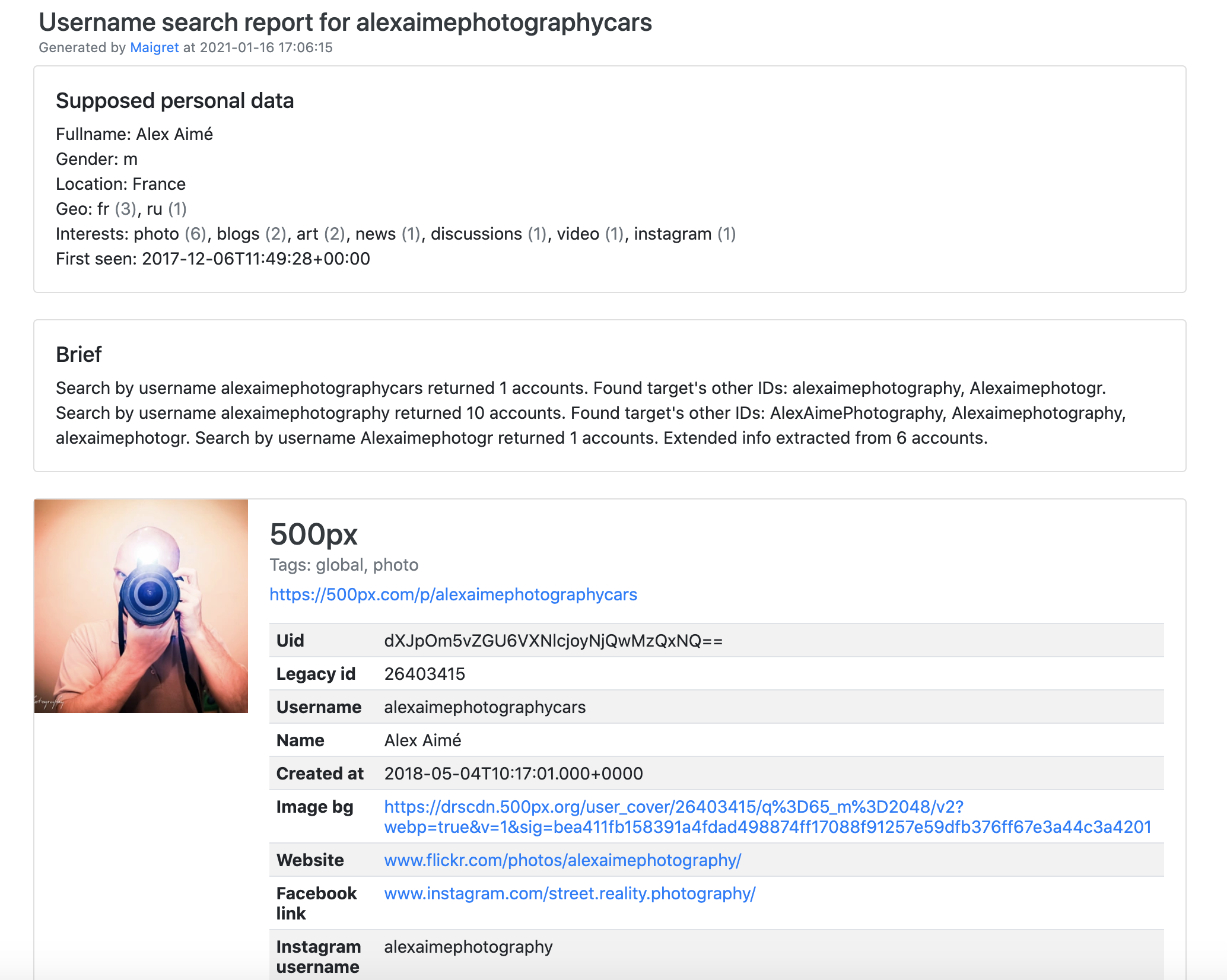
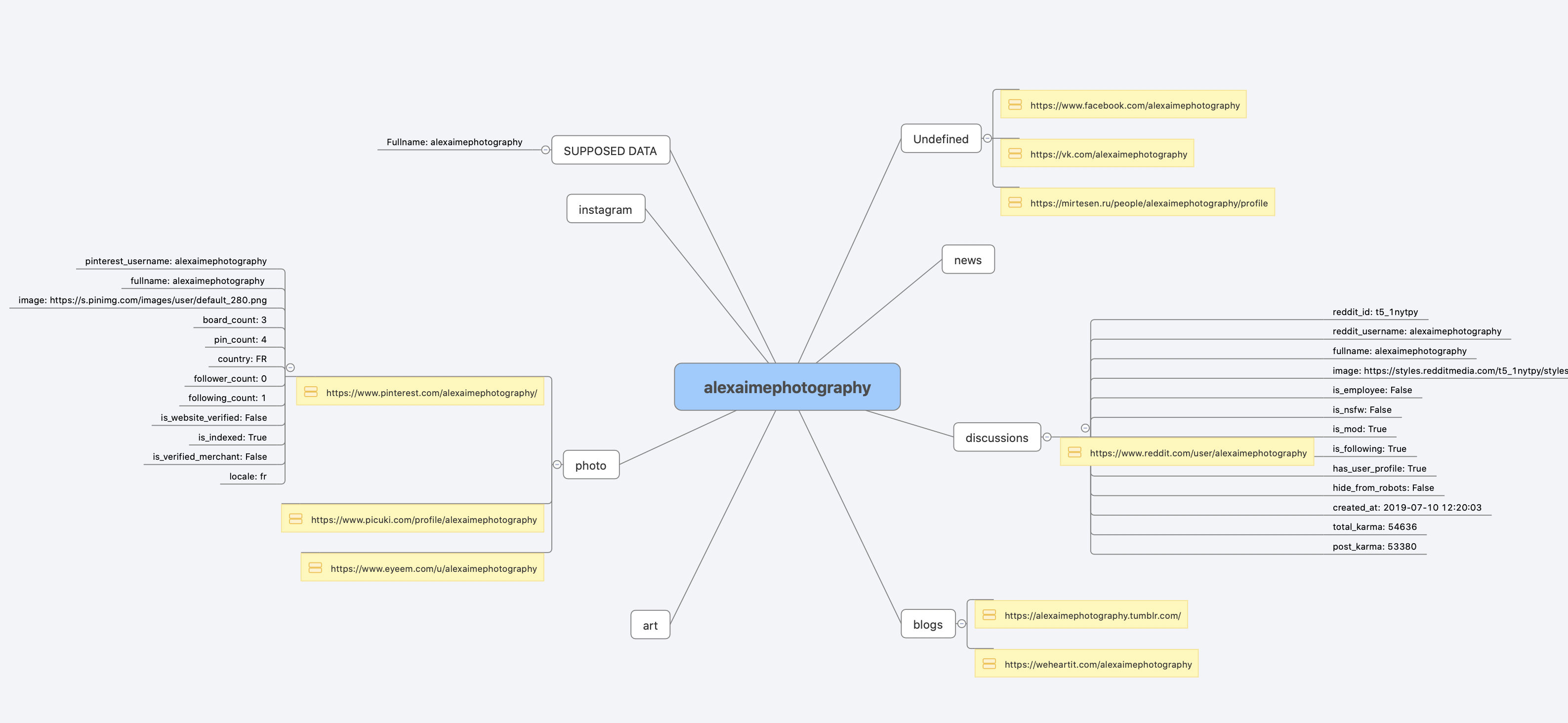
Already ran the In one minute steps? You're set. Below are alternative methods.
Don't want to install anything? Use the community Telegram bot.
Download maigret_standalone.exe from Releases. You can launch it two ways:
Win+R, type cmd, hit Enter) or PowerShell to pass extra options:cd %USERPROFILE%\Downloads maigret_standalone.exe USERNAME maigret_standalone.exe USERNAME --html :: also save an HTML report maigret_standalone.exe --help :: list all options
Video guide: https://youtu.be/qIgwTZOmMmM.
Run Maigret in the browser via cloud shells or Jupyter notebooks:

# install from pypi
pip3 install maigret

# usage
maigret username
# or clone and install manually
git clone https://github.com/soxoj/maigret && cd maigret

# build and install
pip3 install .

# usage
maigret username
Two image variants are published:
soxoj/maigret:latest — CLI mode (default)soxoj/maigret:web — auto-launches the web interface# official image (CLI) docker pull soxoj/maigret # CLI usage docker run -v /mydir:/app/reports soxoj/maigret:latest username --html # Web UI (open http://localhost:5000) docker run -p 5000:5000 soxoj/maigret:web # Web UI on a custom port docker run -e PORT=8080 -p 8080:8080 soxoj/maigret:web # manual build docker build -t maigret . # CLI image (default target) docker build --target web -t maigret-web . # Web UI image
Build errors? See the troubleshooting guide.
PDF reports (--pdf) are an optional extra — install with pip install 'maigret[pdf]'. They need system-level graphics libraries on Linux/macOS; see the PDF reports section for per-OS install steps.
# make HTML, PDF, and Xmind8 reports
maigret user --html
maigret user --pdf
maigret user --xmind #Output not compatible with xmind 2022+

# machine-readable exports
maigret user --json ndjson   # newline-delimited JSON (also: --json simple)
maigret user --csv
maigret user --txt
maigret user --graph         # interactive D3 graph (HTML)
maigret user --neo4j         # Neo4j Cypher script (graph database)

# search on sites marked with tags photo & dating
maigret user --tags photo,dating

# search on sites marked with tag us
maigret user --tags us

# highlight sites whose page also mentions specific keywords
maigret user --keywords python rust
# keyword-matched sites are shown with "[++]" in bright green

# search for three usernames on all available sites
maigret user1 user2 user3 -a

# AI-assisted investigation summary (needs OPENAI_API_KEY)
maigret user --ai
--neo4j writes a *_neo4j.cypher script of the results graph; import it with cypher-shell -u neo4j -p <password> < report_user_neo4j.cypher or paste it into the Neo4j Browser. Re-imports are idempotent. See the Neo4j export docs.
Run maigret --help for all options. Docs: CLI options, more examples. Running into 403s or timeouts? See TROUBLESHOOTING.md.
Maigret has a built-in web UI with a results graph and downloadable reports.
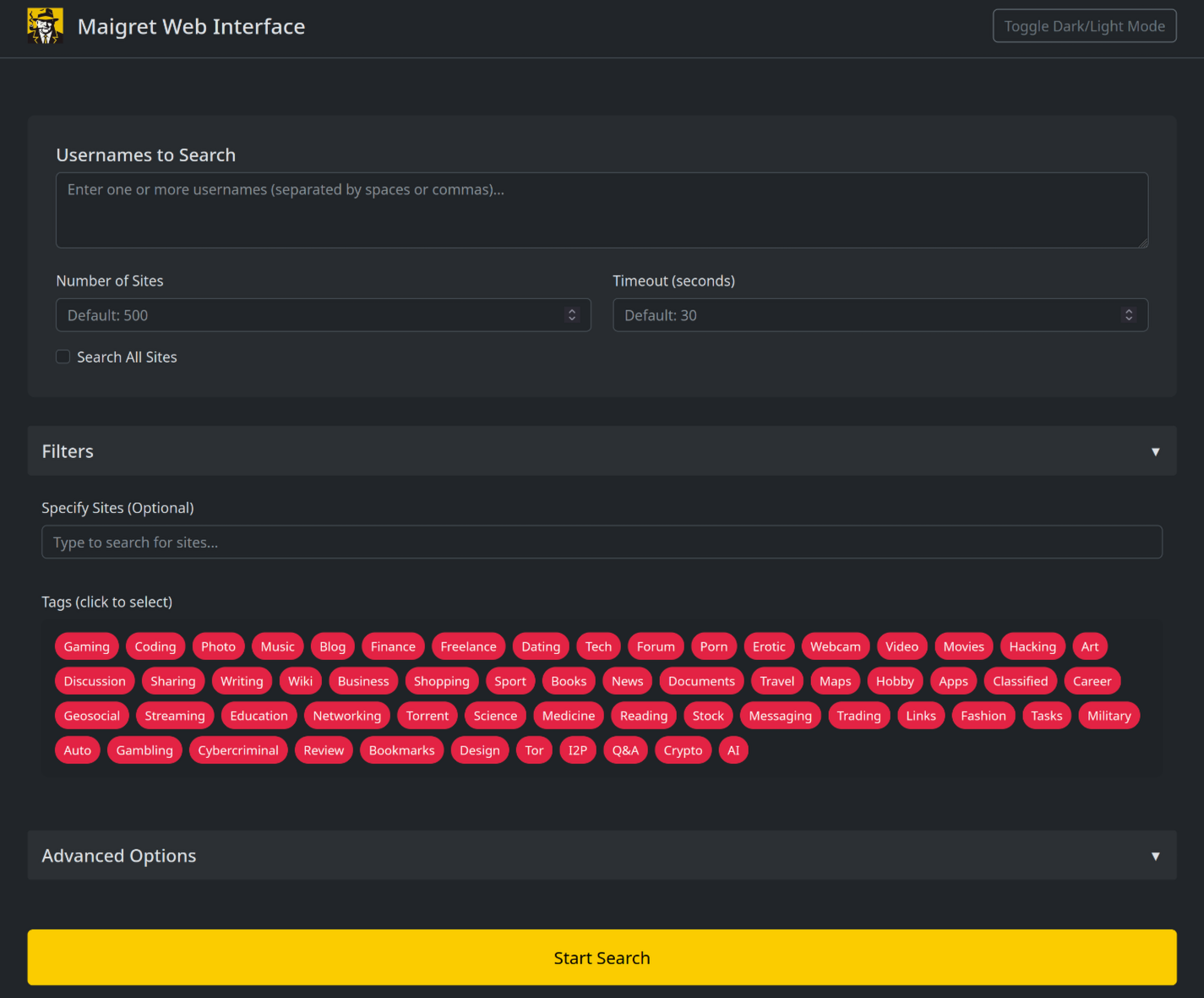
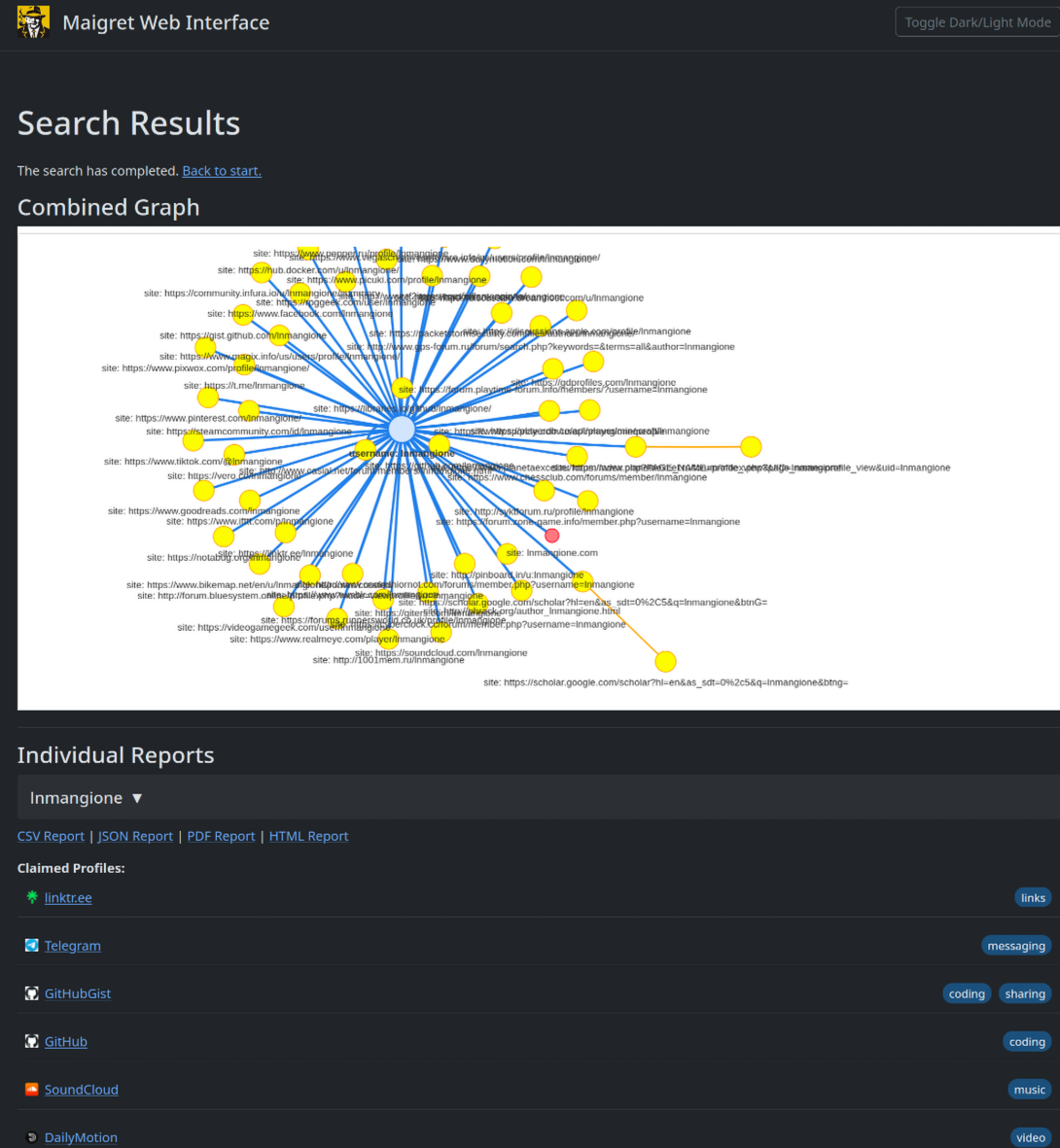
maigret --web 5000
Open http://127.0.0.1:5000, enter a username, and view results.
Maigret can be embedded in your own Python projects. The CLI is a thin wrapper around an async function you can call directly — build custom pipelines, feed results into your own tooling, or run it inside a larger OSINT workflow.
See the full library usage guide for a working example, async patterns, and how to filter sites by tag.
--parse URL — parse a profile page, extract IDs/usernames, and use them to kick off a recursive search.--permute — generate likely username variants from two or more inputs (e.g. john doe → johndoe, j.doe, …) and search for all of them.--self-check [--auto-disable] — verify usernameClaimed / usernameUnclaimed pairs against live sites for maintainers auditing the database.--ai / --ai-model — run the AI analysis over the search results and stream a short investigation summary to the terminal.--ai collects the search results, builds an internal Markdown report, and sends it to an OpenAI-compatible chat completion endpoint to produce a short, neutral investigation summary (likely real name, location, occupation, interests, languages, confidence, follow-up leads). Per-site progress is suppressed and the model's output is streamed to stdout.
export OPENAI_API_KEY=sk-...
maigret user --ai

# pick a different model
maigret user --ai --ai-model gpt-4o-mini
The key can also be set as openai_api_key in settings.json. The endpoint defaults to https://api.openai.com/v1, but openai_api_base_url in settings.json can point to any OpenAI-compatible API (Azure OpenAI, OpenRouter, a local server, …). See the settings docs for the full list of options.
Maigret can route checks through a proxy, Tor, or I2P — useful for .onion / .i2p sites and for bypassing WAFs that block datacenter IPs.
# any HTTP/SOCKS proxy
maigret user --proxy socks5://127.0.0.1:1080

# Tor (default gateway socks5://127.0.0.1:9050)
maigret user --tor-proxy socks5://127.0.0.1:9050

# I2P (default gateway http://127.0.0.1:4444)
maigret user --i2p-proxy http://127.0.0.1:4444
Start your Tor / I2P daemon before running the command — Maigret does not manage these gateways.
Experimental. The Cloudflare webgate is under active development; the configuration schema, CLI behaviour, and the set of routed sites may change without backwards-compatibility guarantees.
A subset of sites in the database require a real browser to solve a JavaScript challenge. Maigret can offload these checks to a local FlareSolverr instance:
docker run -d -p 8191:8191 --name flaresolverr ghcr.io/flaresolverr/flaresolverr:latest
maigret --cloudflare-bypass <username>
The bypass is opt-in (--cloudflare-bypass or cloudflare_bypass.enabled in settings.json) and only fires for sites whose protection field matches. See the feature docs for backend options and configuration.
Add or fix new sites surgically in data.json (no json.load/json.dump), then run ./utils/update_site_data.py to regenerate sites.md and the database metadata, and open a pull request. For more details, see the CONTRIBUTING guide and development docs. Release history: CHANGELOG.md.
The open-source Maigret is MIT-licensed and free for commercial use without restriction — but site checks break over time and need active maintenance.
For serious commercial use — with a daily-updated site database or a username-check API — reach out: 📧 maigret@soxoj.com
For educational and lawful purposes only. You are responsible for complying with all applicable laws (GDPR, CCPA, etc.) in your jurisdiction. The authors bear no responsibility for misuse.
Open an issue · GitHub Discussions · Telegram
OSINT techniques used:
MIT © Maigret
more like this
meine 🌒 - A CLI file manager and system utility built with Textual. It combines intuitive command parsing with rich t…
search projects, people, and tags