wordclock_esp8266
Software for a Wordclock based on ESP8266 and Neopixel LEDs with PONG, TETRIS, SNAKE game modes
C++★ 50
☢️ ESP8266 / ESP32 Firmware for collecting and reporting statistics from Geiger counters
 steadramon
git clone https://github.com/steadramon/ESPGeiger.gitsteadramon/ESPGeiger
 ESPGeiger
ESPGeiger is an open-source project that turns an ESP8266 or ESP32 into an IoT-connected Geiger counter. It collects, calculates and reports radiation levels from a range of Geiger counters with pulse or serial outputs.
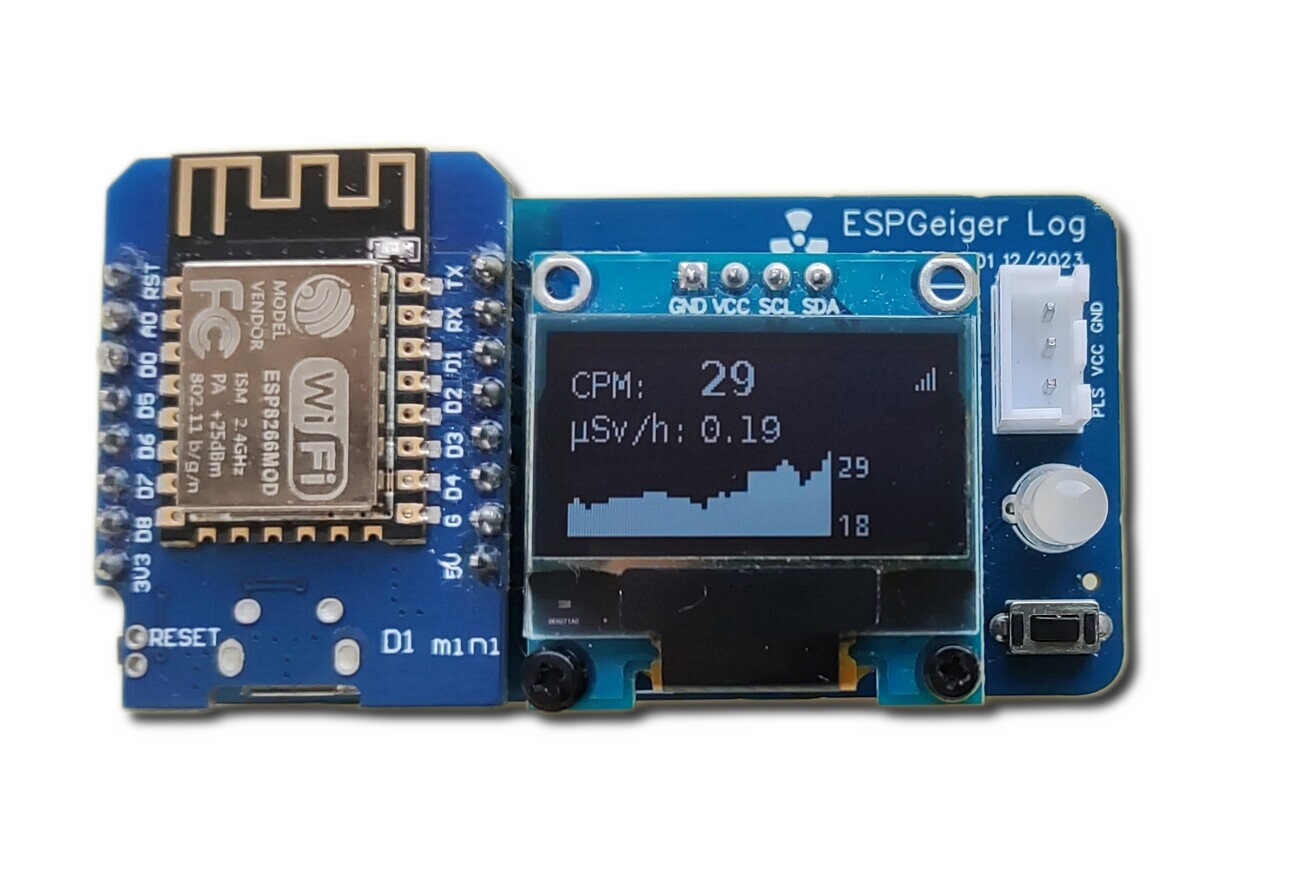
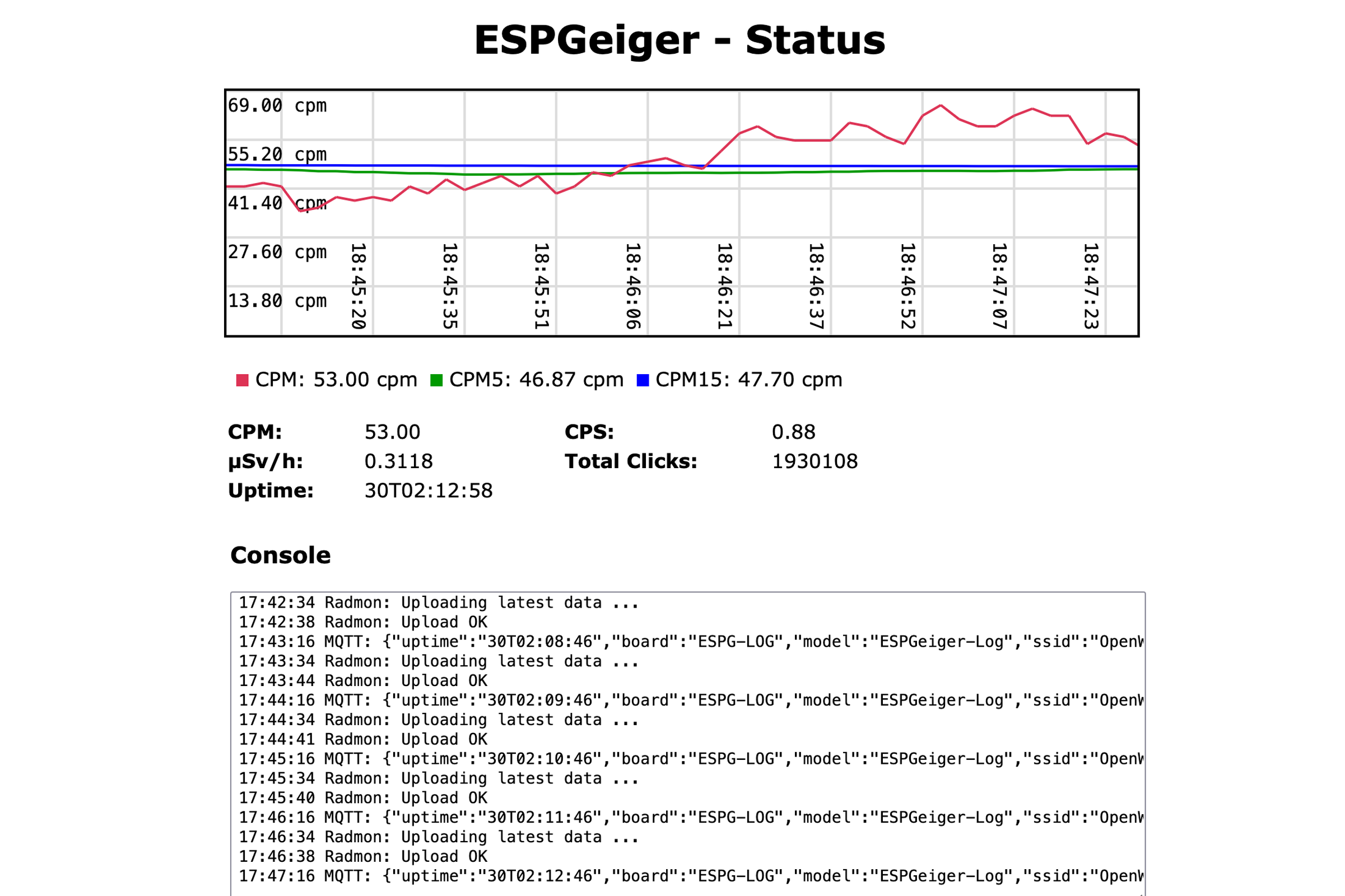
The easiest way to install ESPGeiger is the Web Installer - it runs in your Chrome or Edge browser and flashes your device over USB. No code editor or compiler required.
Select your build from the dropdown and follow the on-screen instructions. Installation takes about two minutes.
Pick the build that matches your hardware. If in doubt, start with Pulse - it works with most generic Geiger counters.
| Hardware | Recommended Build |
|---|---|
| ESP8266 (Wemos D1 Mini, NodeMCU, etc.) | esp8266_pulse |
| ESP8266 with SSD1306 OLED | esp8266oled_pulse |
| ESP32 | esp32_pulse |
| ESP32-S3 (dev kits) | esp32s3_pulse |
| ESP32-S3 with onboard amp + speaker (XH-S3E-AI) | xh_s3e_pulse |
| ESP32-C3 (RISC-V, no PCNT - software pulse counter) | esp32c3_pulse |
| CAJOE IoT-GM | esp32_cajoe_iotgm |
ESP32 / ESP32-S3 / ESP32-C3 builds bundle SSD1306 OLED support and auto-detect the panel at boot - no separate oled_* envs on the ESP32 family. ESP8266 still ships dedicated esp8266oled_* envs to avoid the runtime cost on the slower core.
A single serial build supports all serial counter types (GC10, GC10Next, MightyOhm, ESPGeiger). Select your counter type from the Config page after flashing.
| ESP8266 Build | ESP32 Build | ESP32-S3 Build | ESP32-C3 Build |
|---|---|---|---|
esp8266_serial |
esp32_serial |
esp32s3_serial |
esp32c3_serial |
ESP8266 OLED variant: esp8266oled_serial. The ESP32 family bundles OLED so the same esp32*_serial envs work with or without a display.
These are official ESPGeiger hardware kits - use the hardware-specific builds:
| Hardware | Pulse | Serial |
|---|---|---|
| ESPGeiger-HW | espgeigerhw |
- |
| ESPGeiger Log | espgeigerlog |
espgeigerlog_serial |
Test builds emulate a Geiger counter internally. You can also wire the TXPIN of one ESPGeiger to the RXPIN of another to simulate a serial counter:
| Build | Description |
|---|---|
esp8266_test / esp32_test / esp32s3_test |
Internal counter, no output |
esp8266_testpulse / esp32_testpulse |
Outputs Poisson-distributed pulses on TXPIN |
esp8266_testserial / esp32_testserial |
Emulates a serial counter (type selectable via Config) |
UDP receiver builds listen for OSC multicast broadcasts from other ESPGeiger devices and mirror them locally. Everything (CPM, µSv, OLED, MQTT, blip-LED) works as if a real tube were attached:
| Hardware | Build |
|---|---|
| ESP8266 | esp8266_udp / esp8266oled_udp |
| ESP32 | esp32_udp |
| ESP32-C3 | esp32c3_udp |
| ESP32-S3 | esp32s3_udp |
Producers enable the broadcast via Config → Local broadcast → mode 2. See UDP / OSC Output for the full protocol.
See the full list of available builds on the releases page or in the build targets documentation.
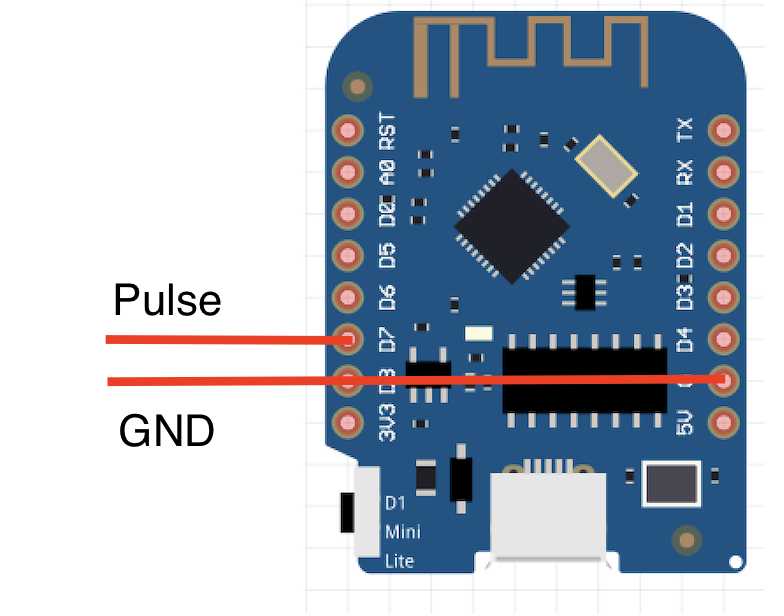
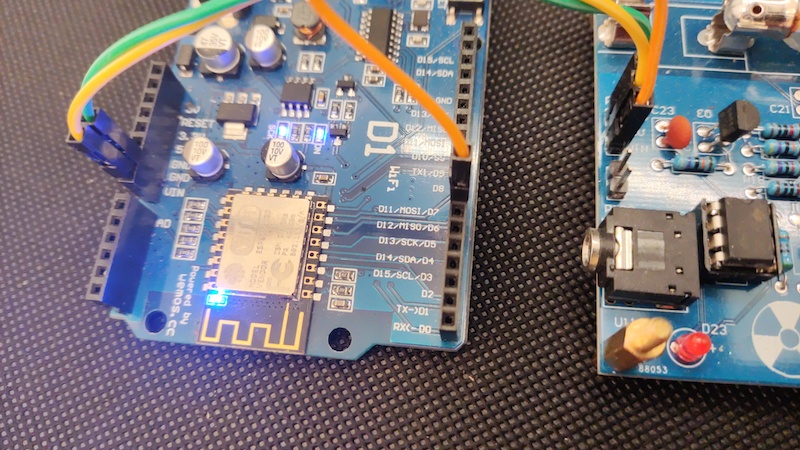
By default GEIGER_RXPIN is set to GPIO13 on ESP8266 / ESP32, and GPIO4 on ESP32-C3 (GPIO 11-17 are bonded to internal flash on C3-MINI-1 modules and cannot be used). Connect your Geiger counter's pulse or serial TX output to this pin. Don't forget a common ground.
ESPGeiger-XXXXXX)http://ESPGeiger-XXXXXX.local or the assigned IP🔒 ESPGeiger is designed for LAN use. Don't port-forward it to the open internet - use a VPN for remote access, and push telemetry outward (MQTT / Radmon / ThingSpeak / Webhook) for remote monitoring. See Network and security.
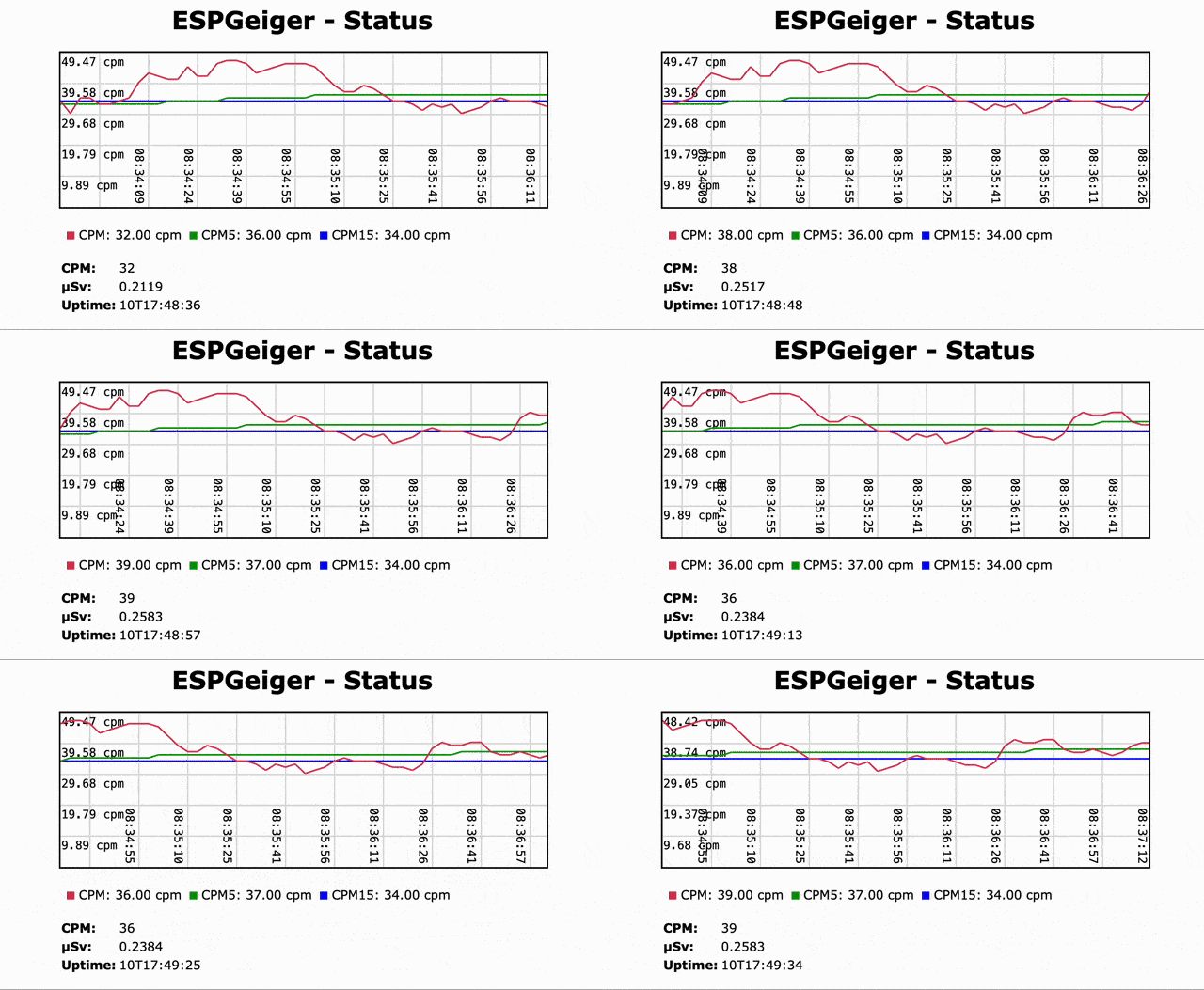
Upgrades can be done over-the-air through the web interface. Please be careful to select the right firmware for your hardware.
Note: ESP32 users should use the firmware binary when upgrading (the merged binaries are for fresh installs via the Web Installer).
Full documentation is available at docs.espgeiger.com.
If you want to customise the firmware or create a build for unsupported hardware, you can build from source using PlatformIO. See the Platformio Build documentation for details.
Other serial-based counters should be supportable with small additions to the codebase. If you have one not listed, please raise an issue.
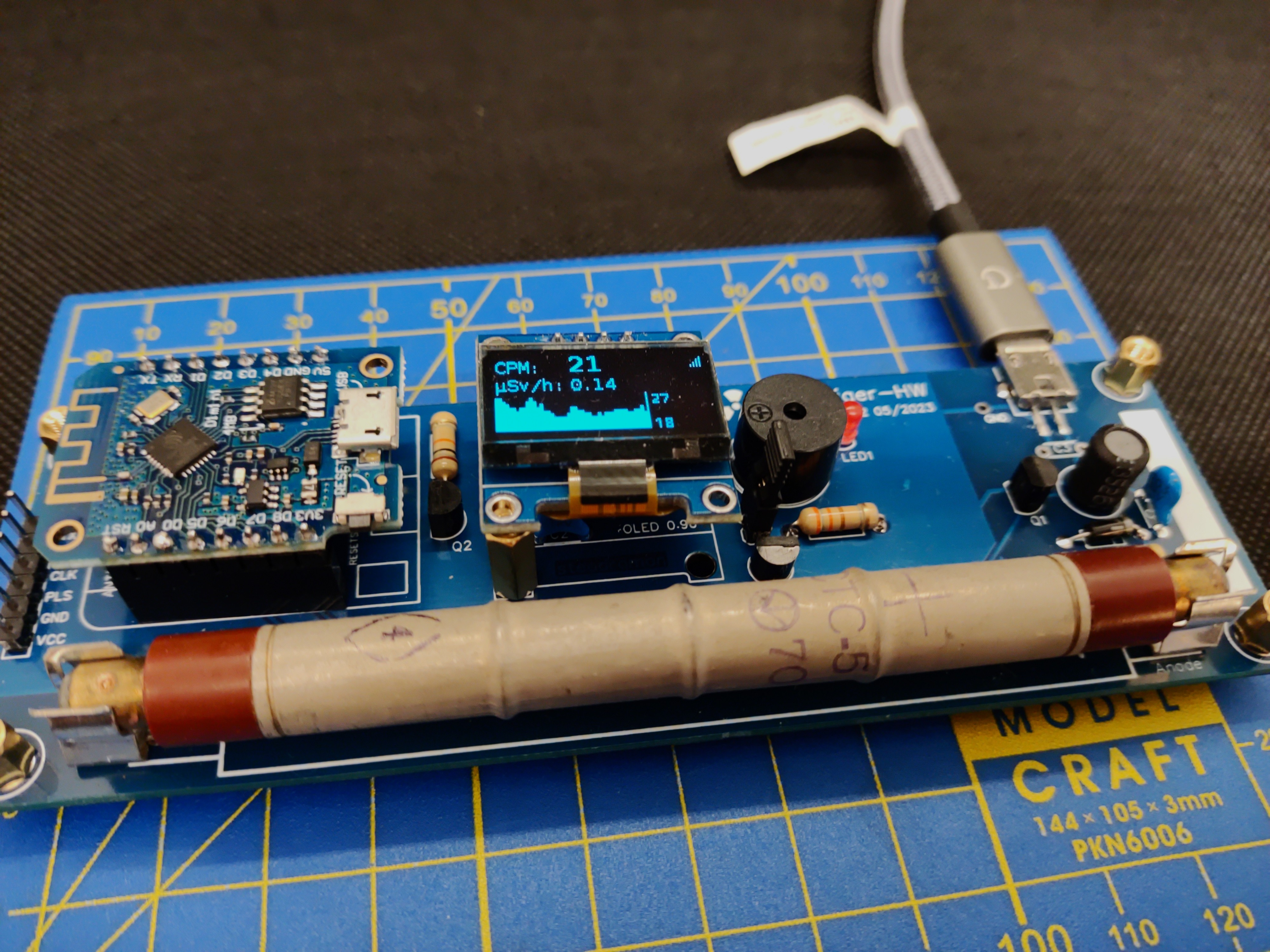
The official IoT Geiger counter powered by ESPGeiger. See docs.espgeiger.com for more information.
Contributions are welcome - please feel free to raise a Pull Request or open an issue.
Supporting libraries:
Inspiration:
With thanks to:
more like this
Software for a Wordclock based on ESP8266 and Neopixel LEDs with PONG, TETRIS, SNAKE game modes
Arduino library and MATLAB/Simulink API for the AutomationShield Arduino expansion boards for control engineering educa…
search projects, people, and tags