coffee-gb
Gameboy emulator in Java and Kotlin.
 trekawek
git clone https://github.com/trekawek/coffee-gb.gittrekawek/coffee-gbCoffee GB
A highly compatible Game Boy and Game Boy Color emulator for the desktop.

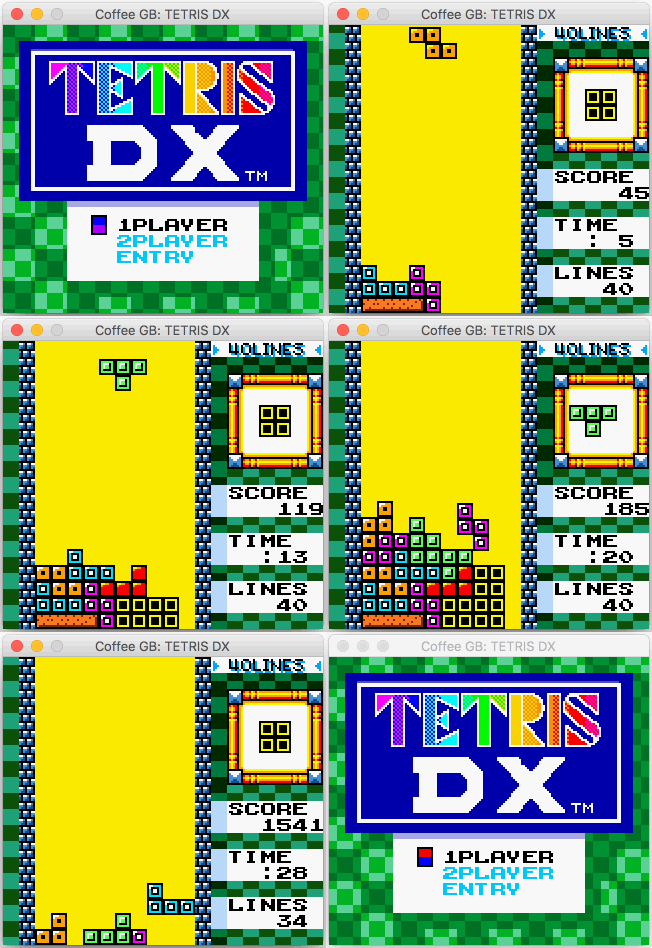
Coffee GB emulates the original Game Boy (GB/DMG) and Game Boy Color (GBC/CGB). It is built for high compatibility across the historic game library, unusual cartridges and accessories, and modern homebrew, demos, and diagnostic ROMs. The reusable emulation core is written in Java; the desktop application and its orchestration layer use Kotlin and Java.
Download and play
The portable Coffee GB download is a single executable JAR. It requires a desktop Java 16 or newer runtime; Java 21 LTS is recommended and is the version used by CI and release builds. Release tooling can also produce target-specific Linux, Windows, and macOS packages with a bundled minimized Java runtime; the portable JAR remains available as the platform-neutral fallback. See the native packaging guide for targets, installer warnings, minimum tested OS versions, package contents, and verification.
-
Download the JAR from the latest Coffee GB release.
-
Open it through your desktop's Java launcher, or start it from a terminal:
java -jar coffee-gb-VERSION.jar
-
Choose File > Load ROM, or pass a ROM on the command line:
java -jar coffee-gb-VERSION.jar path/to/game.gb
Run java -jar coffee-gb-VERSION.jar --help for the complete option list or
java -jar coffee-gb-VERSION.jar --version to print the packaged version. Command-line parsing is
strict: unknown, malformed, or conflicting options write a diagnostic to standard error and exit
with status 2 before Swing starts. Use -- to end option parsing when a ROM path begins with -:
java -jar coffee-gb-VERSION.jar -- -homebrew.gb
--package-smoke is a self-contained, headless installation diagnostic. It generates a tiny
synthetic ROM, opens it from a private temporary 7z archive to verify packaged archive support,
publishes video and audio, samples a press/release, and round-trips the existing portable StateFile
format. It reads no external or user ROM; generated files are deleted and are never committed,
packaged, cached, or uploaded.
ROMs are not included. Coffee GB accepts .gb, .gbc, and .rom files and
bounded ZIP and 7z archives containing those formats. You can also drop one local
file on the emulator window; macOS Finder open-file events use the same opening
flow. If an archive contains several valid ROMs, Coffee GB asks which exact entry
to open. Recent ROMs are recorded only after a game starts successfully.
Opening is cancellable and runs away from the Swing event thread. Coffee GB
snapshots the selected bytes before parsing them, rejects remote URLs, multiple
dropped files, unsafe archive paths, and archives outside its size/count limits,
and keeps the current game running if preparation or save-before-switch fails. On
macOS, game-controller support also requires SDL2 (brew install sdl2);
keyboard input works without it.
For netplay, one player chooses Link > Start server and the other chooses Link > Connect to server.
The next-generation pairing and consent design is frozen as protocol v9. An opt-in developer foundation now validates CGB9 framing and HELLO capabilities. Its Part-1 API strictly parses one-use invitations and authenticates a reserved guest slot. Its explicit Part-2 API exchanges caller-prepared, bounded MANIFEST metadata. An additional explicit Part-3 plan enables two-sided, item-scoped consent and one bounded ROM or battery transaction per approved proposal, then stops at an immutable pre-START boundary. Content providers are opened only after both exact approvals; verified receivers deliver only complete detached candidates. Callers without these opt-ins retain their earlier boundary. Own-ROM exact match remains the default and performs no transfer. An additional #349 developer plan enables direct StateFile-v2 checkpoints, atomic frame-safe restore, START/READY, and bounded ACTIVE input/reset/stop. It remains opt-in and is not wired to the default UI. Explicit v9 callers may enable bounded PING/rollback metrics and an EDT-safe sanitized diagnostics panel. A separate trusted-LAN discovery service is off by default and advertises only an untrusted numeric endpoint/public session ID while a listener has an open slot; confirmation and the existing one-use authenticated invitation are still mandatory. It provides no automatic connection, tokenless flow, matchmaking, NAT traversal, or encryption. Current user netplay remains v8. V9 deliberately does not interoperate or downgrade to v8. Its TCP transport is plaintext—not confidential or secure against an on-path attacker. See the v9 privacy/troubleshooting guide and the normative v9 contract. The implemented foundation boundary is documented in netplay-v9-foundation.md.
Mobile Adapter GB support includes a deterministic engine, an exclusive link-port selector, and an optional bounded outbound DNS/TCP/UDP backend for explicitly configured custom services. Host networking is offline by default, requires session-only consent, and applies a separate development confirmation to loopback/private-LAN destinations. There is no listener, relay, dial-up, Nintendo production-service preset, automatic endpoint selection, or bundled service data. The public-IP policy cannot identify who operates an address, so users must configure only a trusted non-Nintendo custom service; DNS names, network metadata, and guest payloads are sent without TLS. The frozen evidence still does not define the acknowledgement/response polling order, so Coffee GB exposes direct engine/backend channels to tests without claiming commercial-game compatibility; a user-supplied ROM and custom-service validation remain a later phase. See the Mobile Adapter contract.
Hardware profiles and command-line selection
Each emulation session resolves one immutable hardware profile before construction. The permanent
profile IDs are dmg, cgb, cgb0, sgb, sgb2, and mgb. Automatic selection preserves the desktop defaults;
an exact profile can be selected with:
java -jar coffee-gb-VERSION.jar --profile=cgb0 path/to/game.gbc
java -jar coffee-gb-VERSION.jar --profile=sgb2 path/to/sgb-game.gb
java -jar coffee-gb-VERSION.jar --profile=mgb path/to/game.gb
The legacy --force-dmg/-d and --force-cgb/-c flags remain available and map to dmg and
cgb. --profile cannot be combined with either force flag, and the two force flags cannot be
combined with each other. Unknown or malformed profile IDs fail before a core session is created
and report all supported IDs. Use --use-bootstrap/-b to run a bundled boot ROM normally; a
profile without a bundled boot ROM is rejected. Use --disable-battery-saves/-db to disable
battery-file reads and writes for that launch.
All explicit command-line choices are process-local overrides: they take priority over persisted
settings but are never written to ~/.coffeegb.properties. Persisted uppercase DMG, CGB,
CGB0, and SGB values are migrated as finite compatibility aliases; new settings use canonical
lowercase IDs. See the desktop command-line and settings contract for
precedence, validation, migration, and recovery behavior, and
docs/hardware-profiles.md for clocks, boot policy, state identity,
and extension rules.
The System tab in Preferences exposes Auto (default) plus every profile, including distinct SGB,
SGB2, and MGB choices. SGB2 and MGB require skip-bootstrap mode because Coffee GB does not
bundle their Nintendo boot ROMs. New SGB/SGB2/MGB local snapshots use StateFile v2 so exact model
identity and RTC phase meaning are unambiguous; old v1 snapshots remain importable. Protocol v8 is
frozen to StateFile v1, so SGB, SGB2, and MGB are rejected for netplay rather than transmitting an
ambiguous or aliased identity.
Default controls
| Action | Key |
|---|---|
| D-pad | Arrow keys |
| A / B | Z / X |
| Start / Select | Enter / Shift |
| Pause | Space |
| Save / load state | F5 / F7 |
| Take screenshot | F12 |
| Rewind | Hold Backspace |
| Toggle fullscreen | F11 (disabled if assigned to an emulated button); Esc always exits fullscreen |
In single-player mode, Game > Manage States… provides ten stable slots, named states, previews,
export, and autosave/resume. F5/F7 save and load the selected one of those same ten
managed slots, including a state found in a configured fallback directory. Historical
.sn0–.sn9 sidecars are loaded read-only by F7 when the selected managed slot is
empty, and are never overwritten by managed quick saves. Managed states and
screenshots are namespaced by exact ROM hash in a hidden directory beside the ROM, or below the
directory selected in Saves preferences.
A selected Saves directory also owns collision-safe battery saves; leaving it blank retains the
portable .sav sidecar behavior.
See managed states, autosave, screenshots, and rewind for storage,
fallback, recovery, privacy, and keyboard-access details. Pause, states, and rewind are disabled
during netplay.
Custom keyboard and game-controller mapping
Desktop settings are stored in ~/.coffeegb.properties. File > Preferences… configures
General and System behavior, 1×/2×/4× window sizing, letterboxing, fullscreen, display filters,
four-player keyboard bindings, gamepad assignment/tuning, audio device/volume/mute/latency, and
Saves policy (directory, battery saves, rewind bounds, autosave, and resume) without manual editing.
The resizable display always fits the complete DMG/CGB or SGB-border image while preserving its
aspect ratio. The last normal window size is restored on launch, while fullscreen restores and
clamps prior window placement across monitor and DPI changes.
The complete typed schema, validation,
rendering fallback, migration, device fallback, and recovery rules are documented in the
desktop command-line and settings contract. For keyboard mappings, use
KeyEvent
constant names:
input.p1.btn_up=VK_UP
input.p1.btn_down=VK_DOWN
input.p1.btn_left=VK_LEFT
input.p1.btn_right=VK_RIGHT
input.p1.btn_a=VK_Z
input.p1.btn_b=VK_X
input.p1.btn_start=VK_ENTER
input.p1.btn_select=VK_SHIFT
Unversioned legacy files may use the historical btn_* P1 aliases; migration accepts and
rewrites them to the canonical input.p1.btn_* keys above. Do not add both forms to a versioned
settings file. SGB games can use independent P2-P4 keyboard mappings with disjoint keys:
input.p2.btn_up=VK_W
input.p2.btn_down=VK_S
input.p2.btn_left=VK_A
input.p2.btn_right=VK_D
input.p2.btn_a=VK_G
input.p2.btn_b=VK_F
input.p2.btn_start=VK_T
input.p2.btn_select=VK_R
The same input.pN.btn_<button>=VK_* grammar accepts p1 through p4. A key may belong to
only one logical player. If a manual edit contains a malformed player/button/key or a collision,
Coffee GB preserves the invalid file, starts with safe defaults, and shows a clear settings warning
instead of silently overwriting a mapping.
P1 uses the first available SDL game controller by default. The explicit grammar is
input.pN.gamepad=auto|none|sdl-<64 lowercase hex digits>. Coffee GB logs every attached
controller's stable sdl-* ID once when it is discovered, including unassigned controllers; copy
that value to pin a physical device to P1-P4. Only one player
may use a given ID, and only one auto assignment is allowed. The ID hashes SDL's GUID, device
path, and name. If SDL exposes no path, the current connection's instance ID disambiguates otherwise
identical pads. IDs are stable across enumeration-order changes; an OS path change (or reconnect on
a path-less backend) is conservatively treated as device replacement.
Per-device movement and tilt dead zones plus X/Y inversion are available in Preferences. Controller discovery stays on the SDL polling thread; disconnects, focus loss, ROM changes, and mapping changes release held input to prevent stuck buttons.
Audio Preferences lists outputs asynchronously and retains an unavailable configured output while using the system default as a safe runtime fallback, then returns to the configured output when it reappears. Master volume and mute are software controlled; the LOW, BALANCED, and SAFE presets trade latency for additional buffering without changing emulation timing.
Independent SGB P2-P4 desktop input is available only in local/basic-controller mode. Netplay protocol v8 carries one frame-owned P1 stream per linked emulator and has no representation for local SGB controller slots, so every linked machine masks the live four-slot desktop source.
Features
- Systems: full DMG and CGB emulation, plus Super Game Boy borders and palettes.
- Hardware-focused accuracy: a cycle-stepped CPU and high-accuracy PPU, APU, timer, DMA, serial, and infrared behavior.
- Everyday play: battery-backed saves, ten save-state slots, pause/reset, hold-to-rewind, success-only recent ROMs, drag-and-drop, and bounded ZIP/7z archive loading.
- Rollback netplay: TCP multiplayer for link-cable games, with local rollback hiding normal network latency and synchronized infrared communication.
- Broad cartridge support: MBC1/1M, MBC2, MBC3 with RTC and MBC30, MBC5, MBC6 with flash, MBC7 with EEPROM/accelerometer, MMM01, HuC1, HuC3, TAMA5, Pocket Camera, and numerous unlicensed and multicart mappers.
- Accessories: webcam-backed Game Boy Camera with a persisted camera-device choice, Game Boy Printer with PNG export, Barcode Boy, Full Changer infrared, Datel Action Replay pass-through, cartridge rumble, and tilt input.
- Desktop controls and display: keyboard and game-controller input, scaling, rotation, grayscale, CGB color correction, LCD ghosting, and an SGB-border toggle.
- Cheats: Game Genie and GameShark codes, plus a bundled searchable libretro cheat database.
Compatibility
Compatibility is a defining feature of Coffee GB. Its test profiles exercise 5,696 automated verdicts from 16 suite families, covering all popular Game Boy and Game Boy Color test suites, and every verdict passes. Coffee GB also earns the maximum score in GBEmulatorShootout.
Compatibility status: all popular GB/GBC test suites pass, and every exact-reference image suite is pixel-perfect: both Acid2 tests, CGB-ACID-HELL, Strikethrough, all four CasualPokePlayer tests, and all 24 Mealybug Tearoom tests.
| Test suite | Cases exercised | Current result |
|---|---|---|
| Blargg | 54 | 54 / 54 pass* |
| Mooneye Test Suite | 130 | 130 / 130 selected cases pass |
| RTC3Test | 3 | 3 / 3 menus pass |
| SameSuite | 71 | 71 / 71 later-revision cases pass |
| Gambatte HWTests | 4,674 | 4,674 / 4,674 canonical DMG/CGB verdicts match hardware |
| BullyGB | 2 | 2 / 2 DMG and CGB cases pass |
| MBC30Test | 1 | 1 / 1 ROM banking and SRAM case passes |
| GBEmulatorShootout - specific tests | 9 | Maximum score; 8 / 8 images and the ROM+RAM test pass |
| DMG-ACID2 and CGB-ACID2 | 2 | 2 / 2 are pixel-perfect |
| CGB-ACID-HELL | 1 | 1 / 1 is pixel-perfect |
| Strikethrough | 1 | 1 / 1 is pixel-perfect |
| CasualPokePlayer test ROMs | 4 | 4 / 4 are pixel-perfect |
| Mealybug Tearoom | 24 | 24 / 24 are pixel-perfect |
| GBMicrotest | 482 | 482 / 482 machine-readable verdicts pass; 31 additional diagnostics are inventoried but have no automated verdict |
| gbc-hw-tests | 221 | 221 / 221 selected hardware-reference verdicts match exactly |
| Misc.-GB-Tests | 17 | 17 / 17 pass verdicts match |
| Total | 5,696 | 5,696 / 5,696 automated verdicts pass |
* Blargg's aggregate and individual checks overlap by design.
How strict compatibility results are interpreted
Every automated case must produce its documented pass value, match its selected external hardware reference, or satisfy its upstream image oracle. Daid uses the shootout suite's luminance tolerance; CGB-ACID-HELL, Strikethrough, CasualPokePlayer, Acid2, and Mealybug are compared pixel for pixel with their upstream references. All 4,674 Gambatte model cases match their canonical hardware verdicts. Source revisions, archive membership, and selected hardware models or ROM revisions are fixed for reproducibility. GBMicrotest's 31 non-verdict diagnostics are inventoried but are not included in the 5,696 exercised cases because they provide no machine-readable pass/fail result.
Running the exhaustive Gambatte profile
The profile evaluates all 4,674 canonical hexadecimal DMG/CGB verdicts from 3,077 ROMs with two parameter workers by default in a test JVM capped at 1 GiB. It passes only when every case matches hardware:
mvn clean test -f core/pom.xml -Ptest-gambatte-hw
For bounded local runs, set both gambatte.batchCount and the zero-based
gambatte.batchIndex. Every index must run; batching partitions the
hardware-verdict matrix and does not suppress failures:
mvn test -f core/pom.xml -Ptest-gambatte-hw \
  -Dgambatte.batchCount=64 -Dgambatte.batchIndex=0
AI-assisted compatibility work
Since 2026, Coffee GB has used AI coding agents as compatibility research tools.
A purpose-built controller.Agent
API lets an agent run a ROM headlessly under scripted control, inject input,
capture frames and audio, and inspect immutable debugger snapshots without
driving the desktop UI. Each Agent owns a bounded command queue and one named
emulation thread; callers use Agent(...).use { } (or close()) and can access
its platform-neutral DebugPort directly. The port also negotiates deterministic breakpoints and
fixed-capacity CPU/memory/interrupt traces with cursor-visible overwrite accounting. Memory
inspection is deliberately limited to side-effect-free views, and the adapter exposes no live
emulator objects or memory-write backdoor. The complete safe-point, breakpoint, trace, and
performance contract is in docs/debug-port.md.
The modeless Tools > Debugger window, coherent panes, keyboard controls, bounded trace opt-in,
and privacy/retention behavior are documented in
docs/desktop-debugger.md.
Deterministic input recordings use the bounded, ROM-free CGBR container documented in
docs/replay-format-v1.md; playback runs in a service-isolated session
and reports the first mismatching subsystem checkpoint.
The standalone, non-Swing coffee-gb-cli turns those same safe-point APIs
into strictly bounded run and replay commands with canonical JSON, PNG/WAV evidence, stable exit
codes, and privacy-gated diagnostic bundles.
The working loop is deliberately evidence-based:
- Reproduce a reported problem with scripted input and capture the first point where emulation diverges.
- Diagnose it against hardware-backed test ROMs, hardware captures, schematics, and targeted comparisons with reference emulators.
- Make a focused change, add a regression test where practical, and run the focused checks; CI runs the full compatibility matrix before merge.
This makes AI useful for exploring difficult timing and cartridge edge cases, while hardware evidence, automated tests, and maintainer review remain the standard for correctness.
Project history
Coffee GB began as a six-week deep dive into how a small computer works. The 2017 origin story covers the CPU, pixel pipeline, audio, early compatibility testing, and first GBC implementation. The later rollback-netplay article explains how per-frame snapshots made high-latency link play practical.
| Date | Milestone |
|---|---|
| 31 Dec 2016 | The project starts. |
| 14 Jan 2017 | The first playable version runs Tetris, two weeks after the initial commit. |
| 5–7 Feb 2017 | Game Boy Color support lands with double-speed mode, banked RAM/VRAM, color graphics, and the GBC boot path. |
| 22 Dec 2017 | Coffee GB 1.0.0 is released. |
| 29 Feb 2024 | Save-state support is added. |
| Jul 2025 | Fast mementos enable rollback netplay, released in 1.5.0. |
| Aug 2025 | Super Game Boy borders and palettes arrive alongside command support and predefined game palettes. |
| Feb 2026 | The headless agent interface begins the AI-assisted compatibility workflow. |
Architecture
Coffee GB is a Maven reactor with three modules. The dependency flow is
swing → controller → core; the desktop module also uses the core
directly.
| Module | Role | Depends on |
|---|---|---|
core |
Reusable Java emulation engine: CPU, graphics, audio, memory, cartridges, serial/IR, SGB, and peripherals. | — |
controller |
Kotlin orchestration: sessions, timing, save states, rewind, rollback history, and networking. | core |
swing |
Kotlin/Java desktop UI, video/audio/input adapters, webcam and printer integration, and executable-JAR packaging. | controller, core |
The root pom.xml defines the reactor and shared build configuration.
Build from source
Use a JDK 16 or newer and Maven to build. JDK 21 is recommended and is used by CI.
git clone https://github.com/trekawek/coffee-gb.git
cd coffee-gb
mvn clean package
The executable universal fat JAR is created in swing/target/. It retains the
portable-JAR behavior and all dependency-provided native libraries. On a
development snapshot, run it with:
java -jar swing/target/coffee-gb-*-SNAPSHOT.jar
The same Maven build also attaches coffee-gb-VERSION-app.jar. That smaller artifact contains the
same application and dependency classes but deliberately contains no platform-native binaries; it
is the authoritative input for target-specific jlink/jpackage work, not a replacement download
for the universal JAR. mvn verify checks both inventories and launches --version from both
artifacts. See the native packaging foundation for the locked target
allowlists, external native-source contract, cache safety, macOS SDL limitation, and dependency
update procedure.
Native DEB, Windows EXE, Intel macOS DMG, and Apple-Silicon macOS DMG release assets are built on their matching hosts and published only after the complete matrix passes. See the native package CI guide before installing or cutting a release.
Kudos
Special thanks to @ScottNash042, whose thorough compatibility testing, hard-to-find edge-case reports, and thoughtful feature proposals have provided enormous value to Coffee GB.
Coffee GB also owes a great deal to the Game Boy hardware research community and to the authors of every test suite linked above.
License
Coffee GB is available under the MIT License.
more like this