vsHyprland-Manager
Visual configuration manager for Hyprland. Edit, organize and control your setup without breaking your config.
 victorsosaMx
git clone https://github.com/victorsosaMx/vsHyprland-Manager.gitvictorsosaMx/vsHyprland-Manager

vsHyprland Manager
A visual configuration editor for Hyprland — edit your window manager settings with live preview and modular config files.
No more editing hyprland.conf by hand. Design your desktop with a structured interface and apply changes instantly.
Single-file Python 3 + GTK3 application. Part of the vsHyprSettings suite.
Screenshots
| Appearance | Animations |
|---|---|
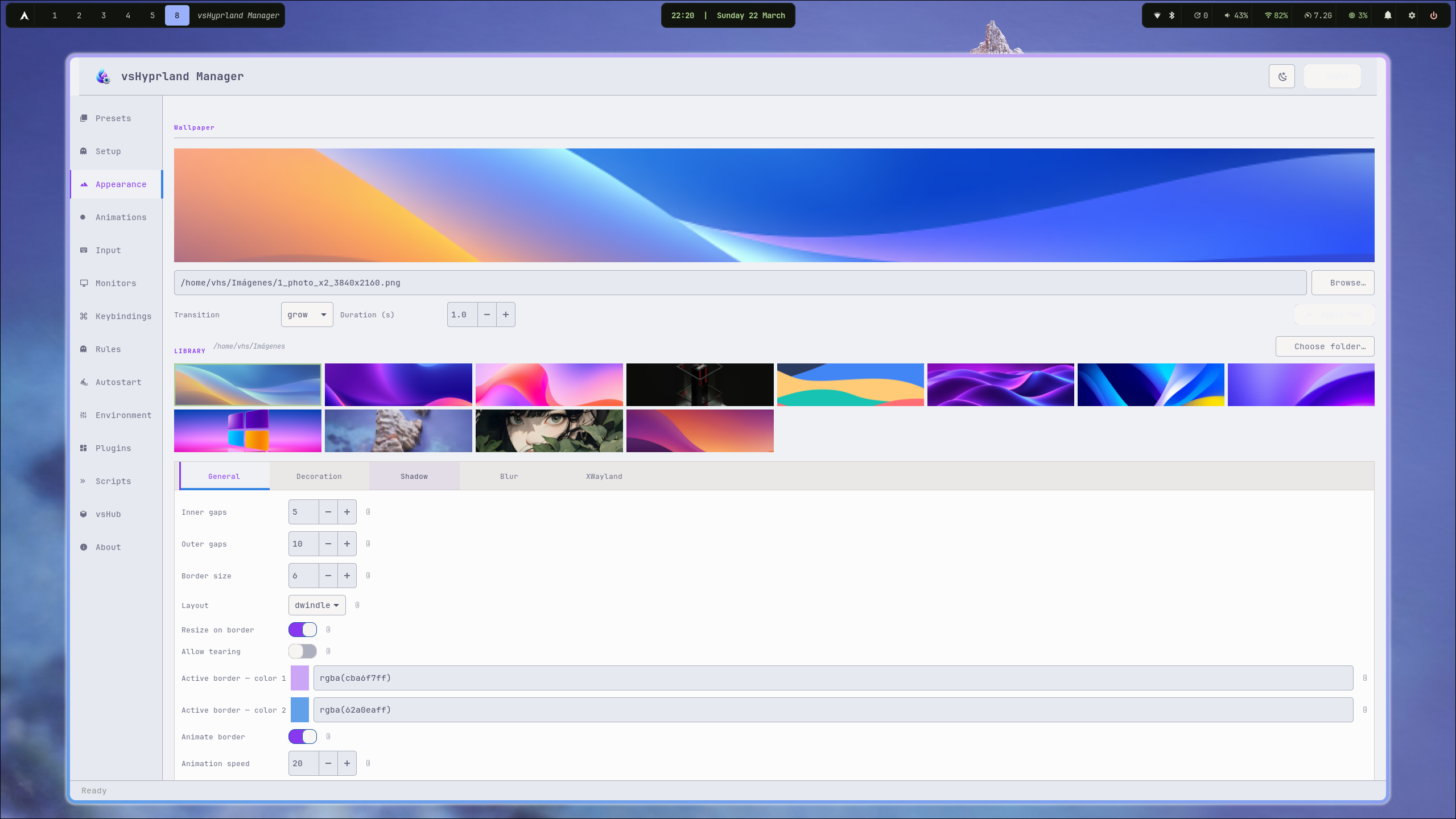 |
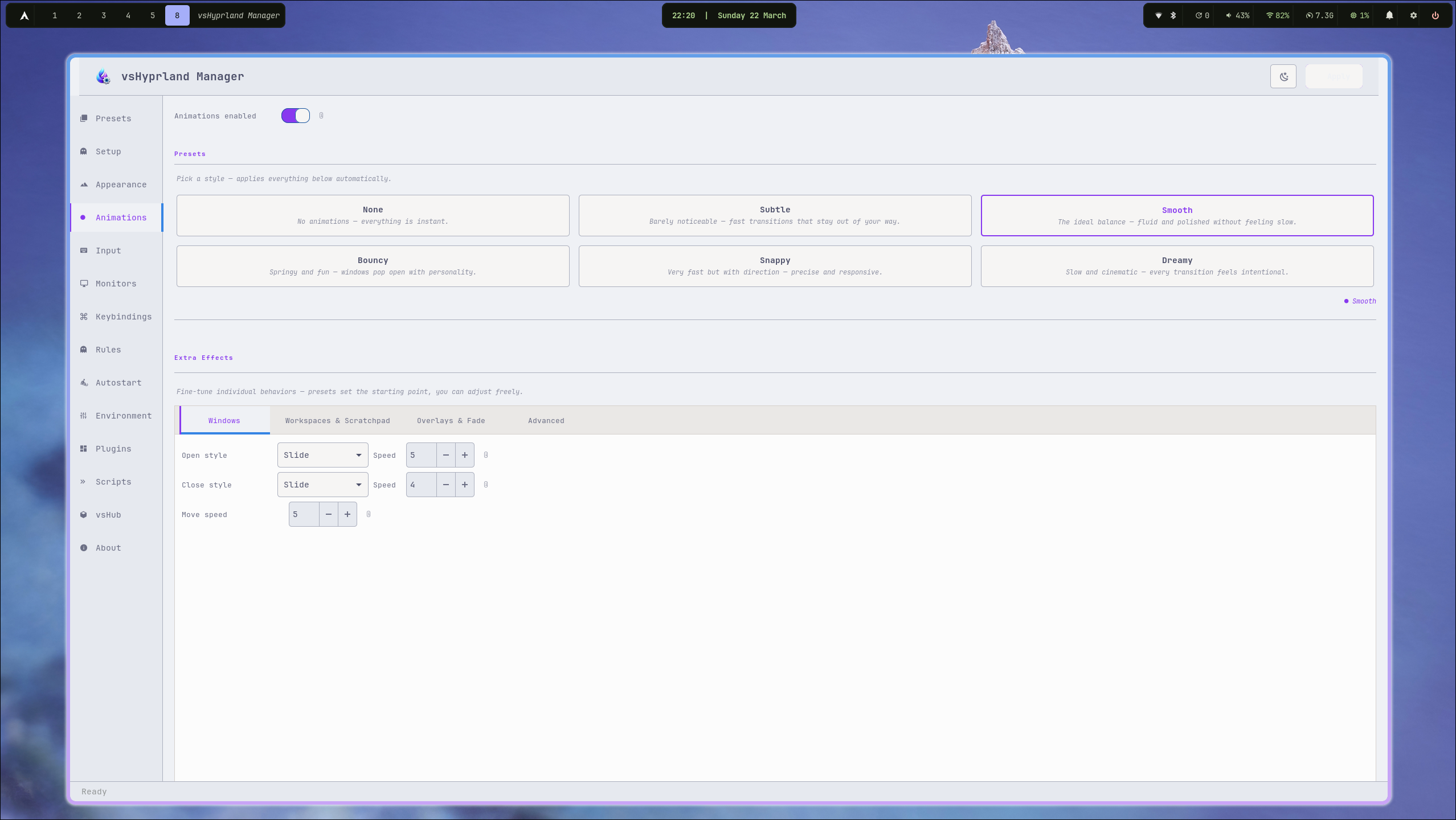 |
| Input & Hot Corners | Monitors |
|---|---|
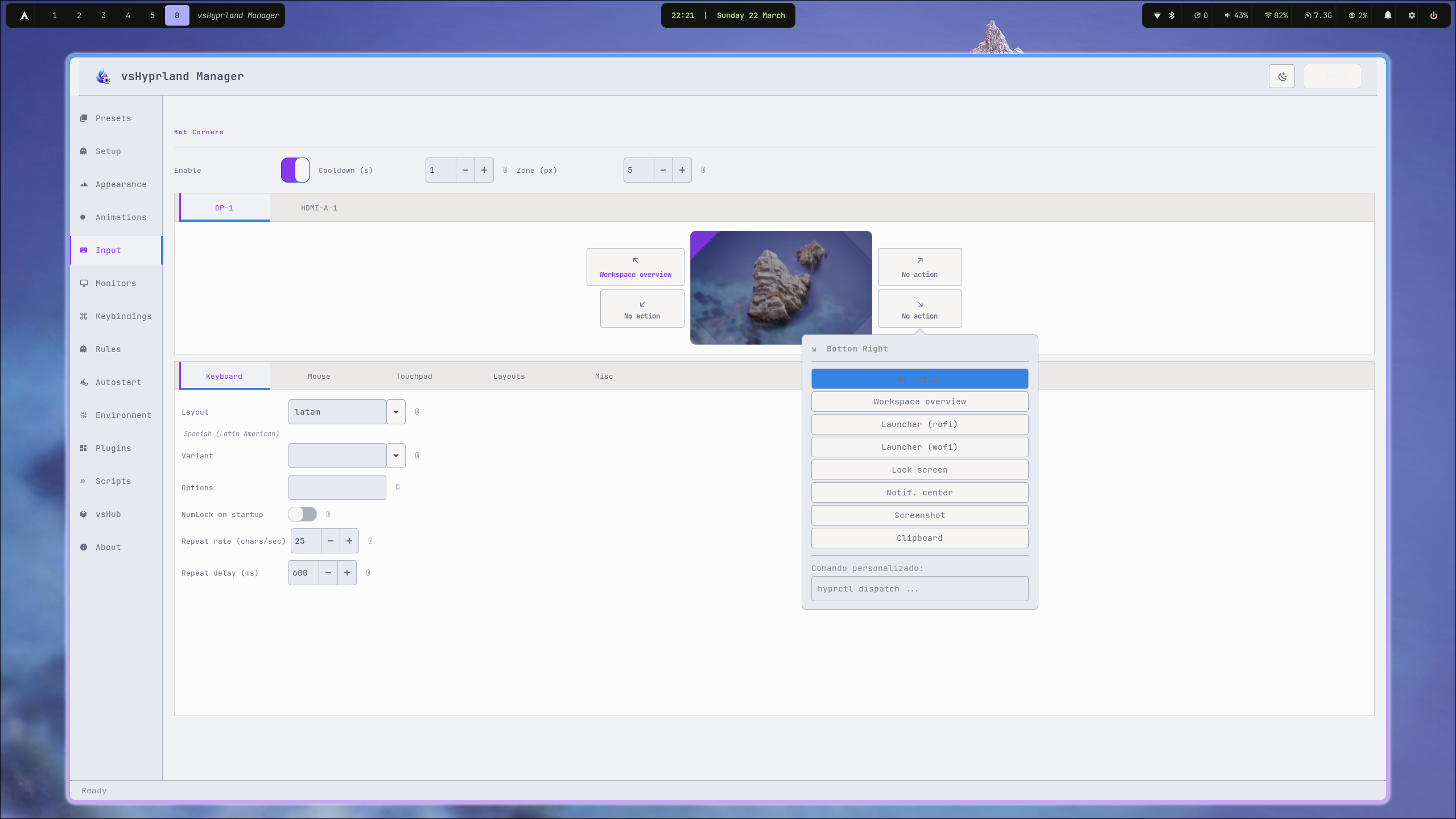 |
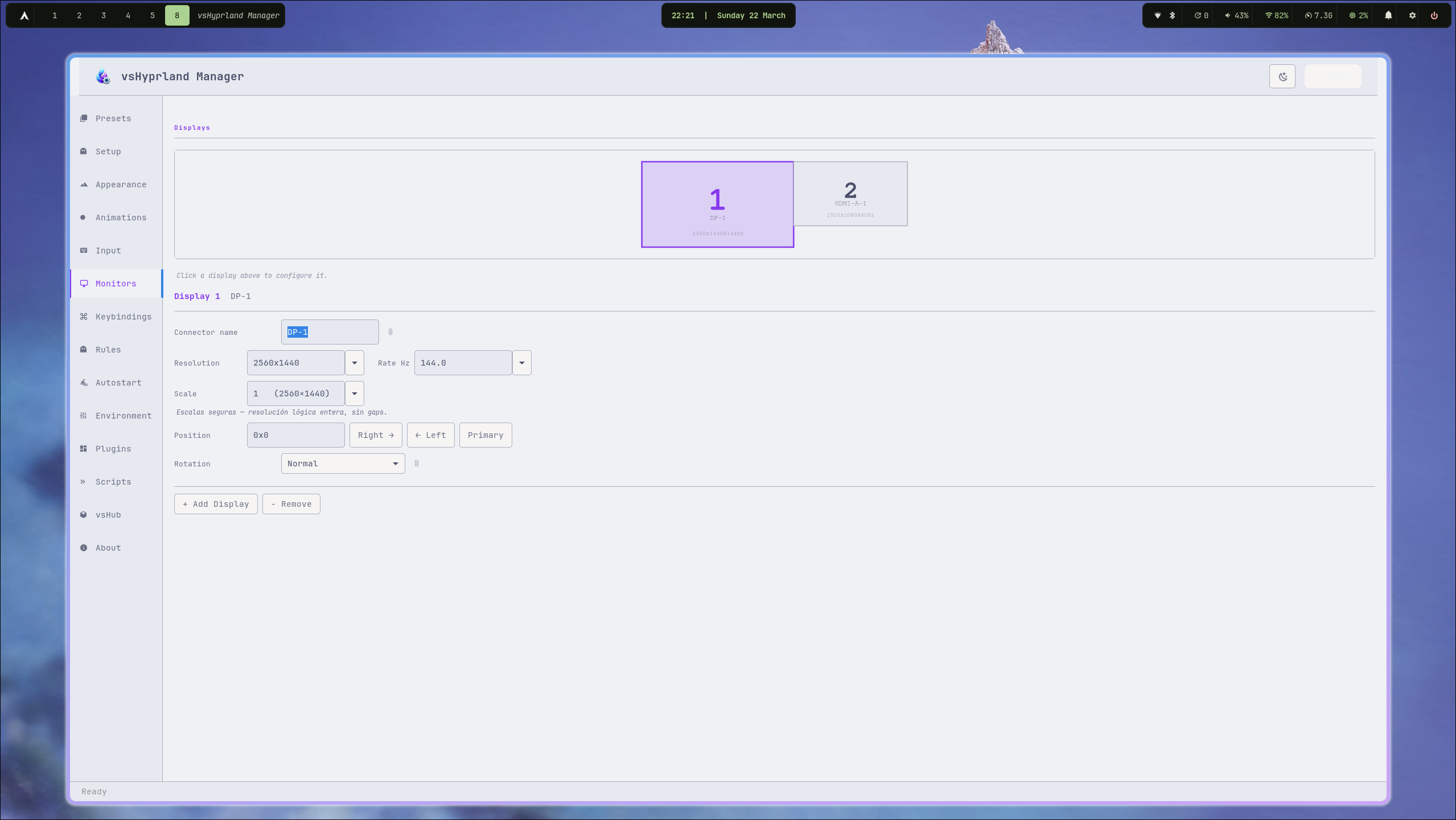 |
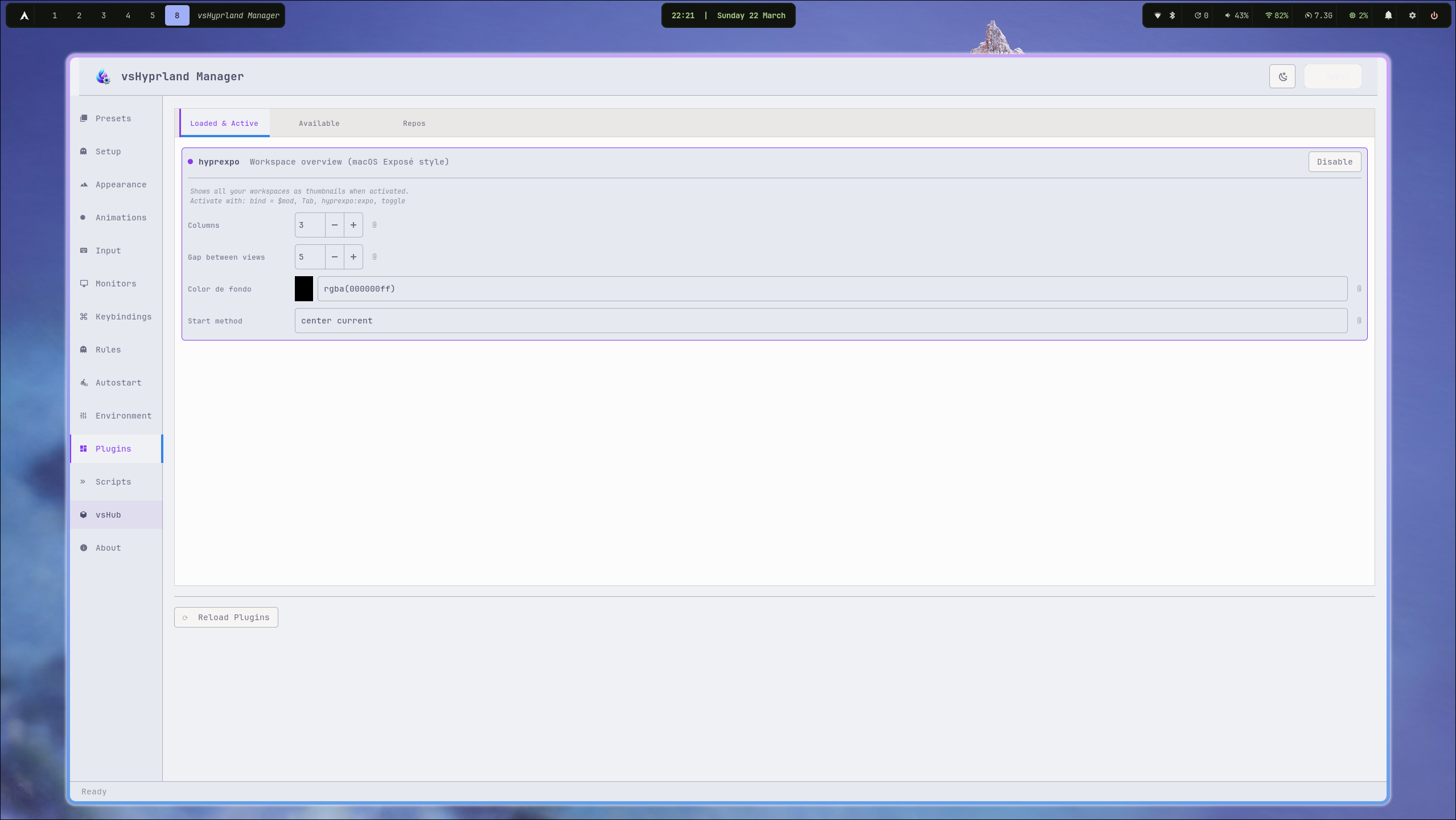
| Plugins |
|---|
 |
Features
- Live preview strip — Cairo-rendered mock windows showing your active border gradient, rounding, shadow and inactive window styling in real time
- Appearance — gaps, border size, rounding, active/inactive border colors (rgba gradient), opacity, shadow, blur, XWayland options; wallpaper managed via your desktop tool (e.g. awww)
- Animations — 6 ready-to-apply presets out of the box (None, Subtle, Smooth, Bouncy, Snappy, Cinematic) plus full manual editor: Bezier curves and animation assignments (name, speed, curve, type)
- Input — keyboard layout/options, mouse sensitivity/accel, touchpad tap/scroll, Dwindle and Master layout settings
- Monitors — monitor list with resolution, position, scale, transform, and disable toggle
- Keybindings — Variables tab (
$VAR = value) + Keybindings tab (modifier, key, dispatcher, argument) with profile save/load - Rules — Window Rules, Layer Rules, and Blur Layers each in their own tab, with profile save/load
- Autostart —
exec-oncecommand list - Environment — environment variable list (
key = value) - Plugins — Loaded & Active, Available plugins, and Repos in separate tabs; supports HyprExpo, HyprFocus, Hyprbars, Borders++, Hyprtrails, HyprScrolling, Split Monitor Workspaces, Hyprgrass, Hyprwinwrap
- Scripts — built-in editor for auxiliary scripts (
hotcorner.sh, etc.) with save, reload, run, and backup - Hot Corners — per-corner actions with a Cairo visual monitor diagram
- vsHub — discover, launch, and install the full vsHyprSettings suite; fetches updates from GitHub automatically
- Modular config — each section writes to its own file; your other includes are untouched
- Initial backup — on first run, saves a copy of your original config files to
~/.config/hypr/backups/original/; never overwritten - Apply backups — every apply creates a timestamped snapshot of all modified files; one-click restore from the About page
- Dark / Light editor theme toggle
Requirements
- Python 3.10+
python-gobject(GTK3 bindings)python-cairo- Hyprland
Tested environment
Developed and tested exclusively on:
| Distro | Arch Linux (clean install via archinstall) |
| Compositor | Hyprland |
| AUR helper | yay |
| Other | git |
No tests have been run on other distributions (Fedora, Ubuntu, NixOS, openSUSE, etc.). It may work on any distro that runs Hyprland, but nothing is guaranteed outside of Arch. Contributions and reports from other environments are welcome.
Installation
AUR (recommended)
yay -S vshyprland-manager
Manual
git clone https://github.com/victorsosaMx/vsHyprland-Manager
cd vsHyprland-Manager
chmod +x vshyprland-manager
./vshyprland-manager
Config Structure
vshyprland-manager writes to modular files under ~/.config/hypr/modules/:
~/.config/hypr/
├── modules/
│   ├── appearance.conf   ← General, Decoration, Shadow, Blur, XWayland
│   ├── animations.conf   ← Bezier curves + animation assignments
│   ├── input.conf        ← Keyboard, Mouse, Touchpad, Dwindle, Master, Misc
│   ├── binds.conf        ← $VARIABLES + keybindings
│   ├── rules.conf        ← windowrulev2, layerrule
│   ├── autostart.conf    ← exec-once
│   ├── env.conf          ← env =
│   ├── plugins.conf      ← plugin { hyprexpo { } hyprfocus { } }
│   └── monitors.conf     ← (written to ~/.config/hypr/monitors.conf)
└── backups/
    └── YYYYMMDD_HHMMSS_appearance.conf
    └── ...
In your main hyprland.conf, include them with:
source = ~/.config/hypr/modules/appearance.conf
source = ~/.config/hypr/modules/animations.conf
source = ~/.config/hypr/modules/input.conf
source = ~/.config/hypr/monitors.conf
source = ~/.config/hypr/modules/binds.conf
source = ~/.config/hypr/modules/rules.conf
source = ~/.config/hypr/modules/autostart.conf
source = ~/.config/hypr/modules/env.conf
source = ~/.config/hypr/modules/plugins.conf
Backups
Initial backup (first Apply)
The very first time you hit Apply, vshyprland-manager saves a copy of your existing config files to:
~/.config/hypr/backups/original/
  appearance.conf   animations.conf   input.conf
  binds.conf        rules.conf        autostart.conf
  env.conf          plugins.conf      monitors.conf
  hyprland.conf
This folder is never overwritten. You can open it or restore your originals at any time from the About page.
Apply backups (every save)
Every Apply also creates a timestamped snapshot of all modified files:
~/.config/hypr/backups/
  20260321_143022_appearance.conf
  20260321_143022_input.conf
  ...
Acknowledgements
Core
- Hyprland by Vaxry — the Wayland compositor this editor configures
- hyprpm — Hyprland's built-in plugin manager
- GTK3 / PyGObject — GUI toolkit and Python bindings
- PyCairo — 2D graphics (monitor diagram, hot corners)
- JetBrains Mono Nerd Font — monospace font used throughout
Hyprland plugins
- HyprExpo — workspace overview (macOS Exposé style)
- HyprFocus — focus animation when switching windows
- Hyprbars — title bars for floating windows
- Borders++ — extra decorative borders
- Hyprtrails — cursor trail effect
- HyprScrolling — scrolling layout
- Split Monitor Workspaces — per-monitor workspace isolation
- Hyprgrass — touchscreen gesture support
- Hyprwinwrap — use any app as wallpaper
Desktop environment
- Waybar — status bar
- hyprpaper — wallpaper daemon (static)
- awww — wallpaper daemon (animated transitions)
- SwayNotificationCenter (swaync) — notification center
- Rofi — application launcher and dmenu
- wofi — Wayland-native application launcher
- Kitty — terminal emulator
- Dolphin — file manager
- hyprlock — screen locker
- wlogout — logout / power menu
- hyprswitch — window switcher (Alt+Tab)
- grimblast / grim + slurp — screenshots
- cliphist + wl-clipboard — clipboard manager
- Polkit GNOME — authentication agent
- blueman — Bluetooth manager
- udiskie — automount daemon
- pamixer — volume control
- playerctl — media player control
- brightnessctl — display brightness
- PipeWire + WirePlumber — audio subsystem
- xdg-desktop-portal-hyprland — screen sharing, file picker
- Flatpak — sandboxed app support
- yay / paru — AUR helpers (used by vsHub to install tools)
⚠️ Disclaimer
vsHyprland Manager reads and writes your Hyprland configuration files. While it creates automatic backups before every change, there is always a risk of data loss or misconfiguration — especially on untested setups.
- Back up your
~/.config/hypr/folder before first use - This software is provided as-is, with no warranty of any kind
- The author is not responsible for broken configs, lost settings, or any damage to your system
- Always verify your config works after applying changes (
hyprctl reload)
Tested only on Arch Linux + Hyprland. Use on other distributions at your own risk.
License
MIT — do whatever you want, credit appreciated.
Part of the vsHyprSettings suite.
more like this