language-translator
An Obsidian plugin to translate selected text in the desired language
TypeScript★ 53
Work with your lists like in Workflowy or RoamResearch
 vslinko
git clone https://github.com/vslinko/obsidian-outliner.gitvslinko/obsidian-outliner
Work with your lists like in Workflowy or RoamResearch
⁉️ Discuss ideas or ask a question
⚙️ Follow the development process
🐛 Report issues
Compatible with Obsidian Zoom plugin.
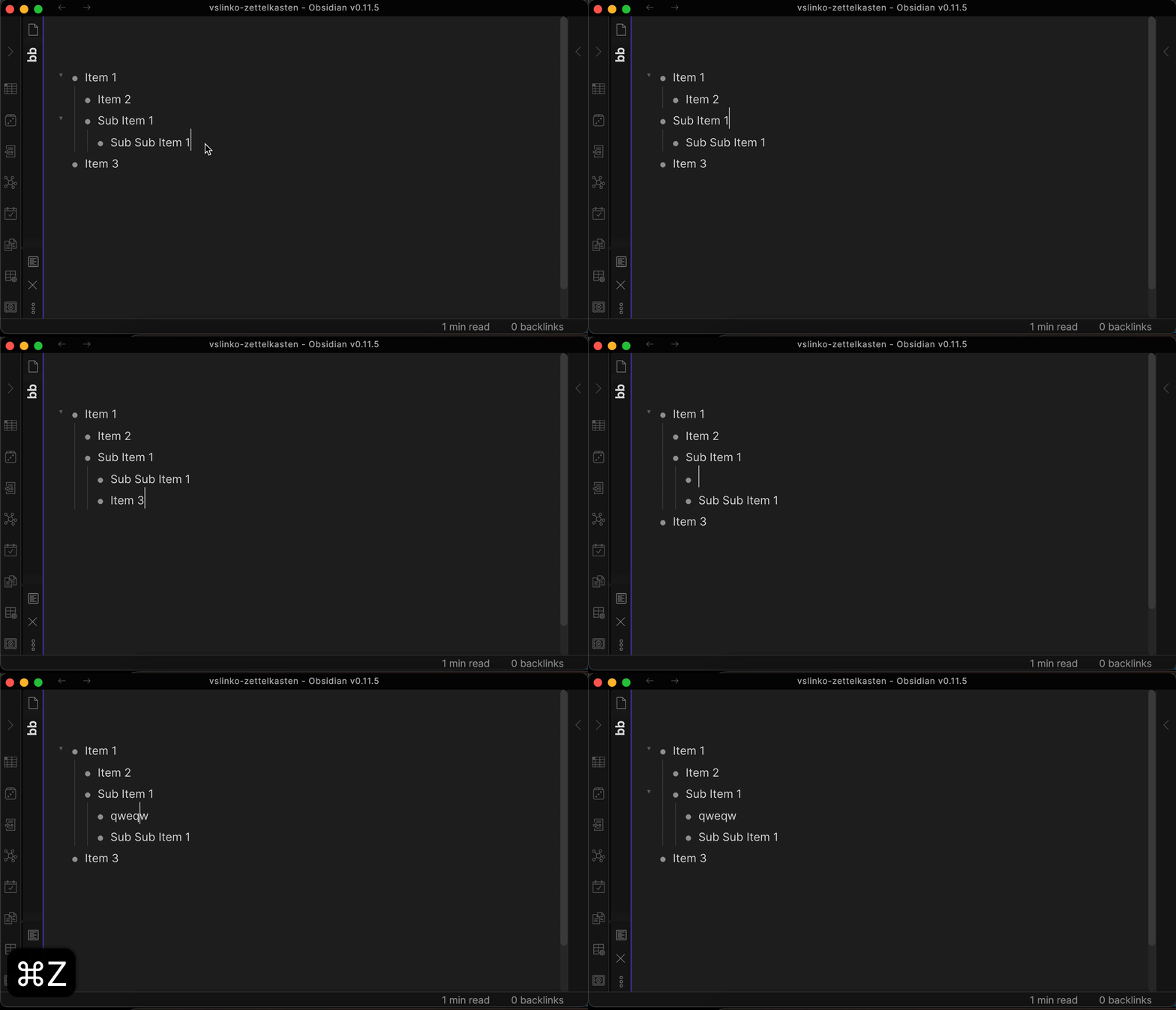
You can activate this plugin within Obsidian by doing the following:
Download main.js, manifest.json, styles.css from the latest release and put them into <vault>/.obsidian/plugins/obsidian-outliner folder.
Try to create a deeply structured list and move items by pressing the hotkeys described below.
If you liked the styles from the demo above, you can enable them in the plugin settings tab.
Disclaimer: Styles are only compatible with built-in Obsidian theme.
| Setting | Default value |
|---|---|
| Improve the style of your lists | true |
Move lists with children wherever you want without breaking the structure.
| Command | Default hotkey (Windows/Linux) | Default hotkey (MacOS) | Mobile Quick Action |
|---|---|---|---|
| Move list and sublists up | CtrlShift↑ | CommandShift↑ |  |
| Move list and sublists down | CtrlShift↓ | CommandShift↓ |  |
| Indent the list and sublists | Tab | Tab |  |
| Outdent the list and sublists | ShiftTab | ShiftTab |  |
| Setting | Default value |
|---|---|
| Enhance the Tab key | true |
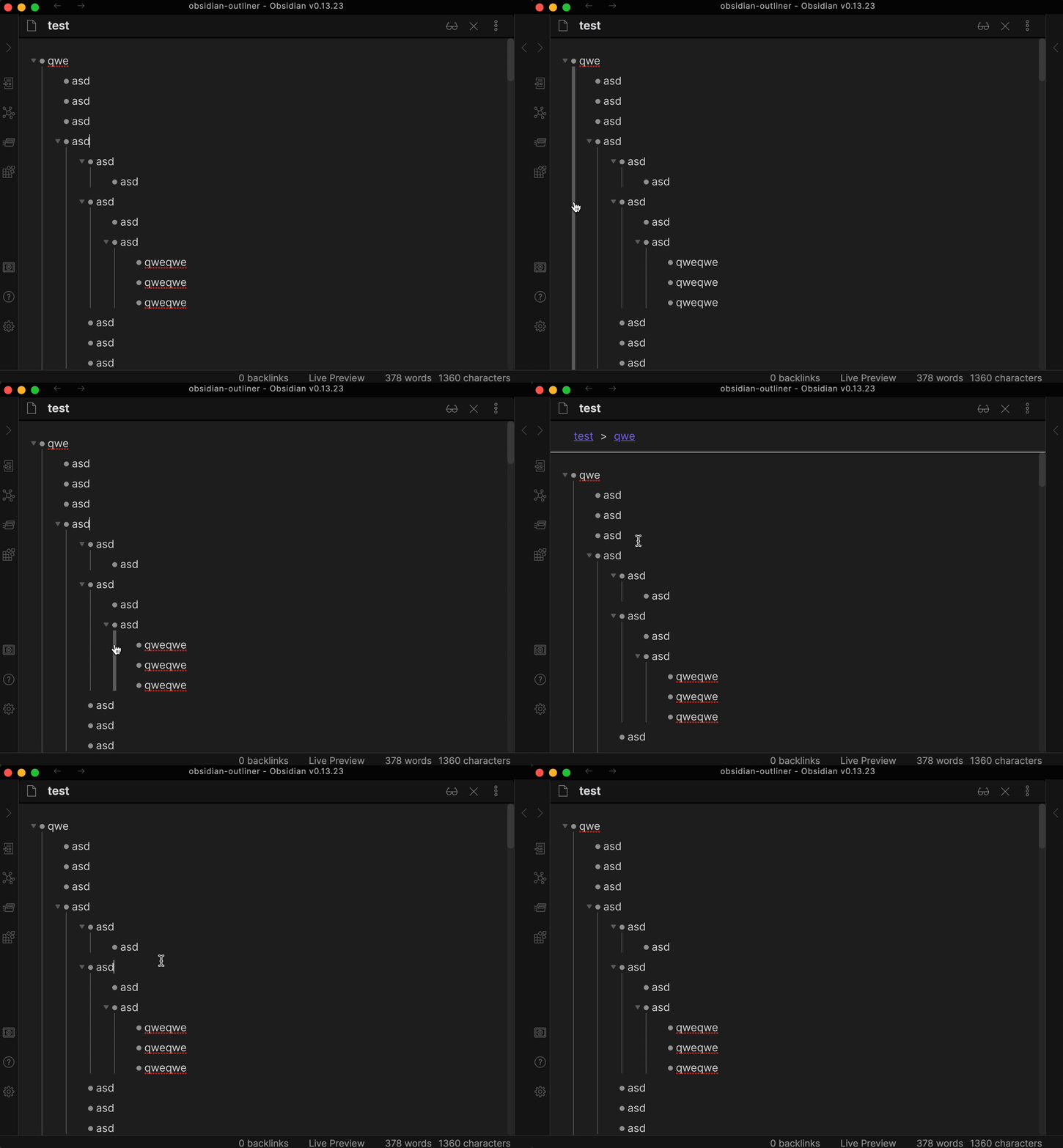
Disclaimer: vertical indentation lines are only compatible with built-in Obsidian theme.
| Setting | Default value |
|---|---|
| Draw vertical indentation lines | false |
| Vertical indentation line click action | Toggle Folding |
Don't let the cursor move to the bullet position. Affects cursor movement, text deletion, text selection.
| Setting | Default value |
|---|---|
| Stick the cursor to the content | true |
Make the Enter key behave the same as other outliners:
| Setting | Default value |
|---|---|
| Enhance the Enter key | true |
| Command | Default hotkey (Windows/Linux) | Default hotkey (MacOS) | Mobile Quick Action |
|---|---|---|---|
| Fold the list | Ctrl↑ | Command↑ |  |
| Unfold the list | Ctrl↓ | Command↓ |  |
Press the hotkey once to select the current list item. Press the hotkey twice to select the entire list.
| Setting | Default value |
|---|---|
| Enhance the Ctrl+A or Cmd+A behavior | true |
| Setting | Default value |
|---|---|
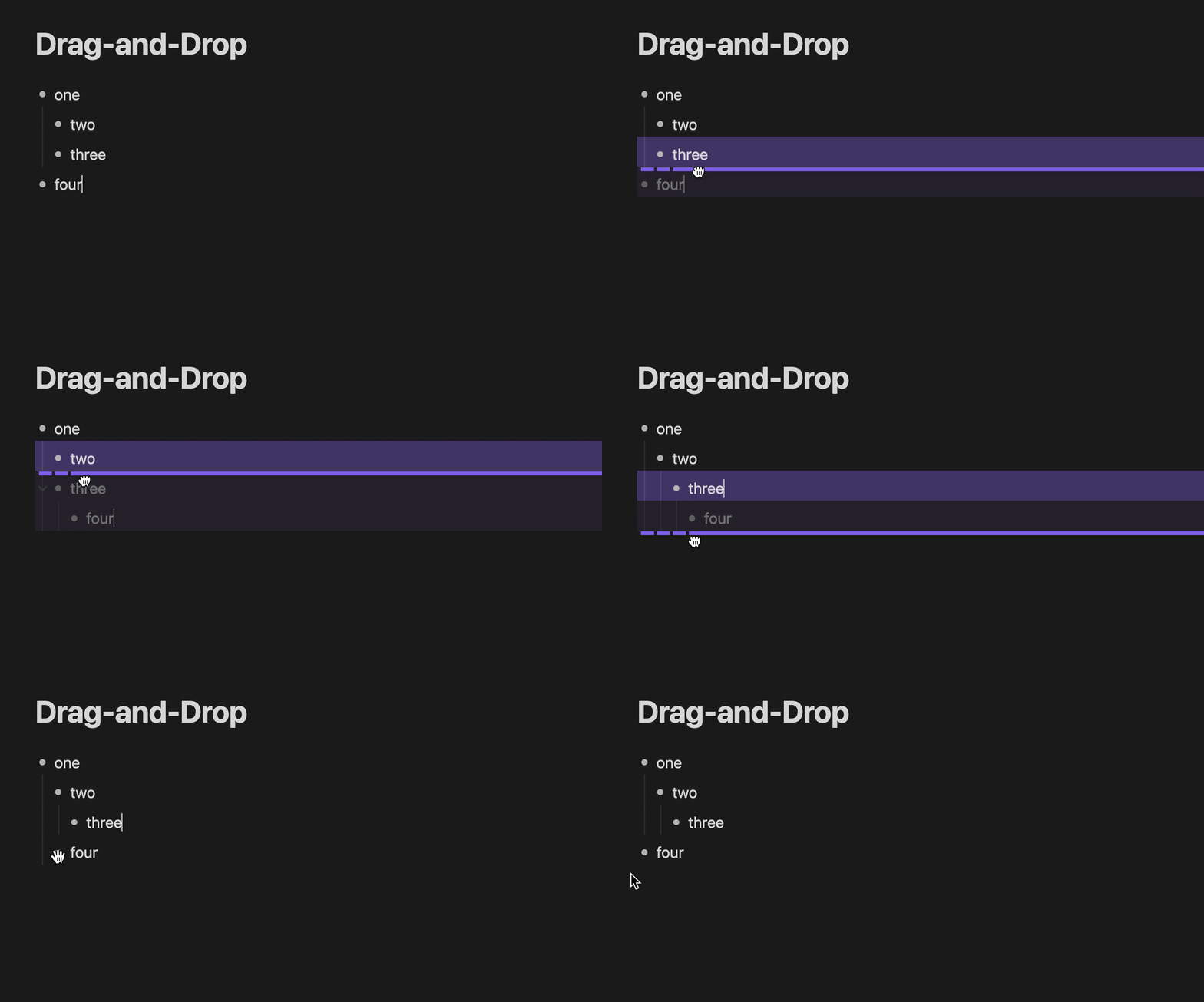
| Drag-and-Drop | true |
Open DevTools (Command+Option+I or Control+Shift+I) to copy the debug logs.
| Setting | Default value |
|---|---|
| Debug mode | false |
This plugin is free for everyone.
I want to say thank you to the people who support me, I really appreciate it!
more like this
An Obsidian plugin to translate selected text in the desired language
Automates the creation of JSON template files for Obsidian WebClipper.
search projects, people, and tags