agentlytics
Comprehensive analytics dashboard for AI coding agents — Cursor, Windsurf, Claude Code, VS Code Copilot, Zed, Antigravi…
JavaScript★ 555
Atom plugin for automatic time tracking and metrics generated from your programming activity.
 wakatime
Quantify your coding inside GitHub's Atom editor.
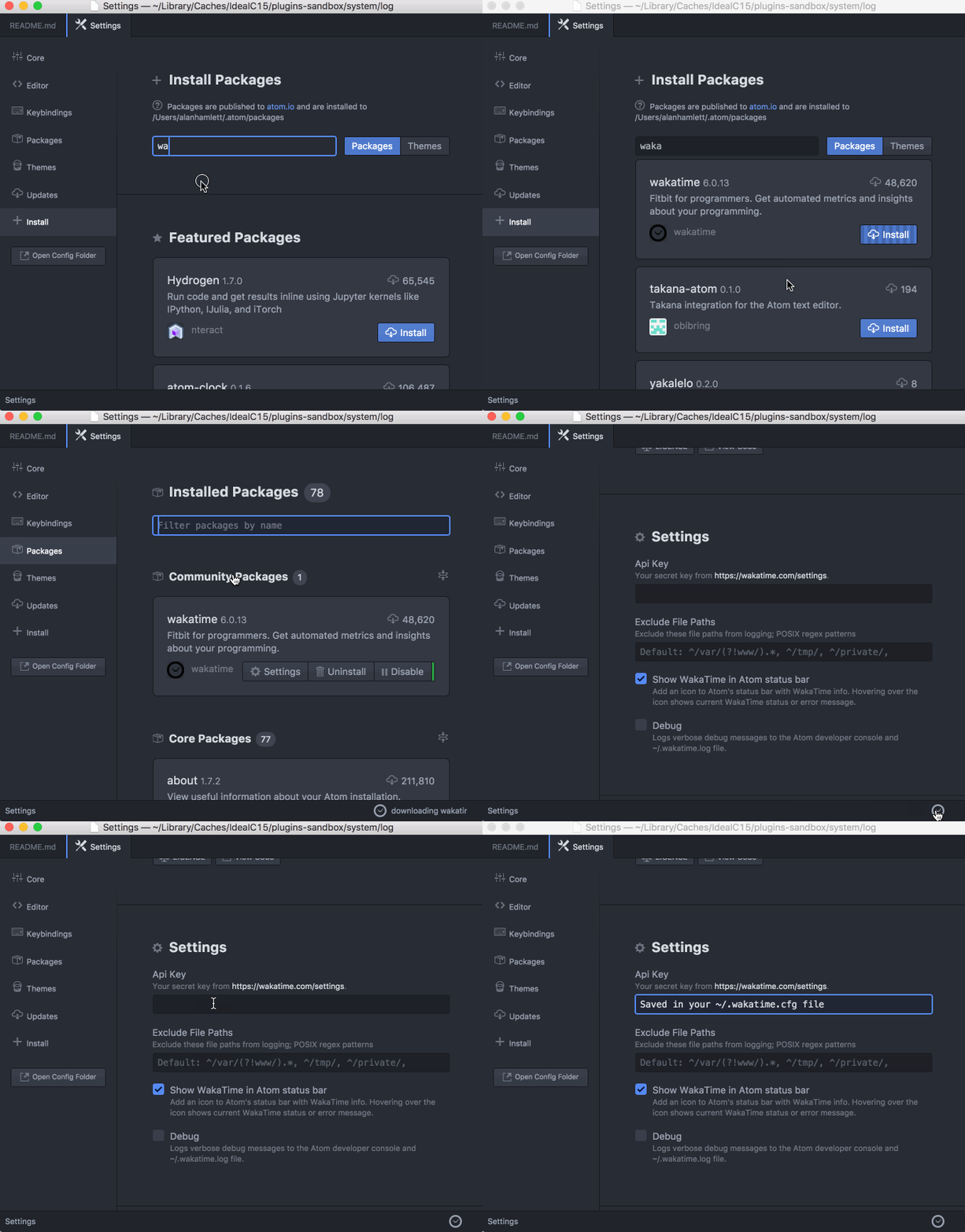
Preferences/Settings → Install and search for wakatime.Install button.Click Settings, then enter your api key.
Use Atom and your coding activity will be displayed on your WakaTime dashboard.
Note: The leet way to install WakaTime is with this Terminal command:
apm install wakatime
Settings for atom-wakatime are under Settings → Packages → wakatime → Settings.
Additional settings are in $HOME/.wakatime.cfg for wakatime cli.
Atom writes errors to the Atom Developer Console. To check for errors:
Settings → Packages → wakatime → SettingsView → Developer → Toggle Developer ToolsView → Developer → Reload WindowThat will reload all plugins including WakaTime, and you should see the startup process logged in the developer console.
If there are no errors in your developer console after startup and editing a file, then check for errors in your ~/.wakatime/wakatime.log file.
For checking your ~/.wakatime/wakatime.log file, see wakatime/wakatime#troubleshooting.
Note: Behind a proxy? Configure Atom to use your proxy when installing wakatime: https://github.com/atom/apm#behind-a-firewall
more like this
Comprehensive analytics dashboard for AI coding agents — Cursor, Windsurf, Claude Code, VS Code Copilot, Zed, Antigravi…
search projects, people, and tags