tmux-fzf-url
🚀 Quickly open urls on your terminal screen!
 wfxr
wfxrgit clone https://github.com/wfxr/tmux-fzf-url.gitwfxr/tmux-fzf-url🔗 Tmux Fzf Url
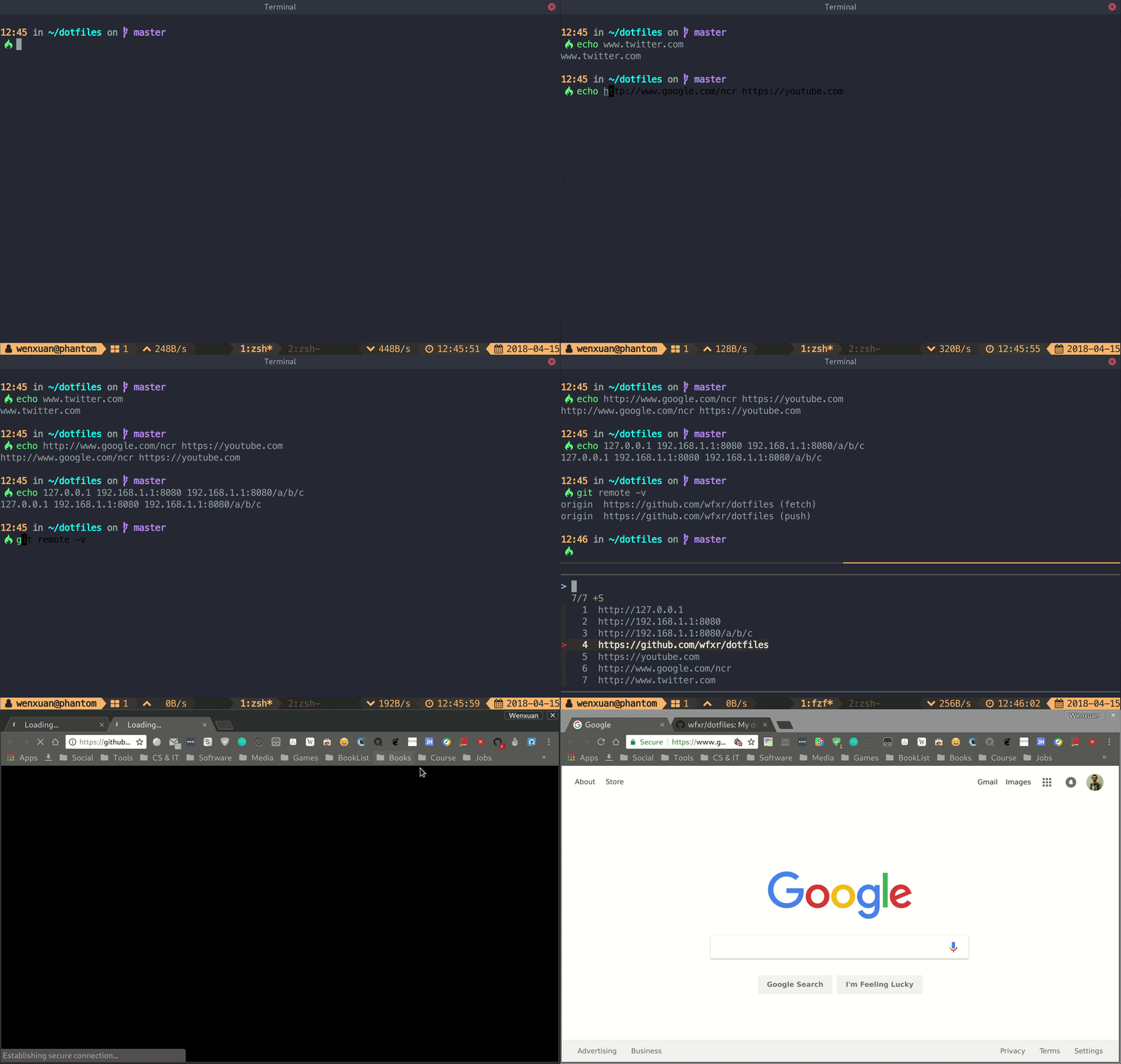
A tmux plugin for opening urls from browser quickly without mouse.
📥 Installation
Prerequisites:
Install using TPM
Add this line to your tmux config file, then hit prefix + I:
set -g @plugin 'wfxr/tmux-fzf-url'
Install manually
git clone https://github.com/wfxr/tmux-fzf-url ~/.tmux/plugins/tmux-fzf-url
Then add the following line to your ~/.tmux.conf:
run-shell ~/.tmux/plugins/tmux-fzf-url/fzf-url.tmux
Legacy version (no xre dependency)
If you prefer the older version that uses grep instead of xre, pin to the legacy tag:
set -g @plugin 'wfxr/tmux-fzf-url#legacy'
Or for a manual install:
git clone -b legacy https://github.com/wfxr/tmux-fzf-url ~/.tmux/plugins/tmux-fzf-url
📝 Usage
The default key-binding is u(of course prefix hit is needed), it can be modified by
setting value to @fzf-url-bind at the tmux config like this:
set -g @fzf-url-bind 'x'
You can add a custom extraction pattern via @fzf-url-custom-pat (regex) and
optionally @fzf-url-custom-sub (replacement):
# capture files like 'abc.txt'
set -g @fzf-url-custom-pat '\b[a-zA-Z]+\.txt\b'

# capture Jira ticket IDs and turn them into URLs
set -g @fzf-url-custom-pat '[A-Z]+-\d+'
set -g @fzf-url-custom-sub 'https://jira.example.com/browse/$0'
The plugin default captures the current screen. You can set history_limit to capture
the scrollback history:
set -g @fzf-url-history-limit '2000'
You can use custom fzf options by defining @fzf-url-fzf-options.
# these options are passed to fzf-tmux
set -g @fzf-url-fzf-options '-w 50% -h 50% --multi -0 --no-preview --no-border'
By default, tmux-fzf-url will use xdg-open, open, or the BROWSER
environment variable to open the url, respectively. If you want to use a
different command, you can set @fzf-url-open to the command you want to use.
set -g @fzf-url-open "firefox"
You can copy a URL to the clipboard instead of opening it by pressing ctrl-y
inside the fzf popup (the popup stays open). By default the plugin auto-detects
the clipboard tool (clip.exe on WSL2, pbcopy on macOS, wl-copy on Wayland,
xclip/xsel on X11, or tmux load-buffer as a fallback). You can override
this with:
set -g @fzf-url-copy-cmd 'xclip -selection clipboard'
🔍 Supported URL Types
The plugin automatically recognizes and extracts the following formats:
- Standard URLs —
https://,http://,ftp://,file:// - WWW URLs —
www.example.com(auto-prefixed withhttp://) - IP addresses —
192.168.1.1,10.0.0.1:8080/path - Git SSH URLs —
git@github.com:user/repo(converted tohttps://) - GitHub shorthand —
'user/repo'or"user/repo"(converted tohttps://github.com/) - Custom patterns — via
@fzf-url-custom-pat/@fzf-url-custom-sub
💡 Tips
- You can mark multiple urls and open them at once.
- The tmux theme shown in the screenshot is tmux-power.
🛠️ Development
# Clone with test dependencies
git clone --recurse-submodules https://github.com/wfxr/tmux-fzf-url
cd tmux-fzf-url

# Run tests
./test/libs/bats-core/bin/bats test/*.bats
Tests use bats-core. If you already cloned without --recurse-submodules, run:
git submodule update --init --recursive
🧩 Similar projects
- tmux-fzf-links: A more versatile tmux plugin that allows you to search for and open links.
🔗 Other plugins
📃 License
MIT (c) Wenxuan Zhang
more like this
meine
meine 🌒 - A CLI file manager and system utility built with Textual. It combines intuitive command parsing with rich t…