perplexity-cli
🧠 A simple command-line client for the Perplexity API. Ask questions and receive answers directly from the terminal! 🚀🚀🚀
Python★ 176
A minimalistic terminal theme (prompt) for sexy terminals that works in bash, fish and zsh
 win0err
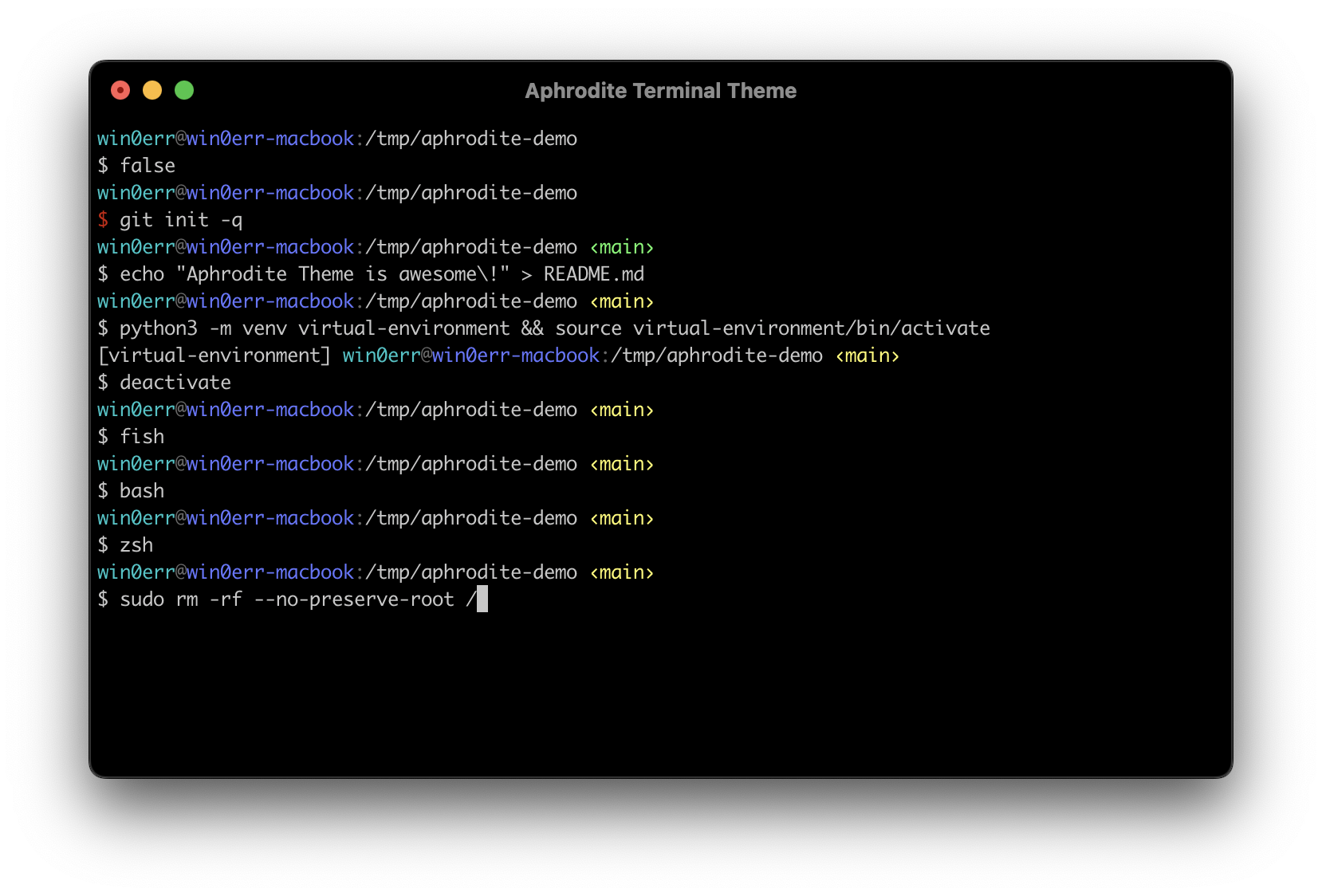
git clone https://github.com/win0err/aphrodite-terminal-theme.gitwin0err/aphrodite-terminal-themeA minimalistic terminal theme (prompt) that does not have any visual noise. Displays only the necessary information: virtual env, current user, hostname, working directory, and git branch if exists. Looks great both with dark and white terminals. Bash, fish and zsh are supported.
git clone --quiet https://github.com/win0err/aphrodite-terminal-theme ~/.oh-my-zsh/custom/themes/aphroditeomz: omz theme set aphrodite/aphroditeomz reload~/.zsh/themes: git clone --quiet https://github.com/win0err/aphrodite-terminal-theme ~/.zsh/themes/aphrodite.zshrc: echo 'source ~/.zsh/themes/aphrodite/aphrodite.zsh-theme' >> ~/.zshrcsource ~/.zsh/themes/aphrodite/aphrodite.zsh-themefish_prompt.fish file: cp ~/.config/fish/functions/fish_prompt.fish{,.bak}wget https://raw.githubusercontent.com/win0err/aphrodite-terminal-theme/master/fish_prompt.fish \
-O ~/.config/fish/functions/fish_prompt.fish
Author's note: It looks even cooler when:
a) theme is set toNone:fish_config theme save None,
b) autosuggestions are disabled:echo 'set -g fish_autosuggestion_enabled 0' >> ~/.config/fish/config.fish.
~/.bash/themes: git clone --quiet https://github.com/win0err/aphrodite-terminal-theme ~/.bash/themes/aphrodite.bashrc: echo 'source ~/.bash/themes/aphrodite/aphrodite.theme.sh' >> ~/.bashrcsource ~/.bash/themes/aphrodite/aphrodite.theme.shDeveloped by Sergei Kolesnikov
more like this
🧠 A simple command-line client for the Perplexity API. Ask questions and receive answers directly from the terminal! 🚀🚀🚀
A Light theme for both KDE and GTK based distros, pleasant to the eyes and perfect for your daily workload.
search projects, people, and tags