one-dark-windows-terminal
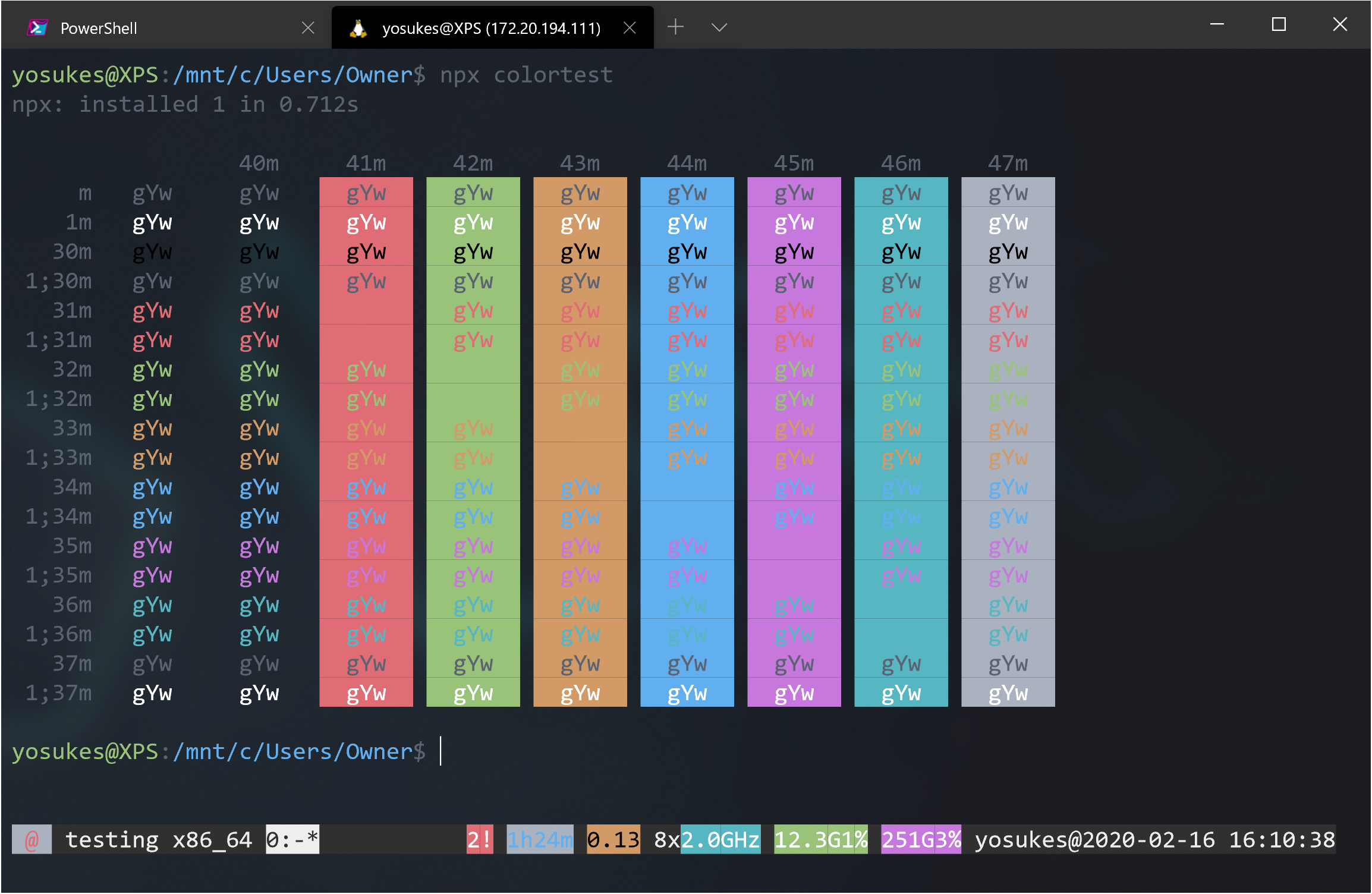
One Dark Color Scheme for Windows Terminal inspired by Atom's One Dark and One Light theme.
 yosukes-dev
★ 86⑂ 1 forksMITupdated 6 years ago
git clone https://github.com/yosukes-dev/one-dark-windows-terminal.gityosukes-dev/one-dark-windows-terminalREADME.mdfork it — it’s yours
One Dark Windows Terminal
One Dark Color Scheme for Windows Terminal inspired by Atom's One Dark and One Light theme.
How To Use
1. Open Settings(profiles.json)
2. Copy Schemes from schemes.json file on this repo and paste into schemes section.
// Add custom color schemes to this array
  "schemes": [
    {
      "background": "#1E2127",
      "black": "#000000",
      "blue": "#61AFEF",
      "brightBlack": "#5C6370",
      "brightBlue": "#61AFEF",
      "brightCyan": "#56B6C2",
      "brightGreen": "#98C379",
      "brightPurple": "#C678DD",
      "brightRed": "#E06C75",
      "brightWhite": "#FFFFFF",
      "brightYellow": "#D19A66",
      "cyan": "#56B6C2",
      "foreground": "#5C6370",
      "green": "#98C379",
      "name": "One Dark",
      "purple": "#C678DD",
      "red": "#E06C75",
      "white": "#ABB2BF",
      "yellow": "#D19A66"
    },
    {
      "background": "#F9F9F9",
      "black": "#000000",
      "blue": "#4078F2",
      "brightBlack": "#383A42",
      "brightBlue": "#4078F2",
      "brightCyan": "#0184BC",
      "brightGreen": "#50A14F",
      "brightPurple": "#A626A4",
      "brightRed": "#E45649",
      "brightWhite": "#FFFFFF",
      "brightYellow": "#986801",
      "cyan": "#0184BC",
      "foreground": "#383A42",
      "green": "#50A14F",
      "name": "One Light",
      "purple": "#A626A4",
      "red": "#E45649",
      "white": "#A0A1A7",
      "yellow": "#986801"
    }
  ],
3. Set colorScheme.
"colorScheme": "One Dark",
or
"colorScheme": "One Light",
more like this
gns3theme
Custom color themes for GNS3 GUI. Built-in schemes, custom JSON themes, device symbols. Supports Linux and macOS.
Python★ 50
Aritim-Light
A Light theme for both KDE and GTK based distros, pleasant to the eyes and perfect for your daily workload.
CSS★ 51