esphome-tesla-ble
Interact with Tesla vehicles over BLE using ESPHome and Home Assistant
 yoziru
git clone https://github.com/yoziru/esphome-tesla-ble.gityoziru/esphome-tesla-bleESPHome Tesla BLE
Manage your Tesla vehicle over BLE using an ESP32 — control charging, check battery status, lock/unlock, and more.
| Controls | Sensors | Diagnostic |
|---|---|---|
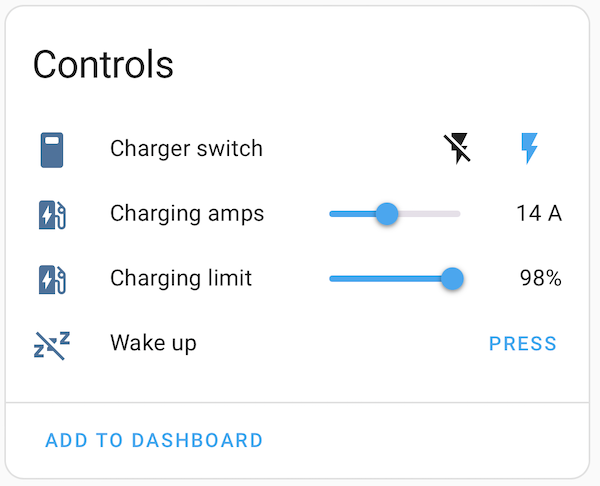 |
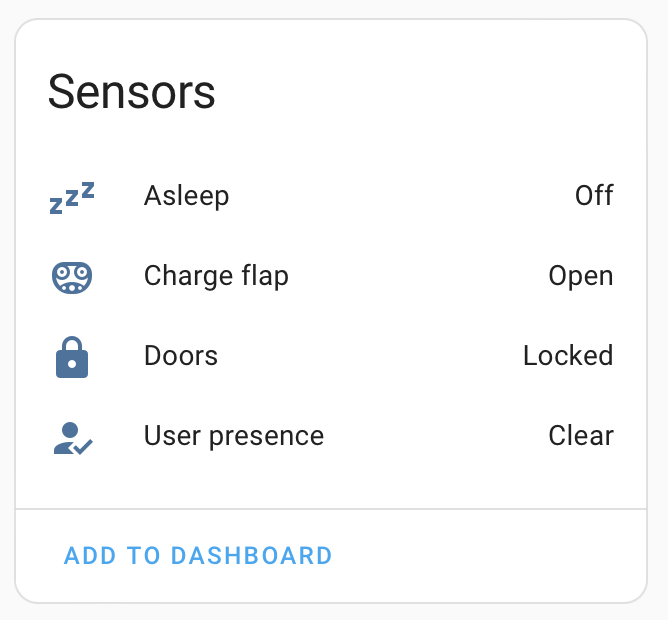 |
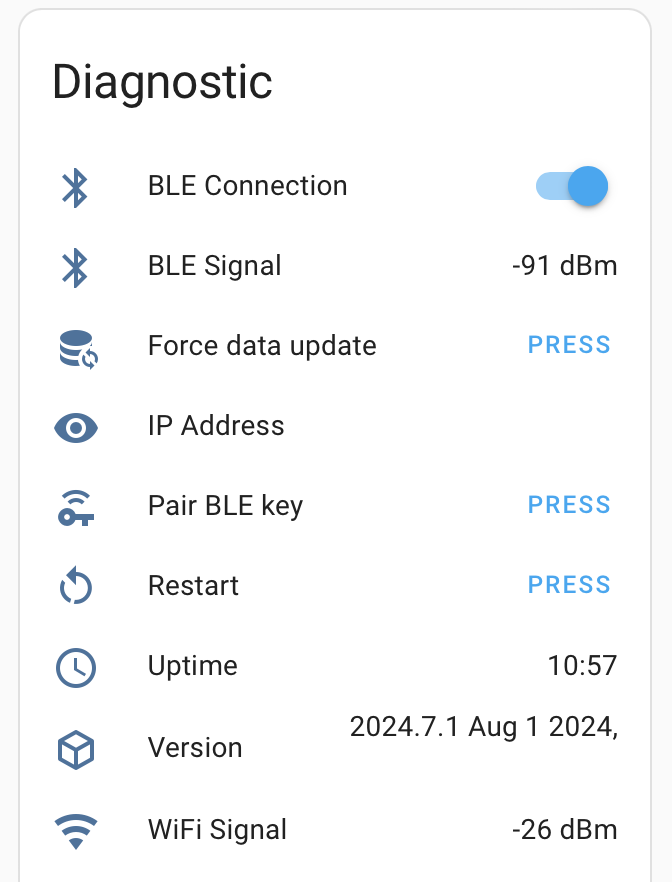 |
Quick Start
- Copy
secrets.yaml.example→secrets.yaml, fill in WiFi + VIN (BLE MAC comes later; see Finding the BLE MAC below) - Pick your install method:
| Method | How | Best for |
|---|---|---|
| ESPHome Dashboard | Import a URL into the add-on (below) | HA + ESPHome add-on users |
| CLI | make compile && make upload |
Users with Python + uv |
Boards
Pick the config for your hardware:
| Board | Dashboard URL | CLI |
|---|---|---|
| M5Stack NanoC6 | tesla-ble-m5stack-nanoc6.dashboard.yml |
BOARD=m5stack-nanoc6 |
| M5Stack AtomS3 | tesla-ble-m5stack-atoms3.dashboard.yml |
BOARD=m5stack-atoms3 |
| Generic ESP32 | tesla-ble-esp32-generic.dashboard.yml |
BOARD=esp32-generic |
Other boards? Copy one from boards/ and set it with BOARD=<your-board>.
Features
- Pair BLE key (DRIVER or CHARGING_MANAGER role)
- Wake vehicle, set charging amps/limit, start/stop charging
- Sensors: asleep/awake, locked/unlocked, user presence, charge port, BLE signal, IEC 61851
- Charging sensors: battery level, charge rate, energy added, time to full, charger phases
Installation
ESPHome Dashboard (recommended)
If you run the ESPHome add-on in Home Assistant:
- Go to ESPHome dashboard → New Device → Continue
- Paste the full URL for your board and click Install
- The dashboard downloads the config from this repo
- Add secrets (WiFi + VIN to start; BLE MAC comes later)
github://yoziru/esphome-tesla-ble/tesla-ble-m5stack-nanoc6.dashboard.yml@main
The first flash needs only WiFi + VIN. After you find the BLE MAC, add ble_mac_address to your secrets and re-install (OTA).
Or copy tesla-ble.example.yml as a starting point for custom configs.
CLI
Requires Python 3.10+, uv, and GNU Make.
cp secrets.yaml.example secrets.yaml   # edit with your details
make validate-config BOARD=m5stack-nanoc6  # check config first
make compile BOARD=m5stack-nanoc6         # build firmware
make upload BOARD=m5stack-nanoc6          # flash via USB
make logs                                 # view logs
For OTA updates after initial USB flash:
make discover                      # find your device on the network
make upload                        # OTA flash (uses saved suffix)
Available boards: m5stack-nanoc6, m5stack-atoms3, esp32-generic.
All make commands accept BOARD=<board> to select the target hardware.
Configuration
BLE Key Role
The role determines what the paired BLE key can do (set during pairing):
- DRIVER (default) — full access: lock/unlock, frunk/trunk, windows, honk, climate, charging
- CHARGING_MANAGER — charging only: start/stop, set amps, set limit, open charge port, basic info
The Tesla backend enforces these restrictions. Change requires re-pairing.
Polling
tesla_ble_vehicle:
  vcsec_poll_interval: 10               # Status updates (always safe, low power)
  infotainment_poll_interval_awake: 30  # Detailed data when idle
  infotainment_poll_interval_active: 10 # Detailed data when charging/unlocked
  infotainment_sleep_timeout: 660       # Idle minutes before sleep (default 11)
The system only polls infotainment data during an 11-minute wake window, then lets the car sleep. Active states (charging, unlocked, user present) keep it awake for continuous updates. VCSEC status polling is low-power and does not affect vehicle sleep.
Usage
Finding the BLE MAC
Your vehicle constantly advertises via BLE with a name derived from its VIN (format: S + 16 hex chars + C). This advertisement comes from VCSEC (vehicle security controller) which is always powered — no need to wake the car. You need the MAC address of that advertisement to configure the ESP32.
The tesla_ble_listener component is included in the firmware but disabled by default. You enable it temporarily, find the MAC, then disable it.
Via ESPHome Dashboard
After importing your board's config and adding WiFi + VIN secrets:
- Click Edit to open your device's YAML
- Add these lines at the end:
# Enable BLE scanning to find your vehicle's MAC
tesla_ble_listener:
  vin: !secret tesla_vin
- Save and Install
- Open Logs — you'll see:
[I][tesla_ble_listener:054]: Found Tesla vehicle | Name: S1a87a5a75f3df858C | MAC: A0:B1:C2:D3:E4:F5 - Click Edit again, remove the two lines you added, and add
ble_mac_addressto your Secrets - Install again
Via CLI
In a local checkout of this repo:
- Uncomment
listener: !include listener.ymlinpackages/base.yml - Add
tesla_vintosecrets.yaml - Build, flash, and watch logs:
make compile BOARD=m5stack-nanoc6 && make upload BOARD=m5stack-nanoc6
make logs
- Note the MAC from the log output
- Re-comment the line in
packages/base.ymland runmake clean - Add
ble_mac_addresstosecrets.yaml, rebuild, and reflash
Via Phone BLE Scanner (alternative)
Install a BLE scanner app (nRF Connect, LightBlue), scan nearby devices, and look for one with an 18-character name starting with S and ending with C (e.g., S1a87a5a75f3df858C). That's your vehicle. No build needed.
Pairing the BLE Key
-
Sit in your car with the ESP32 powered and within BLE range
-
In Home Assistant: Settings → Devices & Services → ESPHome → your device → "Pair BLE key"
-
Tap your NFC key card to the center console immediately
-
A prompt appears on the car's screen — tap confirm
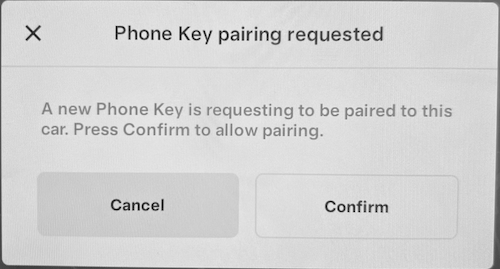
-
Verify: go to Controls → Locks in the car — you'll see a new key named "Unknown device"

-
[Optional] Rename it to "ESPHome BLE"
No popup? Press "Pair BLE key" and tap your card again. Make sure BLE MAC and VIN are correct.
Adding to Home Assistant
Settings → Devices & Services → Add Integration → ESPHome. Enter the device's IP (find it in your router or from the ESPHome dashboard) and your API encryption key.
Make commands reference
| Command | What it does |
|---|---|
make validate-config BOARD=<board> |
Check YAML without building |
make compile BOARD=<board> |
Build firmware |
make upload BOARD=<board> |
Flash via USB (add HOST_SUFFIX for OTA) |
make logs |
View live device logs |
make discover |
Find ESPHome devices on your network, saves suffix for OTA |
make clean |
Delete build artifacts (do this when changing config) |
make help |
Show all commands |
Troubleshooting
| Symptom | Likely cause |
|---|---|
| "Found Tesla vehicle" never appears | The listener isn't enabled. For CLI: uncomment listener: !include listener.yml in packages/base.yml. For Dashboard: add tesla_ble_listener: block to your YAML (see above). VCSEC always advertises — no need to wake the car. |
| Pairing fails with HMAC error | BLE MAC or VIN is wrong. Verify both in secrets.yaml. |
| Car stays awake | Sentry Mode, recent drive, or state flapping keeps resetting the 11-min sleep timeout. |
Unknown on boot |
Normal for some sensors — VCSEC corrects within ~10s. |
| Compile errors | Board mismatch? Run make clean, then make compile again. |
uv: command not found |
Install uv |
more like this
PowerDisplayESPHome
A small display for ESPHome and Home Assistant to retrieve the current house consumption and energy price via a sensor…