termux2k
CLI Dev Setup in Your Hands ✋📱
 2KAbhishek
git clone https://github.com/2KAbhishek/termux2k.git2KAbhishek/termux2ktermux2k
Dev CLI setup, in the palm of your hands ✋📱
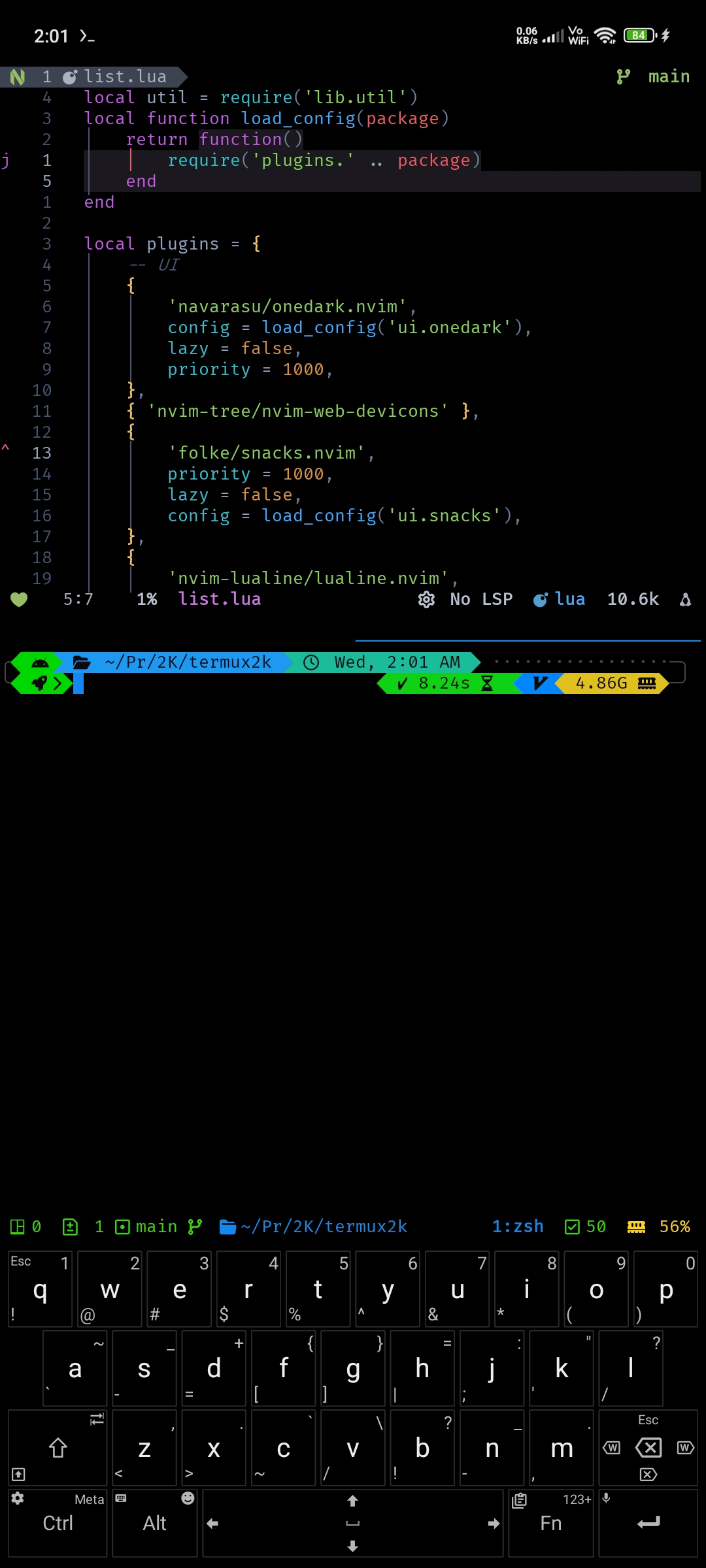
termux2k in action
What is this
My personal configs, carefully and passionately crafted for setting up an optimal CLI dev experience on the go.
Bootstraps termux with oh-my-zsh, custom p10k prompt, neovim, tmux, ranger & powerline fonts and a bunch of other useful CLI tools and configs.
Inspiration
Wanting a super portable CLI dev setup.
Setup
Requirements
- termux
- unexpected keyboard with my custom layout
git clone https://github.com/2kabhishek/termux2k
cd termux2k

# Menu based interactive setup
./setup.sh

# Setup everything unattended
./setup.sh -a
Next Steps
You can follow the instructions from dots2k to setup termux2k.
How it was built
termux2k was built using bits and pieces from my dots2k, repurposed and tweaked to fit the android use case
Challenges faced
Finding workarounds for a few things on termux was a bit challenging.
What I learned
I learned about writing good cross-platform bash scripts and learned a lot about making flexible configs and making them as easy to setup as possible.
What's next
Planning to add more tools, better management, always updating.
Hit the ⭐ button if you found this useful.
More Info
Want the complete CLI experience on your workstation too? Have a look at dots2k
Looking for my neovim configs? See nvim2k
Looking for my tmux theme? See tmux2k
Find more cool configs and setups at GitHub does Dotfiles
more like this