Starkpad
A Linux-powered touchscreen macro deck and virtual input device. Features a customizable 60-button grid, virtual keyboa…
 BlommeJan
git clone https://github.com/BlommeJan/Starkpad.gitBlommeJan/Starkpad
Starkpad
A Linux-Powered Touchscreen Macro Deck & Virtual Input Device
Features • Architecture • Getting Started • User Manual • License
📖 Overview
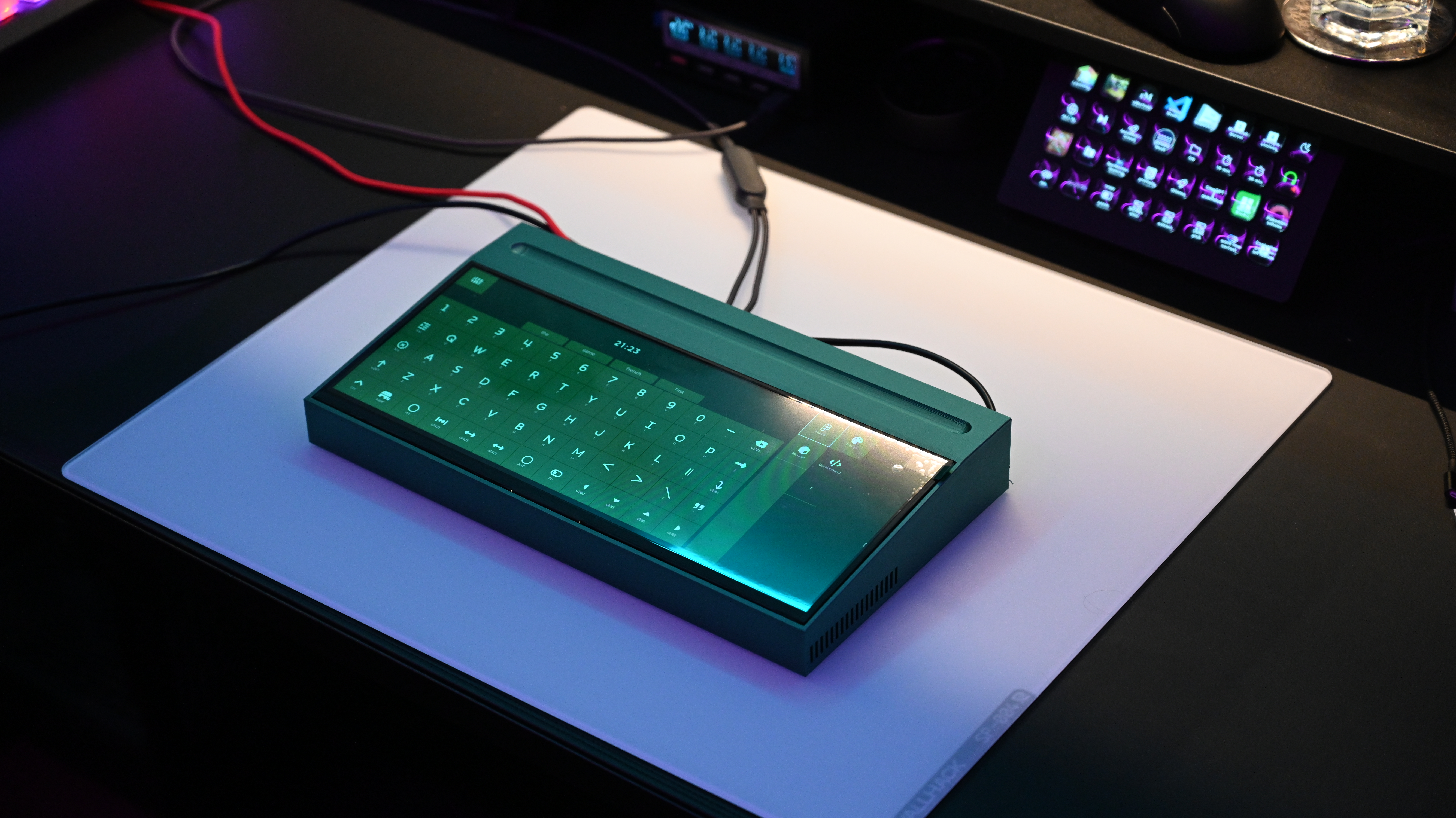
Starkpad is a physical, open-source hardware interface that transforms a Linux-based touchscreen into a fully customizable virtual keyboard, precision touchpad, and programmable macro deck.
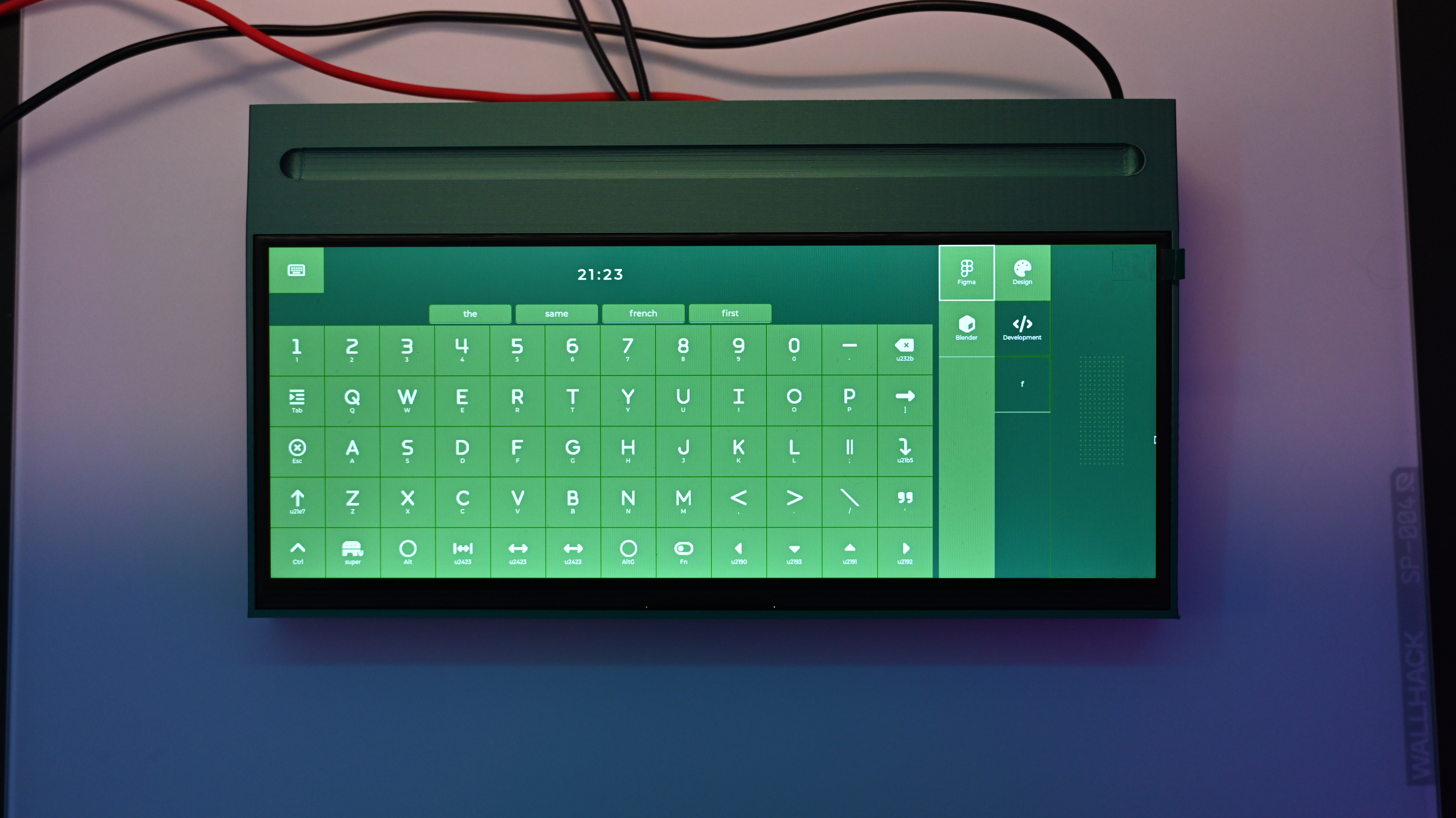
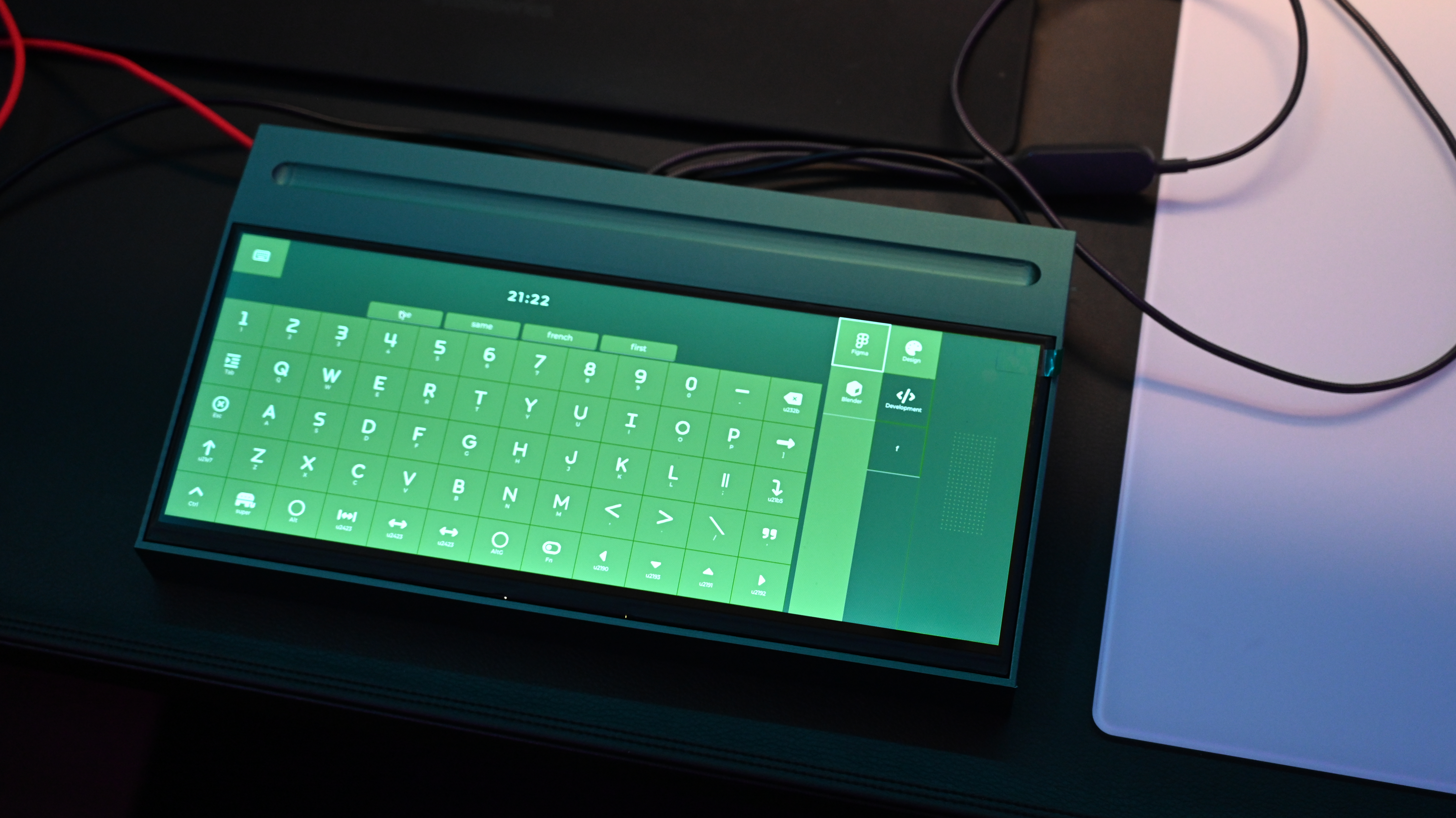
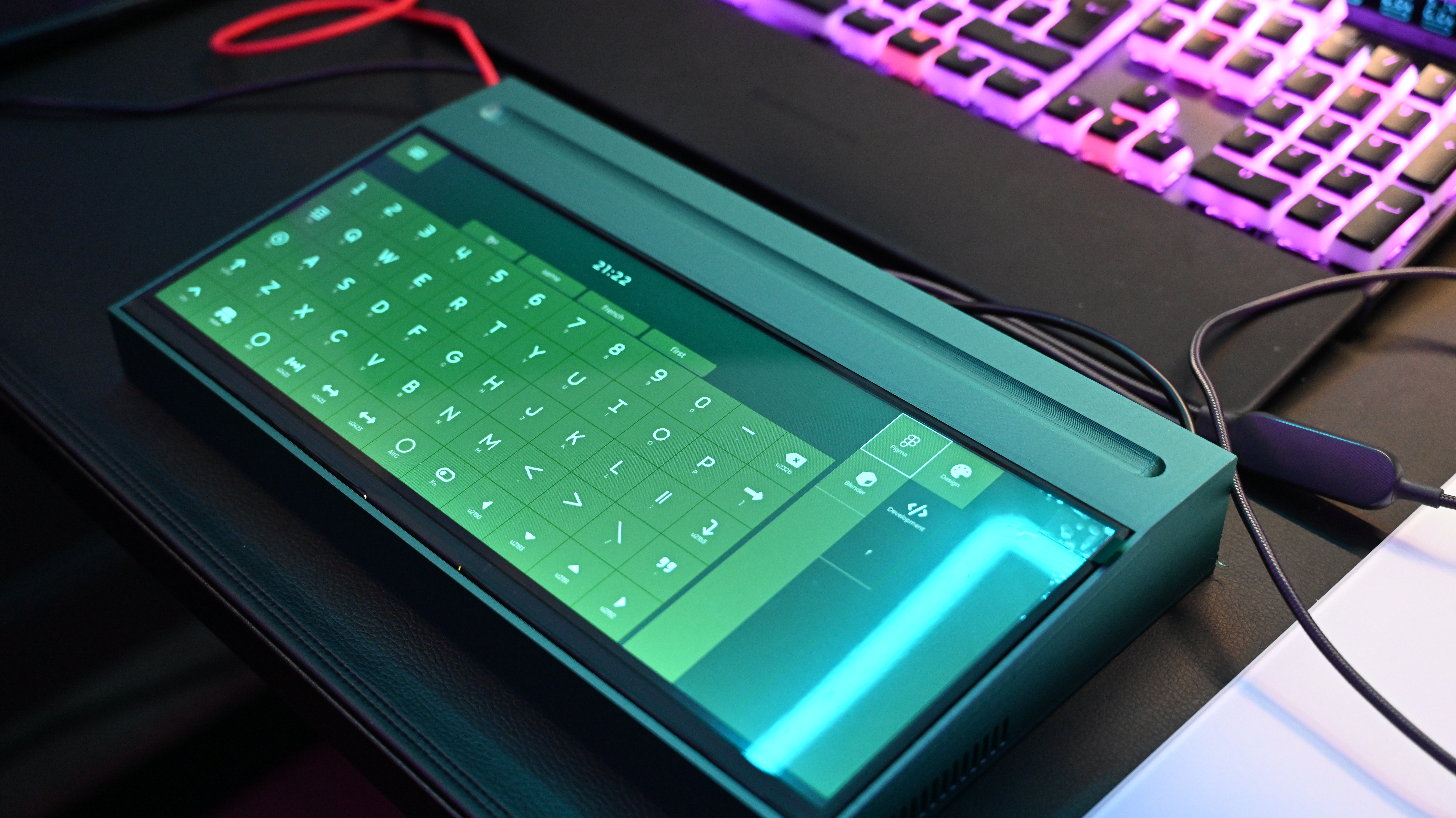
Built on the Arduino UNO Q running Yocto Linux, Starkpad renders its interface using the LVGL graphics library. It translates user input into a custom serial protocol (SHIDP) which is sent to a Seeed XIAO RP2040 dongle that emulates a standard USB HID device on the target computer.
💡 No drivers required — works with any PC, Mac, or Linux machine out of the box.
✨ Features
| Feature | Description |
|---|---|
| 🎹 Virtual Keyboard | Full QWERTY layout with multiple language support (US, Colemak, BE-nl). |
| 🖱️ Precision Touchpad | Smooth, relative mouse movement with dedicated click buttons. |
| ⌨️ Macro Grid | 60 customizable buttons per page with complex key sequences. |
| 📱 App Profiles | Tailored layouts for Figma, Blender, VS Code, and more. |
| 🌐 Web Config UI | Configure everything via browser on your network. |
| 🔌 SHIDP Protocol | 8-byte frames with XOR checksums for reliable communication. |
| 🛡️ Watchdog Safety | Auto-releases keys if connection lost for >80ms. |
🏗️ Architecture
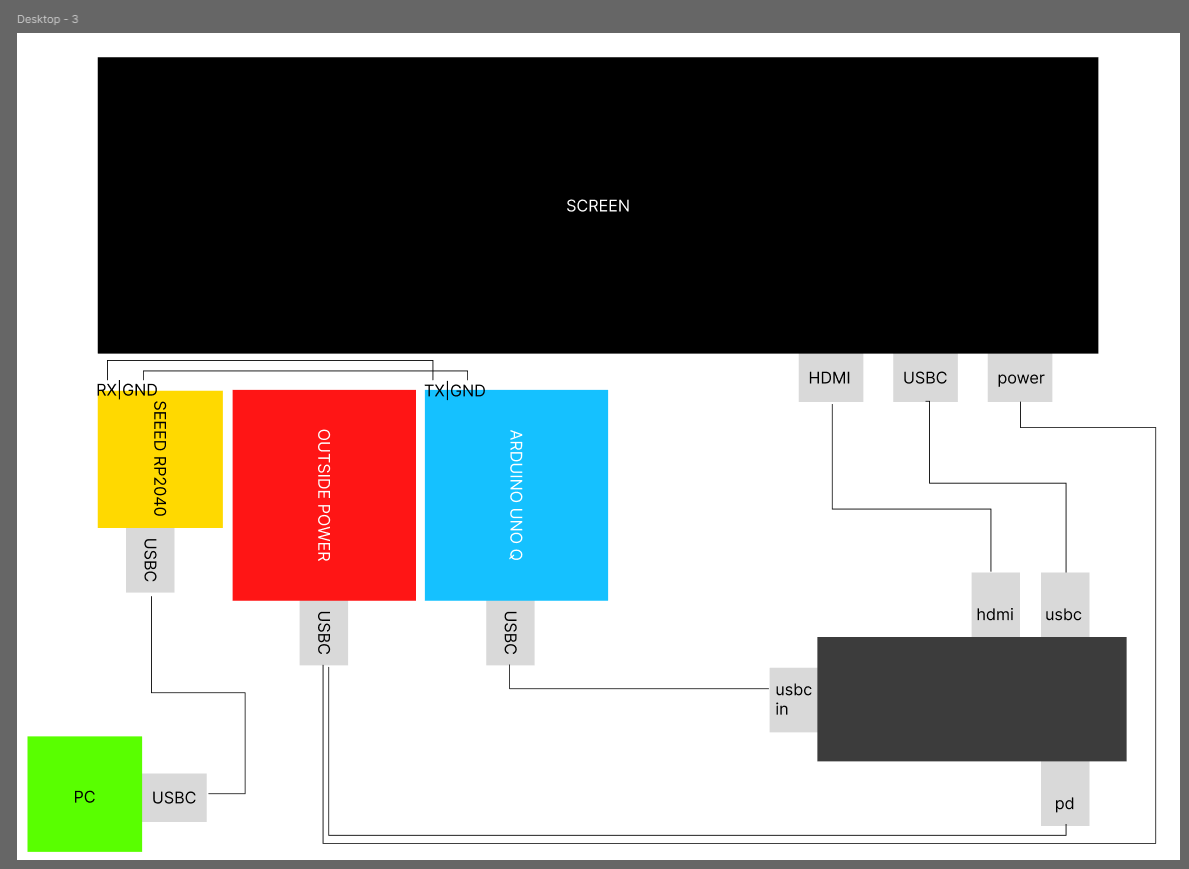
┌─────────────────┐      ┌─────────────────┐      ┌─────────────────┐      ┌──────────┐
│  Starkpad App   │      │   MCU Bridge    │      │  USB Receiver   │      │ Your PC  │
│  (Linux/LVGL)   │─────▶│  (ATmega4809)   │─────▶│ (Seeed RP2040)  │─────▶│          │
└─────────────────┘      └─────────────────┘      └─────────────────┘      └──────────┘
     /dev/ttyHS1              Passthrough            USB HID Output         Keyboard
      115200 baud             (transparent)           (TinyUSB)             Mouse
| Component | Hardware | Role |
|---|---|---|
| Linux Host | Arduino UNO Q | Runs LVGL touchscreen UI, sends SHIDP frames |
| MCU Bridge | ATmega4809 | Transparent serial passthrough |
| USB Receiver | Seeed XIAO RP2040 | Parses frames → USB HID output |
🚀 Getting Started
Prerequisites
- Hardware: Arduino UNO Q, Seeed XIAO RP2040, Waveshare 12.3" Display
- Software: Git, CMake, GCC, Python 3, Arduino IDE
- Full parts list: BOM.md
Quick Start
# 1. Clone the repository
git clone https://github.com/BlommeJan/starkpad.git
cd starkpad

# 2. Follow the installation guide
# → installation-manual.md
Access the Web UI
Once running, open in any browser:
http://starkpad-uno-q.local/
| Credential | Value |
|---|---|
| Username | admin |
| Password | starkpad123 |
📁 Repository Structure
starkpad/
├── Starkpad/
│   ├── lv_port_linux/          # Main LVGL application
│   │   ├── src/starkpad/       # Custom C modules
│   │   └── ui-config/          # JSON config files
│   ├── web-server/             # Python Flask backend
│   ├── shidp_receiver/         # RP2040 firmware
│   ├── uno-q-echo/             # MCU bridge firmware
│   └── scripts/                # Install scripts
│
├── images/                     # Schematics
├── docs/                       # Academic docs
├── starkpad-case-003.stl       # 3D printable case
├── BOM.md                      # Bill of Materials
├── installation-manual.md      # Setup guide
└── README.md                   # This file
📚 Documentation
| Document | Description |
|---|---|
| 📘 Installation Manual | Hardware assembly & software setup |
| 📗 SHIDP Protocol Spec | Technical protocol details |
| 📙 Bill of Materials | Components with pricing |
| 📕 Web UI Quick Start | Web configuration guide |
🔌 The SHIDP Protocol
Serial Human Interface Device Protocol — a lightweight 8-byte frame protocol.
[SYNC] [TYPE] [ACTION] [P1] [P2] [P3] [P4] [CHECKSUM]
 0xAA   0x01   0x00    ...  ...  ...  ...   XOR(0-6)
| Field | Values |
|---|---|
| Types | 0x01 Keyboard, 0x02 Mouse, 0x03 Media |
| Actions | 0x00 Tap, 0x01 Hold, 0x02 Release |
| Safety | 80ms watchdog auto-releases all inputs |
📖 User Manual
⚡ Powering On
- Connect Starkpad to power via USB-C
- Plug the RP2040 receiver dongle into your target PC
- Wait ~15-30 seconds for boot
- Device is ready when the UI appears
⚠️ Important: Run
sudo systemctl stop arduino-routeron the UNO Q after each boot.
🖥️ The User Interface
┌───────────────────────────────────────────────┐
│  [Keyboard]   [Touchpad]   [Grid]    [Status] │  ← Top Bar
├───────────────────────────────────────────────┤
│                                               │
│              MAIN CONTENT AREA                │  ← Changes per mode
│                                               │
└───────────────────────────────────────────────┘
Tap any tab to switch modes.
⌨️ Keyboard Mode
A full virtual keyboard that sends keystrokes to your computer.
How to use:
- Single key: Tap to send
- Combo (e.g., Ctrl+C): Hold modifier → tap key → release
Layouts available: en-US, colemak, nl-BE
🖱️ Touchpad Mode
Turns the screen into a precision trackpad.
┌─────────────────────────────────┐
│                                 │
│        TOUCH SURFACE            │  ← Drag to move cursor
│                                 │
├────────────────┬────────────────┤
│  LEFT CLICK    │  RIGHT CLICK   │
└────────────────┴────────────────┘
🎛️ Macro Grid Mode
A grid of 60 programmable buttons per application.
How to use:
- Select a Category (e.g., Design)
- Select an App (e.g., Figma)
- Tap any button to execute its shortcut
Action types:
| Type | Description | Example |
|---|---|---|
key |
Keyboard shortcut | Ctrl+S |
media |
Media control | Play/Pause |
text |
Type a string | Email address |
delay |
Pause in sequence | 100ms |
🌐 Web Configuration
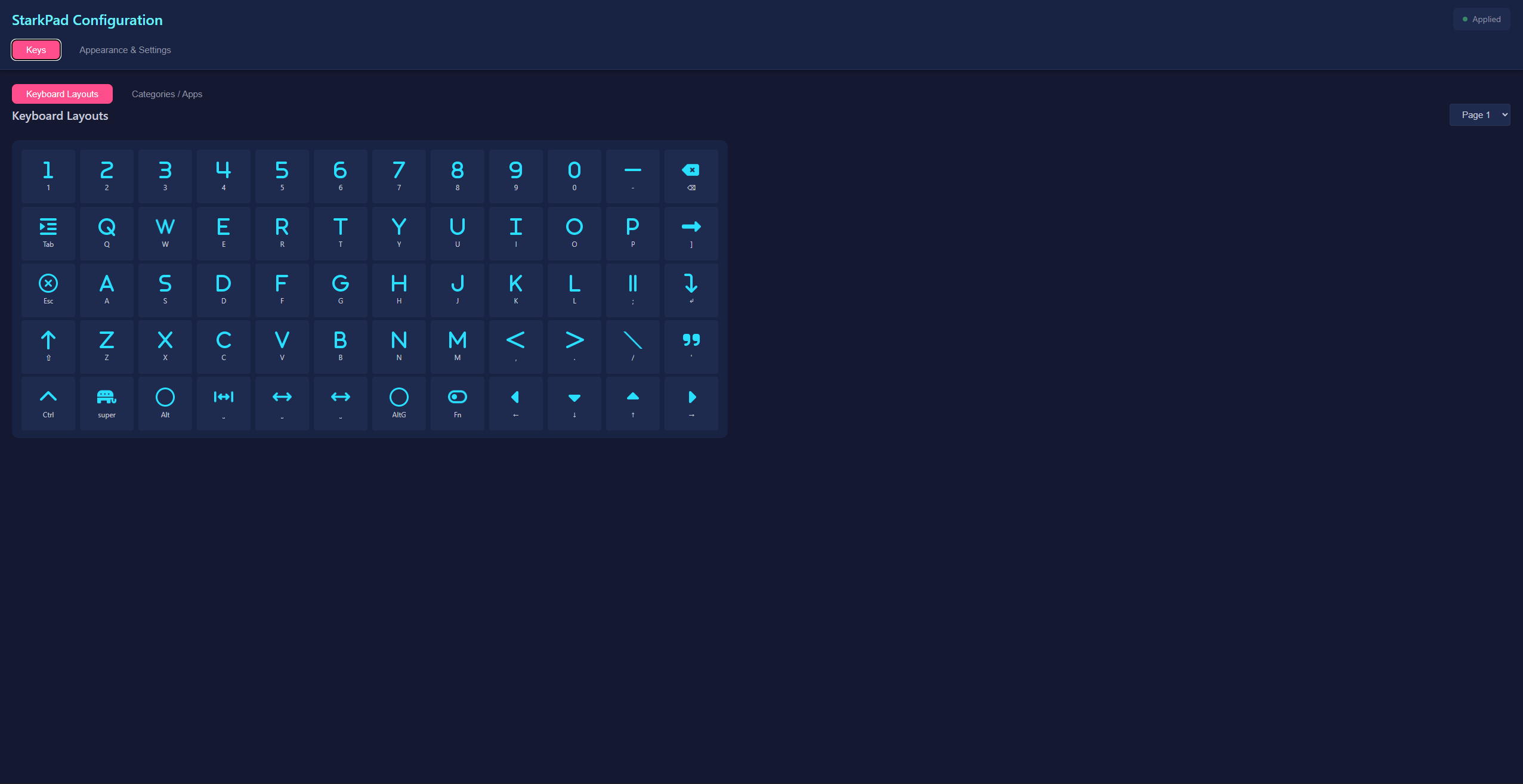
Access
http://starkpad-uno-q.local/
Login: admin / starkpad123
What you can do
| Tab | Features |
|---|---|
| Keys | Edit keyboard layouts, create app profiles |
| Appearance | Customize colors, themes |
| Settings | Change keyboard language, touchpad position |
Editing a button
- Click any button in the grid
- Modify: Name, Icon, Actions
- Click Save
- Click Apply Now to reload config
📄 Configuration File Reference
Location: Starkpad/lv_port_linux/ui-config/config.json
Structure Overview
{
  "settings": {
    "theme": { "bg": {...}, "text_color": "#303450", ... },
    "keyboard": { "language": "en-US", ... }
  },
  "categories": [
    {
      "id": "design",
      "label": "Design",
      "icon": "palette",
      "apps": [...]
    }
  ]
}
Key Object
{
  "name": "Copy",
  "icon": "copy",
  "shortcut": {
    "t": "key",
    "k": "C",
    "m": ["CTRL"]
  }
}
| Property | Description |
|---|---|
name |
Button label (1-6 chars) |
icon |
FontAwesome icon name |
shortcut.t |
Type: key, media, text, delay |
shortcut.k |
Keycode (e.g., A, ESC, F1) |
shortcut.m |
Modifiers: CTRL, SHIFT, ALT, GUI |
Common Keycodes
| Keys | Keycodes |
|---|---|
| Letters | A–Z |
| Numbers | 0–9 |
| Function | F1–F12 |
| Navigation | UP, DOWN, LEFT, RIGHT, HOME, END |
| Special | ESC, TAB, ENTER, SPACE, BACKSPACE, DELETE |
Media Keycodes
| Keycode | Action |
|---|---|
PLAY_PAUSE |
Toggle play/pause |
NEXT / PREV |
Next/previous track |
VOL_UP / VOL_DOWN |
Volume control |
MUTE |
Toggle mute |
Examples
Save All (Ctrl+Shift+S):
{ "name": "SaveAll", "icon": "floppy-disk", "shortcut": { "t": "key", "k": "S", "m": ["CTRL", "SHIFT"] } }
Empty slot:
null
Media key:
{ "name": "Play", "icon": "play", "shortcut": { "t": "media", "k": "PLAY_PAUSE" } }
🔧 Troubleshooting
Input not working
| Problem | Solution |
|---|---|
| Keys do nothing | Run sudo systemctl stop arduino-router |
| No response | Check if RP2040 dongle is connected |
| Intermittent | Verify TX/RX wiring |
Web UI not loading
| Problem | Solution |
|---|---|
| Page not found | sudo systemctl start starkpad-webui.service |
| Can't resolve hostname | Use IP address or run setup-mdns.sh |
| Auth failed | Check .env file credentials |
View logs
# Web server logs
journalctl -u starkpad-webui.service -f

# SHIDP debug log
cat /home/arduino/Starkpad/.cursor/debug.log
📋 Quick Reference
| Action | How |
|---|---|
| Switch modes | Tap tab in top bar |
| Send key | Tap on keyboard |
| Send combo | Hold modifier + tap key |
| Move mouse | Drag on touchpad |
| Click | Tap L/R buttons |
| Run macro | Tap grid button |
| Configure | Open web UI |
🤝 Contributing
- Fork the repository
- Create feature branch:
git checkout -b feature/amazing - Commit changes:
git commit -m 'Add feature' - Push:
git push origin feature/amazing - Open a Pull Request
📜 License
MIT License — see LICENSE
🙏 Credits
- LVGL — Graphics library (MIT)
- Adafruit TinyUSB — USB HID stack
- FontAwesome — Icons (CC BY 4.0)
- DroneBot Workshop — UNO Q setup tutorial
Starkpad — MCT Research Project 2026
more like this