Scythe
SCYTHE is a lightweight, C#-based game engine focused on modifiability and rapid iteration using Raylib.
C#★ 50
A Visual Map Maker and Level Editor for the game Celeste but better than the other one
 CelestialCartographers
git clone https://github.com/CelestialCartographers/Loenn.gitCelestialCartographers/Loenn
(we're in #map_making on the "Mt. Celeste Climbing Association" Discord server)
Lönn is a visual level maker and editor for the game Celeste. It allows editing map binaries, creating new ones, adding rooms, and filling the rooms with anything your heart desires (as long as what your heart desires is possible within the realms of the game).
The generated map binaries can be loaded in the stock game or using Everest, although the use of Everest is highly recommended. For use without Everest, you can replace a map in Content/Maps (remember backups), otherwise, you can place it in Mods/<yourmodname>/Maps with Everest and use the custom chapter loading (refer to the Mod Structure guide).
The program is still under active development. If you find something that you would like to see in the program, please let us know so that it may be added some time in the future. If you spot a bug or the program crashes, please report it.
Lönn is a successor to Ahorn, a visual level maker based on Maple. If you want to be able to generate and edit maps using code, give Maple a try.
This project is an unofficial map maker and level editor, it is merely a fan project trying to enable map development in the most user-friendly way we can think of. None of this code is developed by or connected to the Celeste development team, but we thank the team for supporting our projects.
Download the latest release for Windows and extract the .zip file you get into an empty directory. Run Lönn.exe to start the program.
Download the latest release for MacOS and extract the .zip file you get into an empty directory (Safari might do this automatically). Launch the extracted Lönn app to start the program.
First, install love2d. Lönn requires love2d version 11.3 or later; make sure to download love2d from the official website. Also make sure that the love command is in your PATH.
Download the latest release for your operating system and extract the .zip file you get into an empty directory. Launch Lönn.sh to start the program, or run it directly using love Lönn.love.
On systems that support AppImage, download the AppImage file in the latest release. Execute the file to launch Lönn.
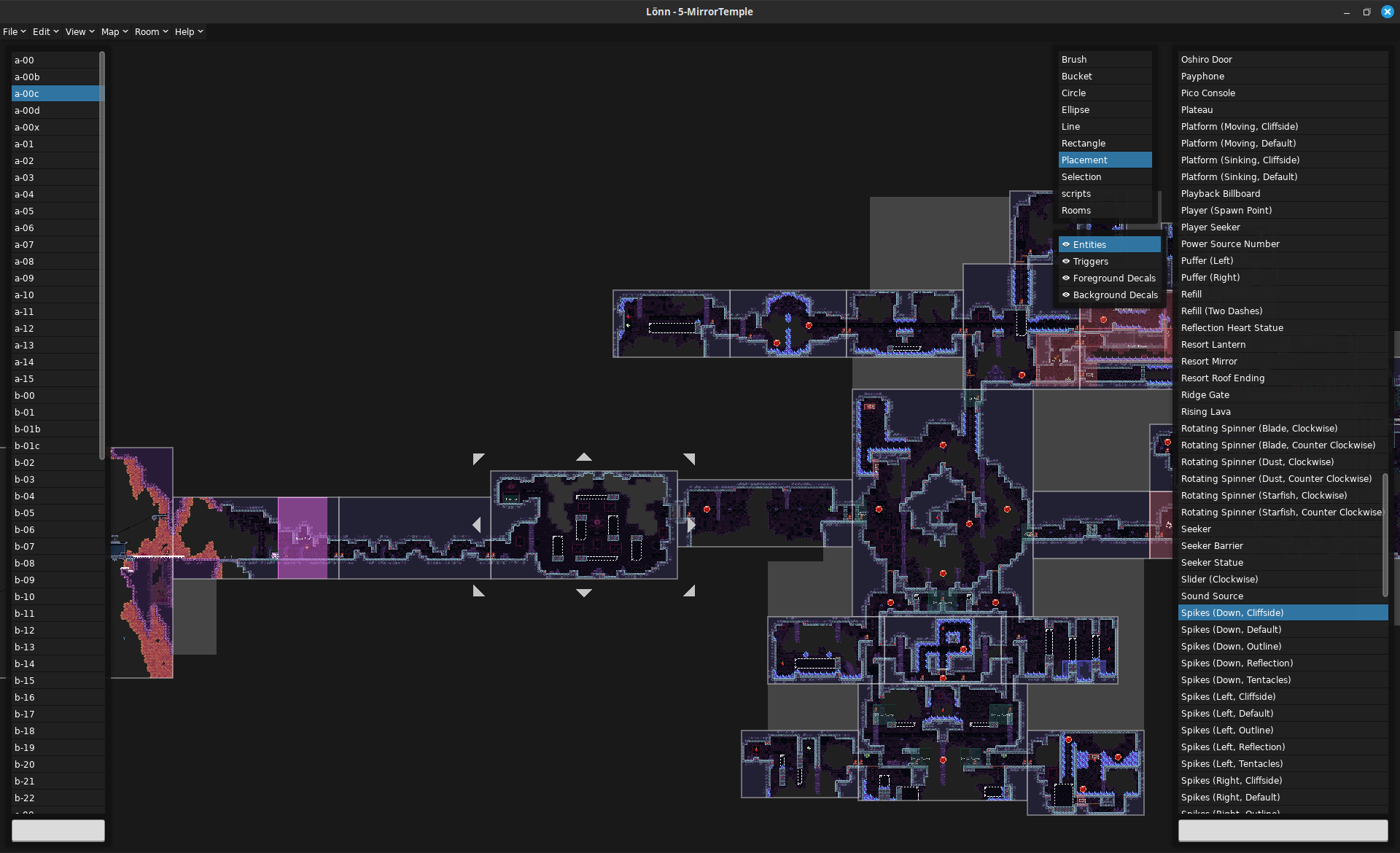
The tools in Lönn are shown on the right, just select one to use it. Hold right click to move around the map. Left click is your main way of placing objects or selecting things. Tools like rectangle placement require holding left click while moving across the screen. Scroll to zoom.
In any menu, you can hover over the name of an option or field for a detailed tooltip explaining its meaning and usage. Some objects you can right click to open menus for further options.
Lönn supports a couple of keybinds and special mouse functionality, with more to come. The following list might not be comprehensive. Note that you can change all keybinds in the settings window or the configuration file.
If you have any question, ask us in #map_making on Discord so we may add it to this README file. Thanks for being interested in making maps for Celeste!
Lönn's main window
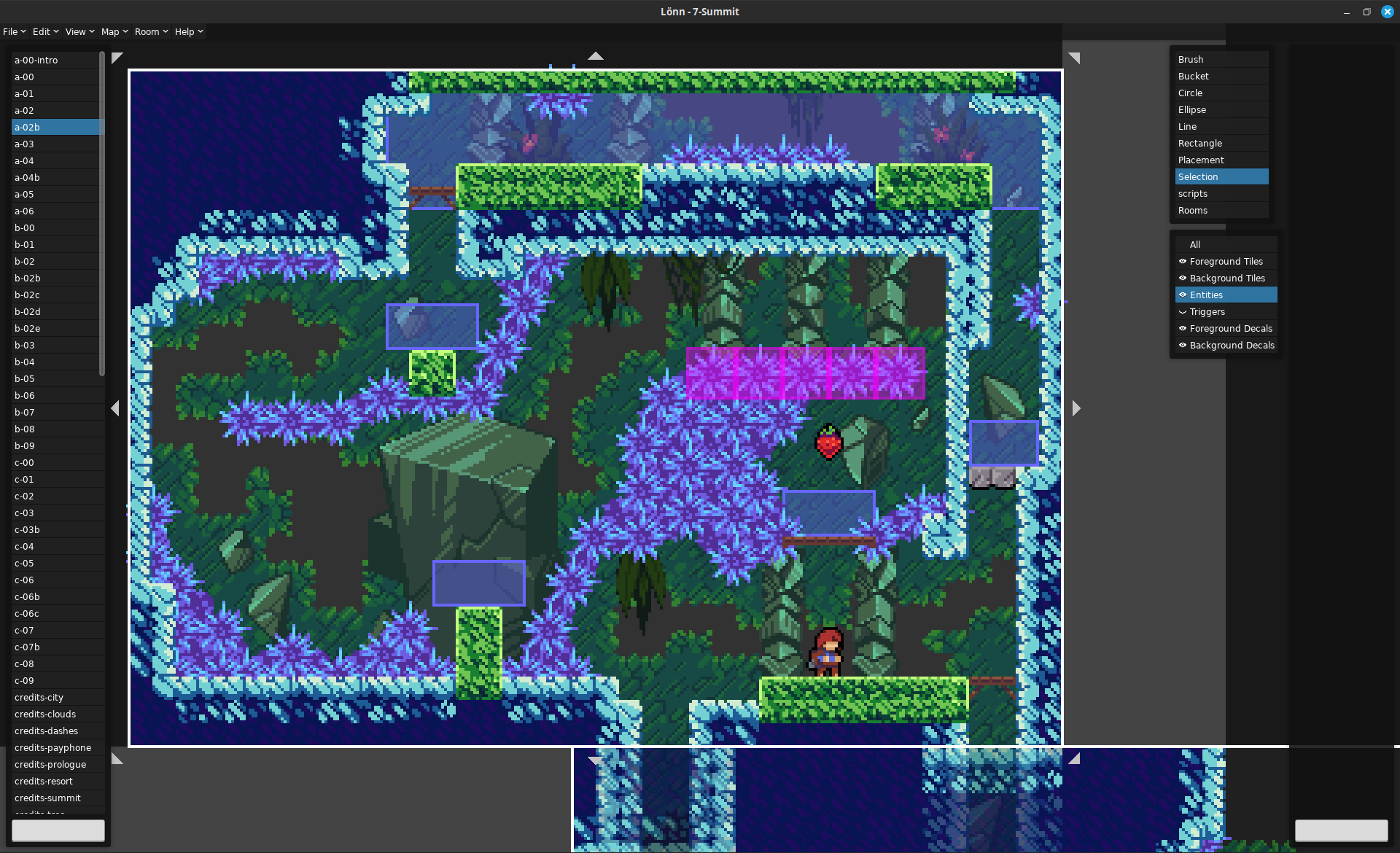
Close-up of a room
Why do so many things in the program have weird names?
Most of these are the names internally used by the game, so blame the devs. Most of them do not have any official names, but we tried to make the names in Lönn as descriptive as possible.
Is it safe to resave maps from the base Celeste game?
No. If something is not visible in Lönn, it is still there in data and will be saved along with it. However, the program is currently still unable to save 100% of the original maps back, only about 99%. As always, make backups.
How to I make room transitions?
A player is able to move from one room to another if the rooms are directly adjacent and there is at least one spawn point (Player entity) in each room.
So, I made a map. What now? How do I load it?
While you can load maps without, it is highly recommended to install Everest. Once Everest is installed, place your map binary in Mods/<yourmodname>/Maps in your Celeste installation directory. It should now be accessible from inside the game. Refer to the Mod Structure guide for details.
I am a mod developer. Why does my mod not show up in Lönn?
Mod developers will have to add compatible Lönn plugins to their mods. Refer to the Lönn wiki for details.
Something is broken!
That's not a question, but please report any bug you find!
The project's source code and assets, other than the exceptions stated below, are developed and licensed under the MIT license.
The Lönn logo has All Rights Reserved and may only be distributed with original copies of this software. Should you fork the project, do not use the original logo in any way. We would also prefer if you changed the project's name so that it can not be confused with the original.
Lönn contains and uses code from the following projects:
Lönn also depends on the following projects:
Many thanks go to these projects.
more like this
SCYTHE is a lightweight, C#-based game engine focused on modifiability and rapid iteration using Raylib.
Open the next door in your Vim journey — personalized command discovery based on your actual usage
search projects, people, and tags