TachiSnap
TachiSnap — Pixel Snapper for animation pixel artists. Rust + WebAssembly client-side tool for cleaning up AI-generated…
HTML★ 50
Demo project featuring a collection of PS1 style shaders and materials for Godot engine.
 MenacingMecha
git clone https://github.com/MenacingMecha/godot-psx-style-demo.gitMenacingMecha/godot-psx-style-demo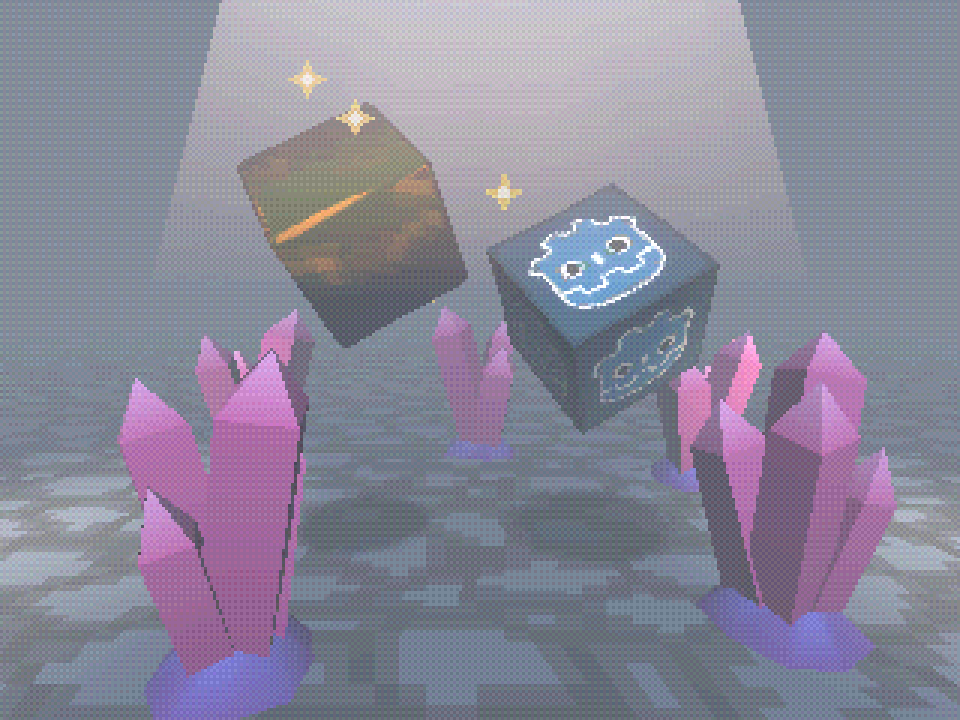
A collection of shaders and materials for Godot engine that aim to recreate the following aspects of the PS1 aesthetic:
Originally based on: https://github.com/marmitoTH/godot-psx-shaders
Floor texture (available under CC-0): https://stealthix.itch.io/rpg-nature-tileset
These shaders are focused on having as few parameters as possible to achieve the desired effect of recreating (most of) the PS1's rendering quirks. This is to aid accessibility by way of reducing the amount of things the user has to understand and configure.
However, this is at the cost of customizability; there are fewer parameters to highly tweak how the shaders look versus other projects.
For brand new projects, I would reccomend duplicating this project and playing around with things from there.
shaders/ to your project.precision_multiplier as a float shader global in Project Settings, ensuring it's value is minimum 0 (non-inclusive), and maximum 1 (inclusive).This version is for Godot 4.x only. Please refer to the v1.x branch for Godot 3.x support.
Godot 4.0 changed how environmental fog worked, the key part being the removal of the "start distance" and "end distance" properties. While a manual workaround could be implemented, there is work being done to restore this functionality in a later version.
In order to release working Godot 4 shaders as soon as possible, runtime options for the demo will be re-implemented at a later date.
Please submit a PR (or send a message) if you have a title to add!
more like this
TachiSnap — Pixel Snapper for animation pixel artists. Rust + WebAssembly client-side tool for cleaning up AI-generated…
SCYTHE is a lightweight, C#-based game engine focused on modifiability and rapid iteration using Raylib.
Pathfinding library for calculating all node pairs' shortest paths in an unweighted undirected graph.
search projects, people, and tags