SimGAN
Pytorch Implementation of SimGAN: Hybrid Simulator Identification for Domain Adaptation via Adversarial Reinforcement L…
Python★ 50
Official repo for GraspGen: A Diffusion-based Framework for 6-DOF Grasping
 NVlabs
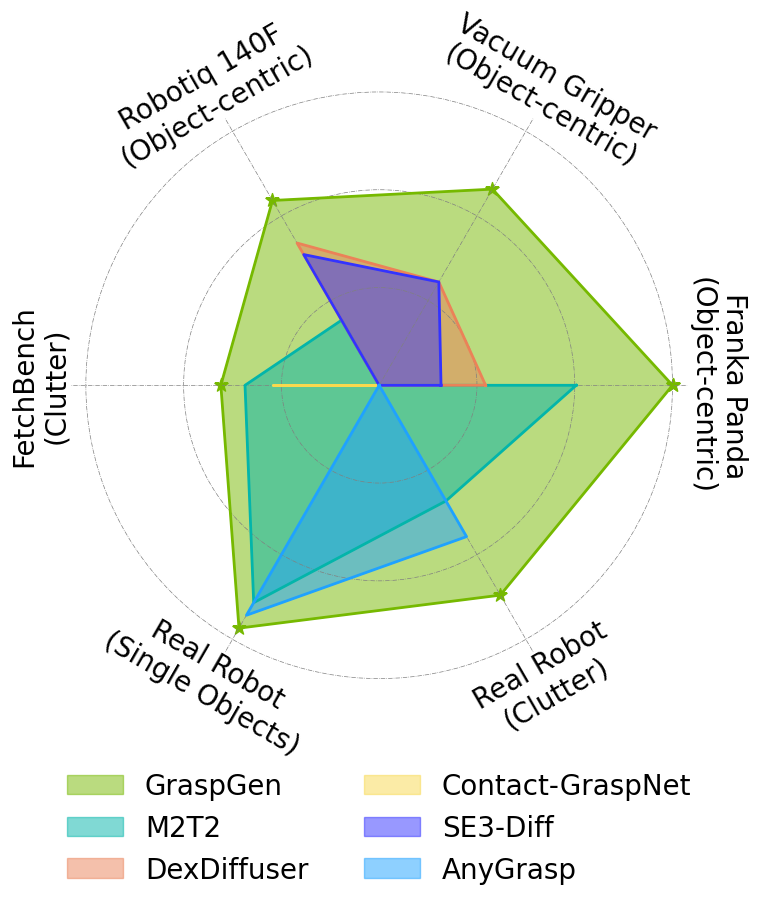
GraspGen is a modular framework for diffusion-based 6-DOF robotic grasp generation that scales across diverse settings: 1) embodiments - with 3 distinct gripper types (industrial pinch gripper, suction) 2) observability - robustness to partial vs. complete 3D point clouds and 3) complexity - grasping single-object vs. clutter. We also introduce a novel and performant on-generator training recipe for the grasp discriminator, which scores and ranks the generated grasps. GraspGen outperforms prior methods in real and sim (SOTA performance on the FetchBench grasping benchmark, 17% improvement) while being performant (21X less memory) and realtime (20 Hz before TensorRT). We release the data generation, data formats as well as the training and inference infrastructure in this repo.
NOTE: This repo only supports 3 grippers (Franka-Panda, Robotiq-2f-140 and a suction cup). If you would like to run grasp generation for more grippers (e.g. DROID robots, robotiq-2f-85, etc,), please see our extension work GraspGen-X, which is a cross-embodiment foundation model for grasping.
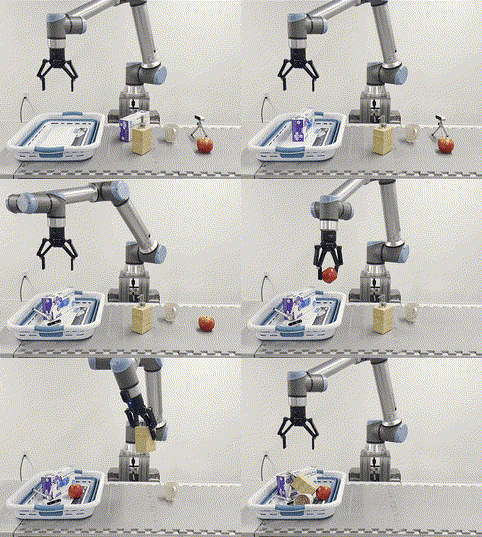
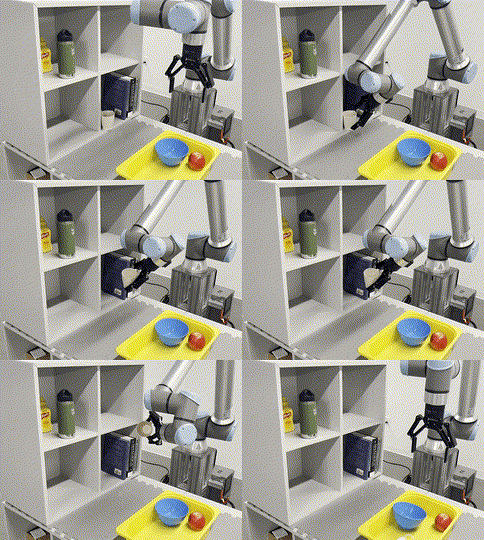
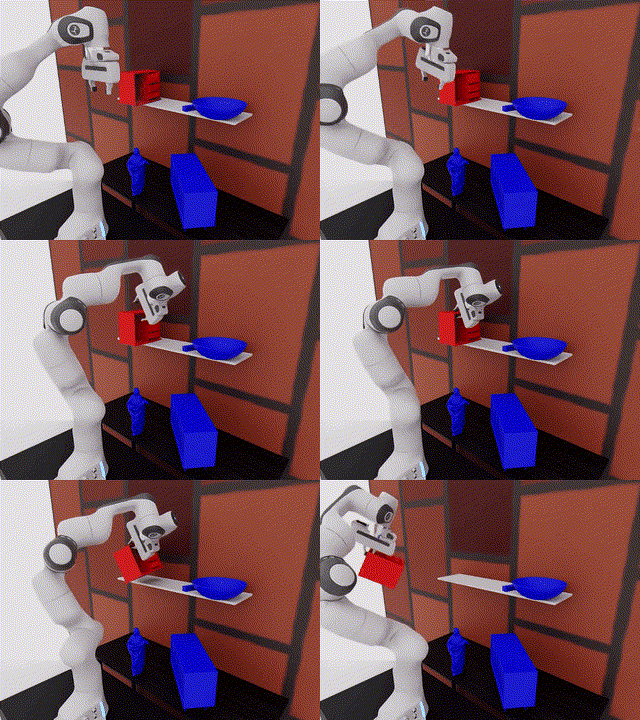
[06/21/2026] Added Mixture-of-Experts. Top-Down and Side-grasps now supported.
[06/21/2026] Add VLA/policy data generation example.
[03/03/2026] Added MCP for calling GraspGen as a tool by an LLM. See mcp/.
[03/03/2026] ZMQ-based server added to run GraspGen without any installation in your application. See client-server/
[02/18/2026] Paper accepted to ICRA'26, see you in Vienna 🚀🇦🇹
[10/28/2025] Add feature of filtering out colliding grasps based on scene point cloud.
[09/30/2025] Isaac-Lab based grasp data generation released as GraspDataGen package (Note: Data gen for suction grippers is in this repo)
[07/16/2025] Initial code release! Version 1.0.0
[03/18/2025] Dataset release on Hugging Face!
[03/18/2025] Blog post on Model deployment at Intrinsic.ai
Choose your preferred installation method. For training, we recommend docker. For inference, uv is the fastest and easiest option. If you would like to run GraspGen as a standalone server (e.g. for tool-calling from an LLM agent or a remote robot client), see client-server/README.md. We also added a MCP to call GraspGen with an LLM.
✅ All methods fully tested and working!
| Method | Use Case | Complexity | Speed |
|---|---|---|---|
| Docker | Training + Inference | ⭐⭐⭐ Recommended for training | Slow |
| Pip and uv | Inference | ⭐⭐ Recommended for inference | Fast |
| ZMQ Server | Remote inference (no install needed on client) | ⭐ See client-server/ | Fast |
| MCP | LLM tool-calling | ⭐ See mcp/ | Fast |
git clone https://github.com/NVlabs/GraspGen.git && cd GraspGen
bash docker/build.sh # This will take a while
[Optional] If you do not already have a conda env, first create one:
conda create -n GraspGen python=3.10 -y && conda activate GraspGen
[Optional] If you do not already have pytorch installed:
pip install torch==2.1.0 torchvision==0.16.0 torch-cluster torch-scatter -f https://data.pyg.org/whl/torch-2.1.0+cu121.html
Install with pip:
# Clone repo and install
git clone https://github.com/NVlabs/GraspGen.git && cd GraspGen && pip install -e .

# Install PointNet dependency (automated script handles CUDA environment)
./install_pointnet.sh
NOTE: The install_pointnet.sh script automatically handles CUDA environment variables. Ensure you have CUDA runtime headers and a C++ compiler installed. You can also manually run it as follows:
export CC=/usr/bin/g++ && export CXX=/usr/bin/g++ && export CUDAHOSTCXX=/usr/bin/g++ && export TORCH_CUDA_ARCH_LIST="8.6" && cd pointnet2_ops && pip install --no-build-isolation .
uv installation is recommended if you would just like to run inference.
[Optional] Install uv if not already installed:
curl -LsSf https://astral.sh/uv/install.sh | sh
source ~/.bashrc  # or restart terminal
Cloning repo and installing:
# Clone repo and setup everything
git clone https://github.com/NVlabs/GraspGen.git && cd GraspGen

# Create Python environment and install all dependencies
uv python install 3.10 && uv venv --python 3.10 .venv && source .venv/bin/activate
uv pip install -e .

# Install PointNet dependency (automated script handles CUDA environment)
./install_uv_pointnet.sh
To check if installation has succeeded, run the following test:
python tests/test_inference_installation.py
To run GraspGen as a standalone inference server that any client can query without installing the full stack, see client-server/README.md.
To enable LLMs to call GraspGen as a tool, see mcp/README.md.
The checkpoints can be downloaded from HuggingFace:
git clone https://huggingface.co/adithyamurali/GraspGenModels
We have added scripts for visualizing grasp predictions on real world point clouds using the models. The sample dataset is in the models repository in the sample_data folder. Please see the script args for use. For plotting just the topk grasps (used on the real robot, k=100 by default) pass in the --return_topk flag. To visualize for different grippers, modify the --gripper_config argument.
<path_to_models_repo> below.--models flag for the models directory. These will be mounted at /code and /models paths inside the container respectively.# For inference only bash docker/run.sh <path_to_graspgen_code> --models <path_to_models_repo>
cd /code/ && python scripts/demo_object_pc.py --sample_data_dir /models/sample_data/real_object_pc --gripper_config /models/checkpoints/graspgen_robotiq_2f_140.yml
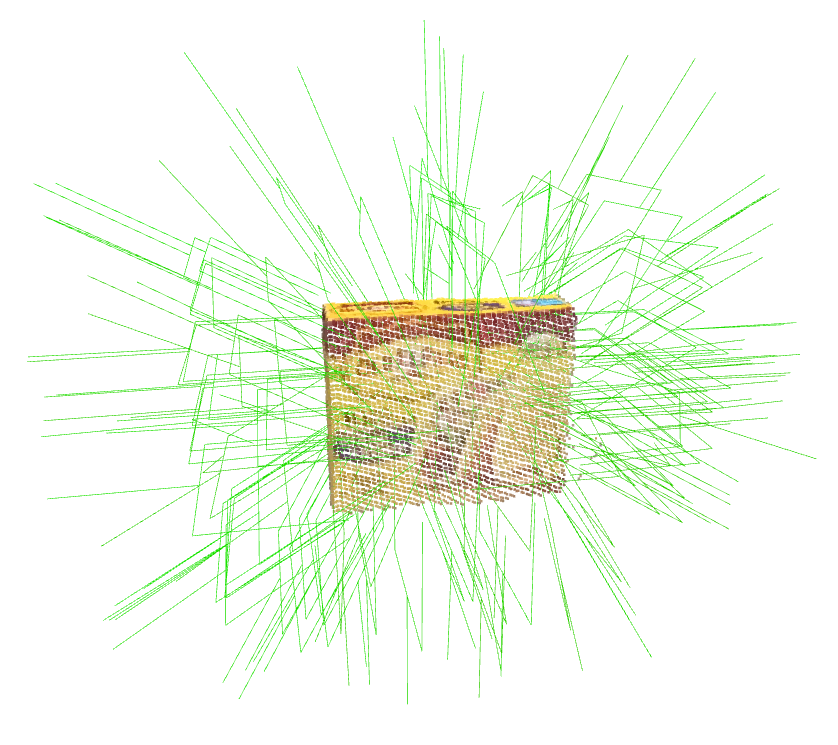
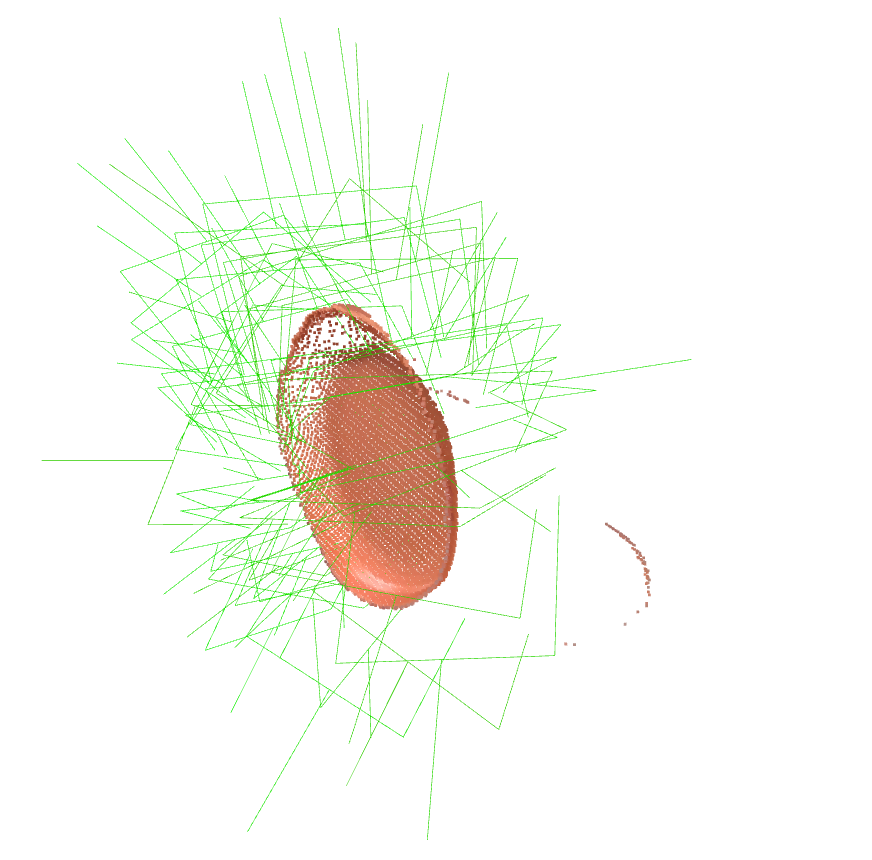
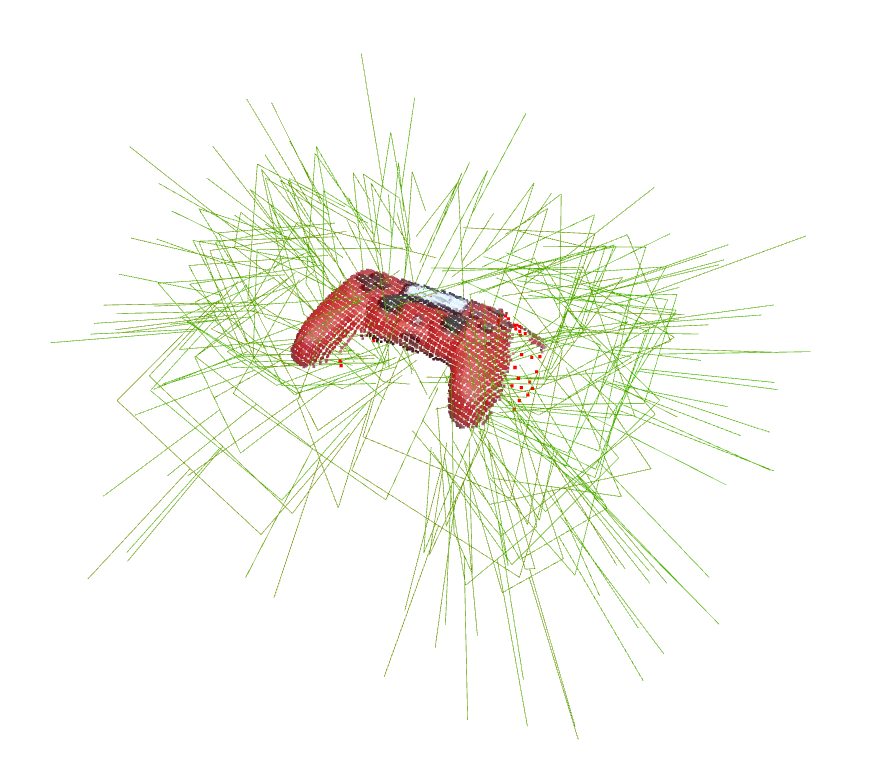
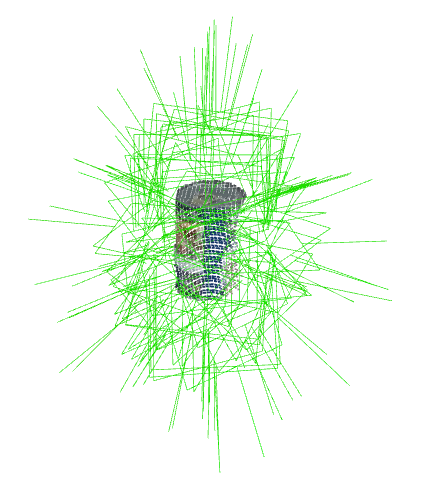
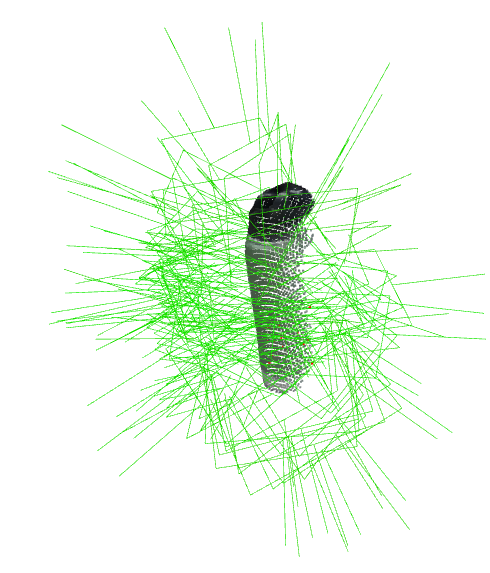
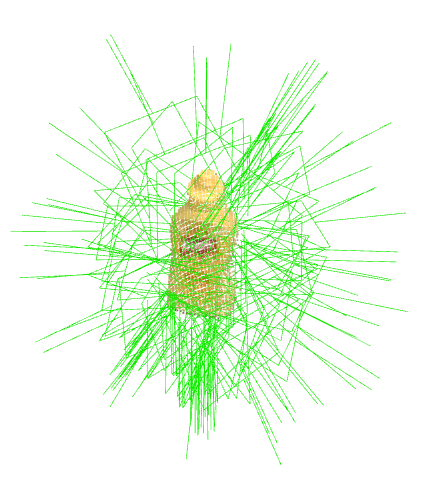
Supports .obj, .stl, and .ply formats.
cd /code/ && python scripts/demo_object_mesh.py --mesh_file /models/sample_data/meshes/box.obj --mesh_scale 1.0 --gripper_config /models/checkpoints/graspgen_robotiq_2f_140.yml
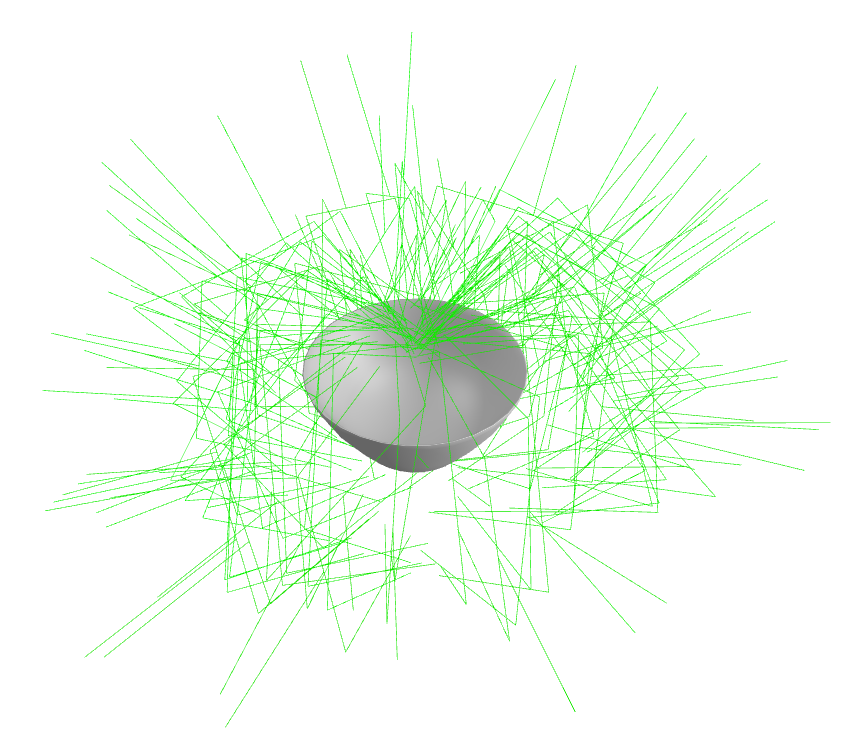
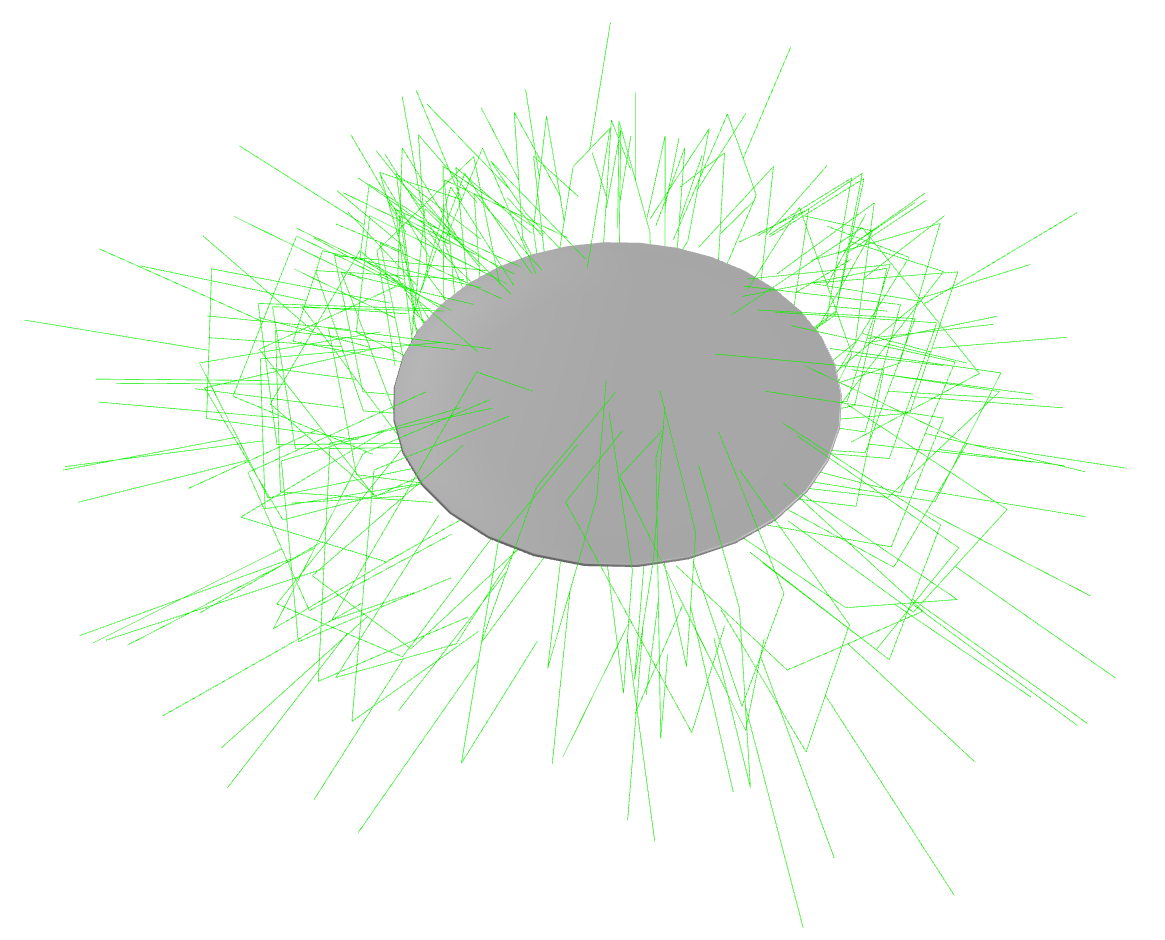
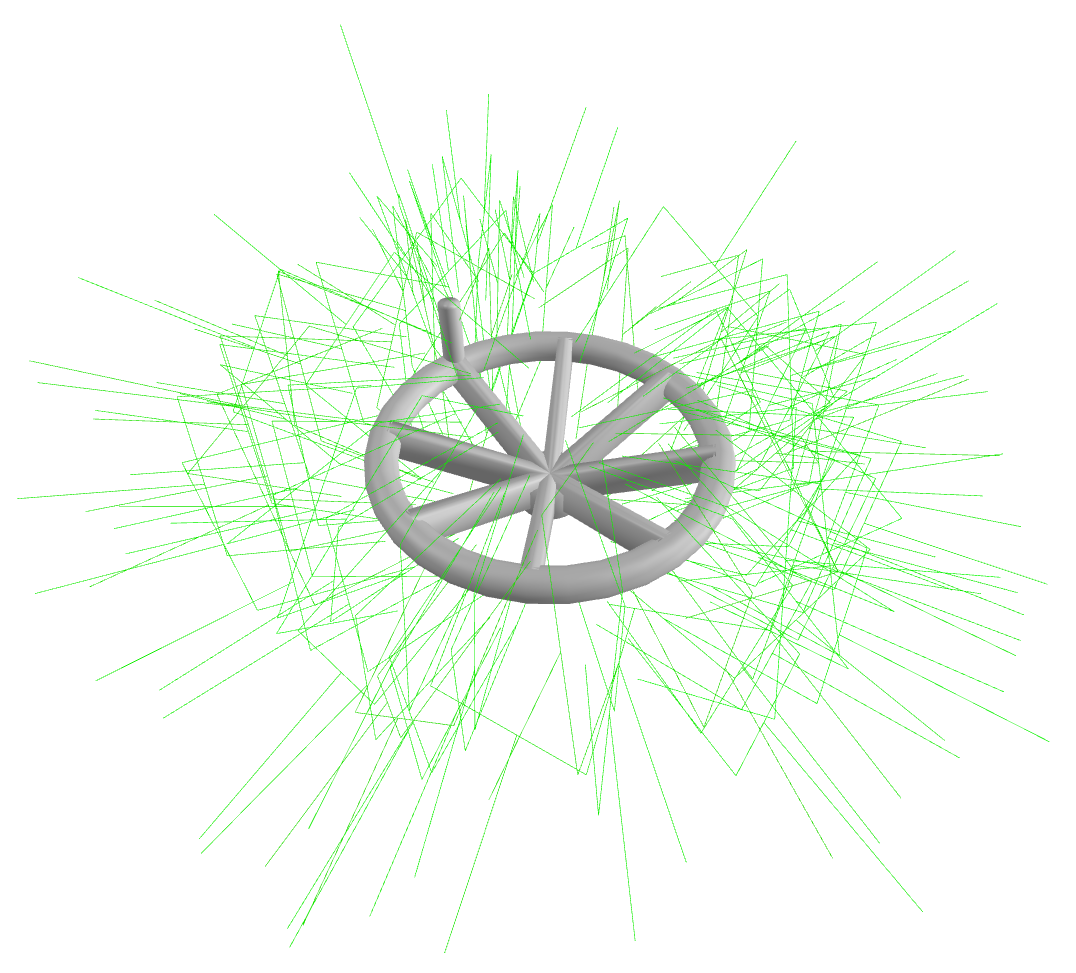
cd /code/ && python scripts/demo_scene_pc.py --sample_data_dir /models/sample_data/real_scene_pc --gripper_config /models/checkpoints/graspgen_robotiq_2f_140.yml
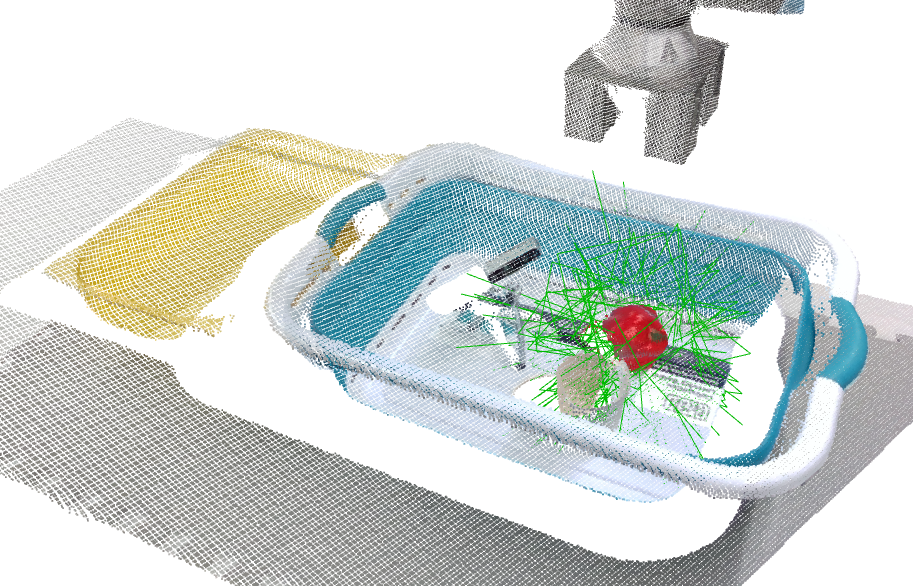
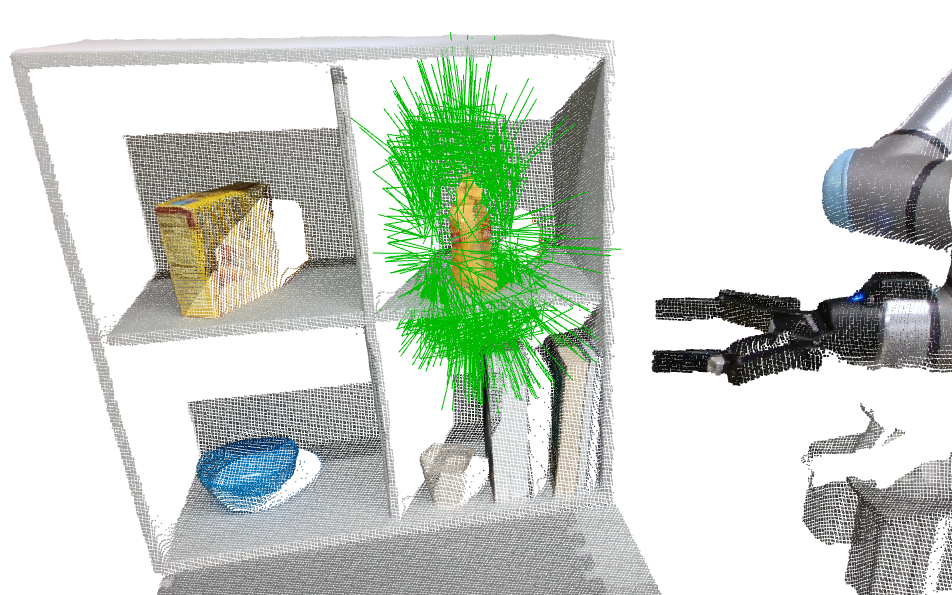
If you would like to filter the inferred grasps based on collisions, use the --filter_collisions flag. This uses a simple point cloud based collision checker. On the real robot, we suggest using NVBlox. The grasp is in collision if it is red, and green if collision free. See scripts/demo_collision_free_grasps.py if you want to pass in your own scene using the depth and segmentation image as commandline arguments.
cd /code/ && python scripts/demo_scene_pc.py --filter_collisions --sample_data_dir /models/sample_data/real_scene_pc --gripper_config /models/checkpoints/graspgen_franka_panda.yml
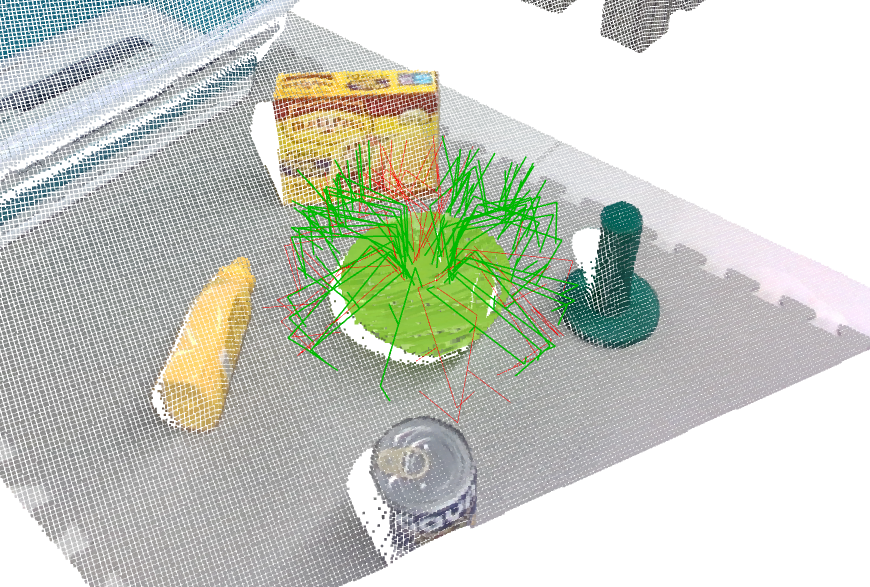
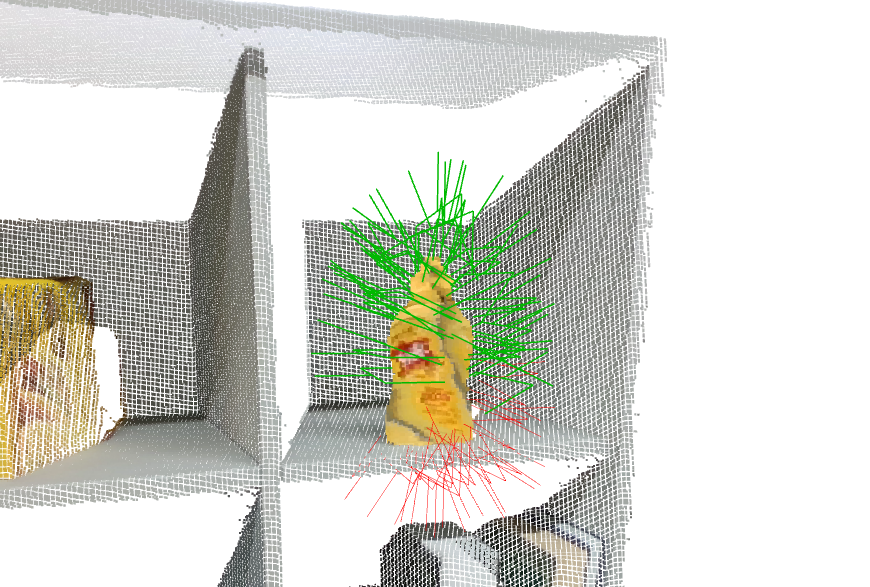
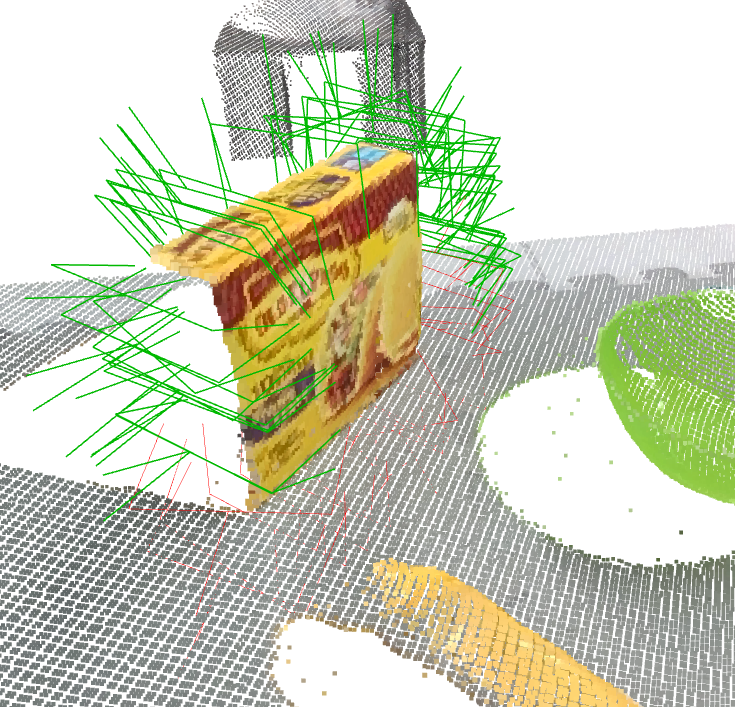
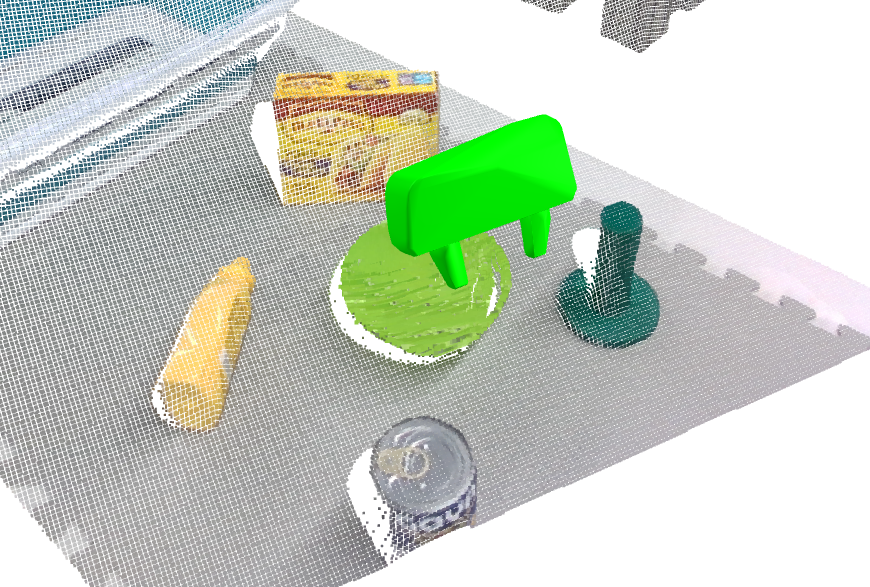
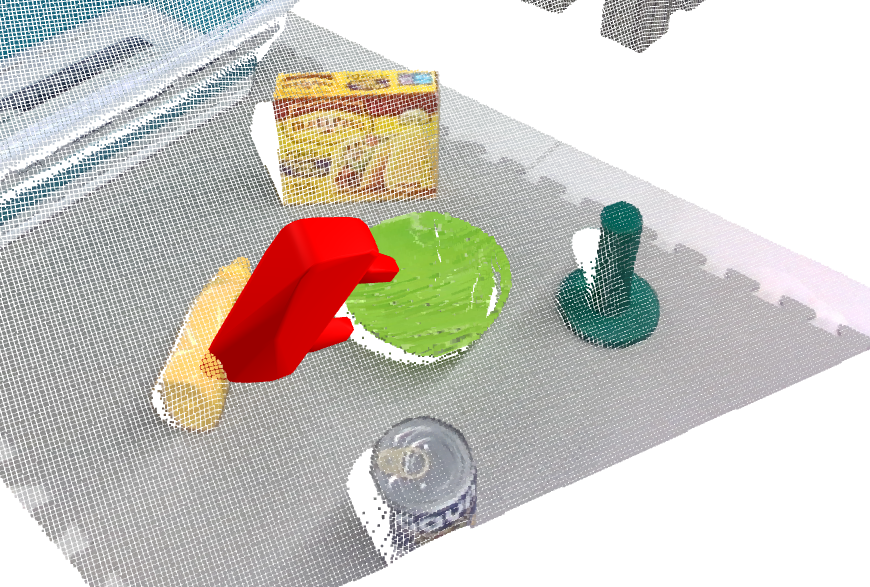
Note: At the time of release of this repo, the suction checkpoint was not trained with on-generator training, hence may not output the best grasp scores.
There are two datasets to download:
<path_to_grasp_dataset>.git clone https://huggingface.co/datasets/nvidia/PhysicalAI-Robotics-GraspGen
simplify arg would not work otherwise). You'll have to specify the directory to save the dataset <path_to_object_dataset>. We have only tested the training with simplified meshes (hence the --simplify arg), which was crucial to increasing rendering and simulation speed. This script may take a few hours to complete downloading and will take up a lot of CPU. If you are running inside a docker container, you'll need to mount a location to save this data.First start the docker:
# For Dataset download only
mkdir -p <object_dataset>
bash docker/run.sh <path_to_graspgen_code> --grasp_dataset <path_to_grasp_dataset> --object_dataset <path_to_object_dataset>
cd /code && python scripts/download_objects.py --uuid_list /grasp_dataset/splits/franka_panda/ --output_dir /object_dataset --simplify
In total, we release over 57 million grasps, computed for a subset of 8515 objects from the Objaverse XL (LVIS) dataset. These grasps are specific to three grippers: Franka Panda, the Robotiq-2f-140 industrial gripper, and a single-contact suction gripper (30mm radius).
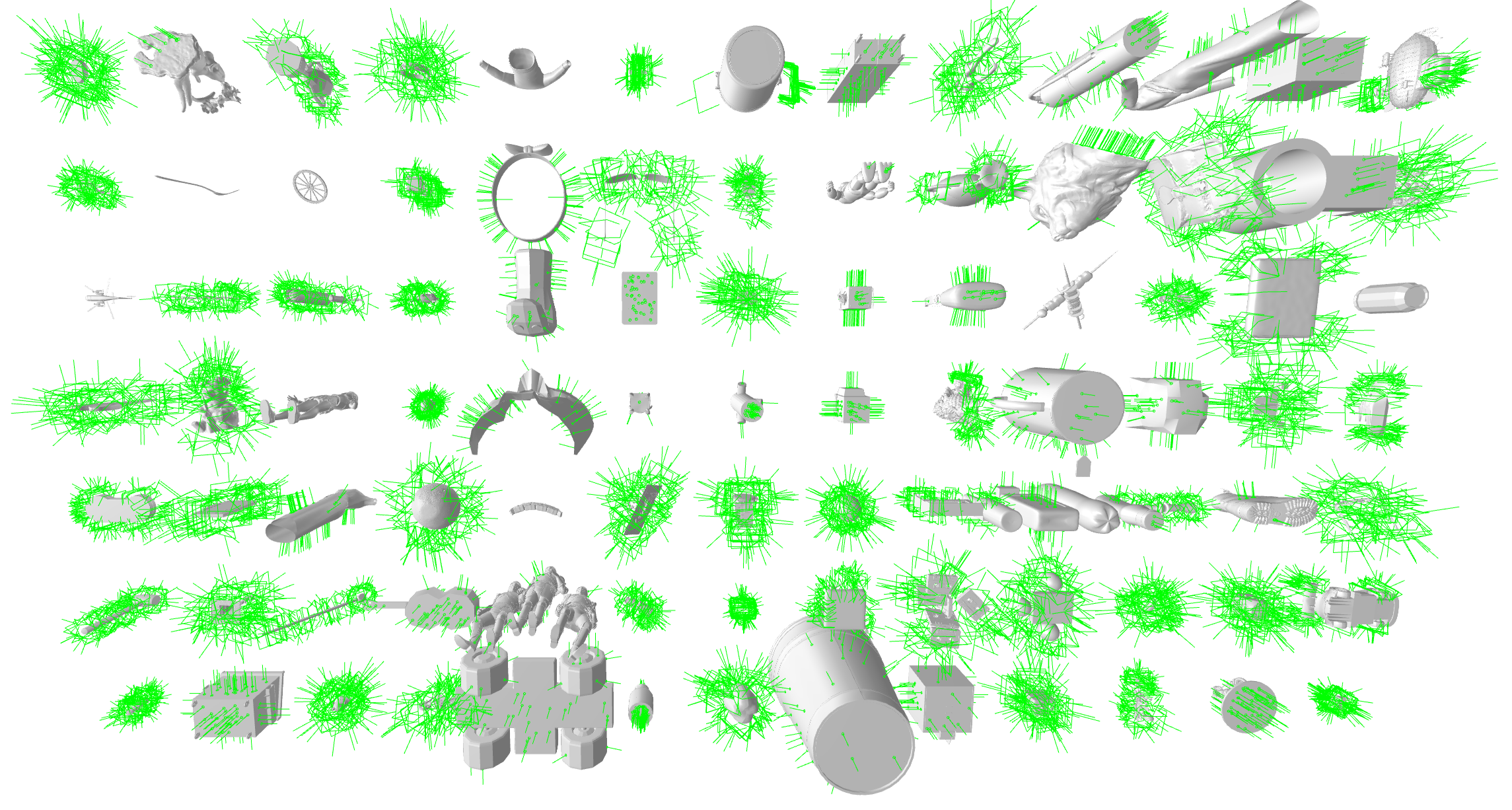
This section covers training on existing pre-generated datasets for the three grippers. For a more detailed tutorial on generating your own dataset as well as training a model, please see TUTORIAL.md
<path_to_graspgen_code>: Local path to where the graspgen repo was cloned<path_to_grasp_dataset>: Local path to where grasp dataset was cloned.<path_to_object_dataset>: Local path to where object dataset was downloaded.<path_to_results>: Local path to where training logs and cache would be saved.# For training only. mkdir -p <path_to_results> bash docker/run.sh <path_to_graspgen_code> --grasp_dataset <path_to_grasp_dataset> --object_dataset <path_to_object_dataset> --results <path_to_results>
See the training scripts in runs/. For each gripper, there are models to train separately - the generator (diffusion model) as well as the discriminator.
# Example usage for training the generator
cd /code && bash runs/train_graspgen_robotiq_2f_140_gen.sh

# Example usage for training the discriminator
cd /code && bash runs/train_graspgen_robotiq_2f_140_dis.sh
Things to note regarding training:
.h5 file in the specified cache directory. Both caching and training is handled in the same train_graspgen.py script with same arguments. If a cache does not exist or is incomplete, the script will build the cache and will automatically continue with training once caching is complete. If the cache already exists, the script will immediately start the training.NGPU: Set to the number of GPUs you have for trainingLOG_DIR: Specifies where the tensorboard logs, checkpoints and console logs are saved toNWORKERS: A rule of thumb is to set to a non-zero number, roughly Number of CPU of Cores / Number of GPUsNUM_REDUNDANT_DATAPOINTS: parameter controls the redundancy (of camera viewpoints) in cache building. The higher the number, the better the domain randomization and sim2real transfer. Default is 7. There will be a OOM error if it is too high.debug mode: To run the job on a single GPU job and 1 worker, you can set the arg train.debug=Truereconstruction/error_trans_l2 on the validation set should converge to a few cm; this run will take at least 3K epochs to converge; on a 8 X A100 node, it takes about 40 hrs for 3K epochsbce_topk loss should go down; this run will take at least 3K epochs to converge; on a 8 X A100 node, it takes about 90 hrs for 3K epochsPlease see TUTORIAL.md for a detailed walkthrough of training a model from scratch, including grasp data generation. Currently, we include an example for suction grippers. See the GraspDataGen package for Isaac Lab based grasp data generation for pinch grippers.
Please see the following files for documentation on the formats we adopted:
See the GraspDataGen package for Isaac Lab based grasp data generation in the above format.
GraspGen can be deployed as a standalone ZMQ server, making it callable as a tool from LLM agents, remote robot controllers, or any application — without importing model code or needing a local GPU. See client-server/README.md for full documentation, protocol reference, and examples.
# Start the server (Docker):
bash docker/run_server.sh $(pwd) --models /path/to/GraspGenModels

# Call it from a client (Python — no CUDA required):
python client-server/graspgen_client.py --mesh_file /path/to/mesh.obj --host localhost --port 5556
GraspGen supports USD meshes (.usd, .usda, .usdc, .usdz) for inference and can write predicted grasps back into USD for Omniverse / Isaac Sim. A single USD can contain the object mesh, /world/grasps (pose Xforms only), and /world/grasps_visualization (same poses + gripper wireframes). Meshes are converted with scene_synthesizer. Commands for running on an example object assets/objects/box.obj:
# 1) OBJ → USD
python scripts/convert_obj_to_usd.py --input assets/objects/box.obj --output /tmp/box.usd

# 2) Run inference, save grasps to YAML
python scripts/demo_object_mesh.py --mesh_file /tmp/box.usd --mesh_scale 1.0 \
  --gripper_config GRIPPER_CONFIG --output_file /tmp/box_grasps.yml --no-visualization --num_grasps 50

# 3) Write grasps + grasps_visualization into the USD
python scripts/save_grasps_to_usd.py --usd_file assets/objects/box.usd --grasps_yaml /tmp/box_grasps.yml \
  --gripper_name robotiq_2f_140 --output assets/objects/box_with_grasps.usd
Optional: --wireframe_width W (default 0.001), --no_visualization to skip wireframes. See Inference Demos for other formats (.obj,.pcd.etc).
You can generate a sim USD with up to 10 environments: each env has the object and one gripper at a predicted grasp pose. When you open this USD in Omniverse / Isaac Sim and press Play, the grippers close and grasp the object. A Robotiq 2F-85 gripper USD is included under assets/bots/robotiq_2f_85.usd (copied from GraspDataGen).
1. Run inference (max 10 grasps) and save YAML
python scripts/demo_object_mesh.py --mesh_file /tmp/box.usd --mesh_scale 1.0 \
  --gripper_config GRIPPER_CONFIG --output_file /tmp/box_grasps.yml --no-visualization --num_grasps 10
2. Build the sim USD (box_with_grasps_sim.usd)
python scripts/create_grasp_sim_usd.py --object_usd assets/objects/box.usd \
  --grasps_yaml /tmp/box_grasps.yml --output assets/objects/box_with_grasps_sim.usd --num_envs 10
3. Open in Isaac Sim and run the grasp script
assets/objects/box_with_grasps_sim.usd.scripts/run_grasp_sim_omniverse.py.Options for create_grasp_sim_usd.py: --gripper_usd (default assets/bots/robotiq_2f_85.usd), --num_envs (default 10), --env_spacing (default 0.6 m).
Please let us know what gripper you are interested in this short survey.
For optimal performance on a new gripper, we recommend re-training the model with our specified training recipie. You will need following to achieve that:
Please see TUTORIAL.md for a detailed walkthrough of training a model from scratch, including grasp data generation. See GraspDataGen for data generation.
In most cases, we recommend re-training a new model specific to your gripper as the physics would have changed.
If your gripper is antipodal and has a similar stroke length (i.e. width) to one of the existing grippers (Franka/Robotiq), feel free to re-target the model. You may have to apply a offset along the z direction import trimesh.transformations as tra; new_grasp = grasp @ tra.translation_matrix([0,0,-Z_OFFSET]) to align the base link frames of both grippers.
If you are using a single-cup suction gripper, you could retarget our suction model trained for a 30mm suction seal. You could rescale the object point cloud/mesh input before inference import trimesh.transformations as tra; mat = tra.scale_matrix(r/0.030) where r is the radius of the suction cup for your gripper.
The graspgen model is meant to generalize zero-shot to unknown objects. If you would like to further finetune the model on a new object/grasp dataset combination or train on a larger dataset, you will need to 1) pass in the pretrained checkpoint in the train.checkpoint argument in the train script and 2) change the paths to the new grasp/object dataset. Please check the GRASP_DATASET_FORMAT.md convention.
Make sure your docker container has sufficient CPU, swap and GPU memory. Please post a github issue otherwise.
You will need instance segmentation (e.g. SAM2) and motion planning (e.g. cuRobo) to run this model. More details can be found in the experiments section of the paper.
Sorry we missed your gripper! Please consider completing this quick survey to describe your gripper. You can optionally leave a your URDF.
Please post a github issue and we will follow up! Or feel free to email us.
Contributions are welcome! Please submit a PR.
License Copyright © 2025, NVIDIA Corporation & affiliates. All rights reserved.
For business inquiries, please submit the form NVIDIA Research Licensing.
If you found this work to be useful, please considering citing:
@inproceedings{murali2025graspgen,
  title     = {GraspGen: A Diffusion-based Framework for 6-DOF Grasping with On-Generator Training},
  author    = {Murali, Adithyavairavan and Sundaralingam, Balakumar and Chao, Yu-Wei and Yamada, Jun and Yuan, Wentao and Carlson, Mark and Ramos, Fabio and Birchfield, Stan and Fox, Dieter and Eppner, Clemens},
  booktitle = {Proceedings of the IEEE International Conference on Robotics and Automation (ICRA)},
  year      = {2026},
  publisher = {IEEE},
  url       = {https://arxiv.org/abs/2507.13097}
}
Please reach out to Adithya Murali (admurali@nvidia.com) for further enquiries.
more like this
Pytorch Implementation of SimGAN: Hybrid Simulator Identification for Domain Adaptation via Adversarial Reinforcement L…
search projects, people, and tags