DailyWallpaperHub
多源壁纸聚合平台 · 自动归档 Bing + Unsplash 精选壁纸 · AI 视觉故事生成 · 企业微信推送 · GitHub Pages 在线画廊
Python★ 50
Generate and set stunning gradient wallpapers on your Android device with Waller. Easily customize your home and lock s…
 Pankaj-Meharchandani
git clone https://github.com/Pankaj-Meharchandani/Waller.gitPankaj-Meharchandani/Waller
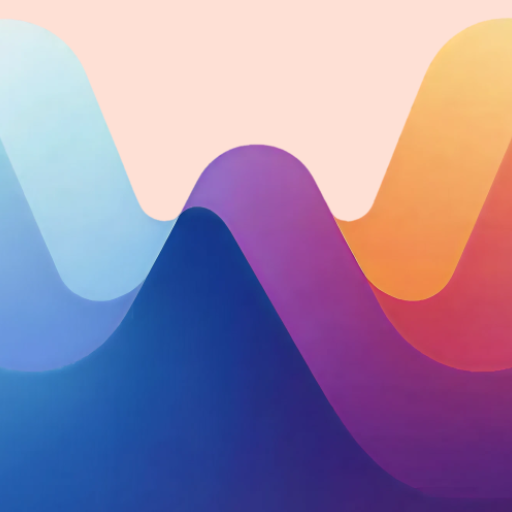
Beautiful gradient wallpapers for Android — generated, previewed, and applied in seconds.


| 🎨 5 Gradient Styles | Linear, Radial, Angular, Diamond, Pastels — each with unique rendering logic |
| ✨ 5 Visual Effects | Snow, Stripes, Glass overlay, Geometric grid, Blur — each with individual opacity |
| 🌐 Marketplace | Browse and download community-generated wallpapers |
| 🎞 Live Wallpaper | Set any of your favourites as an animated live wallpaper |
| 👁 Live Preview Mode | Fullscreen overlay to tweak style, angle & effects before applying |
| ❤️ Favourites | Snapshot any wallpaper including exact effects & alphas; import/export as .wall |
| 🕒 History | Automatically track and re-apply the last 50 wallpapers you've used |
| 📤 Share Anywhere | Export as PNG, .wall, SVG, or production-ready CSS |
| 🎛 Two Interaction Modes | Simple (tap → apply) or Advanced (tap → live preview) |
| 🛠 Beta Channel | Optional toggle in settings to receive pre-release update notifications |
| 💎 Material You | Dynamic color, floating nav bar, animated chips, spring physics |
| Effect | Description |
|---|---|
| ❄️ Snow | Film-grain-style random white specks |
| 〰️ Stripes | Diagonal translucent stripe pattern |
| 🪟 Glass | Nothing-style subtle glass overlay |
| 🔲 Geometric | Grid and circle line overlay |
| 💧 Blur | Full-image Stack Blur — pure Kotlin, no RenderScript |
Each effect has a 0–100% opacity slider in Advanced mode. Effects are snapshotted with favourites so the saved look is reproduced exactly on any device.
.wall files or bulk-import multiple at once. Export all favourites as a single .wall file.Pictures/Waller via MediaStore..wall file, SVG, or CSS.BitmapUtils rendering math exactly (gradient anchoring, stripe pattern, noise filter, base64 overlays).linear-gradient / conic-gradient / radial-gradient and filter: blur() — paste straight into a project.
Grab the latest .apk from the Releases page. Pre-releases are clearly labelled — beta builds often ship new effects or UI experiments ahead of the stable channel.
git clone https://github.com/Pankaj-Meharchandani/Waller.git
cd Waller
Open in Android Studio (Koala or newer), let Gradle sync, then run on a device or emulator.
Or from the command line:
./gradlew assembleDebug
./gradlew installDebug
Tip: To open a
.wallfile from a file manager or another app, just tap it — Waller registers itself as a handler forapplication/octet-streamvia an intent filter in the manifest.
Requirements:
| Permission | When required |
|---|---|
SET_WALLPAPER |
Normal permission, no runtime prompt needed |
INTERNET |
Marketplace and Update checker |
The app uses MediaStore with RELATIVE_PATH and IS_PENDING — no storage permission required. Lock-screen wallpaper (WallpaperManager.FLAG_LOCK) works on API 24+; behavior on some OEM skins (MIUI, One UI) may vary.
ColorUtils.kt works in HSV space to apply tone-biased generation. generateRandomColor(toneMode) clamps the value (brightness) channel to a range matching the selected tone. createShade(color, toneMode, subtle) produces close variations with small hue/saturation/value deltas — making palette pairs feel cohesive rather than arbitrary.
BitmapUtils.kt)When applying or downloading, createGradientBitmap() draws into an Android Canvas in layer order using drawWallpaperOnCanvas():
LinearGradient, RadialGradient, SweepGradient, or Pastels (Abstract rendering) via drawRect.EffectMap and applies overlays based on WallpaperEffects registry.width/12 spacing.overlay_stripes.png scaled to canvas with per-alpha Paint.overlay_geometric.png scaled to width with per-alpha Paint.stackBlur()), radius 1–25 px scaled by blurAlpha. Applied last so it affects the fully composited image.WallpaperItemCard and PreviewWallpaperRender mirror the same pipeline using Compose Brush, Canvas drawscope, and Image composables. Angular gradients use a SweepGradient shader drawn via nativeCanvas since Compose's sweep brush doesn't support rotation. Blur uses RenderEffect.createBlurEffect() (API 31+) on a graphicsLayer wrapping only the gradient/effects — keeping the bottom type/color tag sharp outside the blur group.
.wall File FormatFavourites are stored as snapshots of Wallpaper and EffectMap. The .wall file is a JSON representation produced by kotlinx.serialization, allowing for easy sharing and backup of wallpaper configurations.
data/
└── network/
    ├── TelegramScraper.kt           # Ktor-based scraper for marketplace items
    └── TelegramMarketplaceService.kt # Service for marketplace data
ui/
├── WallerApp.kt                     # Root composable, global state, navigation
├── marketplace/
│   └── MarketplaceScreen.kt         # Community marketplace UI
├── wallpaper/
│   ├── WallpaperModels.kt           # Single source of truth for Effects & Gradients
│   ├── WallpaperGeneratorScreen.kt  # Home screen grid & generator
│   ├── FavoritesScreen.kt           # Favourites management
│   ├── BitmapUtils.kt               # Core bitmap rendering & Stack Blur
│   ├── ColorUtils.kt                # HSV color generation logic
│   ├── LiveWallpaperService.kt      # Live Wallpaper engine
│   ├── ShareUtils.kt                # PNG / SVG / CSS export helpers
│   └── components/
│       ├── WallpaperItemCard.kt     # Grid preview (Compose Canvas)
│       └── previewOverlay/
│           ├── WallpaperPreviewOverlay.kt # Fullscreen preview & controls
│           └── PreviewWallpaperRender.kt  # Stateless preview renderer
├── wallfile/
│   ├── WallFileManager.kt           # .wall file I/O
│   └── SvgExporter.kt               # SVG and CSS generation
└── settings/
    └── SettingsScreen.kt            # App configuration
The architecture uses a Single Source of Truth registry in WallpaperModels.kt. To add a new effect:
EffectDef to WallpaperEffects.ALL in WallpaperModels.kt.BitmapUtils.kt (for Bitmaps) and PreviewWallpaperRender.kt (for Compose Preview).That's it. The UI chips, sliders, and serialization will automatically adapt to the new effect.
Blur preview not visible Requires API 31+ for live Compose blur. On older devices, the blur is still applied to the final saved/applied wallpaper via the Kotlin Stack Blur implementation.
Lock screen apply issues Some OEMs (MIUI, One UI) restrict programmatic lock-screen changes. If the apply fails, try setting the downloaded PNG manually via system settings.
Marketplace not loading Requires an active internet connection. If the channel is unreachable, the marketplace will show a connection error.
Contributions are welcome!
git checkout -b feat/my-featuregit commit -m "Add my feature"Please keep both rendering paths (Compose + Android Canvas) in sync when touching effect logic.
This project is licensed under the GPL License. See the LICENSE file for details.
Made with ♥ by Pankaj Meharchandani
more like this
多源壁纸聚合平台 · 自动归档 Bing + Unsplash 精选壁纸 · AI 视觉故事生成 · 企业微信推送 · GitHub Pages 在线画廊
search projects, people, and tags