 RobLoach
lottery
🎉🌟✨🎈年会抽奖程序,基于 Express + Three.js的 3D 球体抽奖程序,奖品🧧🎁,文字,图片,抽奖规则均可配置,😜抽奖人员信息Excel一键导入😍,抽奖结果Excel导出😎,给你的抽奖活动带来全新酷炫体验🚀🚀🚀
JavaScript★ 4.6k

Node.js bindings for raylib, a simple and easy-to-use library to enjoy videogames programming (www.raylib.com).
| Name | Description | Author |
|---|---|---|
| Offical Examples | Ports of raylib's examples to node-raylib | @RobLoach, @twunky, @konsumer |
| Flappy | A Flappy Bird clone | @arthurmassanes |
| Retro RPG Template | Small prototype to build a retro-inspired RPG game | @konsumer |
| Chip8 | A CHIP-8 emulator whose native client using node-raylib | @taniarascia |
Create a new Node.js project:
mkdir myexample
cd myexample
Create a package.json file with:
{
  "dependencies": {
    "raylib": "*"
  },
  "scripts": {
      "start": "node index.js"
  }
}
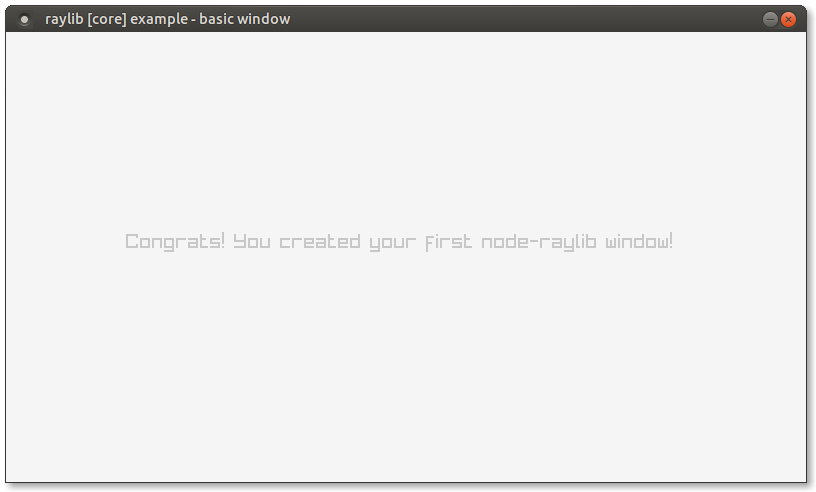
Create a index.js JavaScript file, like core_basic_window.js:
const r = require('raylib')

const screenWidth = 800
const screenHeight = 450
r.InitWindow(screenWidth, screenHeight, "raylib [core] example - basic window")
r.SetTargetFPS(60)

while (!r.WindowShouldClose()) {
    r.BeginDrawing();
    r.ClearBackground(r.RAYWHITE)
    r.DrawText("Congrats! You created your first node-raylib window!", 120, 200, 20, r.LIGHTGRAY)
    r.EndDrawing()
}
r.CloseWindow()
Have npm install the dependencies for you:
npm install
Run index.js through Node.js:
npm start
Check for more examples organized by raylib modules.
Raylib is implemented as bindings with node-addon-api. Bindings are prebuilt for many platforms in Releases. If your platform is not supported by a prebuilt binary, you will need CMake to build the native addon. Windows users building manually will also require MSVC Build Tools 2019, or Visual Studio 2019 with build tools for C/C++.
In general, to install node-raylib locally, use npm:
npm install raylib
On some ARM devices like Raspberry PI, raylib can be used in a DRM mode instead of rendering to an x11 window. This version requires a seperate
native addon, and on installation on ARM devices node-raylib will include both. To use the DRM mode, import raylib/drm instead.
import * as rl from 'raylib/drm/index.js'
const rl = require('raylib/drm')
The project comes with a node-raylib command-line tool to run node-raylib files directly:
# Unix
./bin/node-raylib core_basic_window.js

# Windows
node bin/node-raylib core_basic_window.js
The CLI can be installed globally through npm or npx for no-install:
npm install raylib --global
node-raylib --version
npx -y raylib --version
node-addon-api is used to construct the bindings. Raylib provides a header parser that generates a JSON file containing information on the API. The code binding raylib to NodeJS is automatically generated based on this file. For information on how bindings are written for raylib read the documentation. Code generators for the C++ bindings, TypeScript definitions, and JavaScript wrapper functions are found in the tools/generate_templates folder.
Run the following to run tests...
git clone https://github.com/RobLoach/node-raylib.git
cd node-raylib
npm i
npm t
Typescript definitions are provided by a generator based on raylib's header parser. See node-raylib-definitions.js for information on how to generate them.
To build the packaged releases, use the following command:
npm run pkg
node-raylib is licensed under an unmodified zlib/libpng license, which is an OSI-certified, BSD-like license that allows static linking with closed source software. Check LICENSE for further details.
Copyright (c) 2022 Rob Loach (@RobLoach)
more like this
🎉🌟✨🎈年会抽奖程序,基于 Express + Three.js的 3D 球体抽奖程序,奖品🧧🎁,文字,图片,抽奖规则均可配置,😜抽奖人员信息Excel一键导入😍,抽奖结果Excel导出😎,给你的抽奖活动带来全新酷炫体验🚀🚀🚀
SCYTHE is a lightweight, C#-based game engine focused on modifiability and rapid iteration using Raylib.
.Net 10 (.Net 8+) webassembly starter project using raylib-cs nuget 7.0.2 and raylib 5.5
search projects, people, and tags