Scythe
SCYTHE is a lightweight, C#-based game engine focused on modifiability and rapid iteration using Raylib.
C#★ 50
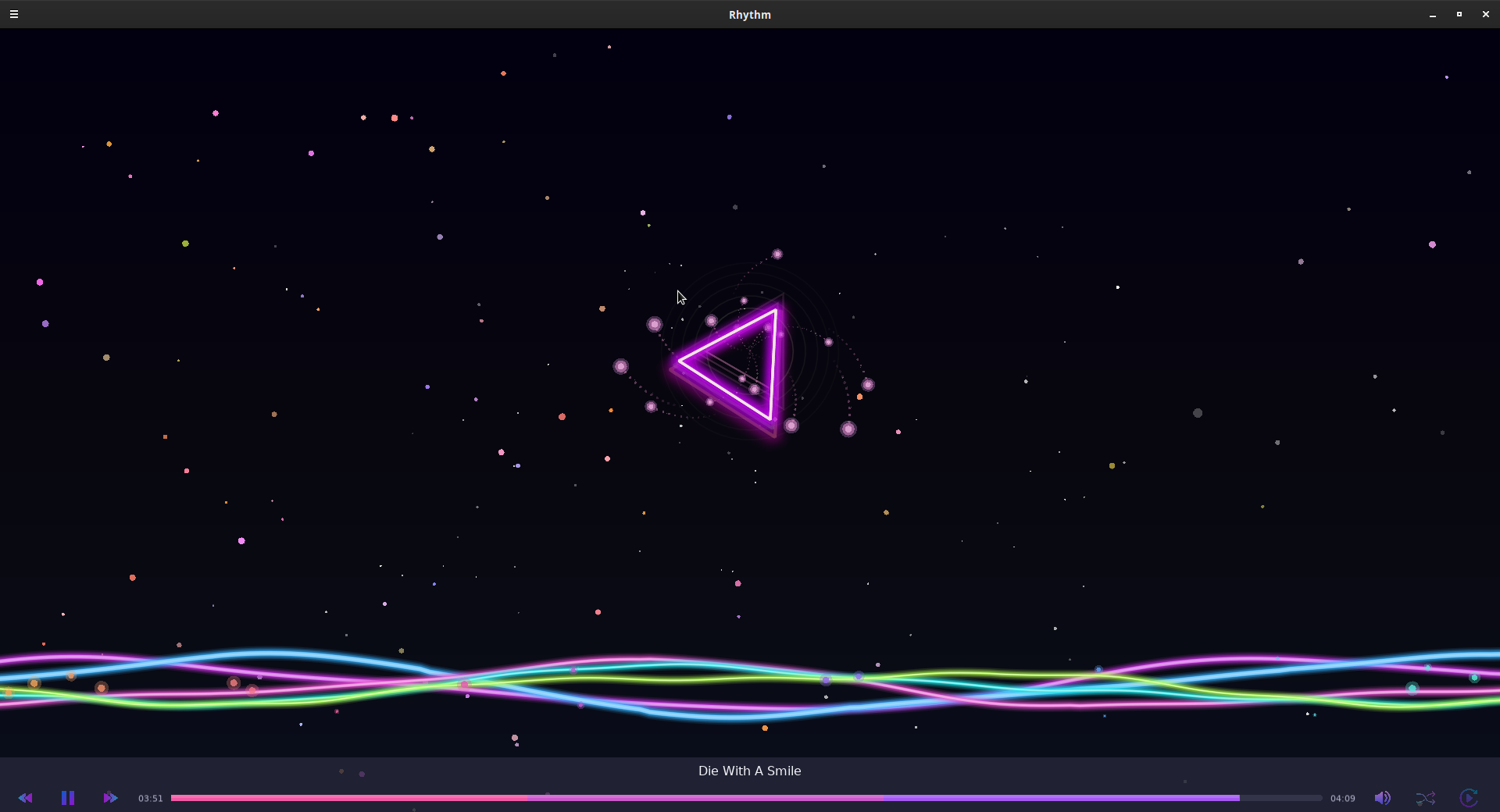
A modern Linux music player with stunning visualizations.
 TrisH0x2A
git clone https://github.com/TrisH0x2A/rhythm.gitTrisH0x2A/rhythm
A modern Linux music player with stunning visualizations
We provide ready-to-install Debian packages for Ubuntu, Debian, and other Debian-based distributions. Choose the package that best fits your needs:
🎵 rhythm-2.0.0-debian-amd64.deb - Complete Edition (Recommended)
🖥️ rhythm-gui-2.0.0-debian-amd64.deb - GUI Only
⌨️ rhythm-tui-2.0.0-debian-amd64.deb - Terminal Only
Download the package that matches your preference from the Releases page
Install the package:
# For the complete edition (recommended)
sudo dpkg -i rhythm-2.0.0-debian-amd64.deb

# For GUI-only version
sudo dpkg -i rhythm-gui-2.0.0-debian-amd64.deb

# For terminal-only version
sudo dpkg -i rhythm-tui-2.0.0-debian-amd64.deb
Install dependencies (if any are missing):
sudo apt-get install -f
Launch Rhythm:
# Complete or GUI version
rhythm                    # Launches GUI
rhythm-cli               # Launches terminal interface (complete edition only)

# Terminal-only version
rhythm                   # Launches terminal interface
All Packages:
GUI Packages Additional Requirements:
After installation, verify that Rhythm is working correctly:
# Check if the command is available
which rhythm

# Test with version info
rhythm --version

# For complete edition, test both interfaces
rhythm --help              # GUI version help
rhythm-cli --help          # Terminal version help (only for complete edition)
Desktop Integration:
rhythm# Remove the installed package sudo dpkg -r rhythm # Complete edition sudo dpkg -r rhythm-gui # GUI-only edition sudo dpkg -r rhythm-tui # Terminal-only edition # Remove configuration files (optional) sudo dpkg --purge rhythm
If the pre-built packages don't work for your system, you can build from source:
LÖVE2D (also known as "Love") is a 2D game framework for Lua. We use it to create the beautiful GUI interface for Rhythm. The command love gui tells LÖVE2D to run the application in the gui directory.
Ubuntu/Debian:
# Core dependencies for CLI
sudo apt update && sudo apt install -y \
    portaudio19-dev libmpg123-dev cmake build-essential

# For GUI support, install LÖVE2D
sudo apt install -y love
Fedora/RHEL:
# Core dependencies for CLI
sudo dnf install -y \
    portaudio-devel mpg123-devel cmake gcc

# For GUI support, install LÖVE2D
sudo dnf install -y love
Arch Linux:
# Core dependencies for CLI
sudo pacman -S \
    portaudio mpg123 cmake gcc

# For GUI support, install LÖVE2D
sudo pacman -S love
Alternative LÖVE2D Installation: If LÖVE2D is not available in your package manager, download from love2d.org:
# Download and install LÖVE2D AppImage (works on most Linux distros)
wget https://github.com/love2d/love/releases/download/11.4/love-11.4-x86_64.AppImage
chmod +x love-11.4-x86_64.AppImage
sudo mv love-11.4-x86_64.AppImage /usr/local/bin/love
# Clone the repository
git clone https://github.com/dexter-xD/rhythm.git
cd rhythm

# Build the project
mkdir build && cd build
cmake ..
make

# Install (optional)
sudo make install
Play a single file:
./rhythm song.mp3
Play entire directory:
./rhythm /path/to/music/folder
CLI Controls:
Launch GUI:
# From the project root directory
love gui

# Alternative: if you're in the gui directory
cd gui
love .
Note: Make sure you have LÖVE2D installed (see installation instructions above)
GUI Features:
GUI Controls:
The GUI features multiple visualization modes:
rhythm/
├── src/core/          # C audio engine
├── src/cli/           # Terminal interface
├── gui/               # LÖVE2D GUI application
├── include/           # Header files
├── tests/             # Unit tests
└── build/             # Build artifacts
CLI Only:
cmake -DBUILD_CLI=ON -DBUILD_GUI=OFF ..
make
GUI Development:
# Run GUI directly for development (from project root)
love gui

# Or from gui directory
cd gui && love .

# For live development with file watching
love gui --console
Run Tests:
make test
"love: command not found"
# Check if LÖVE2D is installed
which love

# If not installed, install it:
sudo apt install love  # Ubuntu/Debian
sudo dnf install love  # Fedora
sudo pacman -S love    # Arch

# Or download AppImage from love2d.org
GUI won't start
# Make sure you're in the project root directory
pwd  # Should show /path/to/rhythm

# Run from project root
love gui

# Check for error messages
love gui --console
Audio not working in GUI
make in the build directorylibrhythm_engine.so exists in the build directoryWe welcome contributions from the community! Whether you're fixing bugs, adding features, or improving documentation, your help is appreciated.
Quick Start:
git checkout -b feature/amazing-feature)git commit -m 'Add amazing feature')git push origin feature/amazing-feature)Development Areas:
This project is licensed under the MIT License - see the LICENSE file for details.
more like this
SCYTHE is a lightweight, C#-based game engine focused on modifiability and rapid iteration using Raylib.
Open the next door in your Vim journey — personalized command discovery based on your actual usage
search projects, people, and tags