Godot-Voxel-Destruction
Allows dynamic voxel destruction with debris along with other voxel features. Allows importing .vox files and damaging…
GDScript★ 52
Voxel graphics framework using ARKit + SceneKit
 VoxxxelAR
git clone https://github.com/VoxxxelAR/ARVoxelKit.gitVoxxxelAR/ARVoxelKitLightweight Framework for Voxel graphic using AR + SceneKit
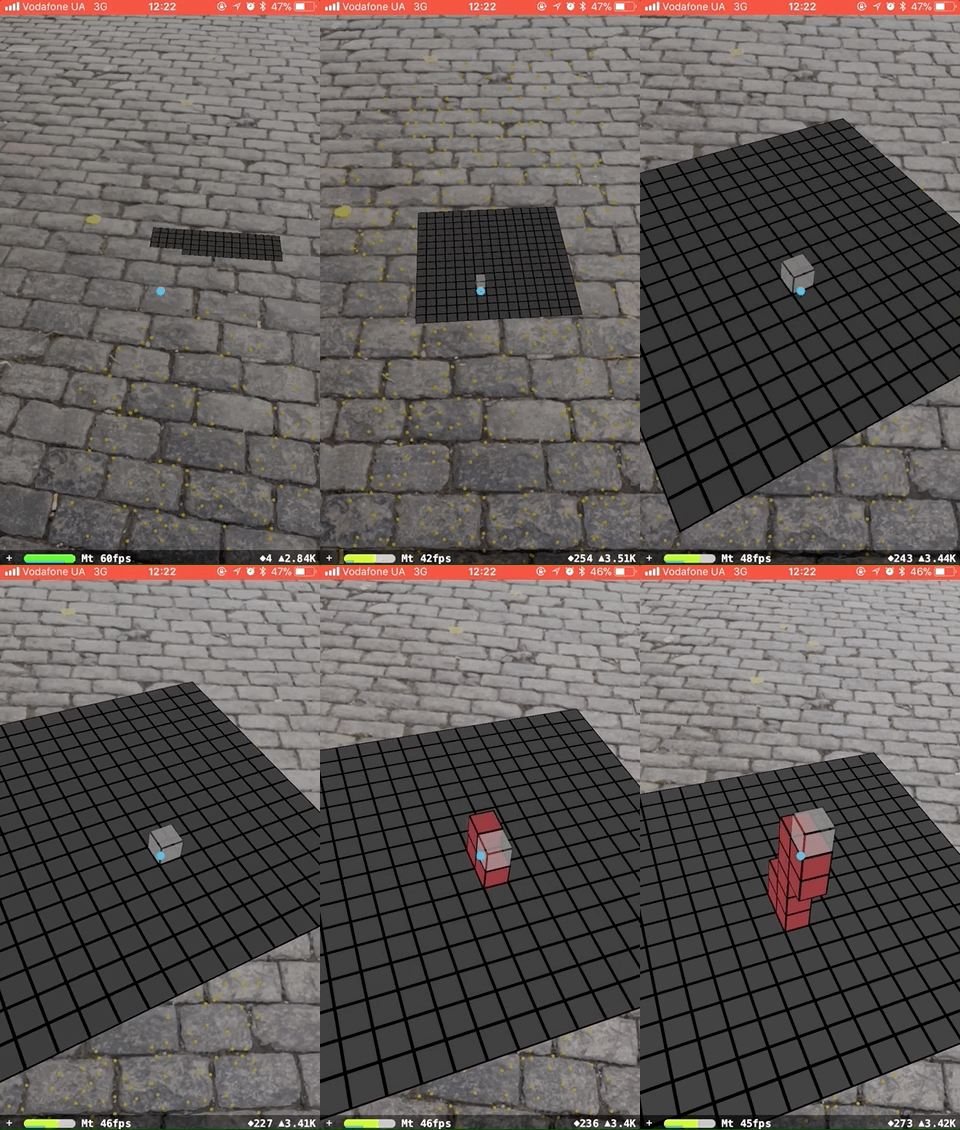
ARVoxelKit requires iOS 11 and devices, which support ARKit
import ARVoxelKit
import ARKit
import SceneKit
var sceneManager: VKSceneManager?

@IBOutlet open var sceneView: ARSCNView! {
    didSet { sceneManager = VKSceneManager(with: sceneView) }
}

override open func viewDidLoad() {
    super.viewDidLoad()
    sceneManager.delegate = self
}

override open func viewDidAppear(_ animated: Bool) {
    super.viewDidAppear(animated)
    sceneManager?.launchSession()
}

override open func viewWillDisappear(_ animated: Bool) {
    super.viewWillDisappear(animated)
    sceneManager?.pauseSession()
}
public protocol VKSceneManagerDelegate: class {
    var voxelSize: CGFloat { get }

    func vkSceneManager(_ manager: VKSceneManager, shouldResetSessionFor state: VKARSessionState) -> Bool
    func vkSceneManager(_ manager: VKSceneManager, didUpdateState state: VKARSessionState)
    func vkSceneManager(_ manager: VKSceneManager, didFocus node: VKDisplayable, face: VKVoxelFace)
    func vkSceneManager(_ manager: VKSceneManager, didDefocus node: VKDisplayable?)
    func vkSceneManager(_ manager: VKSceneManager, countOfVoxelsIn scene: ARSCNView) -> Int
    func vkSceneManager(_ manager: VKSceneManager, voxelFor index: Int) -> VKVoxelNode
}
public func add(new voxel: VKVoxelNode)
public func add(new voxel: VKVoxelNode, to otherVoxel: VKVoxelNode, face: VKVoxelFace)
public func add(new voxel: VKVoxelNode, to tile: VKTileNode)
public func remove(_ voxel: VKVoxelNode)
public enum VKPaintCommand {

    case color(content: UIColor)
    case faceColor(content: UIColor, face: VKVoxelFace)
    case colors(contents: [UIColor])

    case image(content: UIImage)
    case faceImage(content: UIImage, face: VKVoxelFace)
    case images(contents: [UIImage])

    case gradient(contents: [UIColor], start: CGPoint, end: CGPoint)
    case faceGradient(contents: [UIColor], start: CGPoint, end: CGPoint, face: VKVoxelFace)

    case transparency(value: CGFloat)
    case faceTransparency(value: CGFloat, face: VKVoxelFace)
}
for example:
voxel.apply([.color(content: VKConstants.defaultFaceColor),
             .transparency(value: 1)], animated: true)
Check our example by running ARVoxelKitExample target
more like this
Allows dynamic voxel destruction with debris along with other voxel features. Allows importing .vox files and damaging…
Voxel.Wiki is a website that is all about voxels: Values on regular grids in three-dimensional space!
search projects, people, and tags