agentlytics
Comprehensive analytics dashboard for AI coding agents — Cursor, Windsurf, Claude Code, VS Code Copilot, Zed, Antigravi…
JavaScript★ 555
Privacy-focused Local-First Cross platform alternative to Raycast.
 Xoshbin
The power of Raycast. The speed of Alfred. Privacy by design.
A fast, open-source launcher for macOS, Windows, and Linux.
Asyar is built with Tauri + Rust instead of Electron. That means:
Native performance, web flexibility — Rust does the heavy lifting, Svelte 5 keeps the UI snappy.
| Metric | Asyar 0.1.1-38 | Raycast 1.104.23 | Raycast Beta 0.69.0.0 |
|---|---|---|---|
| Hotkey → window visible (median of 15) | 12.0 ms | 21.7 ms | 17.1 ms |
| Hotkey → window visible (p95) | 14.7 ms | 24.0 ms | 27.0 ms |
| Cold start → usable | 572 ms | 888 ms | 1012 ms |
| Memory footprint, idle (all processes) | 435.6 MB | 272.6 MB | 463.9 MB |
| CPU while idle (30s average) | 3.20 % | 0.04 % | 1.45 % |
| App size on disk | 64 MB | 209 MB | 179 MB |
Measured 2026-07-17 on a Apple M4 Max (36 GB RAM), macOS 26.5.2, each app
as installed, summoned by its own registered global hotkey, one at a time on a
quiet machine. Black-box measurement: synthetic hotkey press → launcher window
on screen. Reproduce with benchmarks/bench.sh.
Don't take our word for it: benchmarks/bench.sh measures Asyar and Raycast (stable and beta) black-box on your own machine — hotkey-to-window latency, cold start, full-process-group memory, idle CPU, and disk size — and regenerates this table with --update-readme.
 |
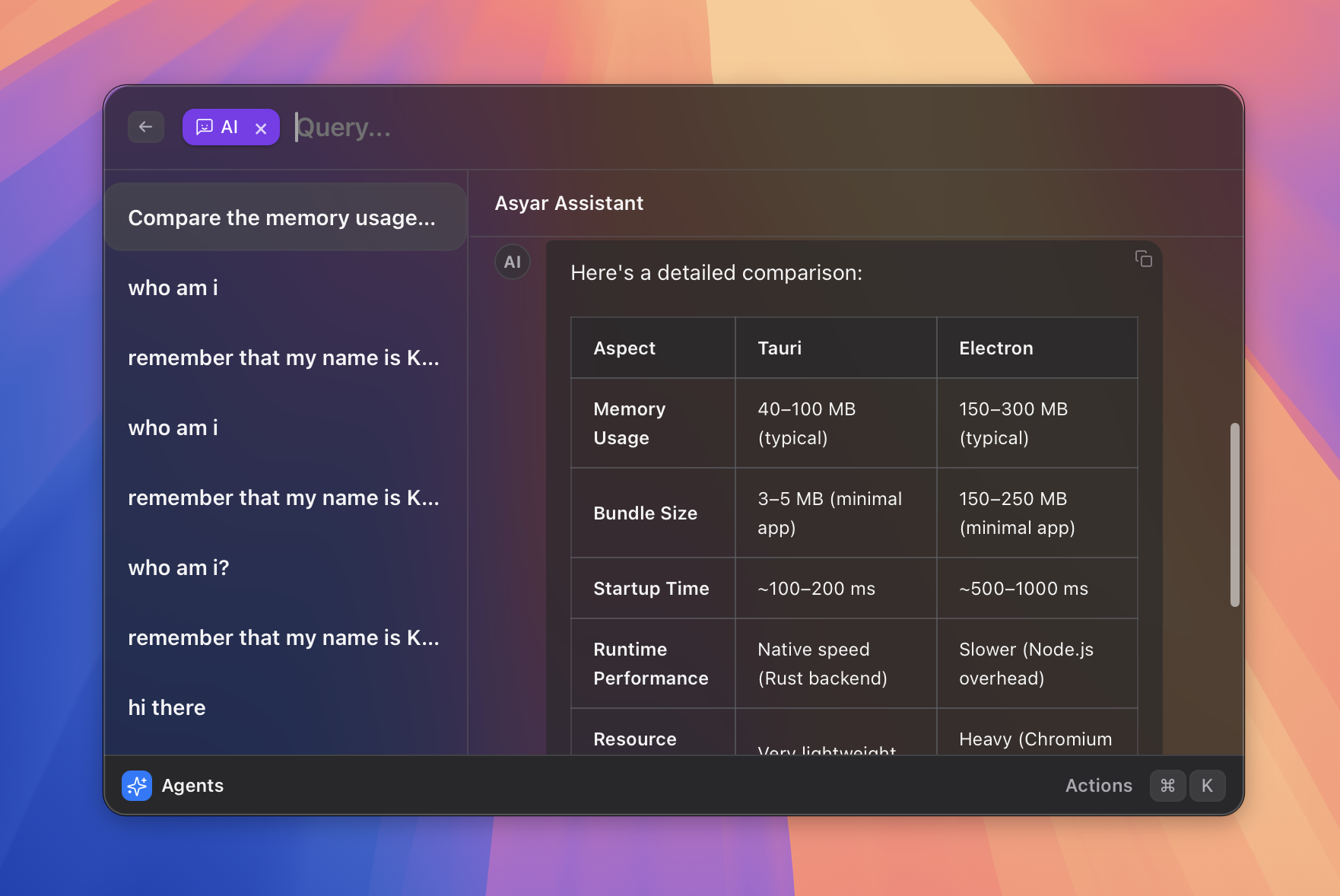 |
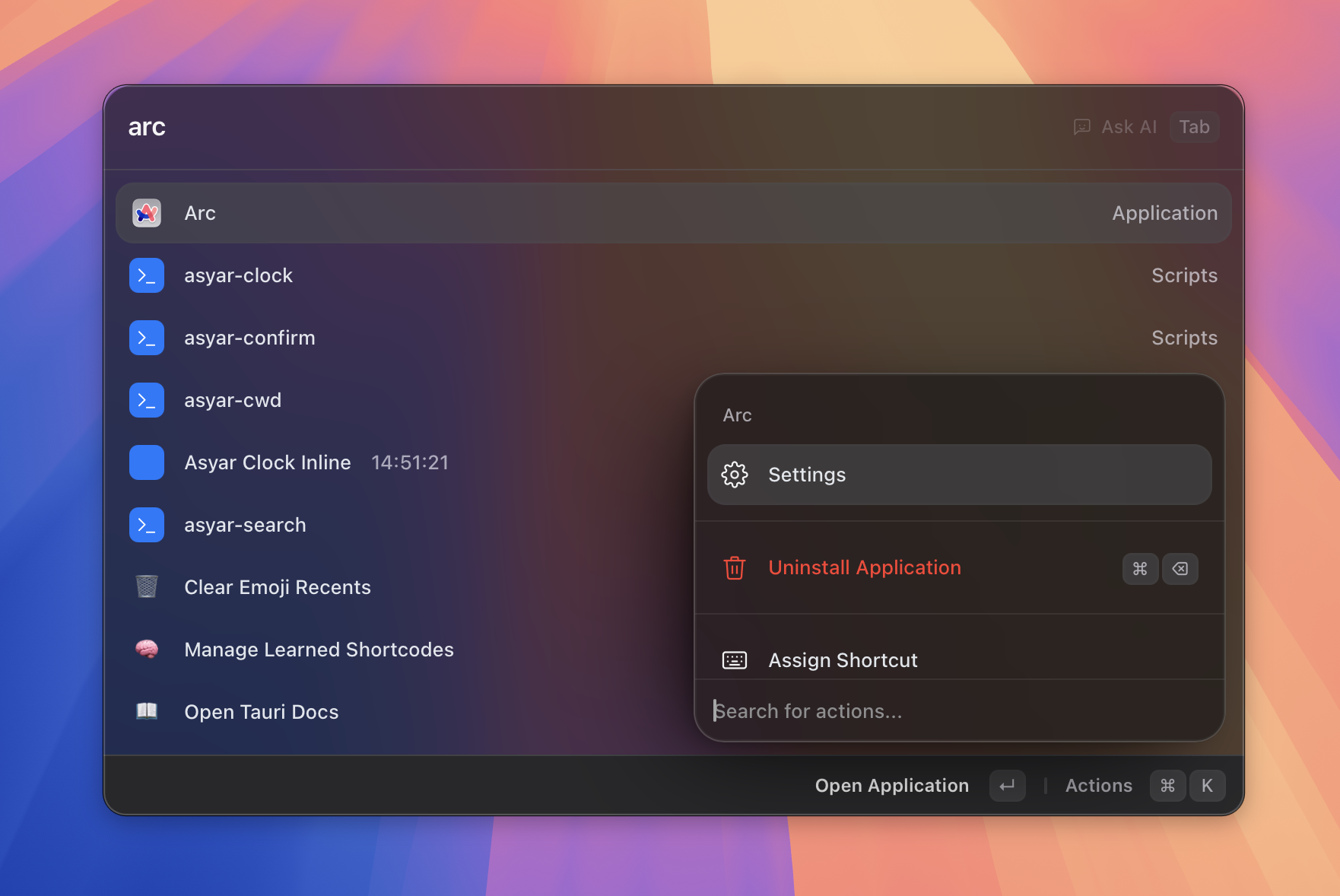
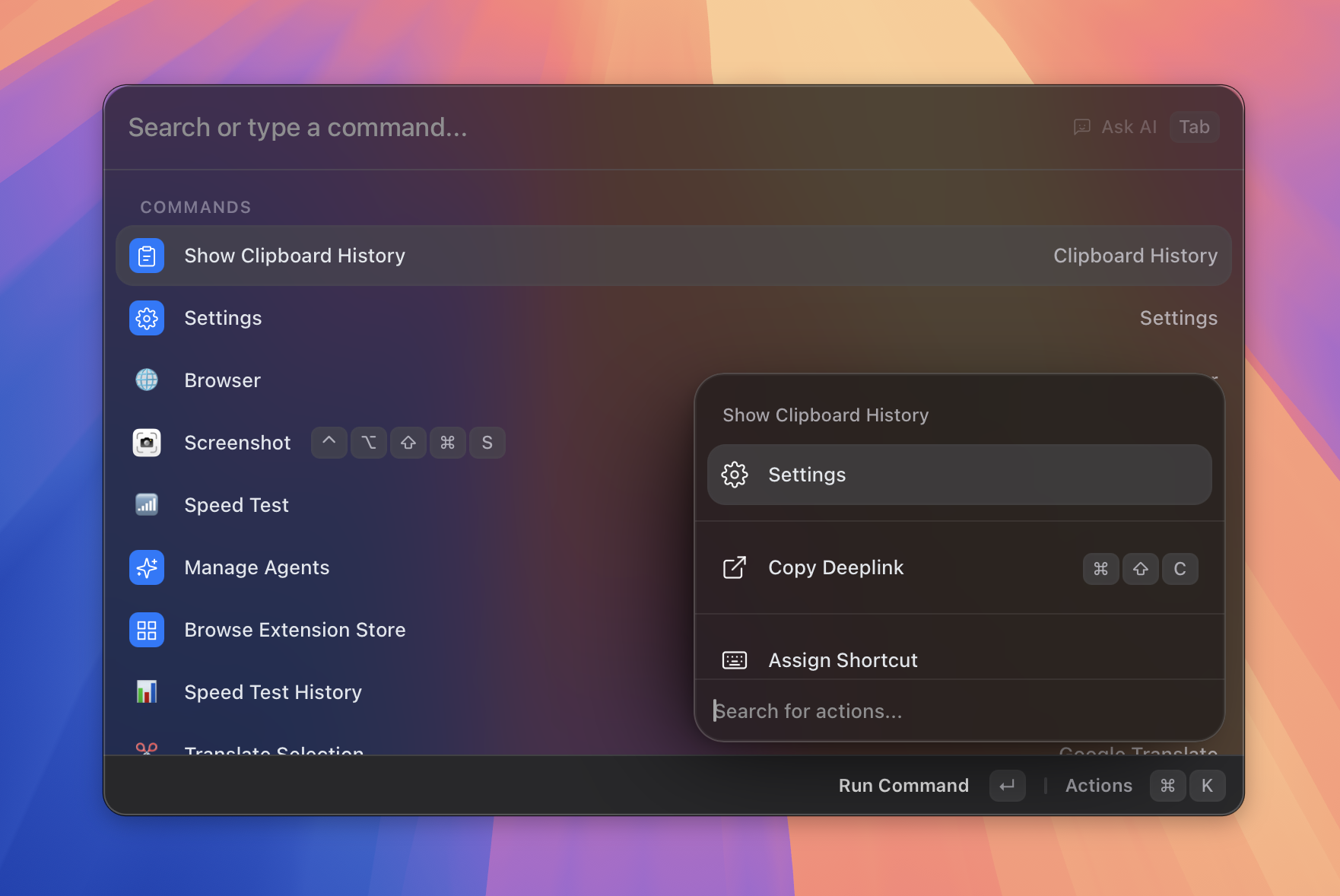
| Fast fuzzy search | AI agents with tool calling |
 |
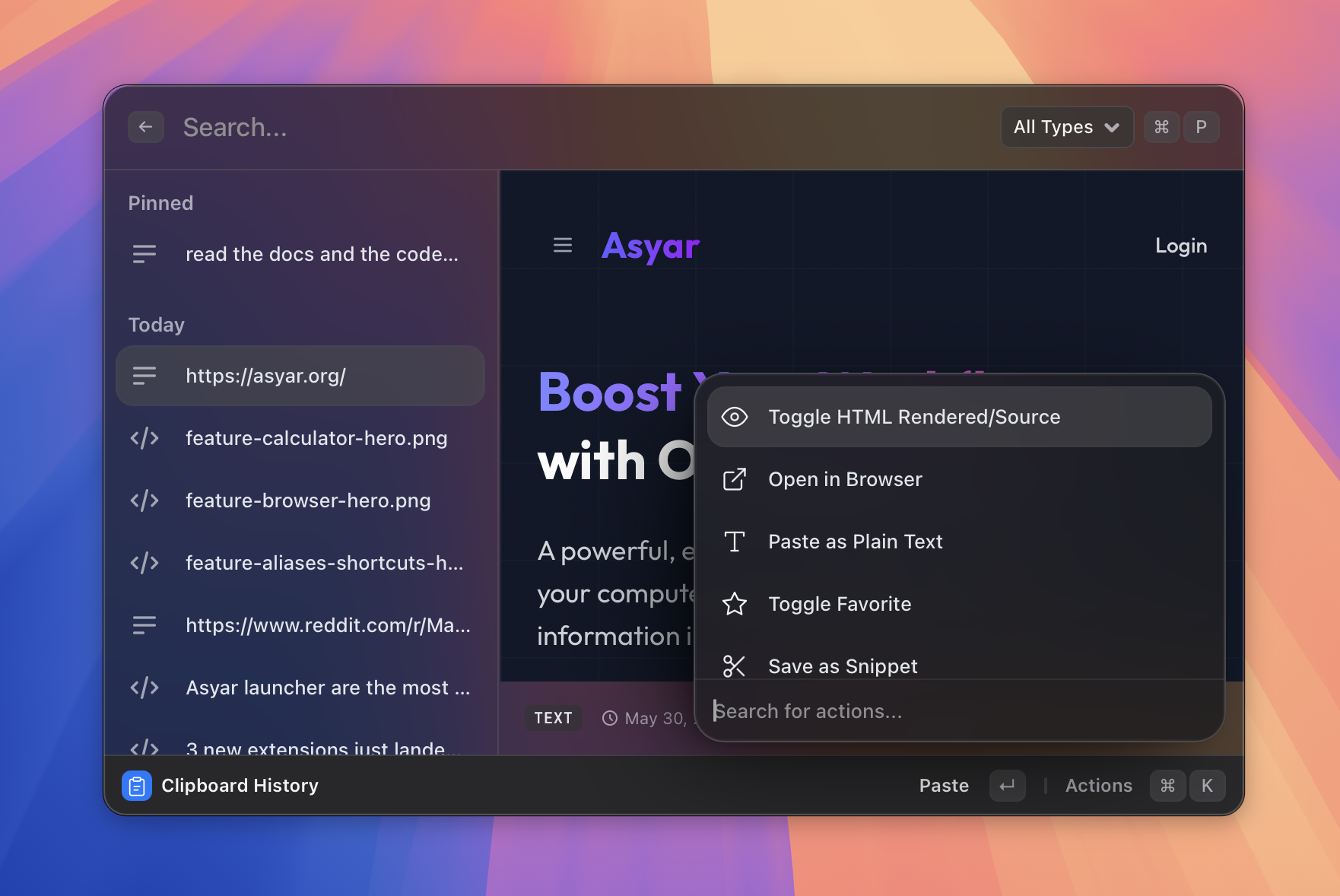 |
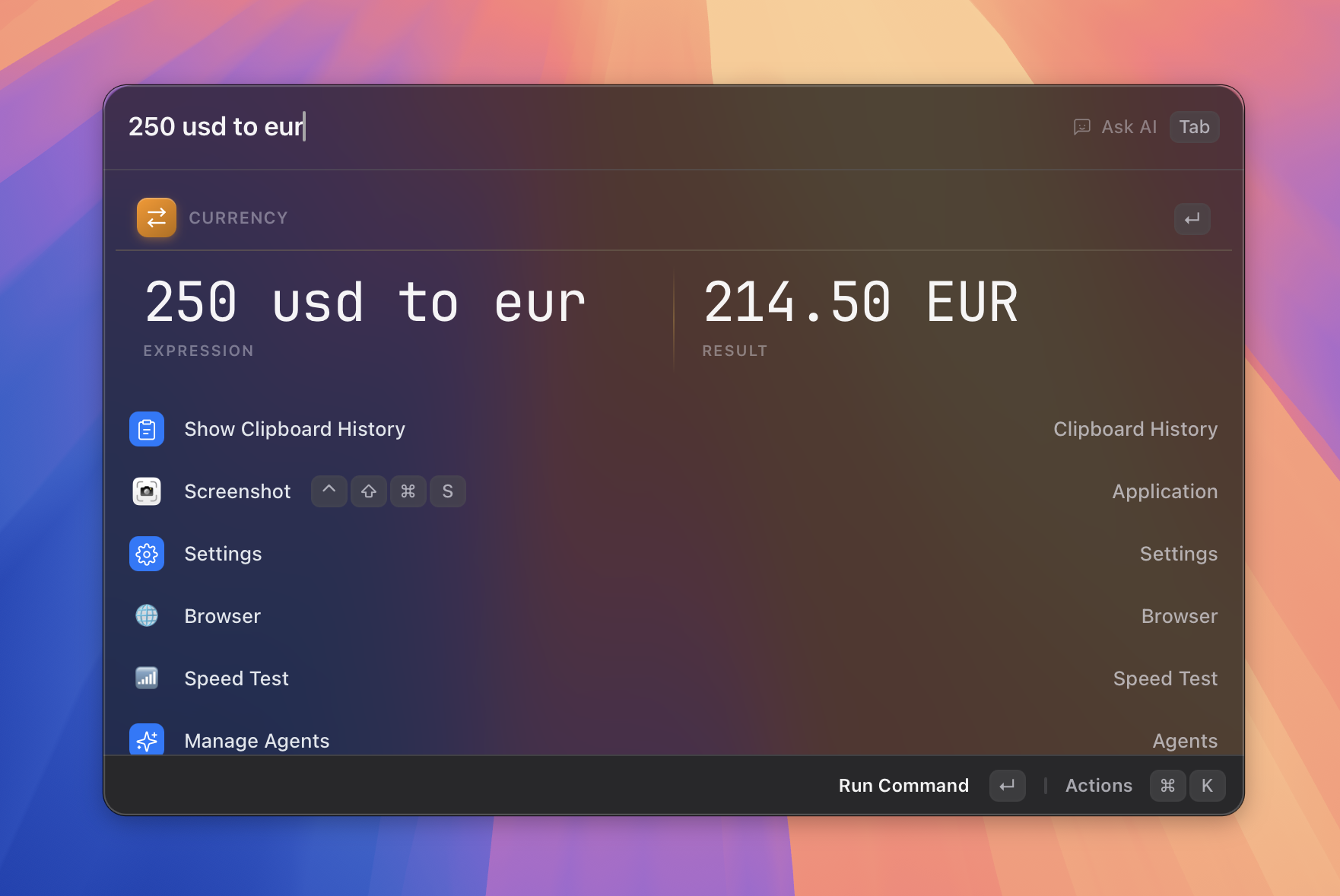
| Instant calculator | Clipboard history |
 |
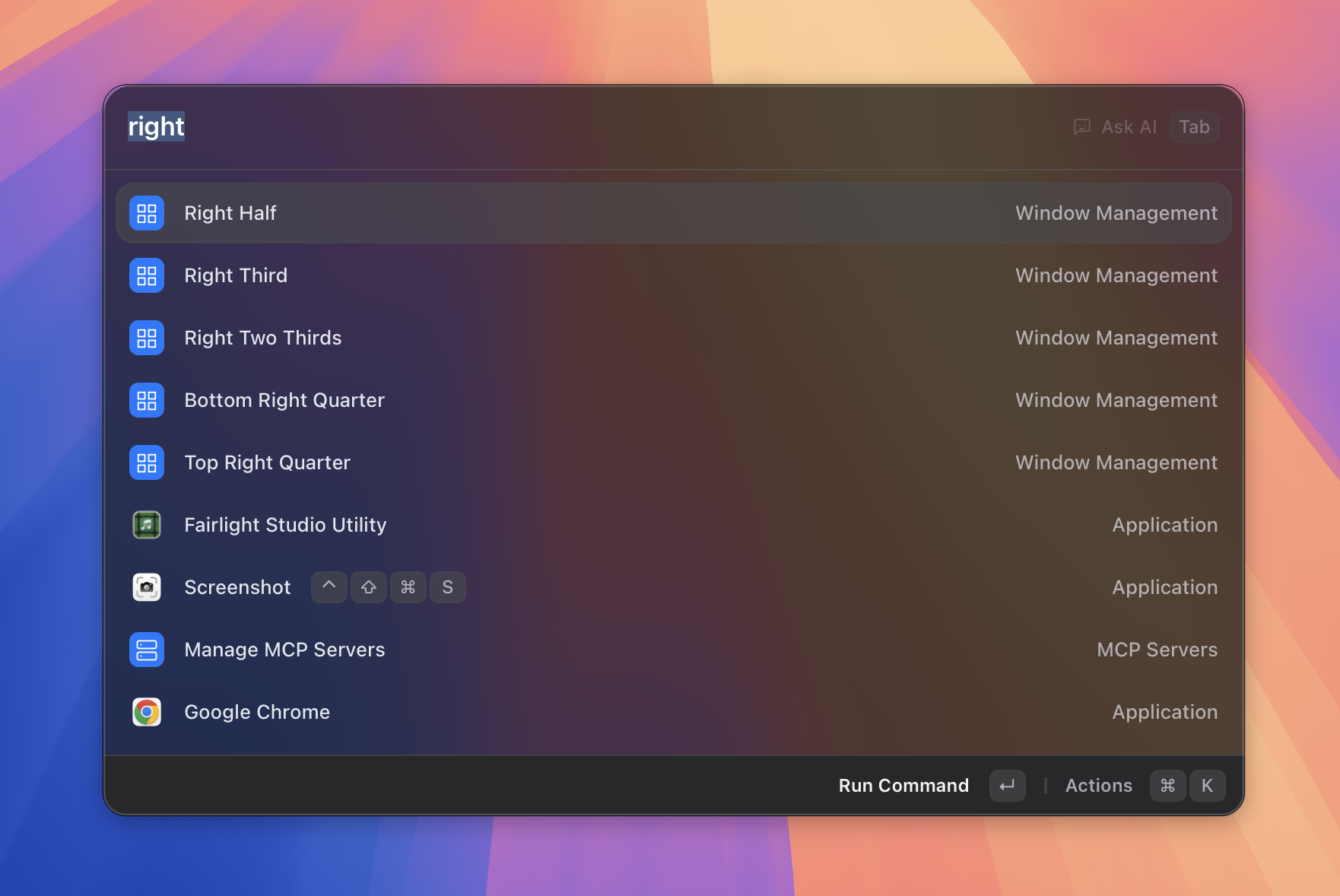 |
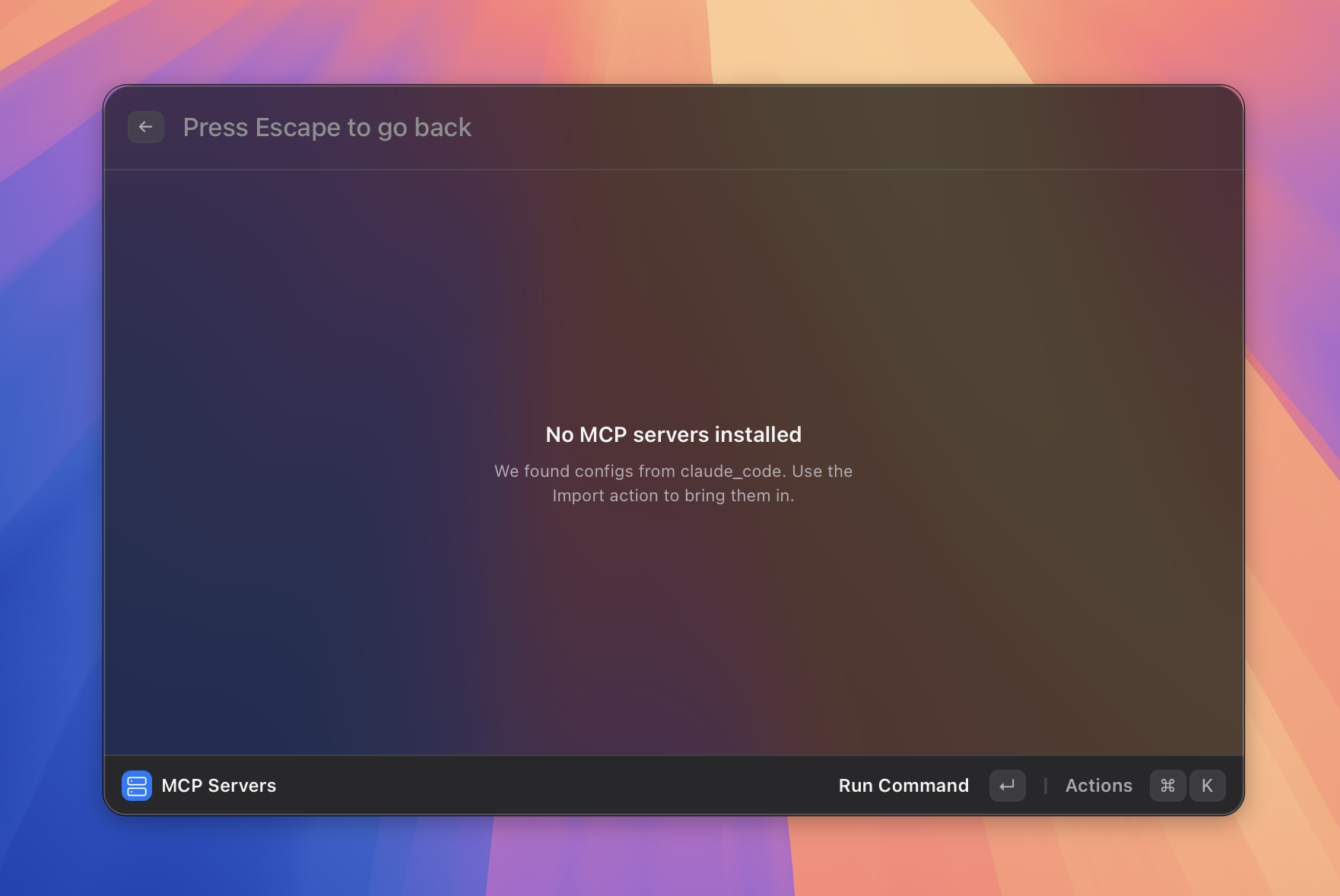
| MCP servers | Window management |
 |
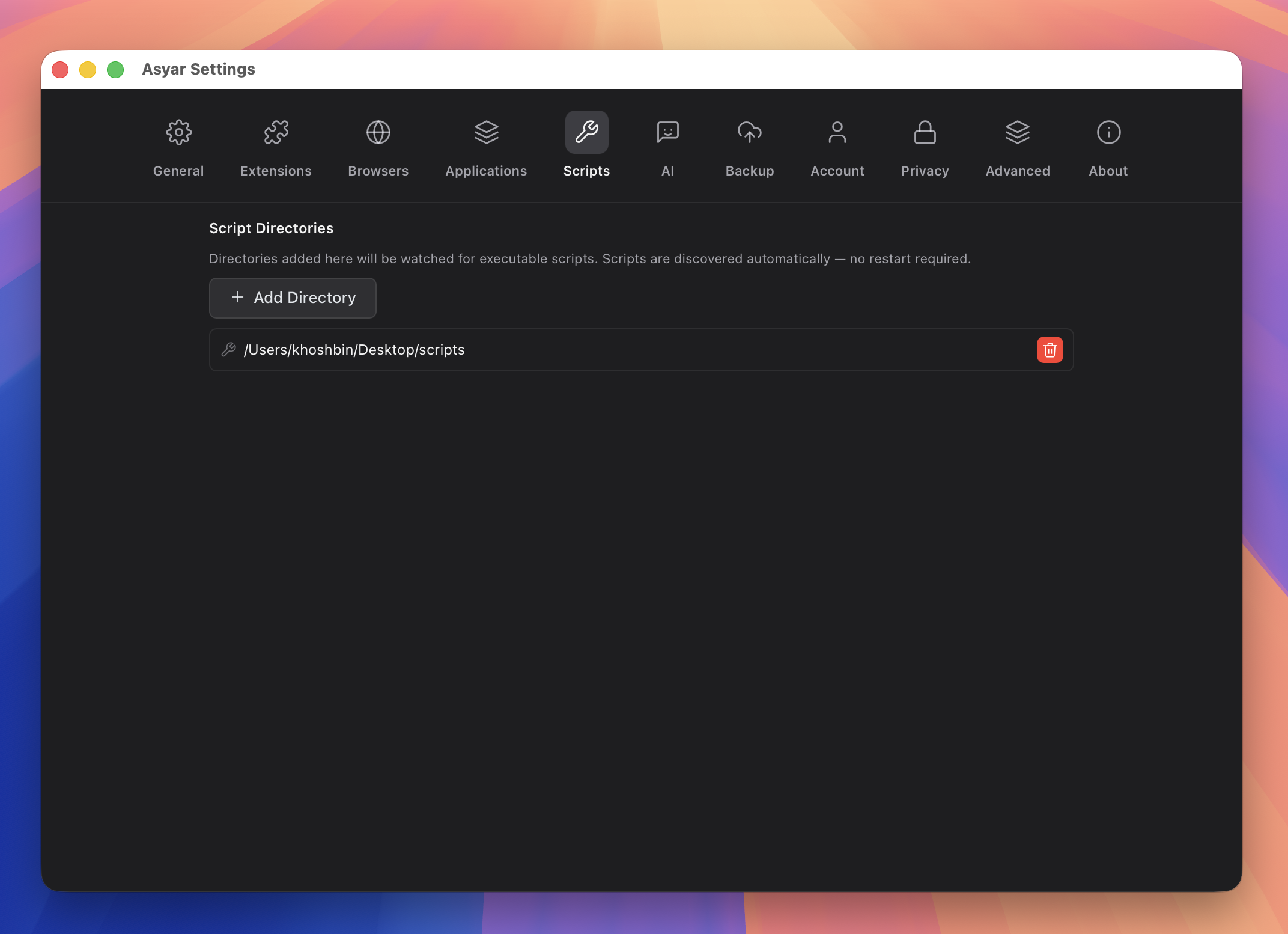 |
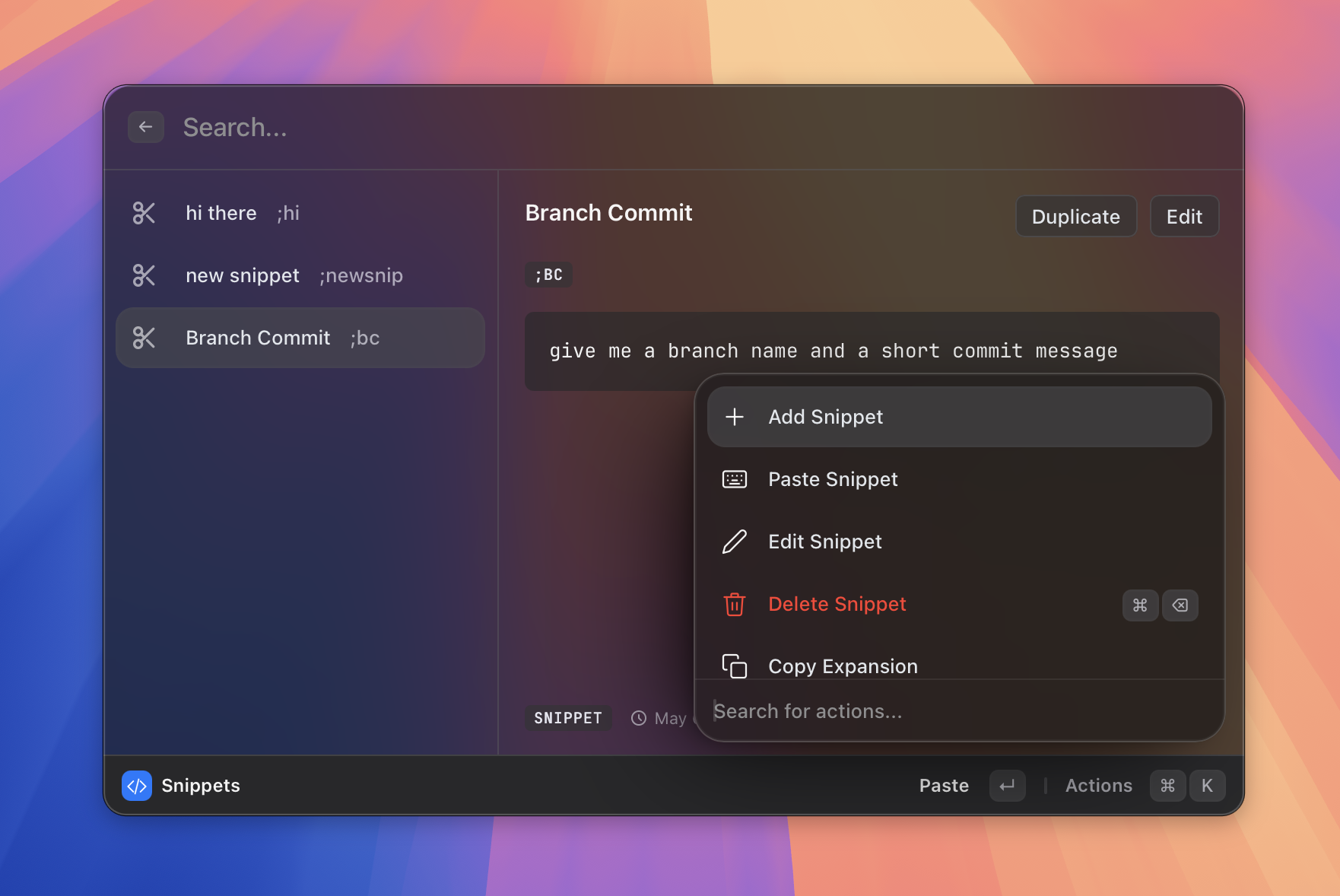
| Snippets | Scripts |
 |
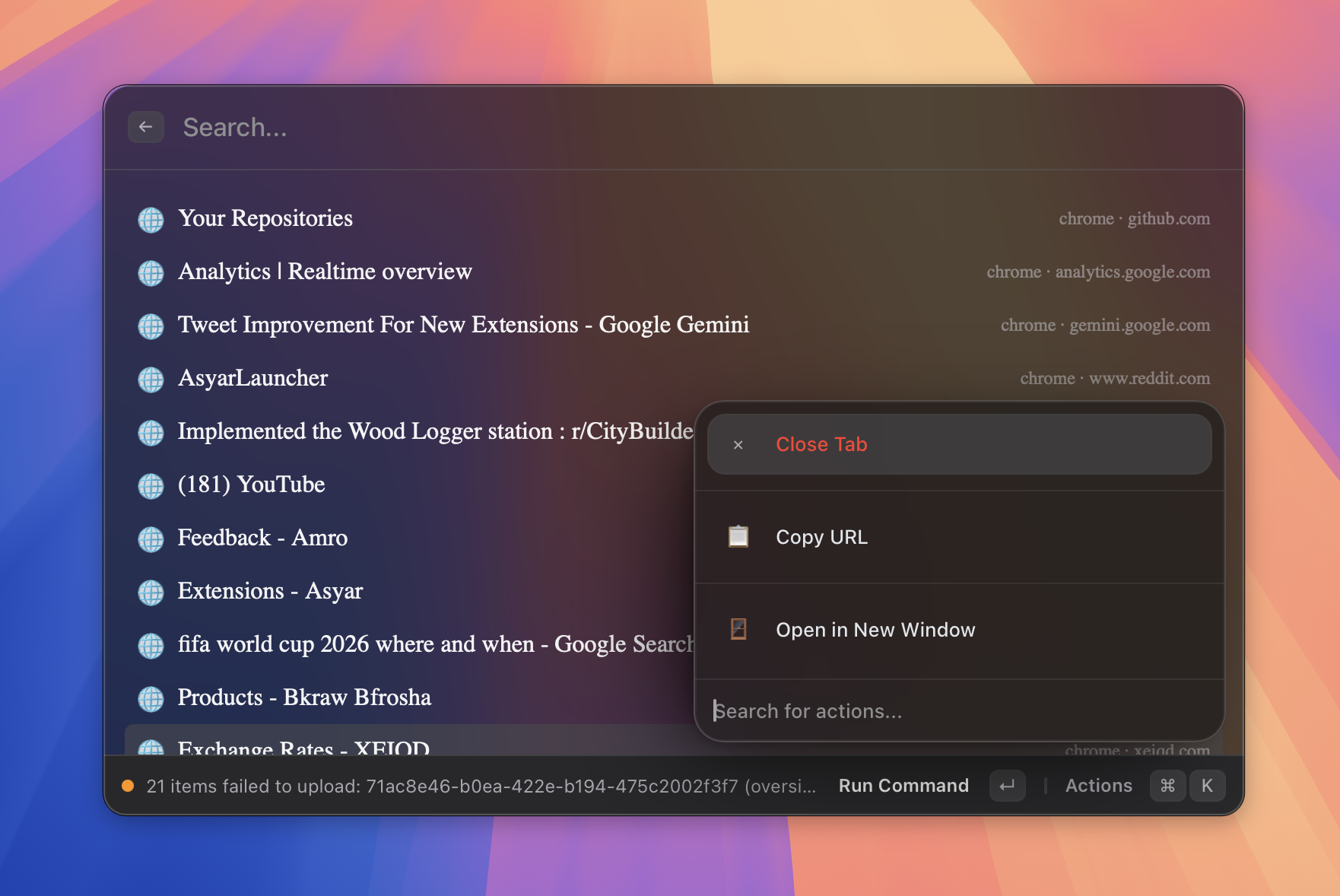 |
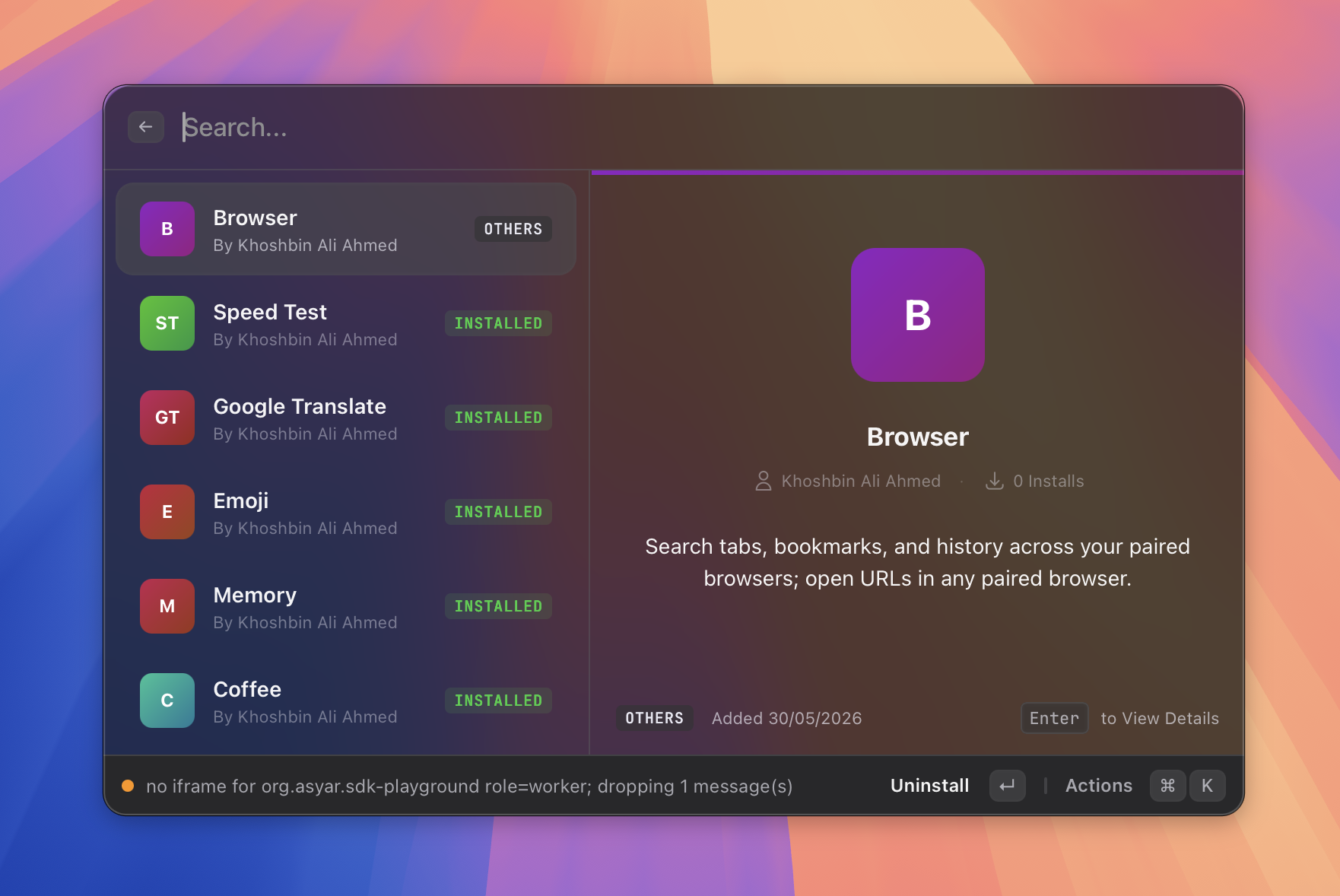
| Extensions | Browser integration |
 |
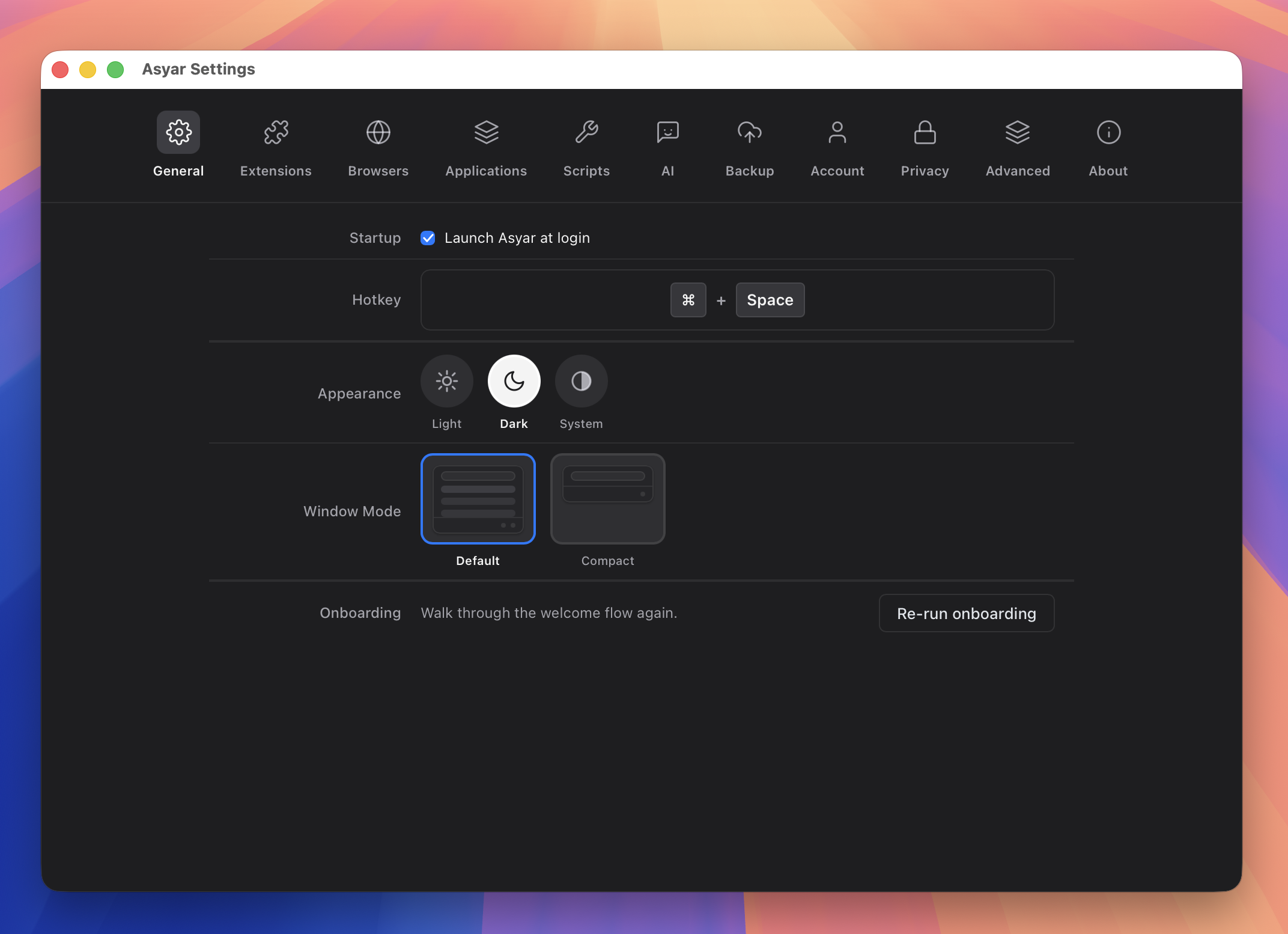 |
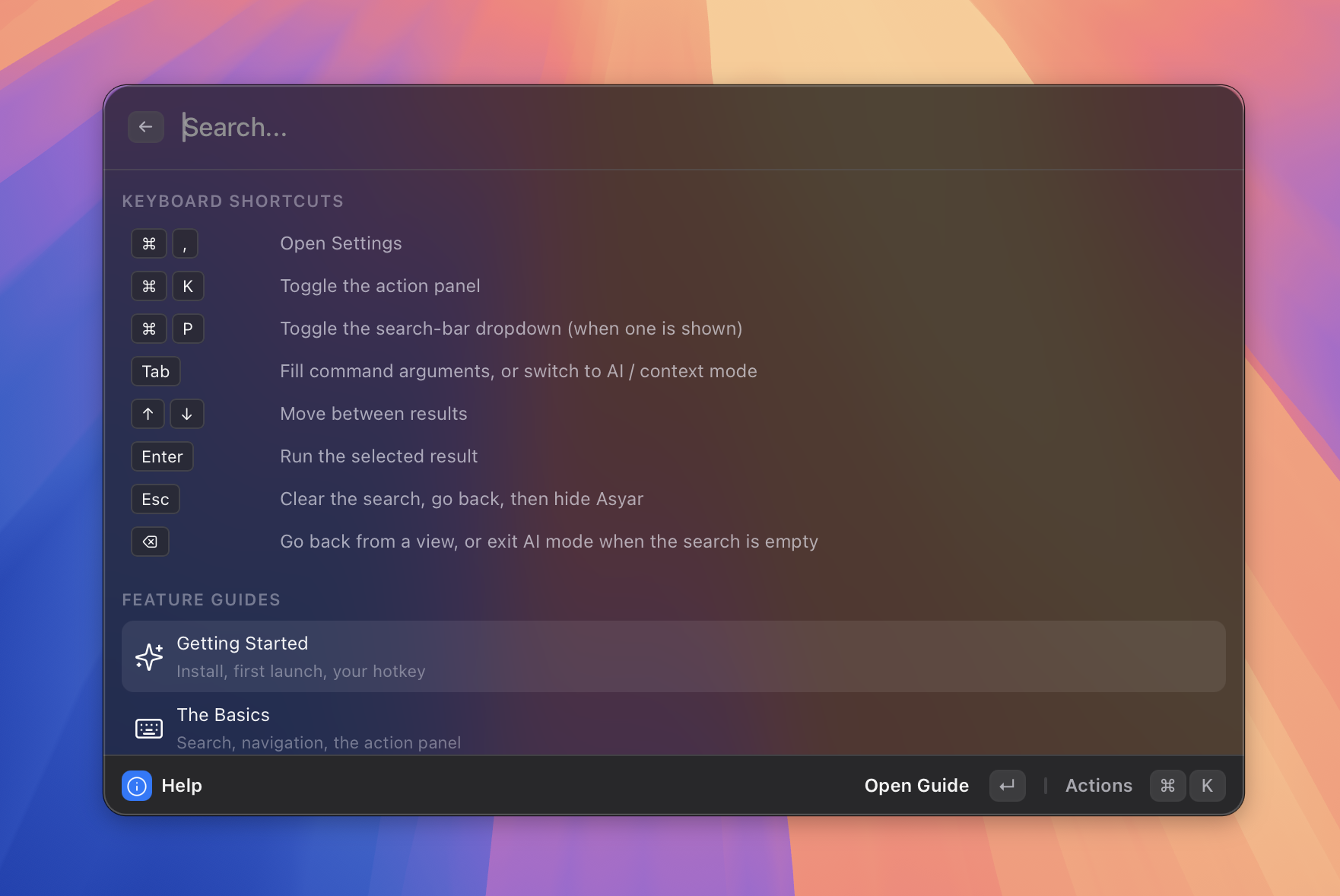
| Keyboard-first | Settings |
macOS / Linux:
curl -fsSL https://raw.githubusercontent.com/Xoshbin/asyar/main/install.sh | sh
macOS, via Homebrew:
brew tap Xoshbin/asyar
brew trust --tap xoshbin/asyar   # one-time — Homebrew 6+ requires trusting third-party taps
brew install --cask asyar
Windows, or a manual download for any OS: grab the installer for your platform from Releases.
| Asyar | Raycast | Alfred | |
|---|---|---|---|
| Open Source | ✅ | ❌ | ❌ |
| Local-First (data never leaves device) | ✅ | ❌ | ✅ |
| No Account Required | ✅ | ❌ (Pro features) | ✅ |
| No Cloud Required | ✅ | ❌ | ✅ |
| Free Extensions | ✅ | Freemium | Paid Powerpack |
| Linux Support | ✅ | ❌ | ❌ |
| Native Rust Backend | ✅ | ❌ | ❌ |
| Reactive Svelte 5 UI | ✅ | ❌ | ❌ |
| Extension Sandboxing | ✅ | ❌ | ❌ |
| Root-Search Extension Actions | ✅ | ❌ | ❌ |
| Window Management | ✅ | ✅ | ❌ |
| Deep Link Integration | ✅ | ✅ | ✅ |
| Background Scheduling (native Rust daemon) | ✅ | ❌ | ❌ |
| Reactive Live Subtitles (real-time root list updates) | ✅ | ❌ | ❌ |
| Silent AI Commands (no-window in-place text replacement) | ✅ | ❌ | ❌ |
Tab from the empty launcher to summon it. Streaming responses, LaTeX math, syntax highlighting, and Mermaid diagrams included.bun and uv let npx/uvx-based servers run without a local Node.js or Python install. First-call permission prompts gate write and exec tools per agent.@asyar.title, @asyar.icon, @asyar.argument:N) so your script gets a name, icon, and prompted arguments. Live progress surfaces as a run row.ask ai, a URL, etc.) to switch the launcher into a specialized mode; visual chips indicate the active context~/AsyarExtensions. Uses your own Anthropic key (BYOK, no Asyar account). Browse and one-click-publish everything you've built from the My Extensions view.manifest.json at two scopes: extension-level (any command selected) and command-level (only that command). Both scopes stack automatically.asyar://extensions/{extensionId}/{commandId}?param=value URLsupdateCommandMetadata()schedule interval in manifest.json (1 min – 24 h) to run background tasks automatically, even when the launcher is closedCmd+K / Ctrl+K) to summon from anywhere| Asyar | |
|---|---|
| Data stored locally only | ✅ |
| Works fully offline | ✅ |
| No telemetry by default | ✅ |
| No account or login required | ✅ |
| No subscription to unlock features | ✅ |
| Extensions run in sandboxed iframes | ✅ |
| Sensitive backup fields encrypted | ✅ |
| Honors OS "do not capture" clipboard flags | ✅ |
| Configurable password-manager denylist | ✅ |
| Auto-redacts known secret formats (API keys, JWTs, private keys) | ✅ |
| AI provider receives redacted user messages, not raw secrets | ✅ |
| Local encryption at rest with OS-keychain key | ✅ |
| Cloud sync uploads only what changed | ✅ |
| Optional end-to-end encrypted cloud sync (passphrase + Argon2id + AES-256-GCM) | ✅ |
Asyar's privacy work is layered — each layer protects a different boundary, and the layers compose.
When a clipboard event arrives, Asyar inspects the OS pasteboard's type identifiers and the source app's bundle id before writing anything to disk. Items match any of the following are dropped at the door:
org.nspasteboard.ConcealedType, TransientType, AutoGeneratedType, or Apple's auto-generated promised type.CanIncludeInClipboardHistory or ExcludeClipboardContentFromMonitorProcessing.Items rejected at this layer never reach SQLite, so they cannot leak via local disk theft, the diagnostics channel, or cloud sync.
For everything that does get stored, Asyar runs a regex-based detector over clipboard items (text / HTML / RTF), snippet expansions, and AI conversation messages. Each match is replaced in place with [redacted: <kind>] — items still appear in history but the secret value is gone.
Bundled detector kinds (false-positive rate near zero on plain-English text):
| Category | Kinds |
|---|---|
| Cloud & infra | aws_access_key, stripe_live_secret, stripe_restricted |
| Source forges | github_pat, github_oauth, github_user_to_server, github_server_to_server, github_refresh, gitlab_pat |
| Chat & AI | slack_token, openai_key, anthropic_key |
| Cryptography | pem_private_key, jwt |
| Financial | credit_card (Luhn-validated) |
AI conversations are redacted before the provider call — the AI provider never sees raw secrets either, even if the user pastes a JWT and asks "what does this token mean?".
The user can disable redaction globally or per-category in Settings → Privacy → Secret Redaction. The detector is a pure Rust function with a 1 MB scan cap; classifier latency is sub-millisecond on a typical paste.
Clipboard content / preview, snippet expansion, AI conversation message bodies, and encrypted extension preferences are stored as AES-256-GCM ciphertext on disk. The 32-byte master key lives in the OS keychain — Keychain Services on macOS, Credential Manager on Windows, freedesktop Secret Service on Linux. An offline disk image alone is no longer sufficient to read your data; the attacker also needs an unlocked session keychain.
On Linux without Secret Service (headless, minimal WM, DBus-less containers) Asyar falls back to a 0600 file-backed key and surfaces a warning in Settings → Privacy → Encryption at Rest, telling you to install gnome-keyring or KWallet for full protection. macOS / Windows treat keychain unavailability as fatal — the keychain is part of the OS install, so failure is exceptional and refusing to start is safer than silent degradation.
Cloud sync (when enabled) is built around a simple privacy promise: the less data on the wire, the smaller the surface for any potential breach. Asyar uploads only what you've actually changed since your last sync — never your whole history, never on a fixed schedule. An idle launcher moves zero bytes. Editing one snippet syncs one snippet. Concurrent edits on different devices coexist instead of overwriting each other.
Opt-in passphrase-based E2EE on top of the per-item sync layer. Default OFF. Enable in Settings → Account → Encrypted Sync.
See docs/explanation/clipboard-privacy.md for the full design.
| Feature | macOS | Windows | Linux (X11)* |
|---|---|---|---|
| Spotlight | ✅ | ✅ | ✅ |
| Applications | ✅ | ✅ | ✅ |
| Application Icons | ✅ | ✅ | ✅ |
| AI Agents | ✅ | ✅ | ✅ |
| Silent AI Commands | ✅ | ✅ | ✅ |
| MCP Servers | ✅ | ✅ | ✅ |
| Scripts | ✅ | ✅ | ✅ |
| Calculator | ✅ | ✅ | ✅ |
| Clipboard History | ✅ | ✅ | ✅ |
| File Search | ✅ | ✅ | ✅ |
| Context Modes | ✅ | ✅ | ✅ |
| Create Extension | ✅ | ✅ | ✅ |
| Portals | ✅ | ✅ | ✅ |
| Shortcuts | ✅ | ✅ | ✅ |
| Snippets | ✅ | ✅ | ✅ |
| Store | ✅ | ✅ | ✅ |
| Installed Extensions | ✅ | ✅ | ✅ |
| Backup & Restore | ✅ | ✅ | ✅ |
| Window Management | ✅ | ✅ | ✅ |
| Deep Links | ✅ | ✅ | ✅ |
| Background Scheduling | ✅ | ✅ | ✅ |
| HUD Notifications | ✅ | ✅ | ✅ |
- Note on Linux Wayland: Global input-heavy features like Snippets do not work on Wayland (e.g., default Ubuntu 22.04+, Fedora 25+, KDE Plasma 6).
(Asyar is fully tested and verified on macOS, Windows 11, and Debian)
| Layer | Technology | Why It Matters |
|---|---|---|
| Backend | Rust (Tauri v2) | Native OS integration, memory safety, no Electron overhead |
| Frontend | Svelte 5 | Fine-grained reactivity, minimal bundle size, instant renders |
| Extensions | TypeScript + any web framework | Build with Svelte, React, Vue, or vanilla JS — sandboxed in iframes |
| Extension Store | asyar.org | Browse, publish, and install community extensions |
Asyar's power comes from its extension system. Extensions add commands to the launcher, contribute live search results, and open rich UI panels.
Raycast gives every extension full Node.js access — filesystem, network, child processes — with no restrictions. Asyar takes a different approach: extensions only get the permissions they declare, enforced at two layers.
Every installed extension declares the permissions it needs in its manifest.json. At runtime, those declarations are enforced twice:
| Permission | What it grants |
|---|---|
clipboard:read / clipboard:write |
Access the system clipboard |
fs:read / fs:write |
Read or write files |
network |
Make HTTP requests |
shell:execute |
Run shell commands |
shell:open-url |
Open URLs in the browser |
notifications:send |
Show system notifications |
store:read / store:write |
Persist extension data |
tools:register |
Register tools that AI agents can invoke |
runs:track |
Surface long-running work in the launcher's runs UI |
On top of permission gating, each installed extension runs in an isolated iframe with its own browsing context — no access to the host DOM, no access to other extensions' data, and a strict Content Security Policy that prevents loading external scripts. All communication flows through a typed postMessage bridge; malformed messages are rejected.
The result: users can install community extensions without trusting them with full system access.
Asyar agents are first-class command targets — type the agent's name, press Enter, and chat in a persistent thread. Each agent has its own provider, model, system prompt, and toolset.
Tab from the empty launcher to summon it, or type ask ai.⌘K menu; succeeded threads remain visible in the launcher until you dismiss them.bun and uv sidecars run npx/uvx-based servers without system installs.Now select text anywhere — TextEdit, your editor, a browser textarea, Mail — and press your hotkey. The selection is sent to the LLM and the response replaces it in place. The launcher never opens.
| Input source | Where the agent's input comes from |
|---|---|
| Selected text in the active app | The text you currently have highlighted (read via Accessibility) |
| Clipboard | Whatever you most recently copied |
| Argument | A one-shot text argument typed in the chip row |
| None | Empty input — the prompt alone drives the response |
| Output action | What happens to the LLM's response |
|---|---|
| Replace the selection with the result | Saves your clipboard, writes the result, pastes (replacing the selection), then restores your clipboard a moment later |
| Copy to clipboard | Quietly copies the result; nothing is pasted |
| Paste at cursor | Pastes at the cursor position without trying to replace anything |
| Show a HUD with the last line | Brief top-of-screen toast with the last line of the response |
The whole pipeline is structurally headless — silent agents never create a thread, never enter the Run Tracker's "Done" list, never fire a notification on success (failures still notify, with the error in the body). Tool-using silent agents are supported: the loop iterates until a final assistant message and only then triggers the output action.
See docs/reference/silent-agents.md for the full reference.
Typing certain prefixes transforms the launcher into a specialized mode:
| Prefix | Mode |
|---|---|
ask ai, ai, chat |
Asyar Assistant (AI Agent) |
| A URL or portal trigger | Portal / web view |
An active context is shown as a chip in the search bar. Press Escape to exit the current context and return to normal search.
A dedicated file search, not a thin wrapper around the OS's own tool — file lookups get the same speed guarantees as the rest of the launcher.
node_modules, build output, and VM disk images. Narrow to specific folders or add your own exclude patterns in Settings → File Search.⌘⇧F to fall back to your OS's native search (Spotlight, Everything, plocate) for anything outside your indexed folders — on demand, never running in the background.See the File Search guide for the full walkthrough.
Asyar includes a built-in window management extension that lets you snap and resize any window without leaving the keyboard.
Invoke any layout preset by name from the launcher — no mouse required.
Extensions can push real-time data into a command's subtitle while it sits in search results — no re-search required.
commandService.updateCommandMetadata(commandId, { subtitle: '⏱ 18:32 remaining' });
The launcher reflects the update instantly and reactively. The built-in calculator uses this to show the evaluated formula as a subtitle. Extension authors can use it for live weather, countdowns, connection status, or any frequently-changing value.
Commands can run at regular intervals without any user interaction by declaring a schedule in manifest.json:
{
  "name": "refresh-rates",
  "trigger": "Refresh Currency Rates",
  "schedule": { "interval": 3600 }
}
The scheduler (backed by Tokio) fires the command every interval seconds (60 s – 86 400 s). It starts automatically when the extension is enabled and stops when it is disabled or removed — no manual lifecycle management needed.
Asyar lets you export and import your data locally — no account required.
Go to Settings → Backup to:
.zip archive to disk.replace, merge, or skip) per category, then apply.How sensitive data is handled: if a backup contains sensitive fields and no password is set, those fields are stripped from the export automatically. When a password is provided, the archive is encrypted and the password is required to restore it.
Cloud sync and account-based backup are intentionally out of scope — they will live in a future Account tab.
npm install -g asyar-sdk
The asyar CLI handles the full workflow — scaffolding, development, building, and publishing:
asyar dev        # development mode with hot reload
asyar build      # production build
asyar publish    # package and publish to the store
See the developer documentation for the full walkthrough — start with the tutorials.
You don't have to leave the launcher to make an extension:
⌘K).See Use the Create Extension tool for the in-app flow, and the AI Extension Builder explanation for how it works under the hood.
We welcome contributions! To set up the full development environment:
git clone https://github.com/Xoshbin/asyar.git
cd asyar
node setup.mjs
setup.mjs installs workspace dependencies, builds the SDK, clones any optional Tier 2 sample extensions (like sdk-playground) into extensions/, and runs asyar doctor to verify the setup.
Asyar no longer bundles bun, uv, or claude at build time. Instead, each is
downloaded on demand the first time a feature actually needs it (an MCP server
without a system Node.js/Python, or the AI Extension Builder), behind a consent
dialog, verified against a pinned sha256. See
asyar-launcher/src-tauri/src/runtimes/
for the download/verify/install machinery, and
asyar-launcher/src-tauri/binaries/README.md
if you want to place a runtime manually for local tauri dev testing.
For architecture details, see the explanation docs.
For release procedures (both launcher and SDK), see RELEASING.md.
VS Code + Svelte + Tauri + rust-analyzer
Distributed under the AGPLv3 License. See LICENSE for more information. Both asyar-launcher/ and asyar-sdk/ are AGPL-3.0.
more like this
Comprehensive analytics dashboard for AI coding agents — Cursor, Windsurf, Claude Code, VS Code Copilot, Zed, Antigravi…
XMB for Plasma BigScreen, console-like fullscreen launcher for living room gamepad users
TachiSnap — Pixel Snapper for animation pixel artists. Rust + WebAssembly client-side tool for cleaning up AI-generated…
search projects, people, and tags