ForwardWidgets
Widgets for Douban and Trakt watchlists plus personalized recommendations, live TV streaming including PlutoTV, Yatu ra…
JavaScript★ 247
A calendar based heatmap which presenting a time series of data points in colors.
 Zacharysp
git clone https://github.com/Zacharysp/CalendarHeatmap.gitZacharysp/CalendarHeatmap
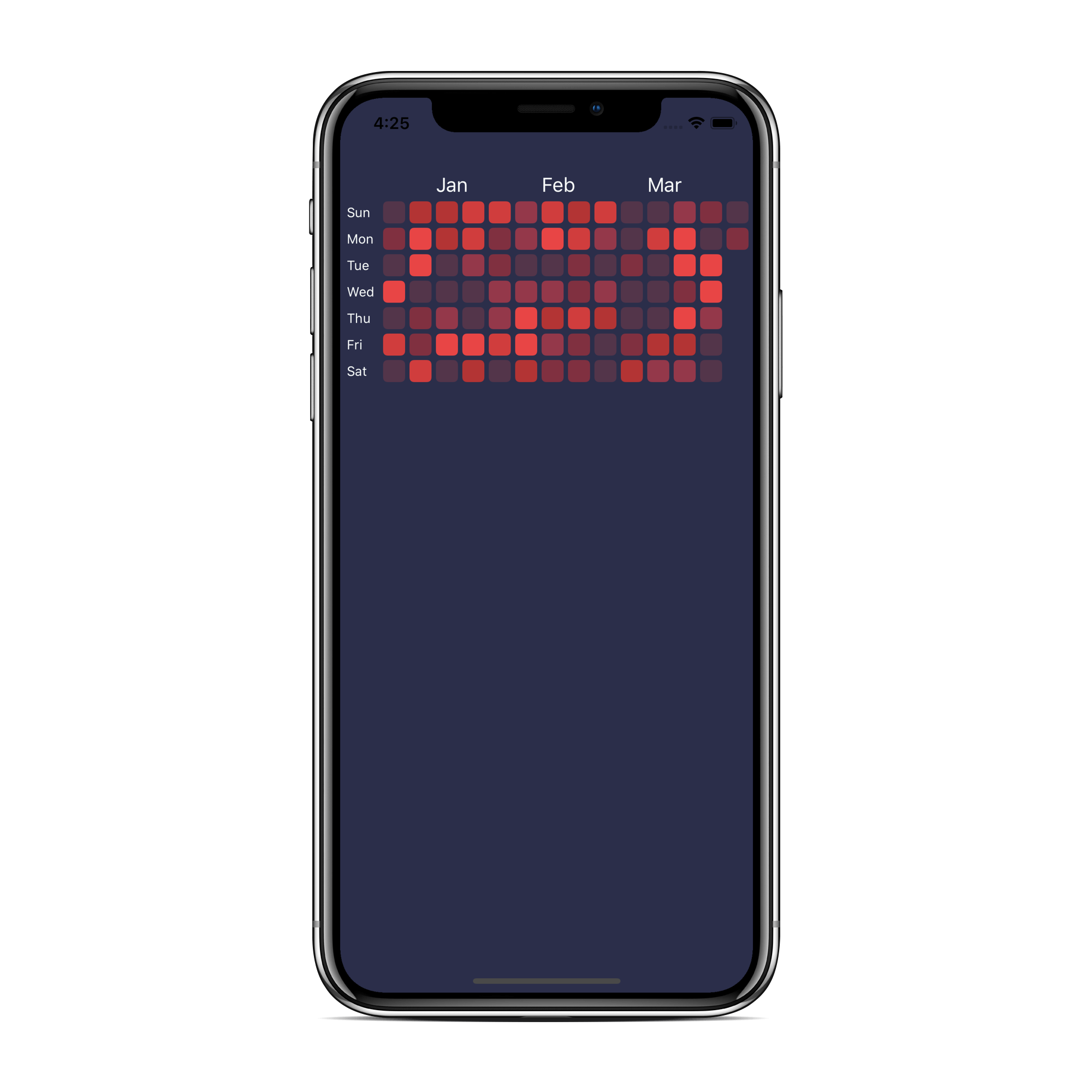
CalendarHeatmap is a calendar based heatmap which presenting a time series of data points in colors, inspired by Github contribution chart, and written in Swift.
CalendarHeatmap is available through CocoaPods. To install it, simply add the following line to your Podfile:
pod 'CalendarHeatmap'
CalendarHeatmap is also availabele through Carthage, by adding it to your Cartfile:
github "Zacharysp/CalendarHeatmap"
And finally CalendarHeatmap can also be installed using the Swift Package Manager:
// minimum usage.
let startDate = Date()
let calendarHeatmap = CalendarHeatmap(startDate: startDate)
calendarHeatmap.delegate = self
view.addSubview(calendarHeatmap)
// provide a range of date.
let formatter = DateFormatter()
formatter.dateFormat = "yyyy-MM-dd"
let startDate = formatter.date(from: "2019-10-18")
let endDate = formatter.date(from: "2020-02-14")
// default endDate is now.
let calendarHeatmap = CalendarHeatmap(startDate: startDate, endDate: endDate)
// you could custom the heatmap by using CalendarHeatmapConfig.
let config = CalendarHeatmapConfig()
let calendarHeatmap = CalendarHeatmap(config: config, startDate: Date())
// reload the heatmap
let calendarHeatmap = CalendarHeatmap(startDate: ...)
calendarHeatmap.reload()
// reload with new range of date.
calendarHeatmap.reload(newStartDate: ..., newEndDate: ...)
CalendarHeatmapConfig details.
| Config Key | Type | Default |
|---|---|---|
| backgroundColor | UIColor | UIColor.white |
| contentRightInset | CGFloat | 60 |
| itemColor | UIColor | UIColor.clear |
| itemSide | CGFloat | 20 |
| interitemSpacing | CGFloat | 4 |
| lineSpacing | CGFloat | 4 |
| weekDayColor | UIColor | UIColor.black |
| weekDayStrings | [String] | DateFormatter().shortWeekdaySymbols.map{ \$0.capitalized } |
| weekDayFont | UIFont | UIFont.systemFont(ofSize: 12, weight: .medium) |
| weekDayWidth | CGFloat | 30 |
| weekDayStandard | Enum | USandCanada |
| monthColor | UIColor | UIColor.black |
| monthStrings | [String] | DateFormatter().monthSymbols |
| monthFont | UIFont | UIFont.systemFont(ofSize: 12, weight: .medium) |
| monthHeight | CGFloat | 20 |
Starts Monday or Sunday.
var config = CalendarHeatmapConfig()
config.weekDayStandard = .USandCanada // starts Sunday. (default)
config.weekDayStandard = .International // starts Monday
Scroll the calendar programmatically
calendarHeatMap.scrollTo(date: Date(...), at: .right, animated: false)
Make your ViewController adopts CalendarHeatmapDelegate
// color for date
func colorFor(dateComponents: DateComponents) -> UIColor {
    guard let year = dateComponents.year,
        let month = dateComponents.month,
        let day = dateComponents.day else { return .clear}
    // manage your color based on date here
    let yourColor = {...}
    return yourColor
}

// (optional) selection at date
func didSelectedAt(dateComponents: DateComponents) {
    guard let year = dateComponents.year,
    let month = dateComponents.month,
    let day = dateComponents.day else { return }
    // do something here
}

// (optional) notify finish loading the calendar
func finishLoadCalendar() {
    // do something here
}
Take a look at Example, to run the example project, clone the repo, and run pod install from the Example directory first.
Zacharysp, dongjiezach@gmail.com
CalendarHeatmap is available under the MIT license. See the LICENSE file for more info.
more like this
Widgets for Douban and Trakt watchlists plus personalized recommendations, live TV streaming including PlutoTV, Yatu ra…
A lightweight, simplified, RedNotebook-inspired journal/diary app. Built with Electron. Makes dated text files.
A window-oriented bottom taskbar for macOS — a Dock replacement that organizes by window, not app. 以「窗口」为单位的 macOS 任务条
search projects, people, and tags