gnome-wallpaper-engine
gnome live-wallpaper wayland x11
 achu94
git clone https://github.com/achu94/gnome-wallpaper-engine.gitachu94/gnome-wallpaper-engine🌌 GNOME Live Wallpaper Engine
No complex setup. No heavy dependencies. Just mpv, ffmpeg + the extension.
The simplest and most reliable way to use live wallpapers on GNOME — fully compatible with Wayland & X11.
Powered by mpv for maximum performance, low resource usage, and full format support (MP4, GIF, WebM, MKV…).
If you like this project, consider giving it a star ⭐ — it really helps!
☕ Support & Updates
If you’d like to support the project, you can do so here:
I’ll also be sharing development updates, progress, and behind-the-scenes work on Ko-fi.
You don’t need to donate to see the posts — everyone is welcome to follow along and stay updated 🙂
And if you enjoy the project, a ⭐ on GitHub is always appreciated!
🎥 Demo
Live wallpaper running on GNOME (Wayland)
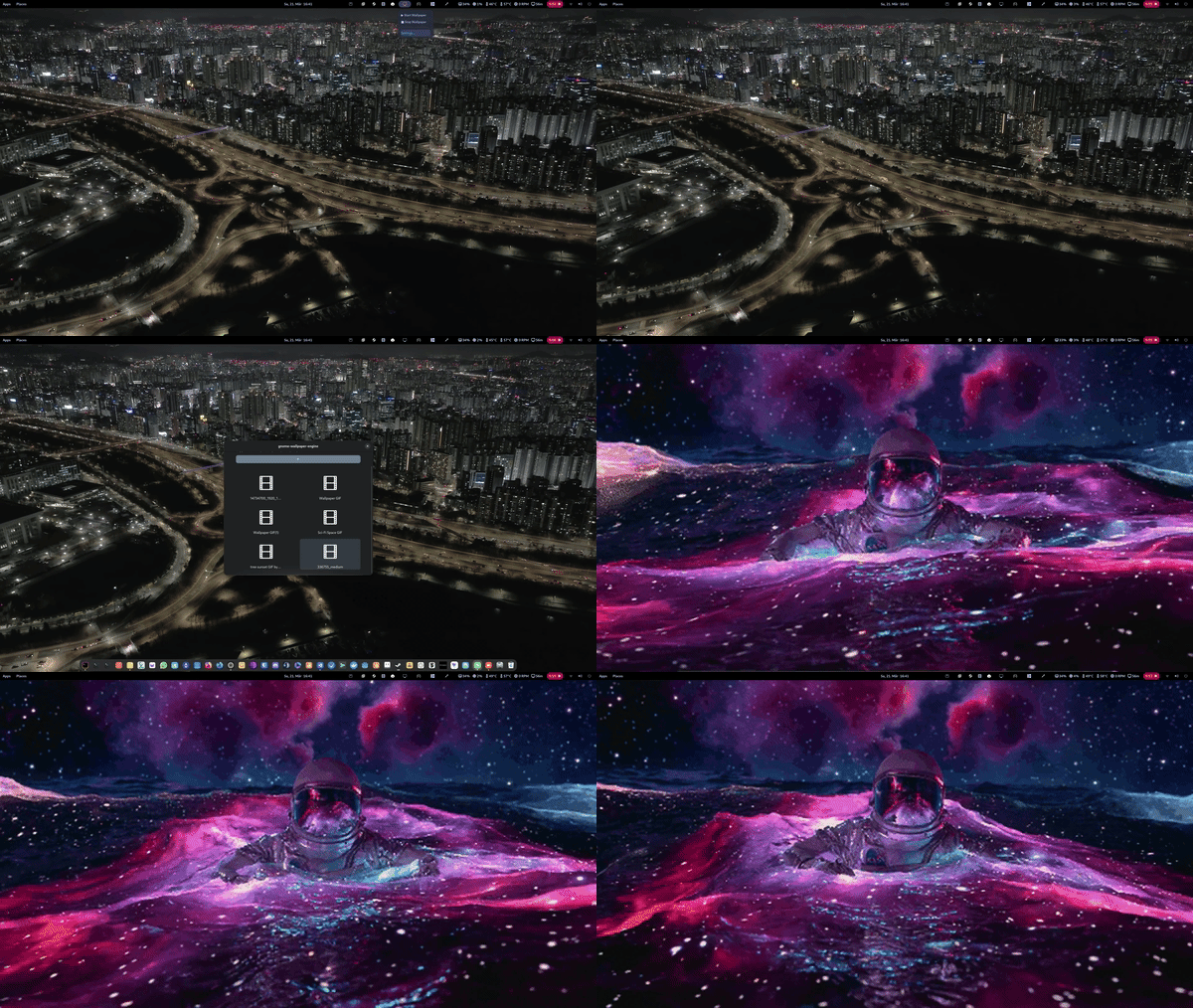
✨ Features
- 🎬 Integrated Gallery: Browse and select wallpapers directly from GNOME Settings
- 🖼️ Thumbnail Previews: Automatically generated previews for all wallpapers
- 📥 Smart Import: Add videos with one click and apply instantly
- 🚀 GPU Accelerated (enabled by default): Uses mpv with
hwdec=auto - ⚡ Very Low CPU Usage: Typically ~1–3%
- 🔄 Instant Apply: Switch wallpapers in real-time
- 🖥️ Wayland Ready: Works reliably where most tools fail
- 📦 Minimal Setup: Only requires mpv and ffmpeg
- 🎞️ Wide Format Support: MP4, GIF, WebM, MKV and more
- 🔁 Autostart: Automatically start wallpaper on login
- 🧩 Tray Icon Toggle: Show or hide the top panel indicator
- ⏸️ Auto Pause (Fullscreen): Pauses when a fullscreen app is active
- 🔋 Auto Pause (Battery): Pauses when running on battery to save power
🚧 Roadmap
- 🎮 Steam Wallpaper Engine integration (auto-detect and list compatible wallpapers)
- 🎛️ Advanced playback settings (loop modes, speed, etc.)
- 🎨 Future rendering engine (without mpv)
🛠 Requirements
You only need mpv installed:
Ubuntu / Debian / Zorin OS
sudo apt update && sudo apt install mpv ffmpeg
Fedora
sudo dnf install mpv ffmpeg
Arch Linux
sudo pacman -S mpv ffmpeg
openSUSE
sudo zypper in mpv ffmpeg
📦 Installation
🎖️ Official GNOME Extensions (Easiest)
Install it directly from the GNOME Extensions website:
⚡ Quick Install (Local ZIP)
gnome-extensions install gnome-wallpaper-engine@gjs.com.zip
Then:
- Wayland: Log out and log back in
- X11: Press
Alt + F2, typer, press Enter
Finally, enable the extension using the Extensions app
(or via the top panel indicator if enabled).
🧩 Manual Install
- Download the ZIP file from the latest release
- Extract it to:
~/.local/share/gnome-shell/extensions/
- Make sure the folder is named:
gnome-wallpaper-engine@gjs.com
- Compile the GSettings schemas by running this command in your terminal:
glib-compile-schemas ~/.local/share/gnome-shell/extensions/gnome-wallpaper-engine@gjs.com/schemas/
-
Restart GNOME Shell
- Wayland: Log out and log back in
- X11: Press
Alt + F2, typer, press Enter
-
Enable the extension using the Extensions app
📖 Usage
- Open the extension settings
- Click "Add Video/GIF"
- Select a wallpaper from the gallery
- Wallpapers are applied instantly
- Optionally use the top panel indicator to start or stop playback
- Optionally hide the tray icon from the settings
💡 Why this exists
I built this to solve the lack of simple and reliable live wallpaper solutions on GNOME, especially on Wayland.
⚖️ License
GPL-3.0 — free and open source.
more like this
DailyWallpaperHub
多源壁纸聚合平台 · 自动归档 Bing + Unsplash 精选壁纸 · AI 视觉故事生成 · 企业微信推送 · GitHub Pages 在线画廊